Deleting Messages

SINC Support Team
SINC Support Team
Mar 10th, 2023

To delete a message in the mobile app: Long press on a message
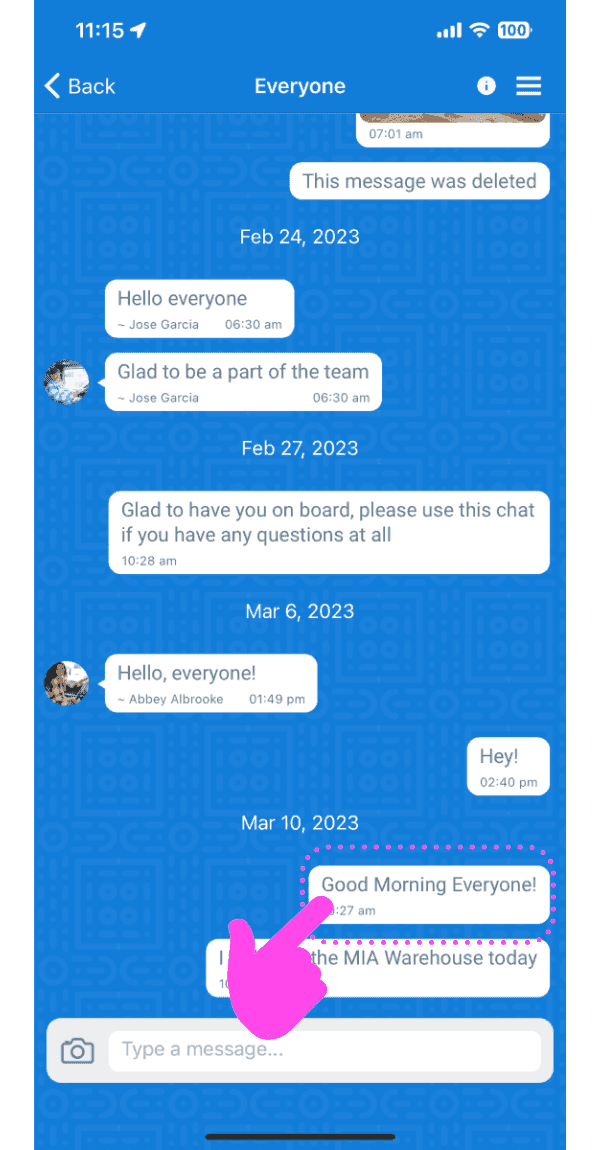
Group chat conversation screen with a pink arrow pointing to a message to long-press and delete

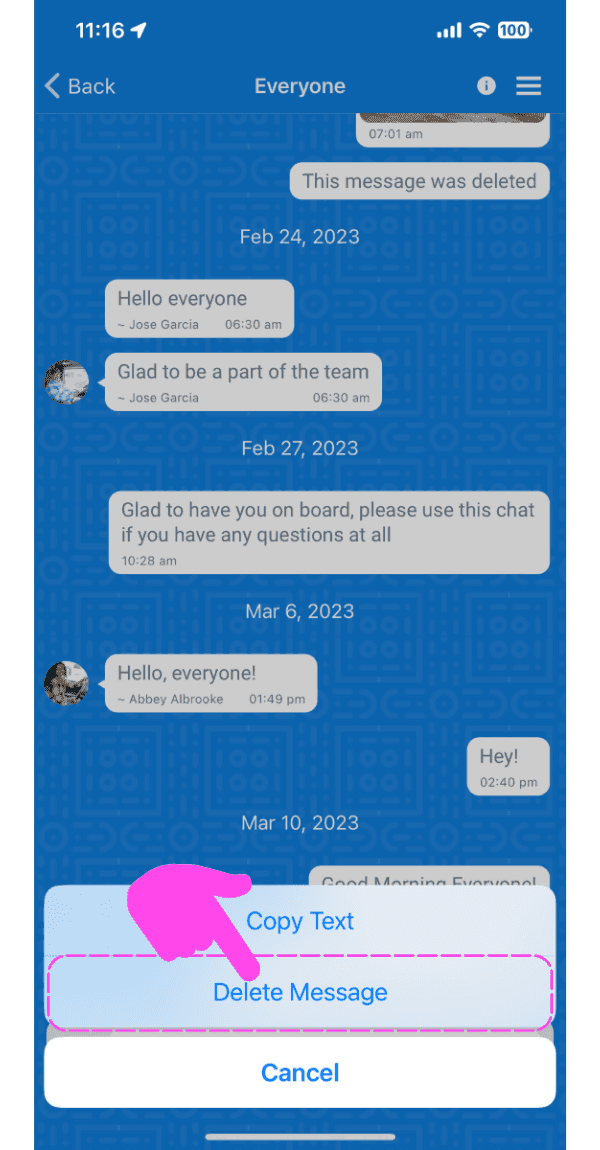
Tap on 'Delete Message'

SINC mobile chat conversation with a message options menu open and the Delete Message option highlighted

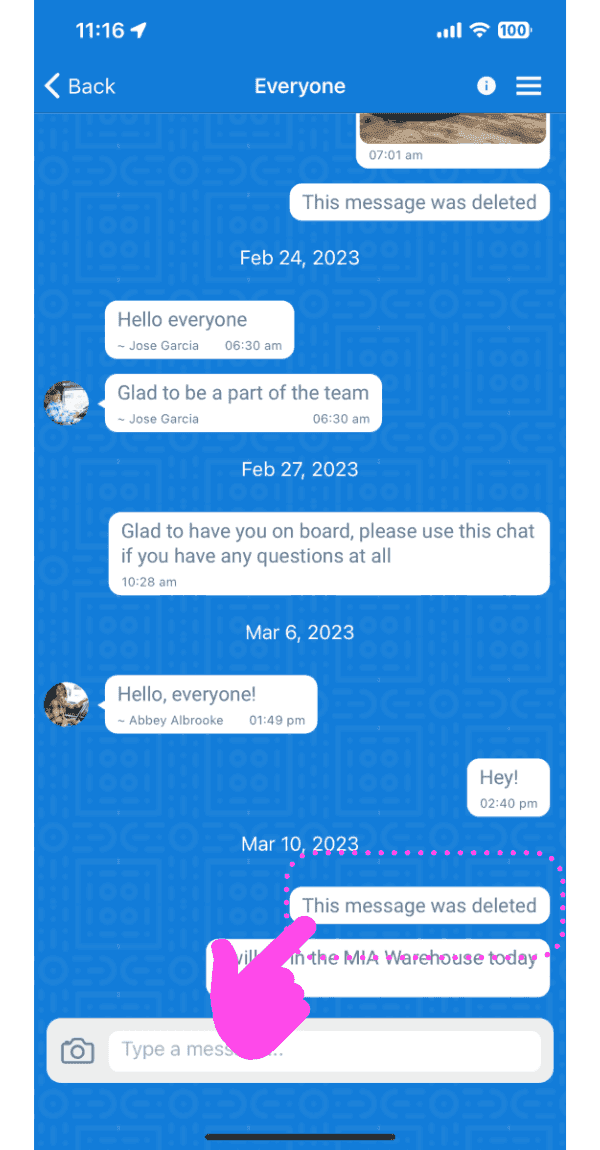
The message will be deleted.

Mobile group chat thread with a deleted message outlined in pink and a finger tapping it

On web: Hover over a message and click on Trash icon
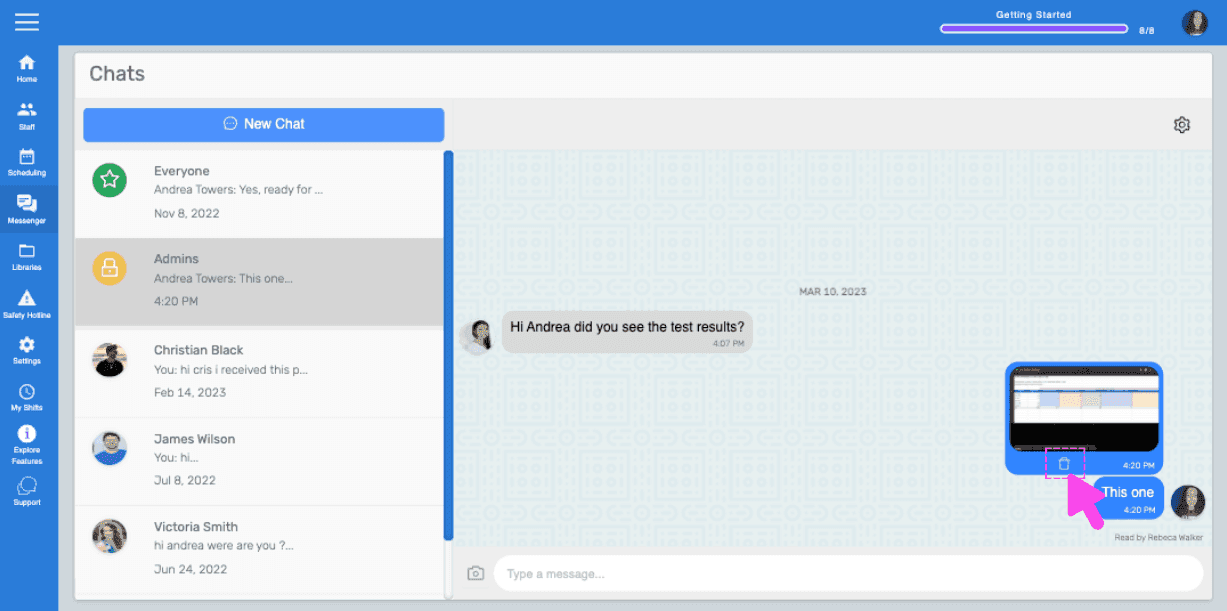
SINC web chat conversation with a pink hand pointing to the trash icon on a hovered message

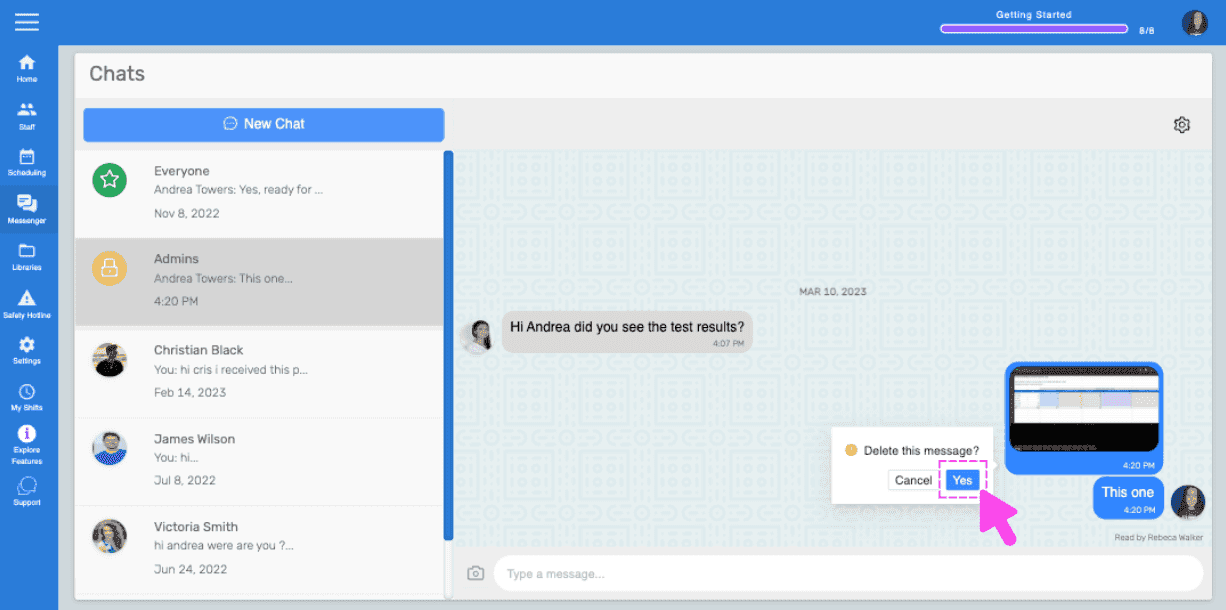
Click on 'Yes' for the prompt

Chats screen showing a delete message confirmation popup with a pink arrow on the Yes button

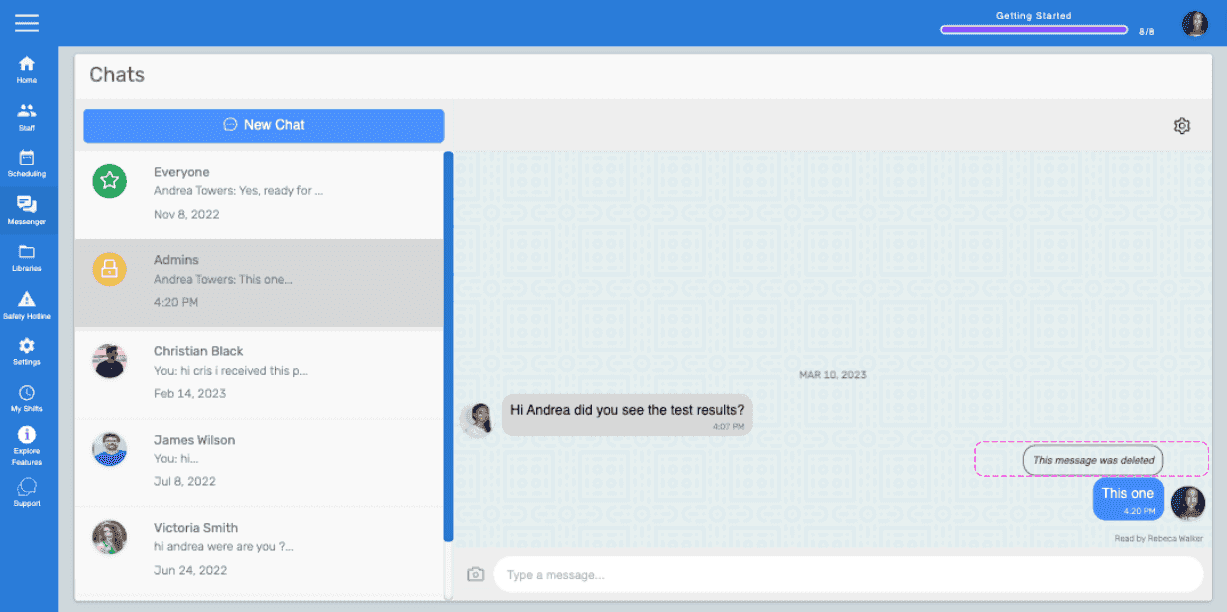
The message will be deleted.

Web Chats screen showing a message marked 'This message was deleted' highlighted in pink

Did this answer your question?