
Mute Notifications for Chat
This guide shows how to mute notifications for a chat.

SINC Support Team
Mar 10th, 2023
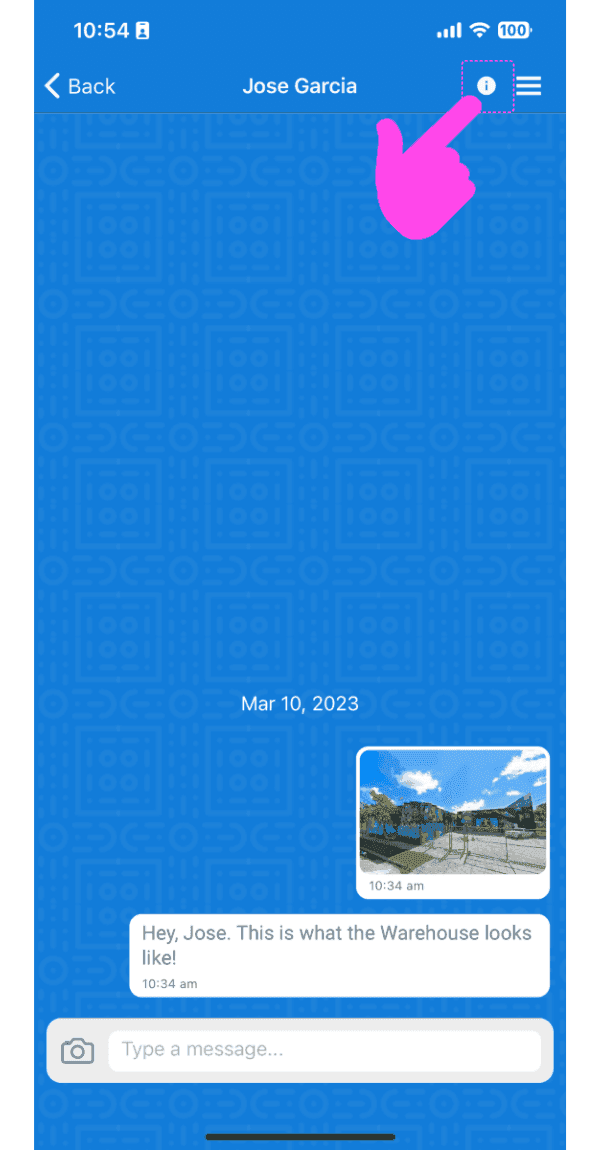
On the mobile app: Select a chat from the list and tap on info icon on the app bar (on top)
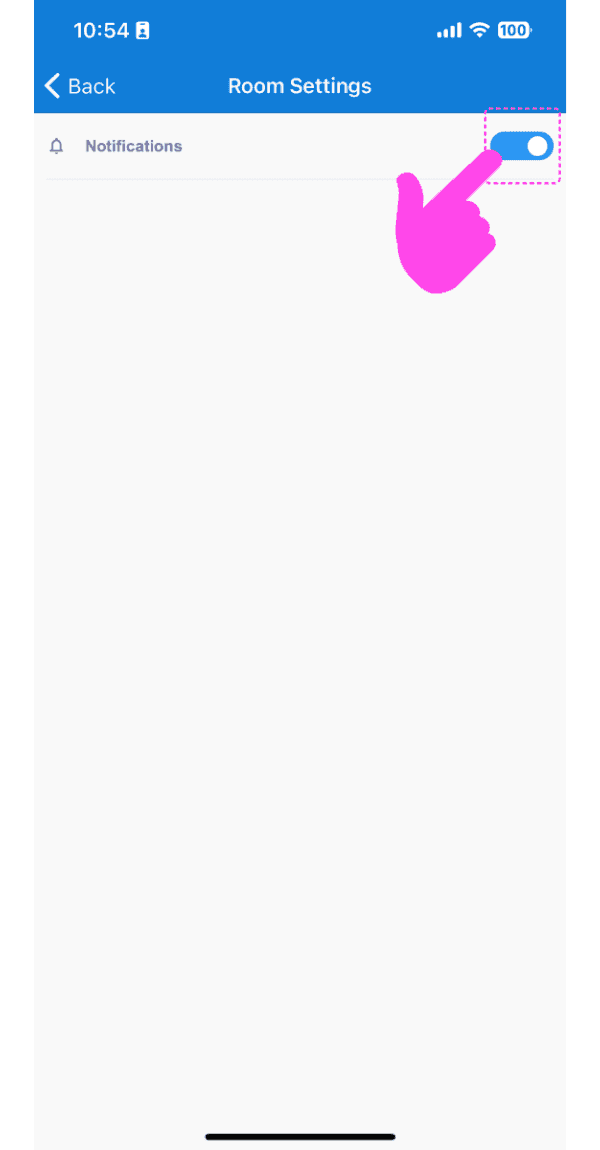
Tap on Switch to turn the notifications ON or OFF
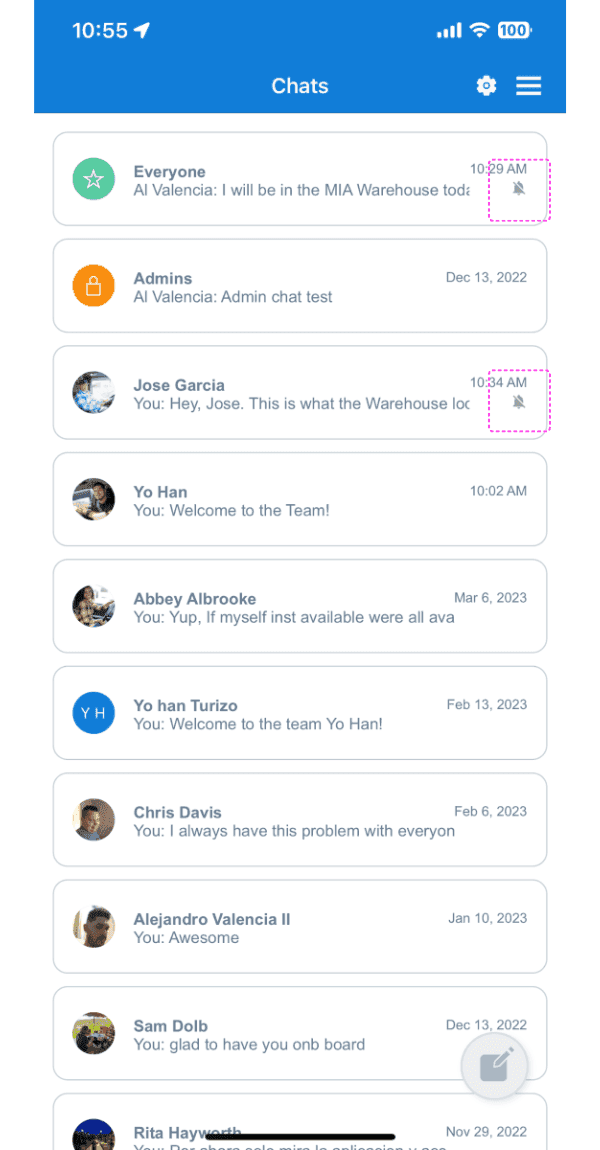
If a specific chat has notifications muted, it will show a slashed bell icon in the room list
On the web version: Select a chat by clicking on a chat from the chats list and click on 'gear' icon
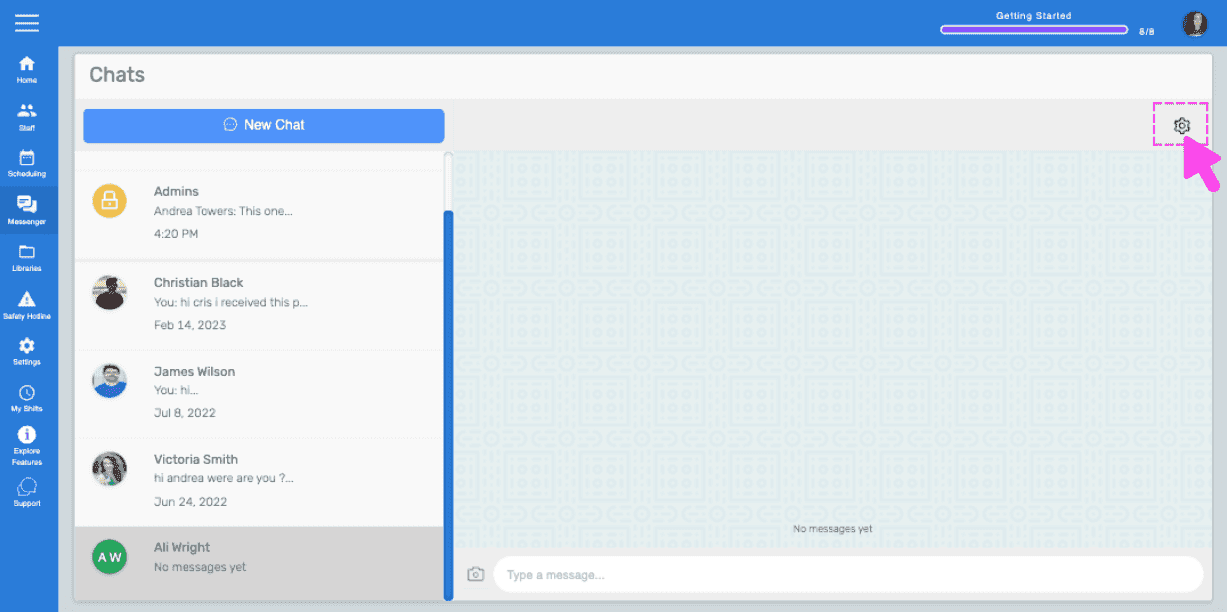
Click on Switch to turn the notifications ON or OFF
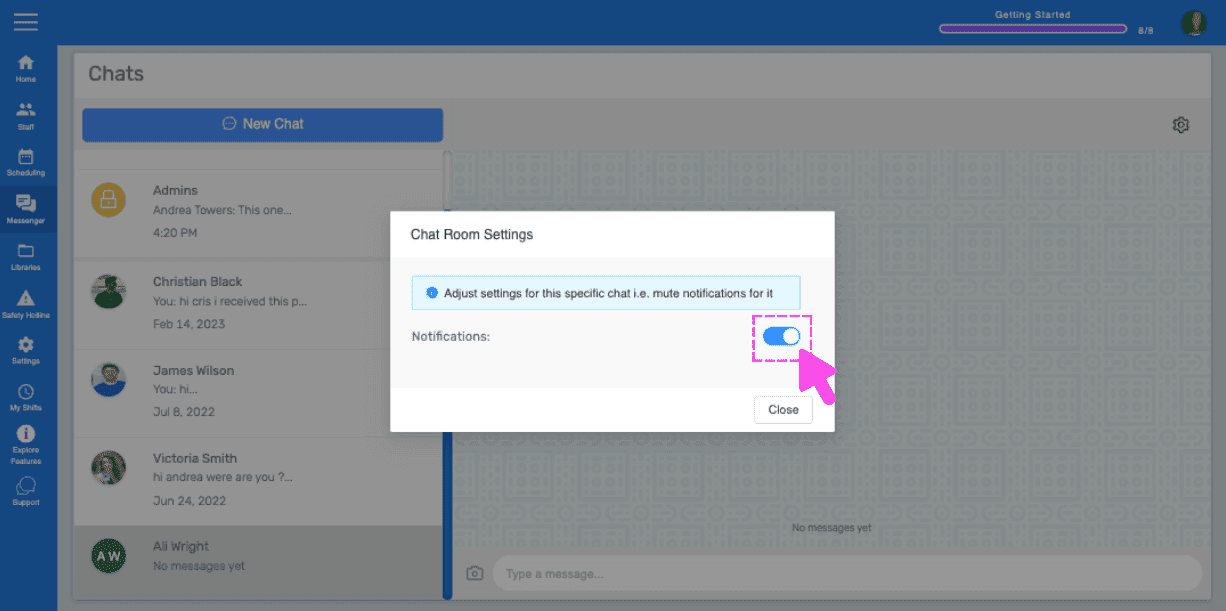
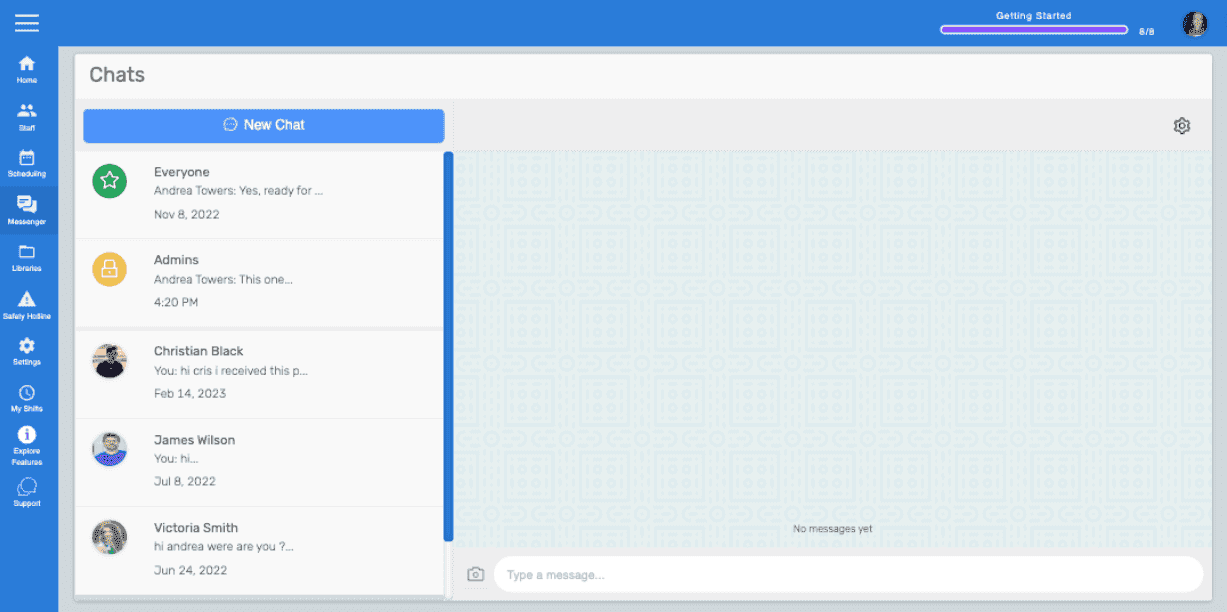
If a specific chat has notifications muted on the web, it will show a slashed bell icon in the room list on that chat box. Note: By default, notifications are ON. The user has to turn off or mute notifications manually.
Did this answer your question?