
Start a New Chat
This article shows how to start a new chat with a staff member.

SINC Support Team
Mar 10th, 2023
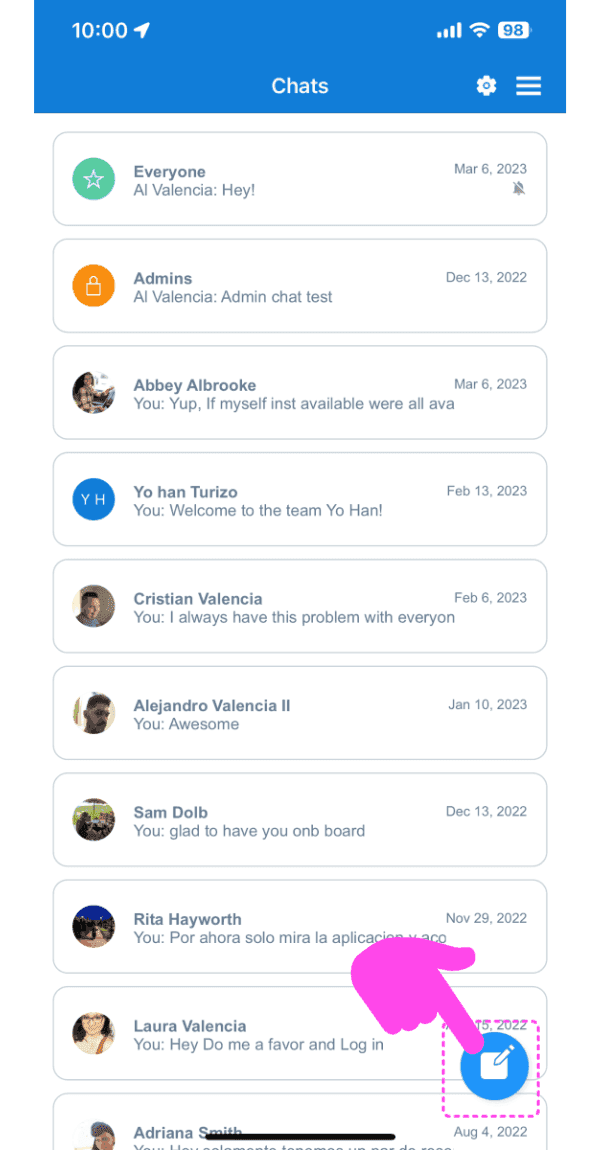
To start a private 1-1 chat with a staff member: On the mobile app, Tap on create new chat button (the pen and pad icon)
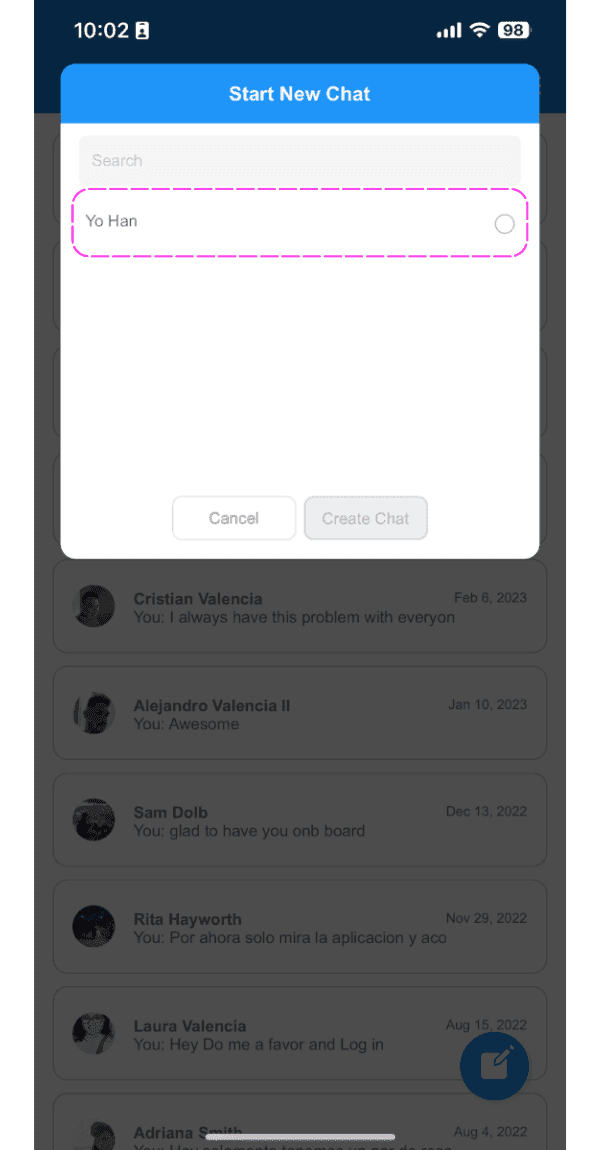
Tap on an employee from the list
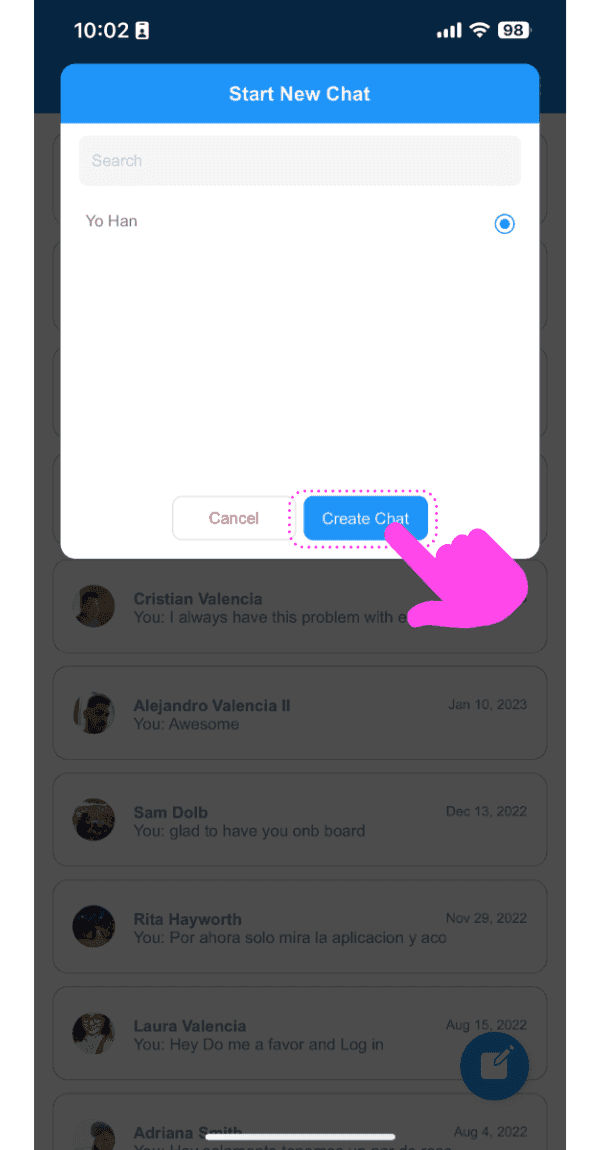
Tap on 'Create Chat' button
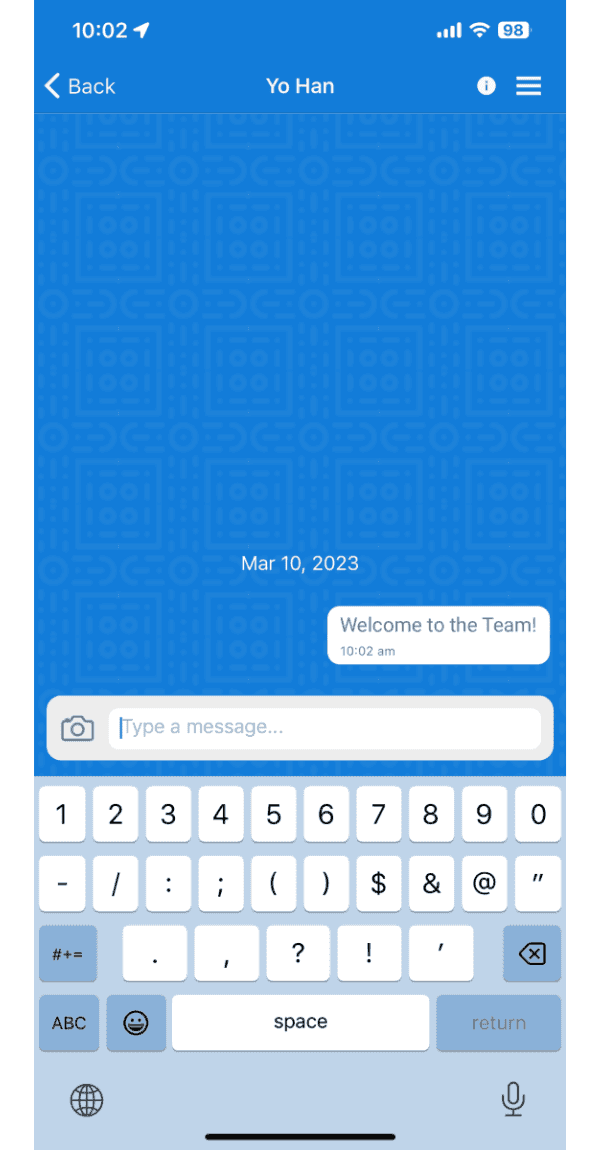
The app will navigate you to the newly created chat
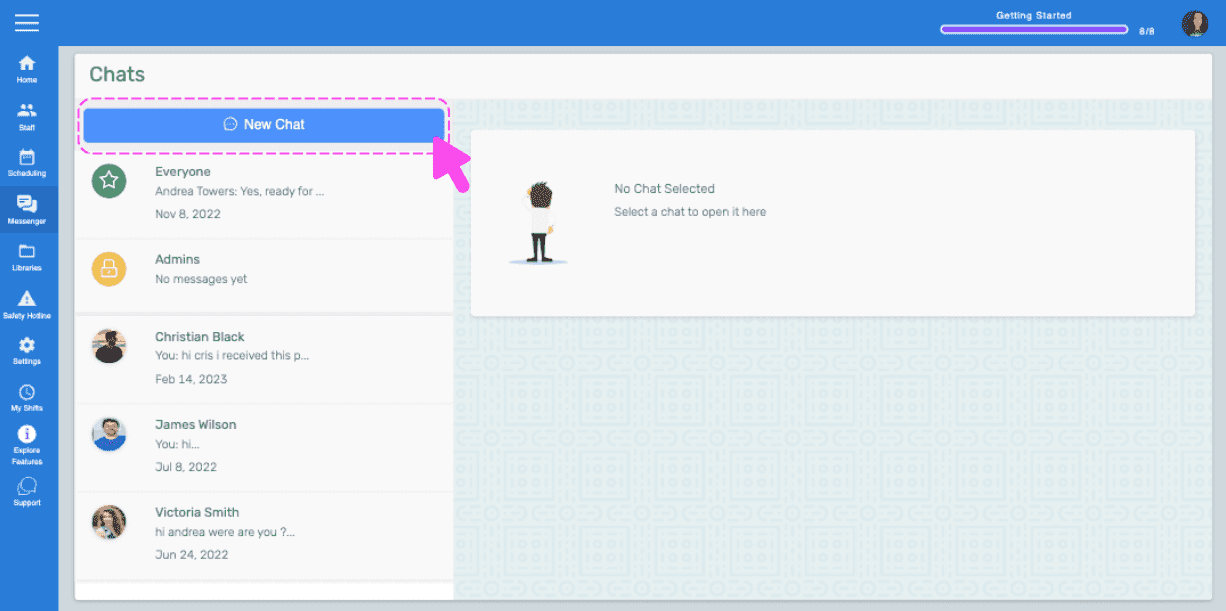
On the web: Click on 'New Chat' button
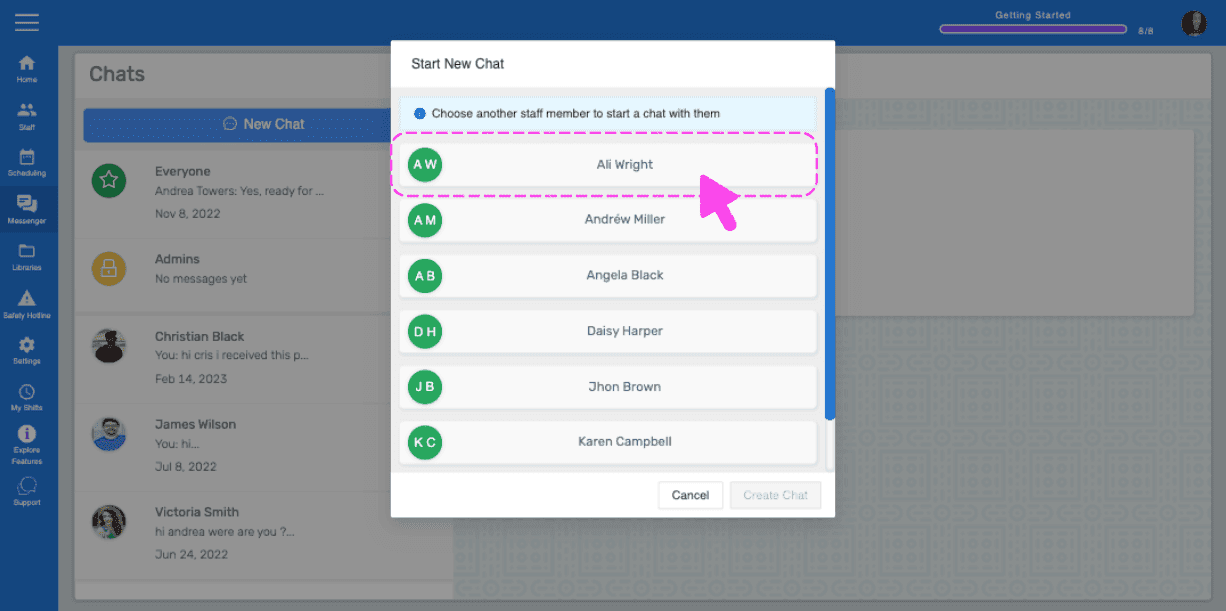
Click on an employee from the list
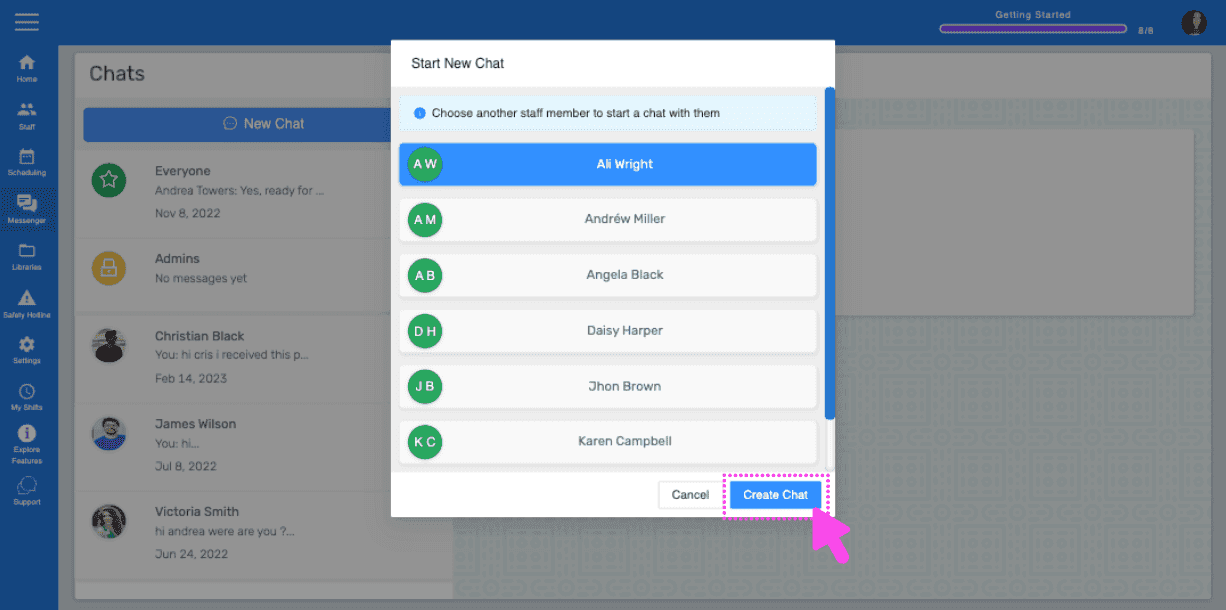
Click on 'Create Chat' button
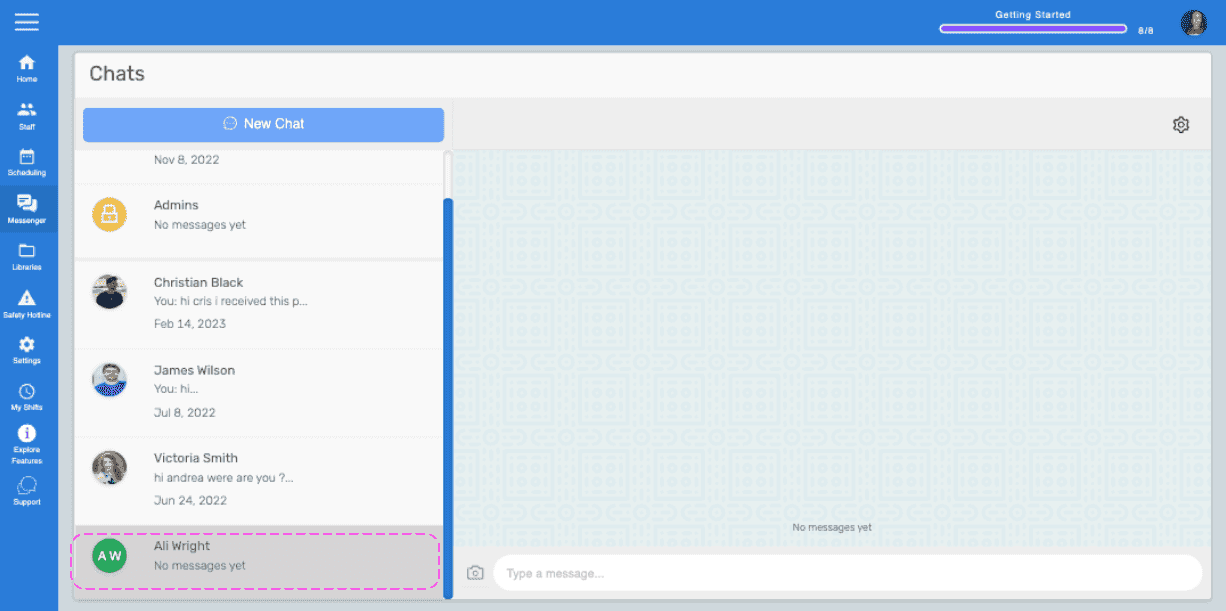
The web will navigate you to the newly created chat room
Did this answer your question?