
How To View Shifts From Past Pay Periods?

Sam Dolbel
Sam Dolbel
Mar 21st, 2023

Simply Tap on The Gear Icon on the Admin Home Screen
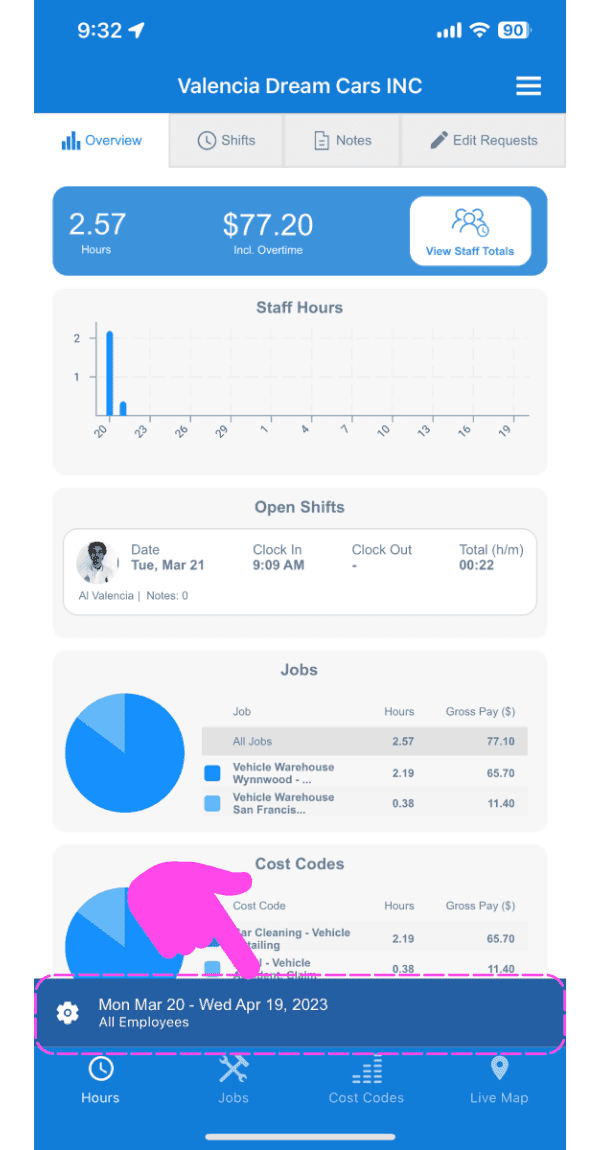
SINC mobile app Overview screen with a pink arrow and dashed highlight around the pay period date range selector at the bottom

Tap on The Calendar Icon next to Pay Period.
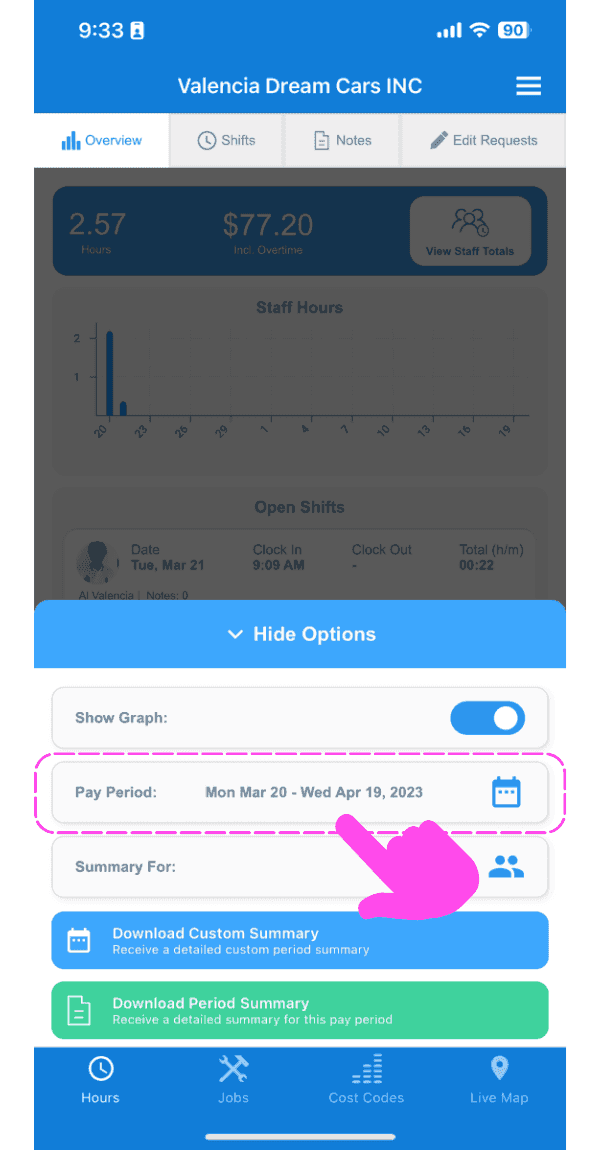
SINC mobile app Overview screen with a pink arrow pointing to the calendar icon next to the Pay Period field

Select the date range that you want to be displayed.
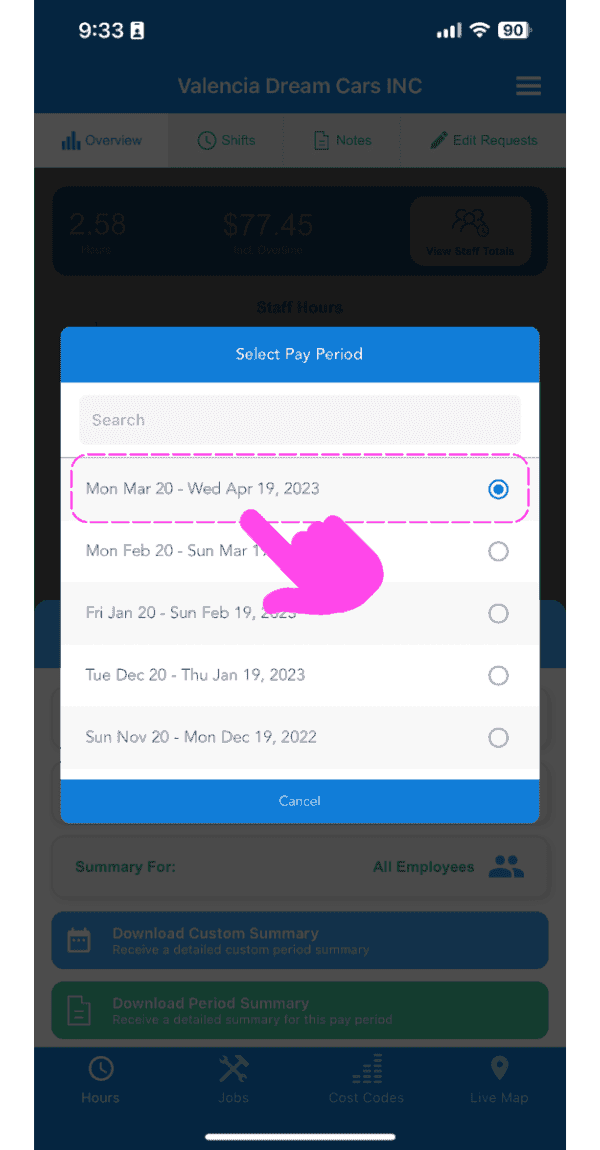
Mobile Select Pay Period popup with a date range option circled in pink and an arrow pointing to it

Now, your shifts, pay period exports and notes will all be filtered by your selection.

Did this answer your question?