Add Notes To Your Job Shift

In this guide we will cover how you can add notes to your job shifts as an employee in SINC

SINC Support Team
SINC Support Team
Mar 10th, 2023

You can add a note while on a job shift with the help of the following screenshots. On Mobile, to add a note to an open job shift: Tap on Add Note
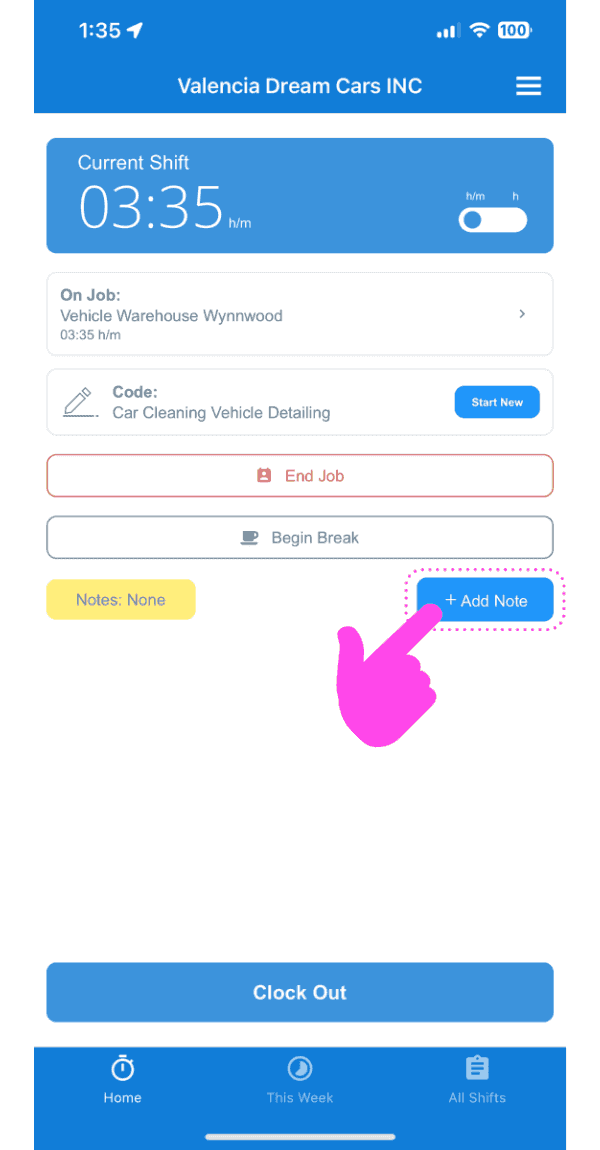
SINC mobile current shift screen with a pink arrow pointing to the Add Note button

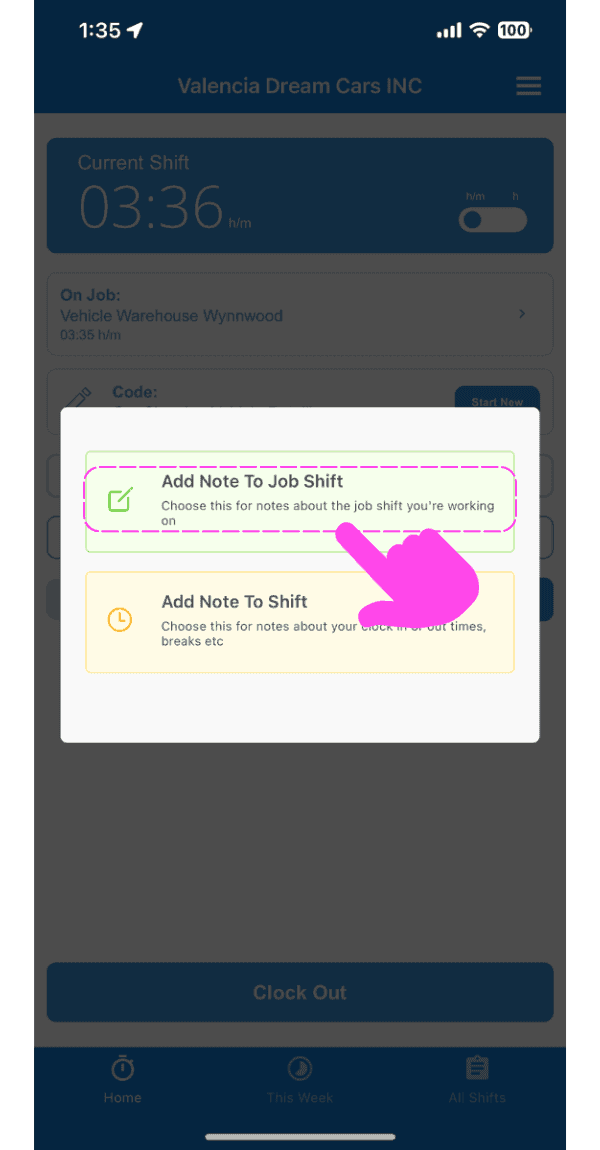
Tap on Add Note To Job Shift

Add Note popup with a pink arrow pointing to the "Add Note To Job Shift" option above "Add Note To Shift"

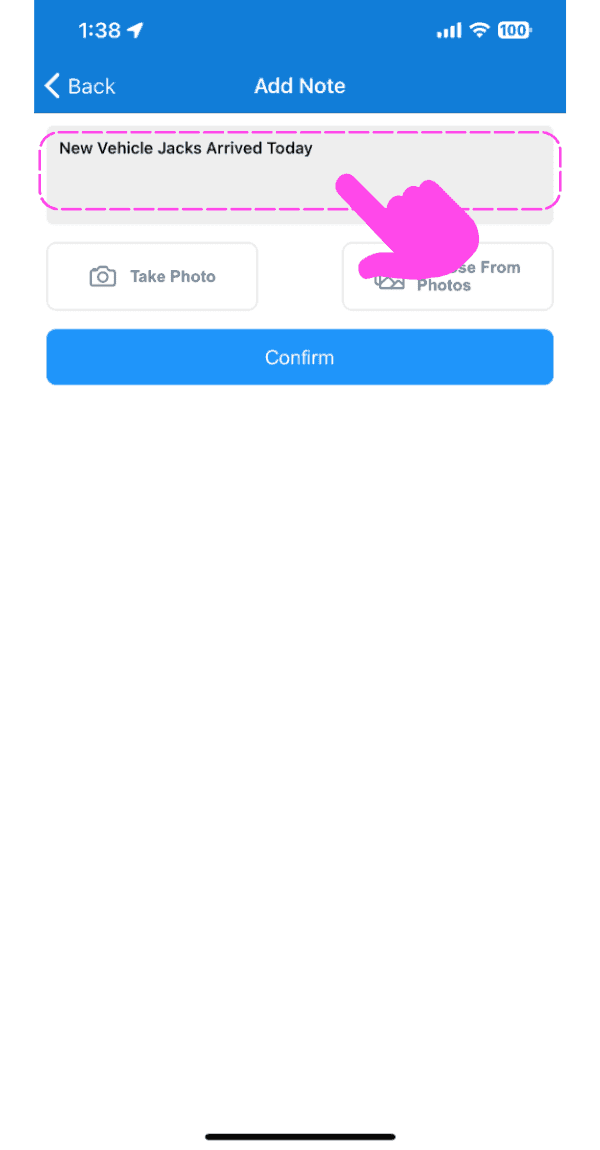
Enter a description of the note.

SINC mobile Add Note screen with a pink arrow pointing to the note description text field

Upload an image relating to the note if you wish.
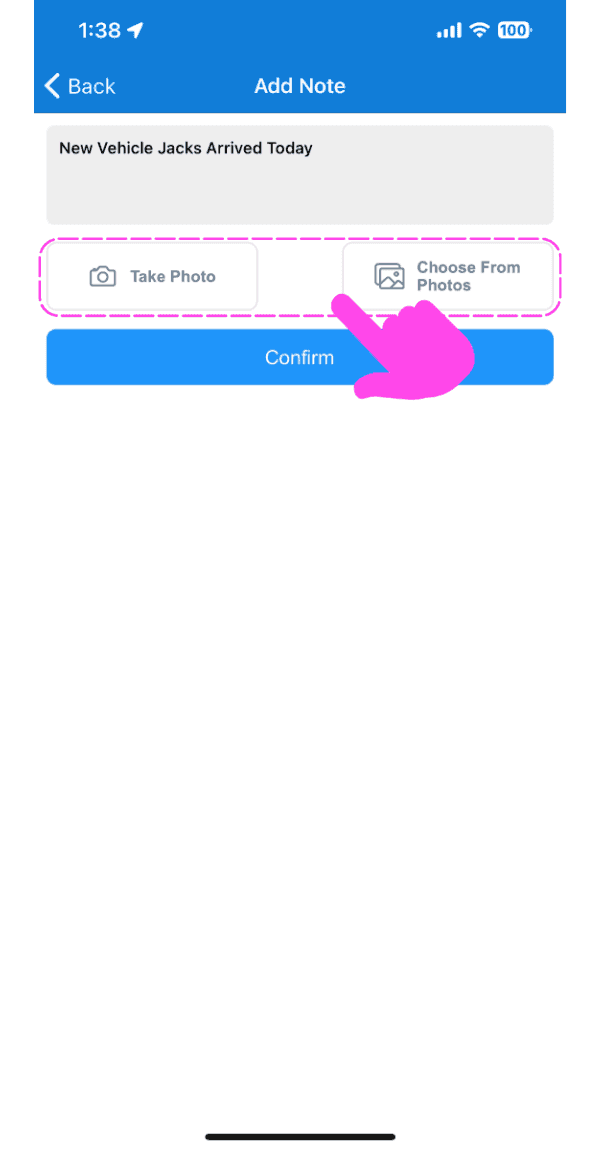
Mobile Add Note screen with Take Photo and Choose From Photos options outlined in pink

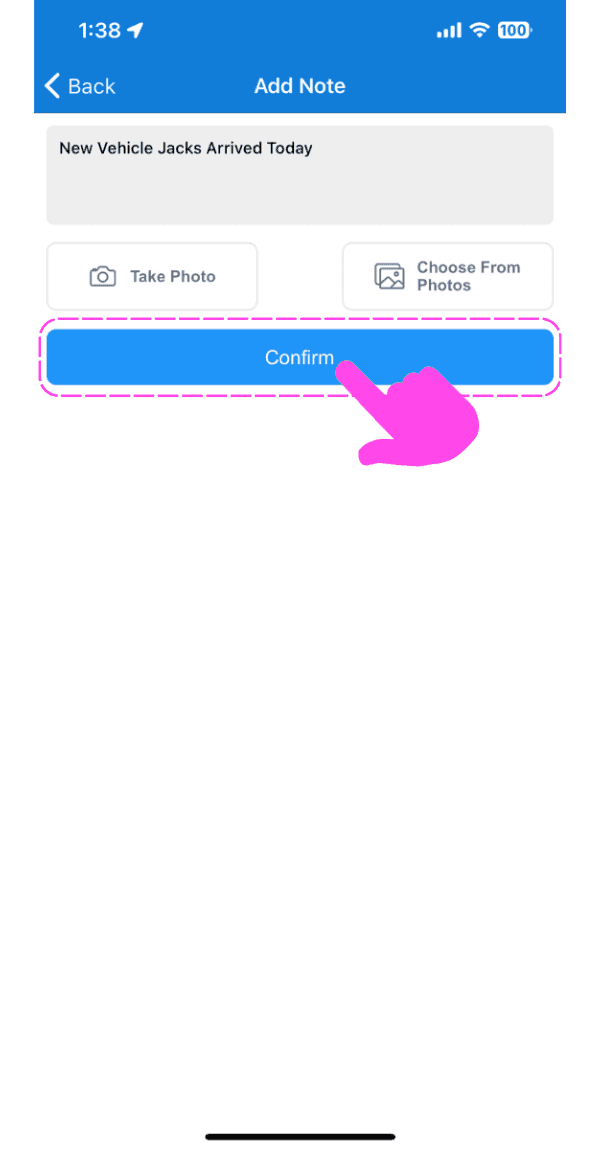
Tap on Confirm

SINC mobile Add Note screen with typed note text and a pink hand pointing to the Confirm button

On Web, to add a note to an open shift: Click on Add Note
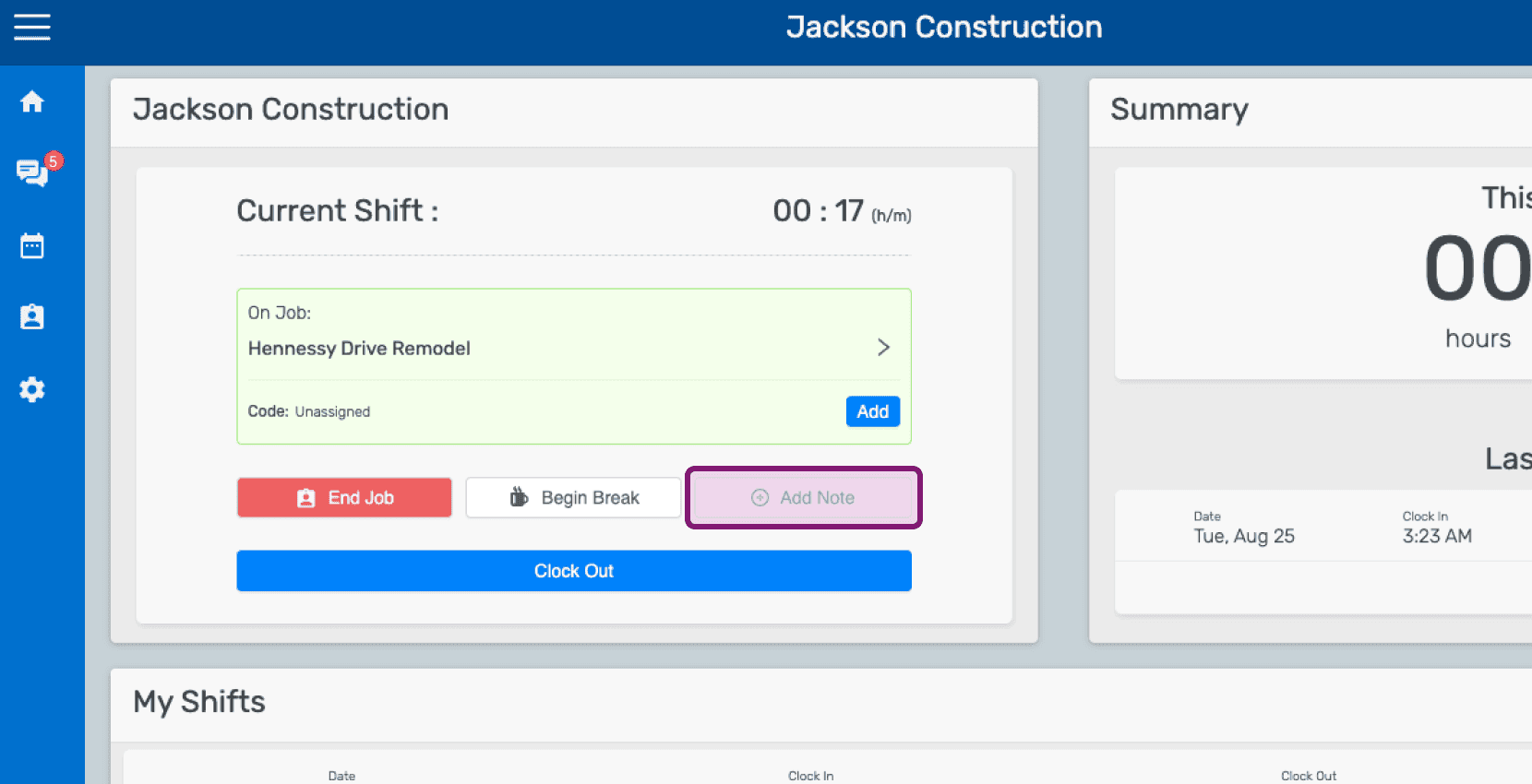
Mobile home dashboard showing an open job shift with the Add Note button highlighted

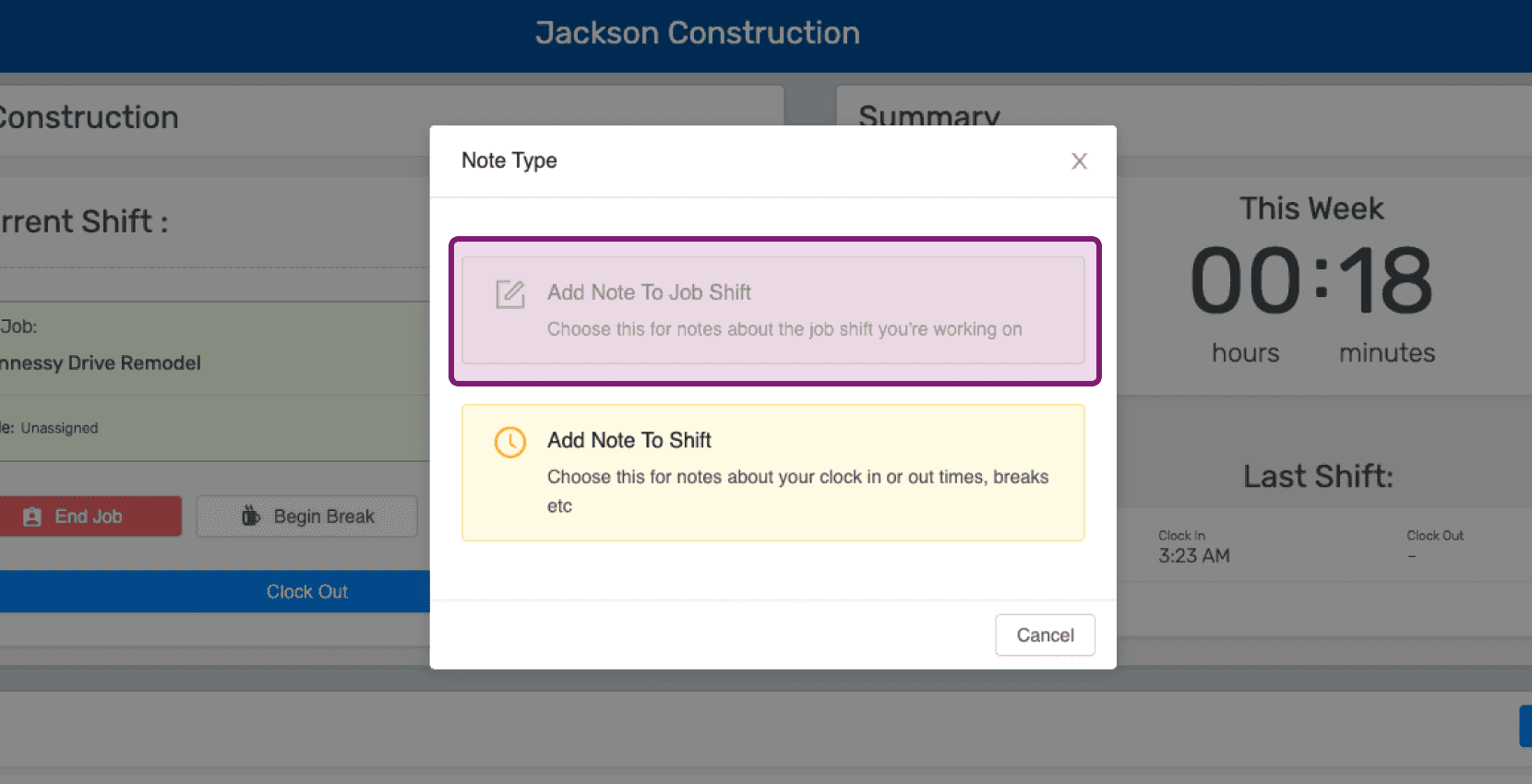
Click on Add Note To Job Shift

Mobile Note Type popup with the 'Add Note To Job Shift' option outlined in purple

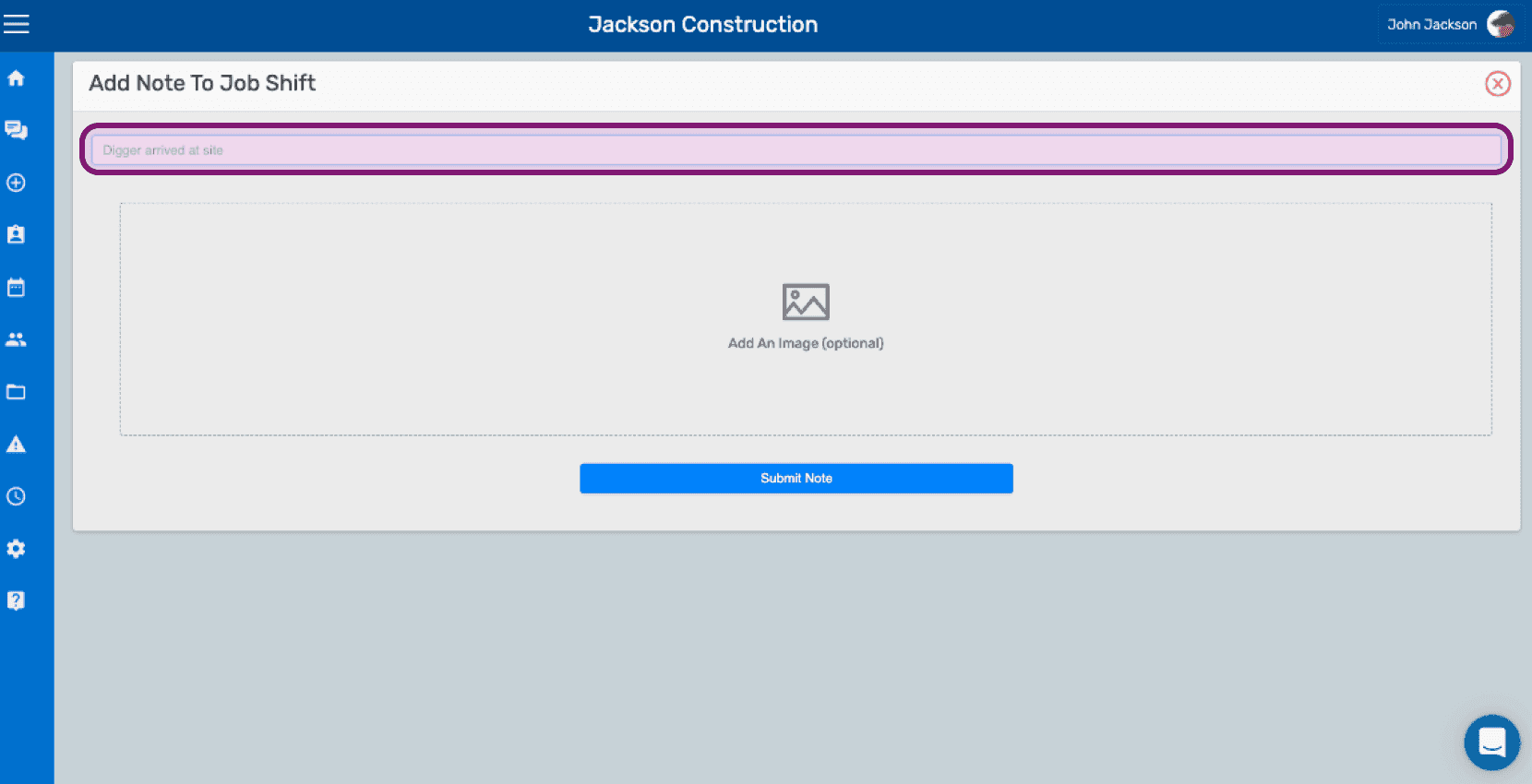
Enter a description of the note.

SINC web Add Note To Job Shift screen with the note text field outlined above the image upload area

Upload an image relating to the note if you wish.
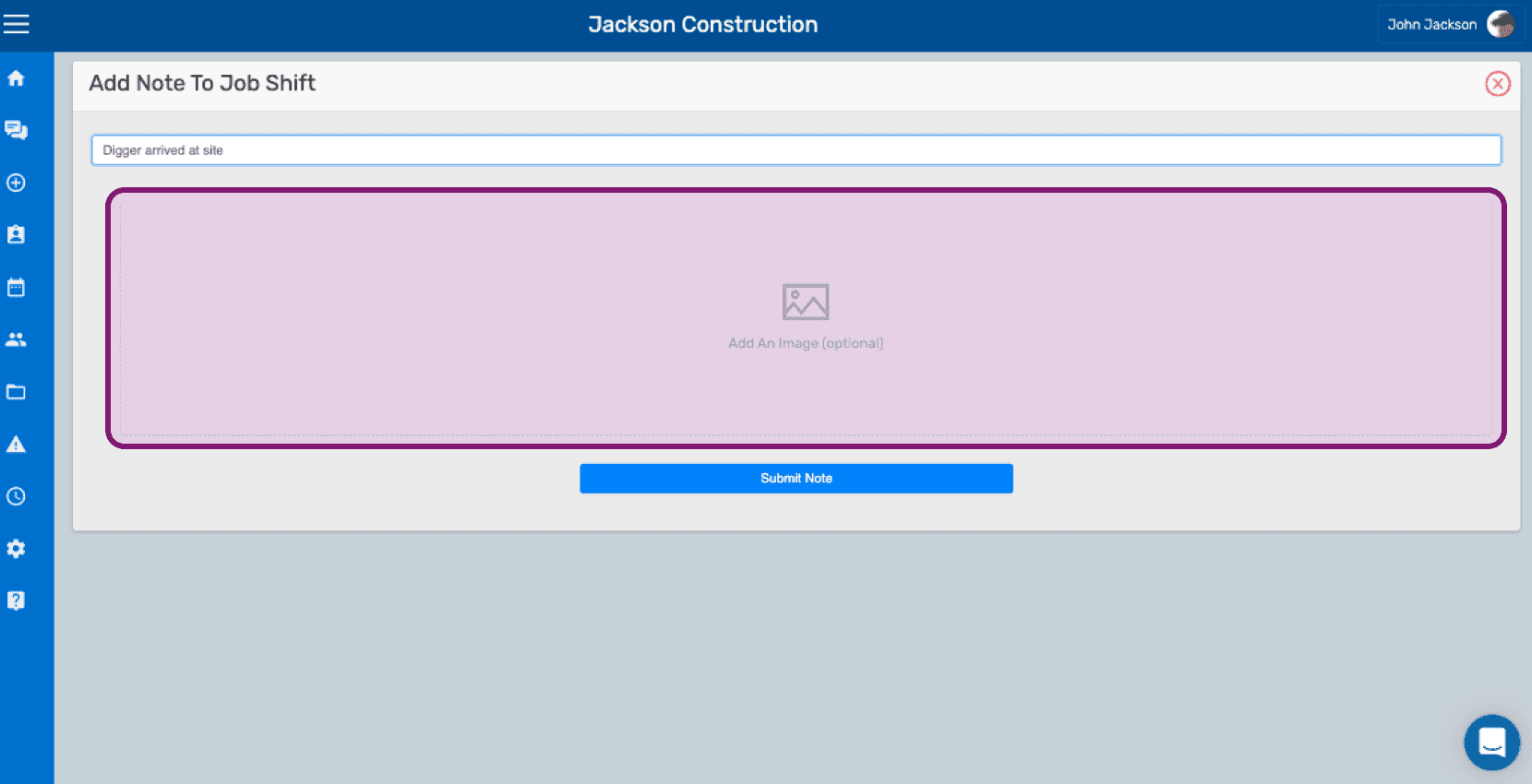
SINC web Add Note To Job Shift screen with the optional image upload area outlined in pink

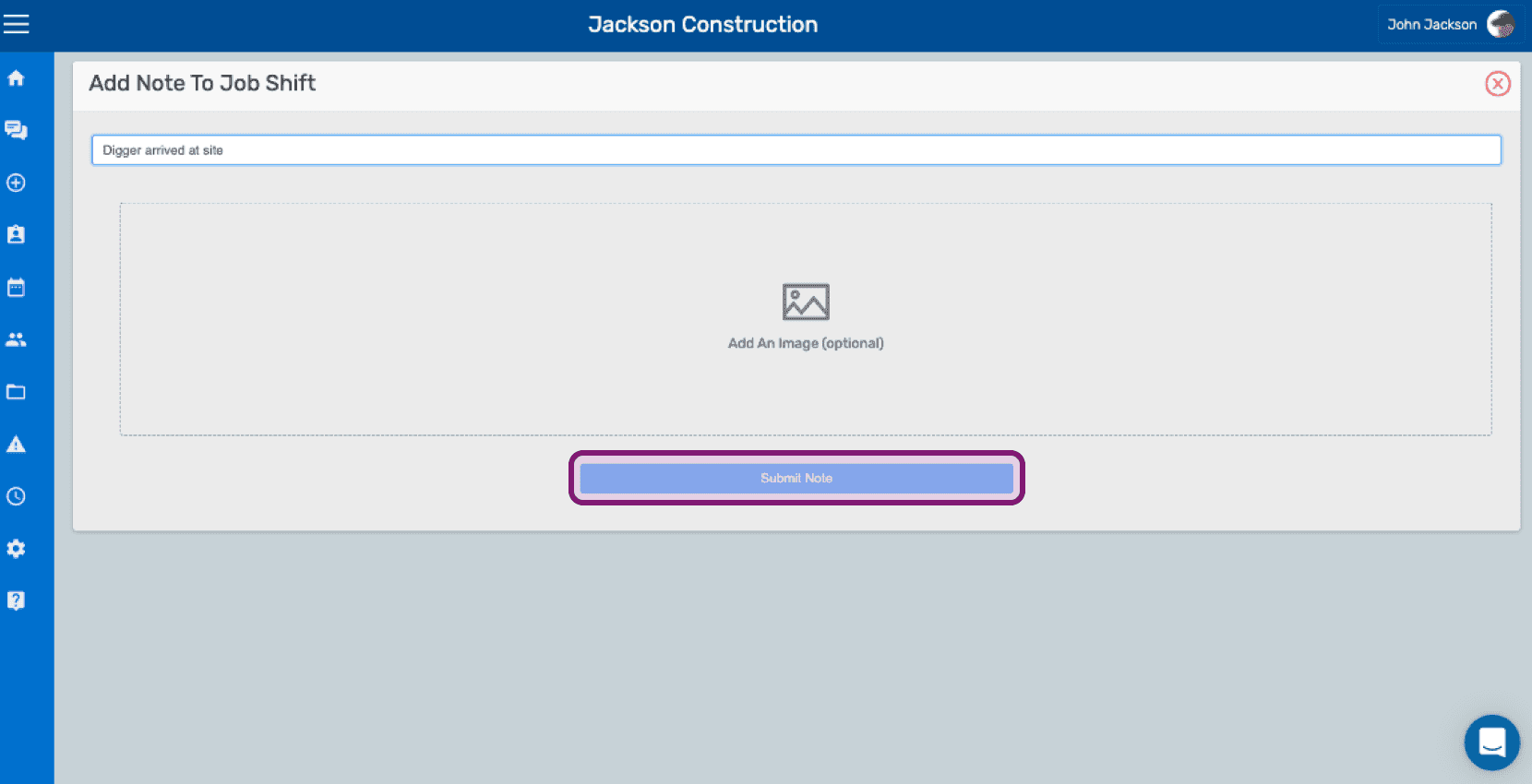
Click on Submit Note

Add Note To Job Shift screen with a text field, optional image upload, and the Submit Note button outlined

Did this answer your question?