
Requesting a Time Sheet Edit
In this guide we will cover how you can request edits to your shifts as an Employee

Sam Dolbel
May 26th, 2023
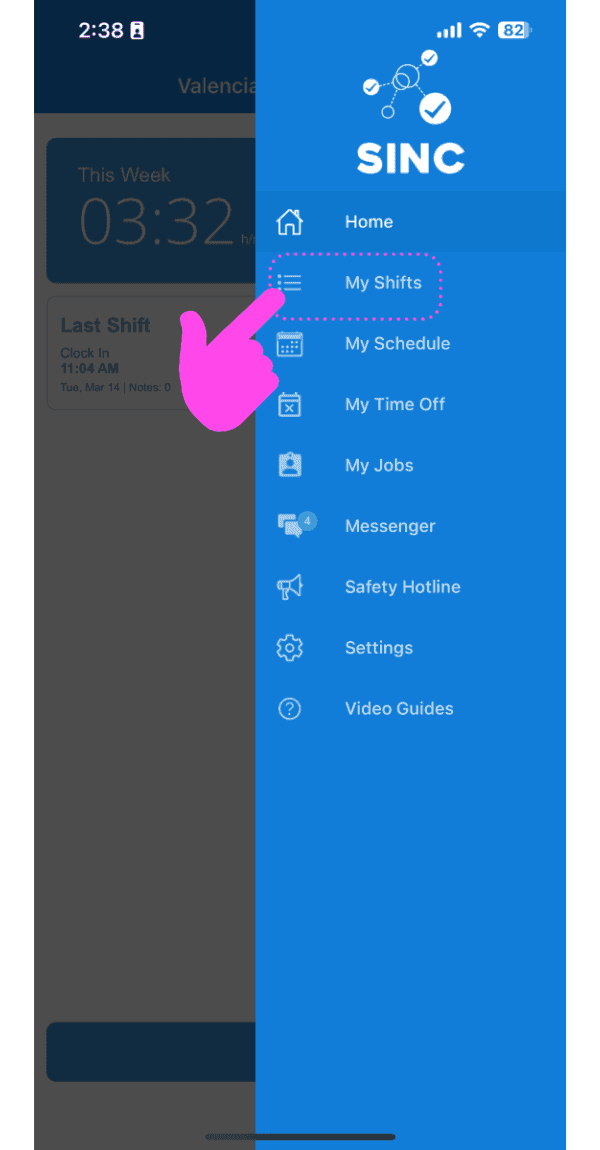
On Mobile: Tap on Menu My Shifts
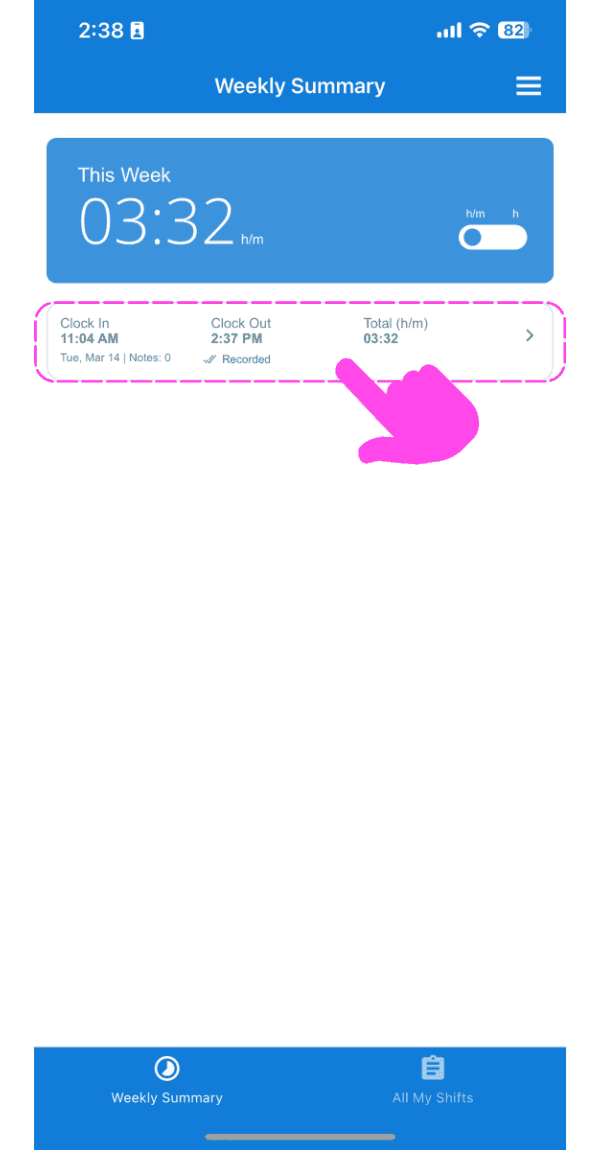
Tap on The Shift In Question
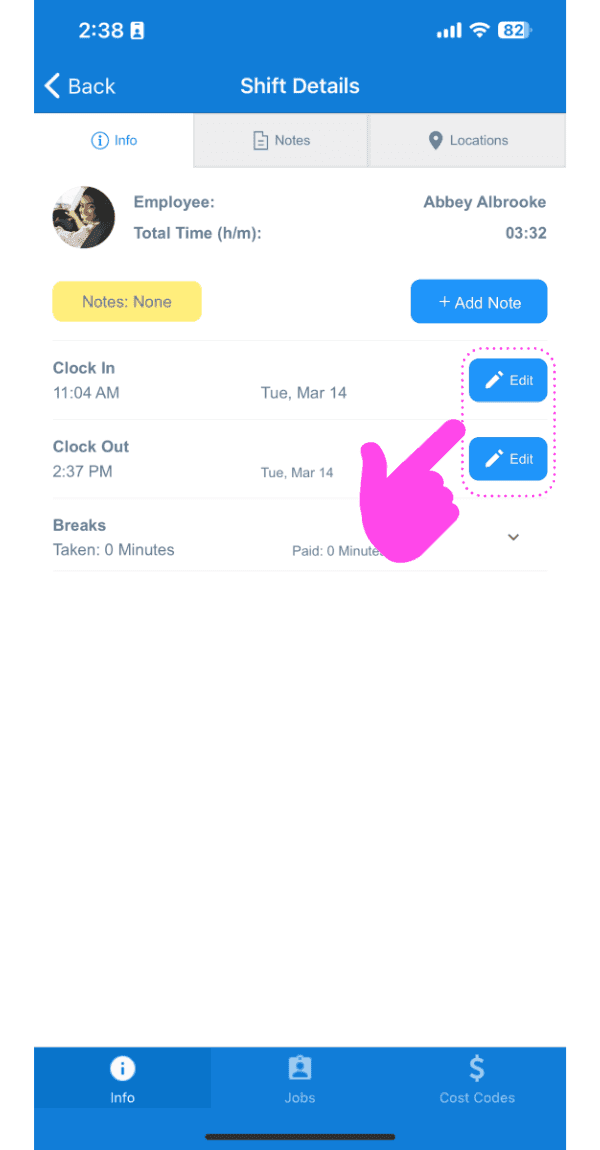
Under the Info tab, Tap on Edit (next to either the Clock In or Clock Out time you want edit)
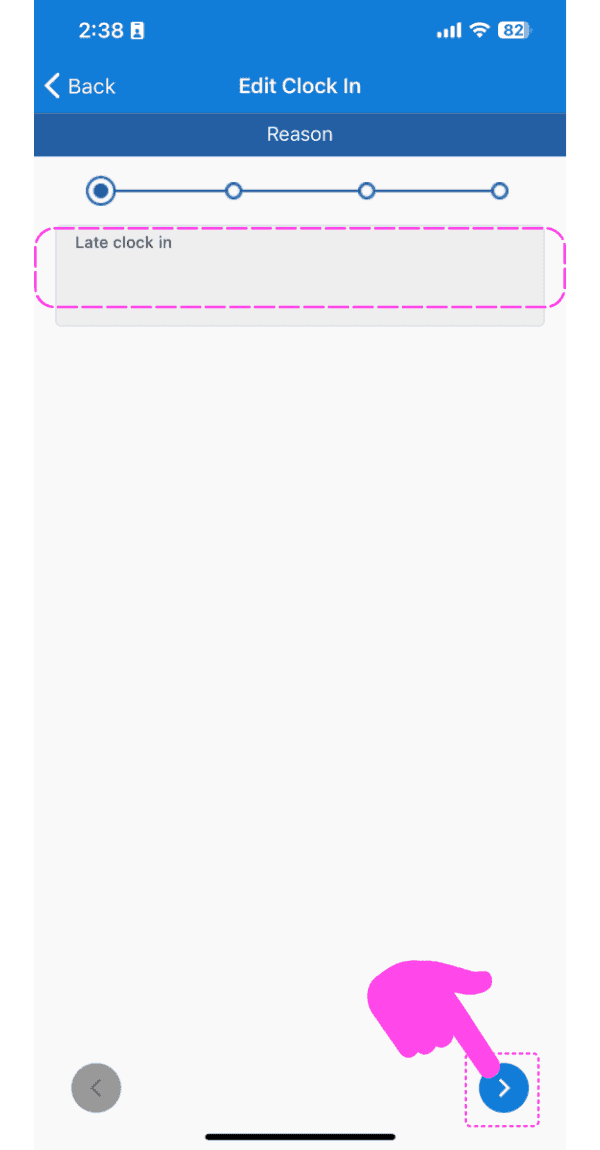
Add a reason for the edit request.
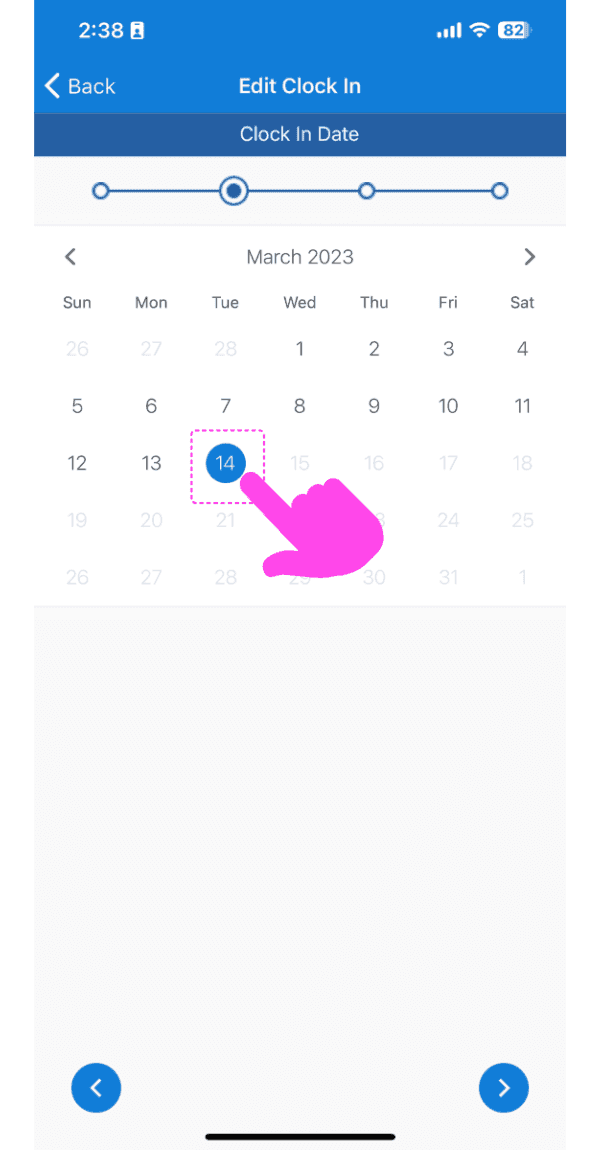
Select the new date.
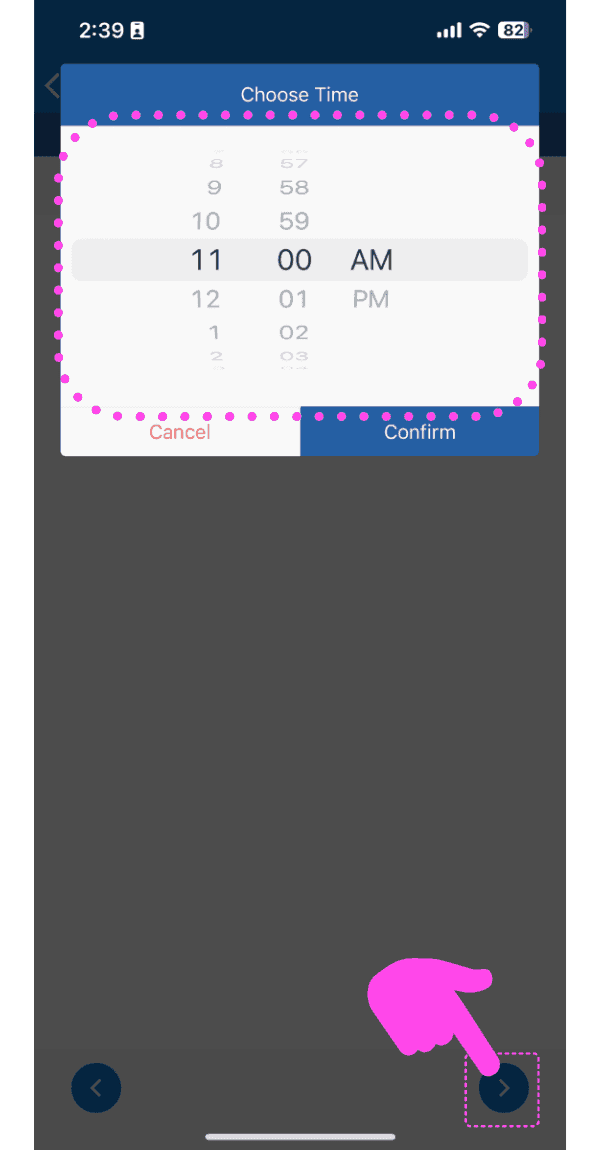
Select the new time.
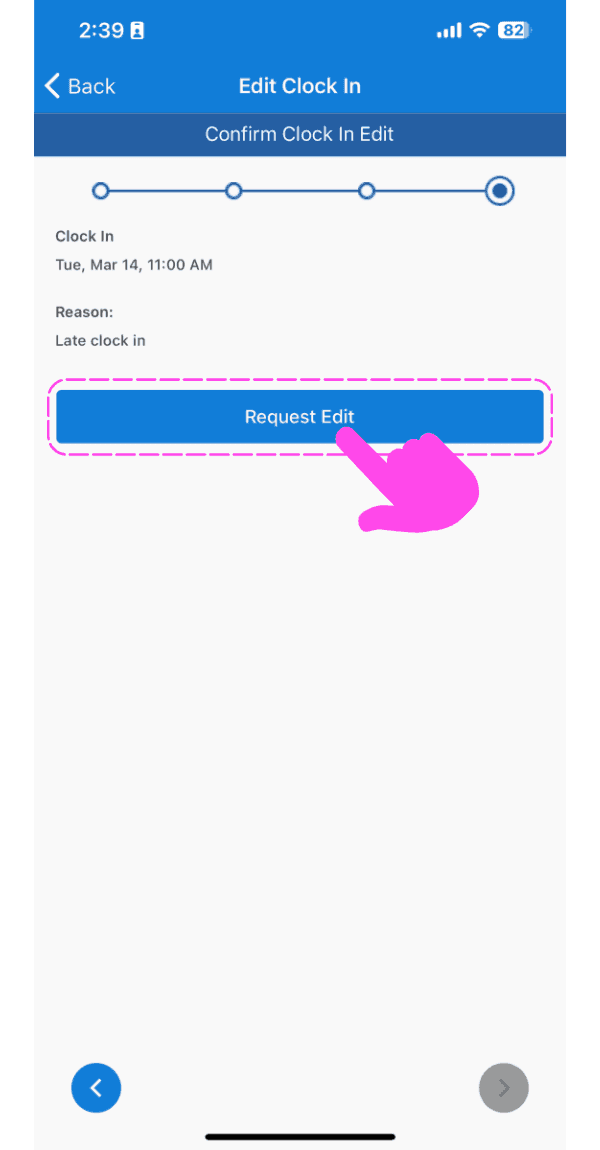
Tap on Request Edit
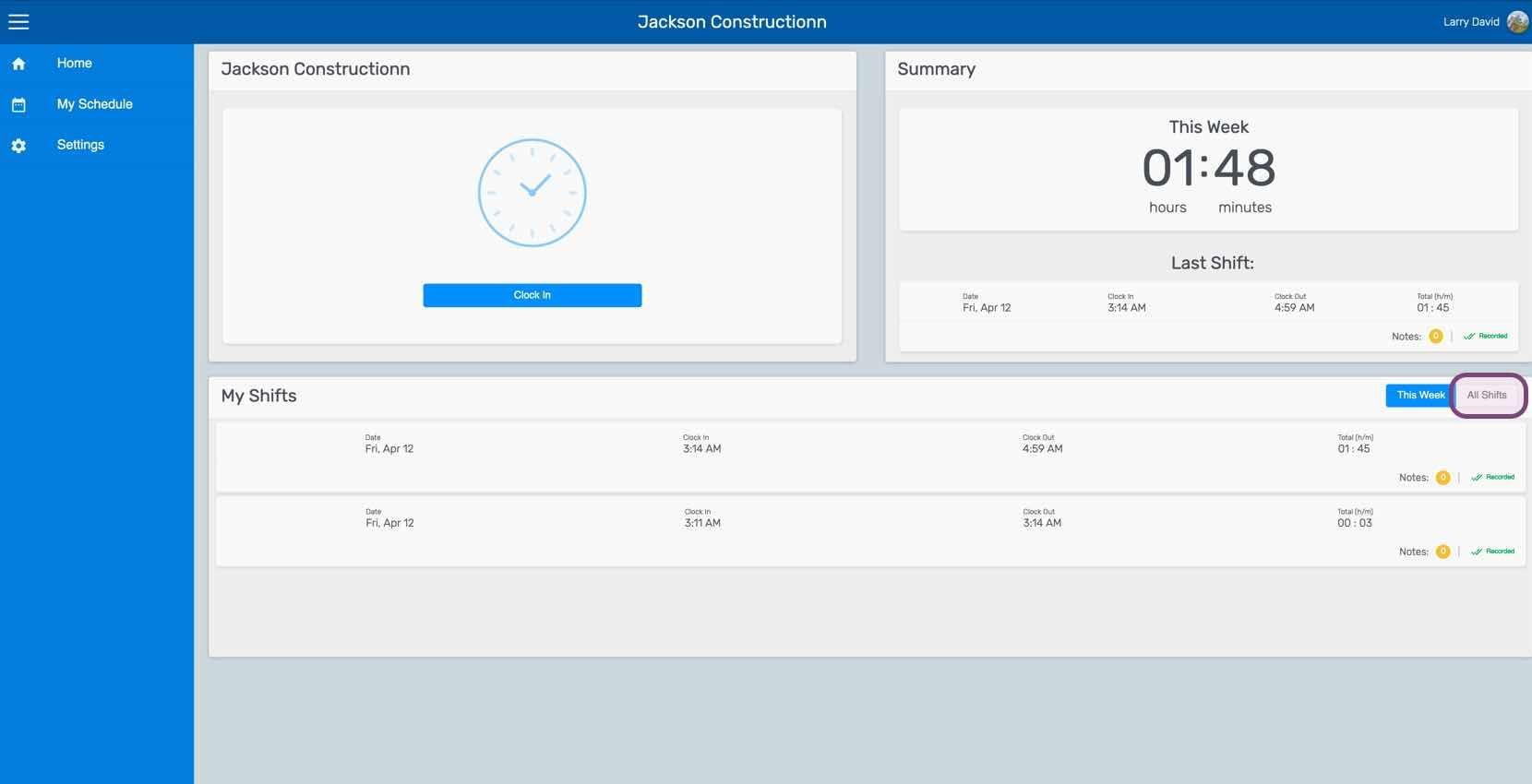
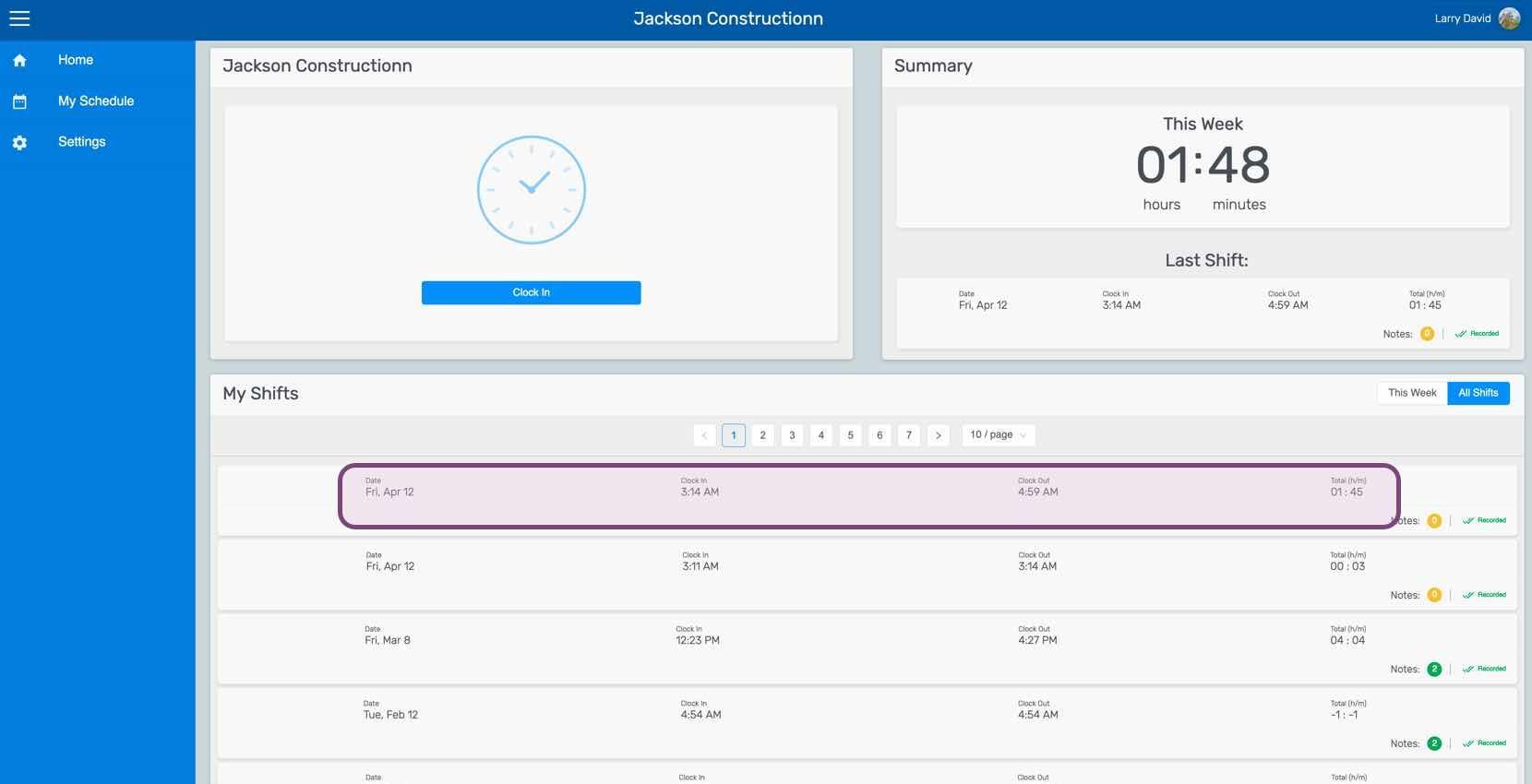
On Web: Click on My Shifts
Click on The Shift In Question
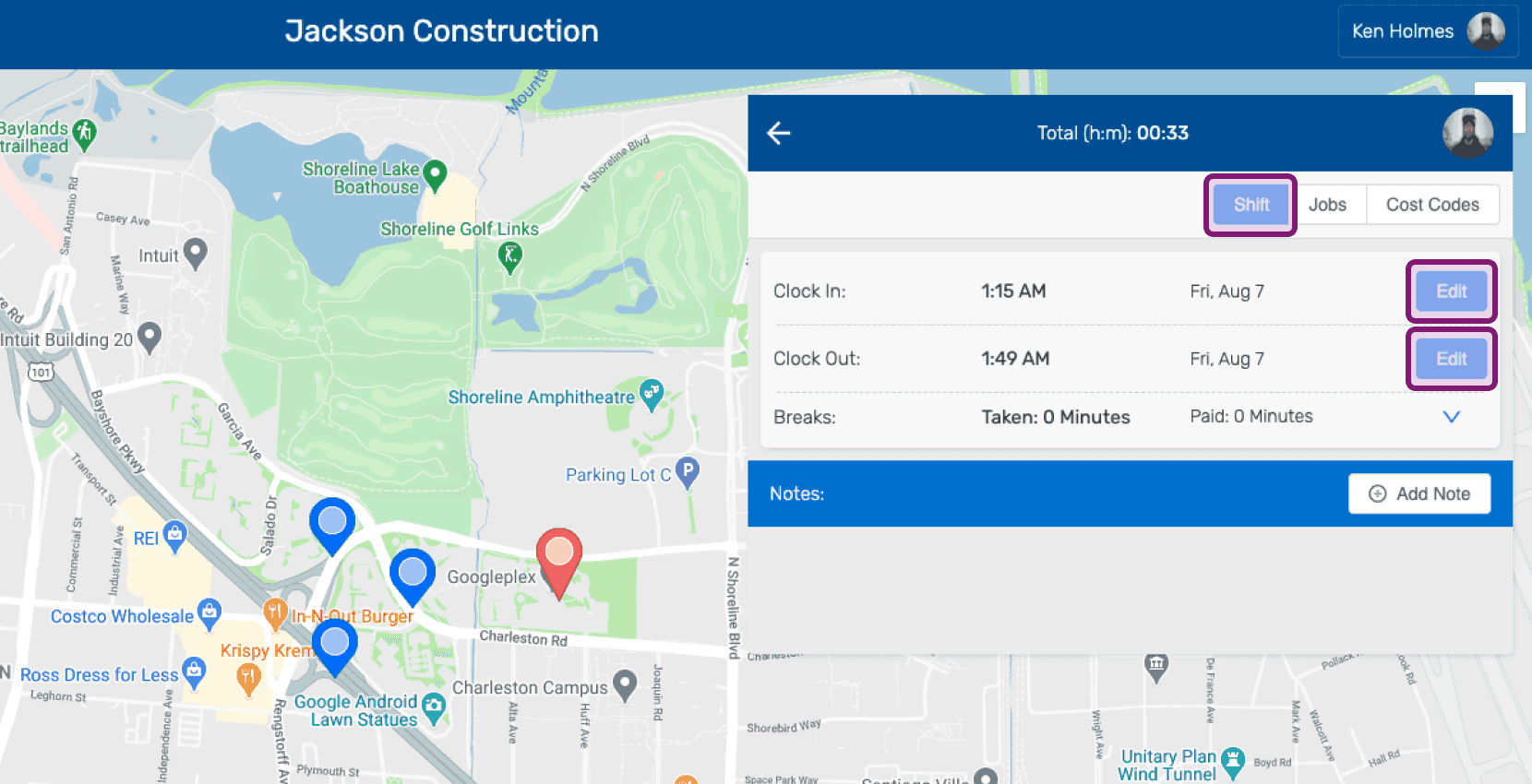
Under the Shift tab, Click on Edit (next to either the Clock In or Clock Out time you want edit)
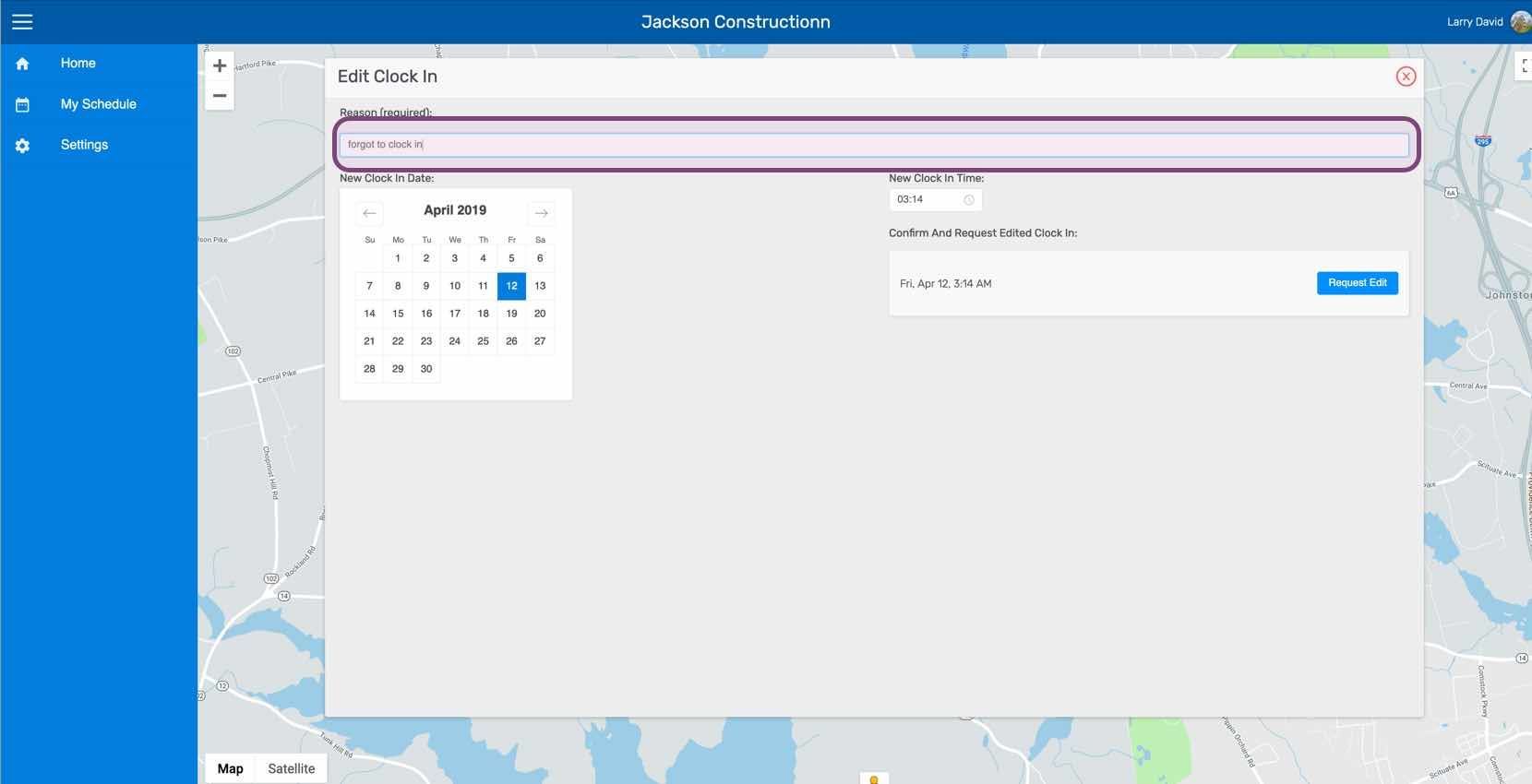
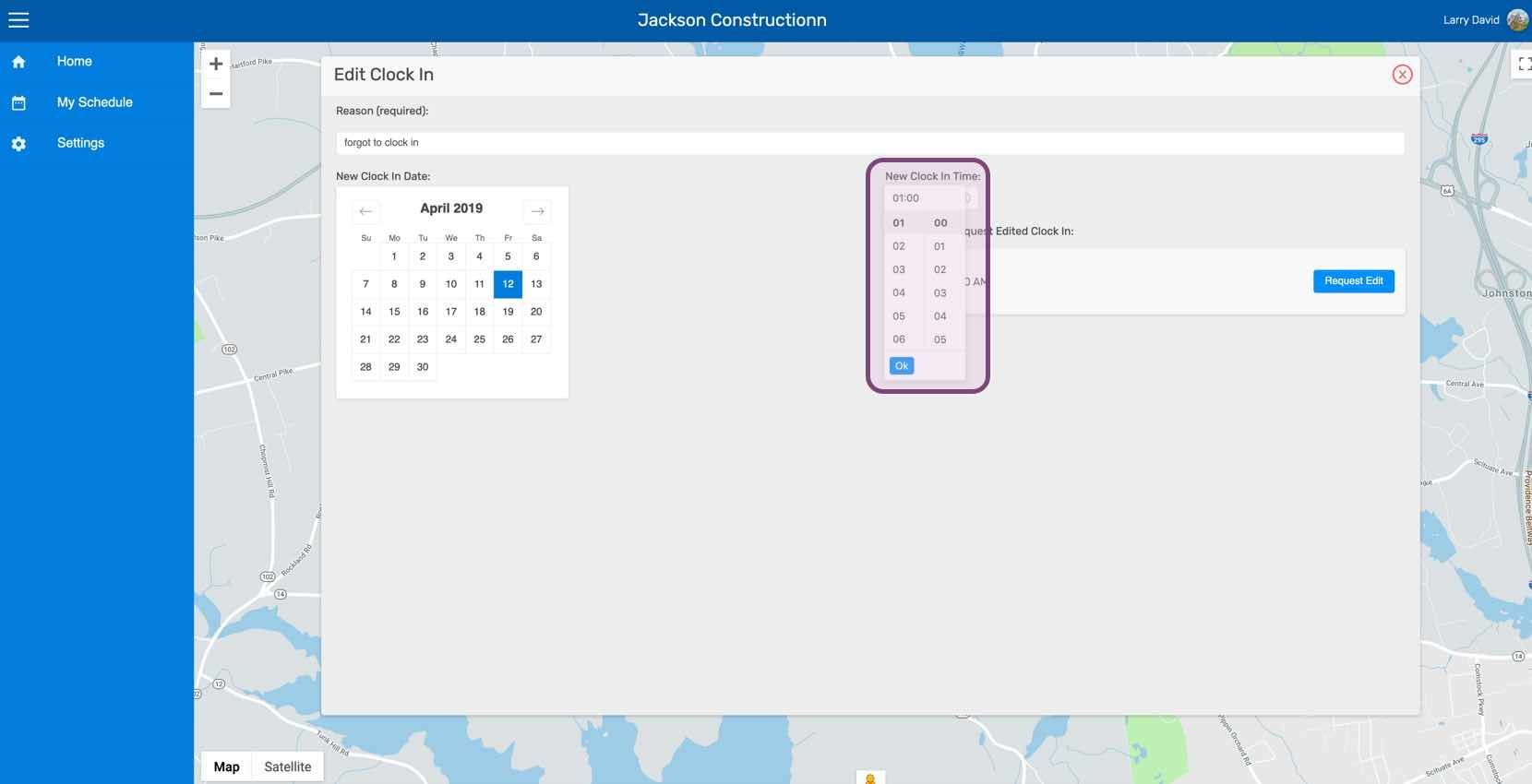
Add a reason for the edit request.
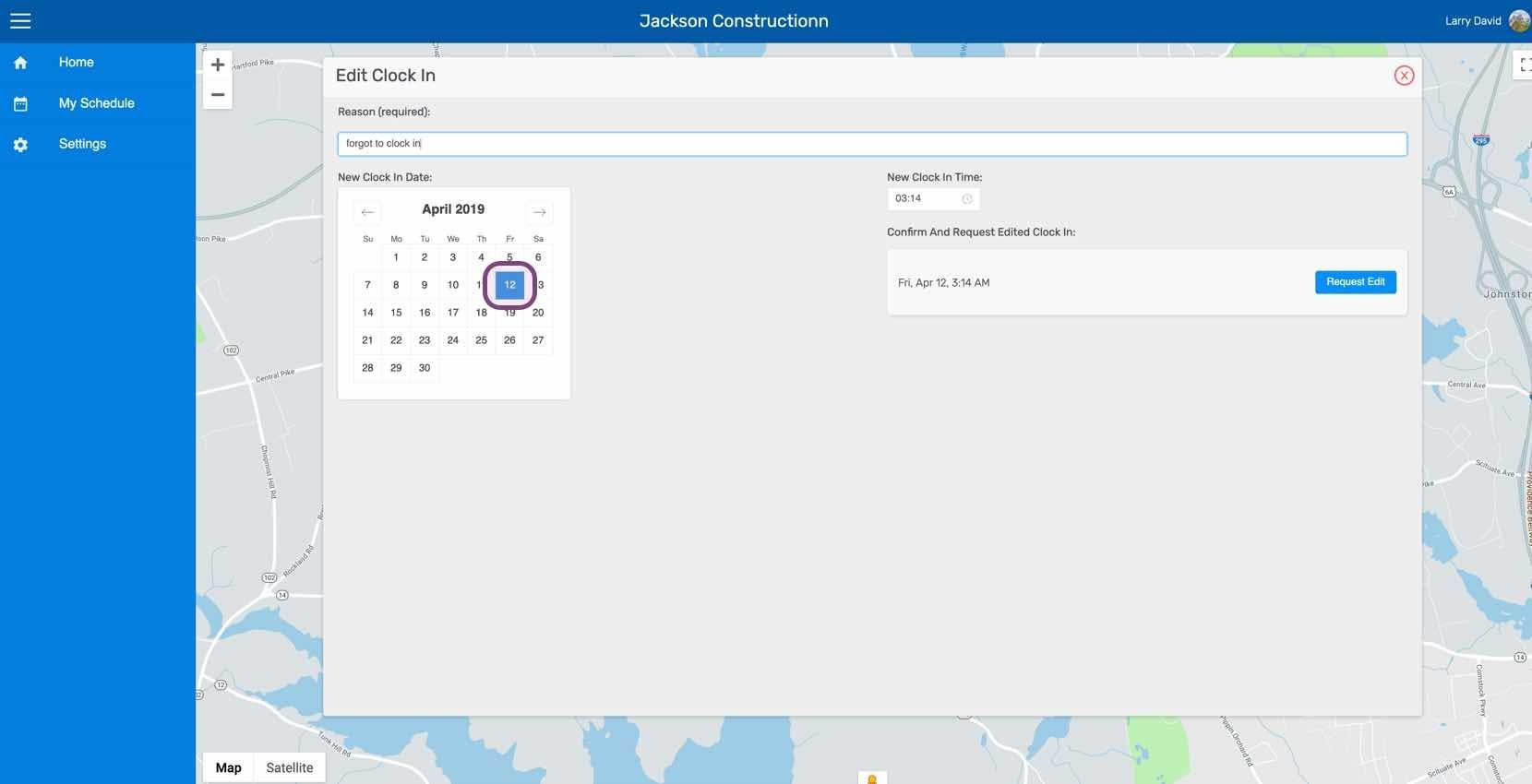
Select the new date.
Select the new time.
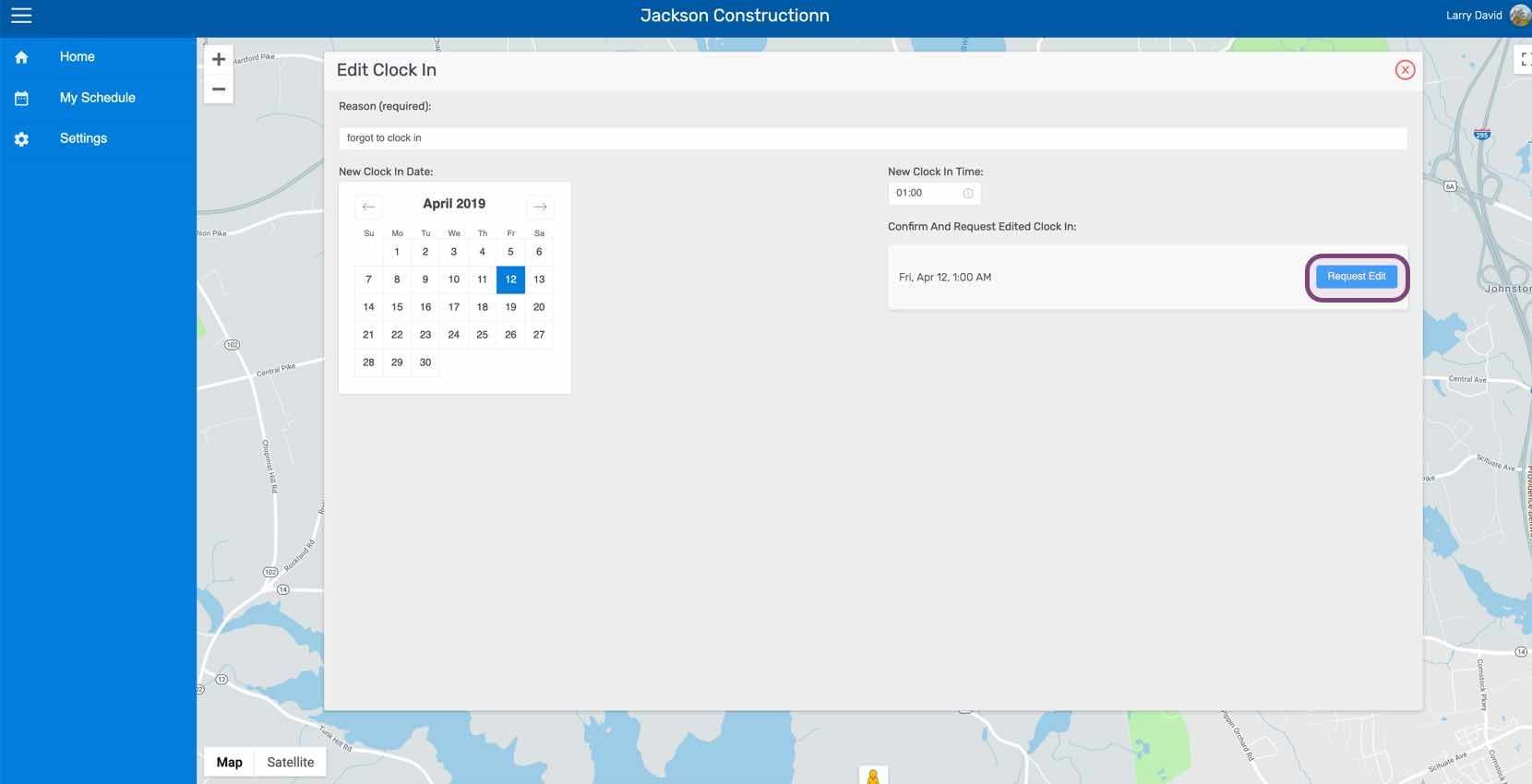
Click on Request Edit
Did this answer your question?