Assign Employees to Jobs Settings

In this tutorial, we show how you can assign employees or teams to jobs

SINC Support Team
SINC Support Team
Feb 24th, 2023

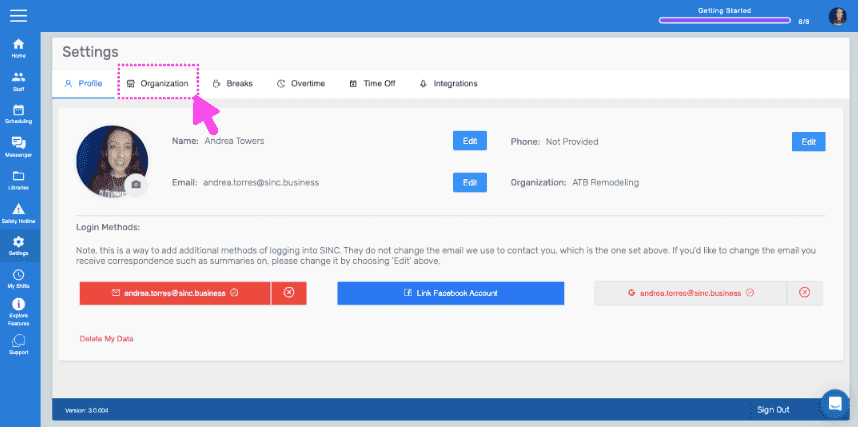
This particular feature requires job tracking feature to be turned on. On Web: Click on Menu Settings Organization.
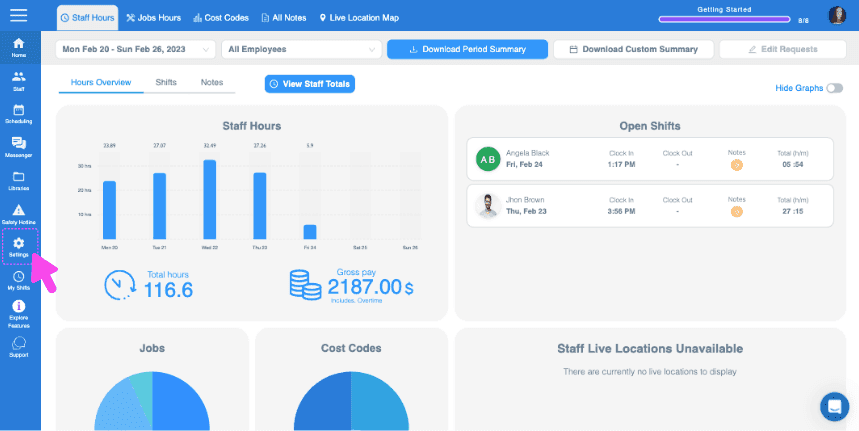
SINC web Staff Hours dashboard with a pink arrow pointing to the Settings icon in the left sidebar
SINC web Settings screen with a pink arrow pointing to the Organization tab

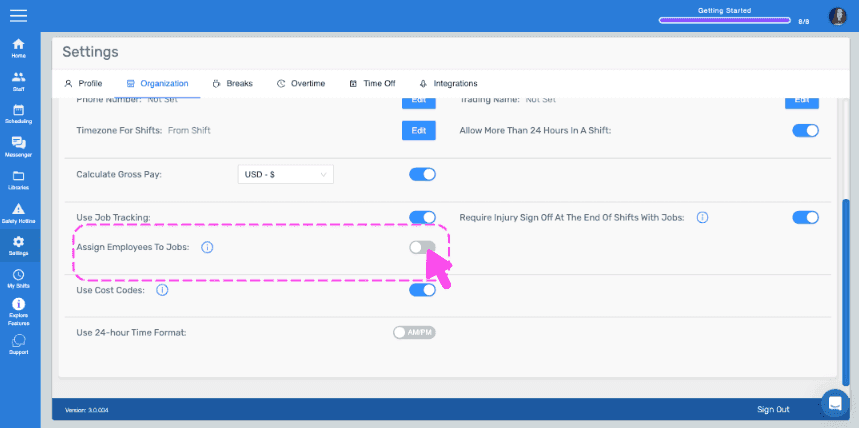
Toggle on Assign Employees To Jobs.

Web Settings Organization tab with a pink arrow pointing to the Assign Employees To Jobs toggle

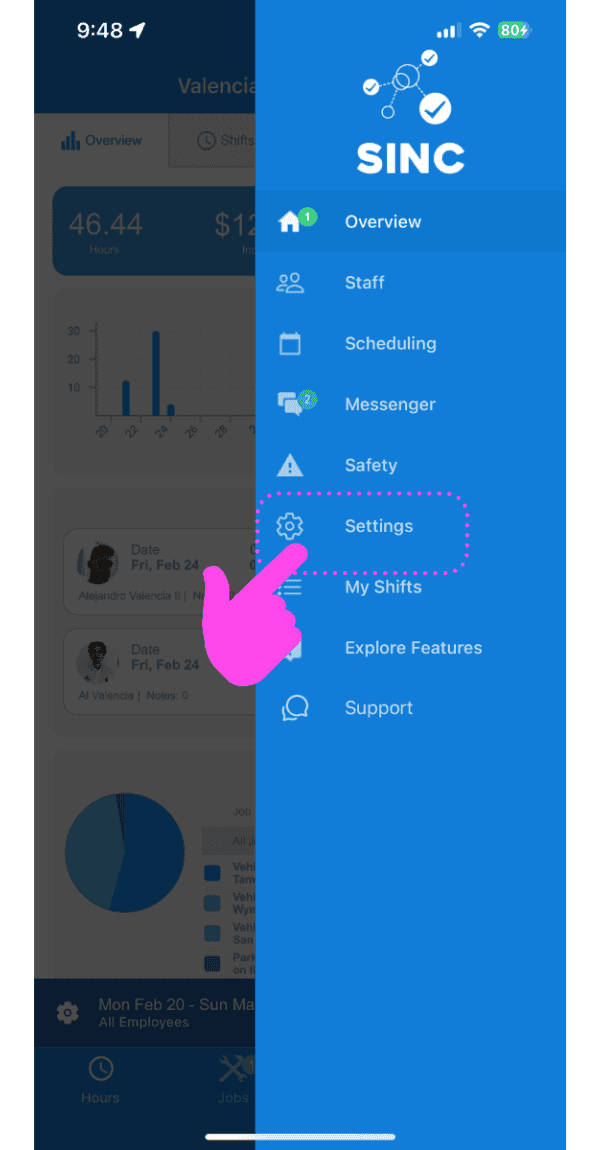
On Mobile: Tap on Menu Settings.

SINC mobile app side menu with a pink hand pointing to the Settings option

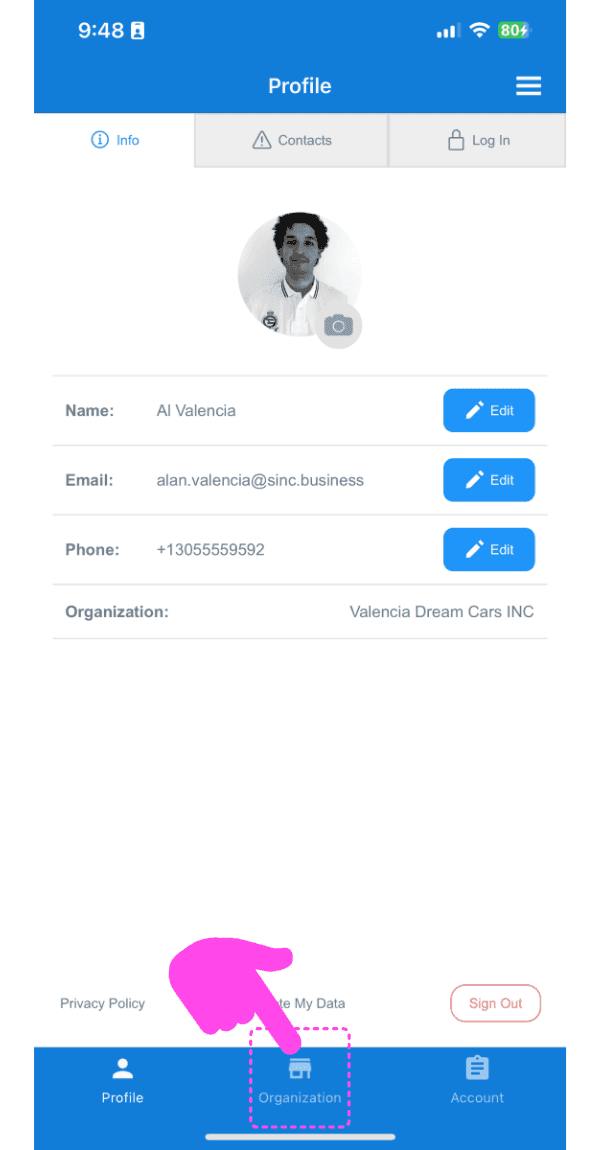
Tap on Organization Info.

SINC mobile Profile screen with a pink arrow pointing to the Organization tab at the bottom

Toggle on Assign Employees To Jobs. Keep In Mind: Once assign employees to jobs is enabled, an employee can only clock in and out of a job they have been assigned to.
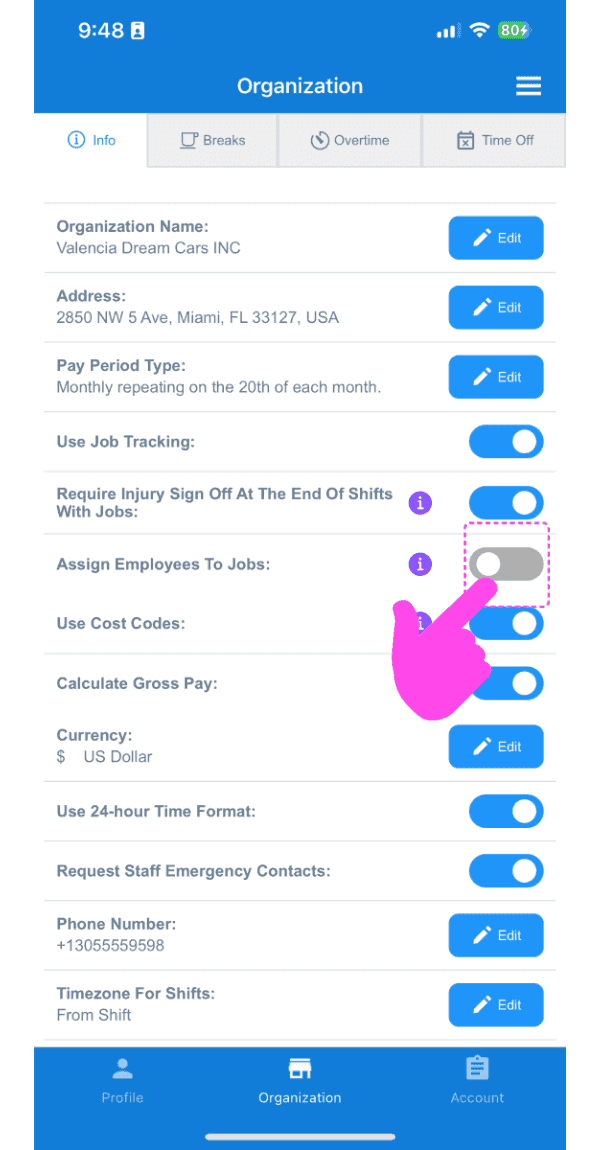
Organization settings screen with a pink arrow pointing to the Assign Employees To Jobs toggle switch

Did this answer your question?