Dailies

This guide covers dailies (auto generated daily job reports)

Sam Dolbel
Sam Dolbel
Jan 27th, 2023

Note: This feature is currently for Growth and Enterprise users only. Dailies are generated as PDFs and sent to admins at midnight for jobs that have at least one open/clocked out job shift that day.
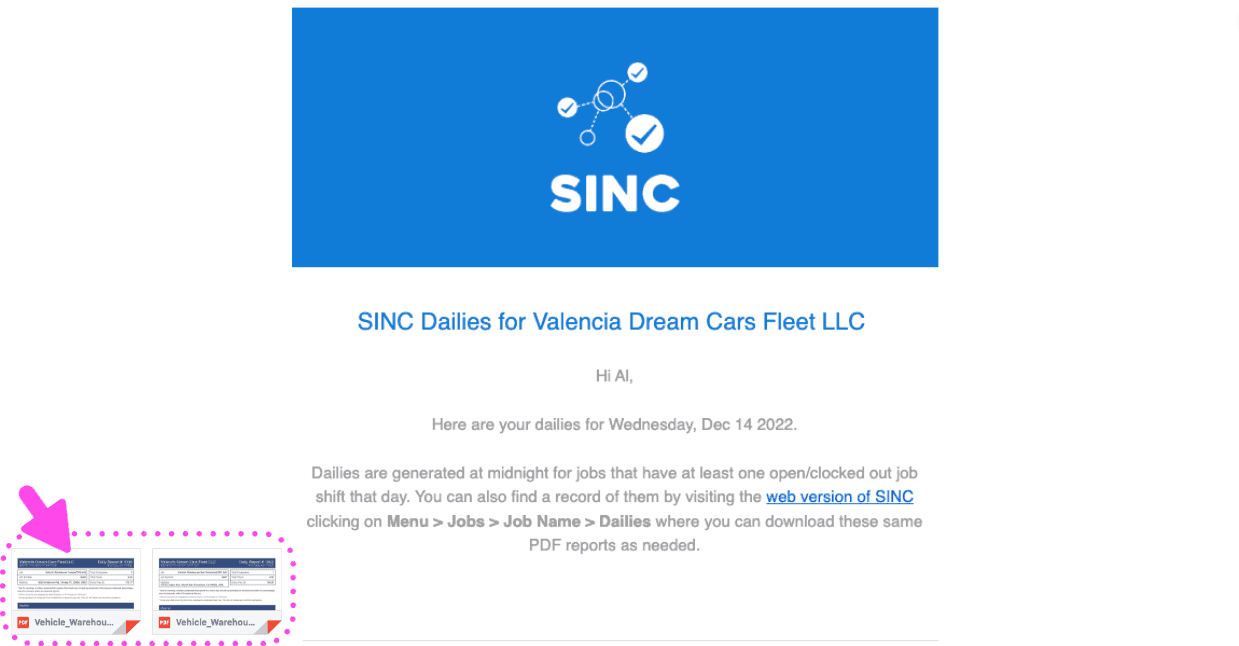
SINC Dailies email showing the daily PDF report summary with an arrow pointing to the attached files

Generated dailies are also accessible on the web version, not the app. First, navigate to users.sinc.business on a computer using Chrome or Firefox. Click on Home Jobs Hours
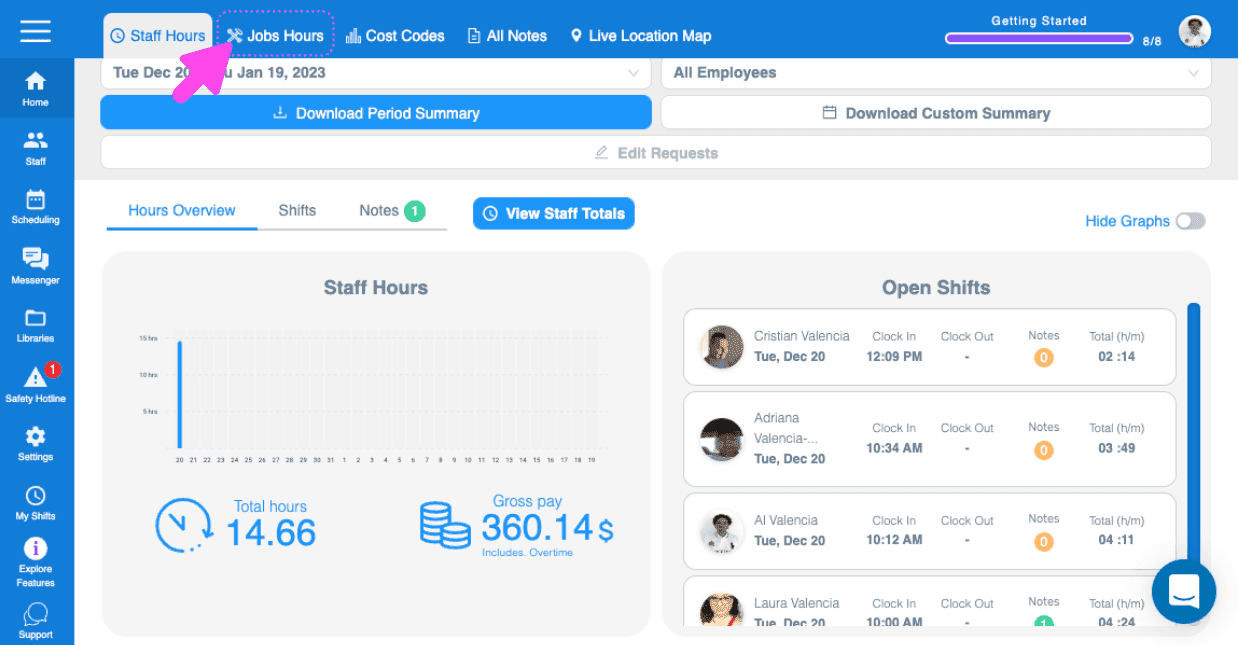
SINC web dashboard with a pink arrow pointing to the Jobs Hours tab in the top menu

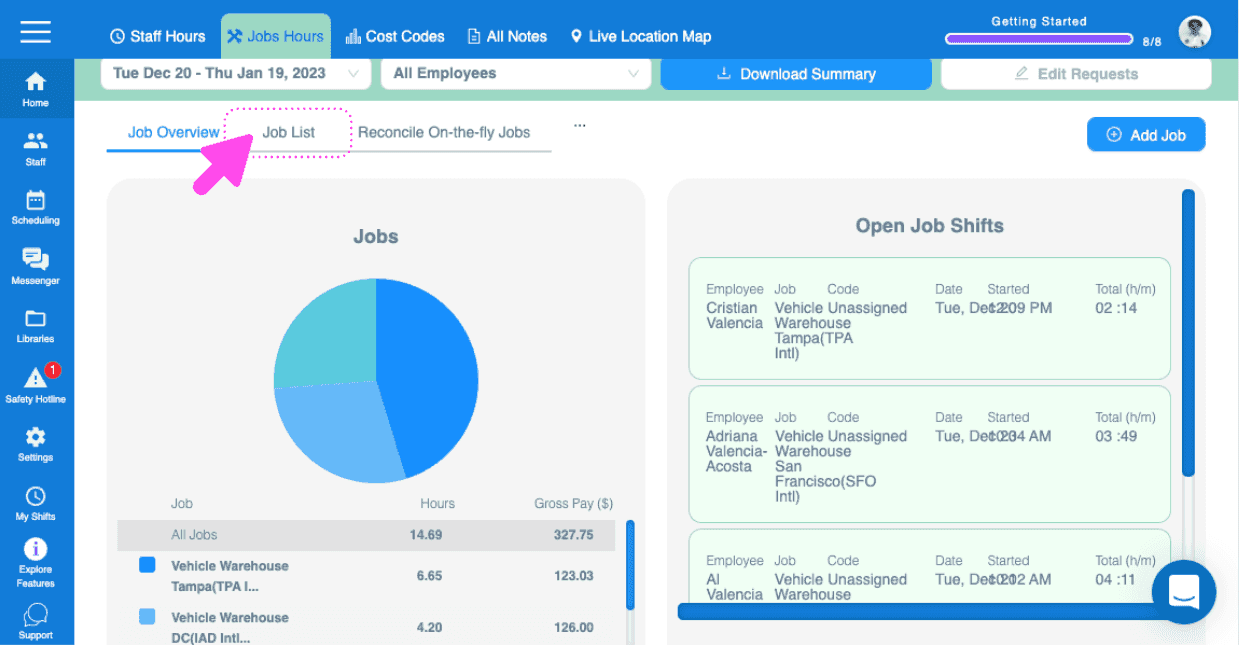
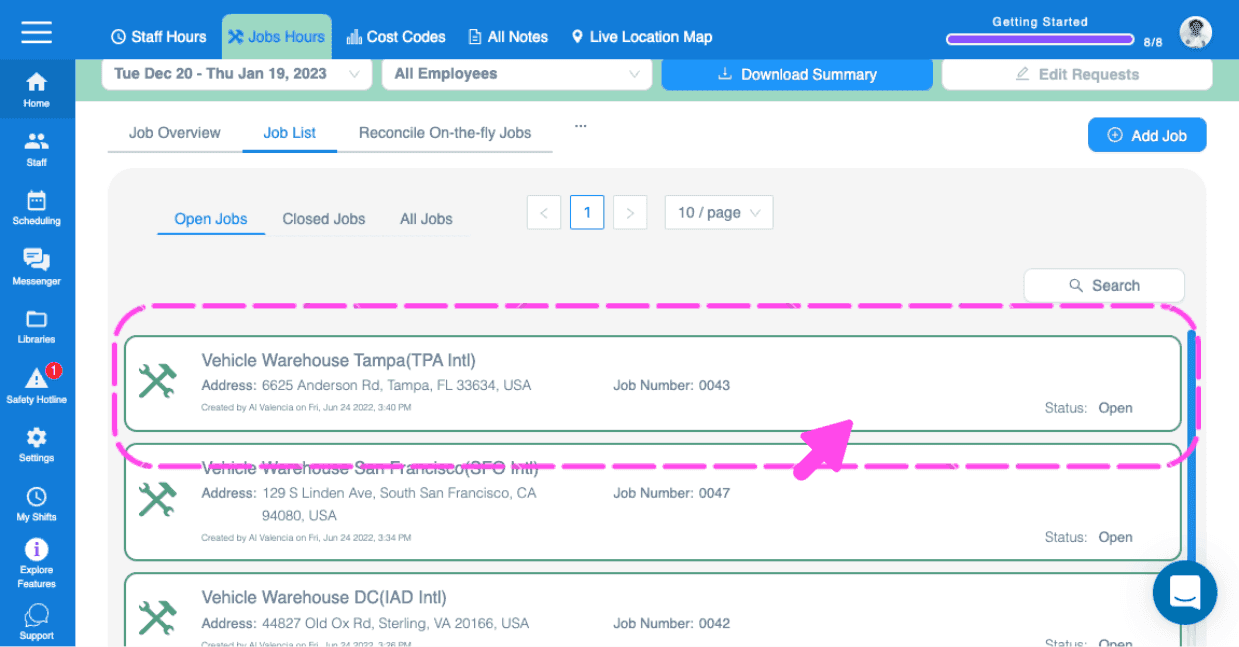
Click on Jobs List Respective Job

Jobs Hours dashboard with a pink arrow pointing to the Job List tab
Web Jobs Hours Job List showing open jobs with a pink arrow pointing to a job entry

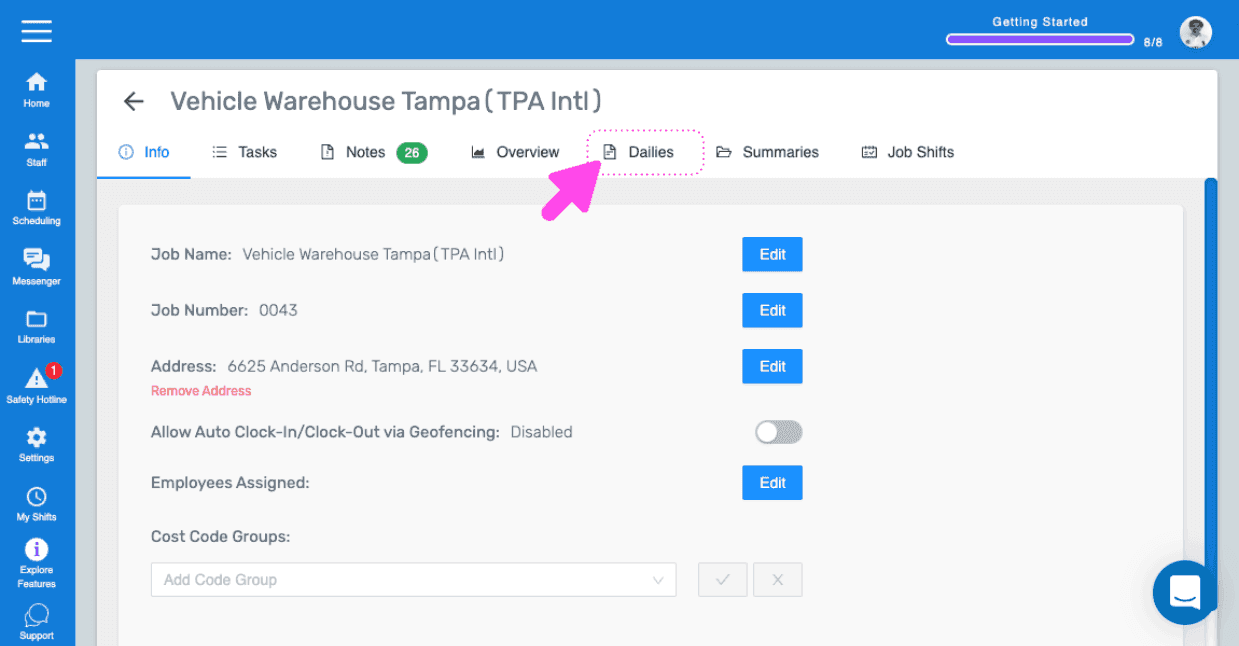
Click on Dailies

SINC web Job Info screen with a pink arrow pointing to the Dailies tab

Select Pay Period (Defaults to current pay period)
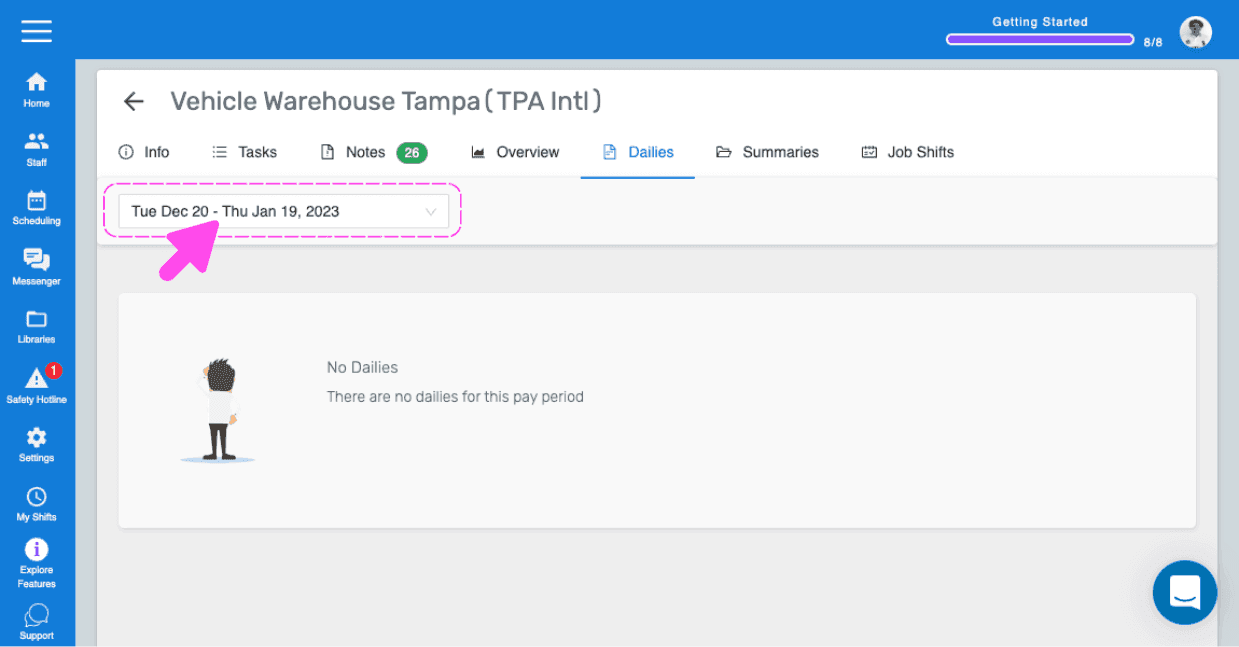
SINC web job Dailies tab with the pay period date range dropdown circled in pink

All the dailies for the selected pay period are displayed
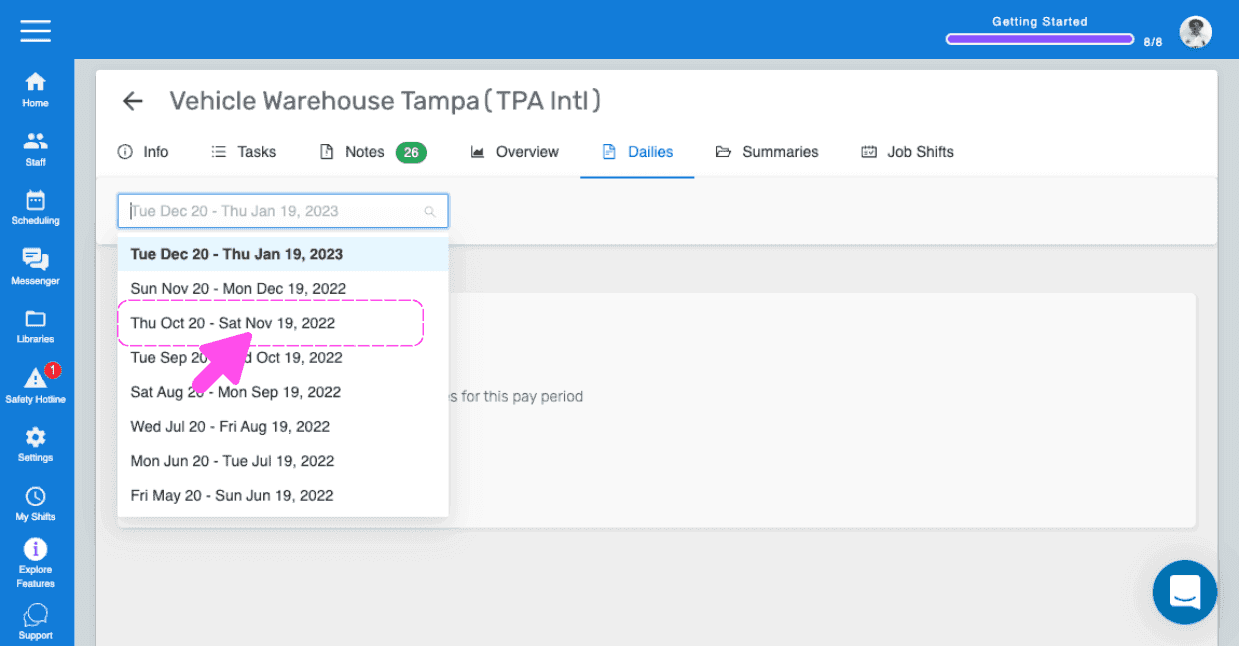
Job Dailies tab with a pink arrow pointing to a pay period entry in the date selection list

To download a daily report, on the respective report, Click on PDF
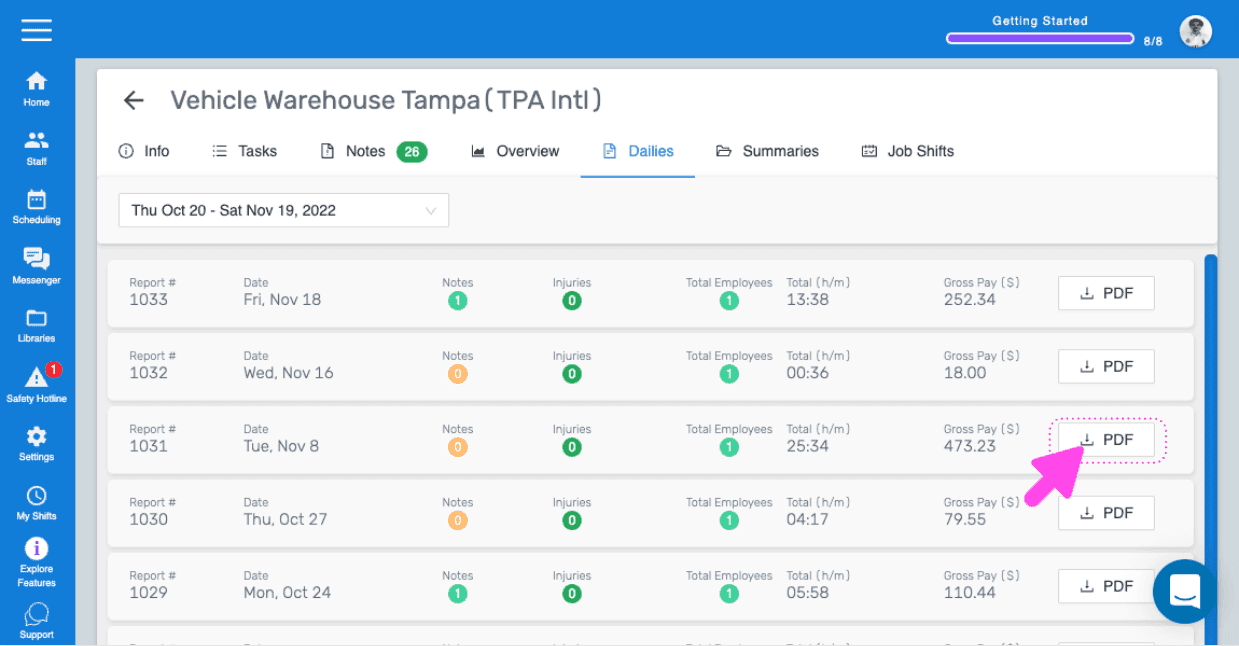
SINC web Dailies report list with a pink arrow pointing to the PDF download button for one report

The PDF includes: Weather information for jobs with address
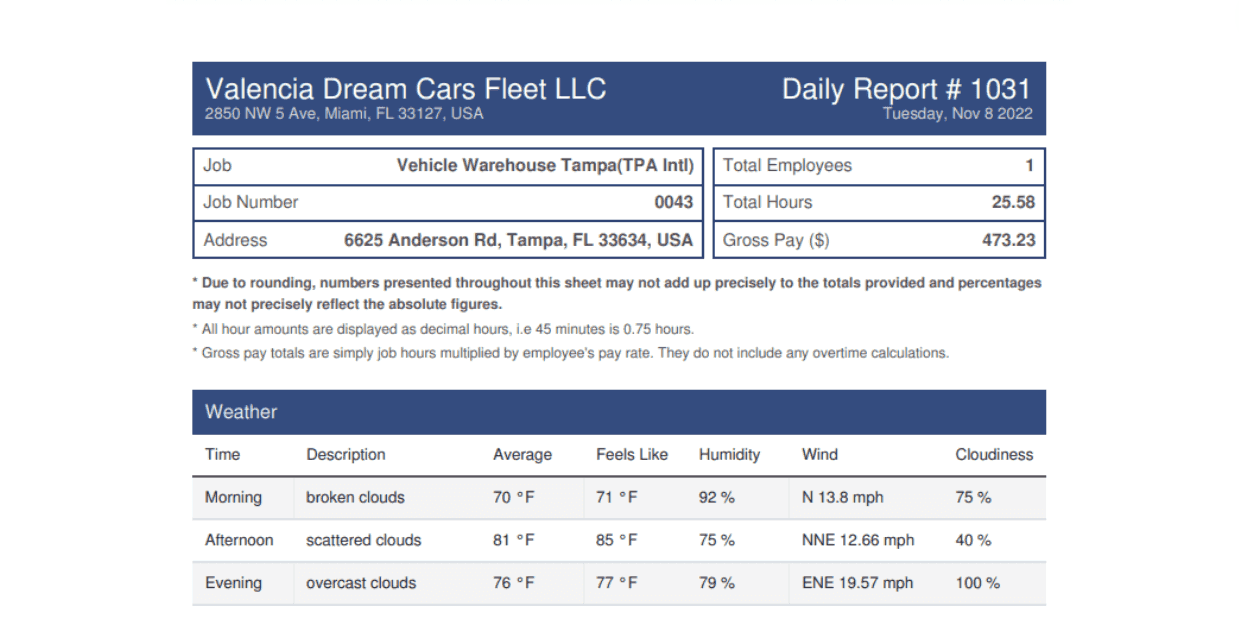
Daily Report PDF showing job details, employee totals, and a weather information table

Summary of the clocked out job shifts
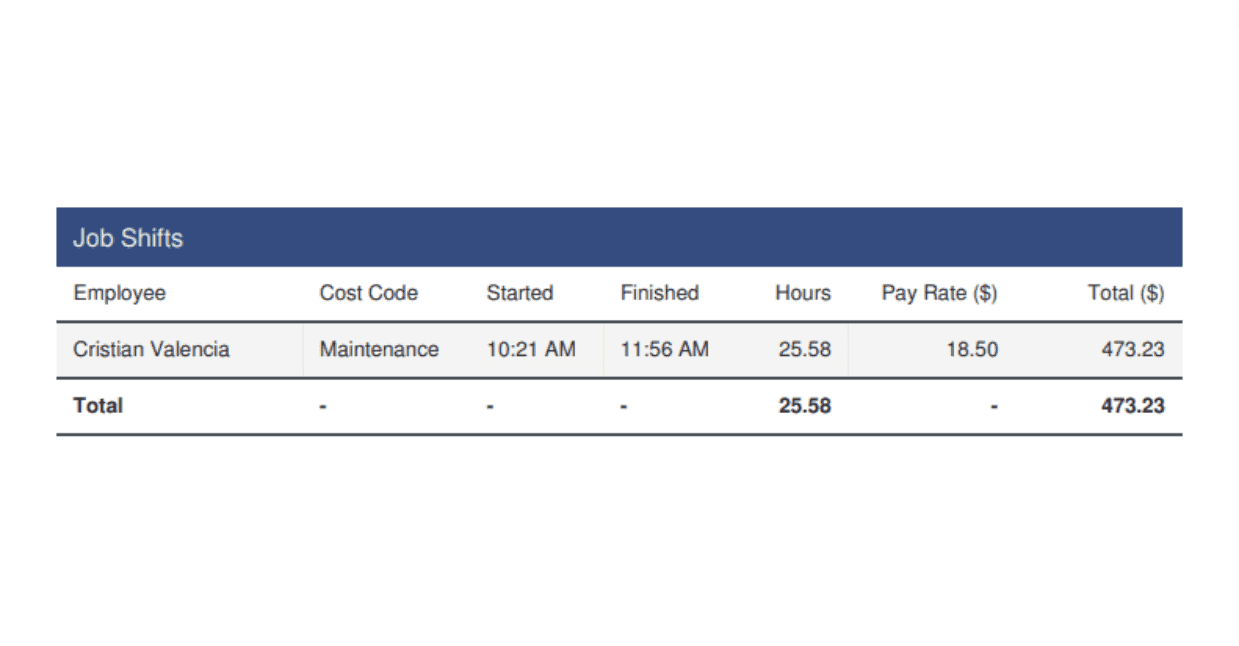
Job Shifts summary table listing an employee's cost code, start and finish times, hours, and total pay

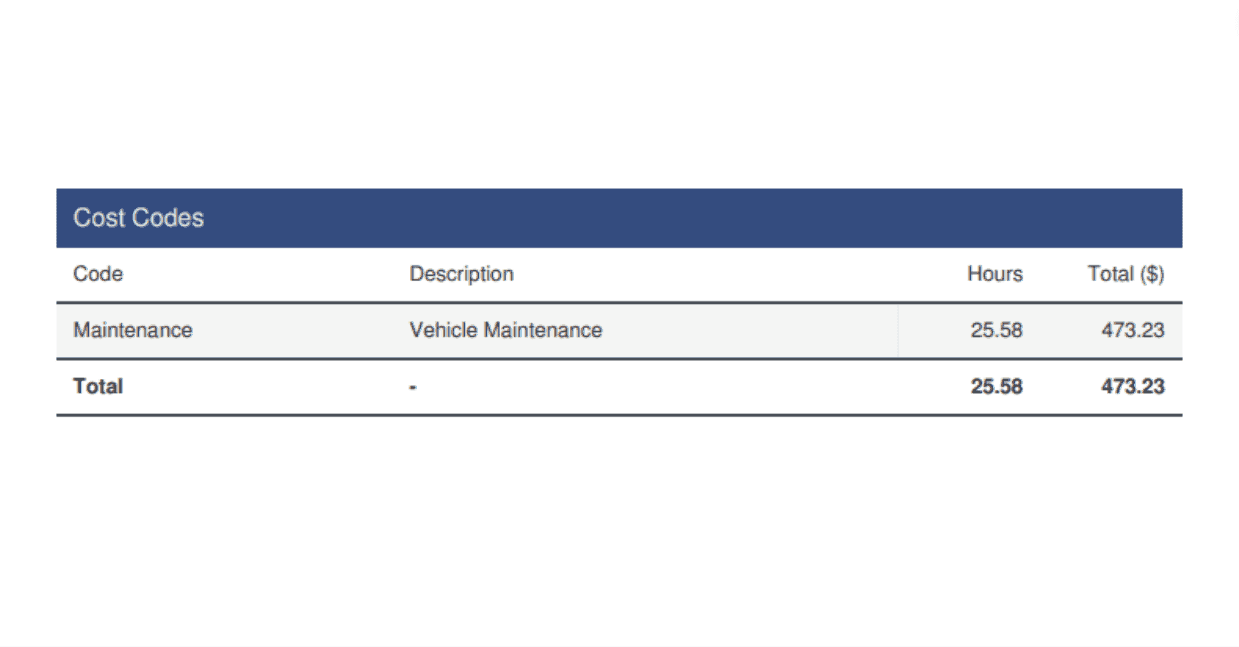
Cost codes summary (if recorded)

Cost Codes summary table listing a Maintenance code with hours worked and total dollar amount

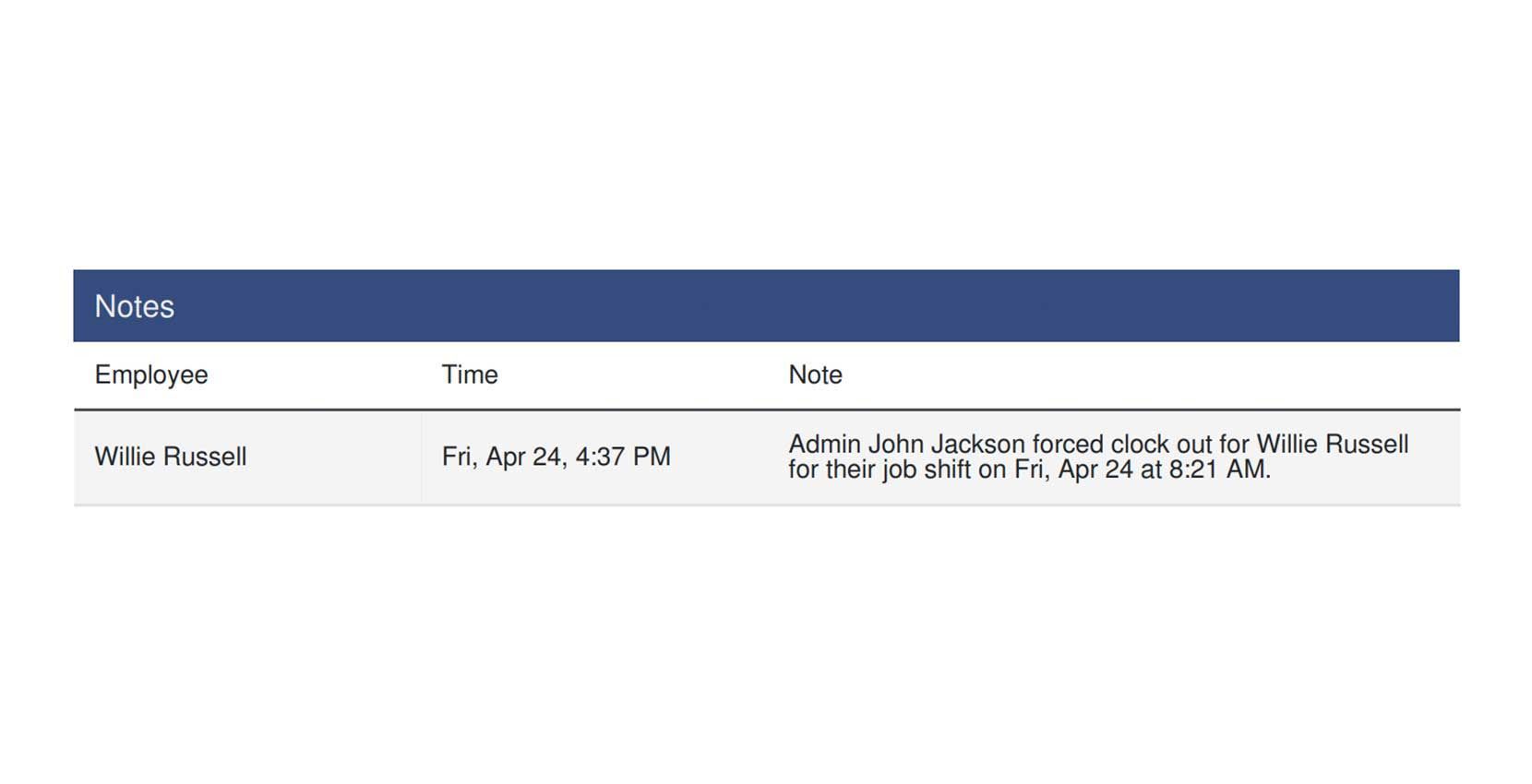
The day's notes (if recorded)

Notes table listing an employee, timestamp, and note text describing a forced clock out

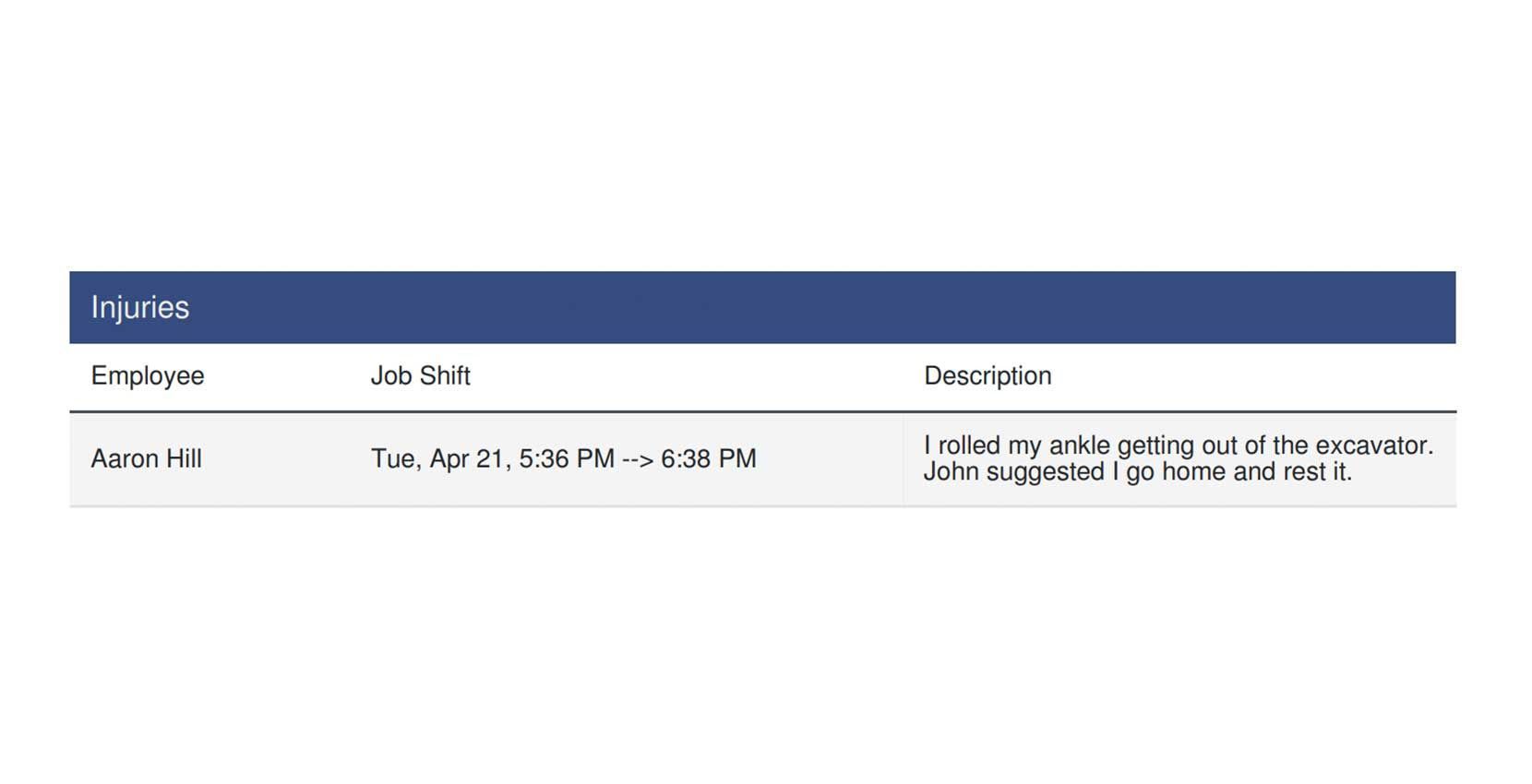
Injuries (If any)

SINC web Injuries table listing an employee, job shift time, and injury description

Did this answer your question?