
Injury Sign-off
This guide shows how staff can sign-off their shifts with injury information.

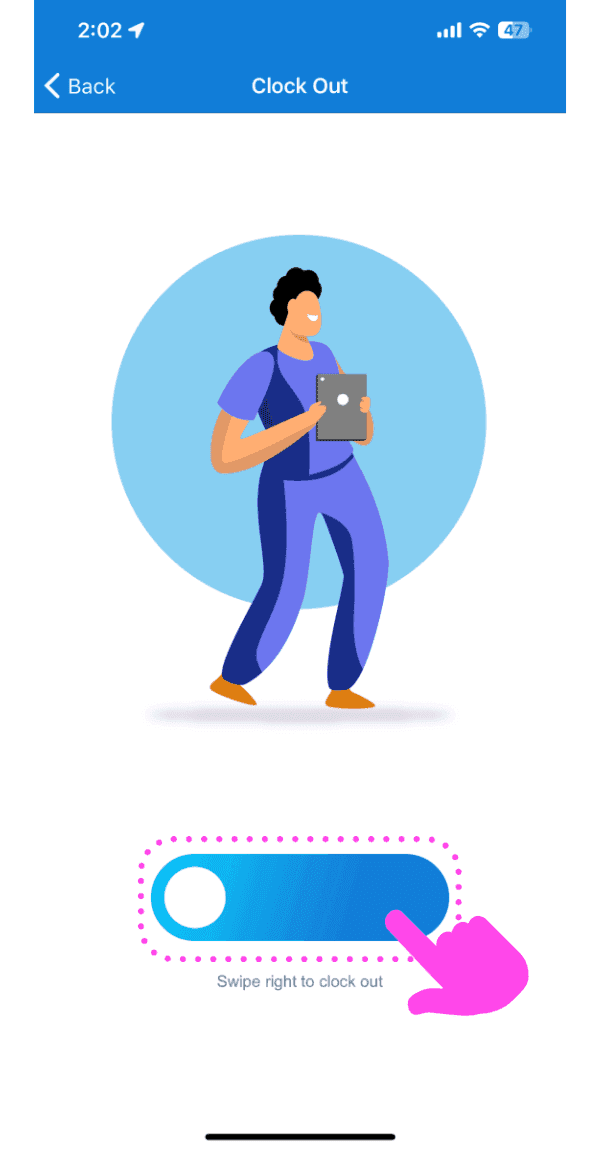
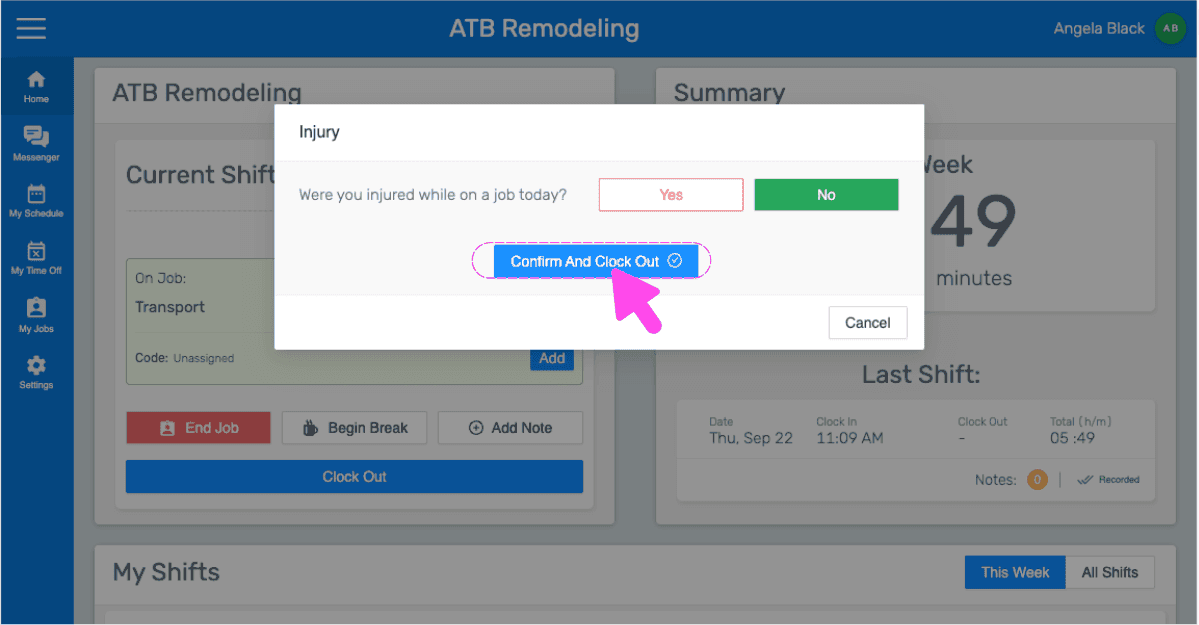
Note: This feature is currently for Growth and Enterprise users only. Injury Sign-off screen is only displayed when clocking out of shifts that have job shifts. To record job shifts on a shift, turn on Job Tracking. Record a shift with a job shift, then slide the button right to confirm clock out
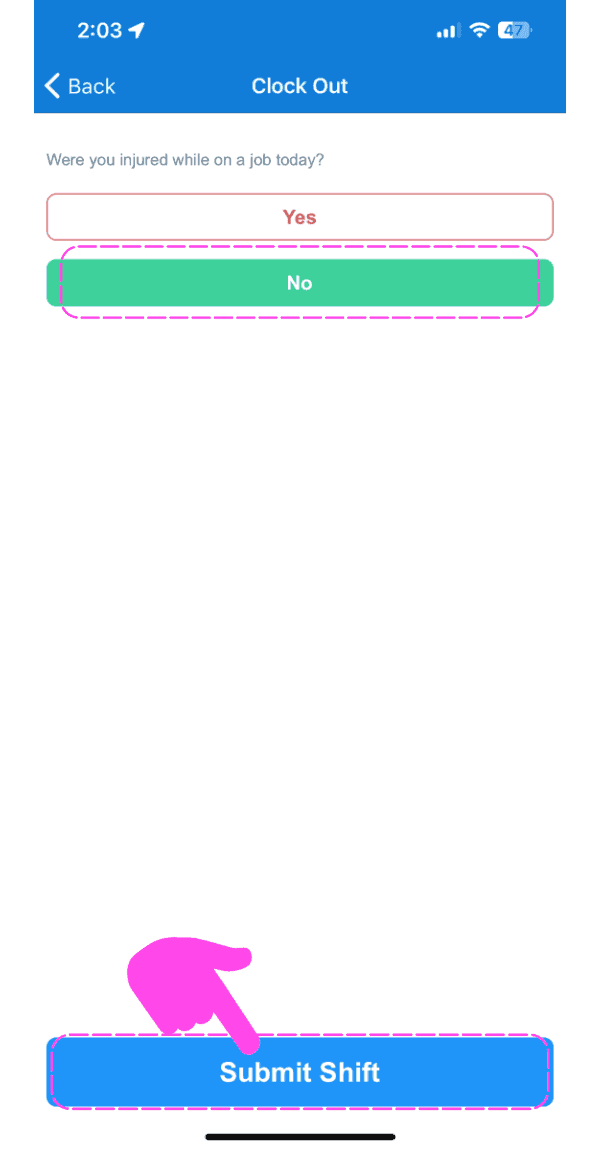
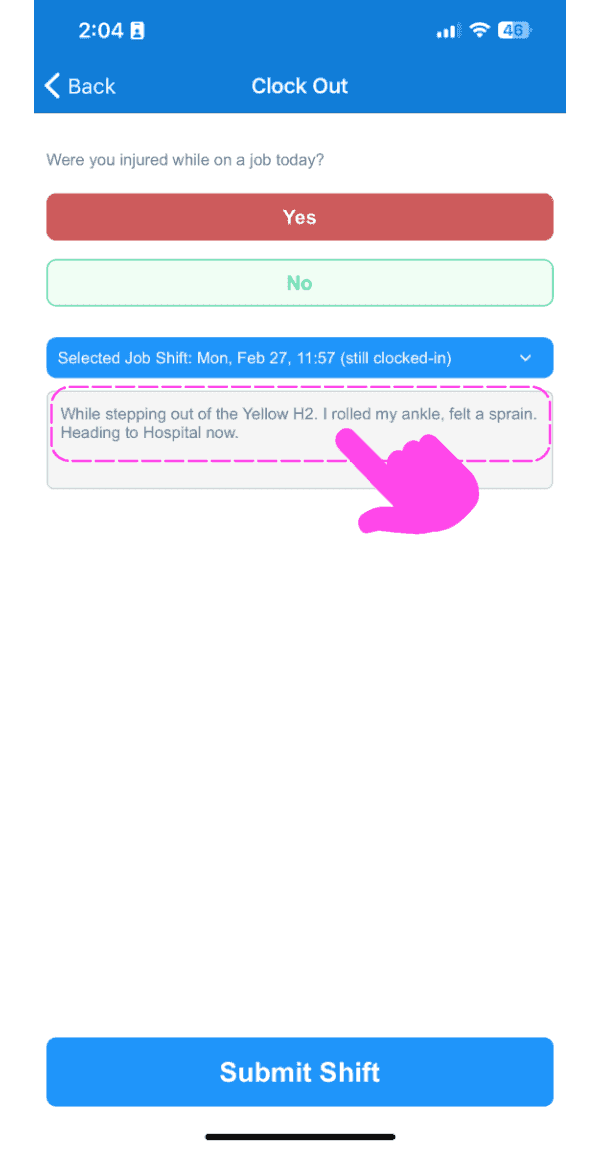
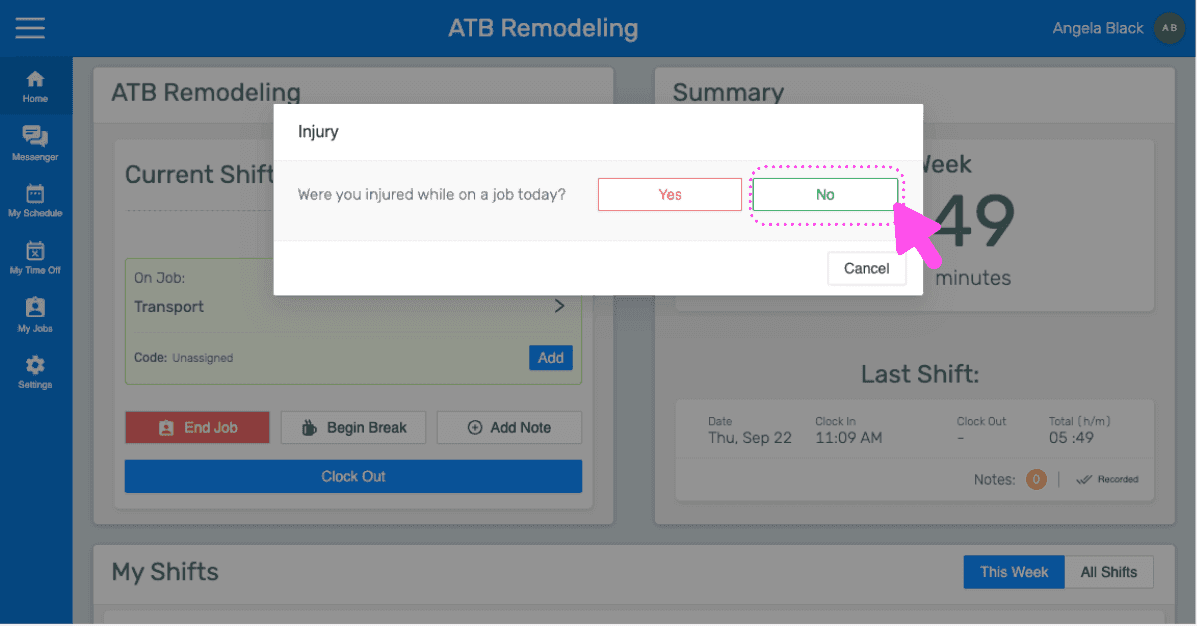
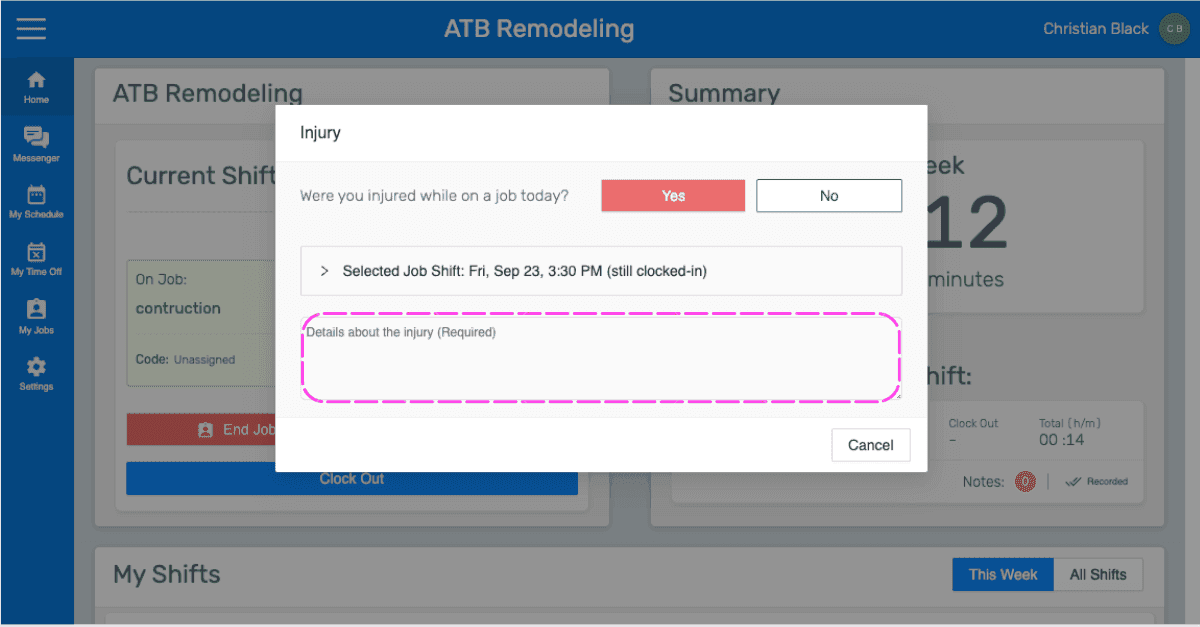
Answer, 'Were you injured while on a job today?' If not injured, tap on No and then Submit Shift
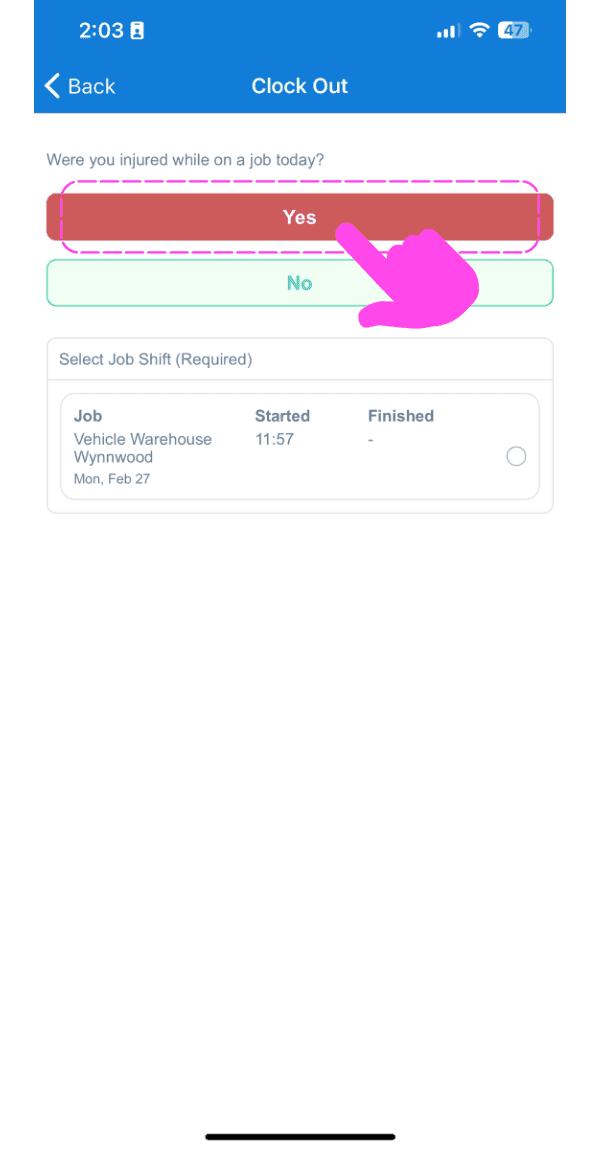
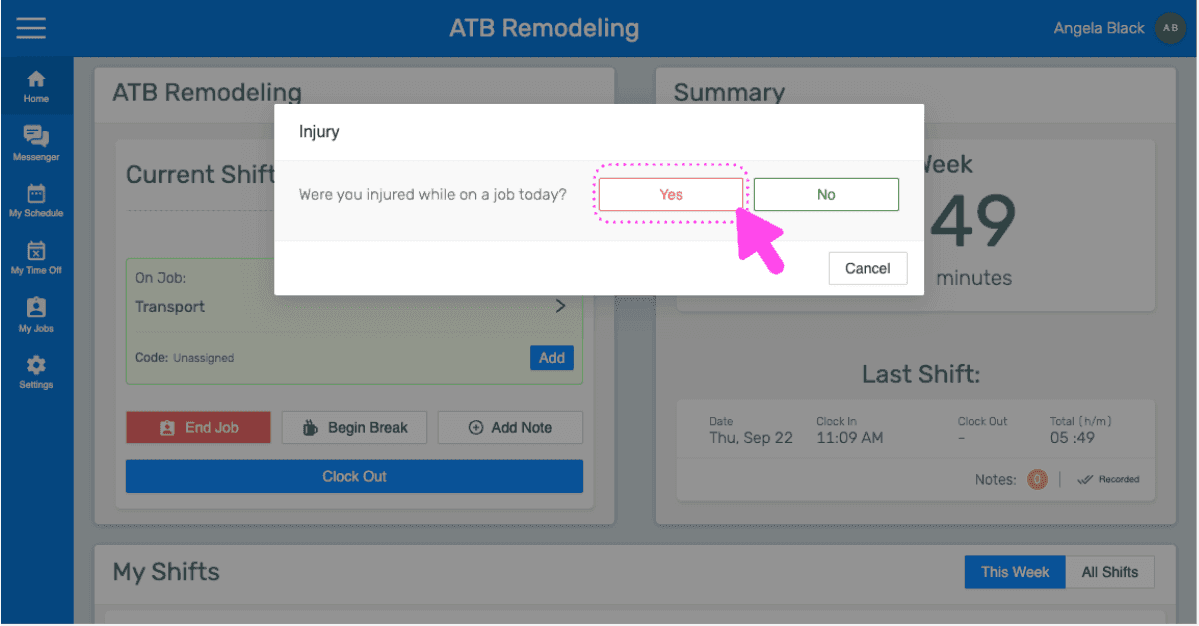
If injured, tap on Yes
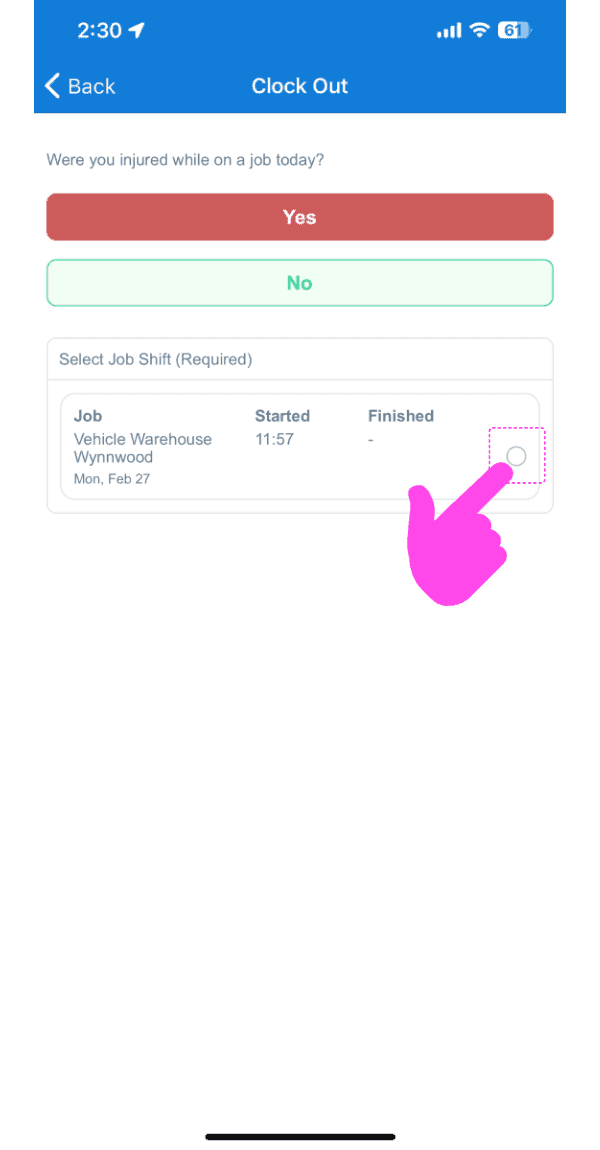
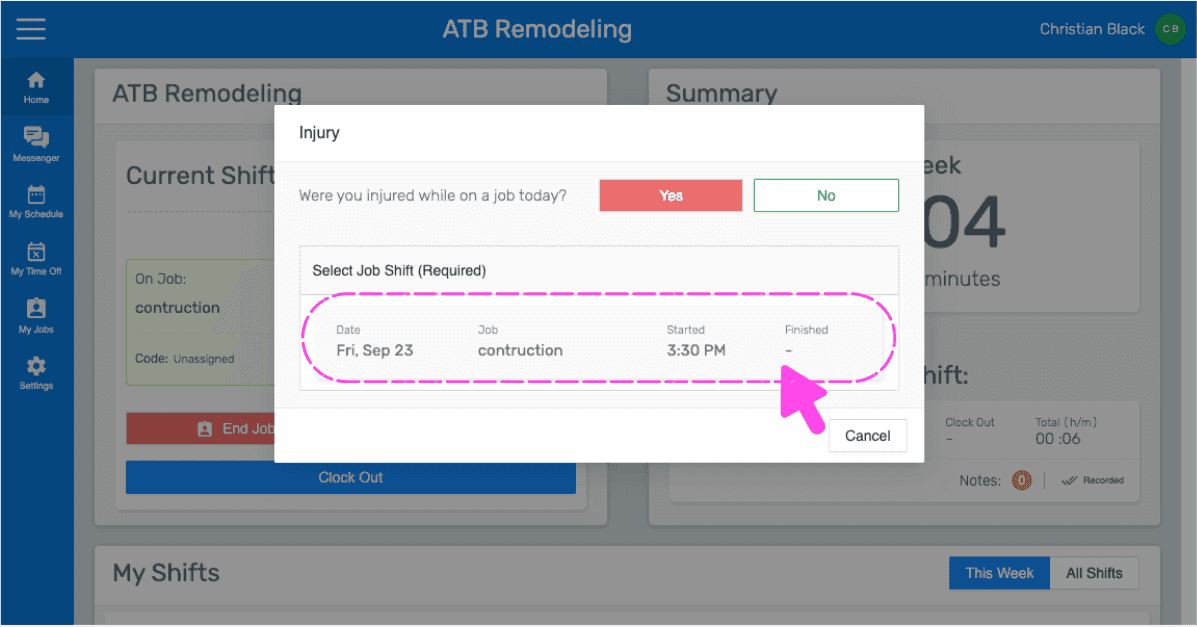
Tap on Job Shift injured on
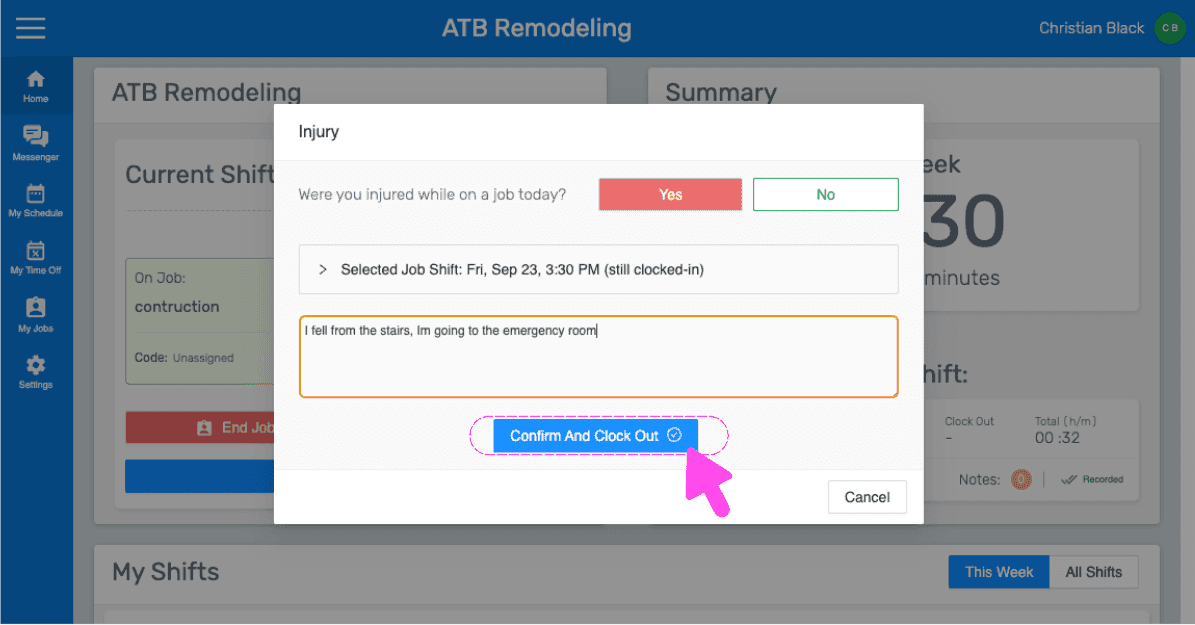
Enter Details about the injury
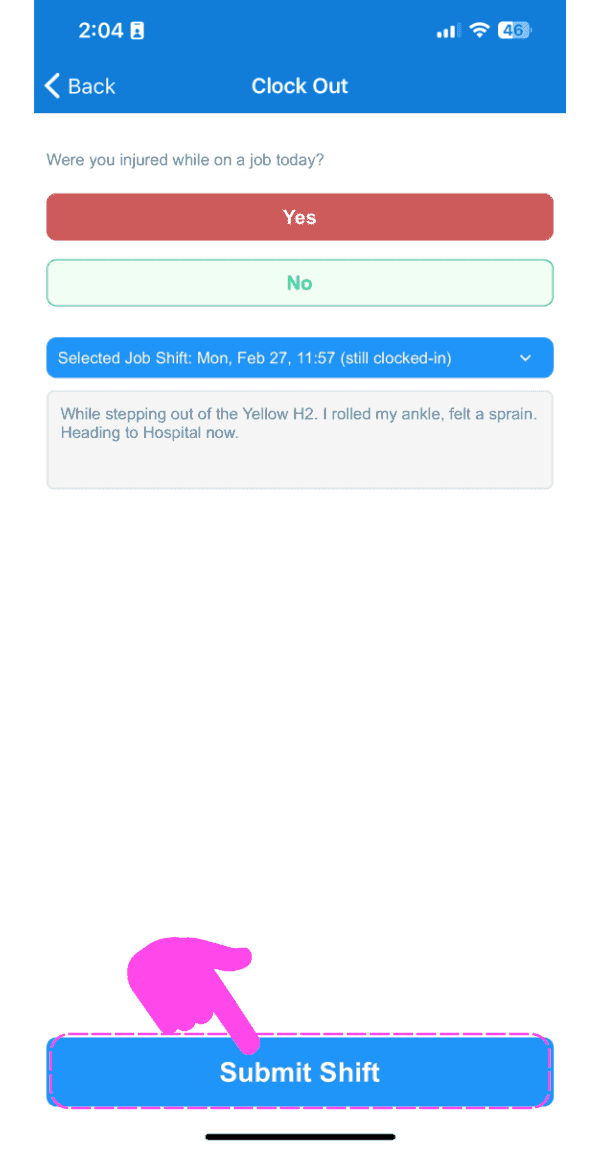
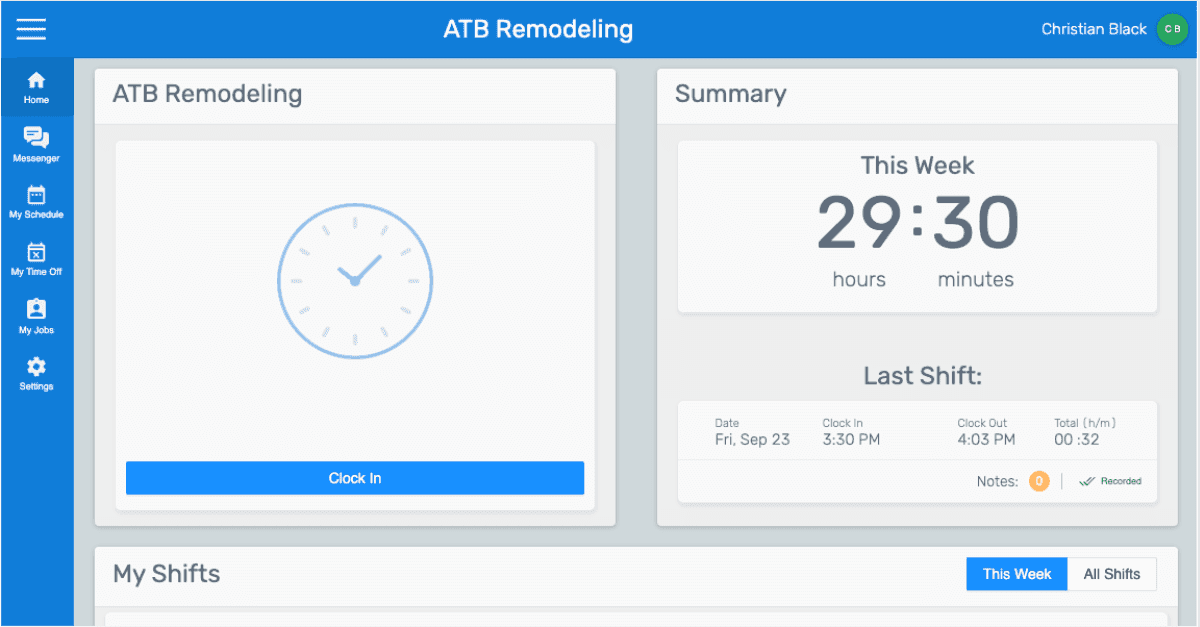
Tap on Submit Shift. If a shift is signed off with an injury, the injury details are included in the respective job's dailies at the end of the day.
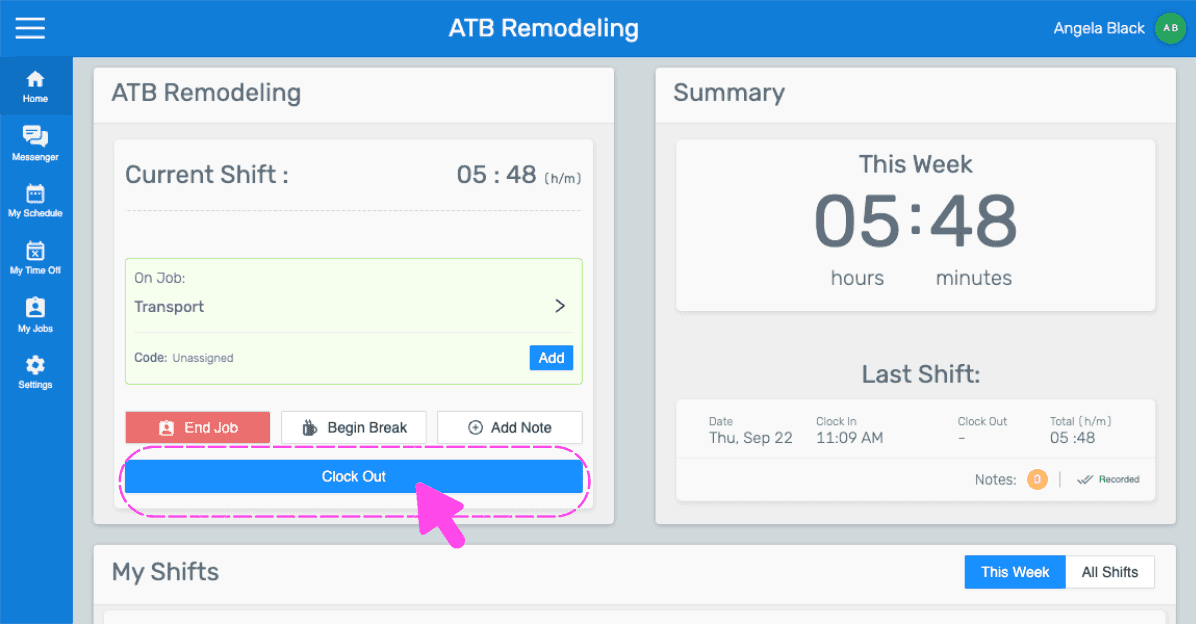
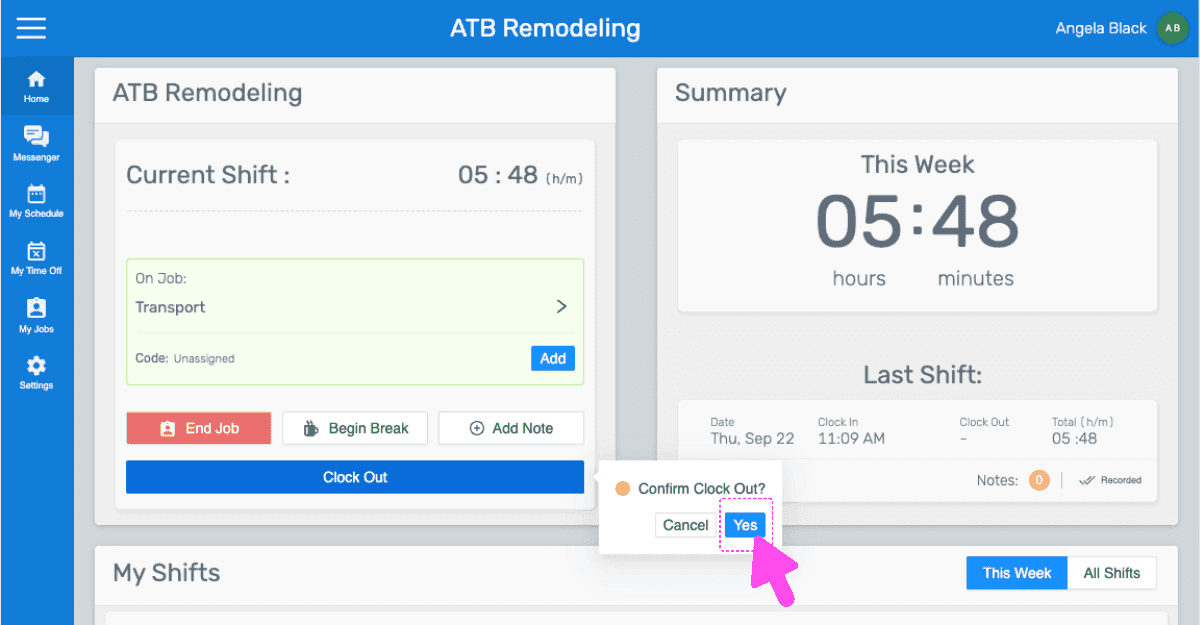
If you are using the web version, it will look like this:
Did this answer your question?