
Jobs: Create a Job
Let's take a look at how to create a job within SINC that your staff can assign their time to

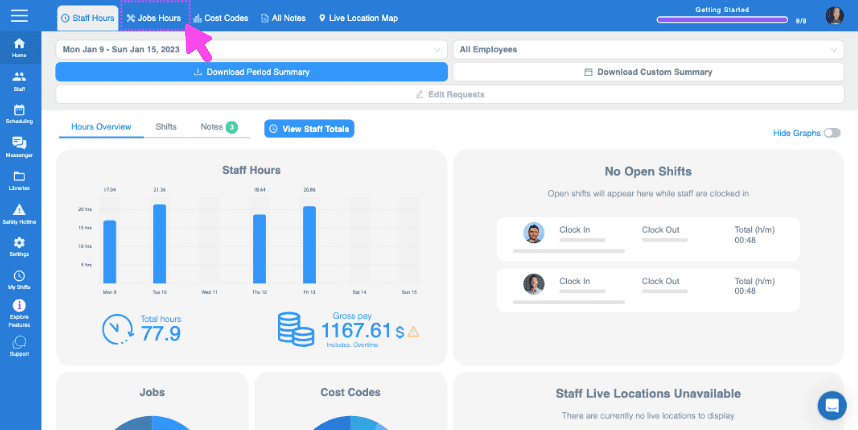
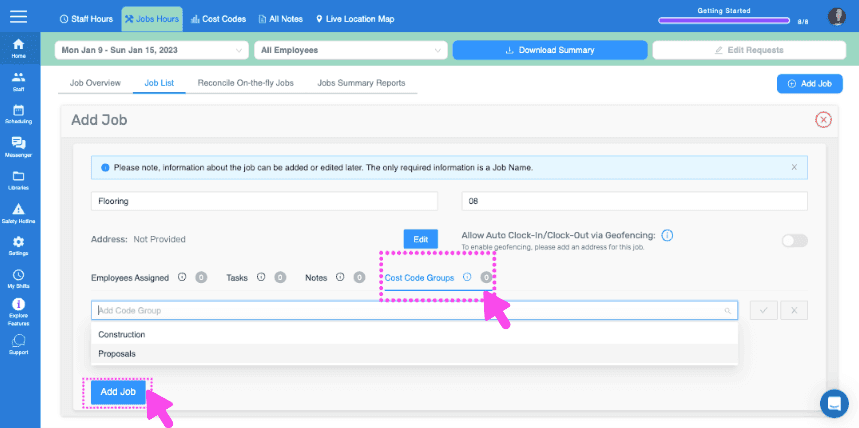
On Web: To add a job, just click on Home Jobs Hours
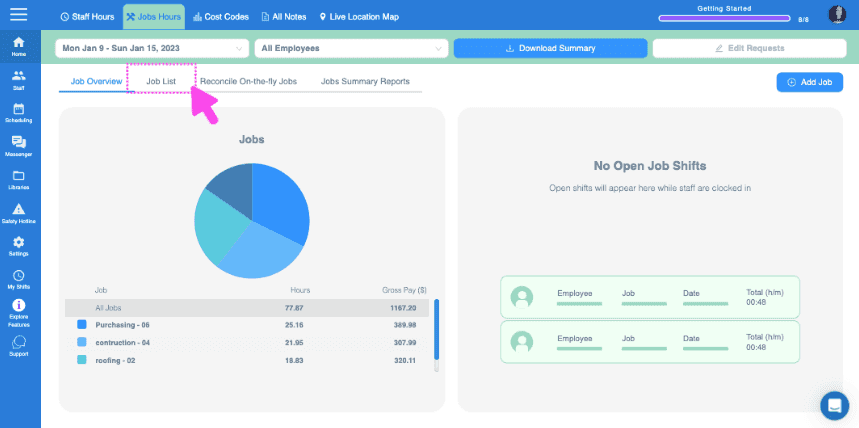
Click on Jobs List
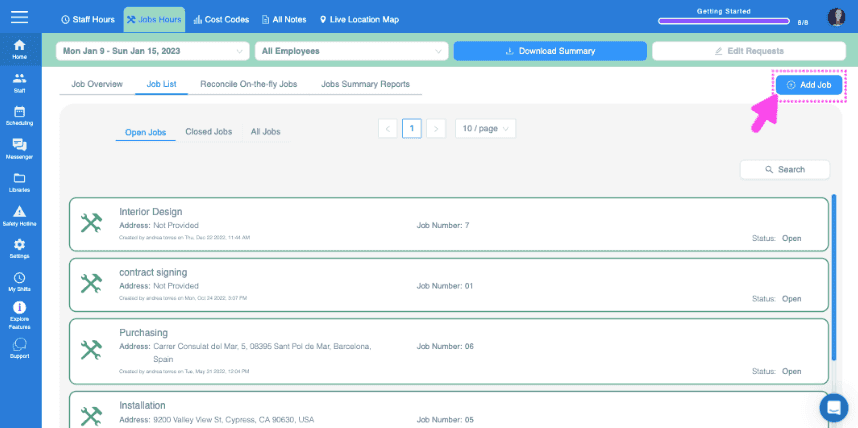
Click on Add Job
Assign a job name
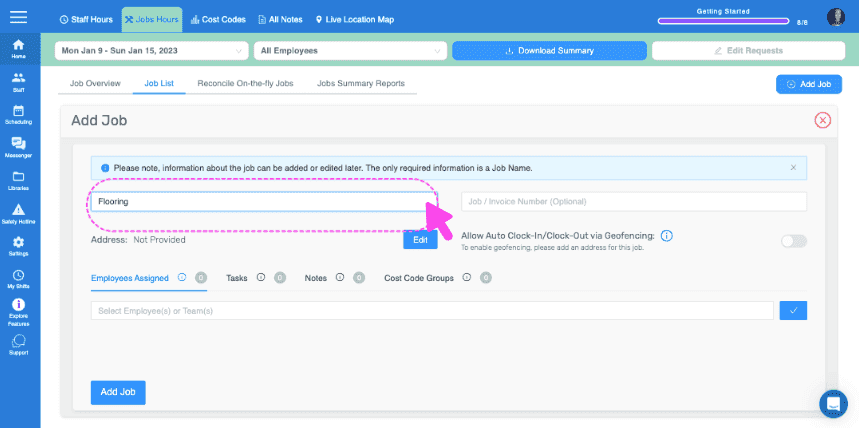
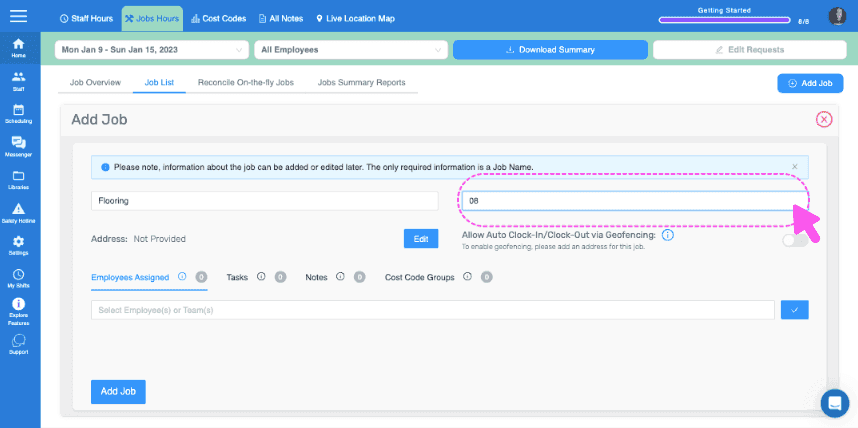
Add an optional job/invoice number
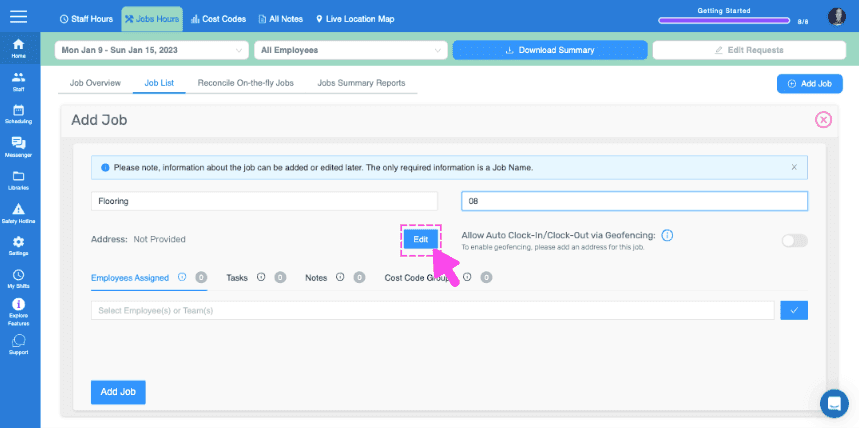
Add an address for the job. This is important if you would like to use geofencing for auto job clock in and out.
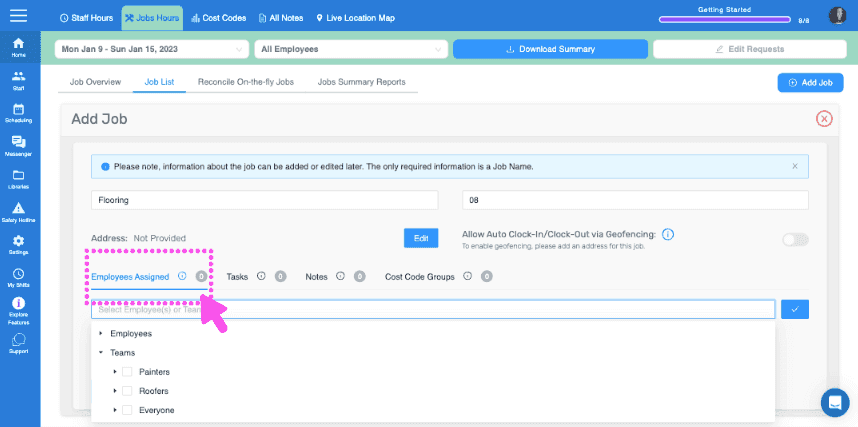
Assign Employees or Teams to this Job (Requires assign employees to jobs feature to be turned on)
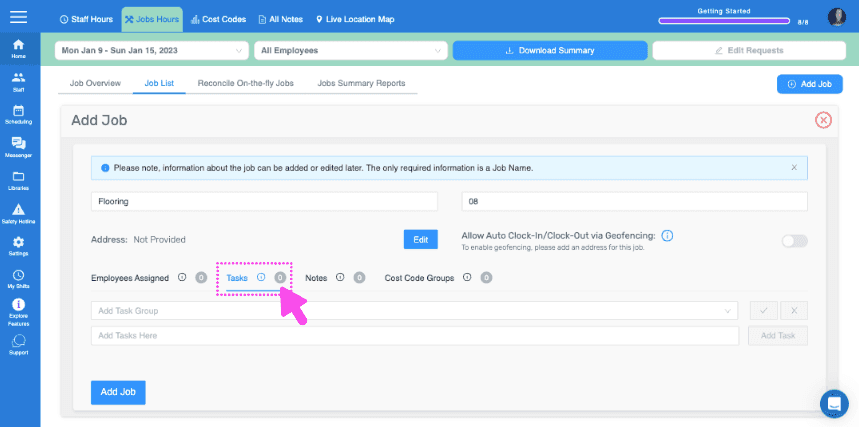
Add any tasks or task groups you want attached to this job
Leave any important notes
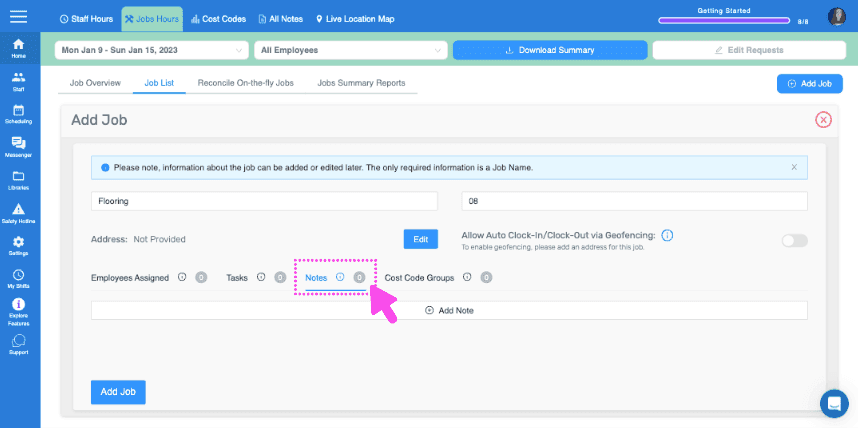
Here
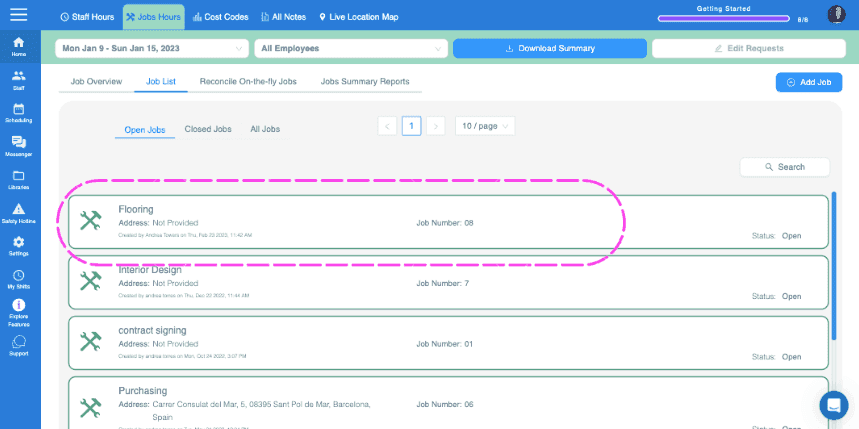
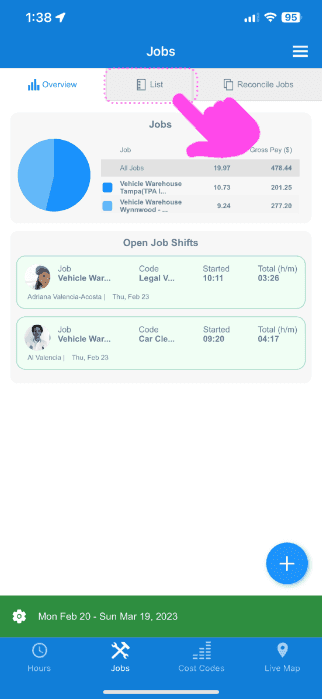
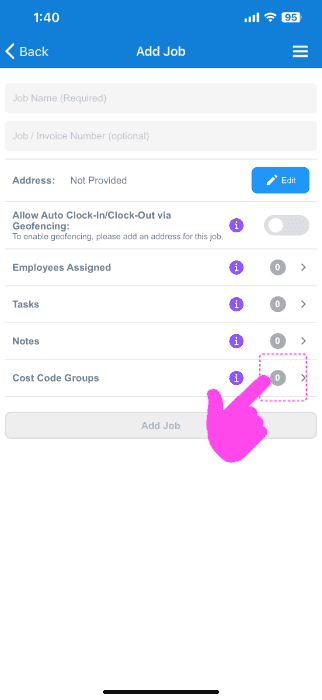
On Mobile: Tap on Menu Overview Jobs
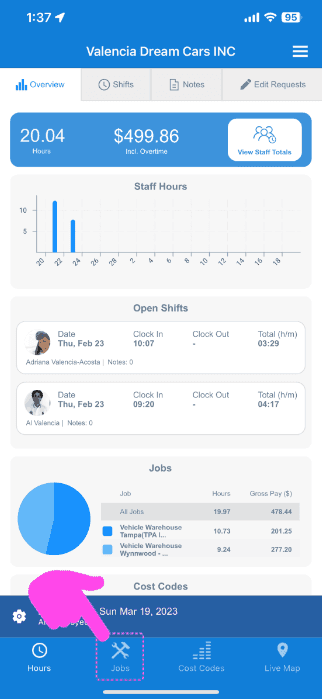
Tap on List
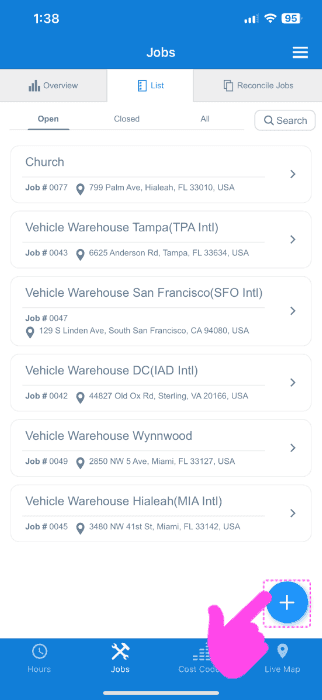
Tap on + icon at the bottom right
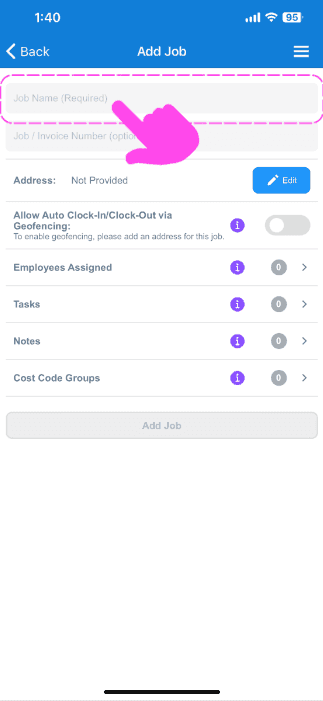
Assign a job name
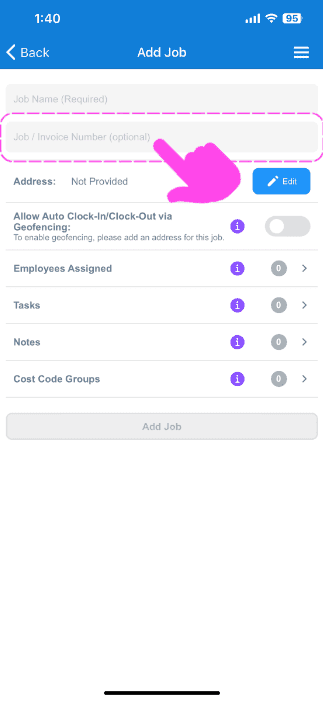
Add an optional job / invoice number
Add an address for the job. This is important if you would like to use geofencing for auto job clock in and out.
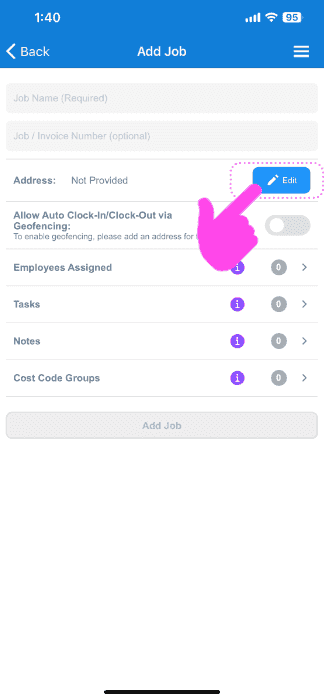
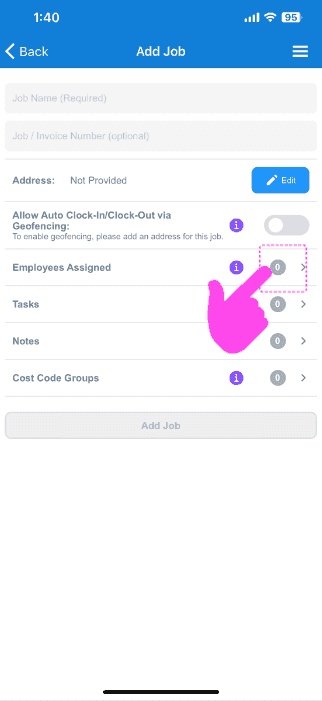
Assign Employees or Teams to this Job (Requires assign employees to jobs feature to be turned on)
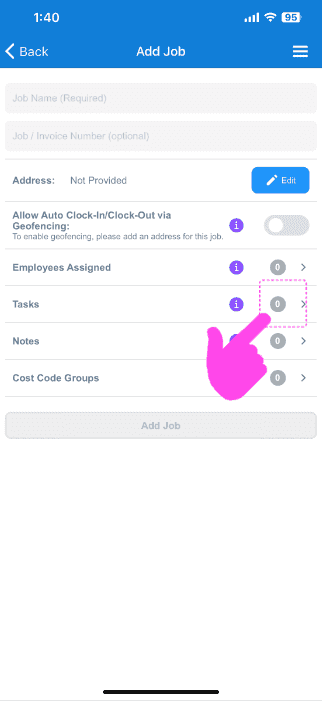
Add any tasks or task groups you want attached to this job
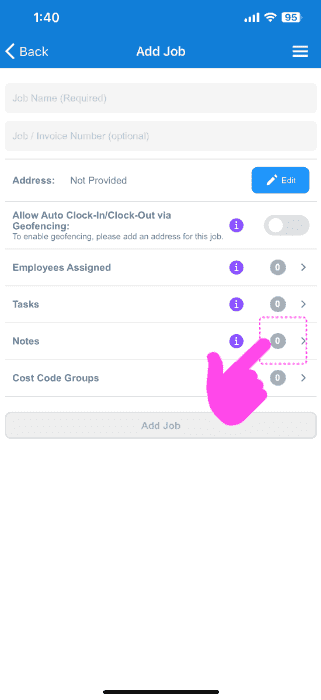
Leave any important notes
Here
Did this answer your question?