Jobs: Creating tasks and task groups

Sam Dolbel
Sam Dolbel
Feb 24th, 2023

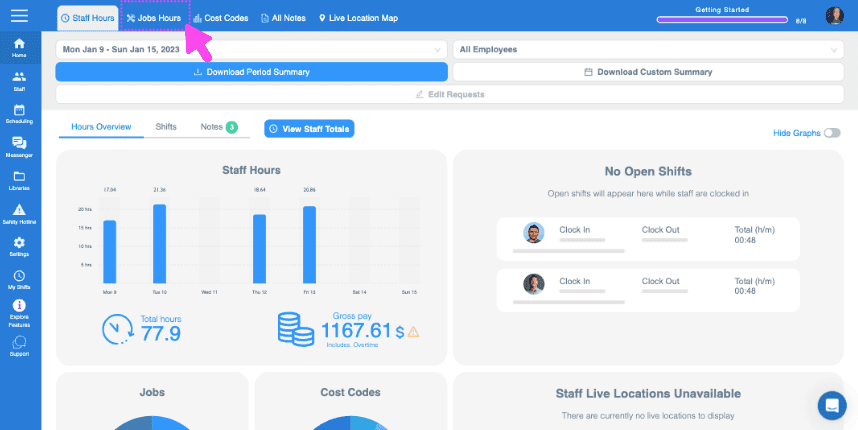
Click on Home Jobs Hours

SINC web Staff Hours dashboard with the Jobs Hours tab highlighted in pink at the top

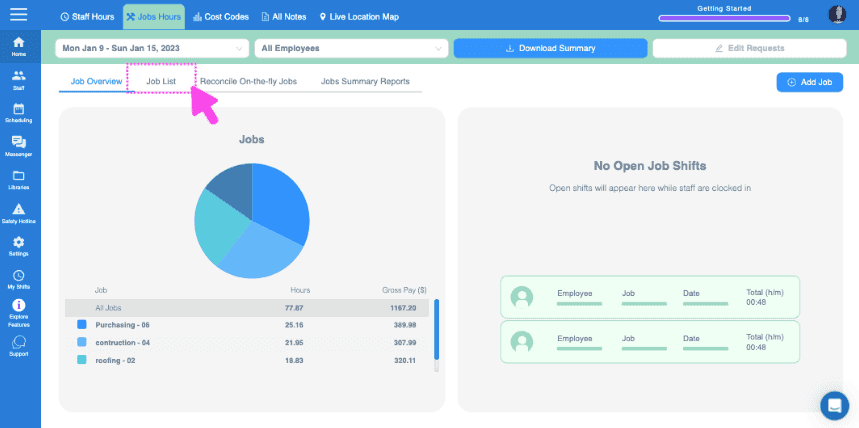
Click on Jobs List

Web Jobs Hours dashboard with a pie chart of job hours and the Job List tab highlighted at the top

Click on The job you want to add tasks to
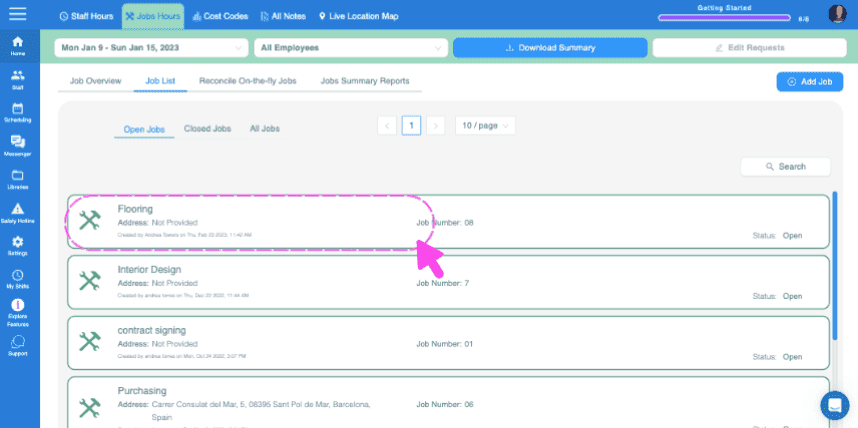
SINC web Jobs List screen with a pink dashed box and arrow highlighting the Flooring job entry

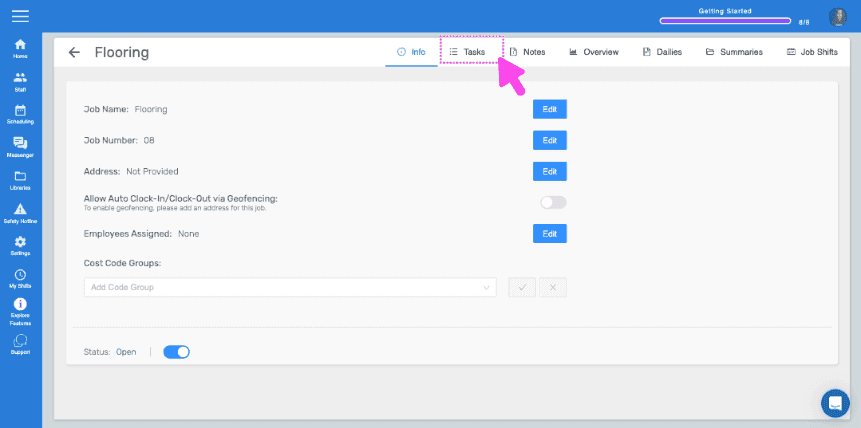
Click on Tasks

Job detail Info screen with the Tasks tab highlighted by a pink arrow

To enter a single one-off task, enter the task name and click on Add Task
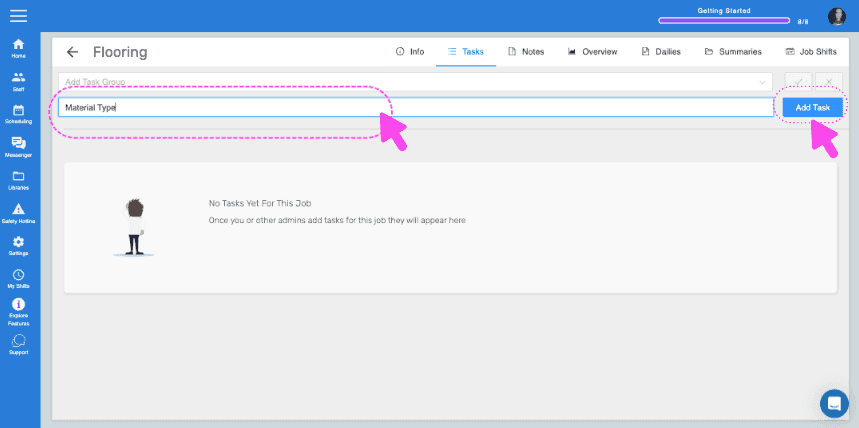
SINC web Job Tasks screen with the task name field and Add Task button highlighted by pink arrows

Enter a description if you wish and click Ok
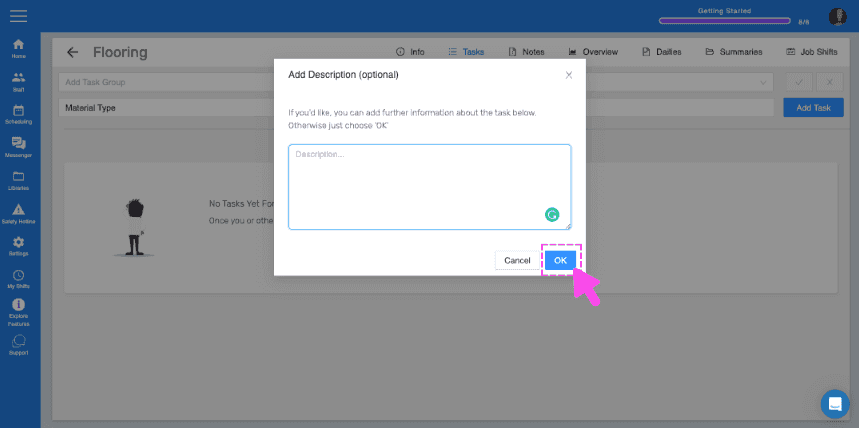
SINC web Tasks screen showing an Add Description popup with the OK button highlighted in pink

If you have sets of tasks you want to use easily on multiple jobs, you do this by creating task groups. To create a task group, click on Libraries
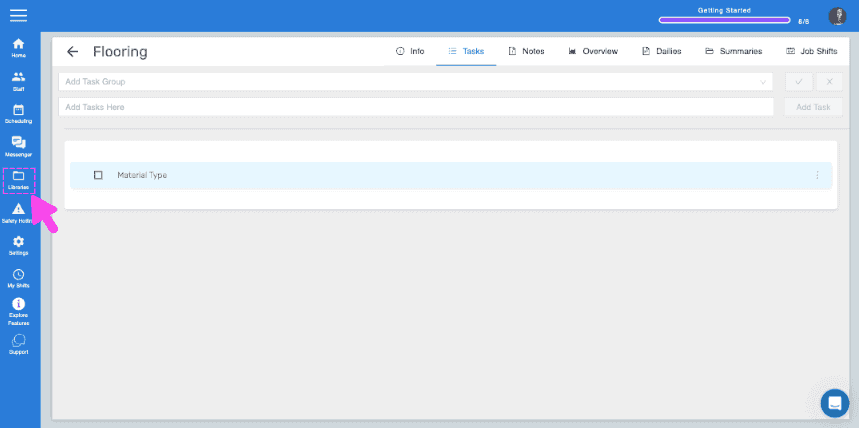
SINC web Flooring job Tasks tab with a pink arrow pointing to the Libraries icon in the sidebar

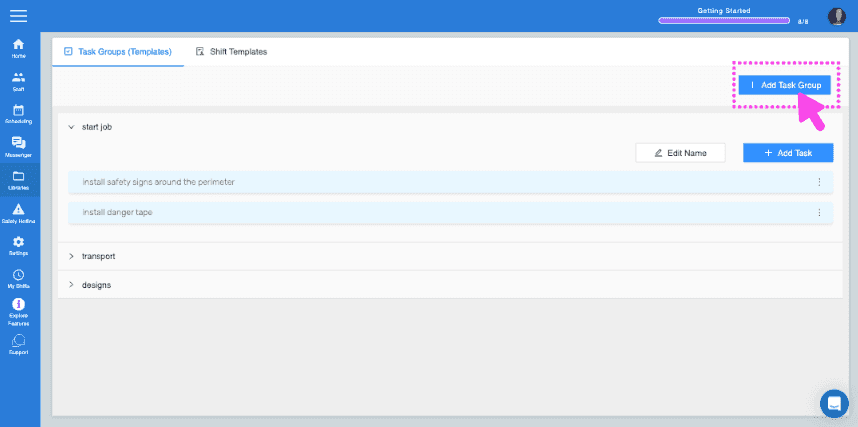
Click on Add Task Group

SINC web Task Groups screen with the Add Task Group button highlighted in the top right

Enter the name of the task group and add your first task to the group
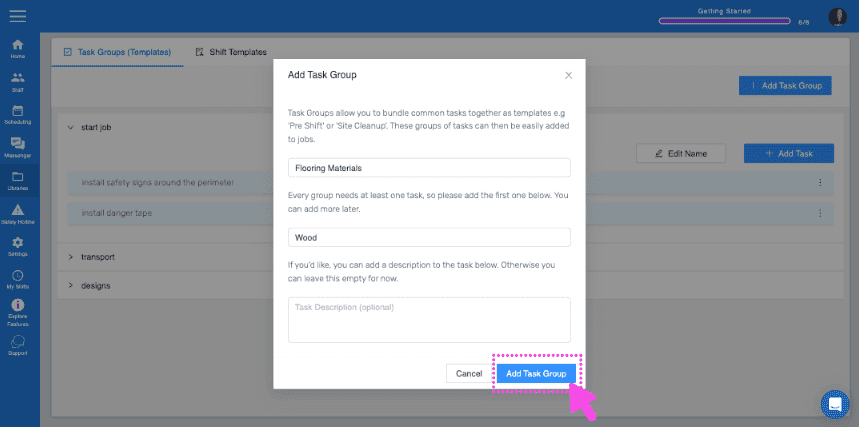
Add Task Group popup showing group name "Flooring Materials" and first task "Wood" with the Add Task Group button highlighted

To add more tasks to the group, click on the task group name
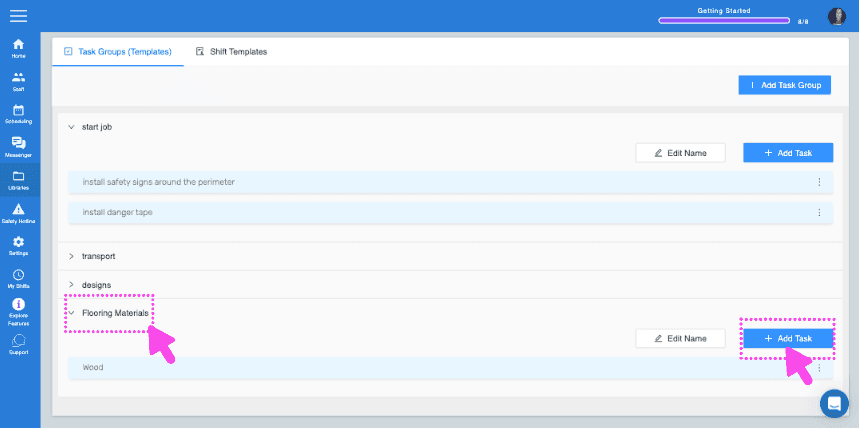
SINC web Task Groups screen with pink arrows pointing to a task group name and the Add Task button

Click on Add Task Enter the task details
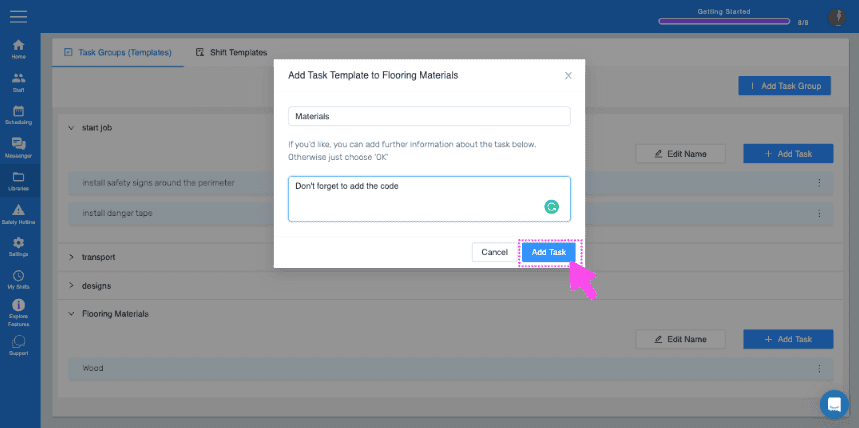
Web Add Task Template dialog with a task description field and the Add Task button highlighted by a pink arrow

Now, to add the task group to your job, return to the Tasks section of the job you want to add the task group. Select the task group from the drop-down and then click on the blue tick.
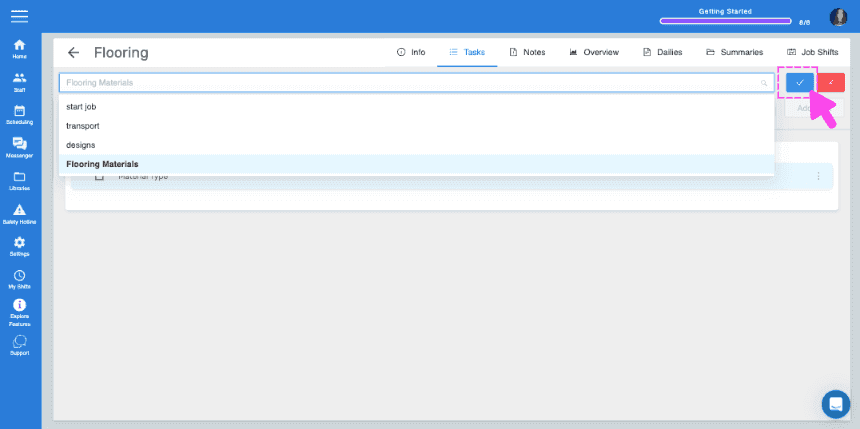
SINC web job Tasks panel with a task group dropdown open and a pink arrow pointing to the blue checkmark confirm button
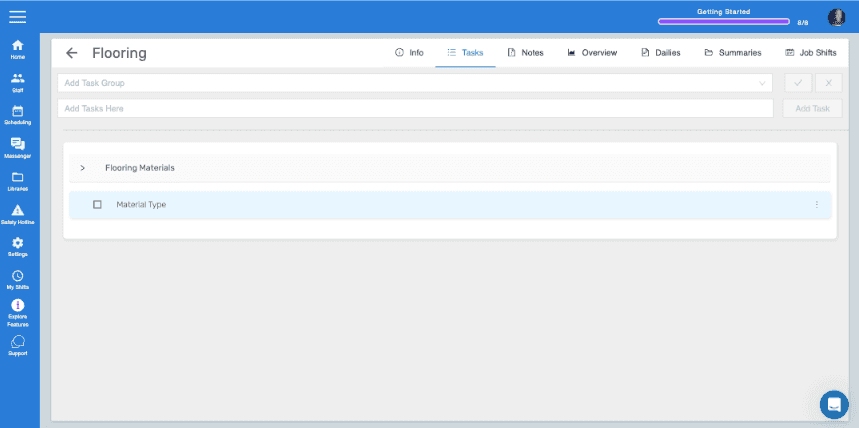
Job Tasks tab showing the Flooring Materials task group with a Material Type task listed

Did this answer your question?