
Jobs: Edit Job Shift
In this guide we will cover editing a job shift as an Admin.

SINC Support Team
Feb 27th, 2023
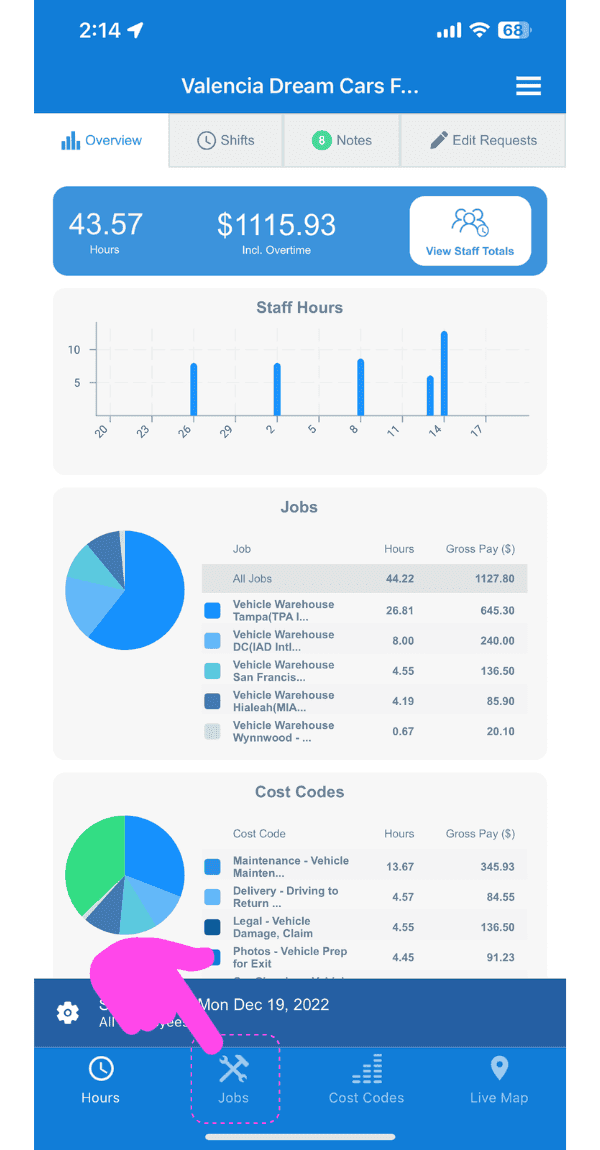
On Mobile: In Overview Tap on Jobs
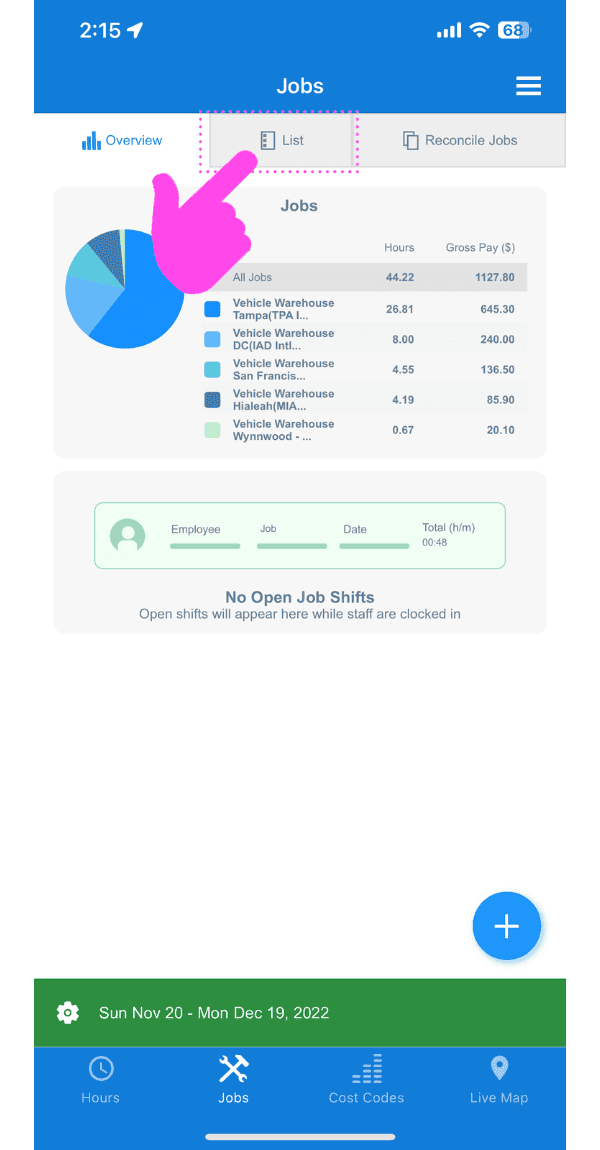
Tap on List
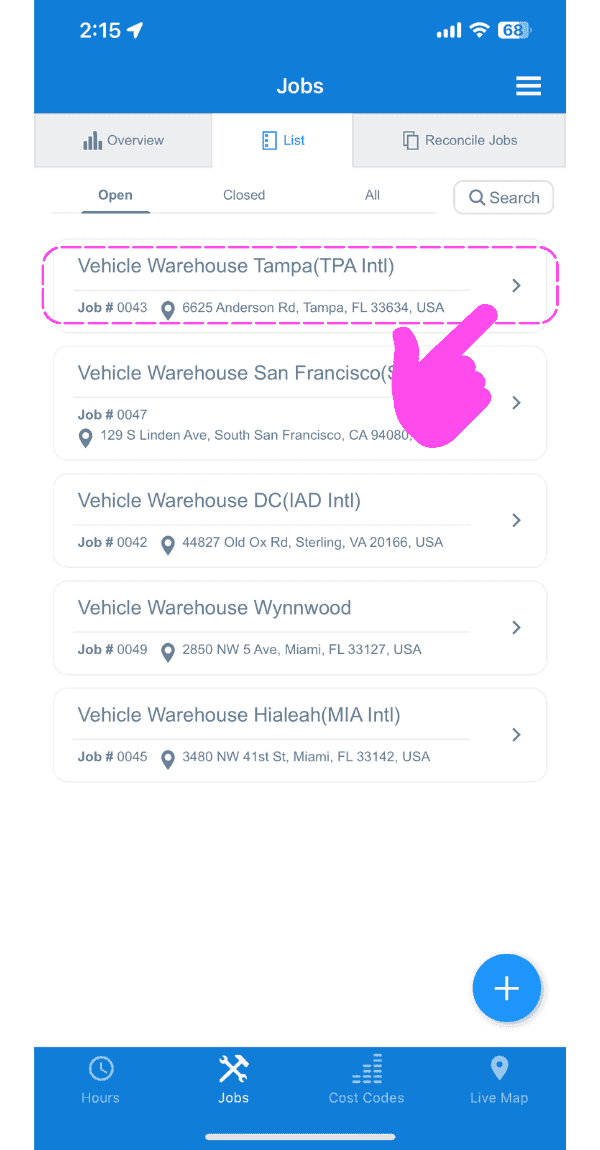
Tap on The job that contains the job shift you want to edit
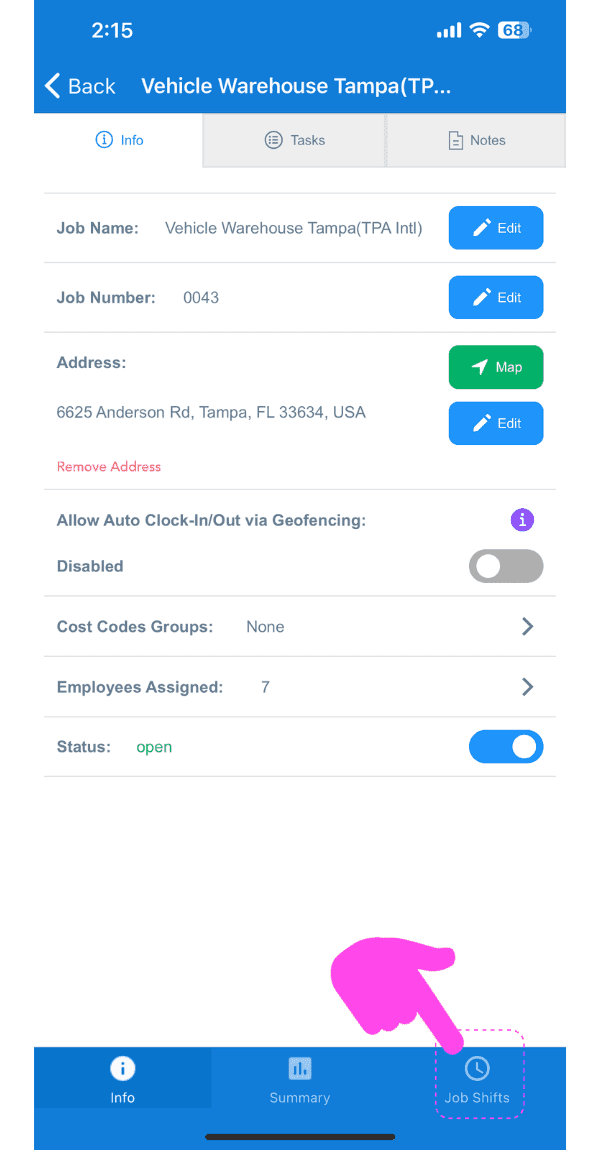
Tap on Job Shifts
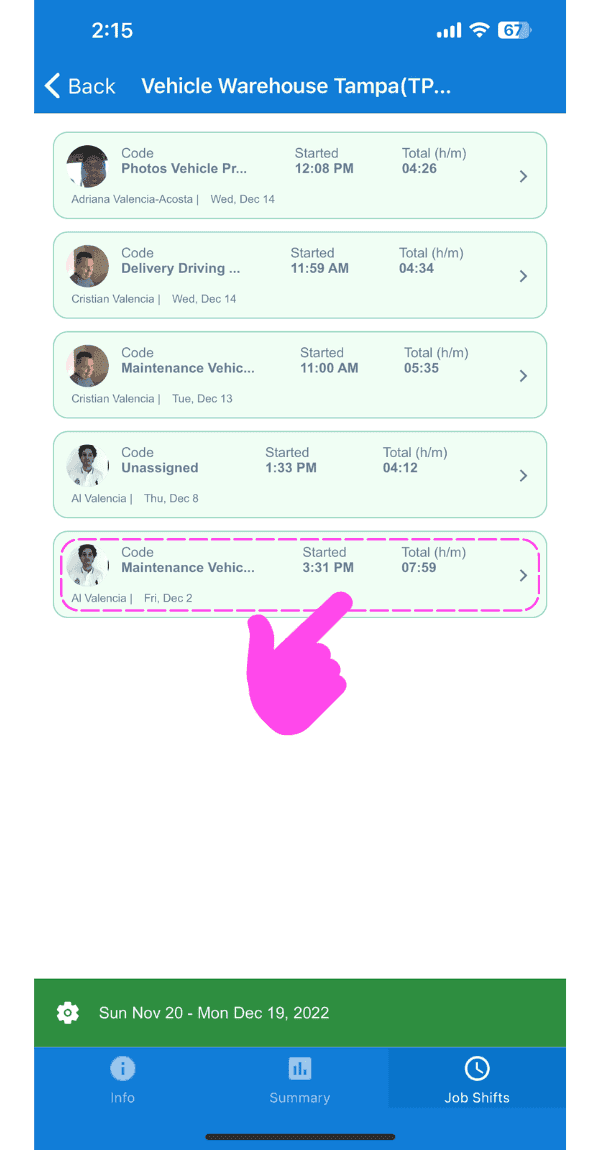
Tap on The shift you want to edit
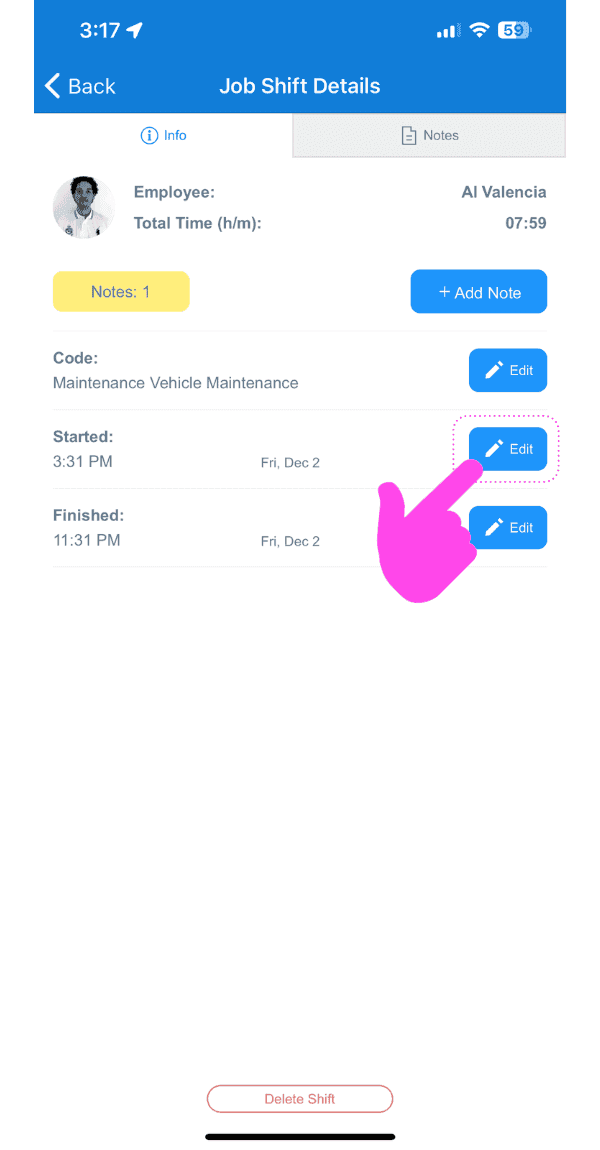
Tap on Edit
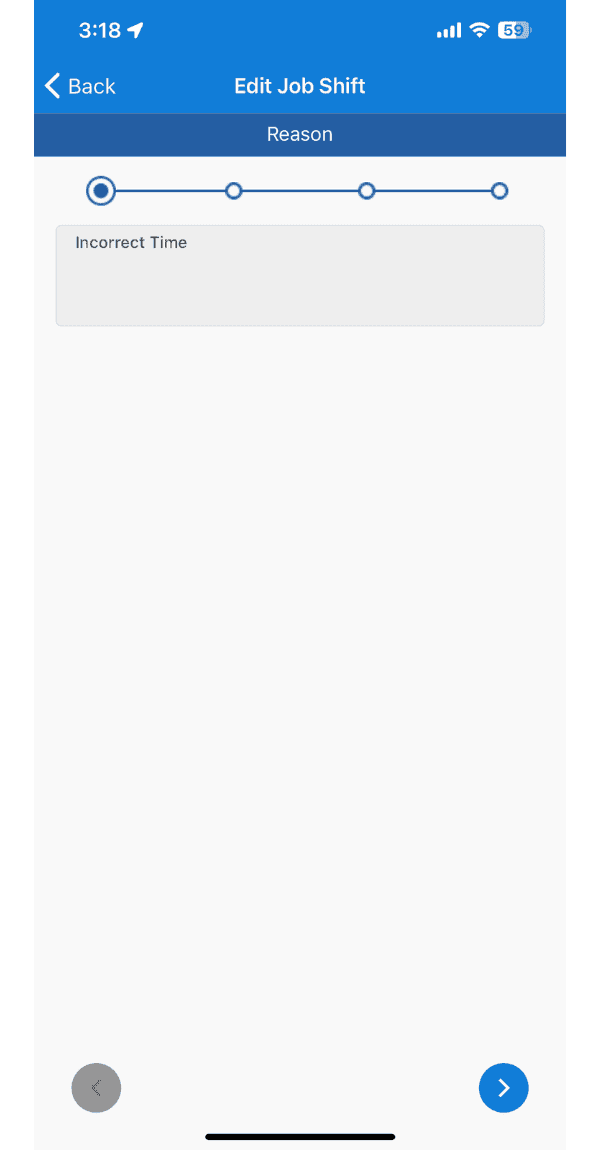
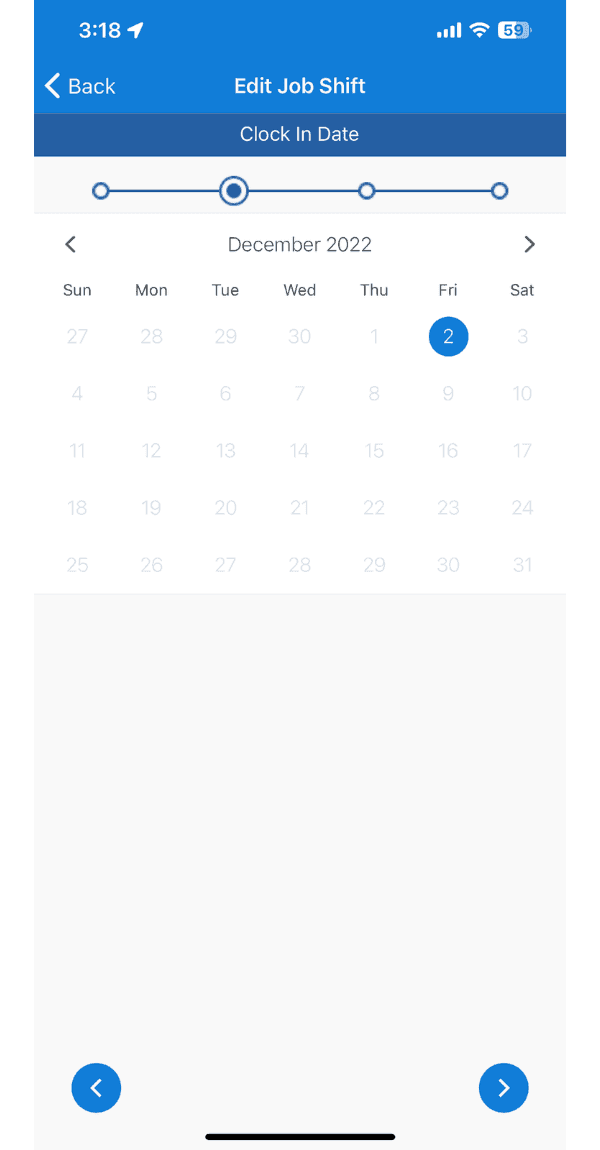
Go through the edit shift wizard
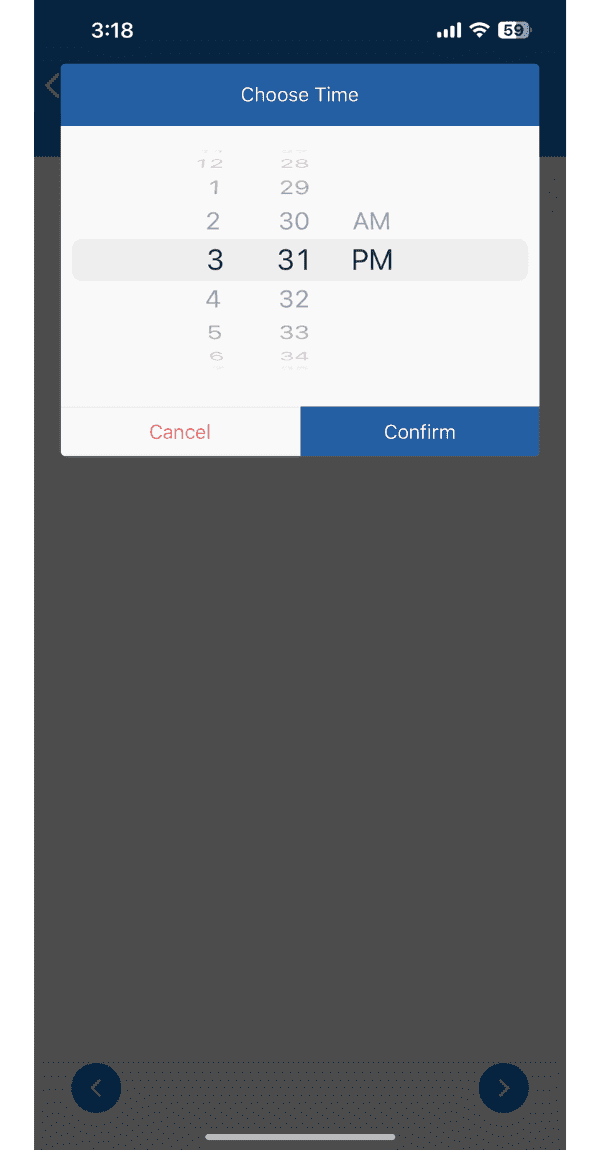
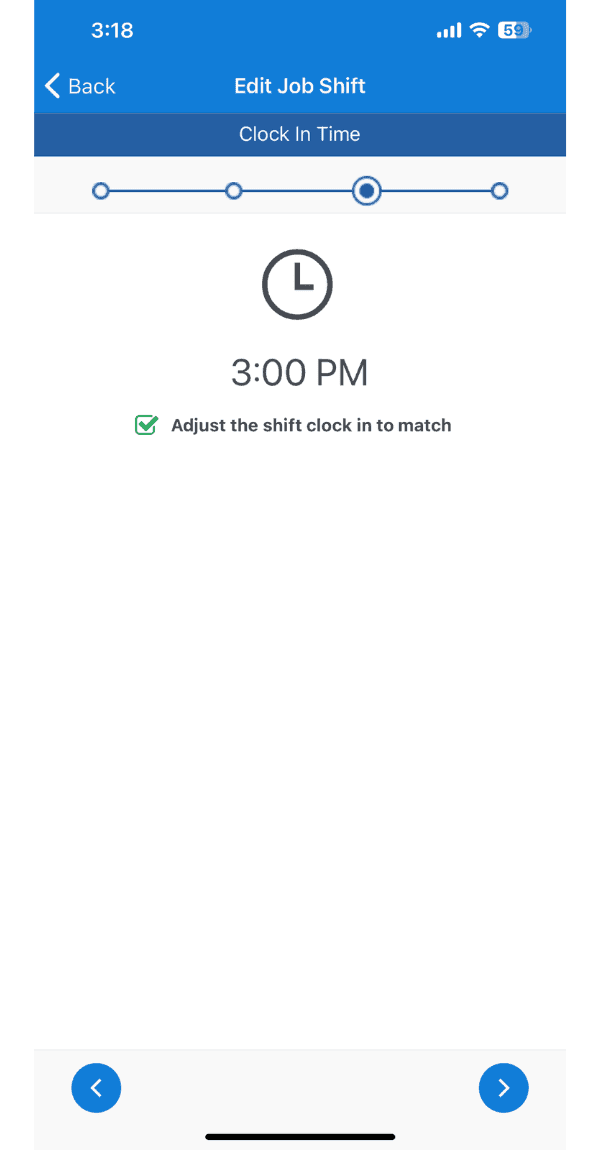
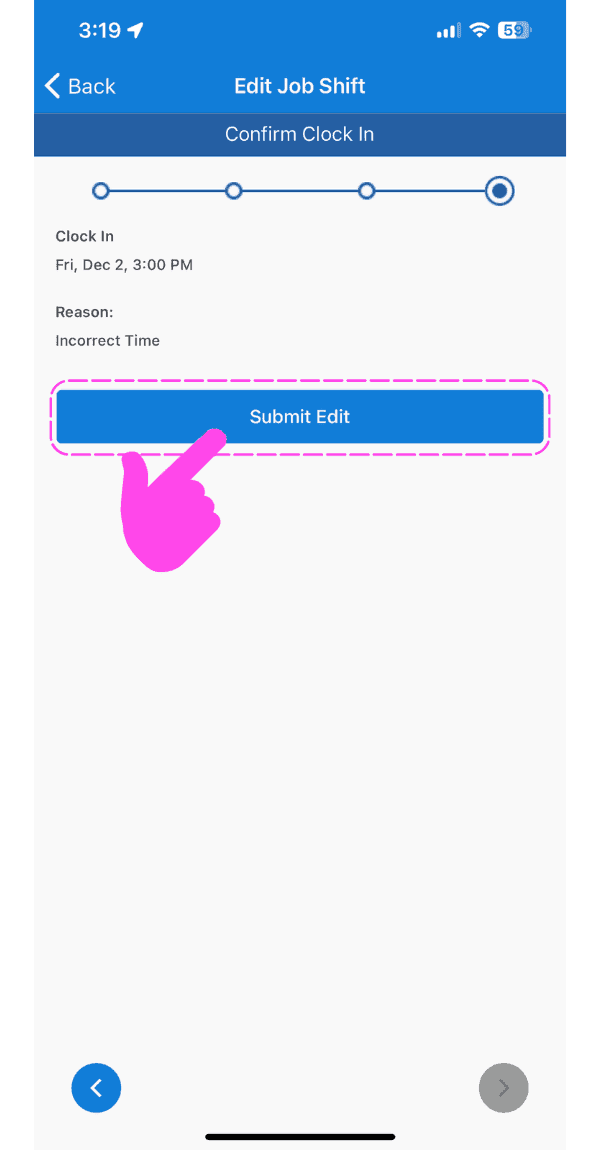
Tap on Submit Edit
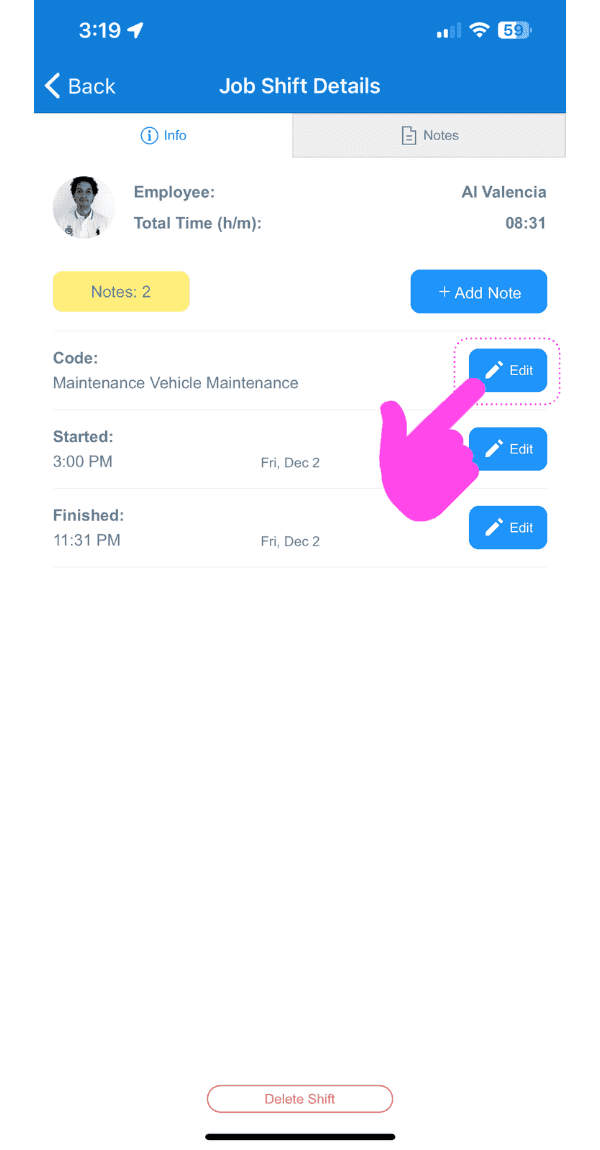
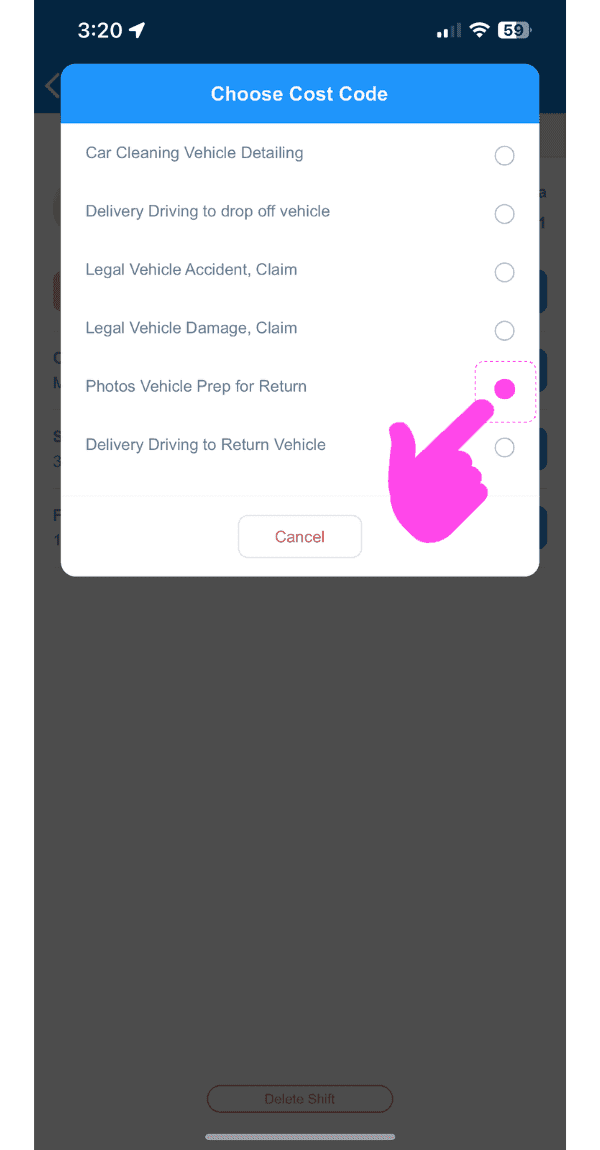
To edit the cost code of an existing Job Shift: Tap on Edit next to the current cost code
Select the desired cost code
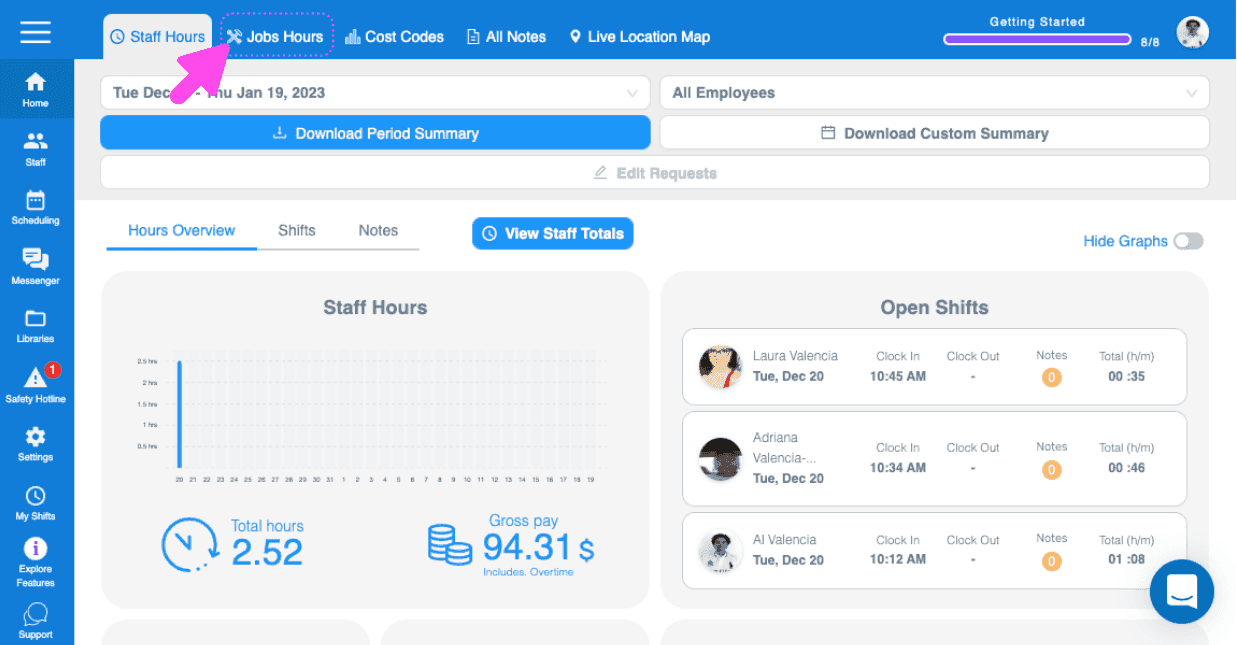
On Web: Click on Home Job Hours
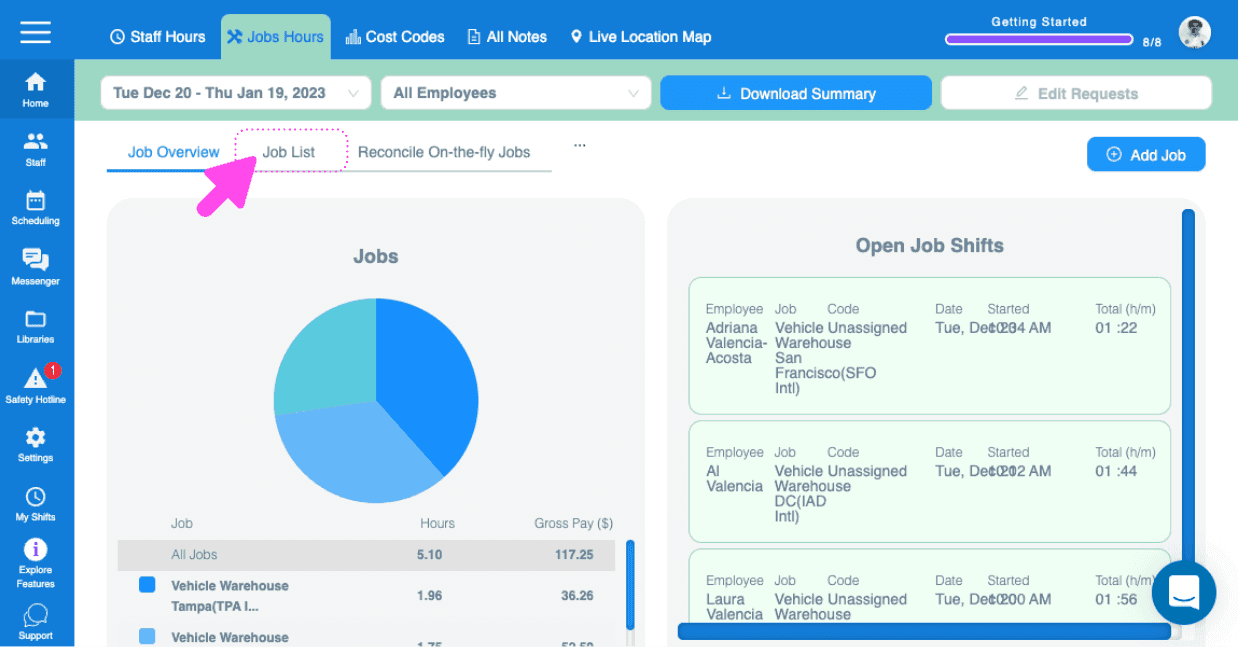
Click on Jobs List
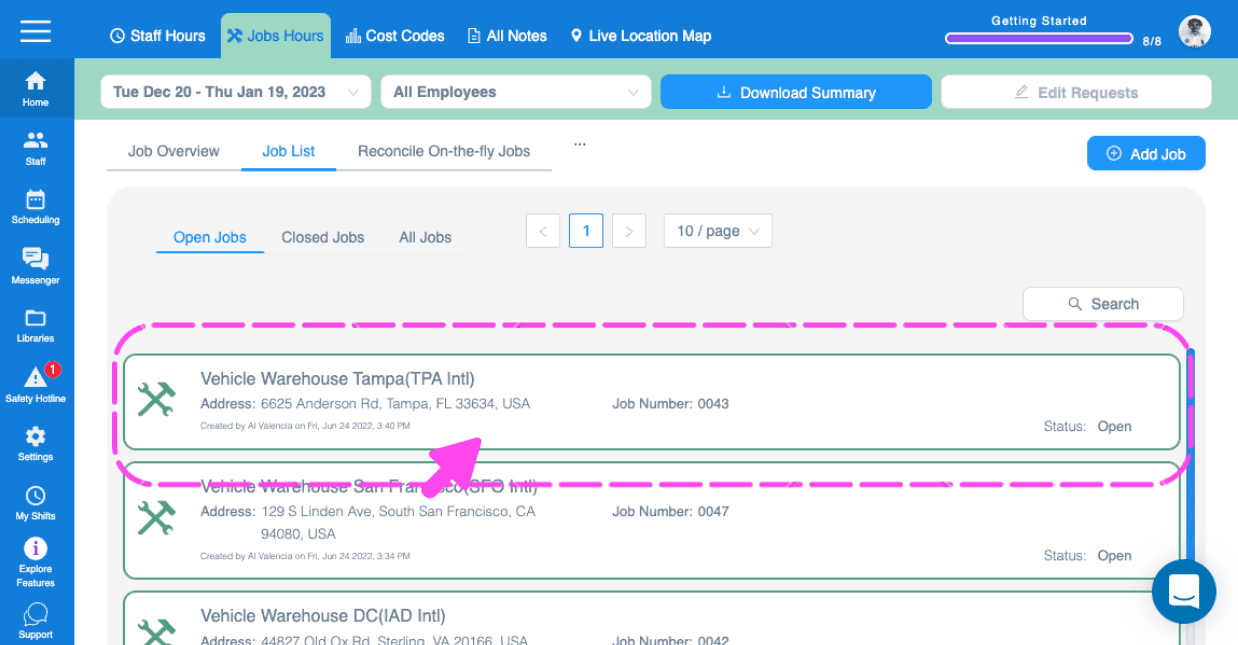
Click on The job containing the job shift you want to edit
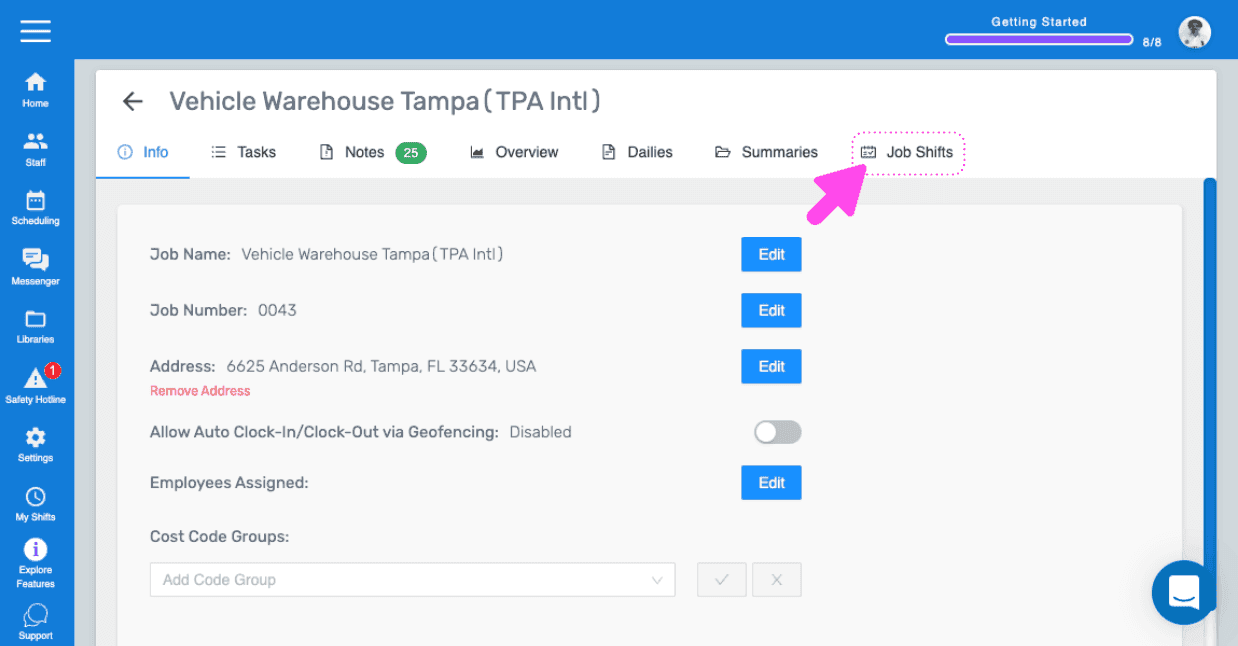
Click on Job Shifts
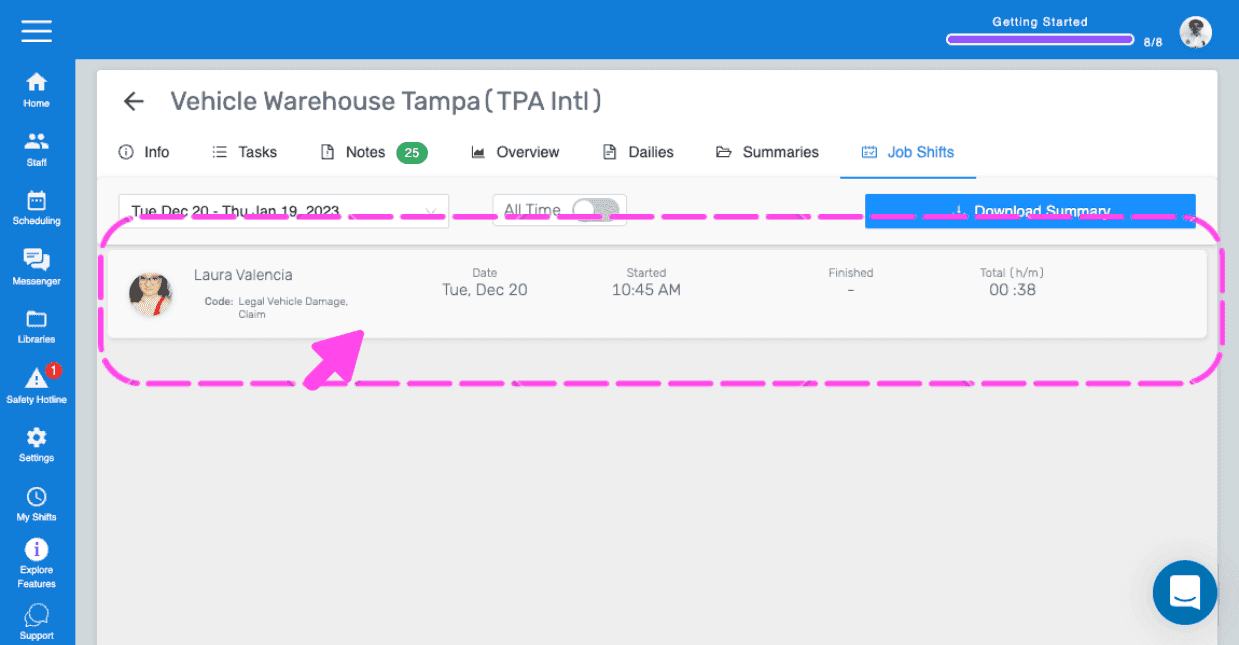
Click on The job shift you want to edit
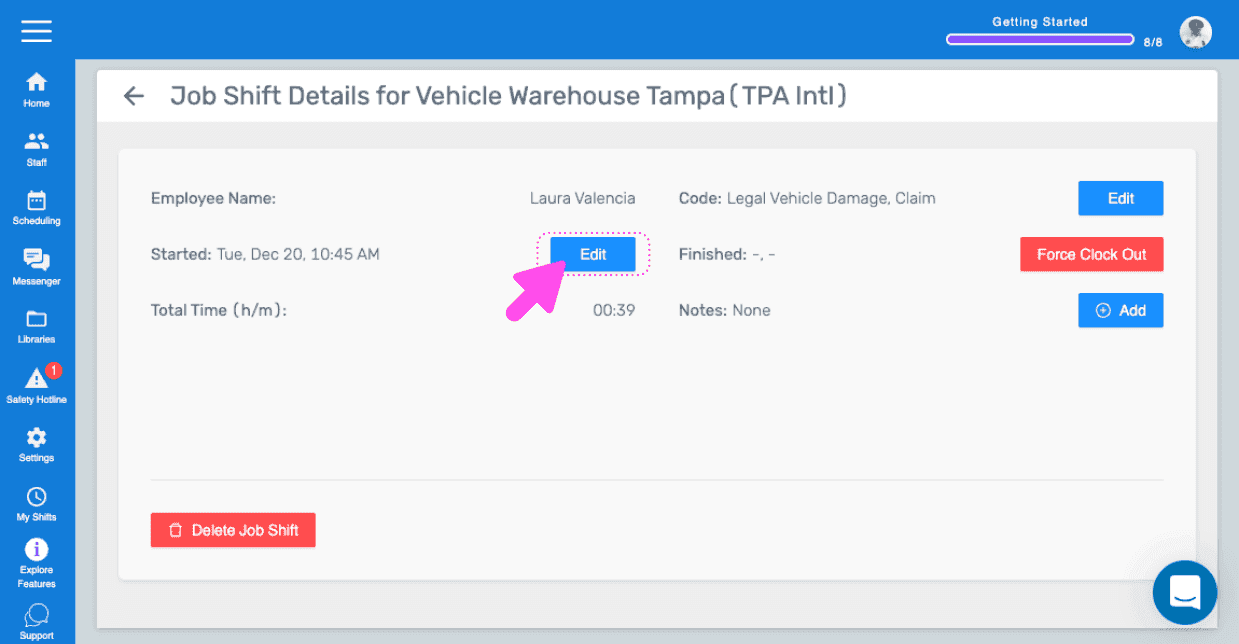
Click on Edit
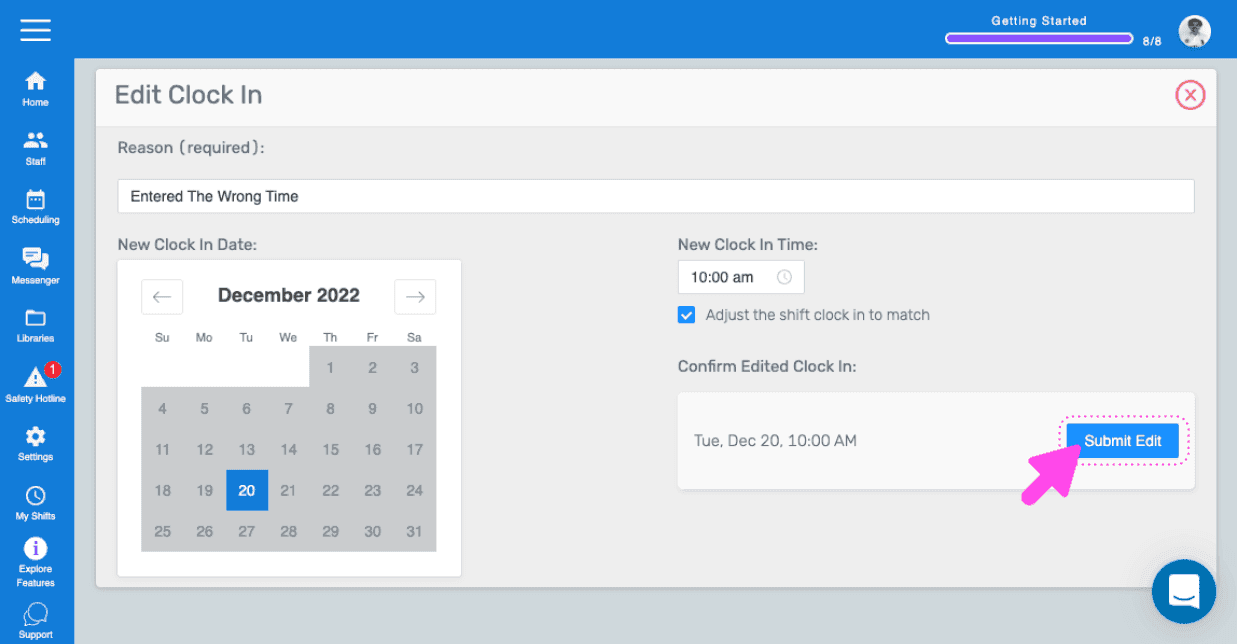
Click on Submit Edit
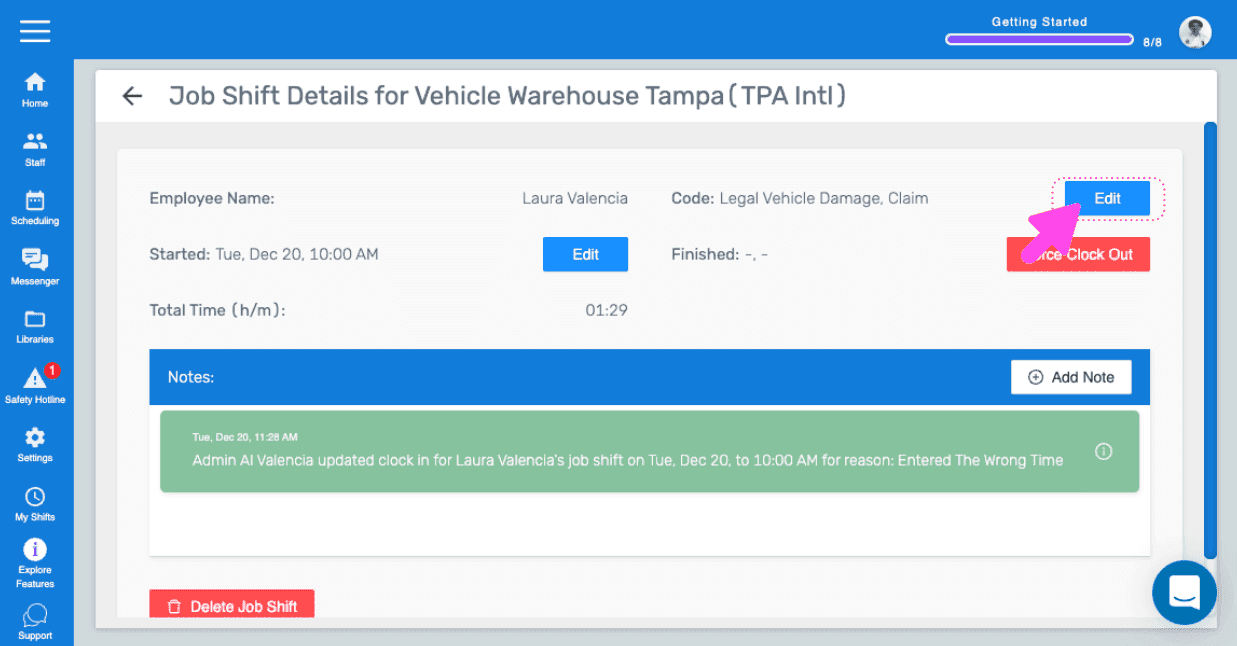
To edit the cost code of an existing job shift: Click on Edit
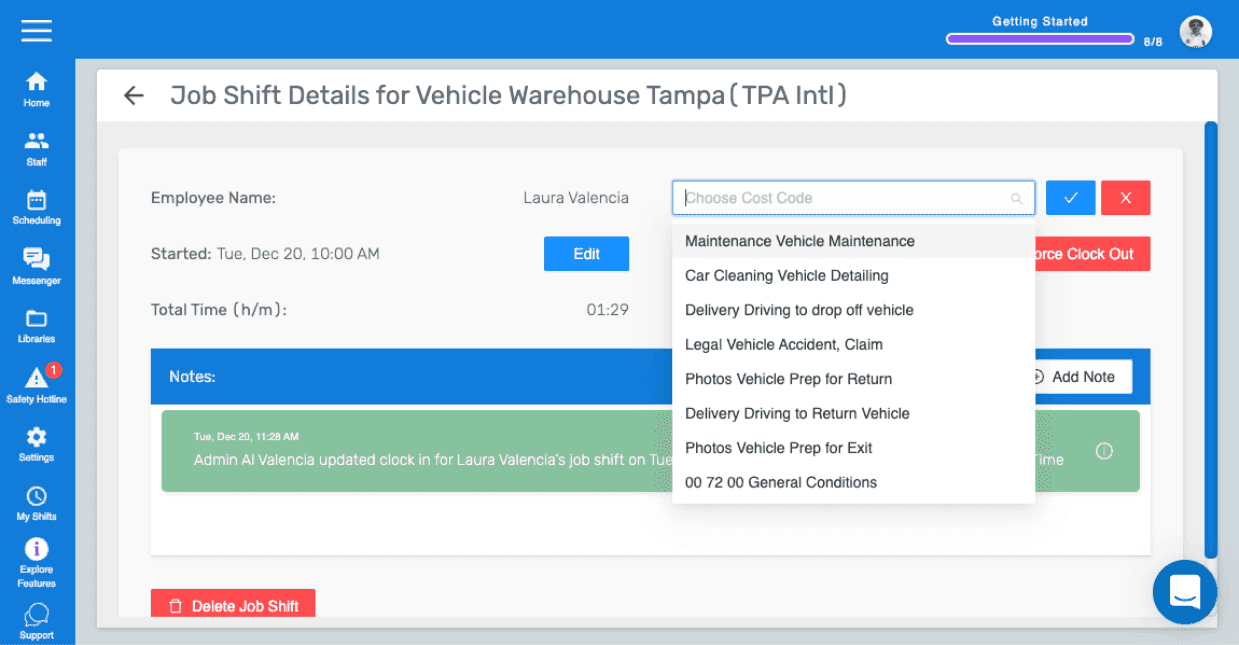
Select the new cost code
Did this answer your question?