
Jobs: Getting Started
Before starting to track your jobs inside of SINC, there are some settings you need to change. This guides shows you how.

Sam Dolbel
Feb 23rd, 2023
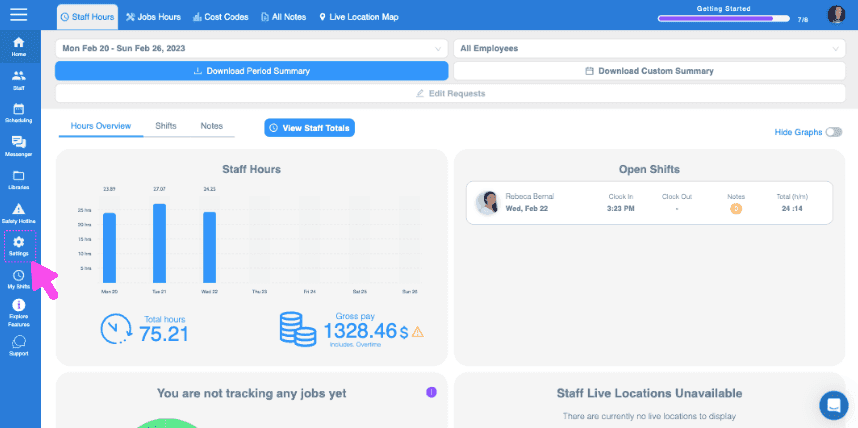
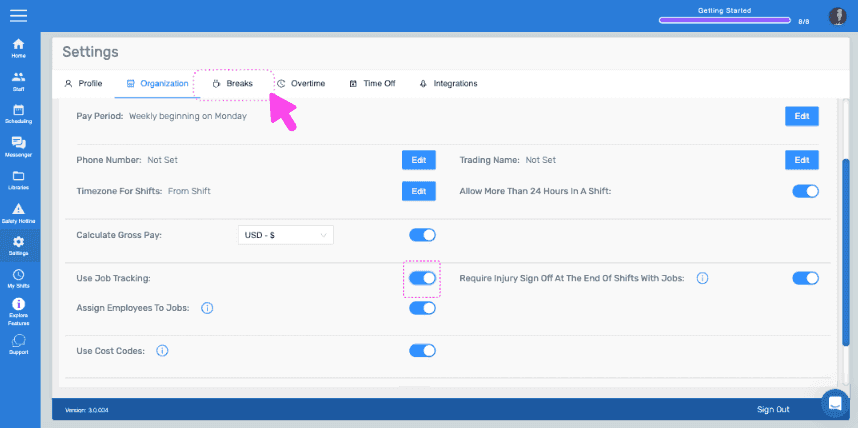
On Web: From your home screen, click on Settings.
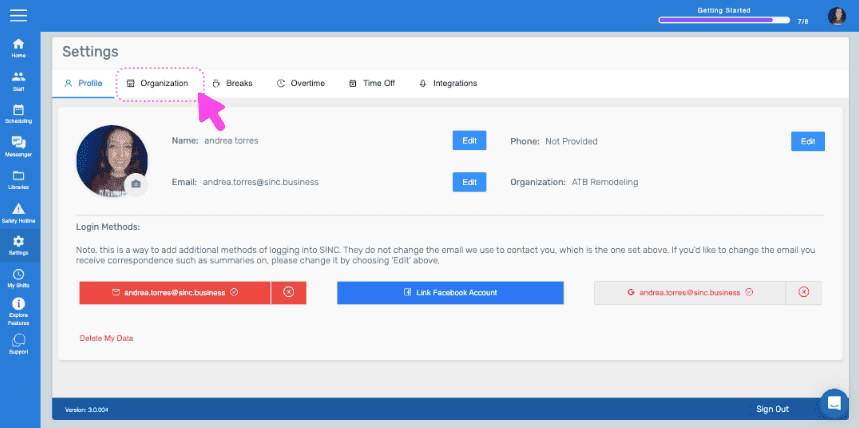
Click on Organization.
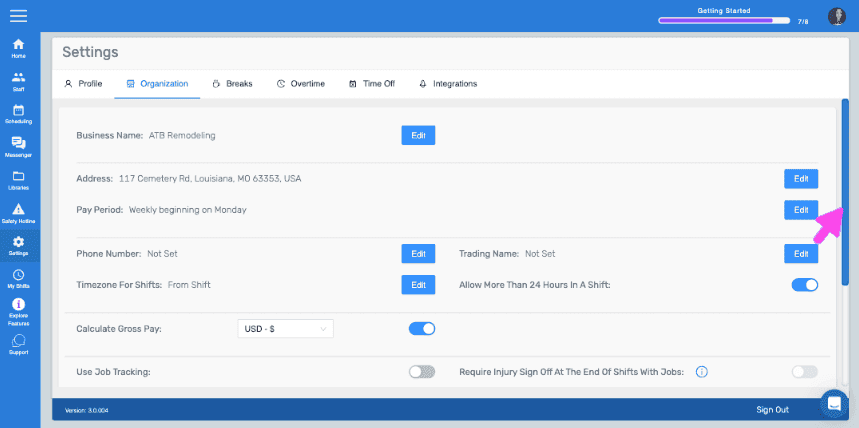
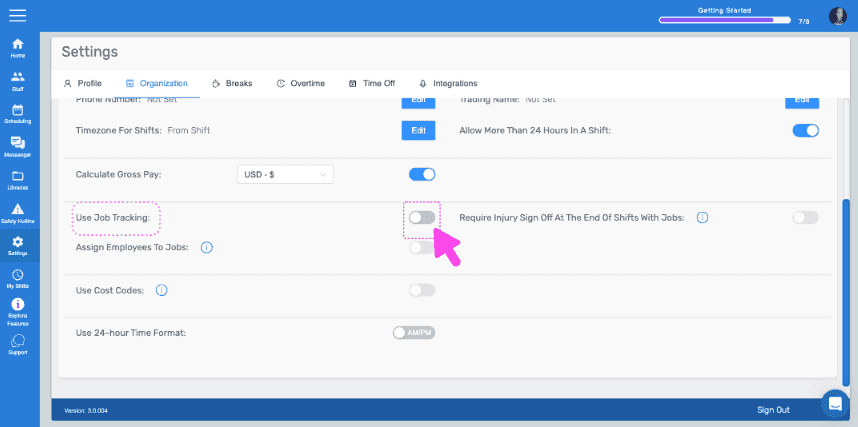
Toggle on Use Job Tracking.
Then click on breaks.
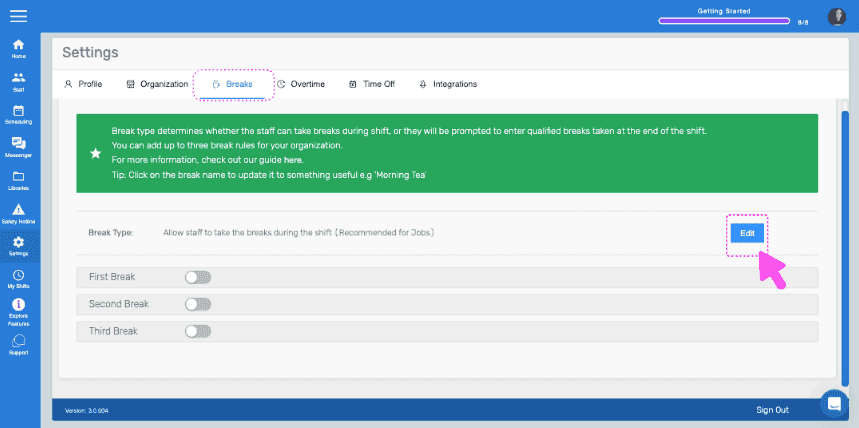
Click on Edit (Next to break type).
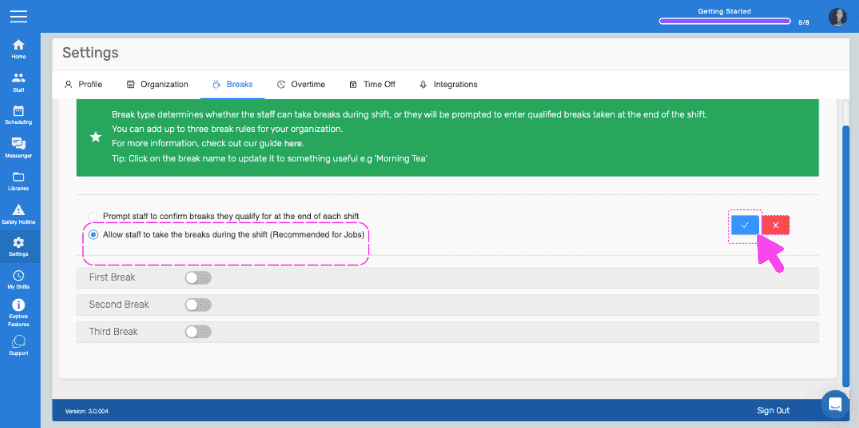
Select the option "Allow staff to take breaks during their shift" and confirm the change.
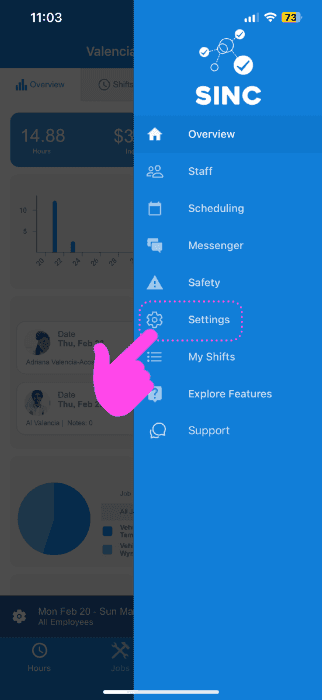
On Mobile: From the Menu, tap on Settings.
Tap on Organization.
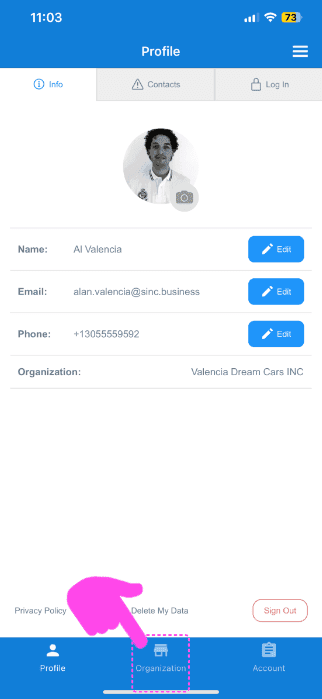
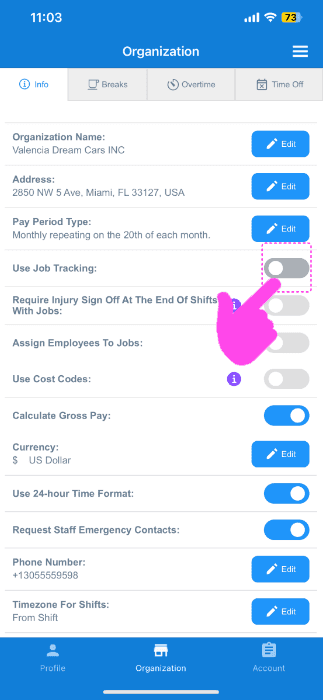
Toggle Use Job Tracking on.
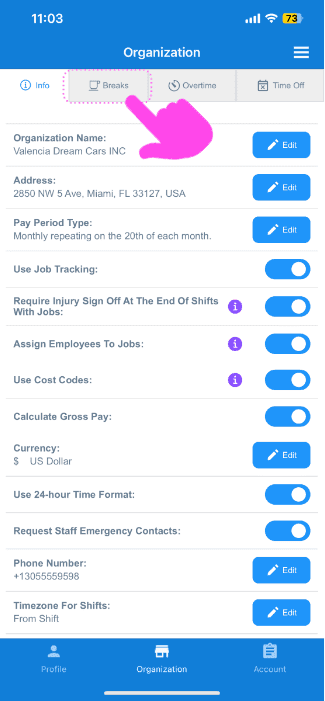
Select breaks.
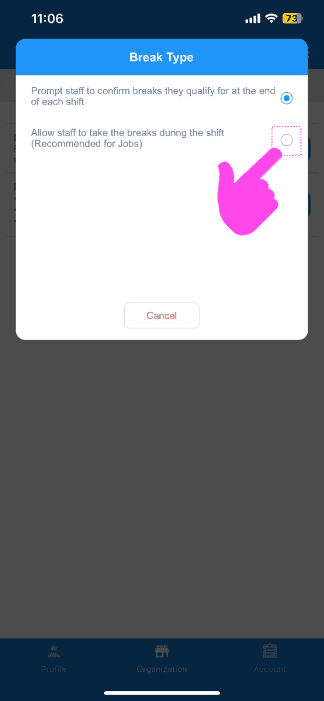
Choose on edit (next to break type).
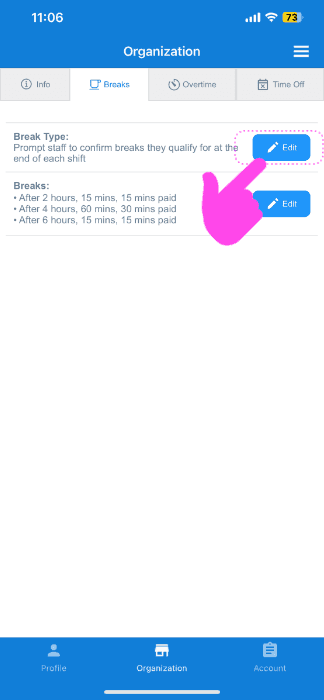
Tap on "Allow staff to take breaks during their shift" option.
Now you are ready to create your first job! The next guide shows you how.
Did this answer your question?