
Jobs: On the fly jobs

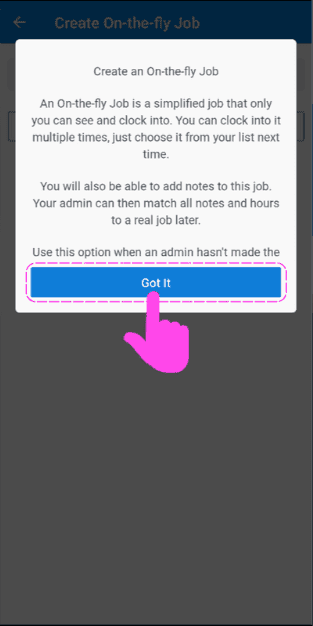
The goal of the current guide is to describe steps when an employee needs to start a job that has not been added to the list by an administrator of the account. Employees can use the option On-the-fly job in order to have an initial report of activities and notes that will eventually be assigned to an official job created by an administrator.
Step 1: As an employee, go to Begin Job
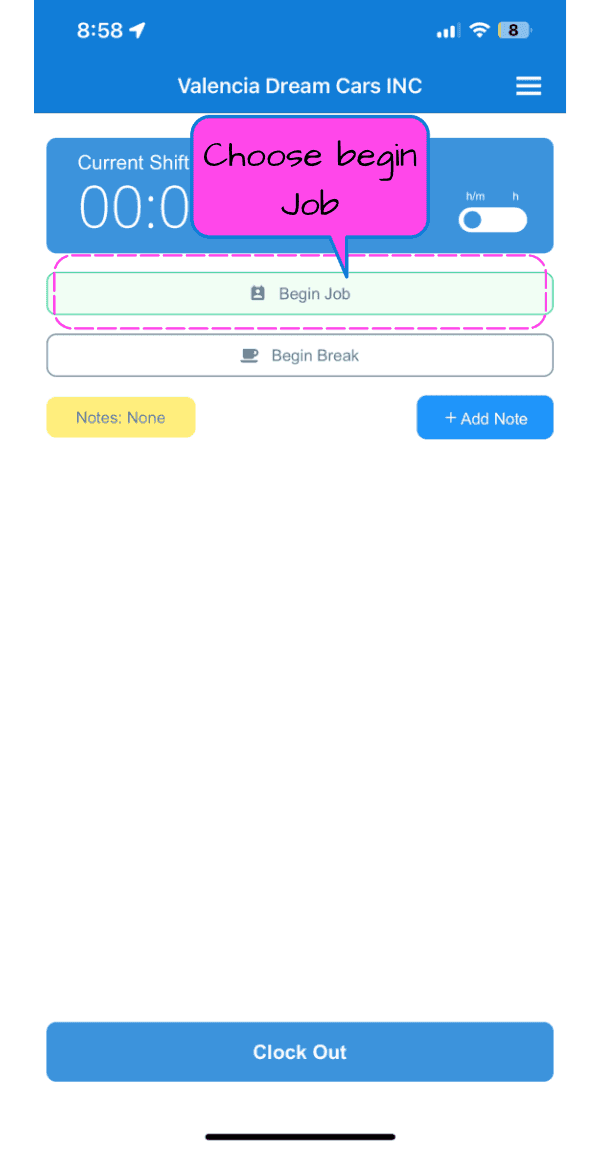
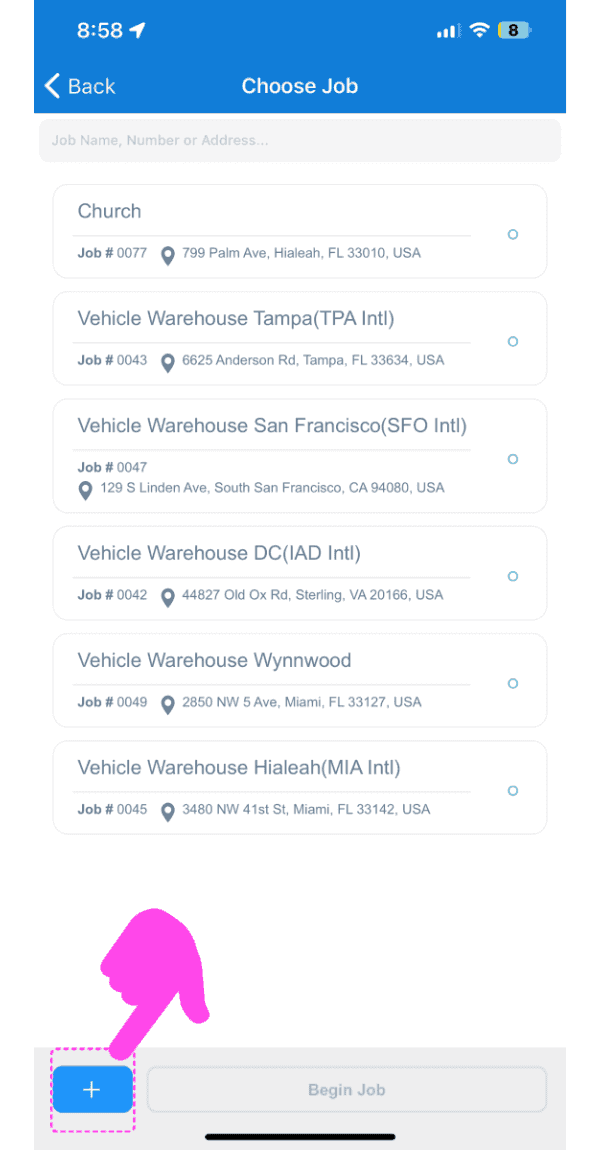
When the job is not available on the searchable list, tap on the purple button on the bottom left of the screen
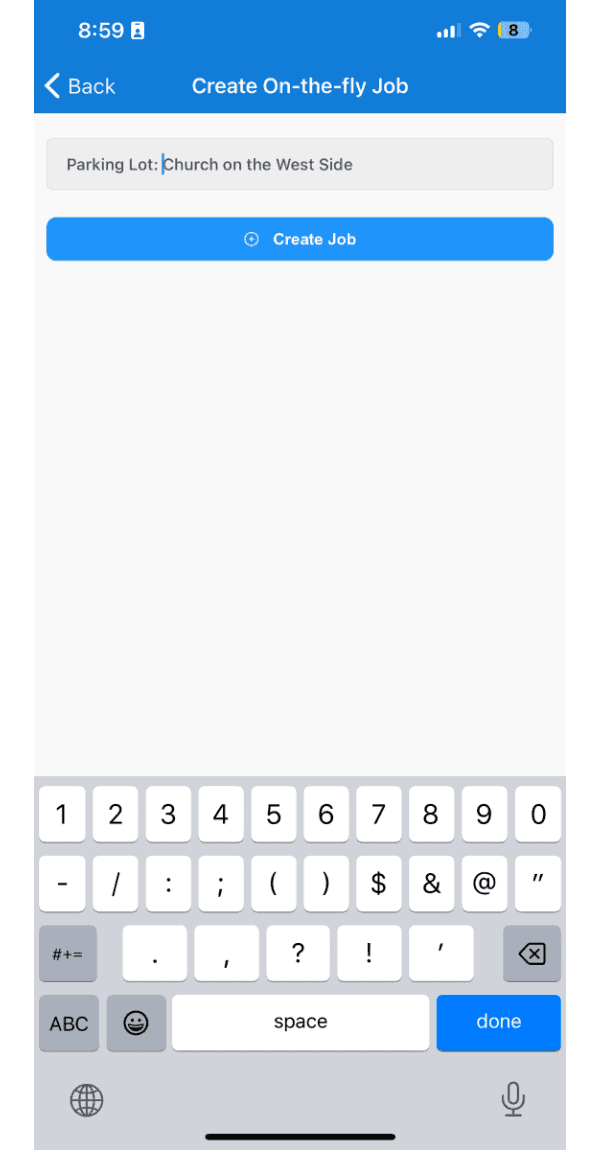
Give the on-the-fly job a name that is going to help an admin reconcile it correctly later and tap on + Create Job
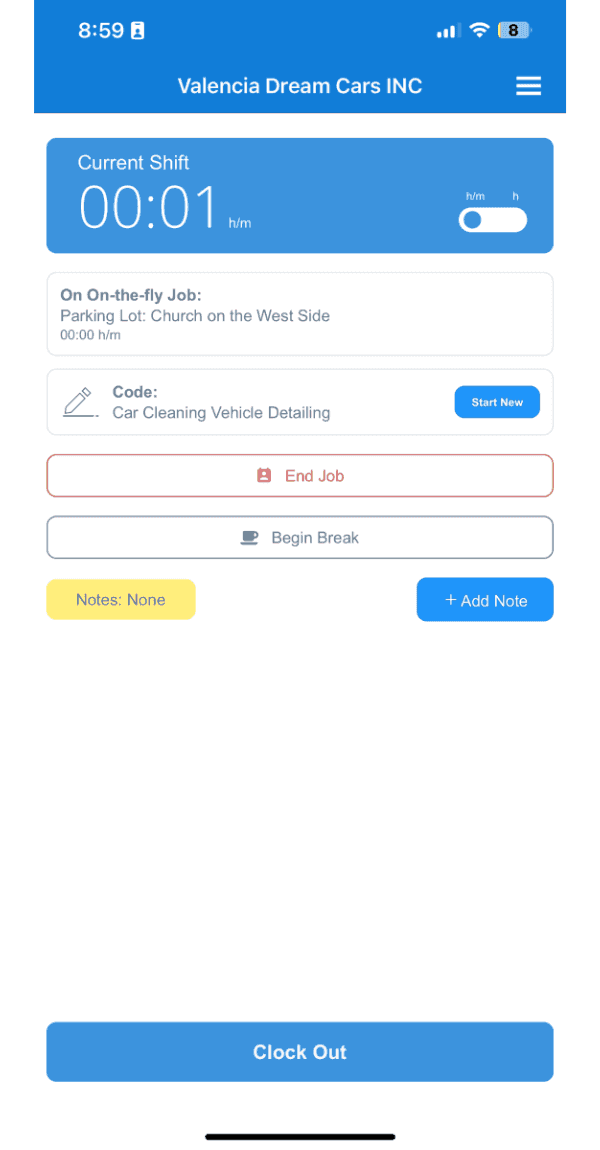
Now you can see you are working on your on-the-fly job
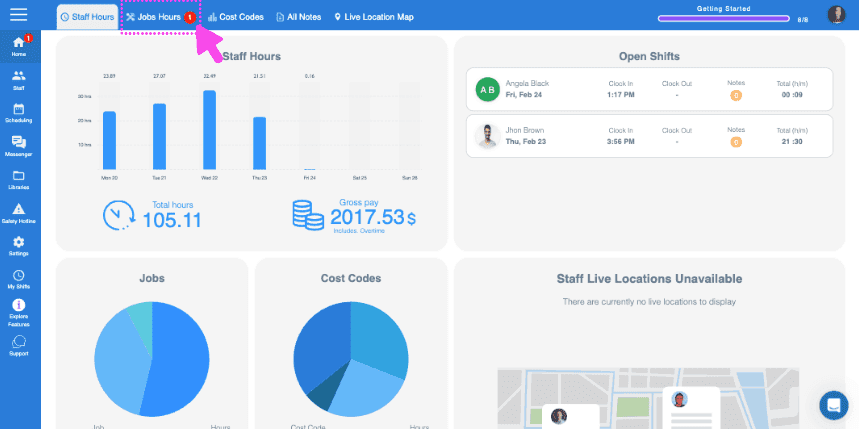
As an admin, when an employee creates an on-the-fly job, a notification will show on your jobs tab showing you that you have an unreconciled job in the system. To access it, click on Jobs
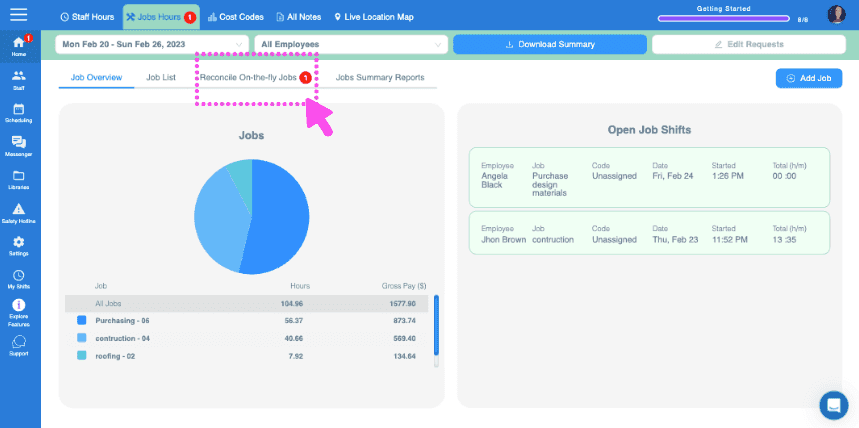
Click on Reconcile On-the-fly Jobs
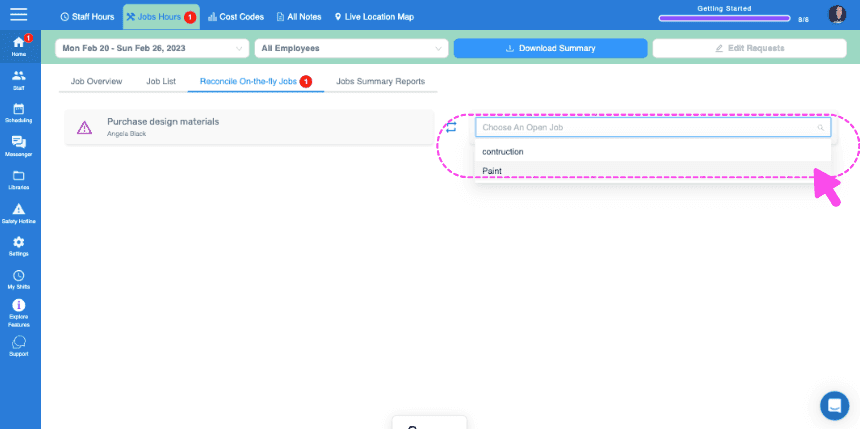
Click on the drop down list next to the job you want to reconcile and select the correct job name
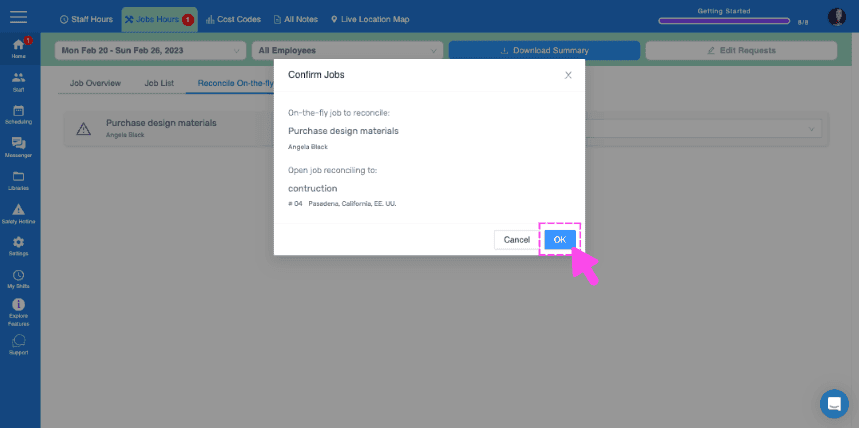
Click on OK to confirm the reconciled job
Did this answer your question?