
Enabling Location Tracking for Staff
In this guide we show you how to enable the location tracking feature in SINC

Sam Dolbel
Jun 3rd, 2024
First, you need to navigate to each staff member's settings to enable this feature. Location tracking is off by default to save battery power, so it must be enabled manually and have the necessary permissions granted.
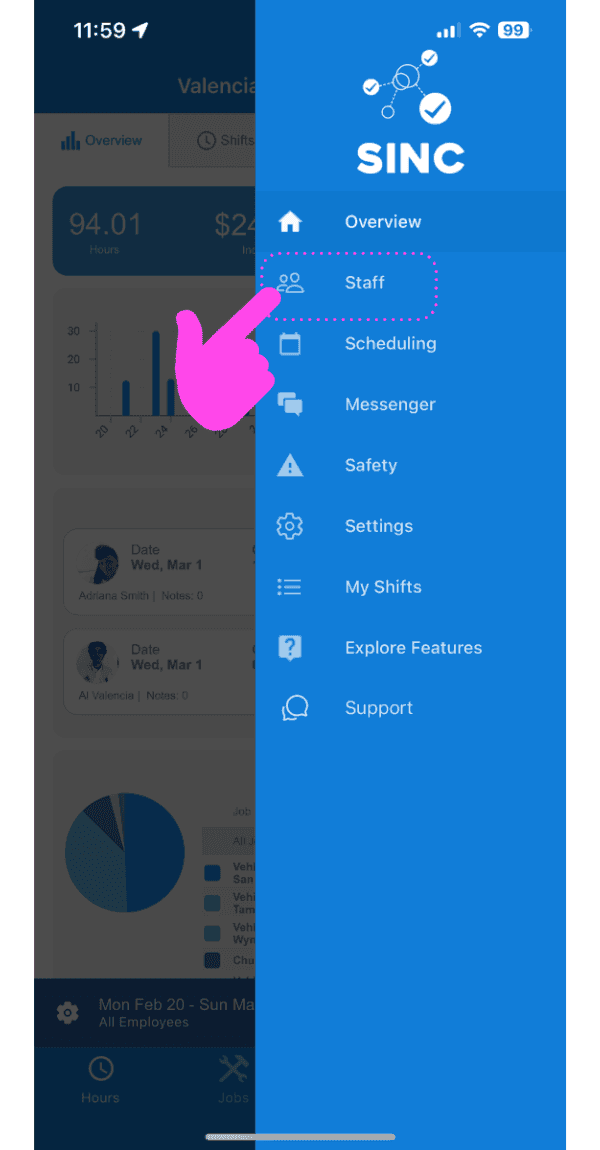
Click on Staff.
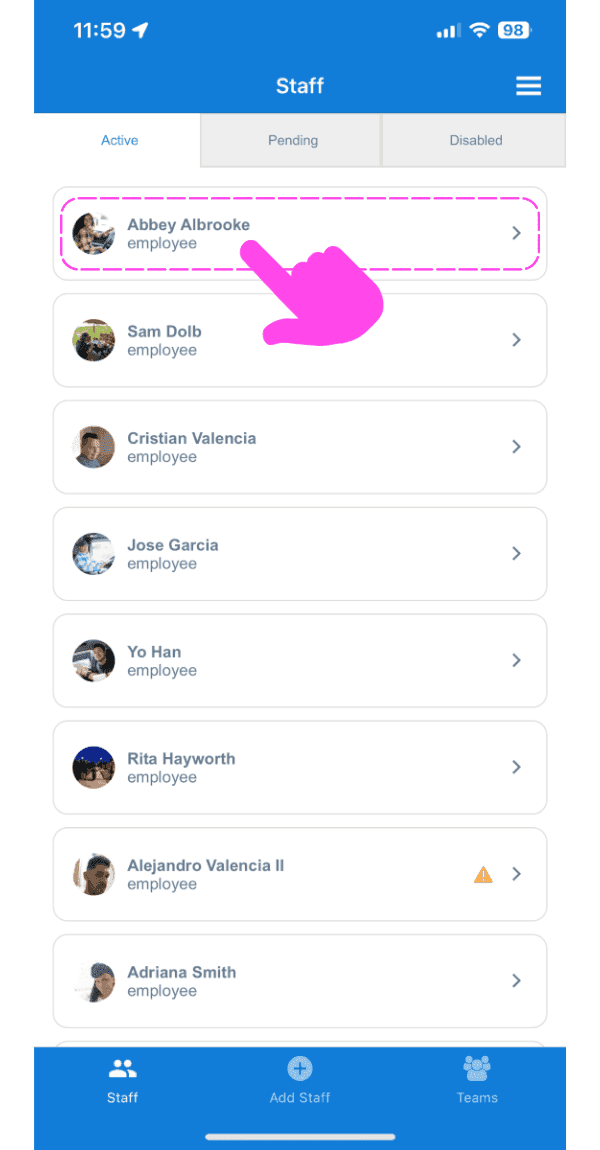
Go to an employee's detail by clicking the arrow beside the employee's name.
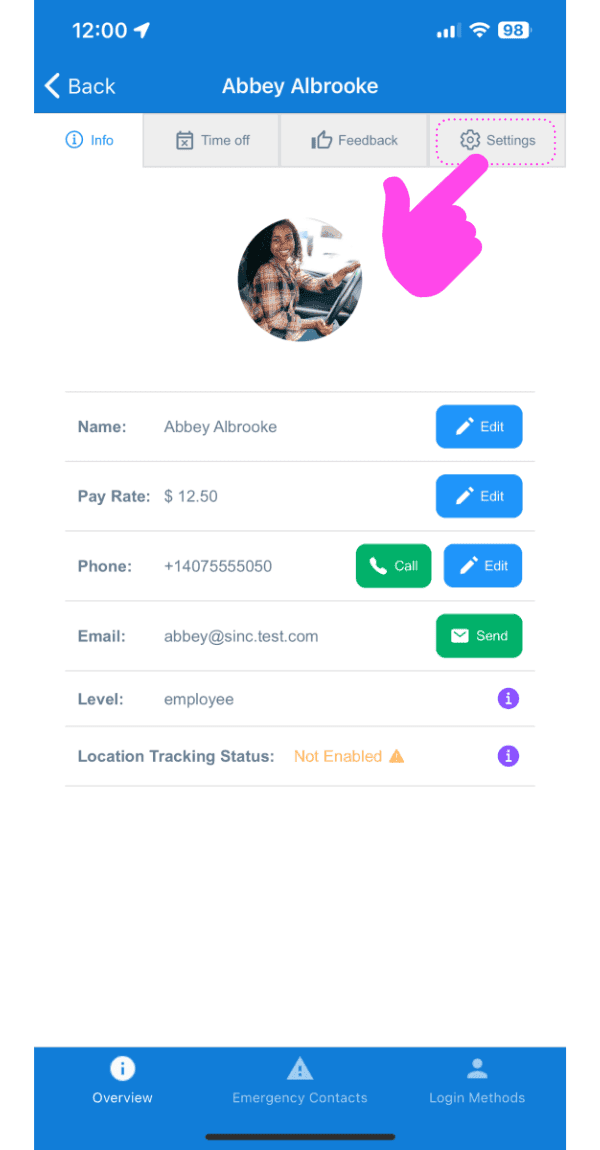
Click on Settings.
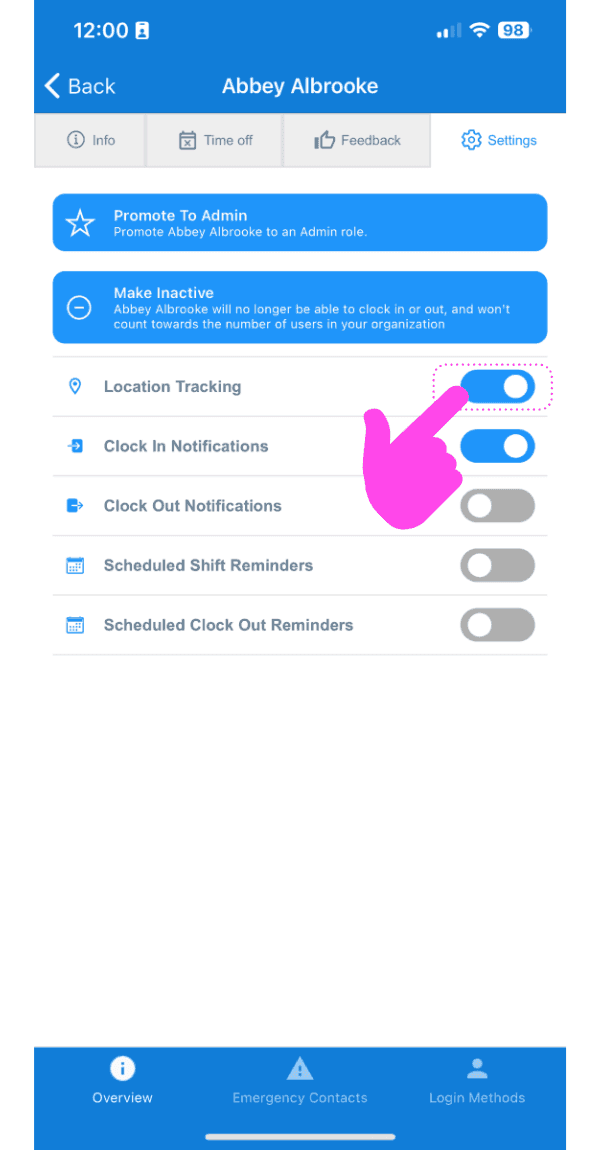
Swipe on the switch beside Location Tracking to turn it on. Now, you will need to make sure your employee's device is optimized for location-tracking.
Did this answer your question?