
Viewing Your Staff's Live Locations when they are on a Shift
In this guide we will describe how you can check the locations of your employees when they are currently clocked in on a shift.

Note: This feature is currently for Growth and Enterprise users only. IMPORTANT: To use this feature, you have to make sure that you have enabled location tracking for your staff and that they have optimized their device for location tracking.
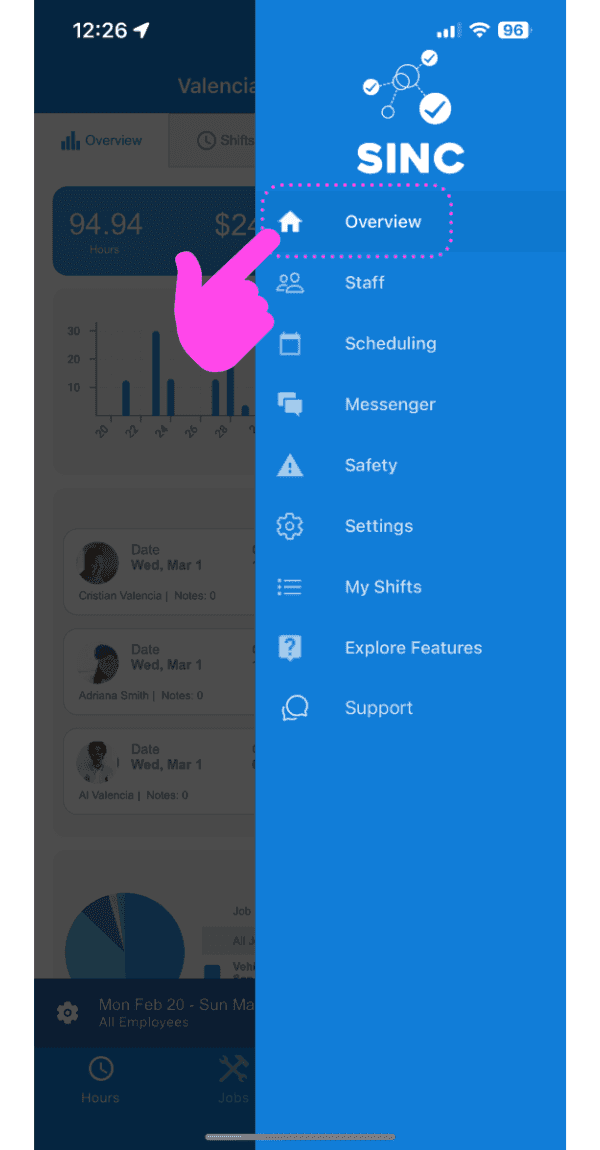
Tap on Overview
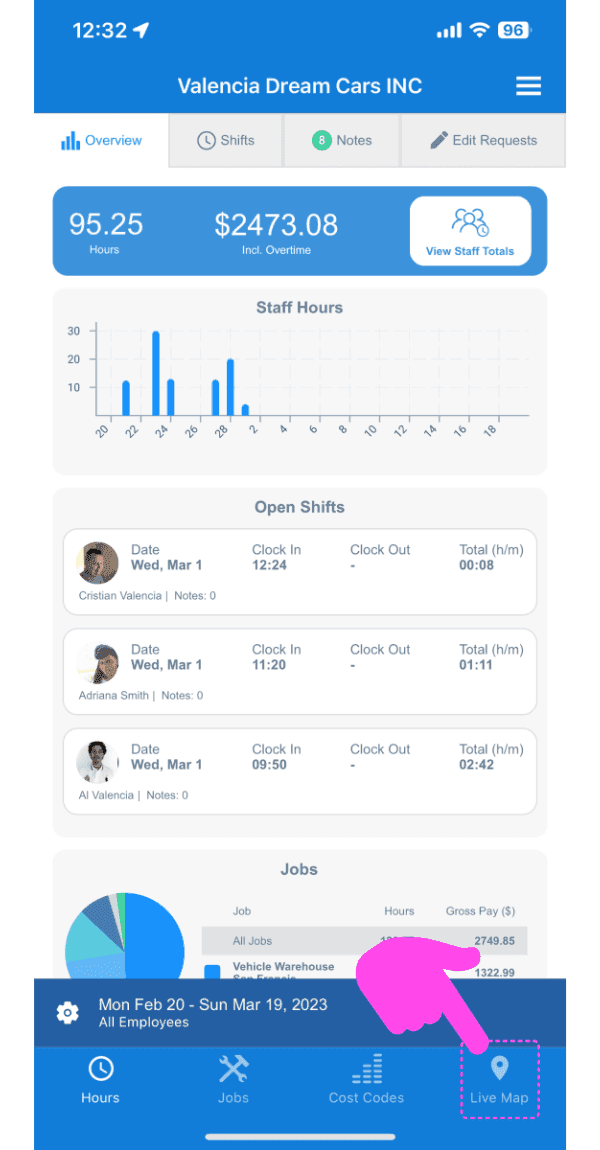
Tap on Live Map
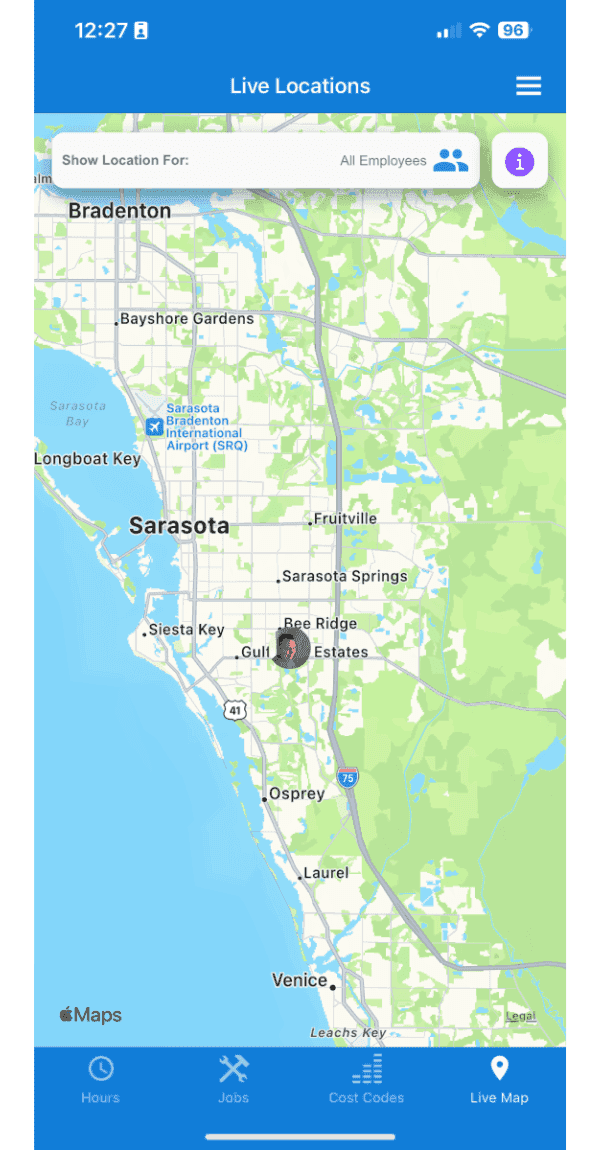
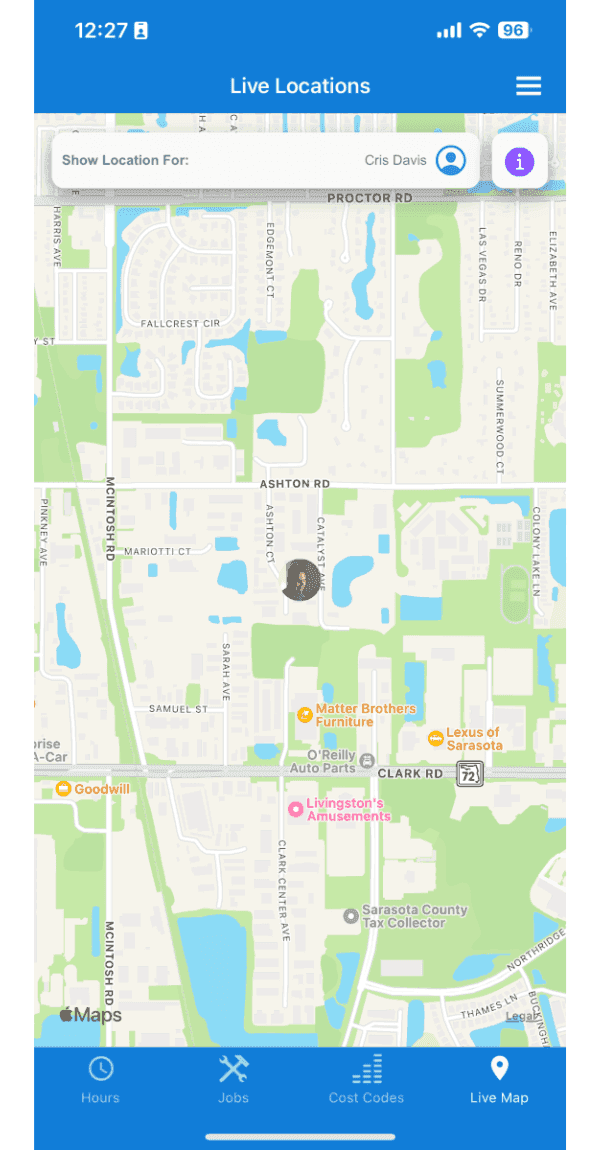
Here, you will see the locations of employees who are currently on a shift. You can click on an employee marker and view more information such as the time the location was last recorded and the accuracy of that location.
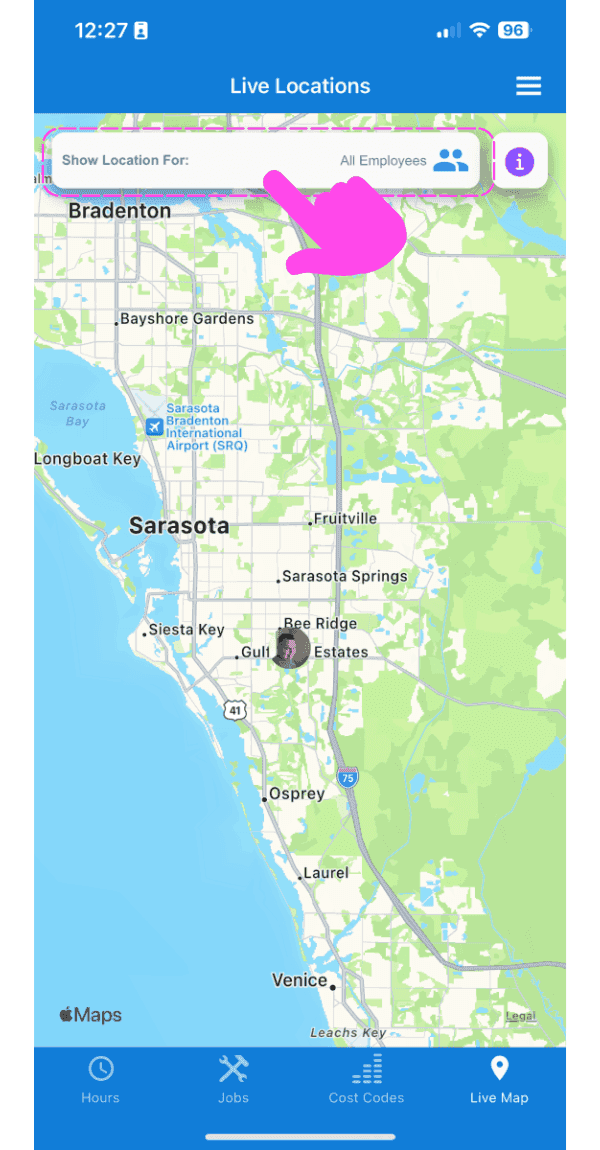
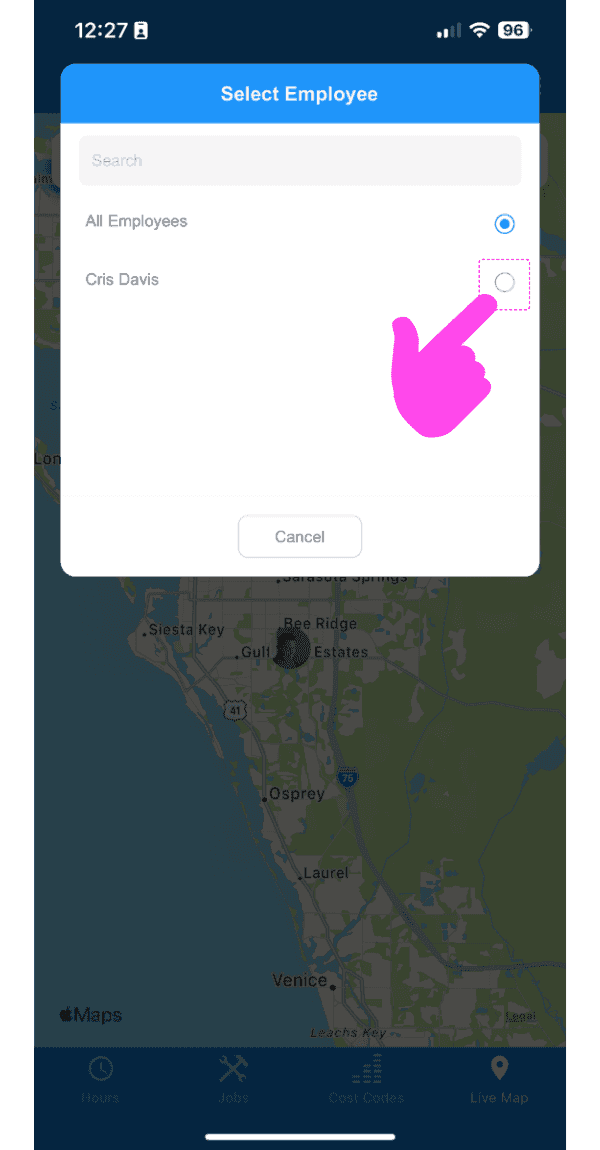
You can also filter the locations per employee, by clicking the top bar and selecting the employee whose location you want to view. The map will automatically focus on that employee's location.
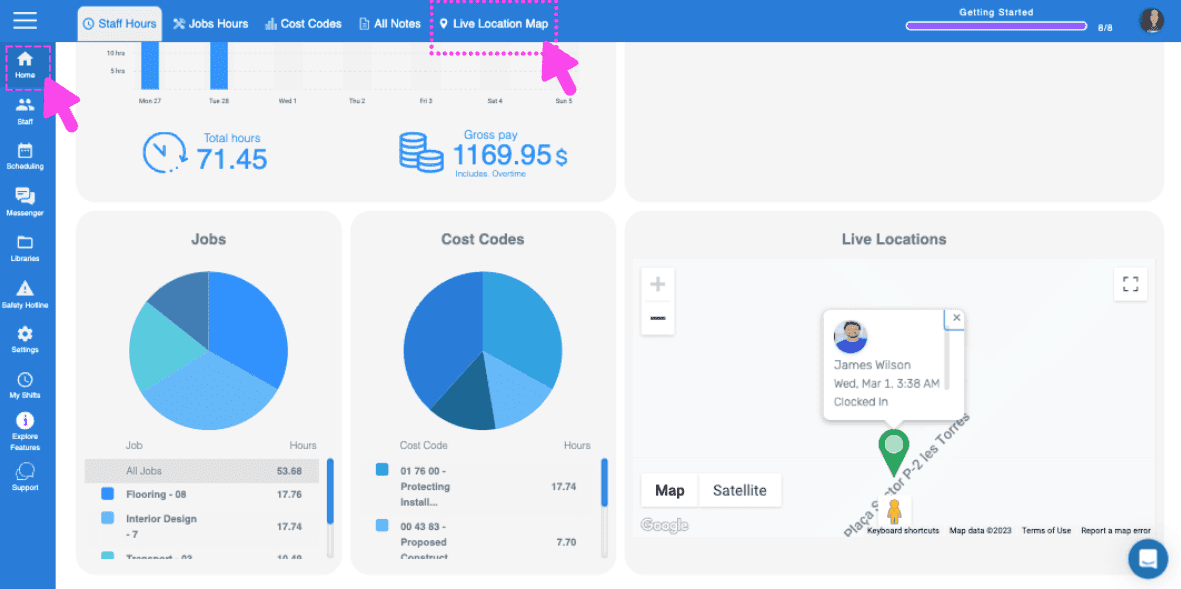
On the web version, the flow is the same, and you can find the live location map on the home screen and see a quick view directly on the home screen.
Did this answer your question?