
MYOB Payroll: Getting Started
This article relates to the initial setup of MYOB Essentials Payroll for SINC.

In order to get started with MYOB Payroll, you need to have an MYOB AccountRight Live or New Essentials Account. If not, you are required to sign up for it. To learn more about MYOB Payroll, how much it costs, and then sign up, head to the MYOB website. It is crucial for SINC that MYOB users meet the following requirements in their MYOB organization prior to authorization in order to have MYOB payroll services accessed.
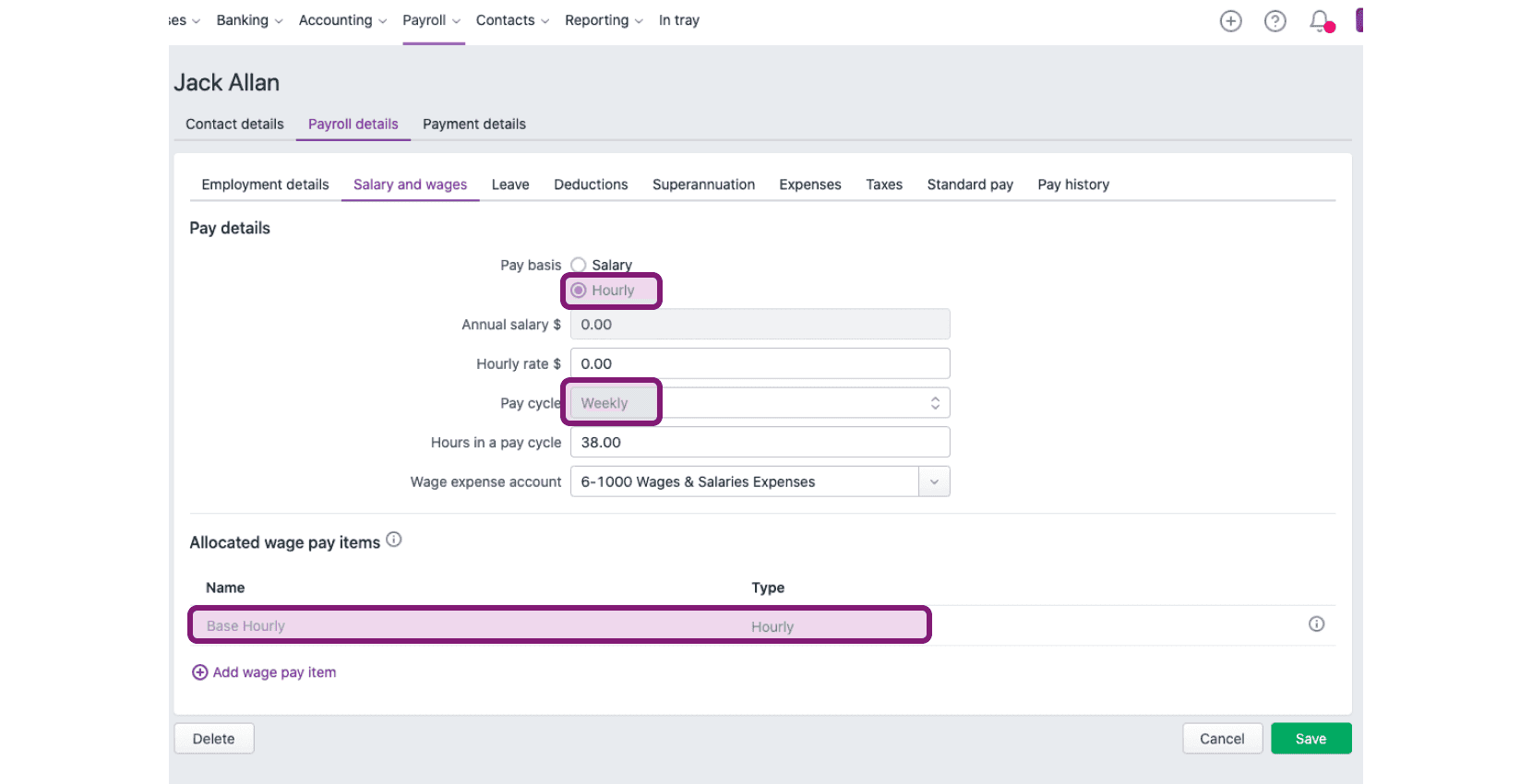
Setup Requirements for MYOB New Essentials Users: 1. You have Standard User or Administrator role. 2. You have payroll set up with timesheets enabled under Payroll settings General Payroll Information (accessed by clicking on your company name on the top-right). 3. You have at least one employee under Employees Payroll Details Salary and wages whose Pay Basis is set to Hourly, Pay Cycle is set to match your SINC pay period, and Wage Pay Items are assigned.
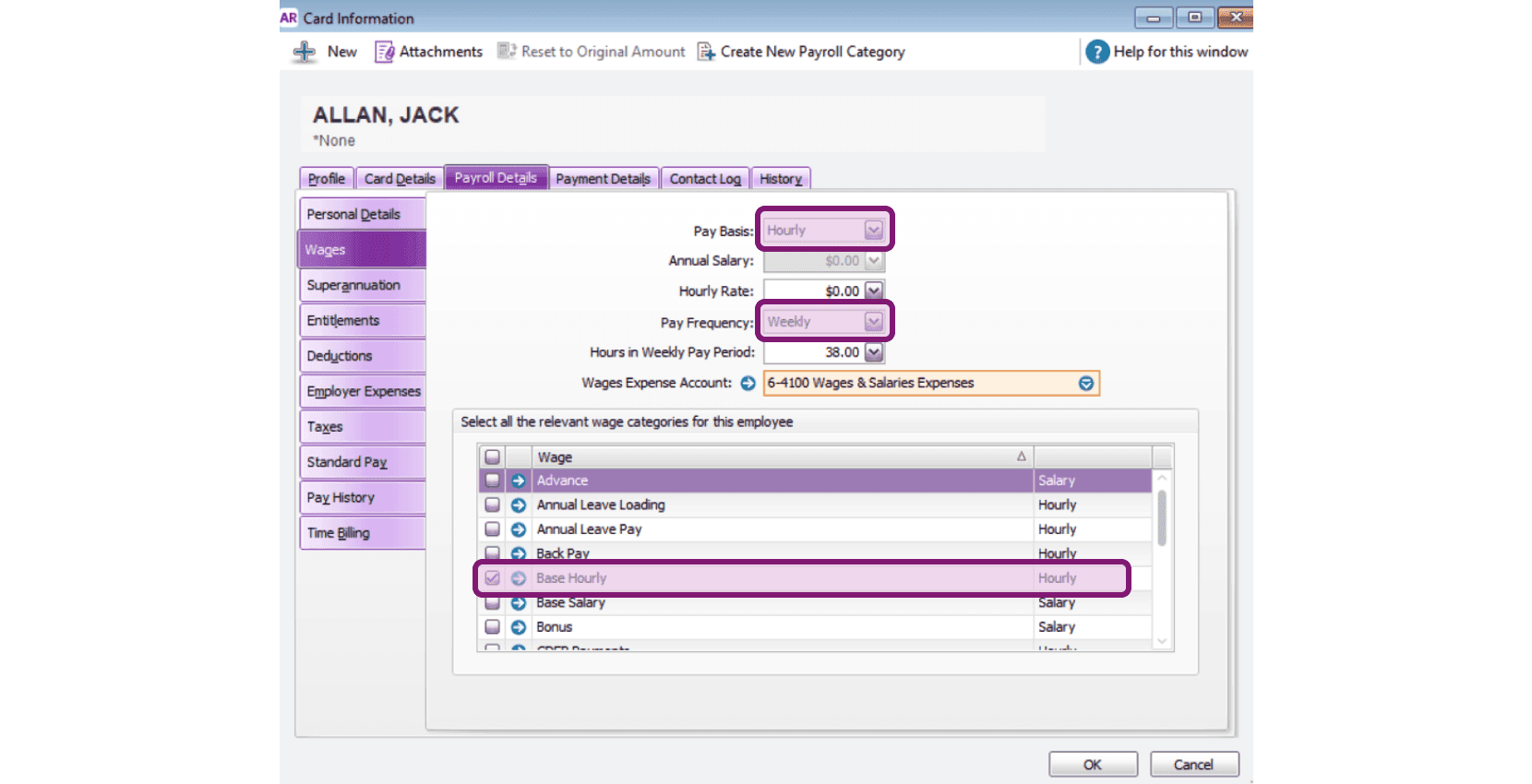
Setup Requirements for MYOB AccountRight Live Users: 1. You have Standard User or Administrator role. 2. You have payroll set up with timesheets enabled. 3. You have at least one employee under Card File Card List Card Information Payroll Details Wages whose Pay Basis is set to Hourly, Pay Frequency is set to match your SINC pay period, and Wage Categories are assigned. Keep in mind: this step is mandatory, as SINC cannot allow you to move ahead with MYOB if the above requirements are not met.
Did this answer your question?