
How The Safety Hotline Works
The safety hotline allows employees in the field to report hazards and incidents from the field, direct to management. Here is how it works.

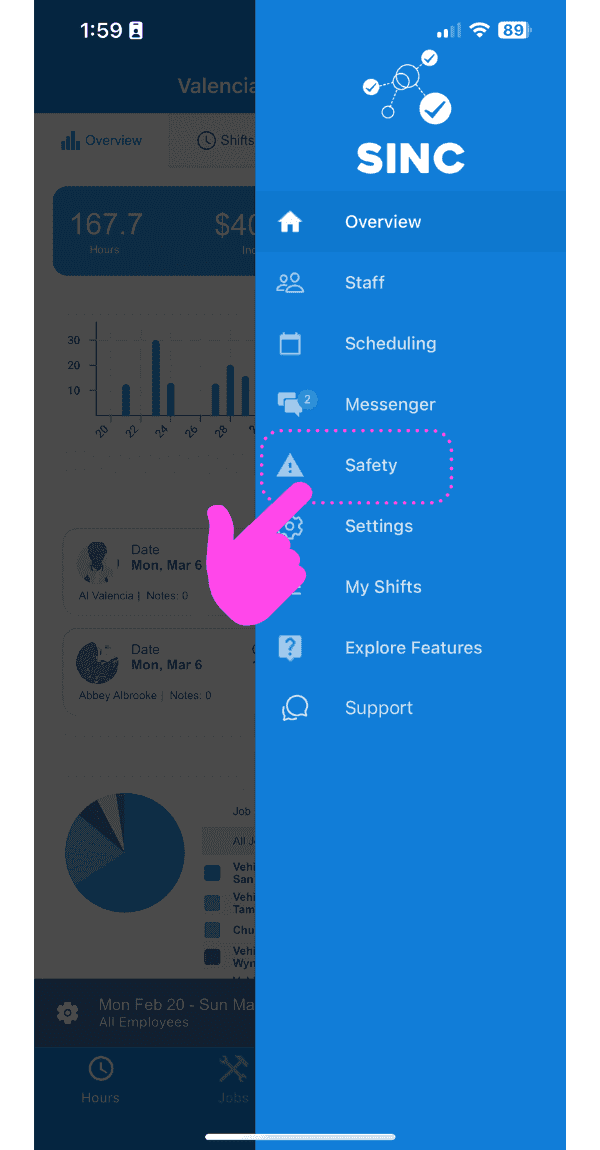
Safety reports are usually made by employees from the field (an admin or owner can also make a safety report by tapping on Menu Safety + Report Incident). For an employee to make a report, Tap on Safety Hotline
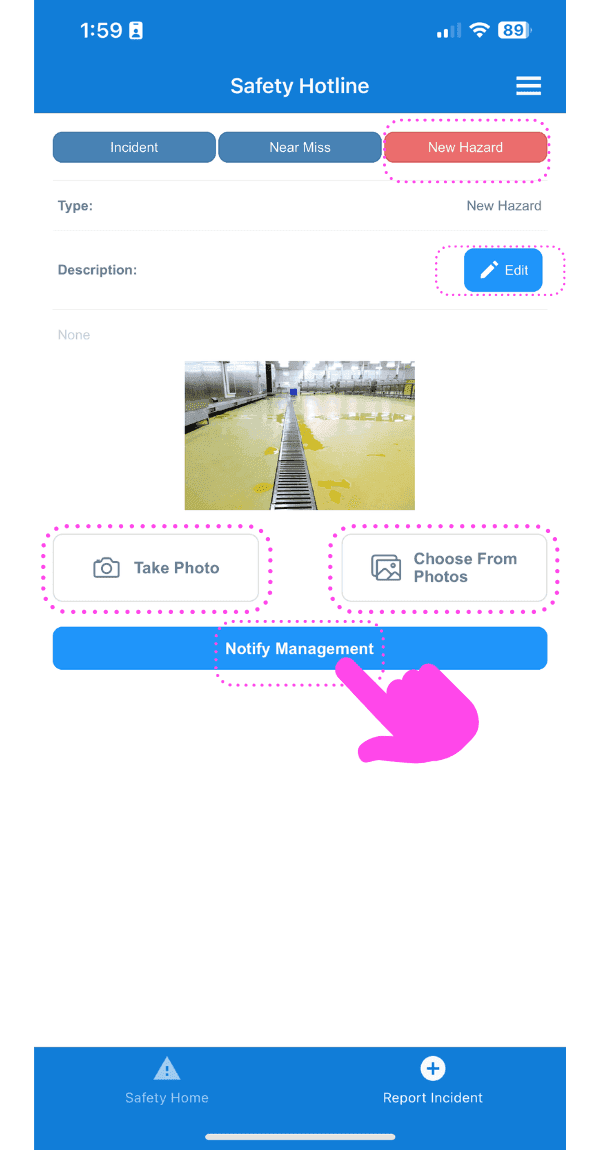
Tap on Notify Management to file the report. Here, you will need to select if this is an incident, near miss or new hazard. Enter a description of the report and add a photo if required.
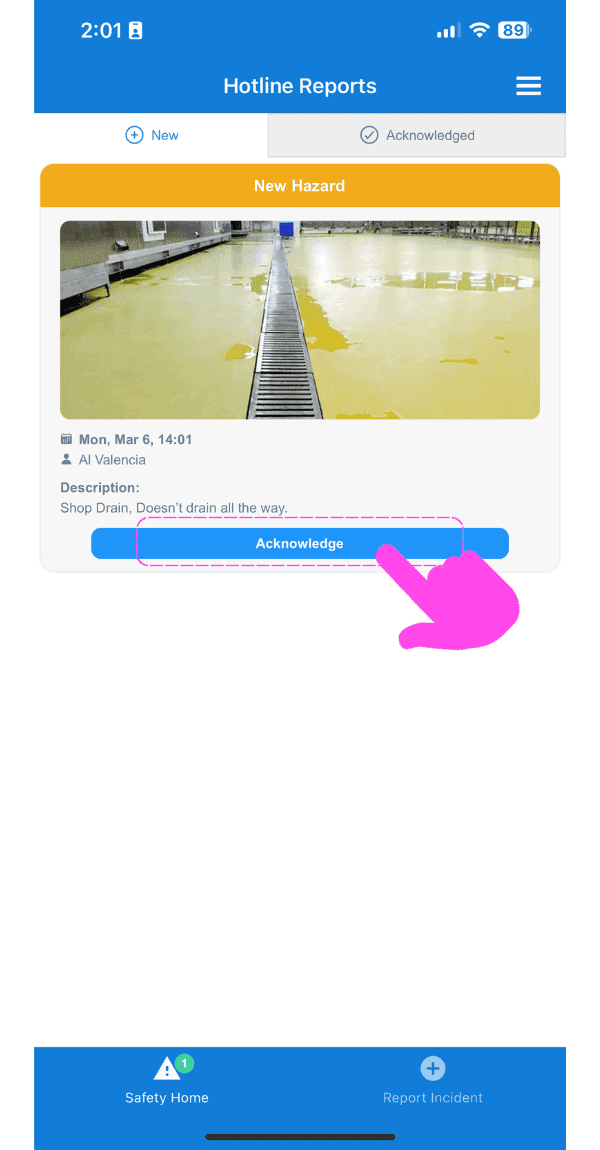
As an Owner or Admin, your safety hotline will notify you of any new report that you need to acknowledge
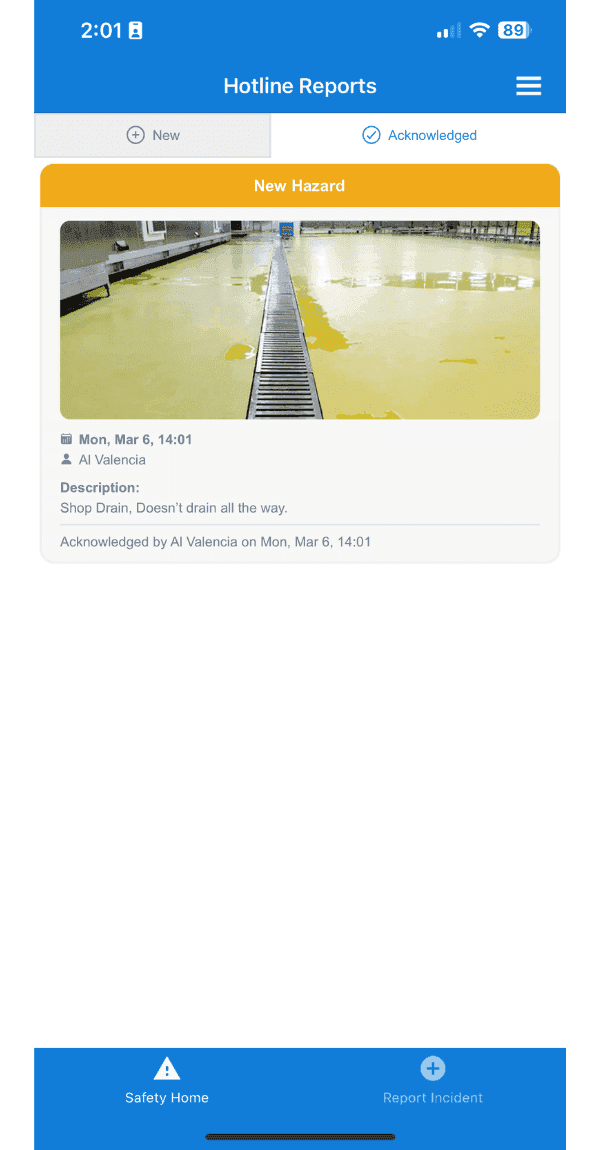
Tap on Acknowledged to see a list of all acknowledged reports
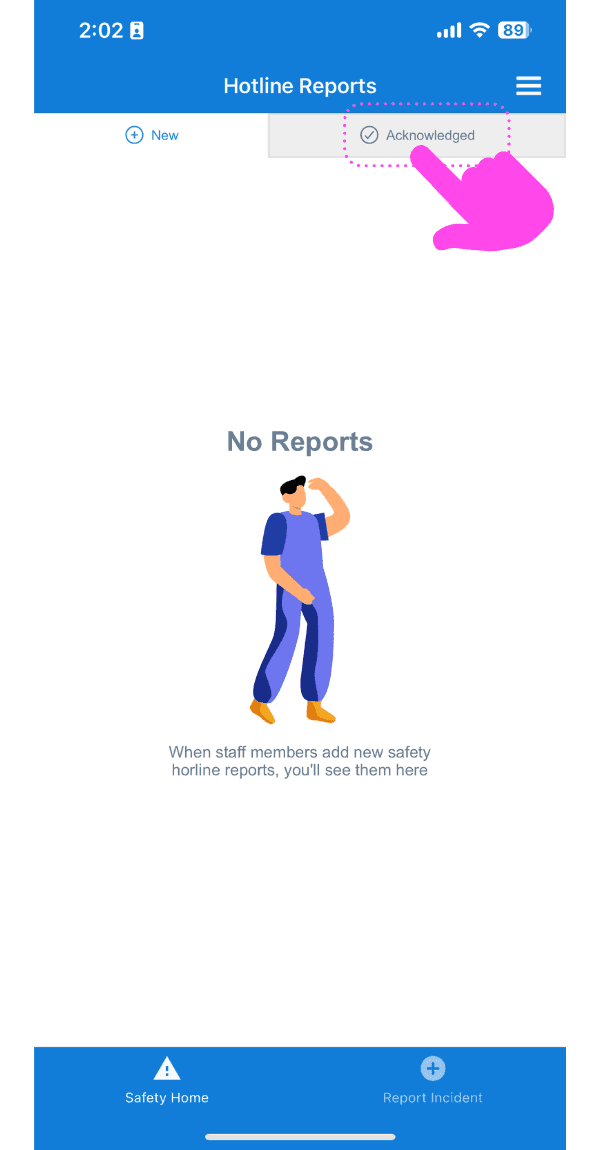
Here you see the report we just acknowledged
Did this answer your question?