How to update your payment method on web

Need to add a new credit card to your account? This guide shows you how

SINC Support Team
SINC Support Team
May 8th, 2023

Click on Menu Settings
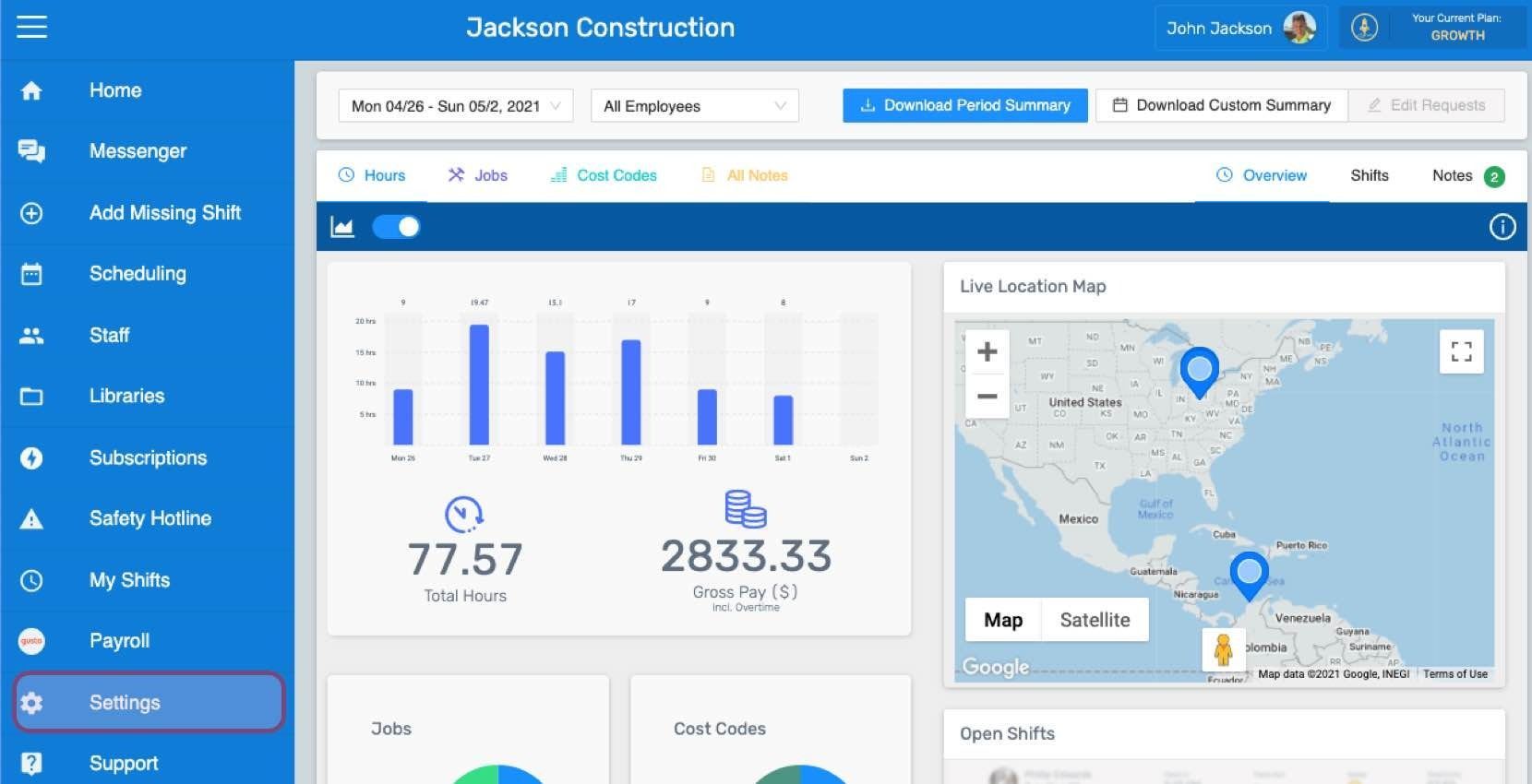
SINC web dashboard sidebar with the Settings menu item highlighted

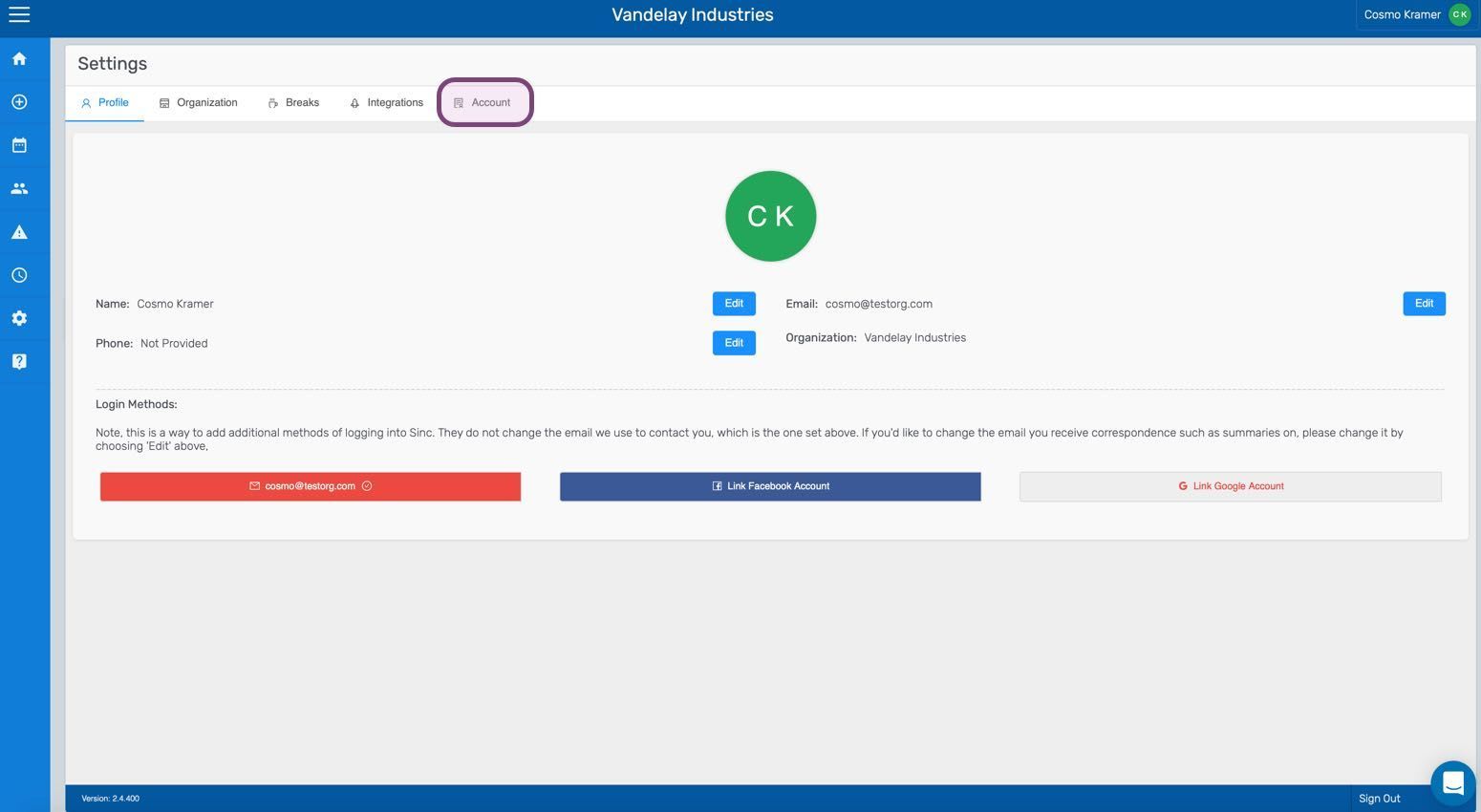
Click on Account

SINC web Settings screen with the Account tab circled in pink

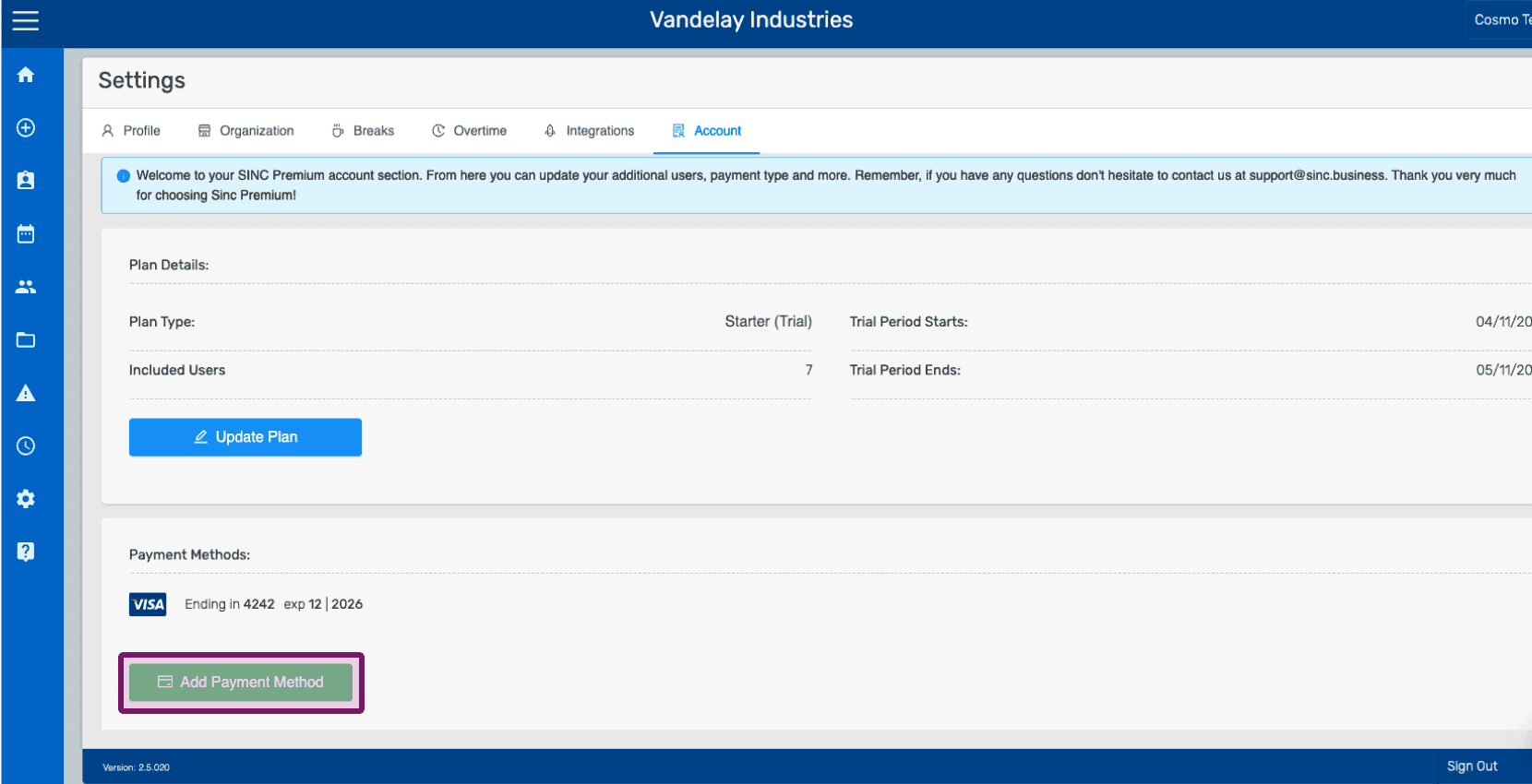
Click on Add Payment Method

Account settings Payment Methods section with the Add Payment Method button outlined

Enter your profile info and Click on Payment Info
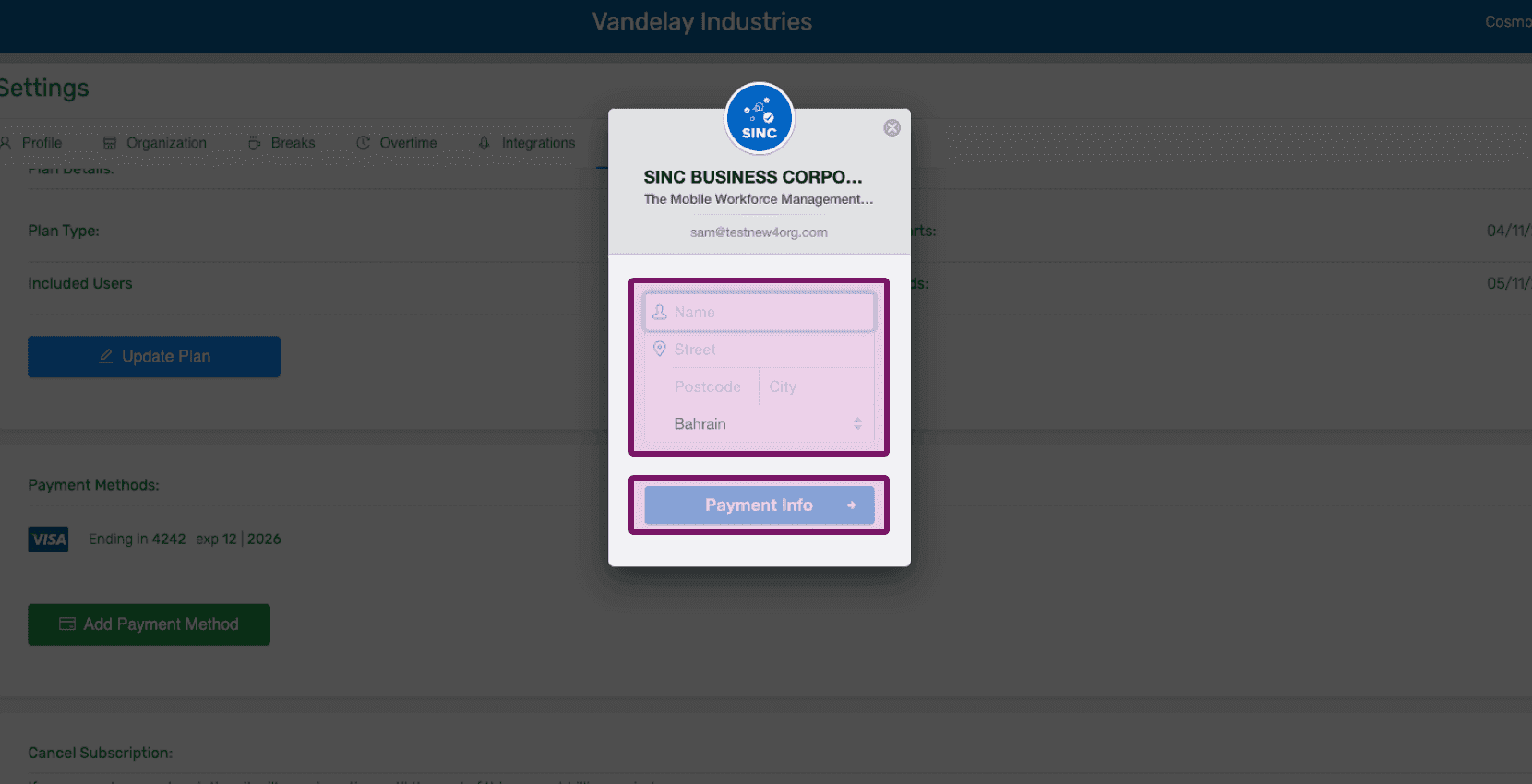
SINC web billing popup showing account details with the Payment Info button outlined in pink

Enter your payment info and Click on Add Card
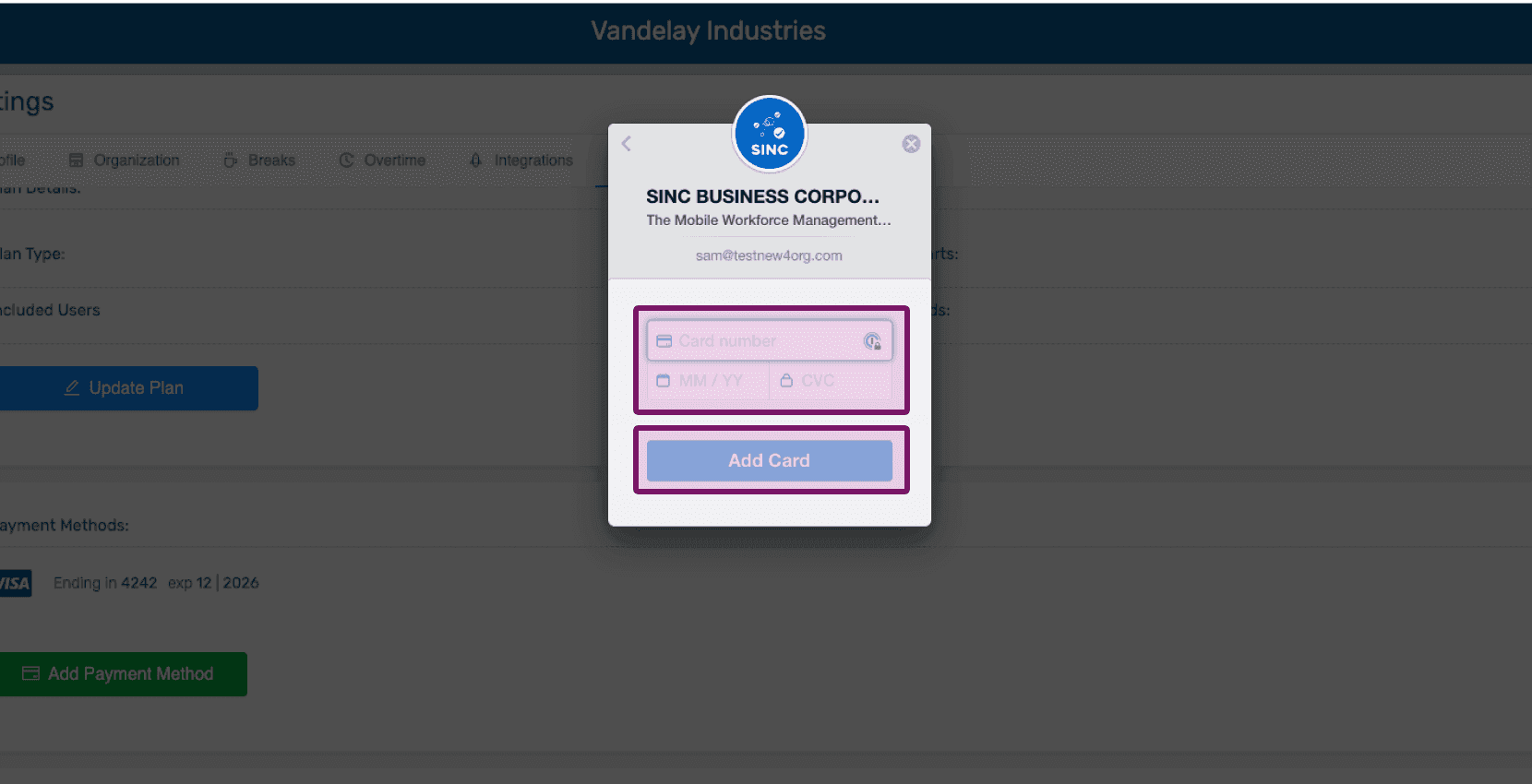
Add payment method popup with card number field and Add Card button outlined in pink

Once the new card details have been added, you can choose to either remove a card by clicking on Remove, or make a card primary by clicking on Make Primary.
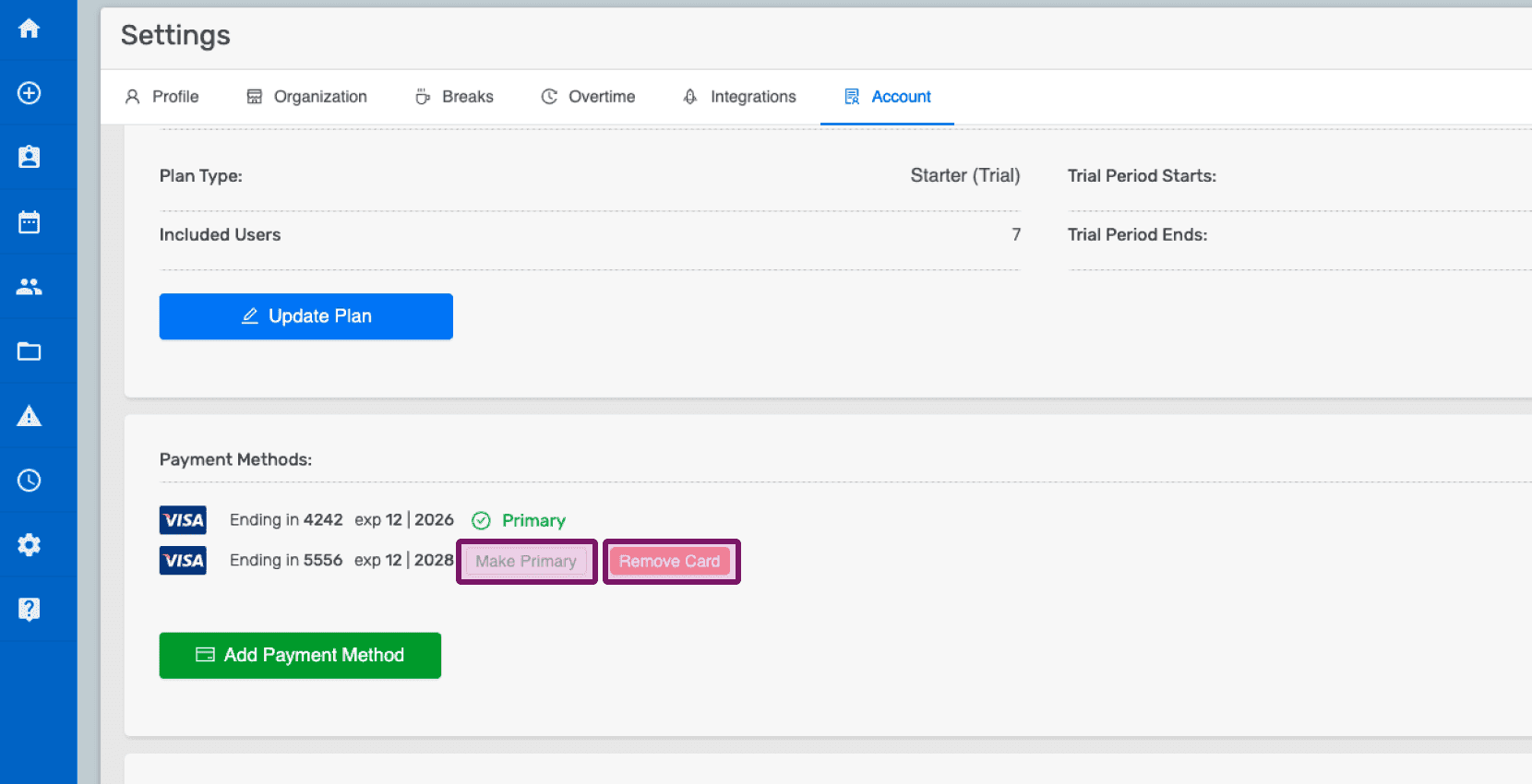
Account settings screen showing saved cards with Make Primary and Remove Card buttons highlighted in pink

Did this answer your question?