
Delete Scheduled Job Shifts
In this tutorial we show you how to delete job shifts from your employee schedules

SINC Support Team
Oct 19th, 2021
On Web: Before you want to delete a scheduled job shift, click on the specific shift for an employee on a specific day.
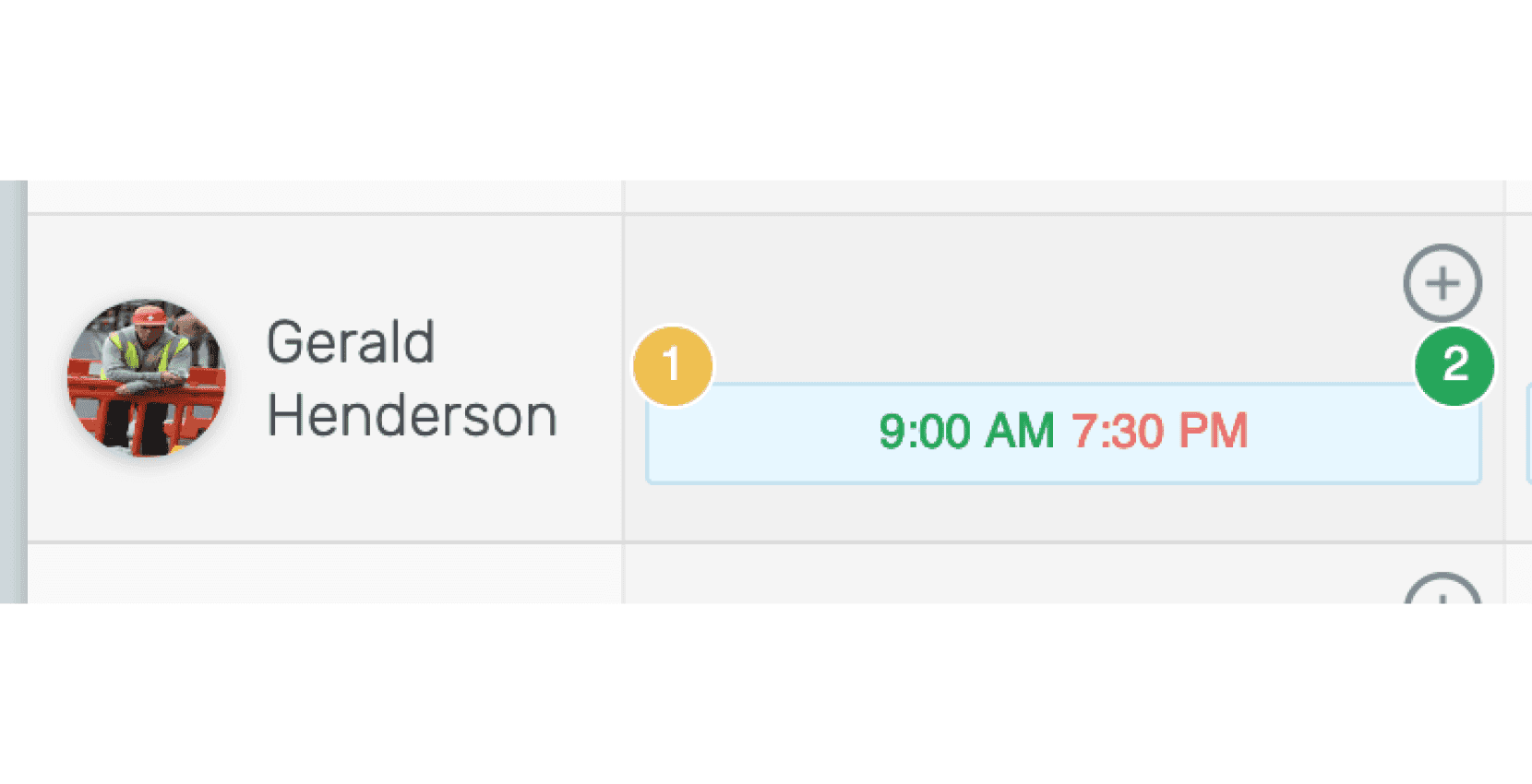
When clicked on the shift, it will show its details.
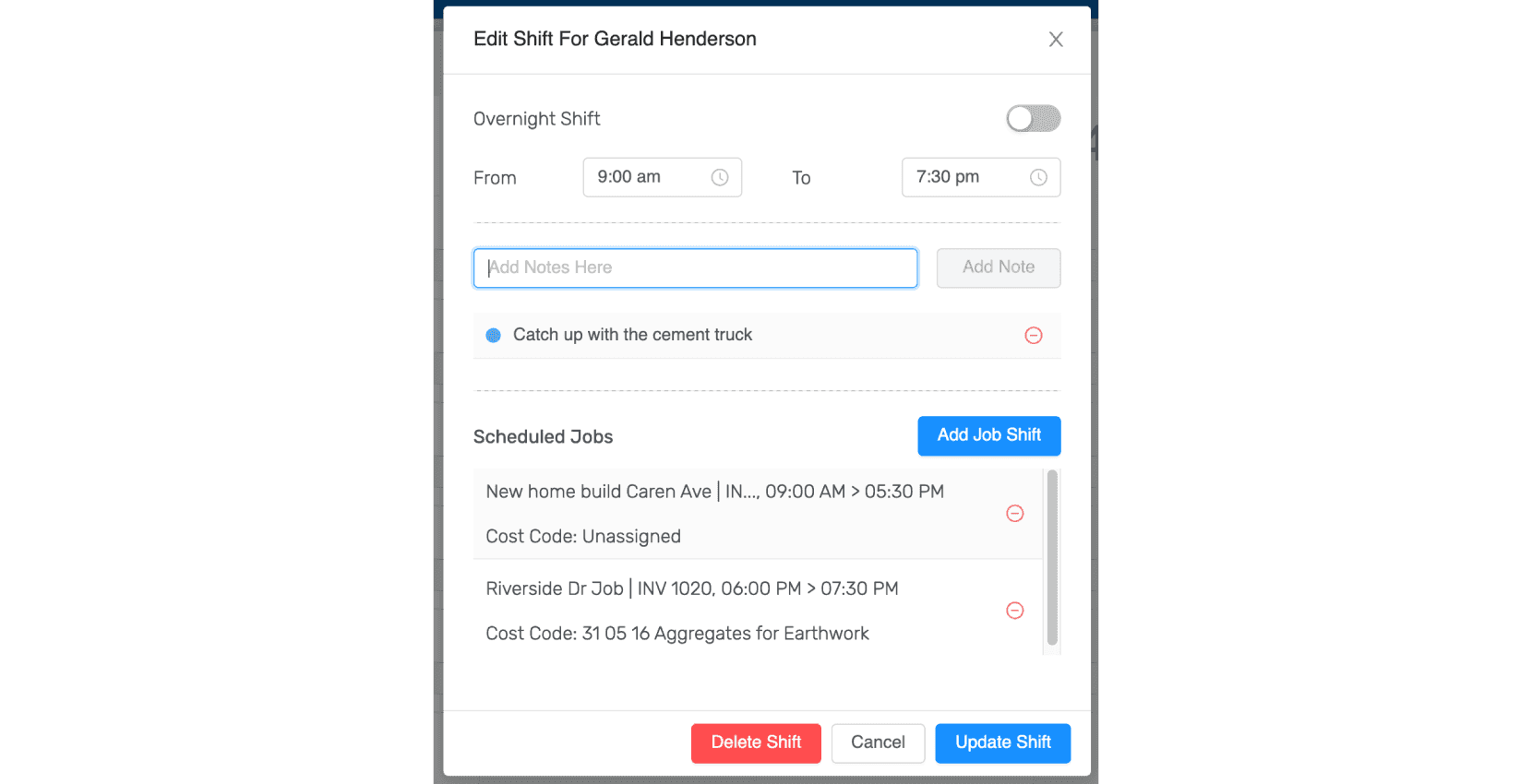
Click on the circled-minus button beside the job shift that you want to delete.
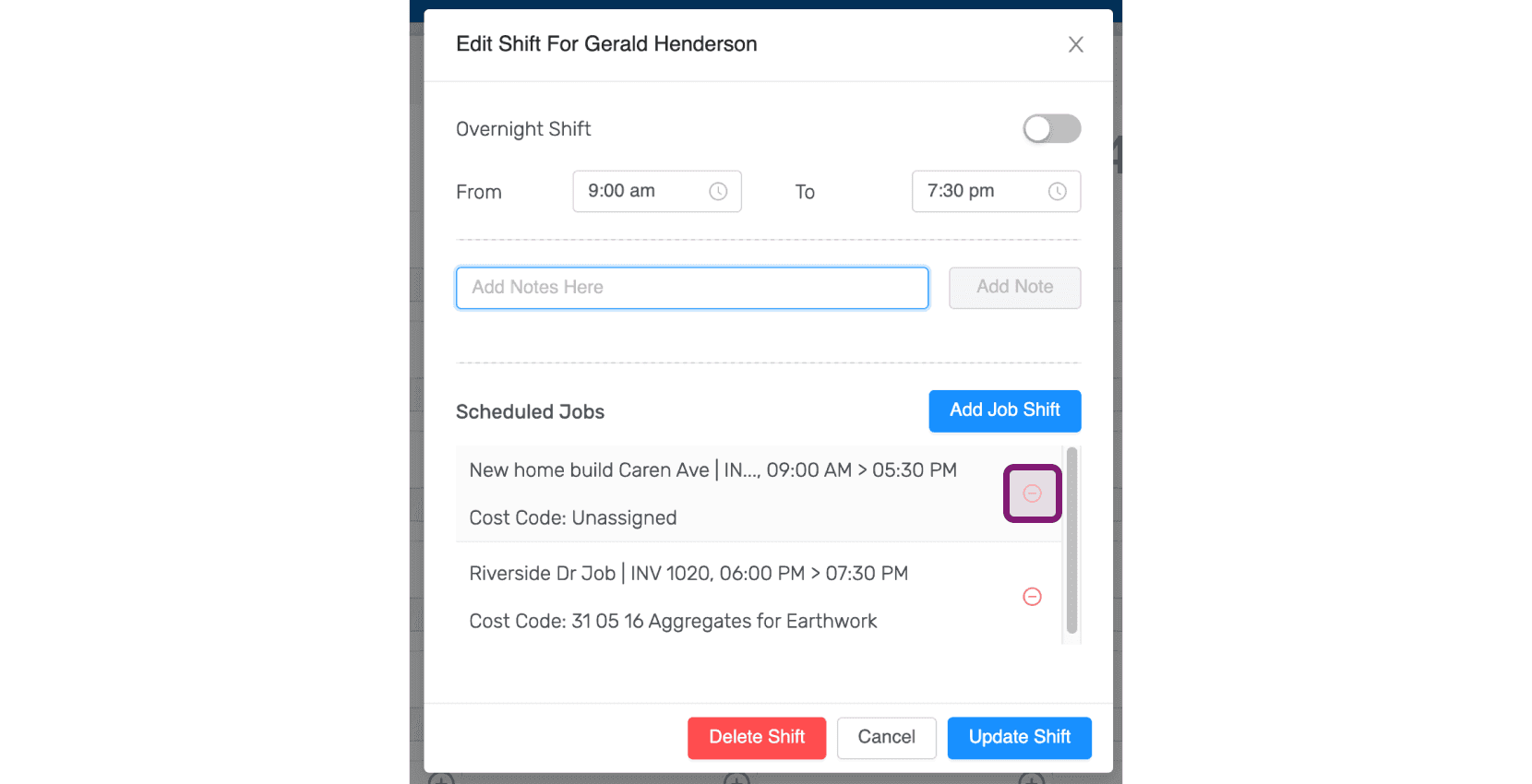
Click on Yes. The scheduled job shift will be deleted.
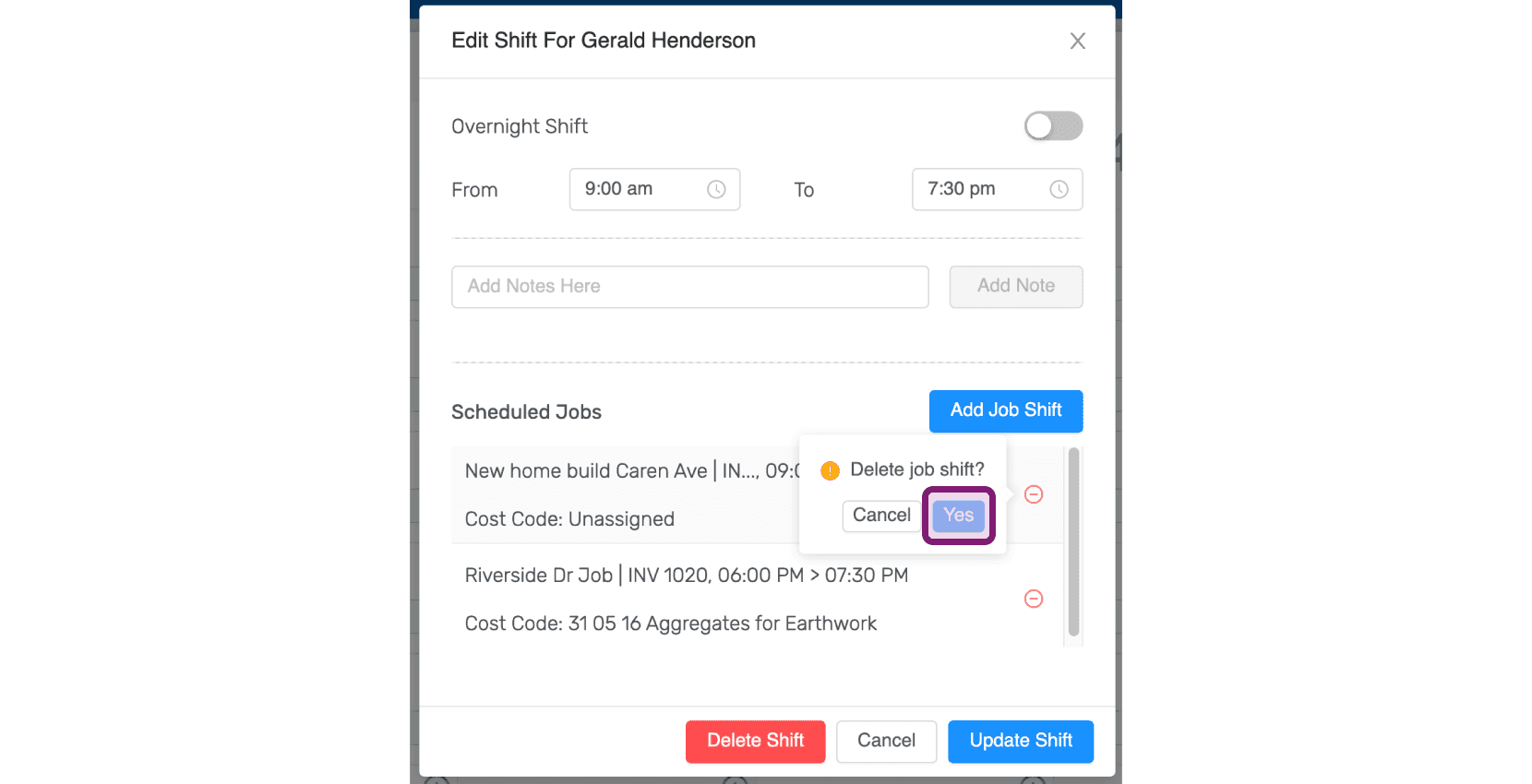
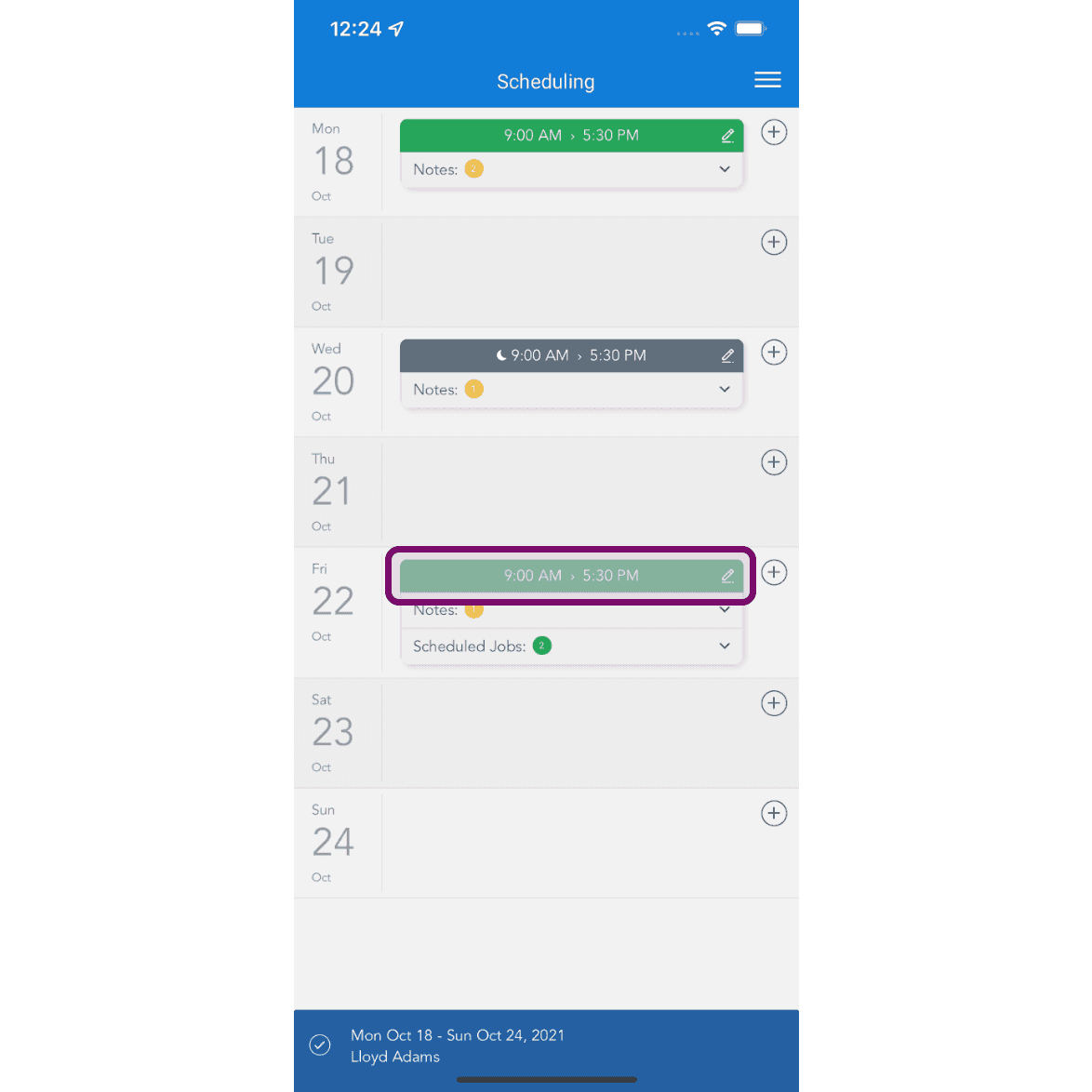
On Mobile: When you want to delete a scheduled job shift, click on the specific shift for an employee on a specific day.
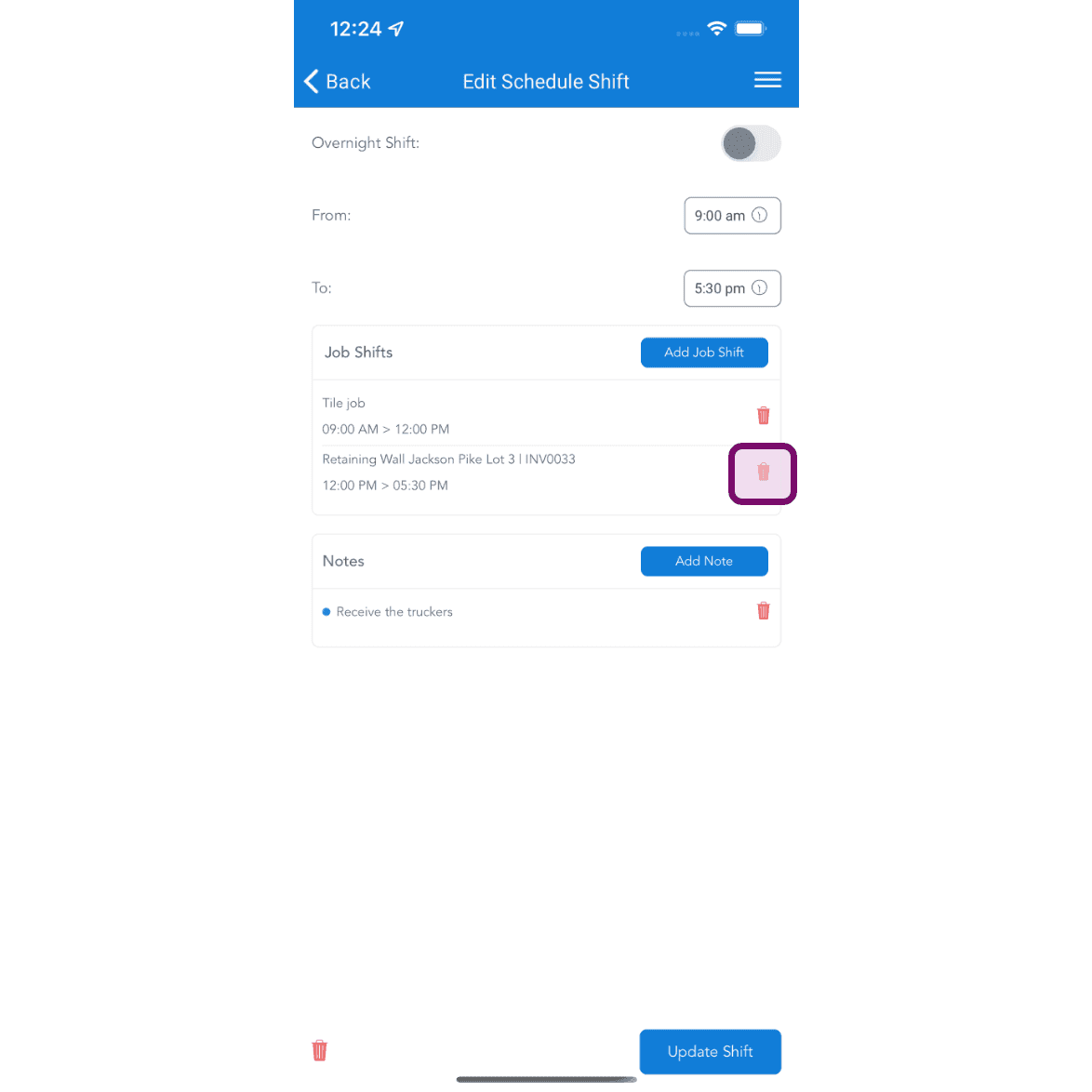
Tap on delete icon to delete the job shift. The scheduled job shift will be deleted.
Did this answer your question?