Add Shift Template

In this tutorial, we show you how to add a shift template

SINC Support Team
SINC Support Team
May 7th, 2021

On Web: Click on Menu Libraries Shift Templates Shift Templates tab
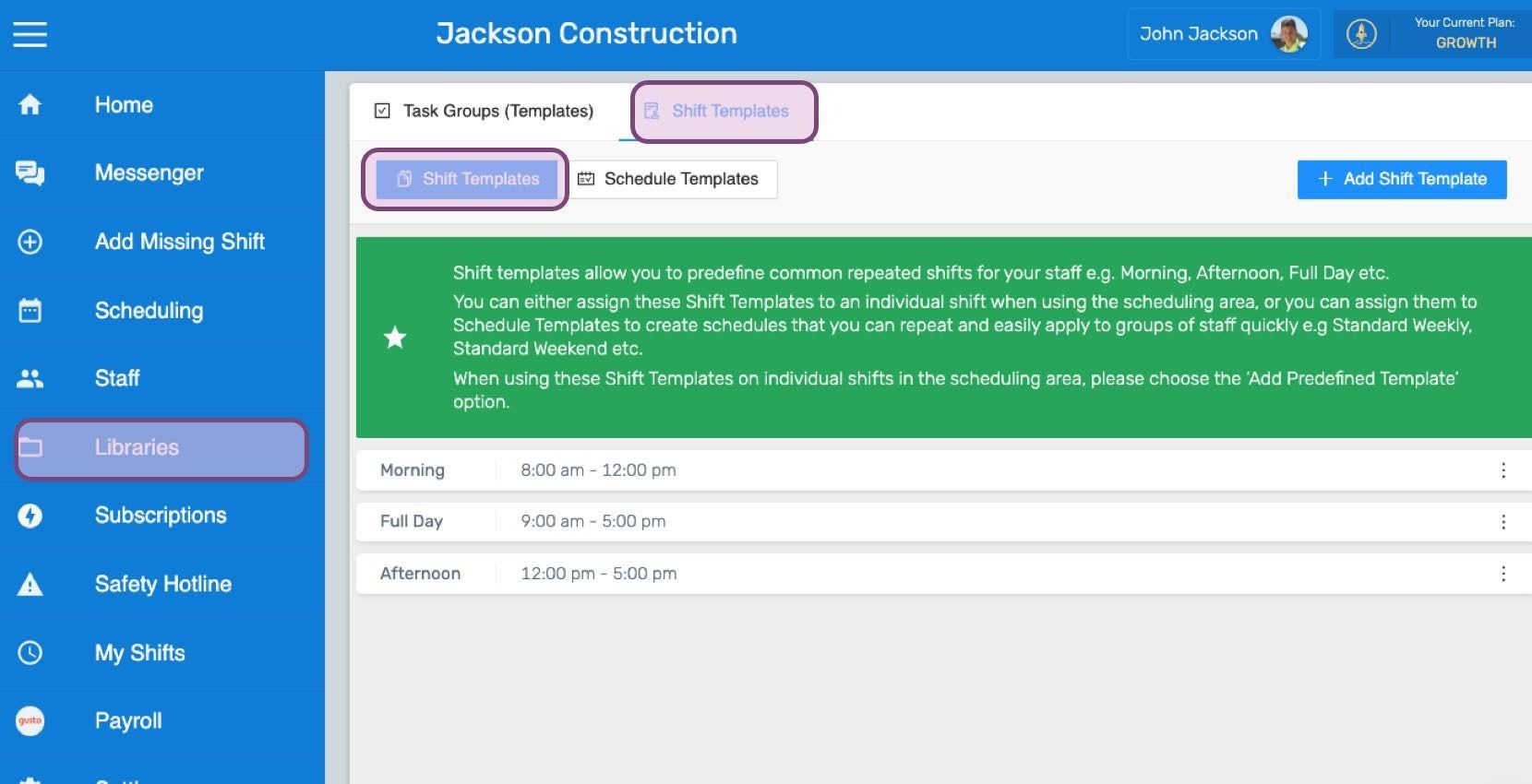
SINC web Libraries screen with the Shift Templates menu item and tab highlighted in purple

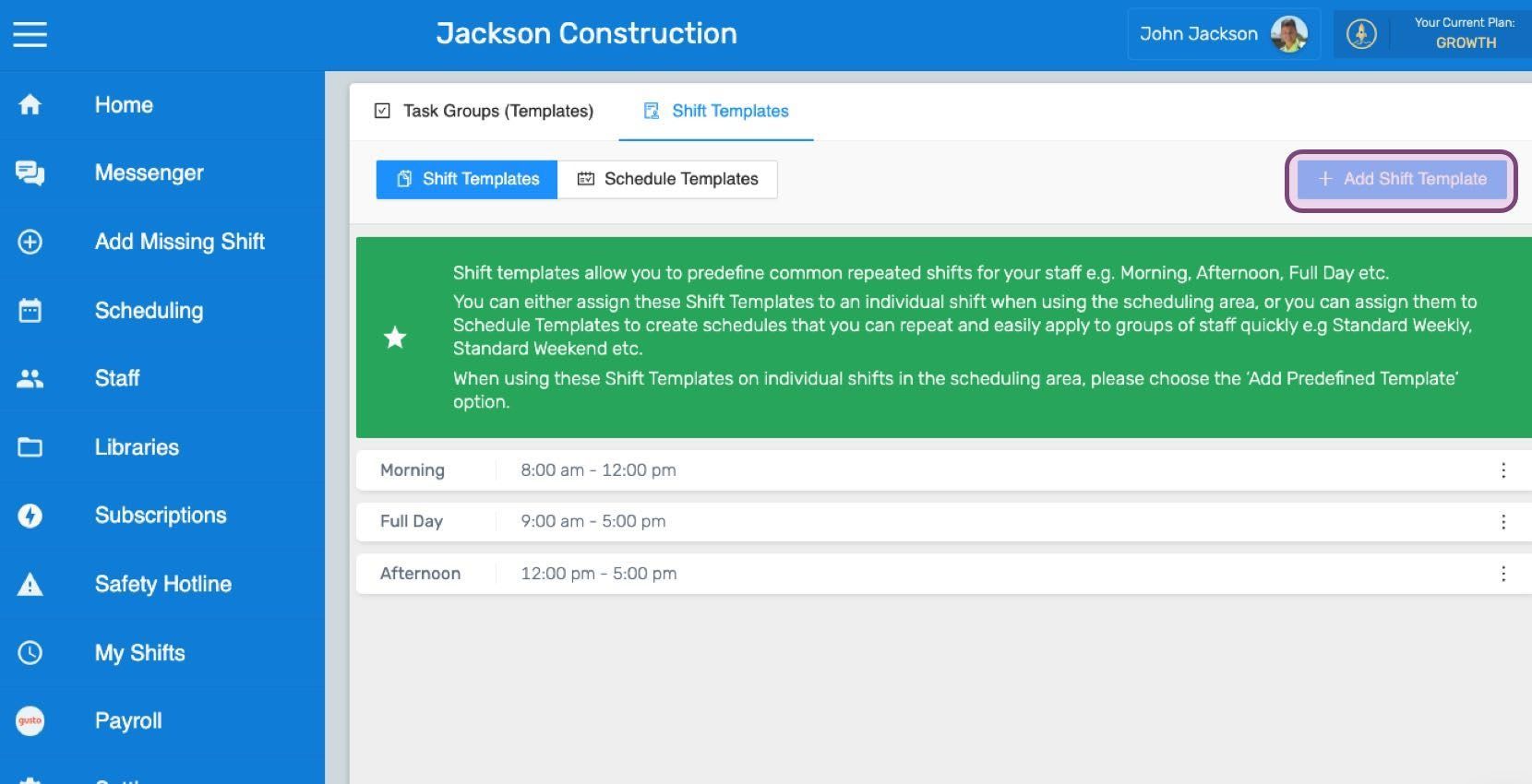
Click on Add Shift Template

Web Shift Templates list with the Add Shift Template button outlined in pink

Enter the name you want to give to the shift template.
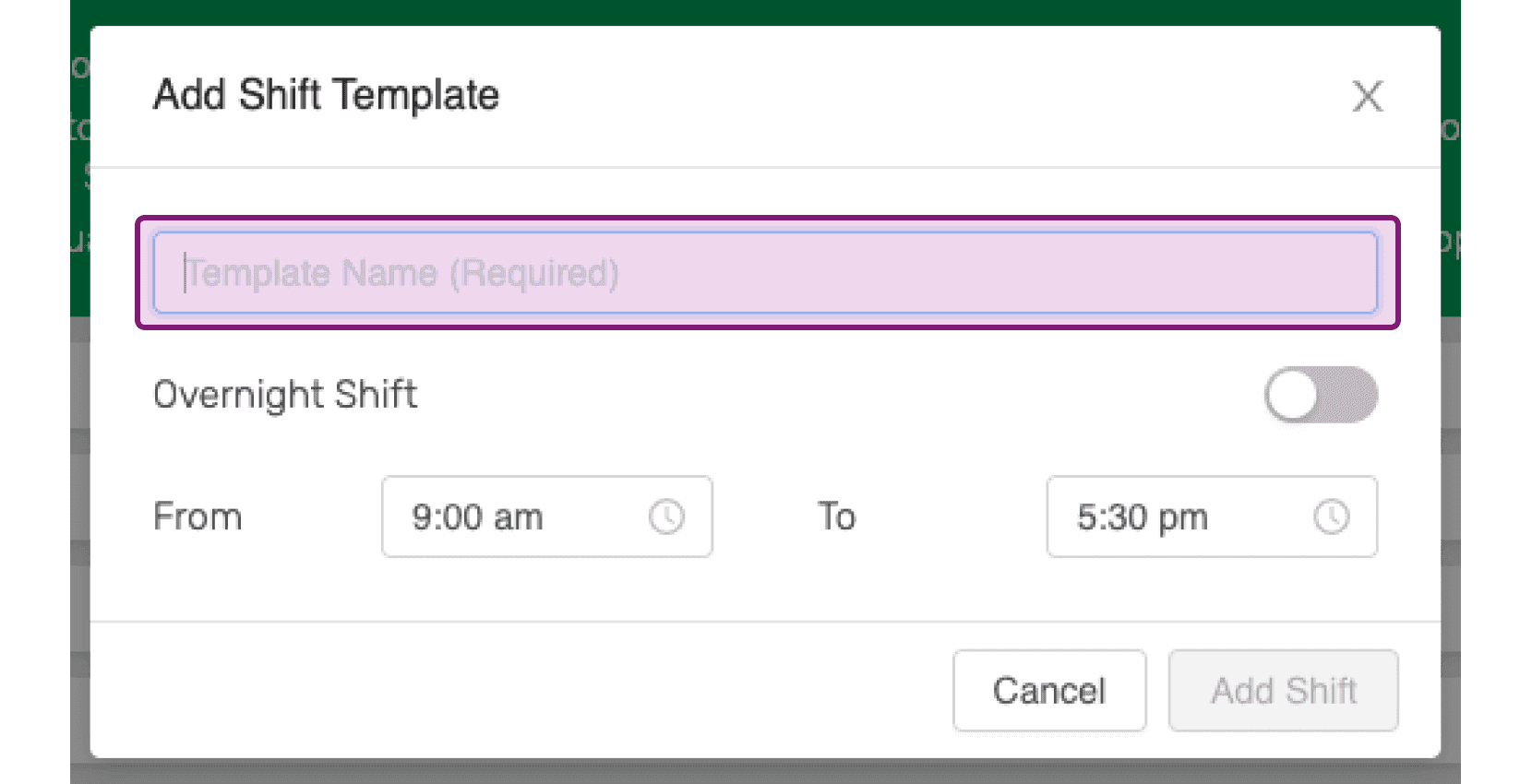
SINC web Add Shift Template dialog with the Template Name field outlined in pink

Toggle the overnight switch in case this is an overnight shift template.
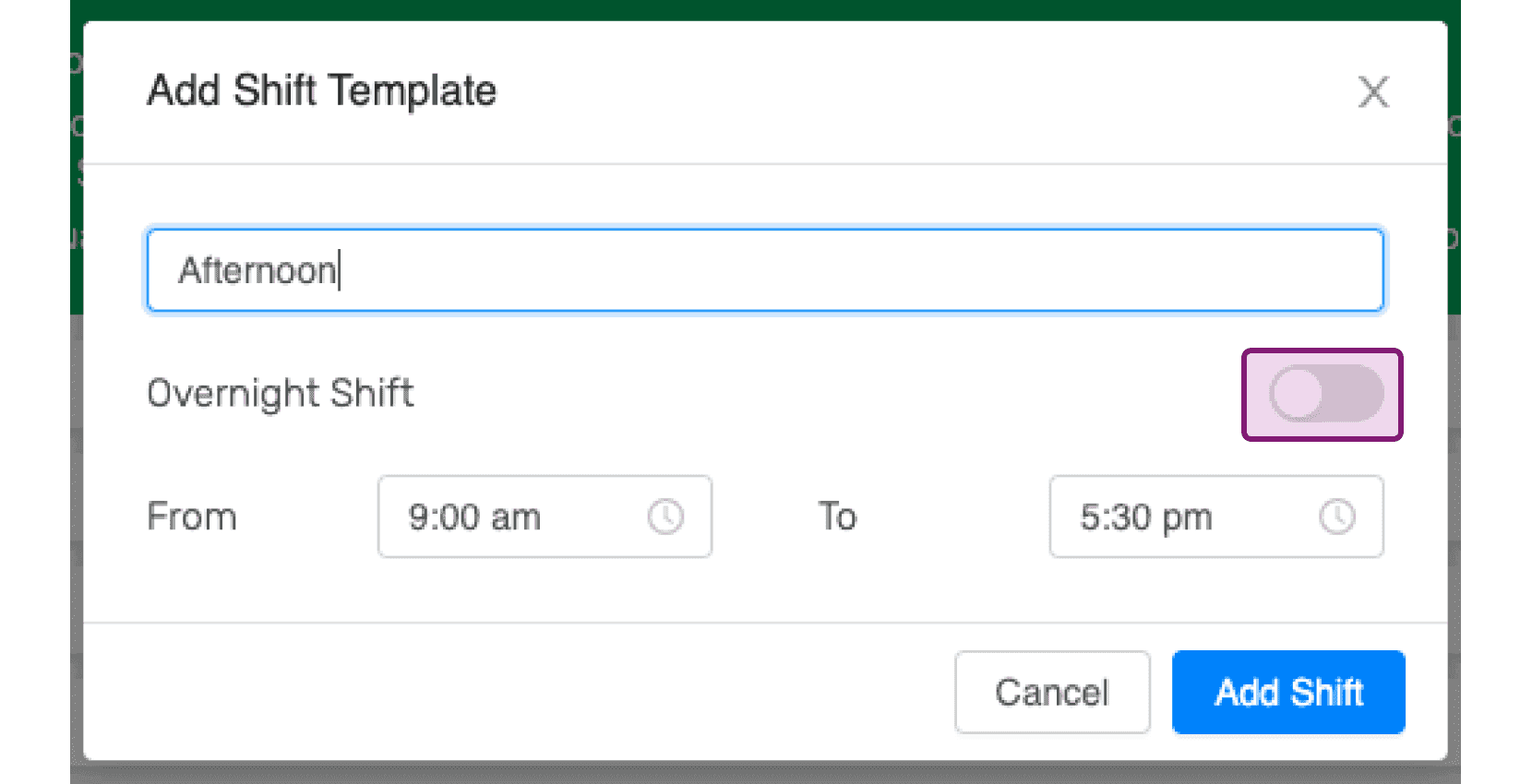
Add Shift Template popup named "Afternoon" from 9:00 am to 5:30 pm with the Overnight Shift toggle circled

Choose the appropriate start and end times for the shift template. These can be edited later.
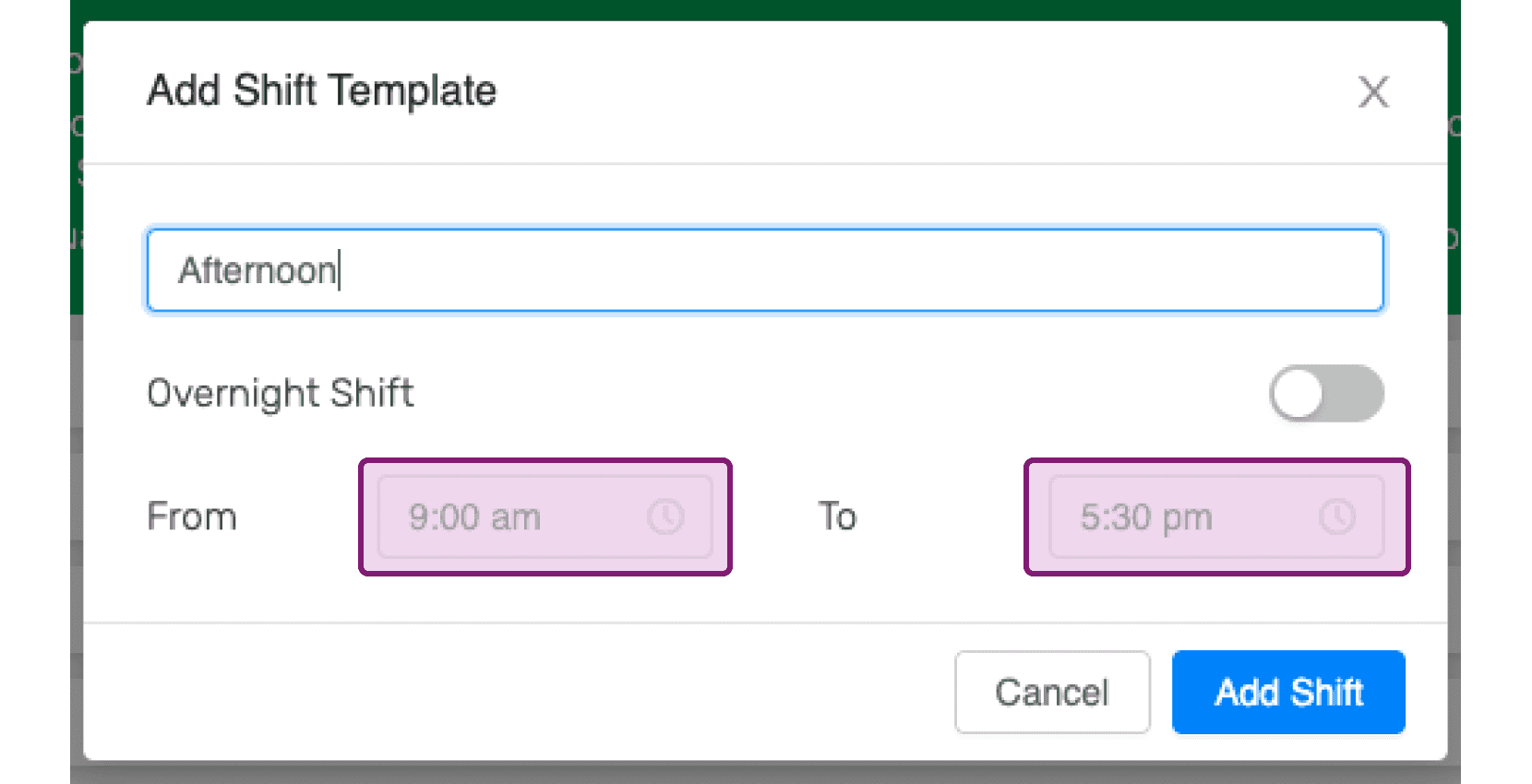
SINC web Add Shift Template modal with a template name and highlighted From and To time fields

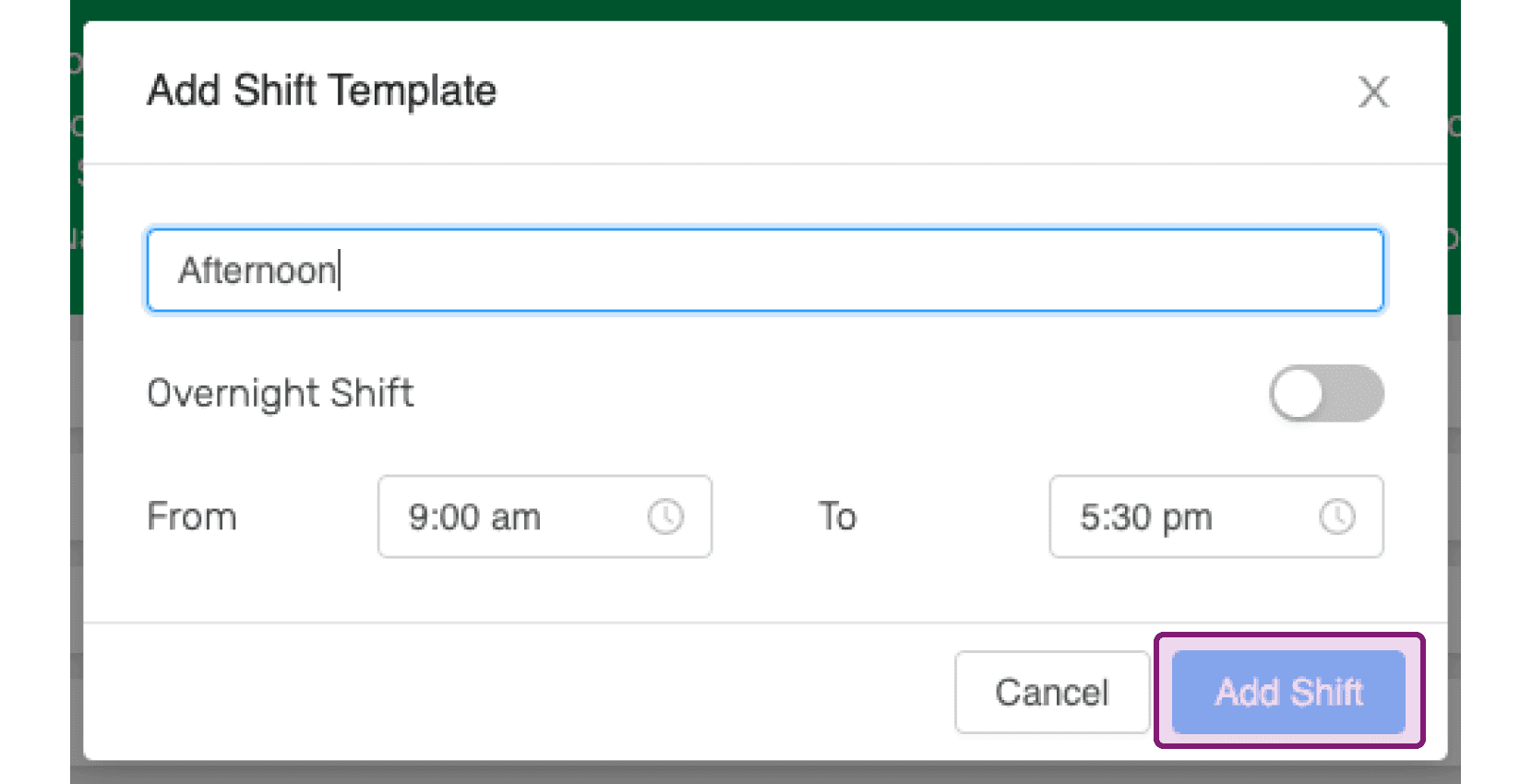
Click on Add Shift

Web Add Shift Template dialog with a shift name entered and the Add Shift button outlined in pink

Did this answer your question?