
How To Collect Emergency Contacts From Staff Members
Maintaining up to date emergency contacts is an important yet time consuming part of running a business. SINC takes care of this for you.

Sam Dolbel
Feb 28th, 2023
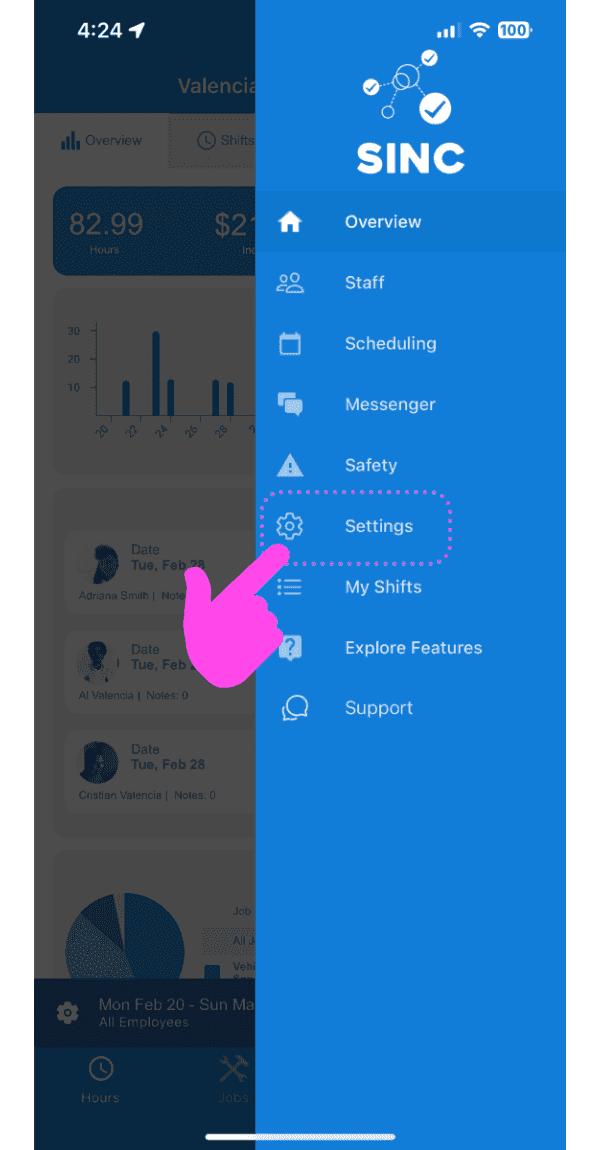
Tap on Settings
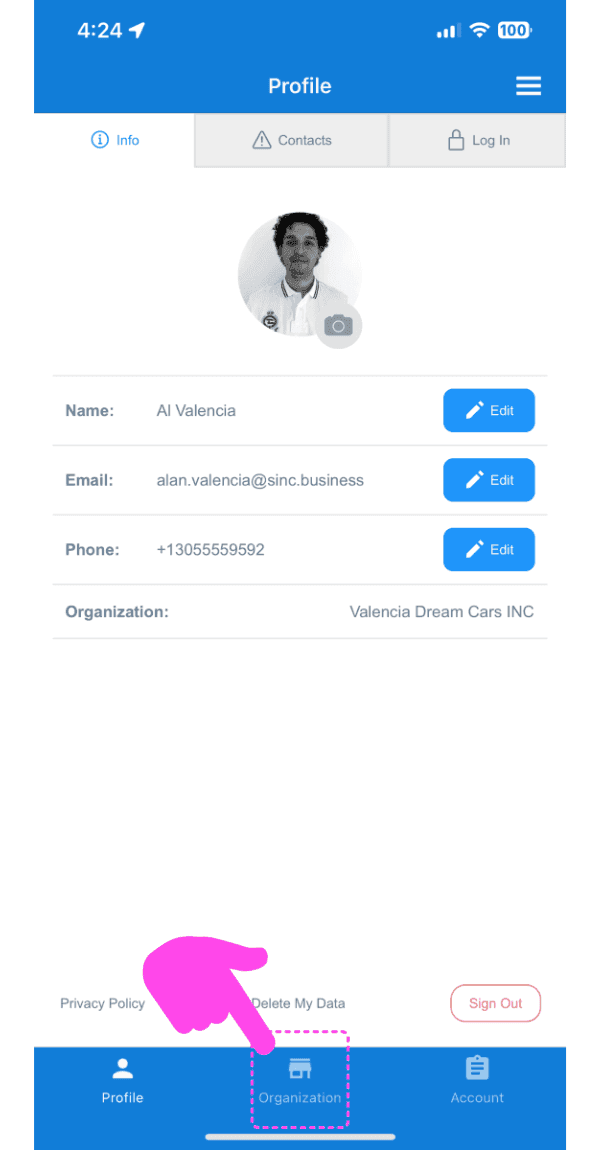
Tap on Organization
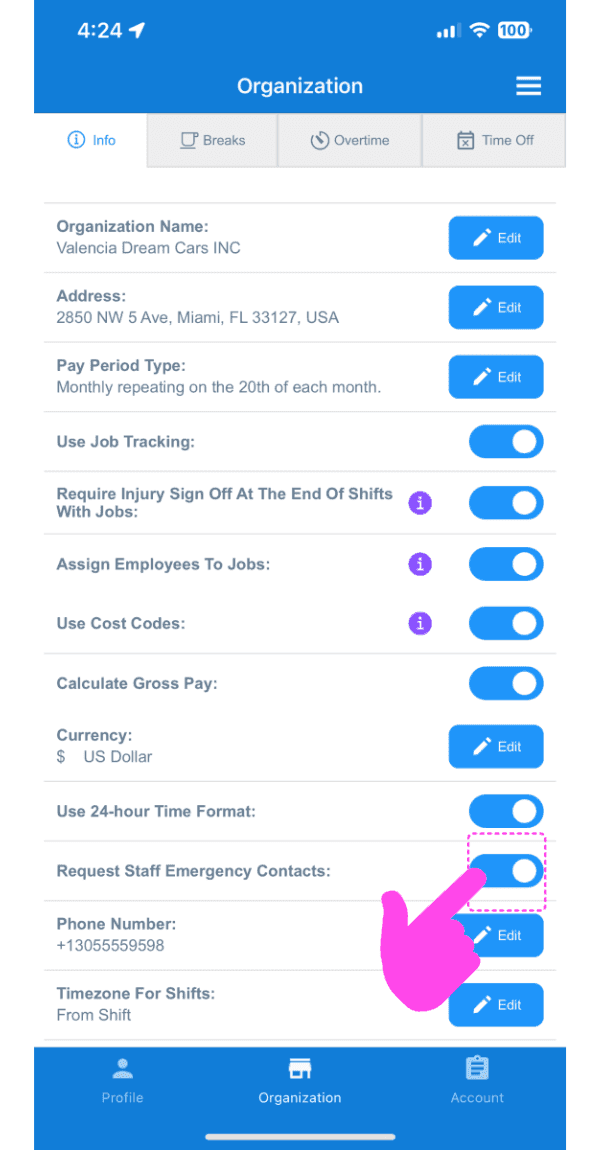
Tap on Request Staff Emergency Contacts
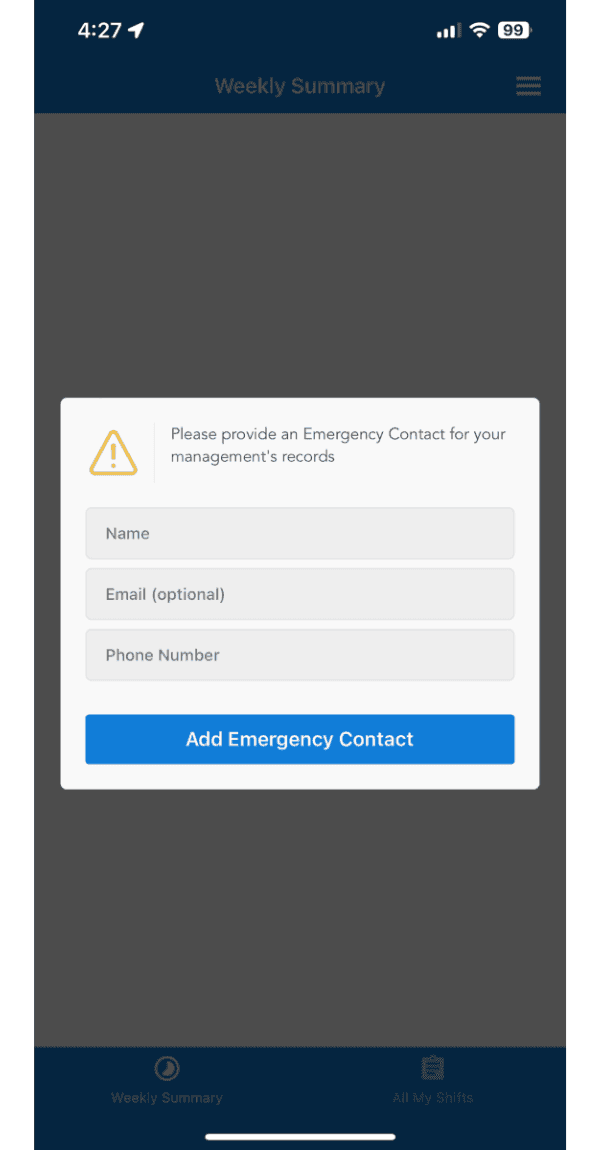
The next time your employees open the SINC app, they will be prompted to add their updated emergency contact!
Did this answer your question?