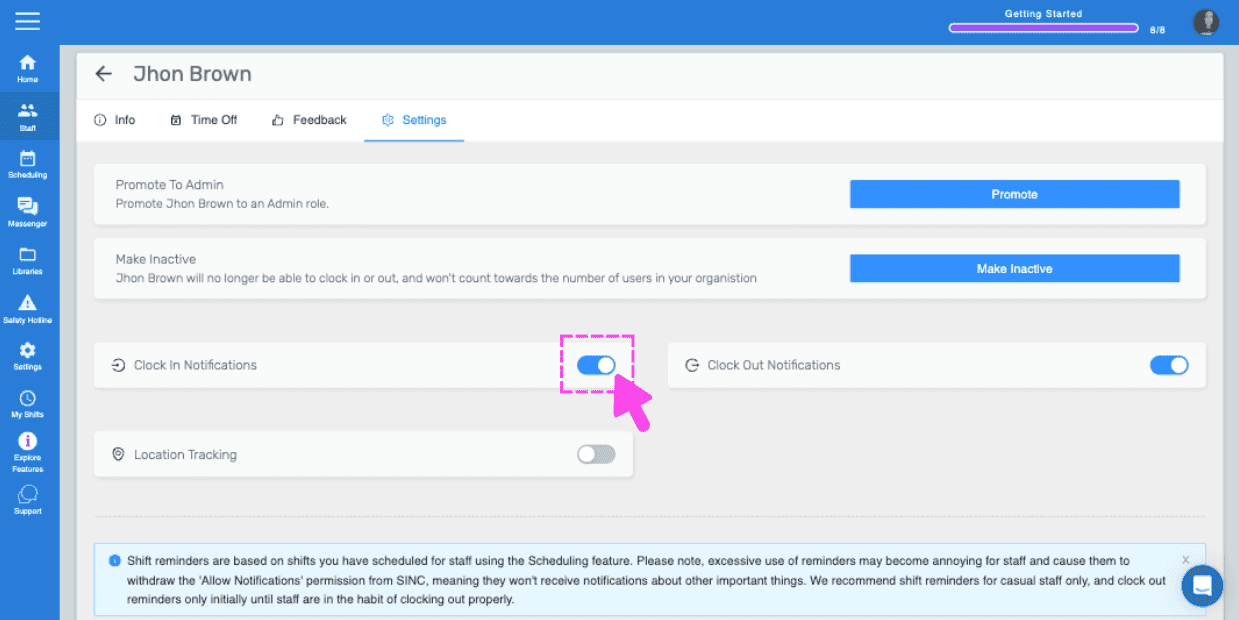
How To Enable Clock In Notifications

If you want to be notified when an employee clocks in or clocks out for work. This tutorial will show you how.

Sam Dolbel
Sam Dolbel
Mar 1st, 2023

Tap on Menu Staff
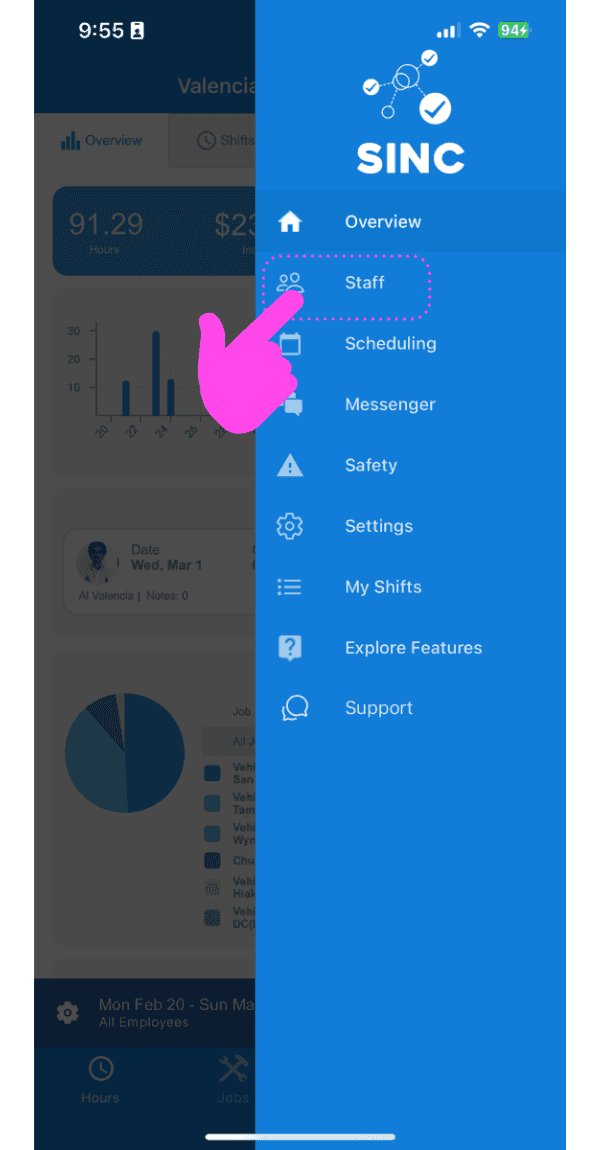
SINC mobile app side menu with a pink hand pointing to the Staff menu item

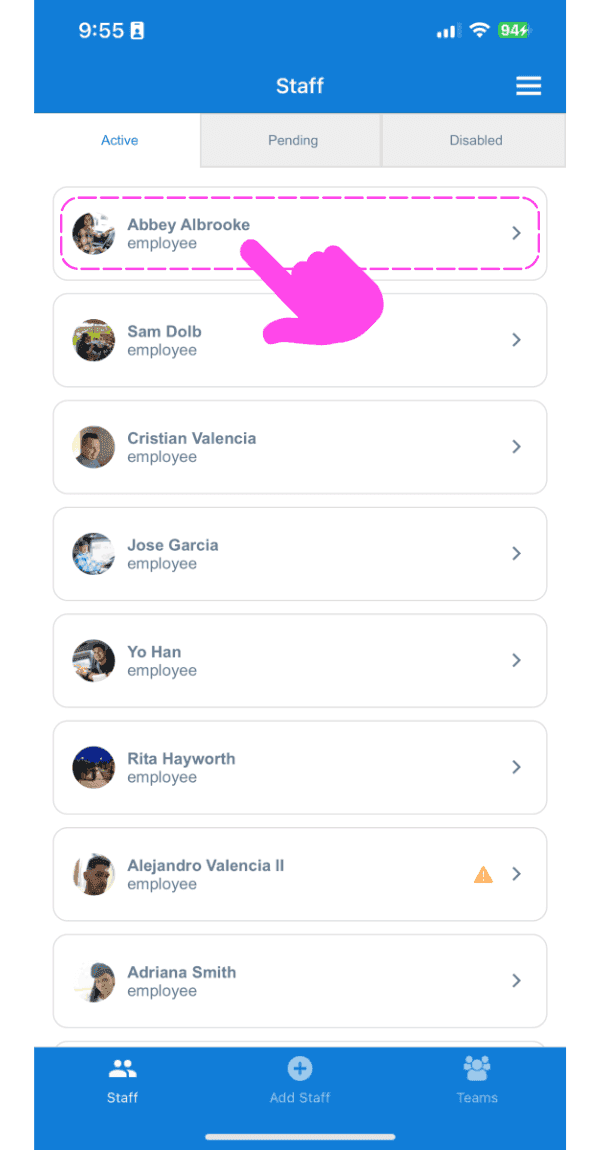
Tap on Staff Name

Staff list screen with a pink arrow pointing to an employee's name

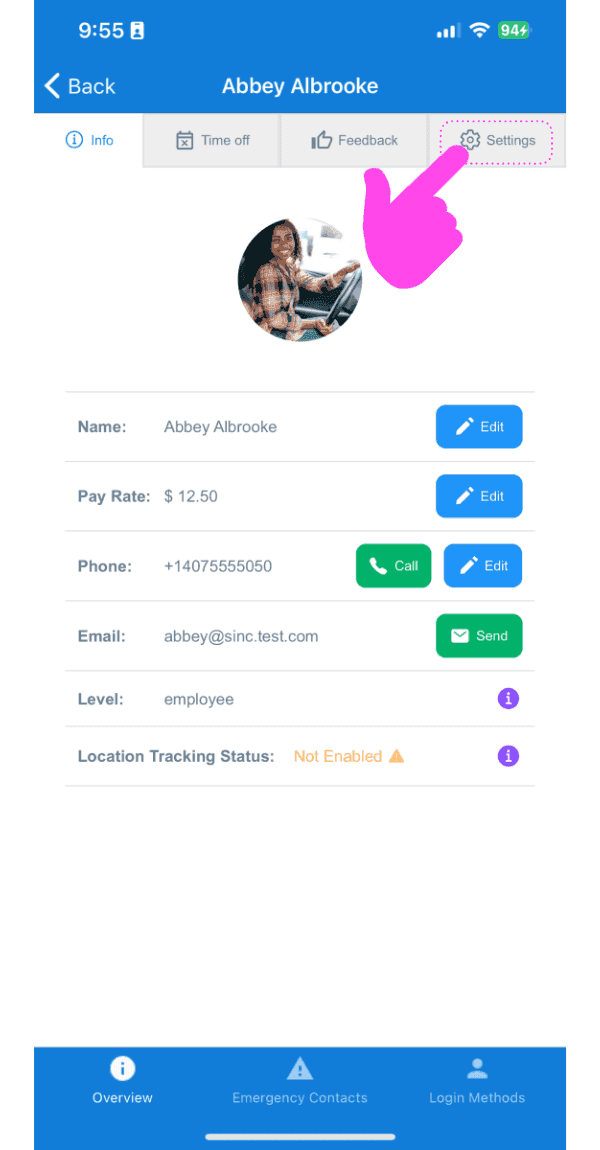
Tap on Settings

Staff member Info screen showing profile photo and contact fields, with a pink arrow pointing to the Settings tab

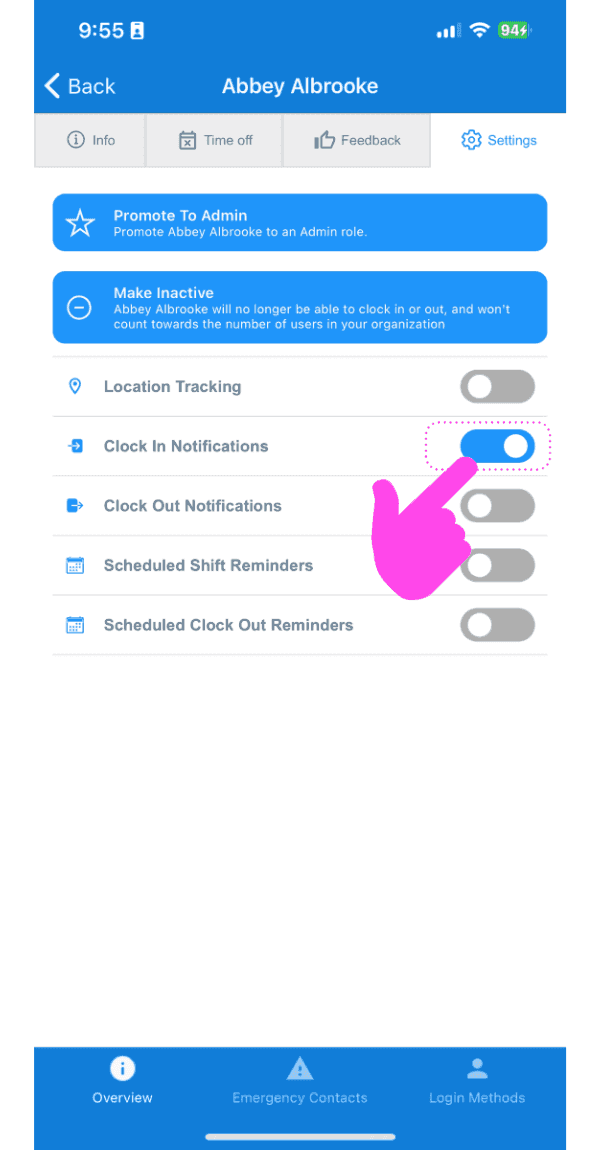
Tap on Clock In Notifications

SINC mobile staff Settings screen with a pink hand pointing to the Clock In Notifications toggle

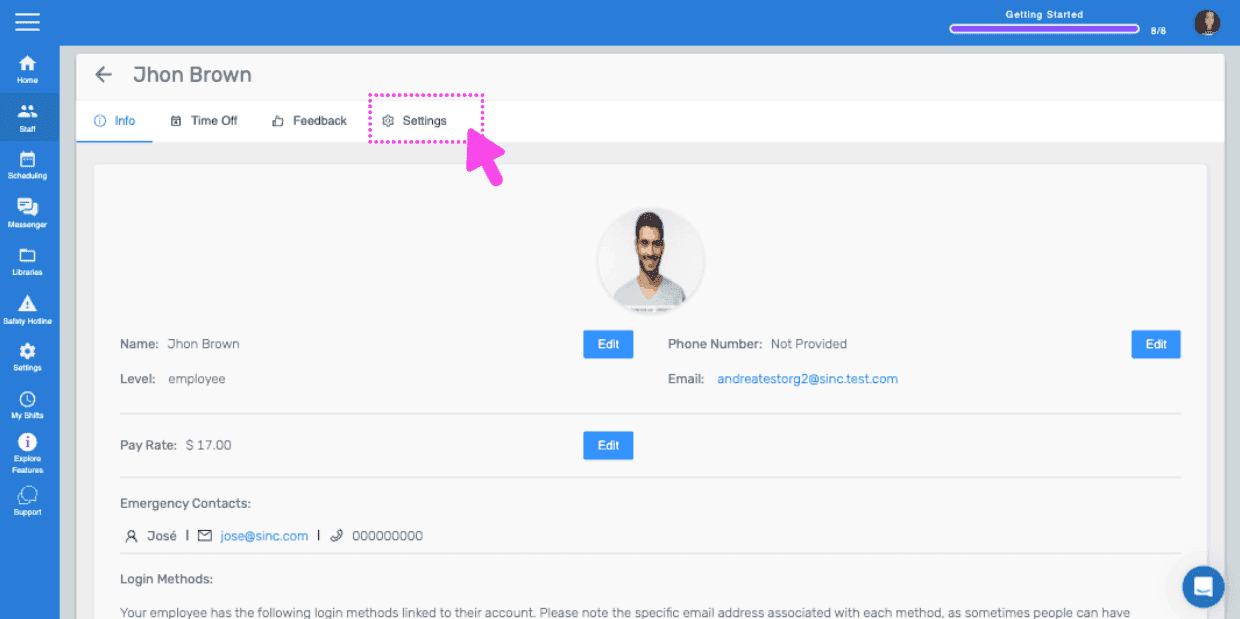
If you are using the web version, it will look like this:
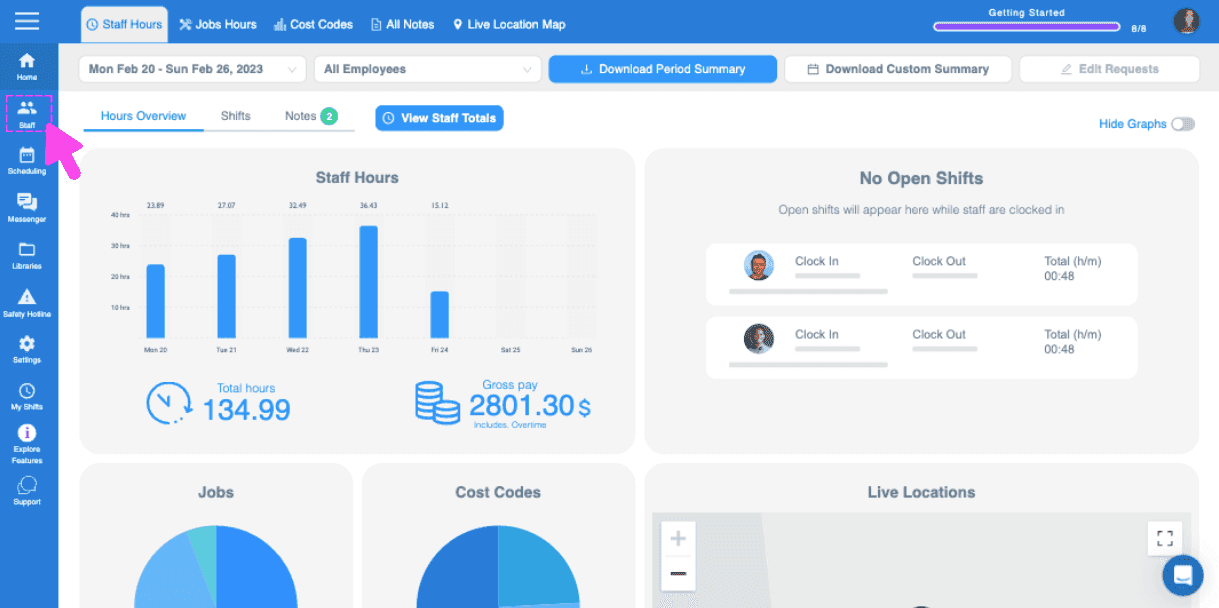
Web dashboard Hours Overview screen with a pink arrow pointing to the sidebar menu icon
SINC web staff profile screen with the Settings tab highlighted in pink
Staff settings screen for an employee with a pink arrow pointing to the Clock In Notifications toggle switch

Did this answer your question?