
How To Make A Staff Member Inactive
You do not delete staff on SINC, you make them inactive. They will no longer be able to clock in and do not count towards your user count

Sam Dolbel
Feb 28th, 2023
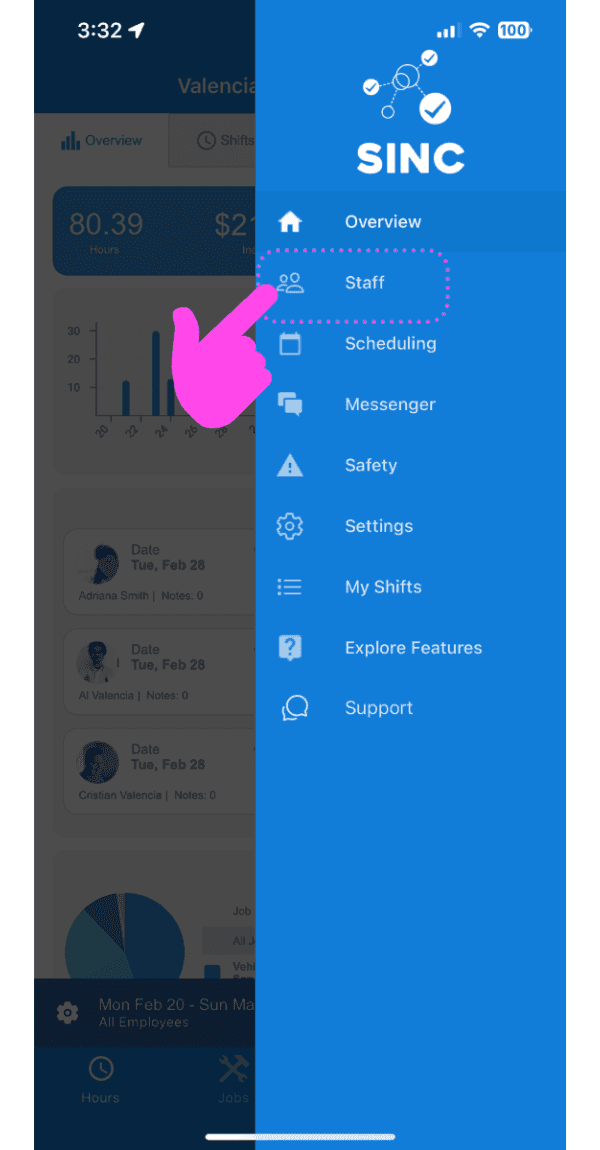
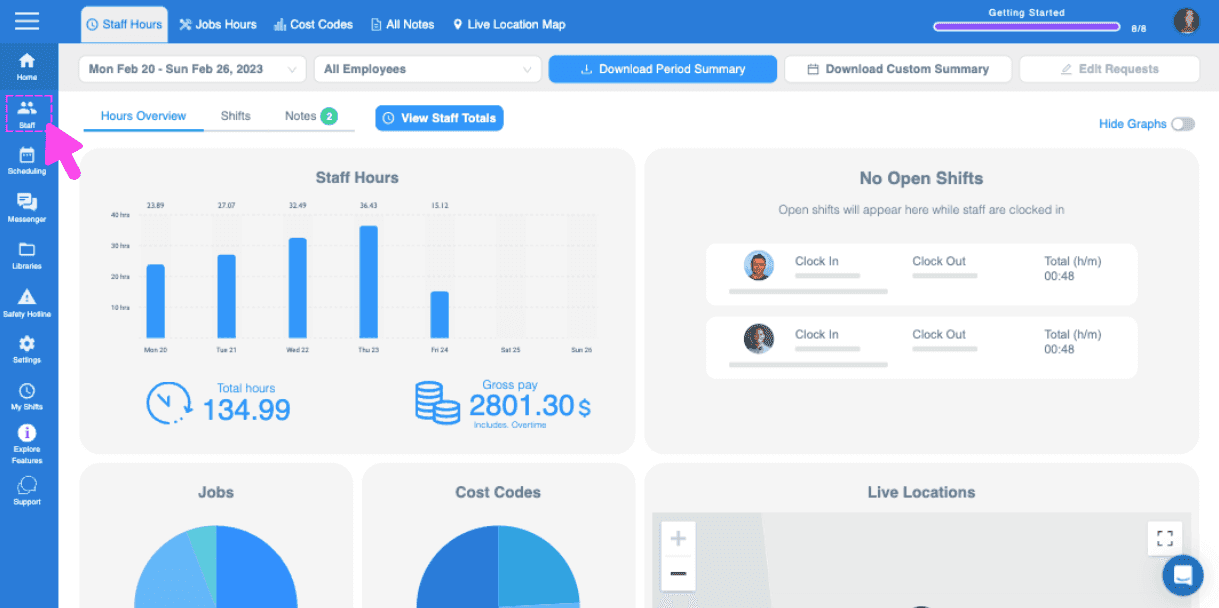
Please note that if the staff member you are wanting to make inactive is an ADMIN, please follow the admin guide instead. When a staff member leaves your organization, you simply need to make them inactive. Tap on Staff
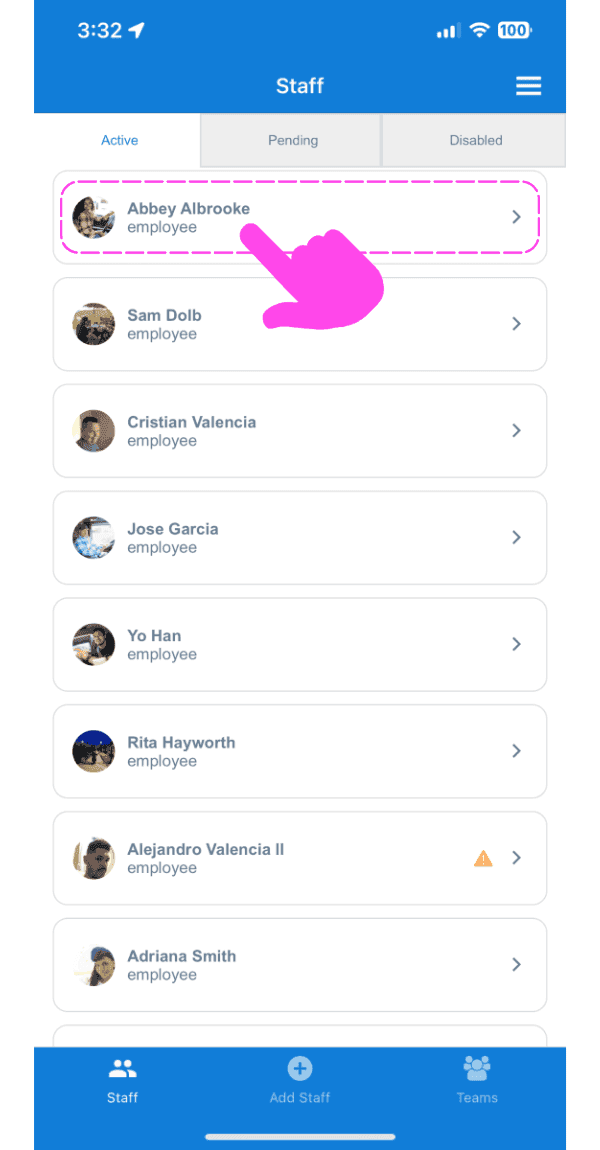
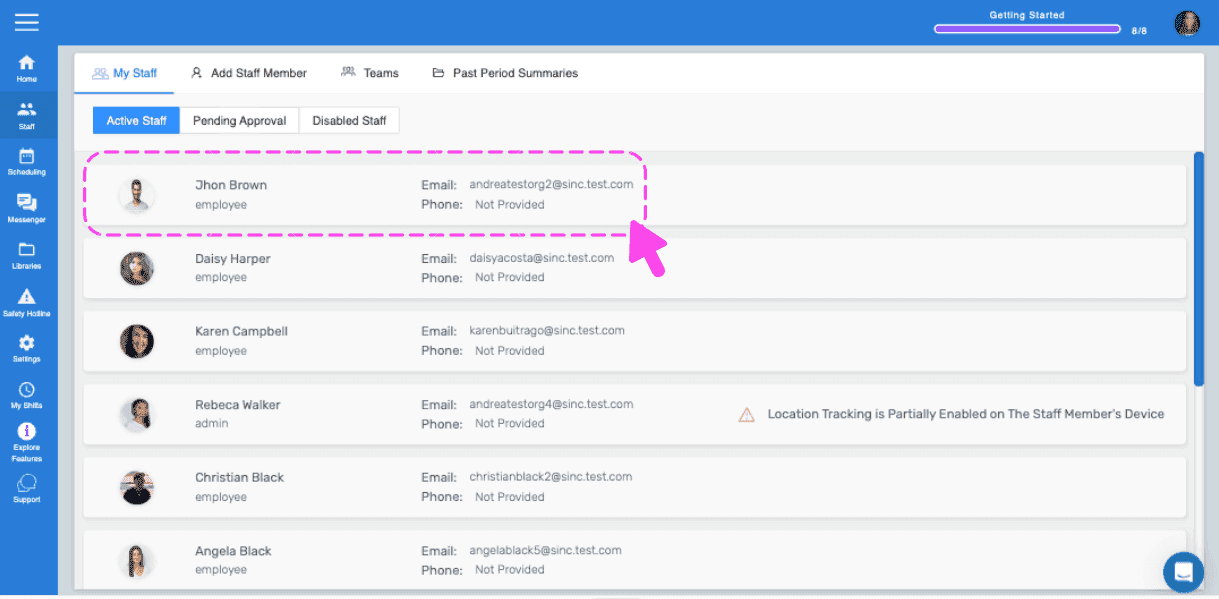
Tap on The Staff Member's Name
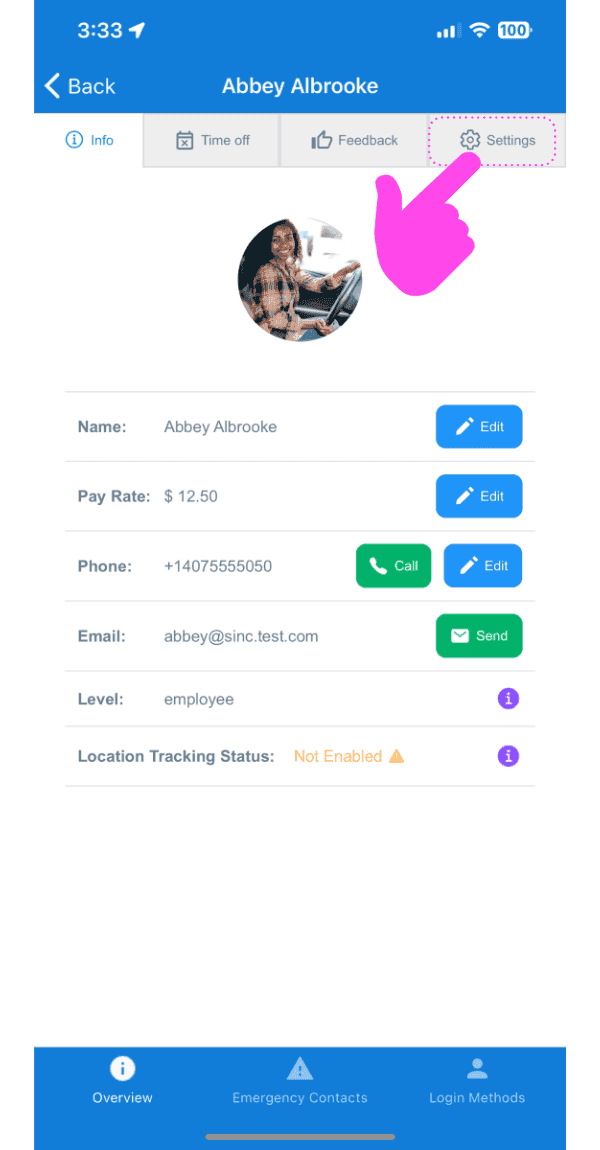
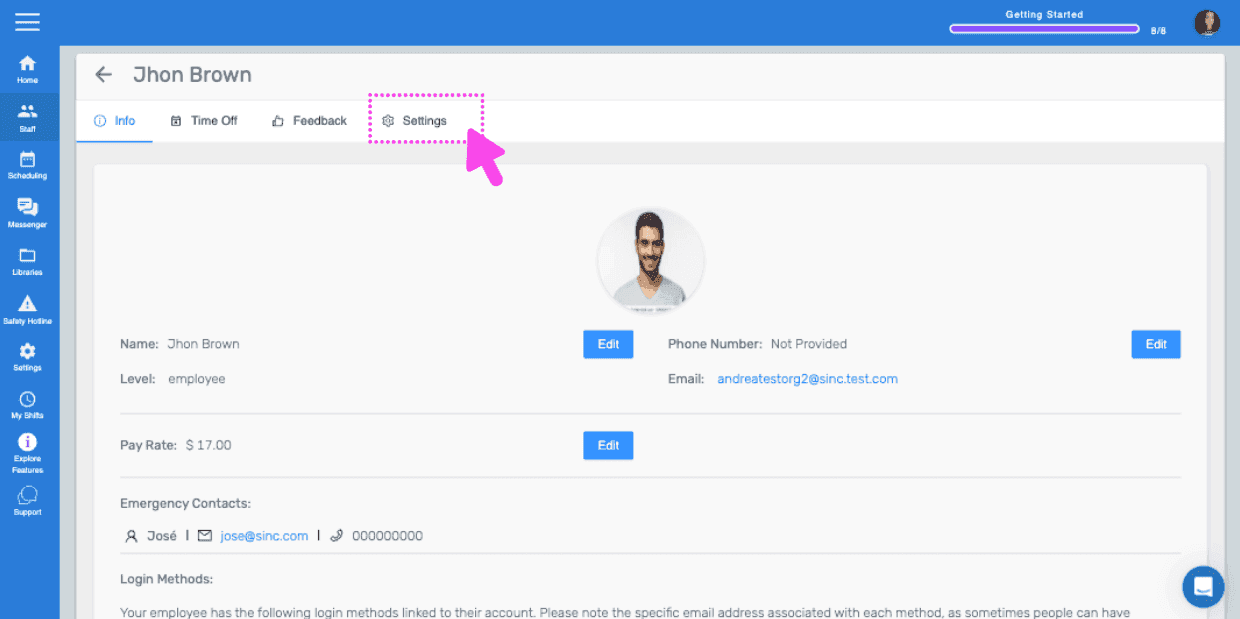
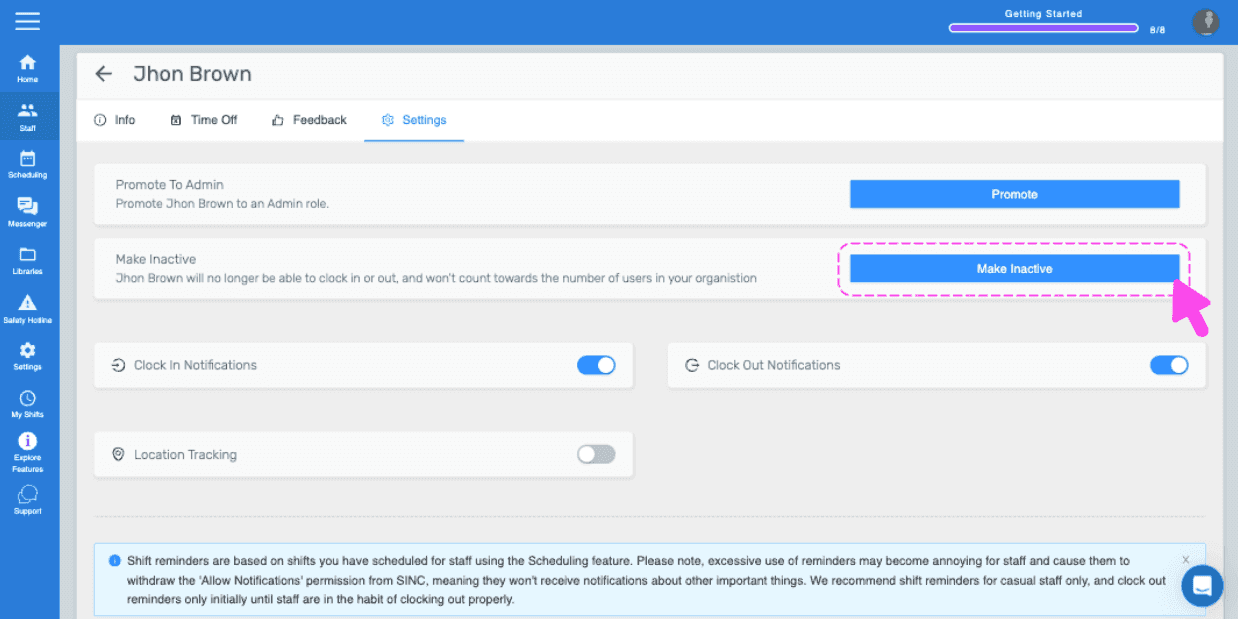
Tap on Settings
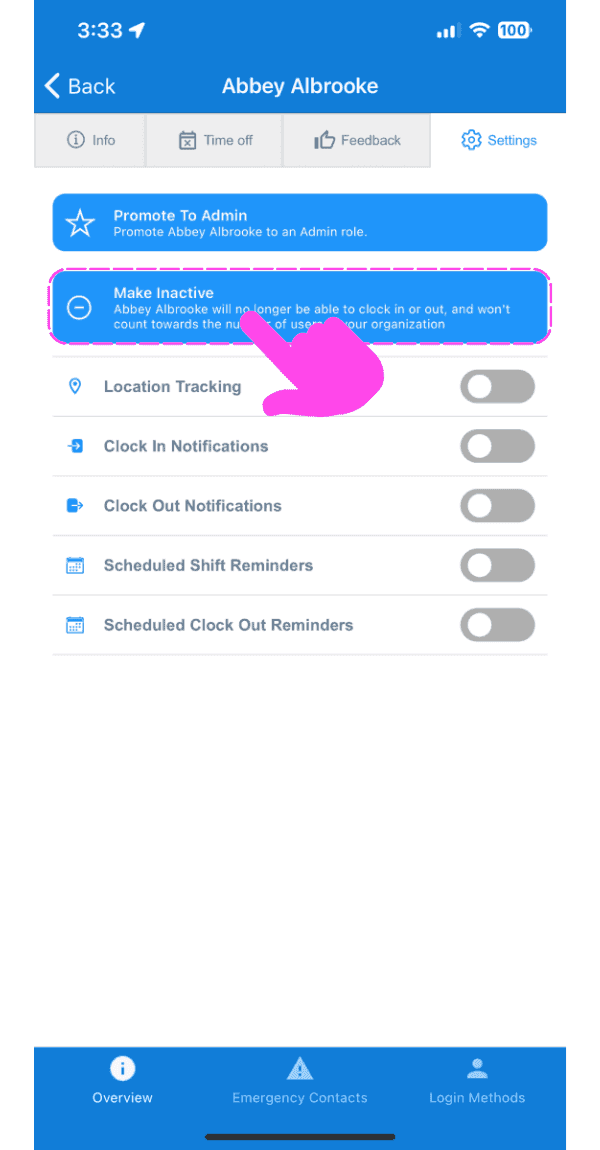
Tap on Make Inactive
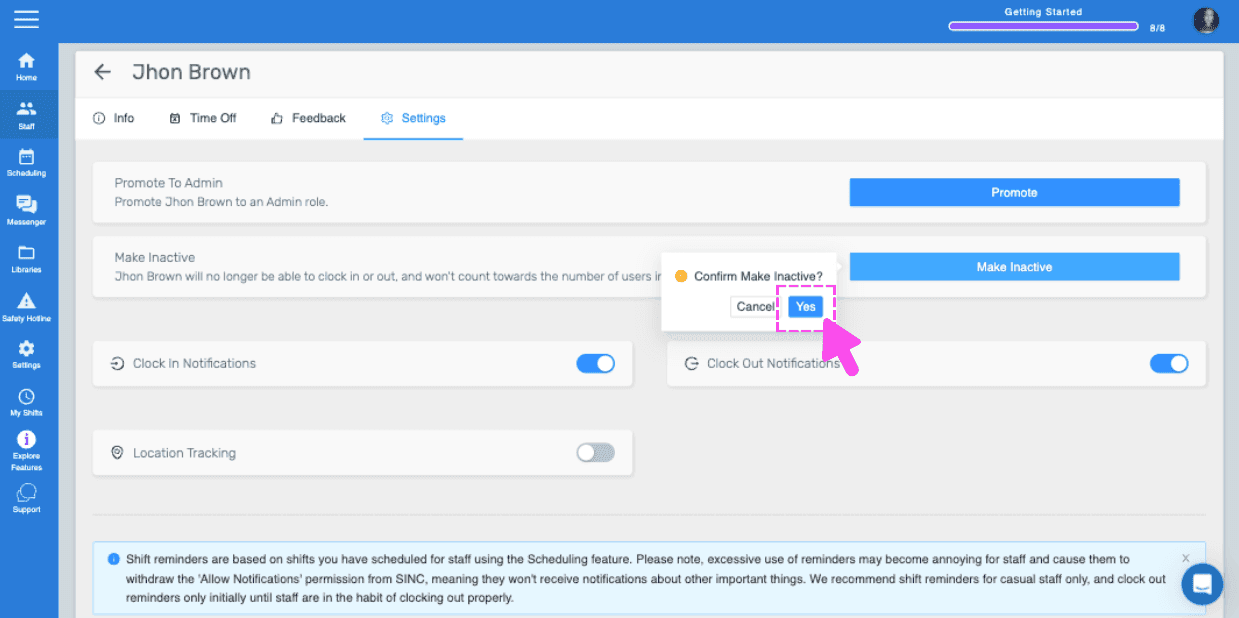
Tap on Confirm (Web Version) Click on Yes
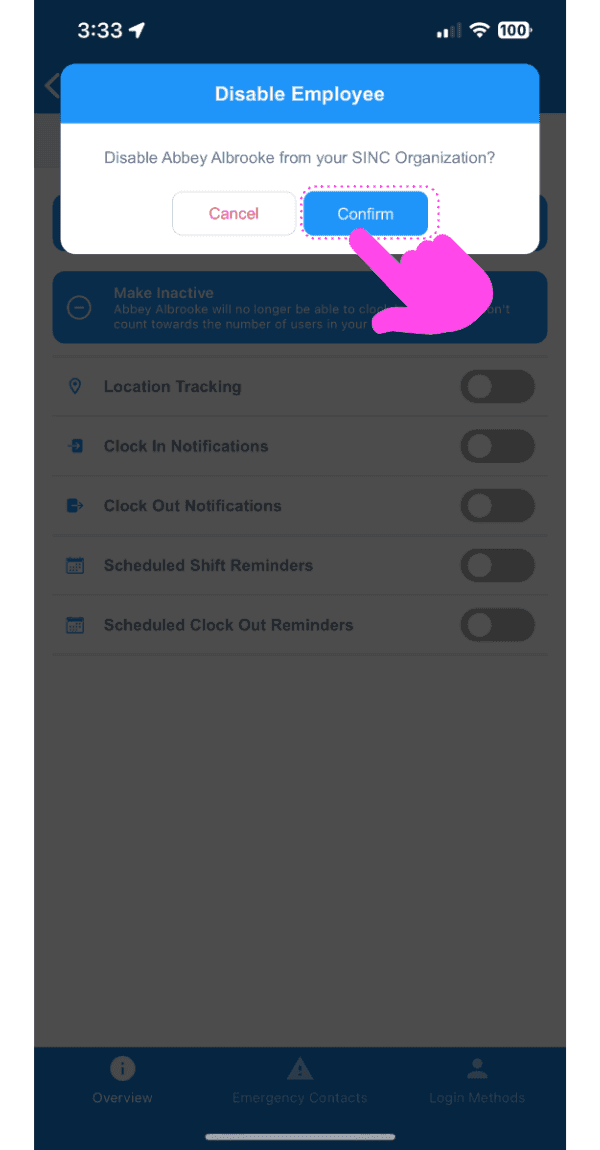
Please note: If the changes are not reflected on the employee's side, then have them delete the SINC App Restart Their Phone Reinstall SINC. If you are using the web version, it will look like this:
Did this answer your question?