
How To Restore A Staff Member
Do you have an employee who has come back to work for you? There is not need to send a new invite, just follow these instructions.

Sam Dolbel
Feb 28th, 2023
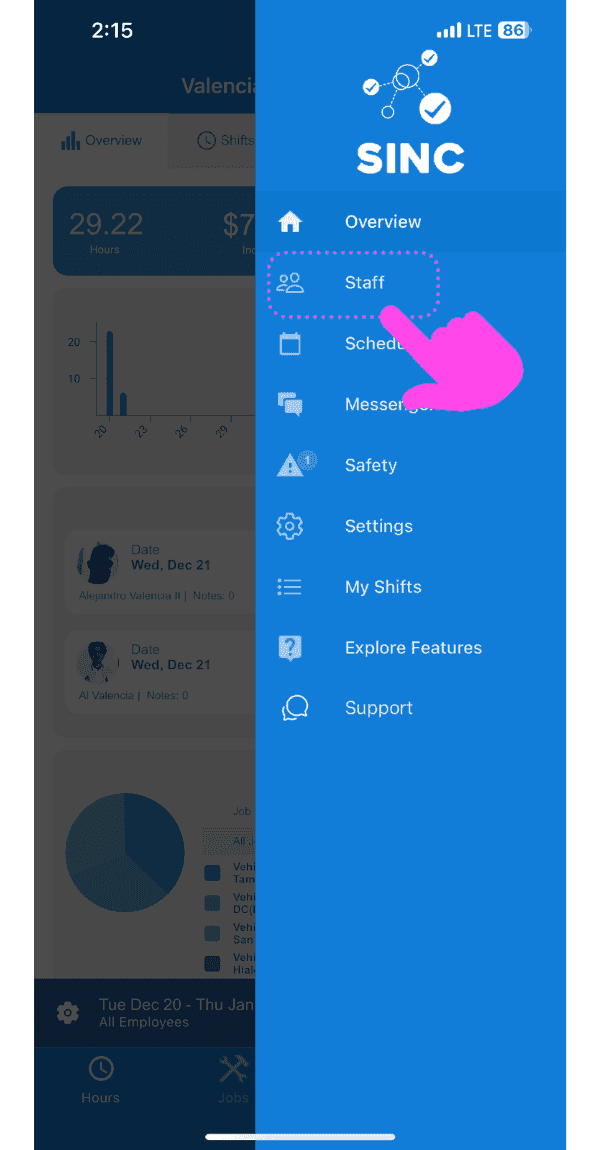
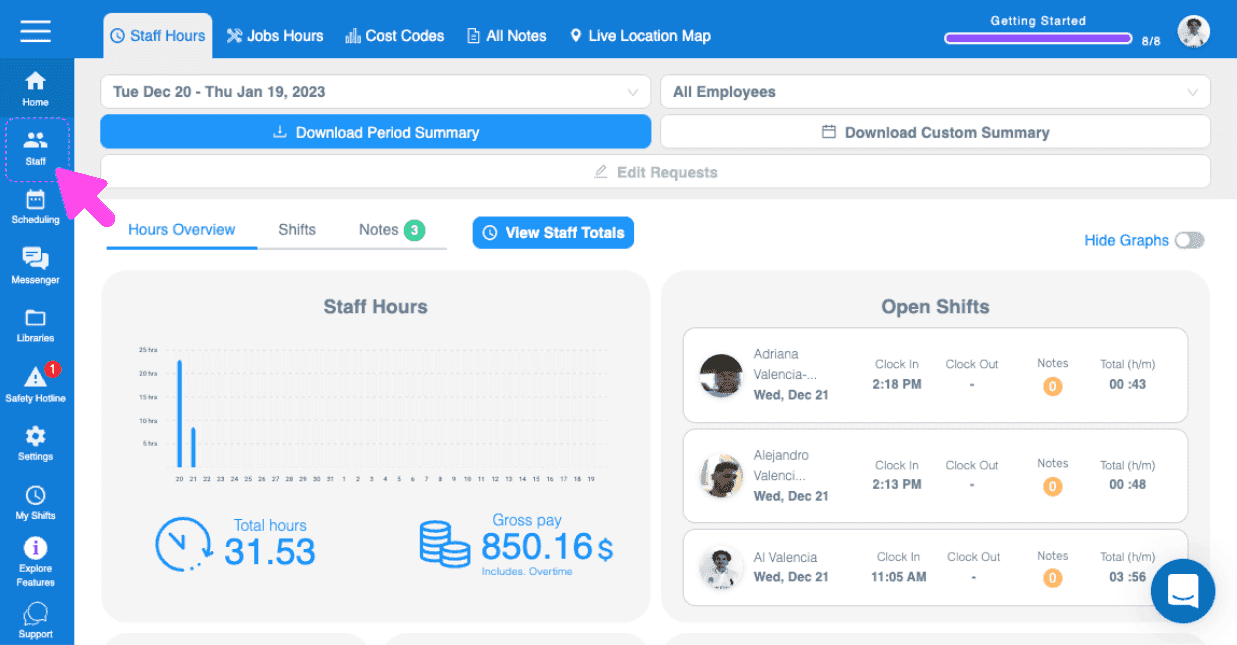
Tap on Menu Staff
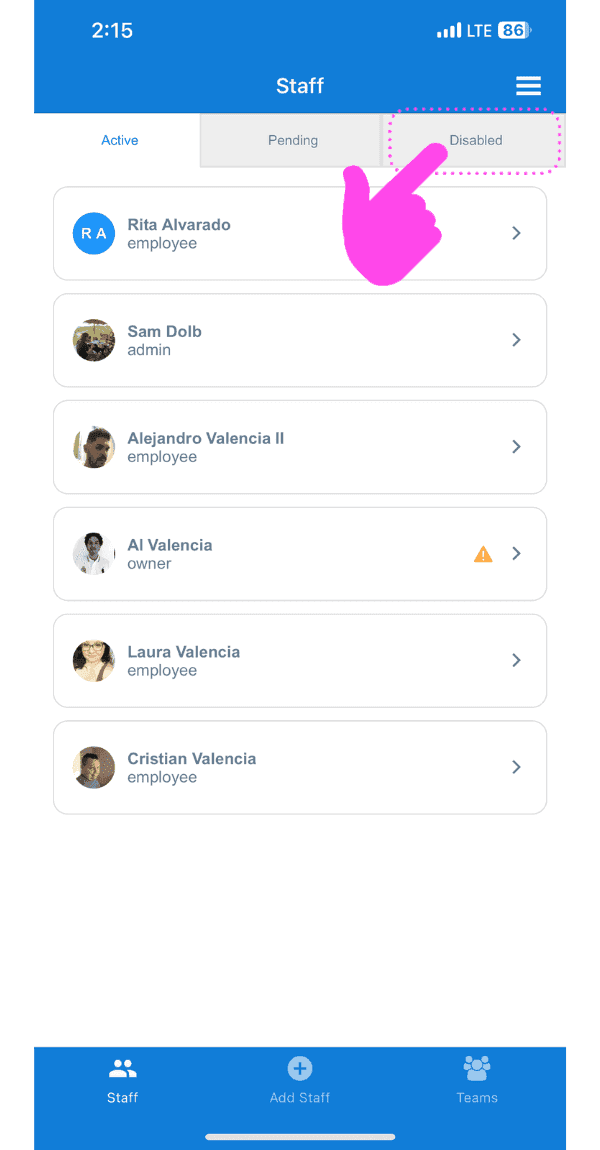
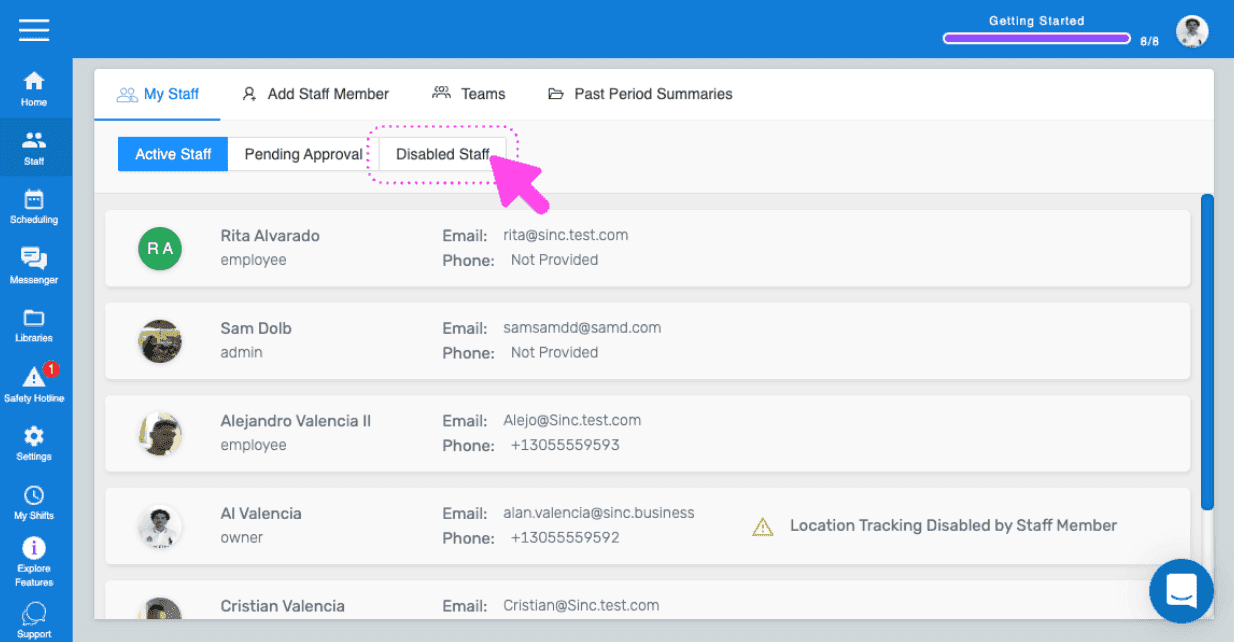
Tap on Disabled Staff
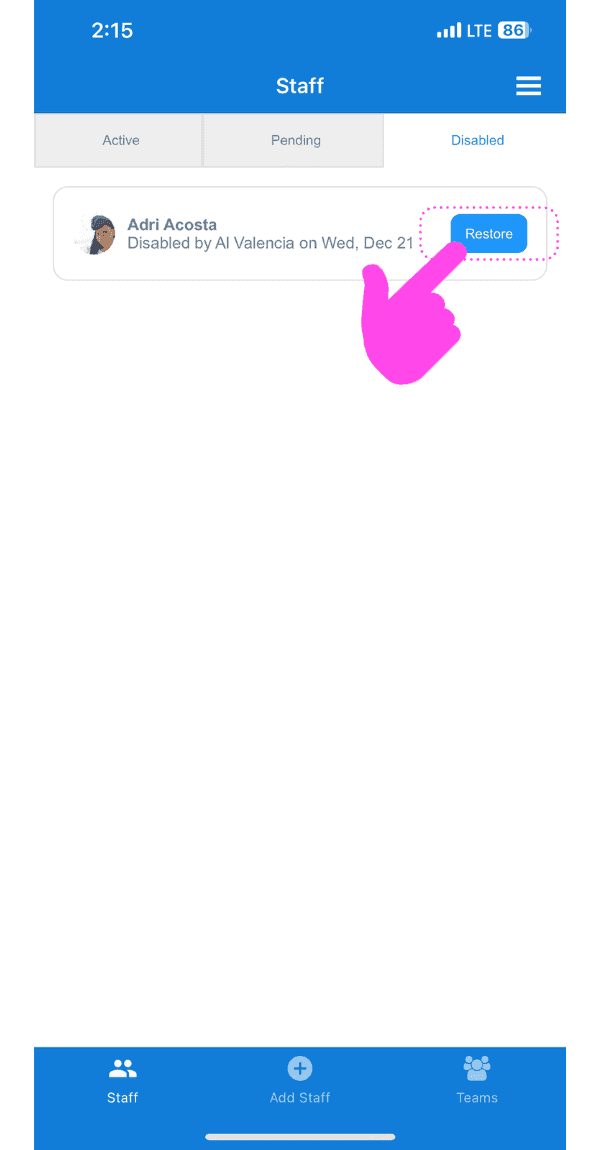
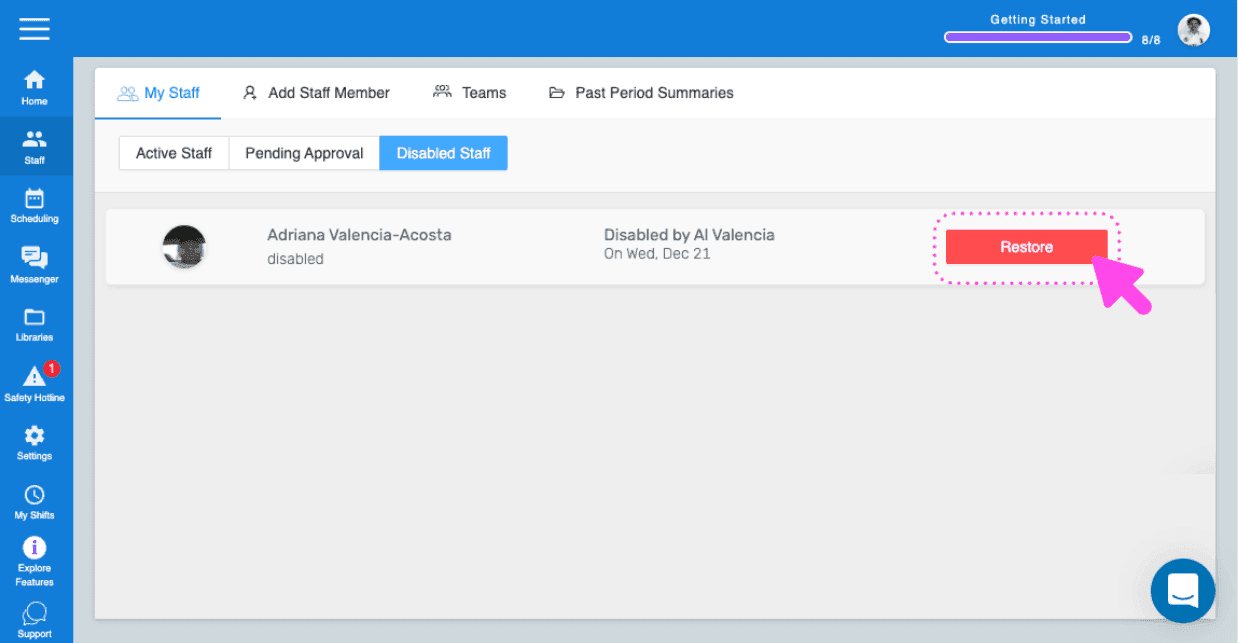
Tap on Restore (next to the staff member you wish to restore)
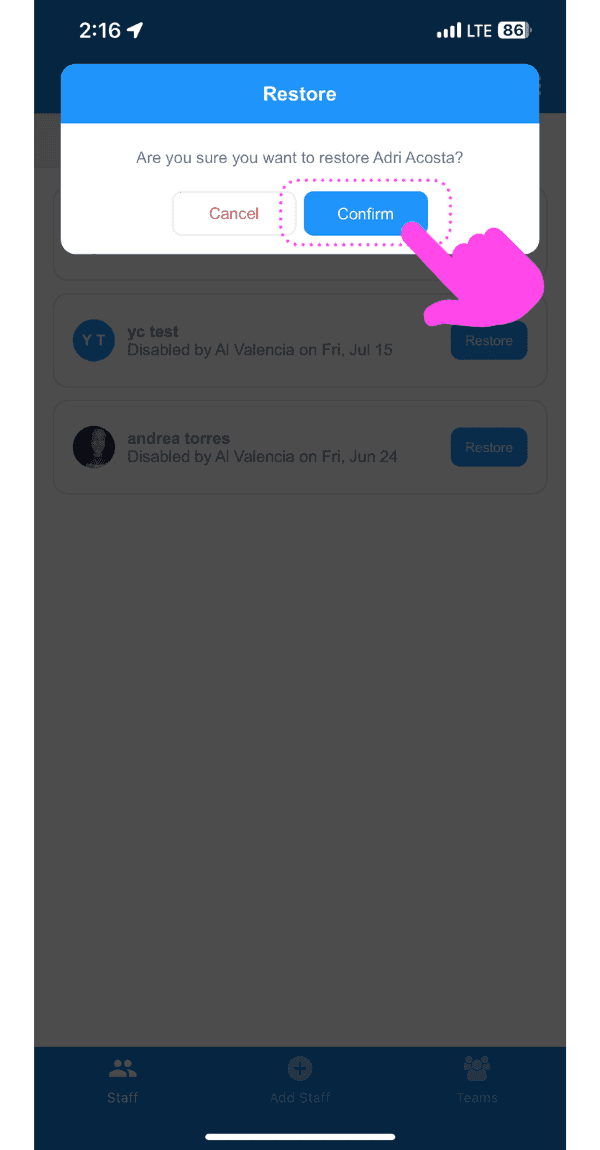
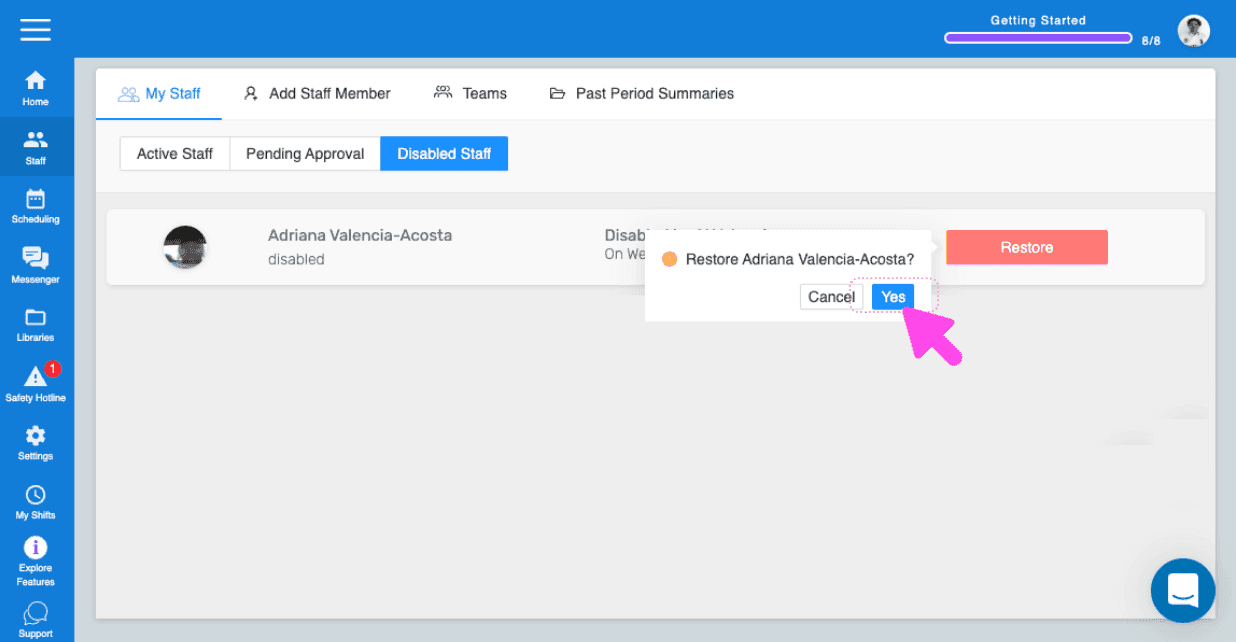
Tap on OK (Web Version) Click on Yes
Please note: If the changes are not reflected on the employee's side, then have them delete the SINC App Restart Their Phone Reinstall SINC. If you are using the web version, it will look like this:
Did this answer your question?