
How to Revert an Admin to Employee
In this guide we will cover the process of reverting an Admin to Employee role

SINC Support Team
Mar 27th, 2023
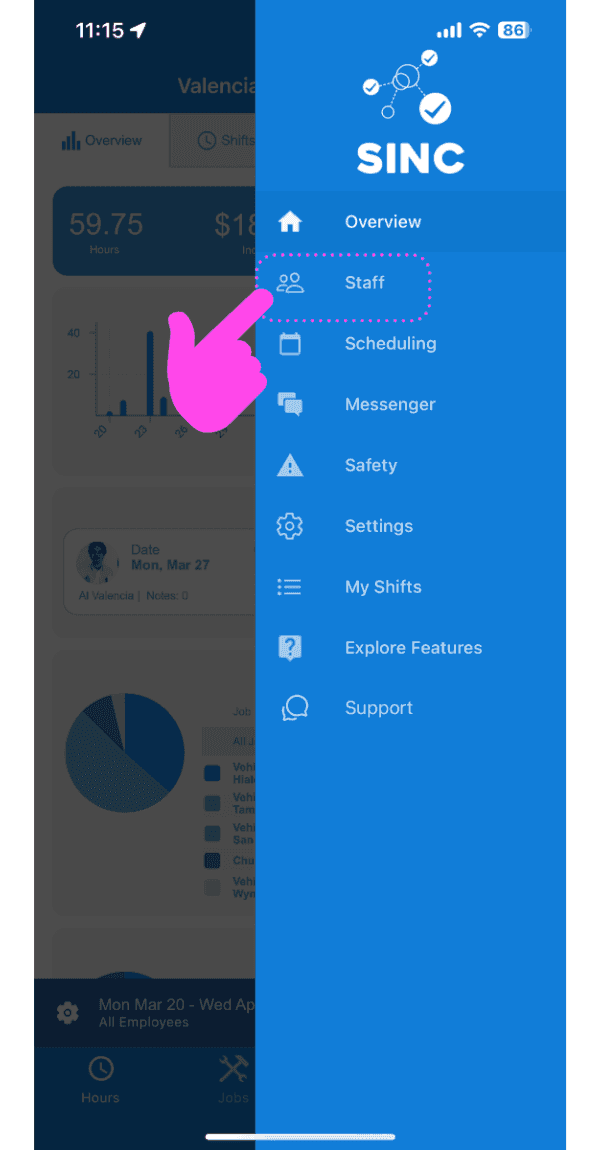
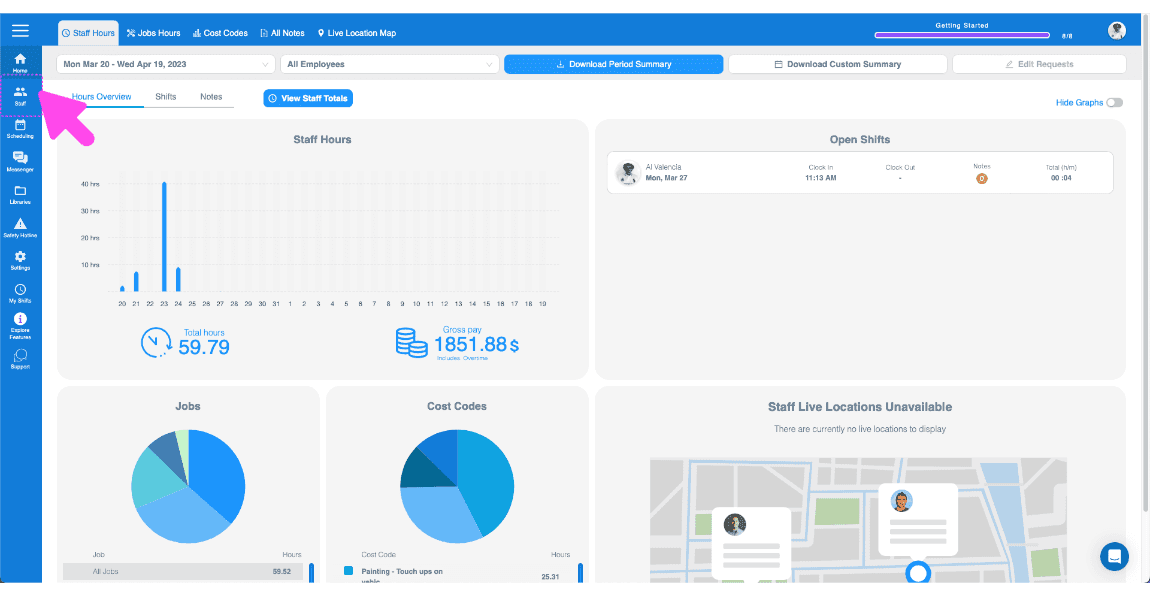
If a Staff Member has been Promoted to Admin and needs to be Reverted, please follow these steps. Tap on Staff
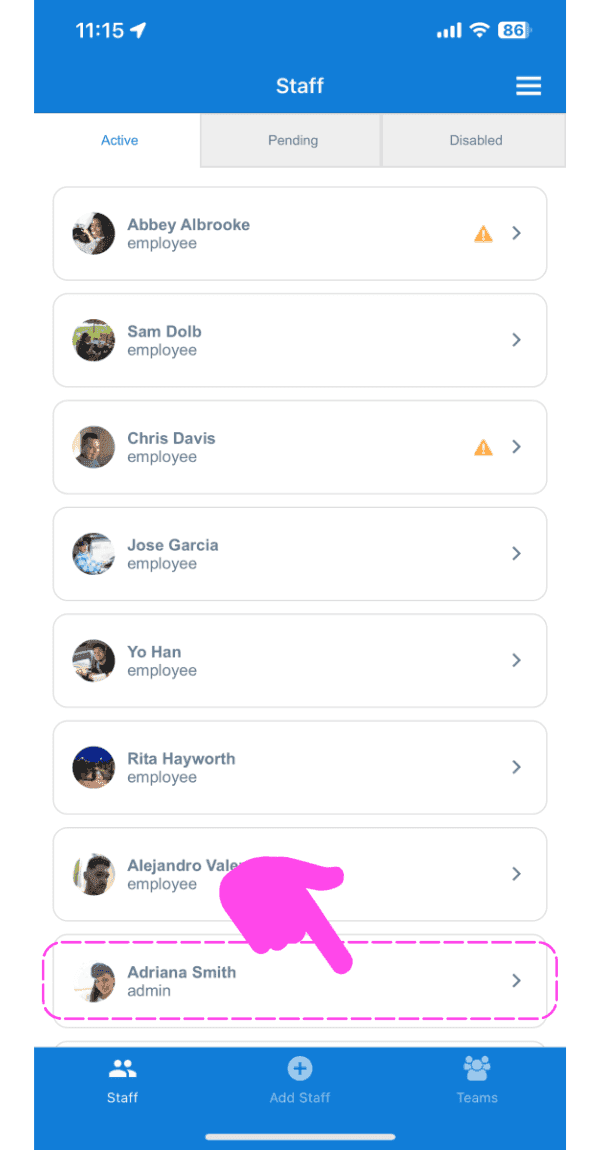
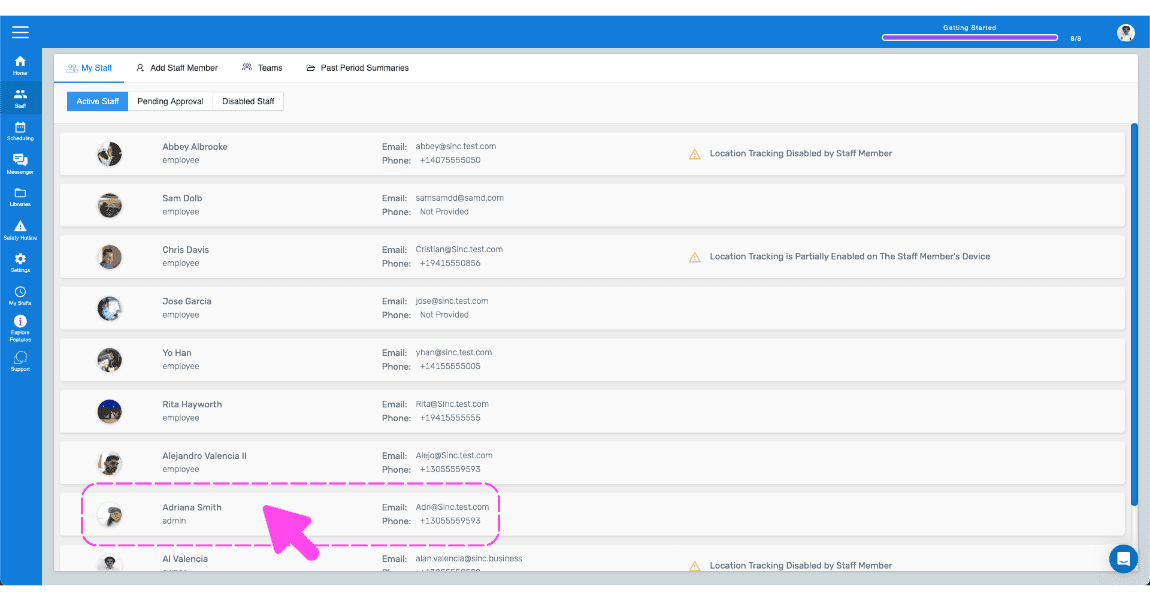
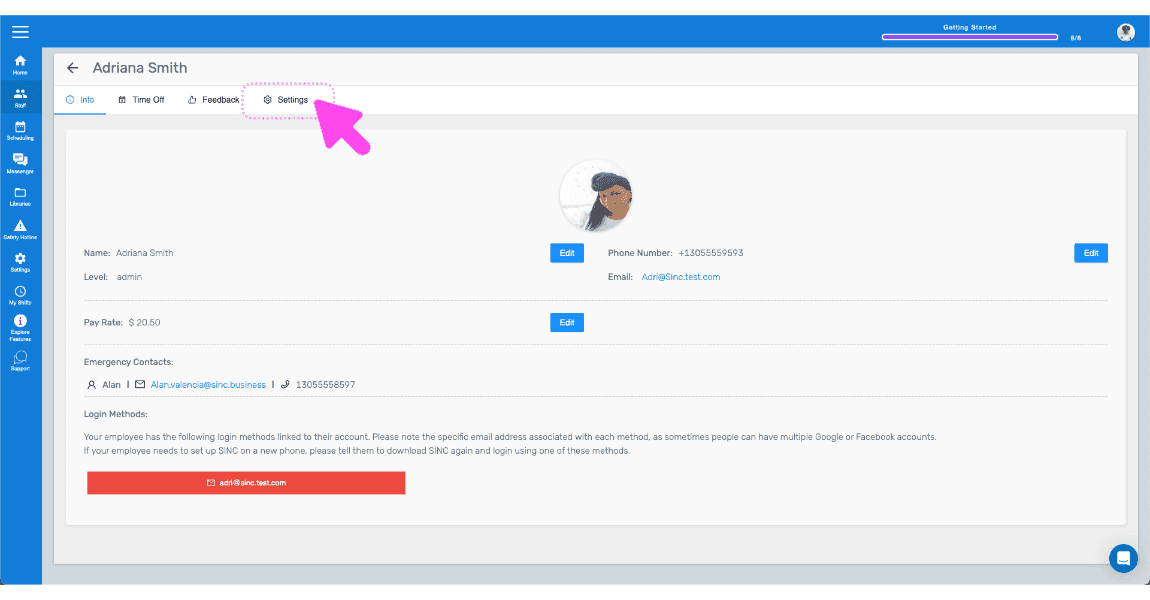
Tap on Staff Member's Name You Want to Revert to Employee
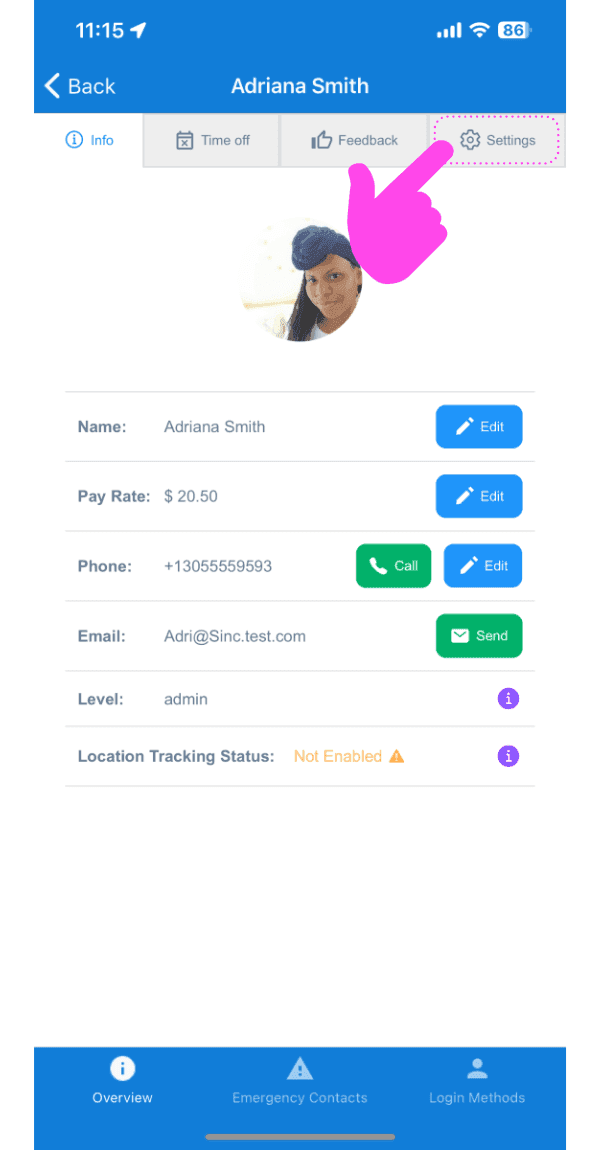
Tap on Settings
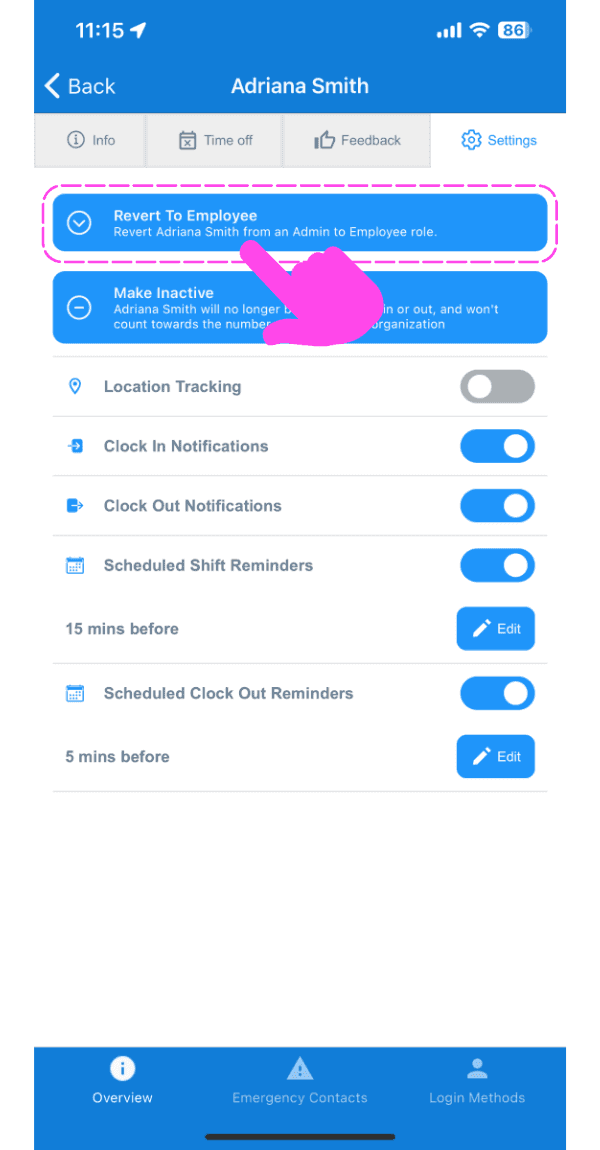
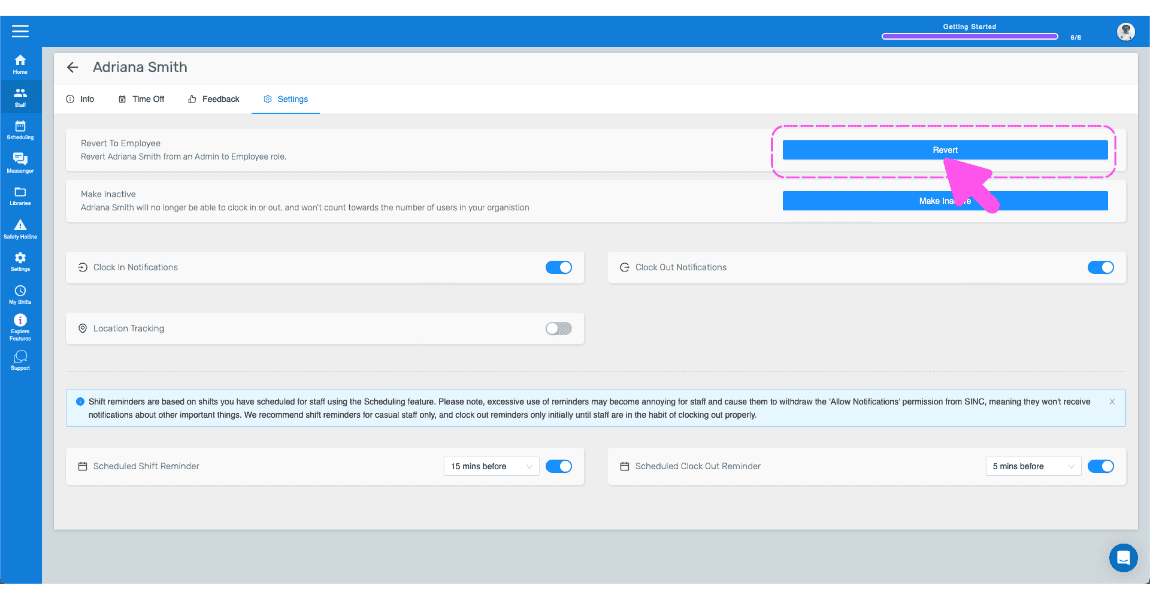
Tap On Revert to Employee (Web Version) Click on Revert
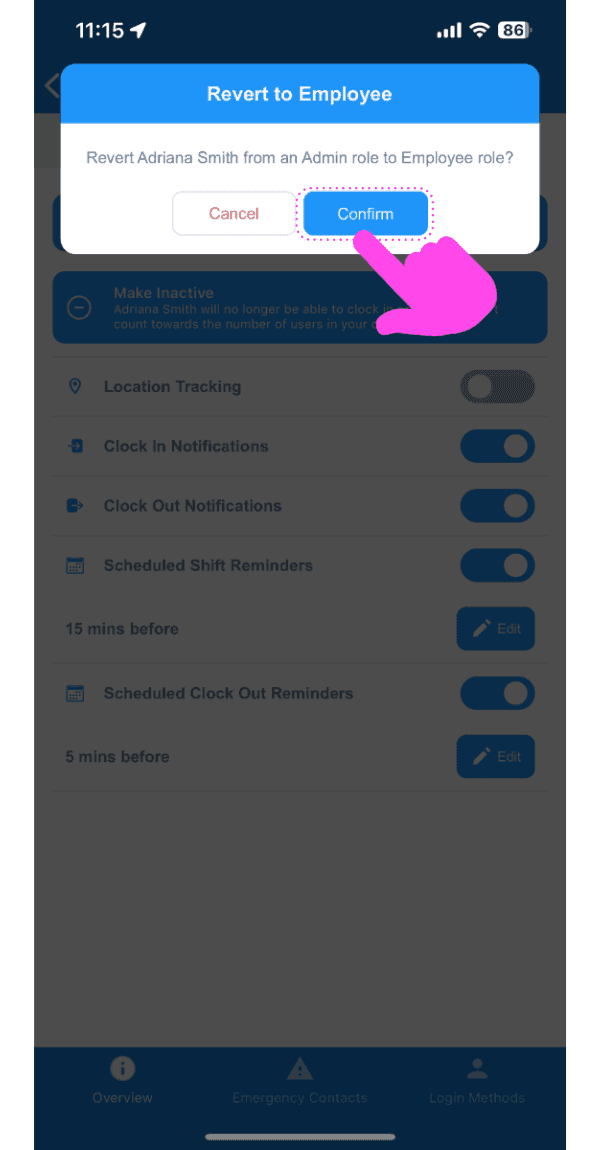
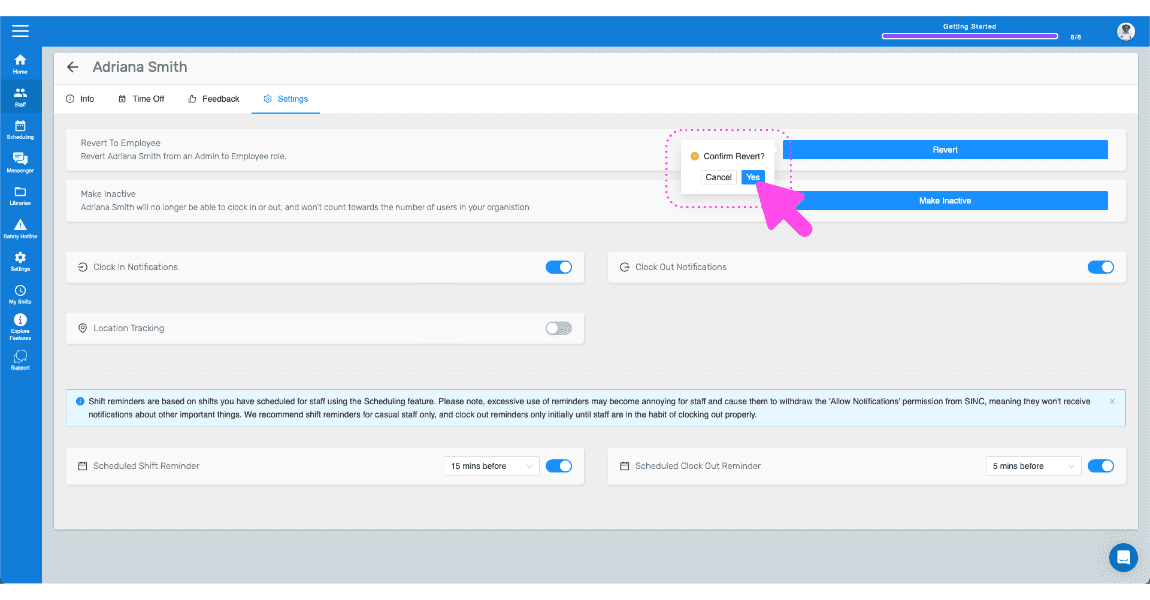
Tap On Confirm
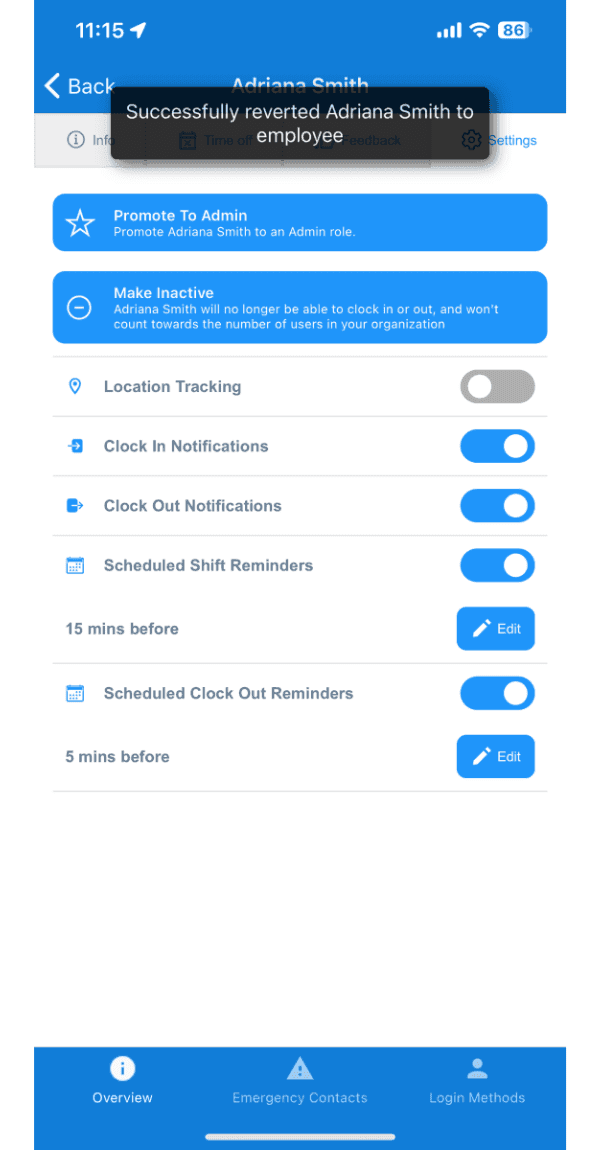
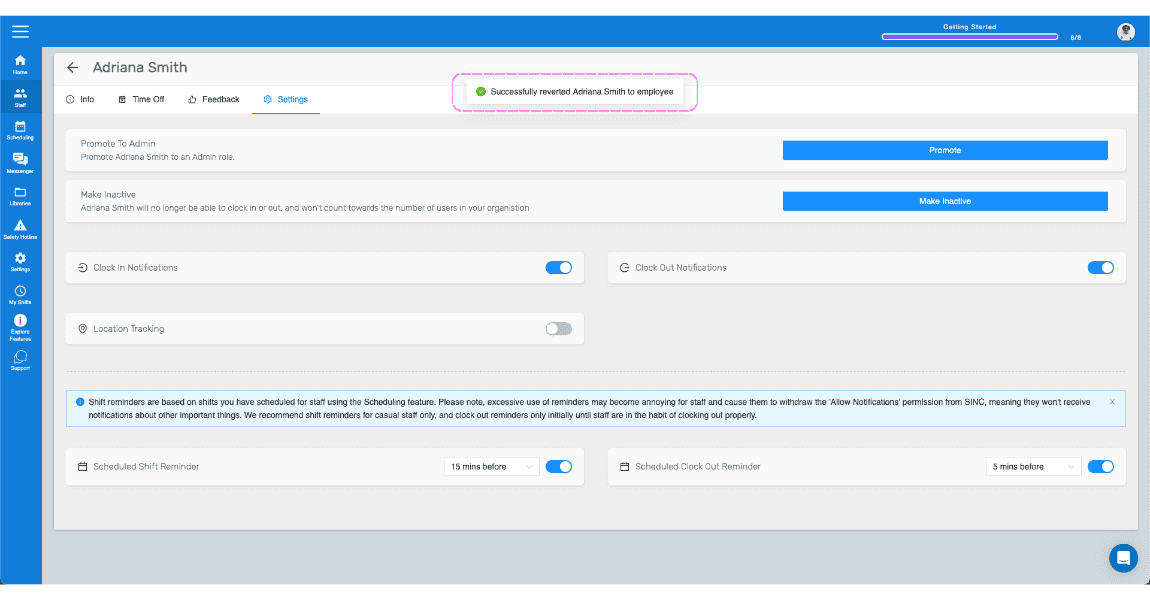
Here you will receive a confirmation
If you are using the web version, it will look like this:
Did this answer your question?