
Request to Add a Time Off
In this guide, we will show you how to request to add a time off as an employee.

SINC Support Team
Jul 14th, 2022
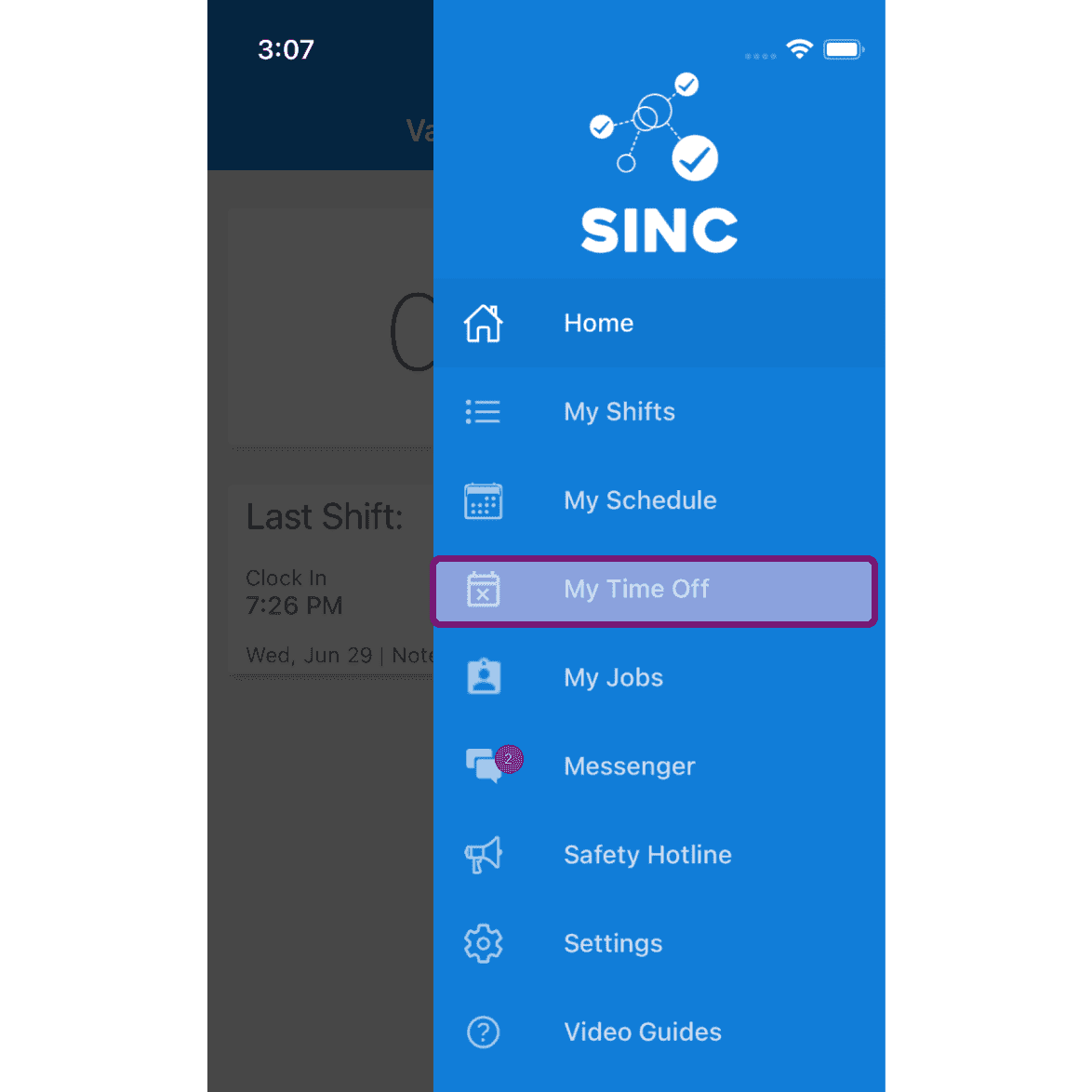
On Mobile: Tap on Menu My Time Off
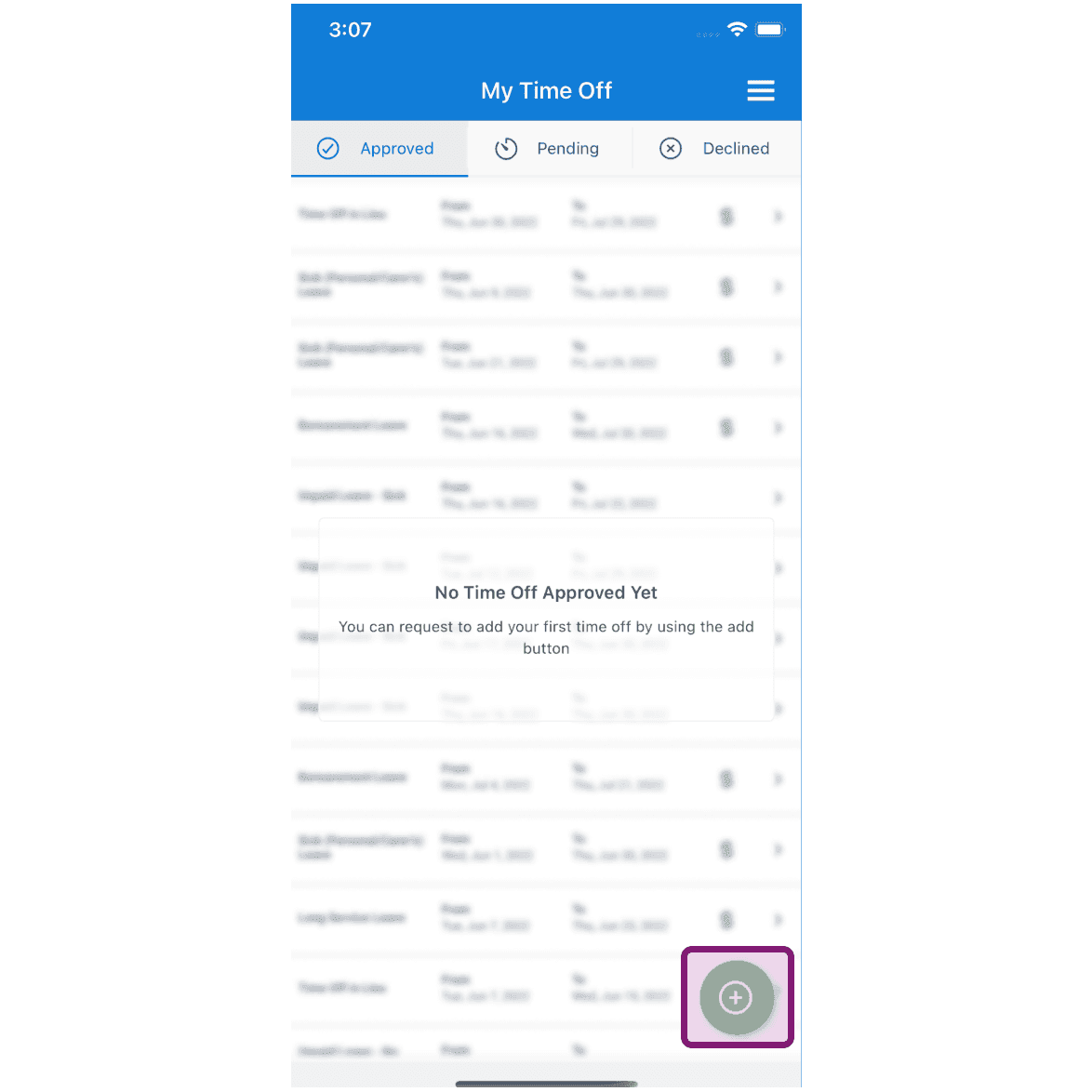
Tap on 'Request Time Off' Button
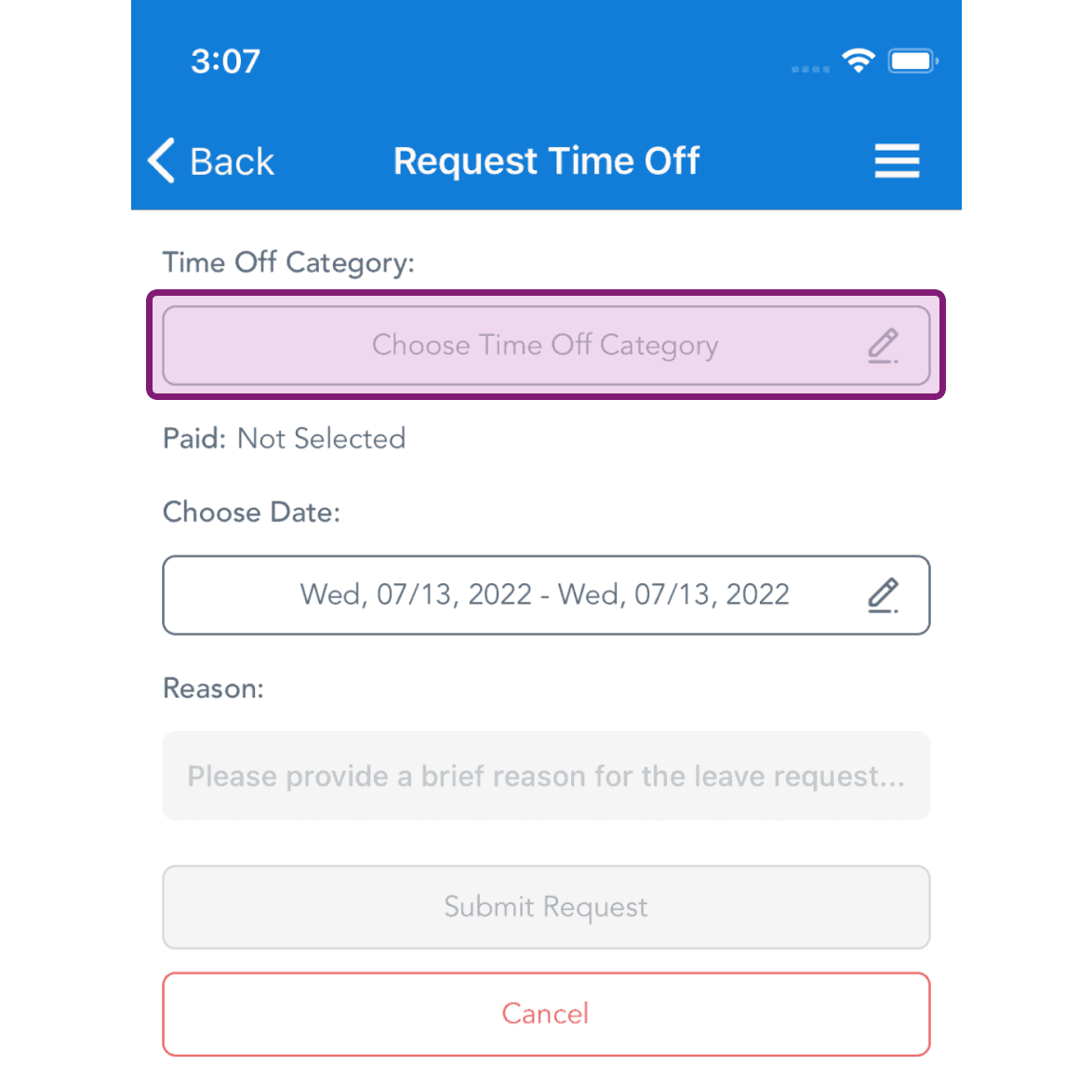
Tap on Time Off Category to select
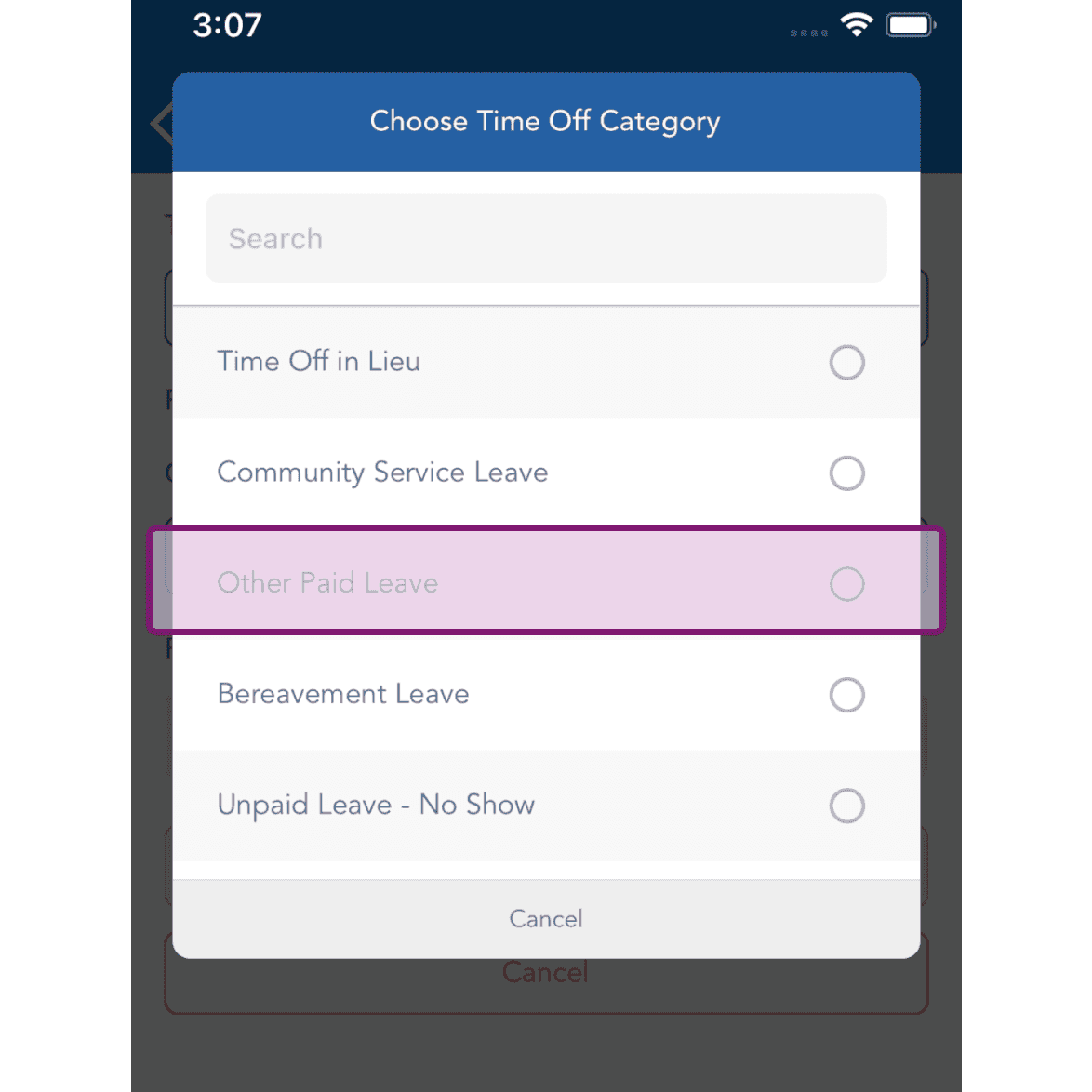
Select the Time Off Category.
Tap on 'Choose Date' to choose
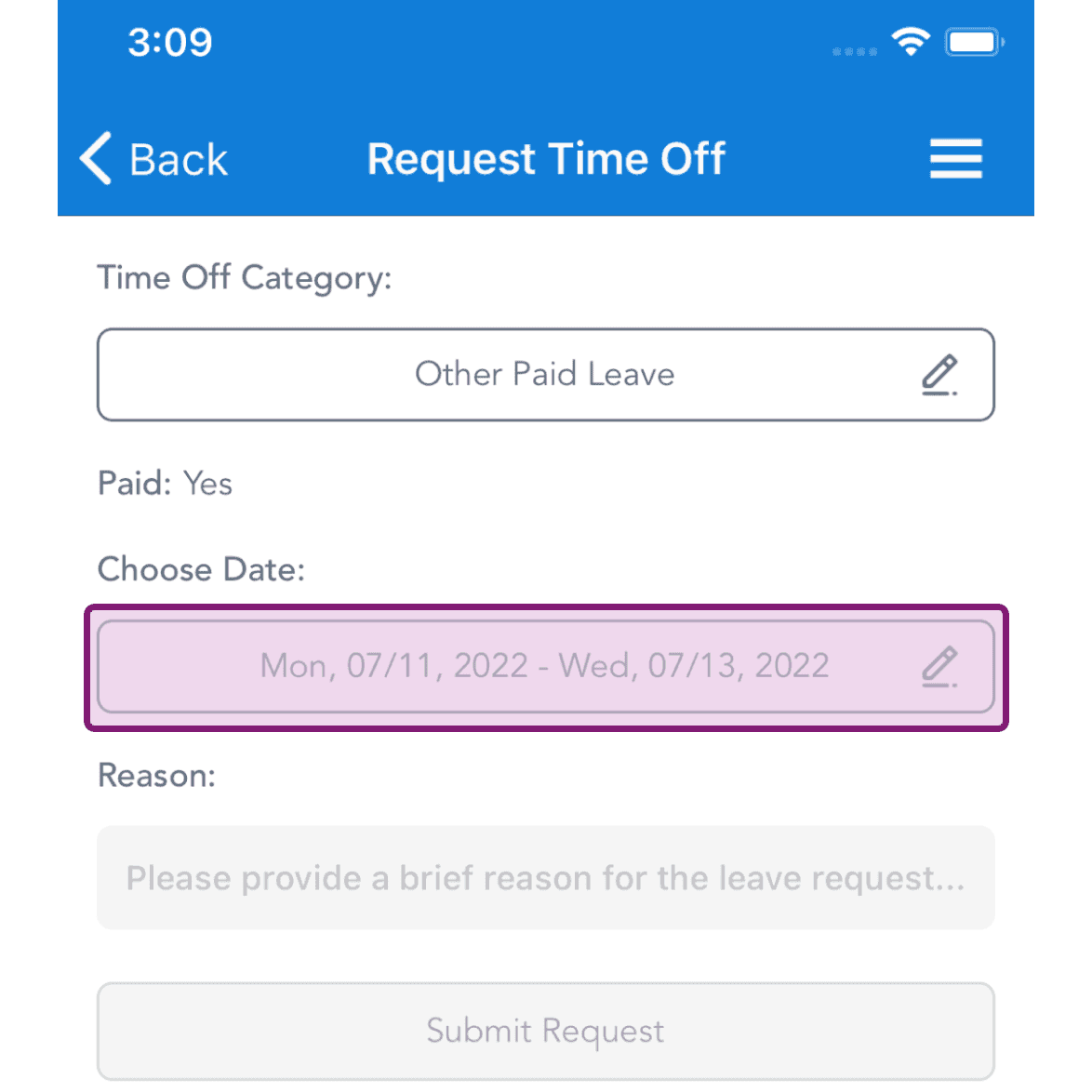
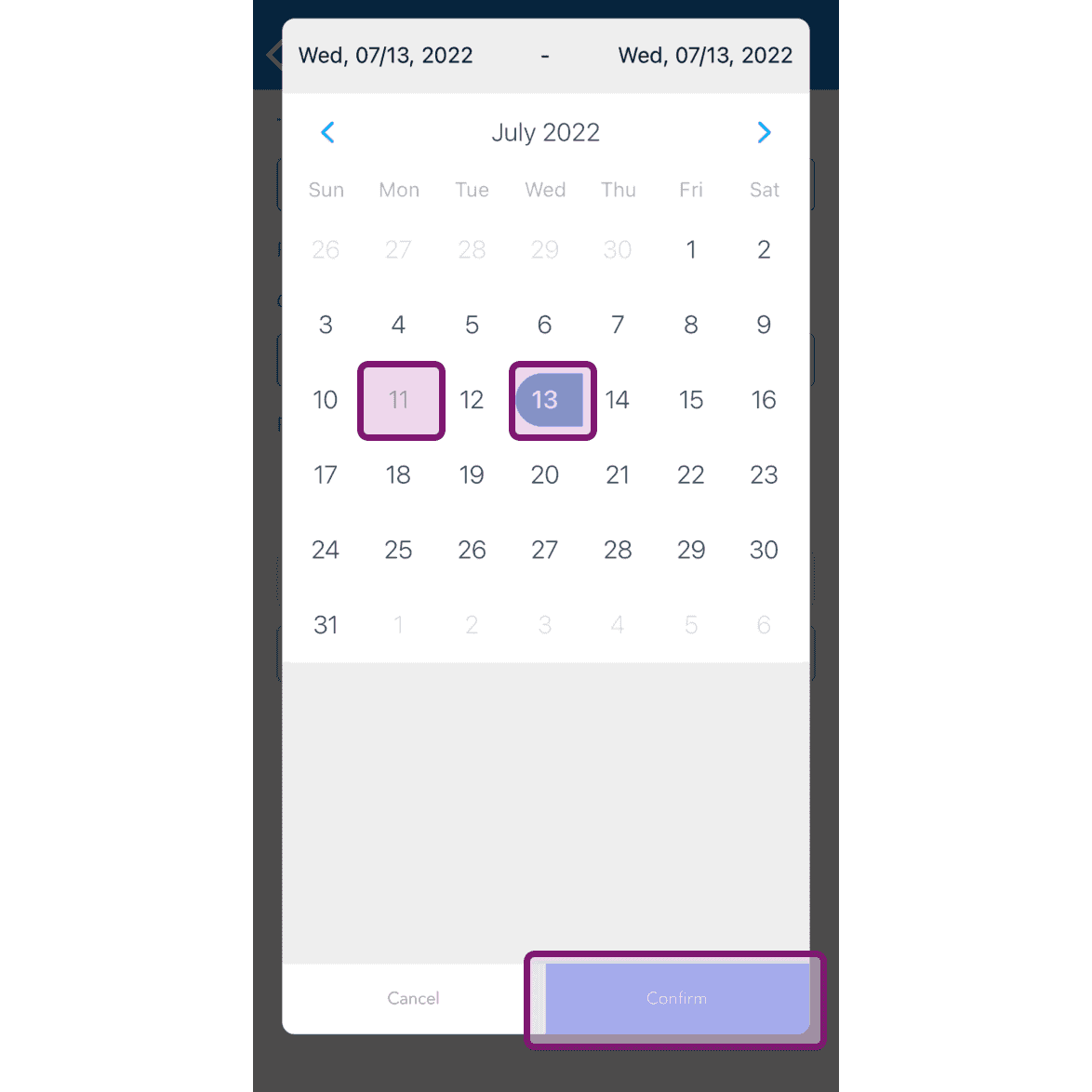
Select the dates for the time off and tap on Confirm
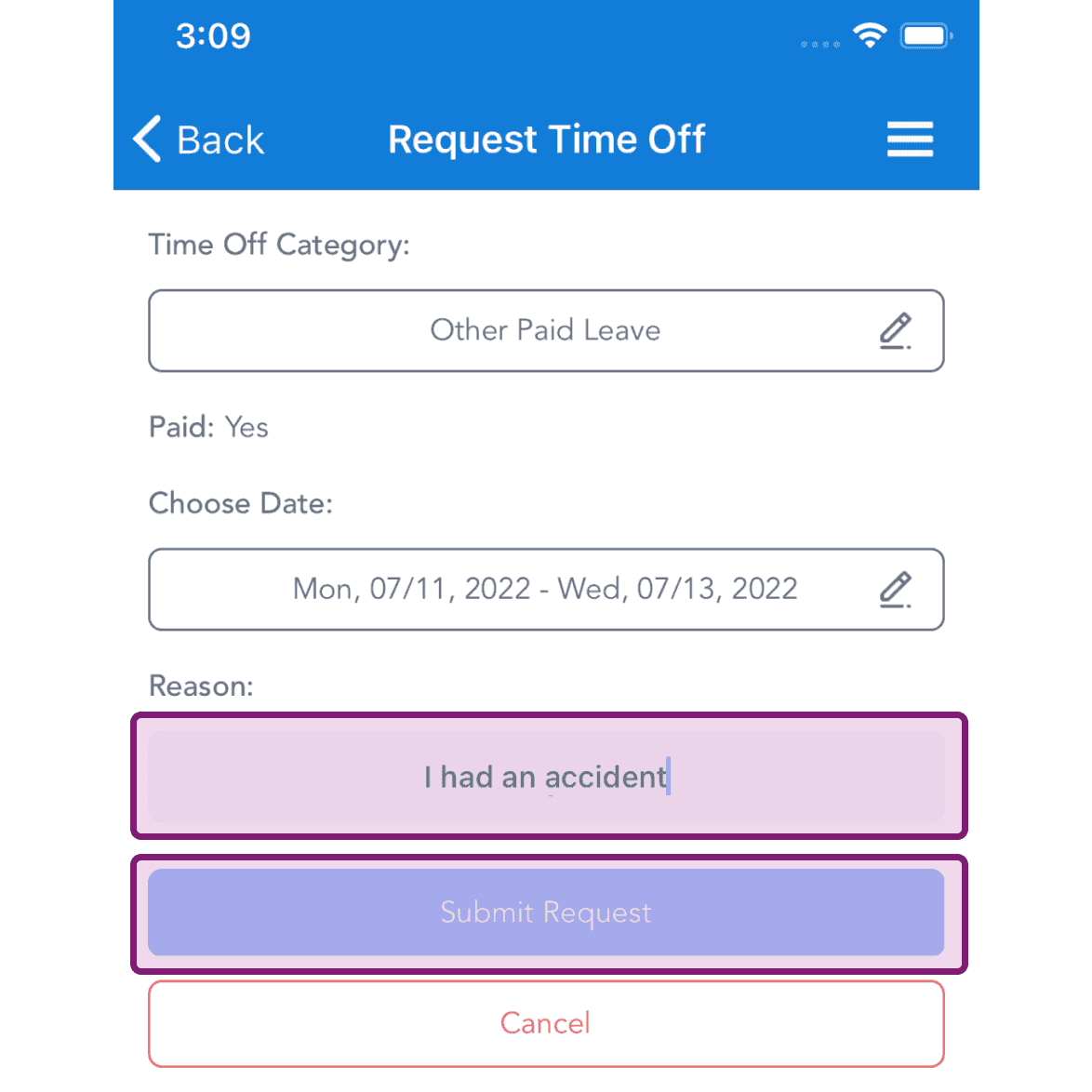
Enter the reason for requesting the time off and tap on 'Submit Request' button
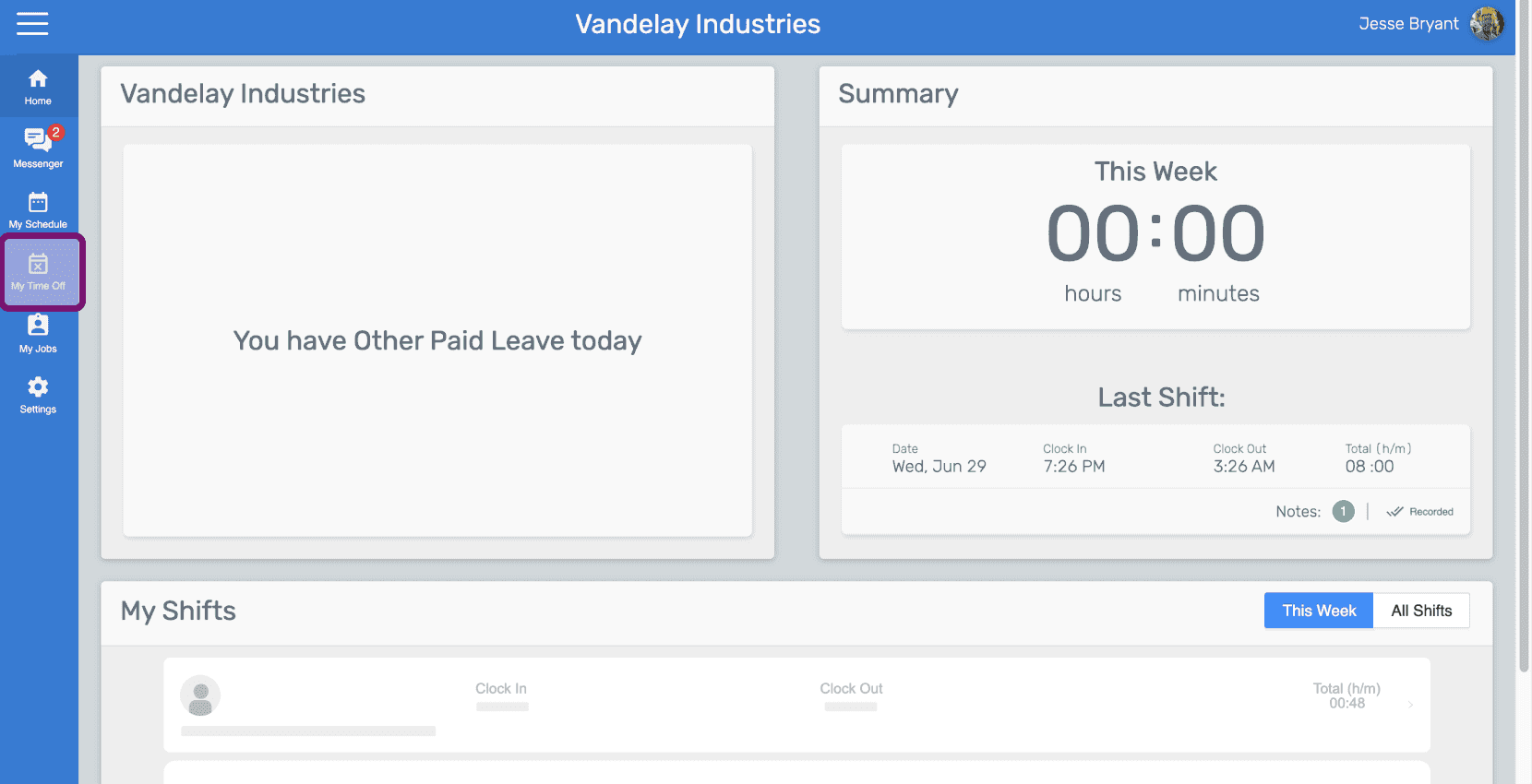
On Web: Click on Menu My Time Off
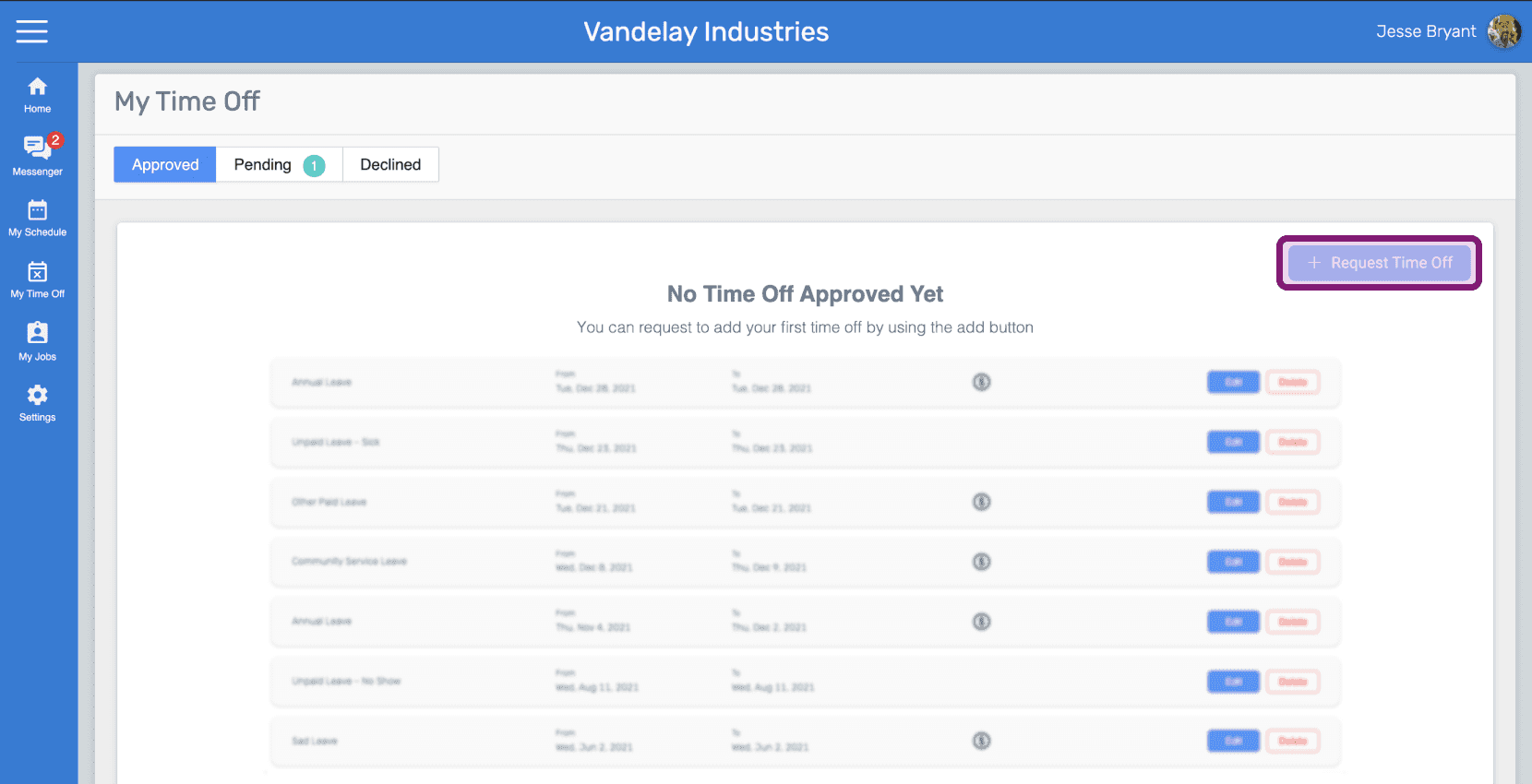
Click on 'Request Time off' button
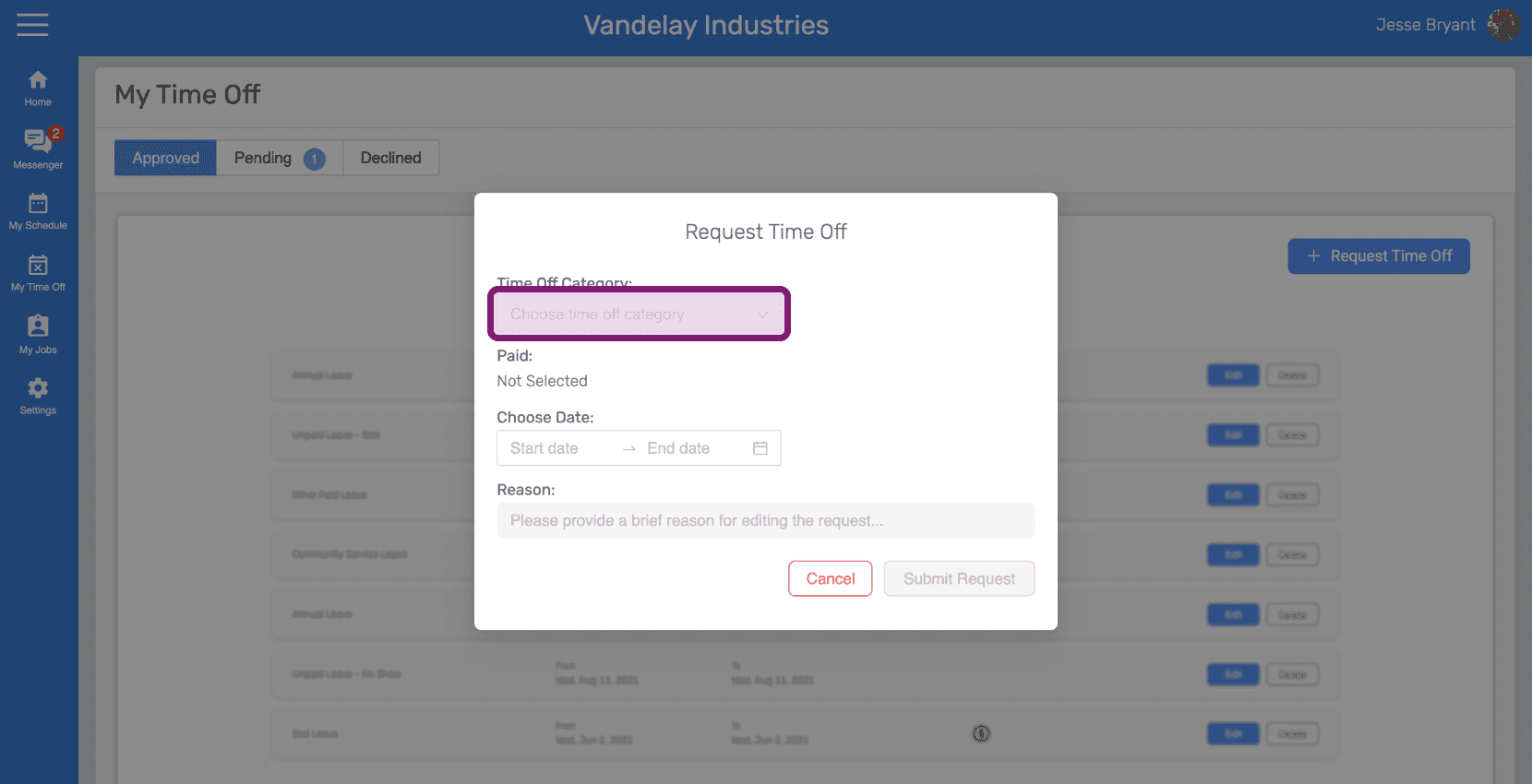
Click on Time Off Category to select
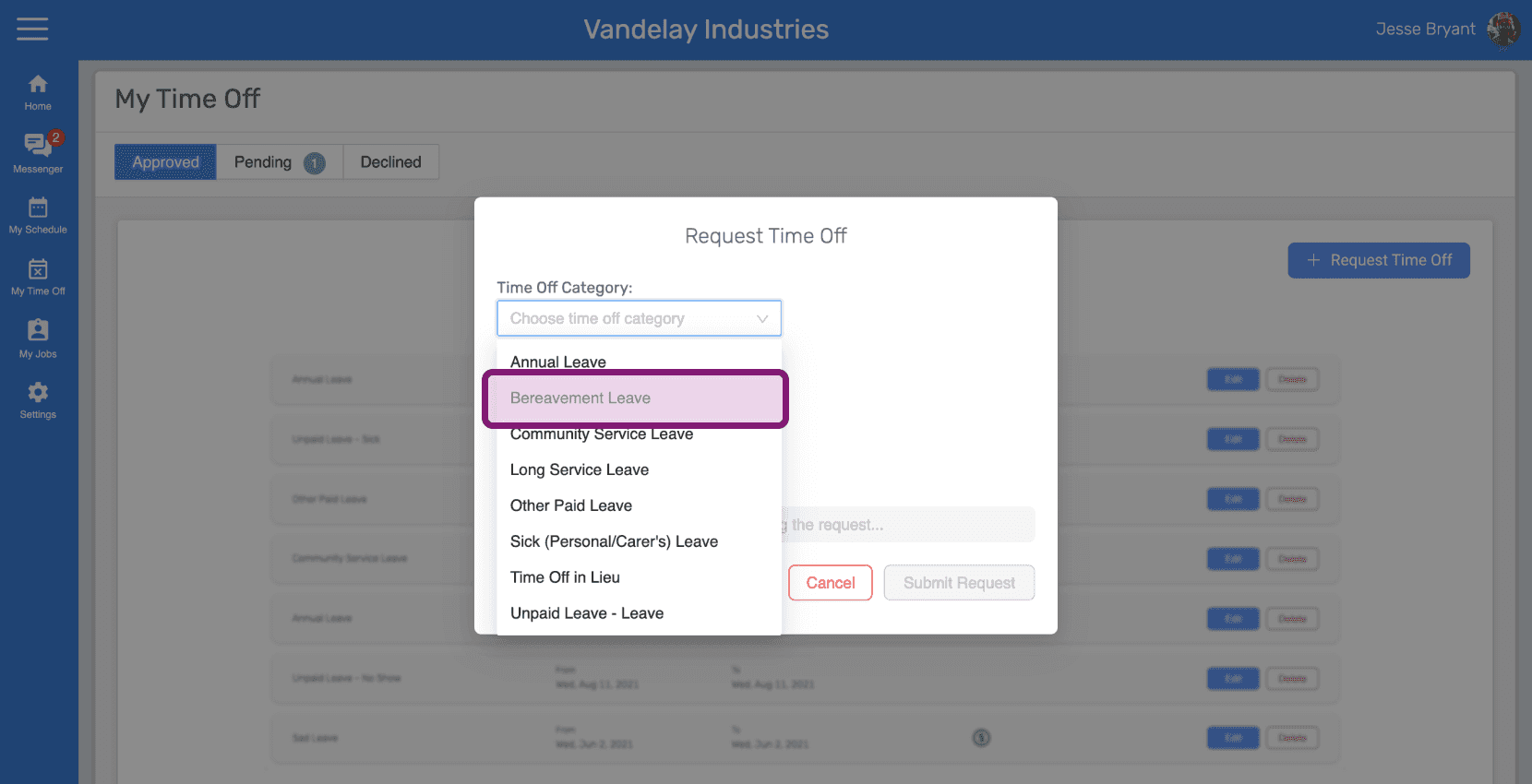
Select the Time Off Category.
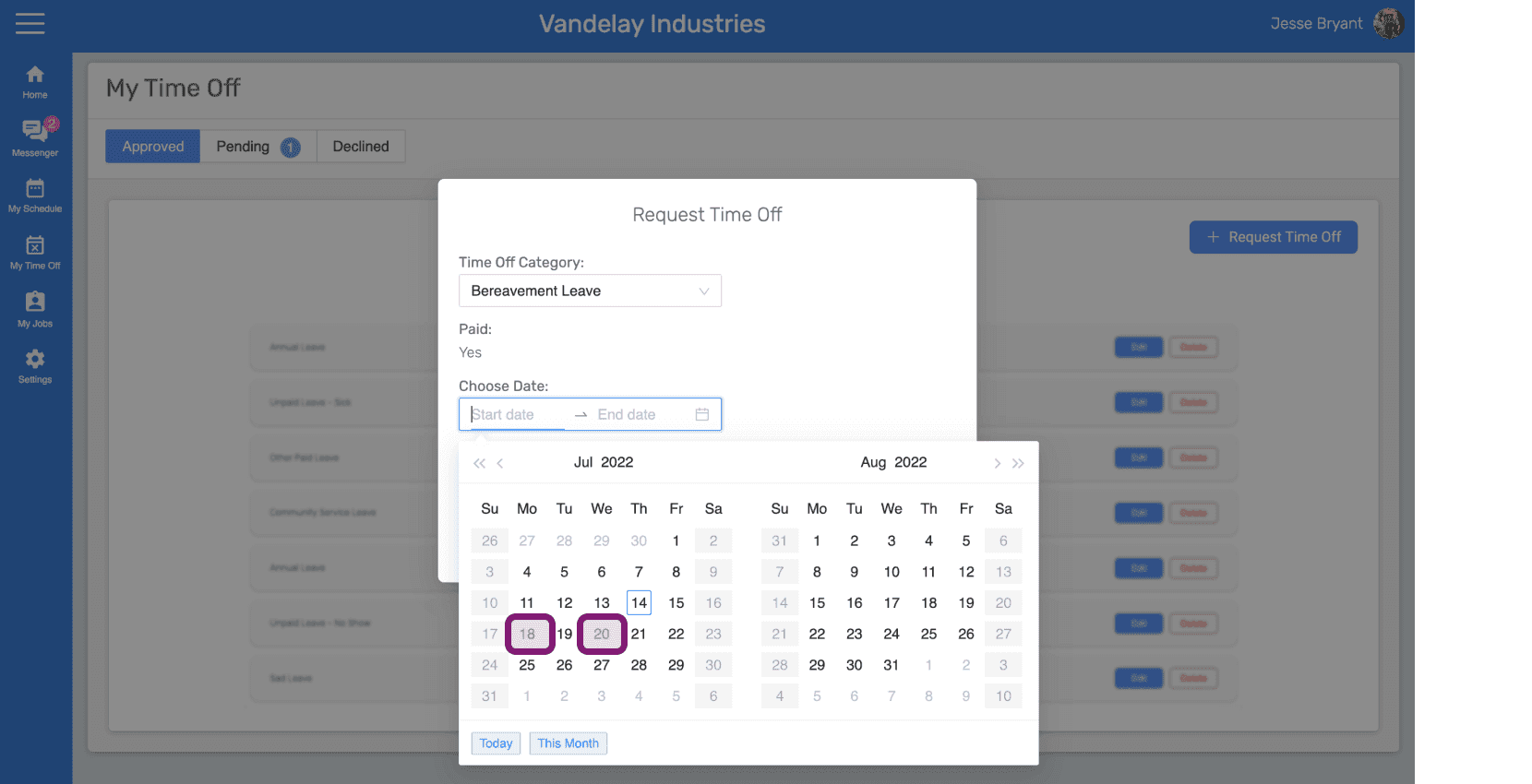
Click on 'Choose Date' to choose
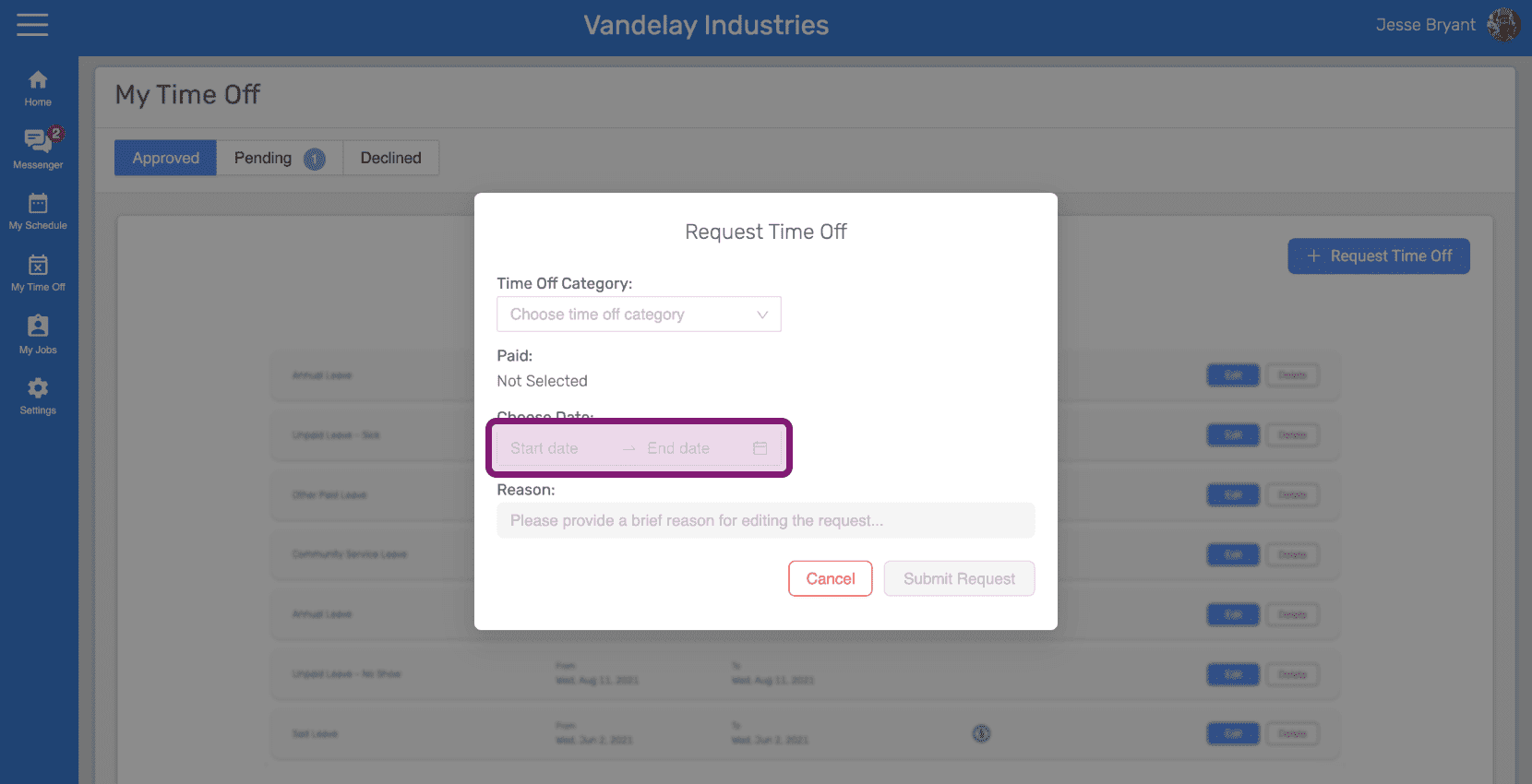
Select the dates for the time off.
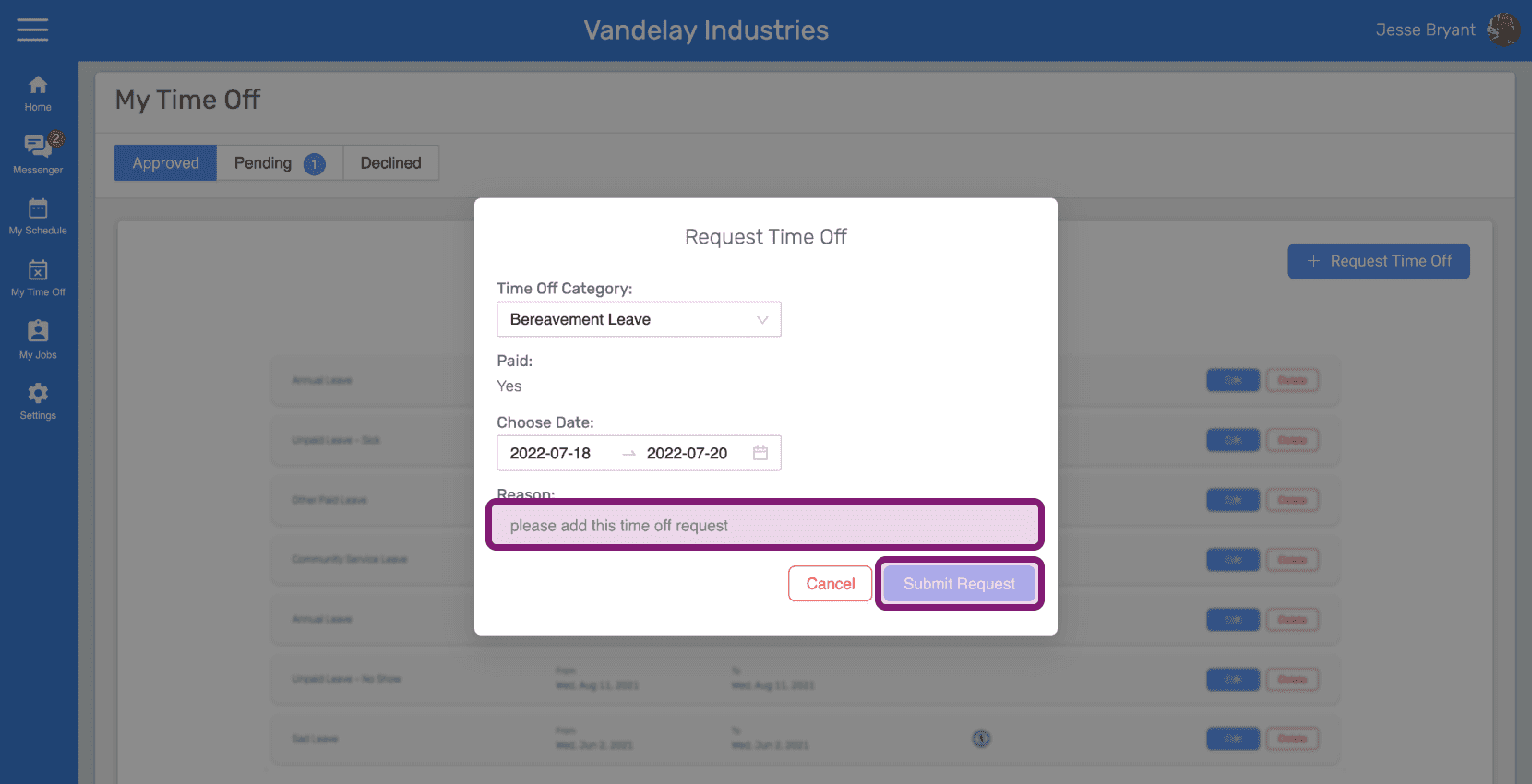
Enter the reason for requesting the time off and click on 'Submit Request' button
Did this answer your question?