Eliminar mensajes

SINC Support Team
SINC Support Team
Mar 10th, 2023

Para eliminar un mensaje en la aplicación móvil: mantén pulsado el mensaje
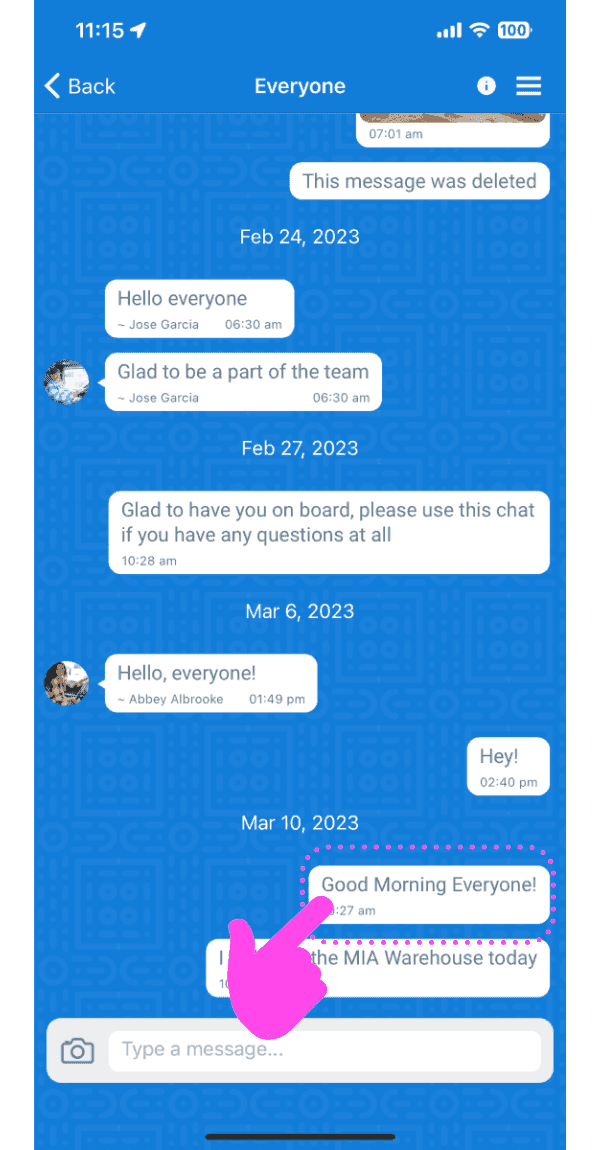
Group chat conversation screen with a pink arrow pointing to a message to long-press and delete

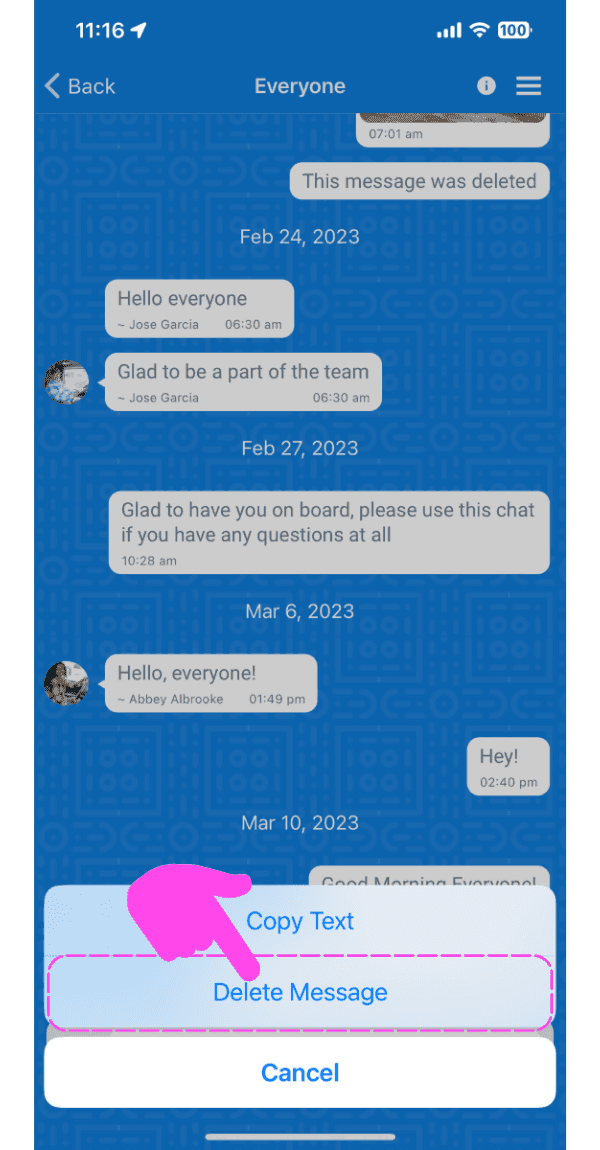
Toca «Eliminar mensaje»

SINC mobile chat conversation with a message options menu open and the Delete Message option highlighted

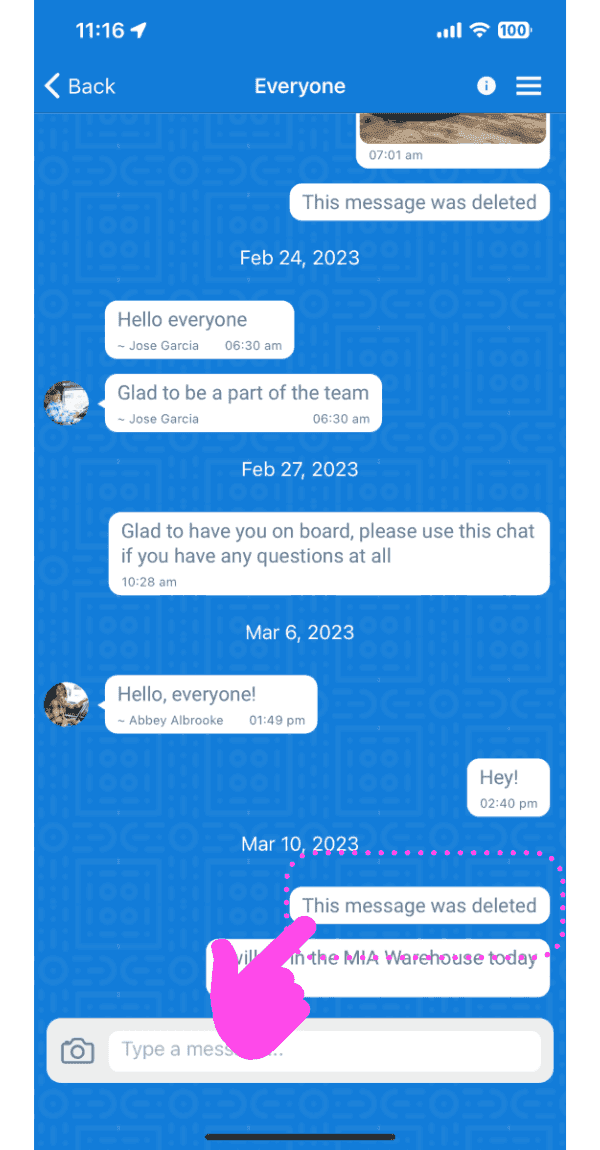
El mensaje se eliminará.

Mobile group chat thread with a deleted message outlined in pink and a finger tapping it

En la versión web: pasa el cursor sobre un mensaje y haz clic en el icono de la papelera
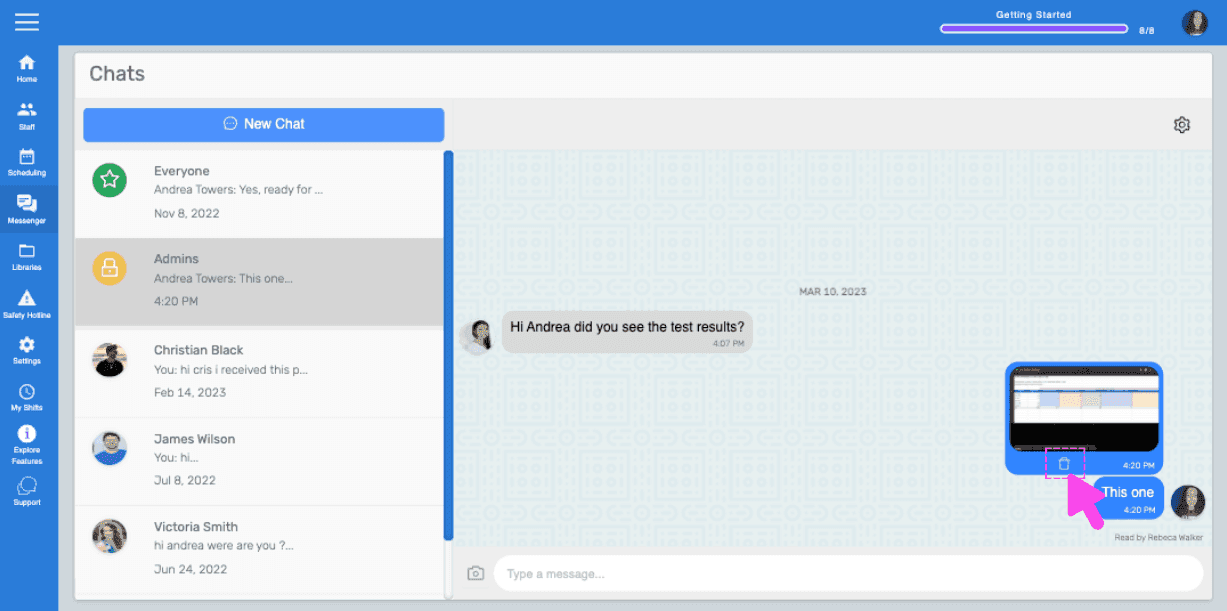
SINC web chat conversation with a pink hand pointing to the trash icon on a hovered message

Haz clic en Sí cuando aparezca el mensaje.
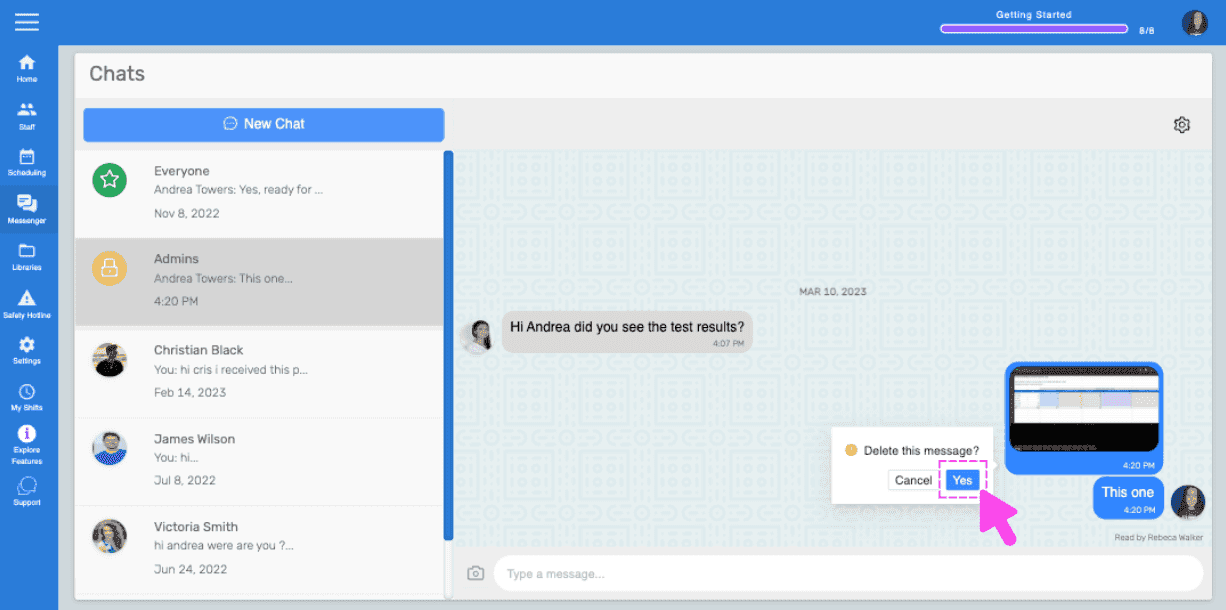
Chats screen showing a delete message confirmation popup with a pink arrow on the Yes button

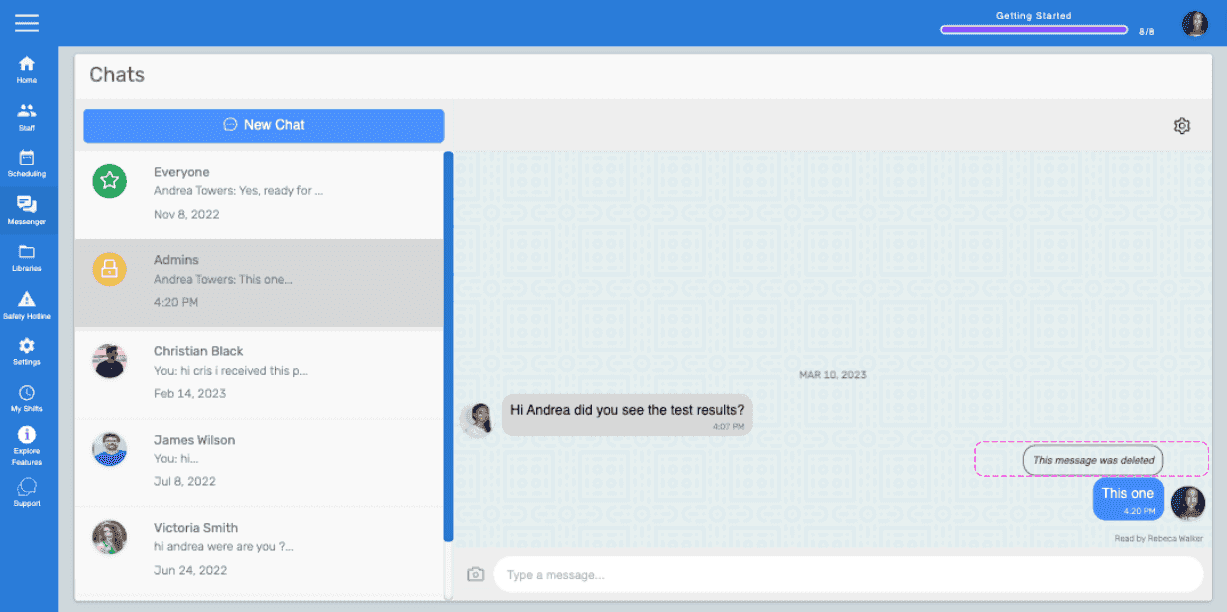
El mensaje se eliminará.

Web Chats screen showing a message marked 'This message was deleted' highlighted in pink

¿Esto respondió tu pregunta?