
Silenciar las notificaciones del chat
Esta guía muestra cómo silenciar las notificaciones de un chat.

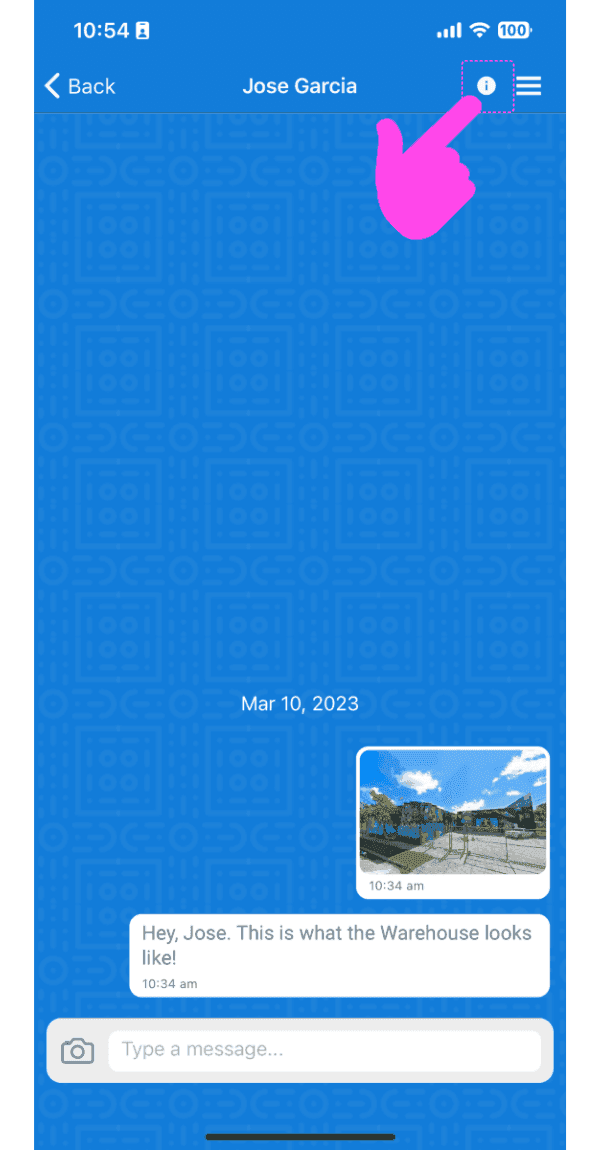
En la aplicación móvil: selecciona un chat de la lista y toca el icono Información de la barra superior (en la parte superior).
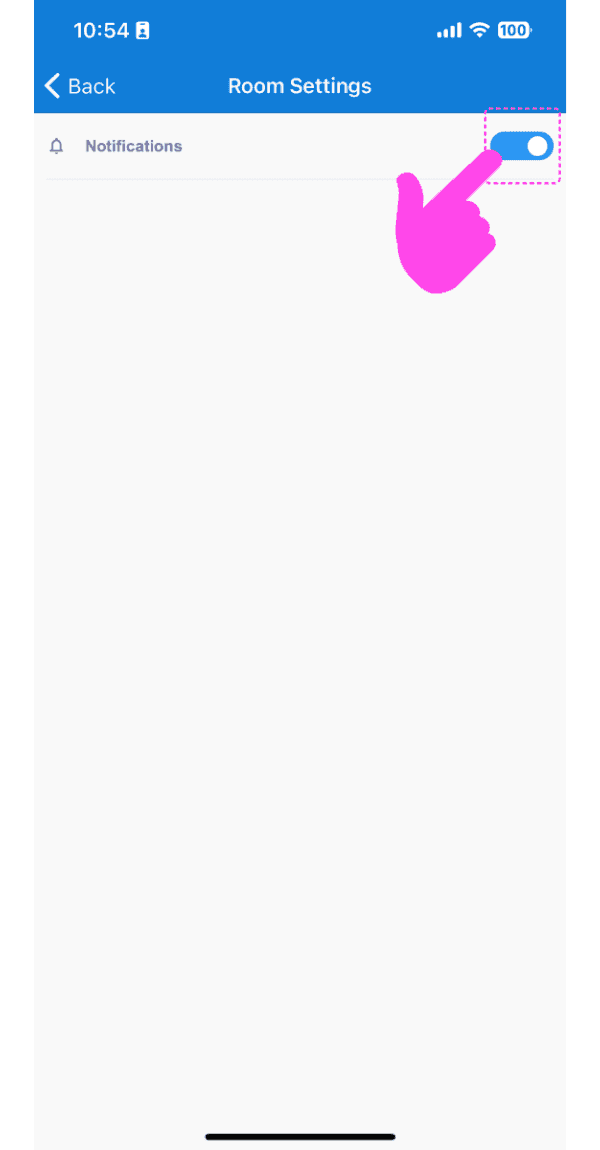
Pulsa Cambiar para activar o desactivar las notificaciones
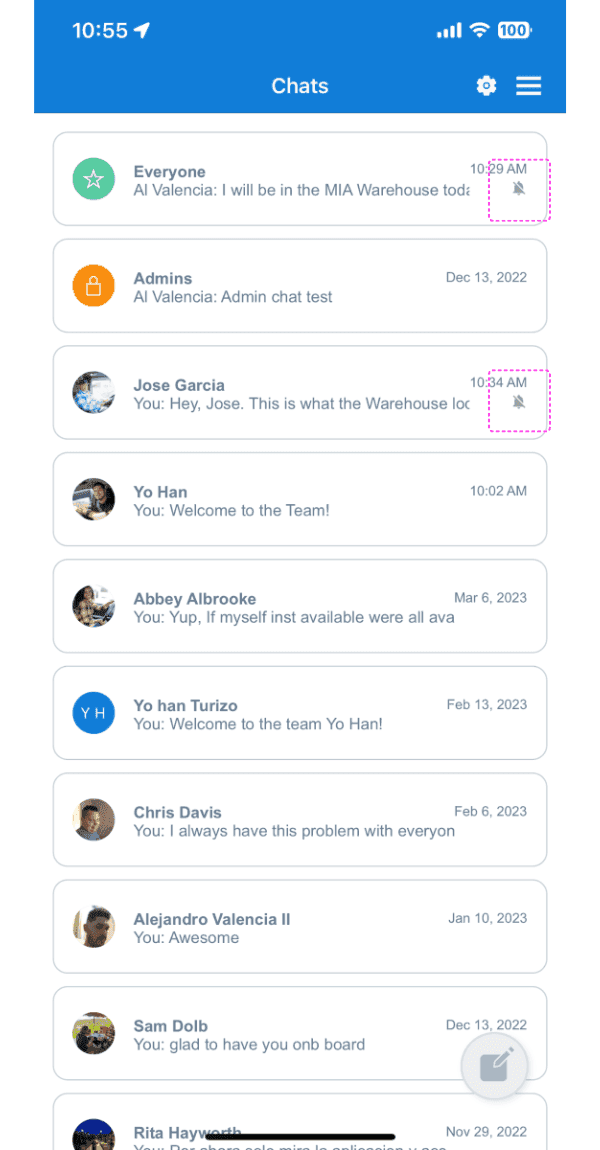
Si las notificaciones de un chat específico están silenciadas, aparecerá un icono de campana tachada en la lista de salas.
En la versión web: selecciona un chat haciendo clic en uno de la lista de chats y haz clic en el icono de la rueda dentada.
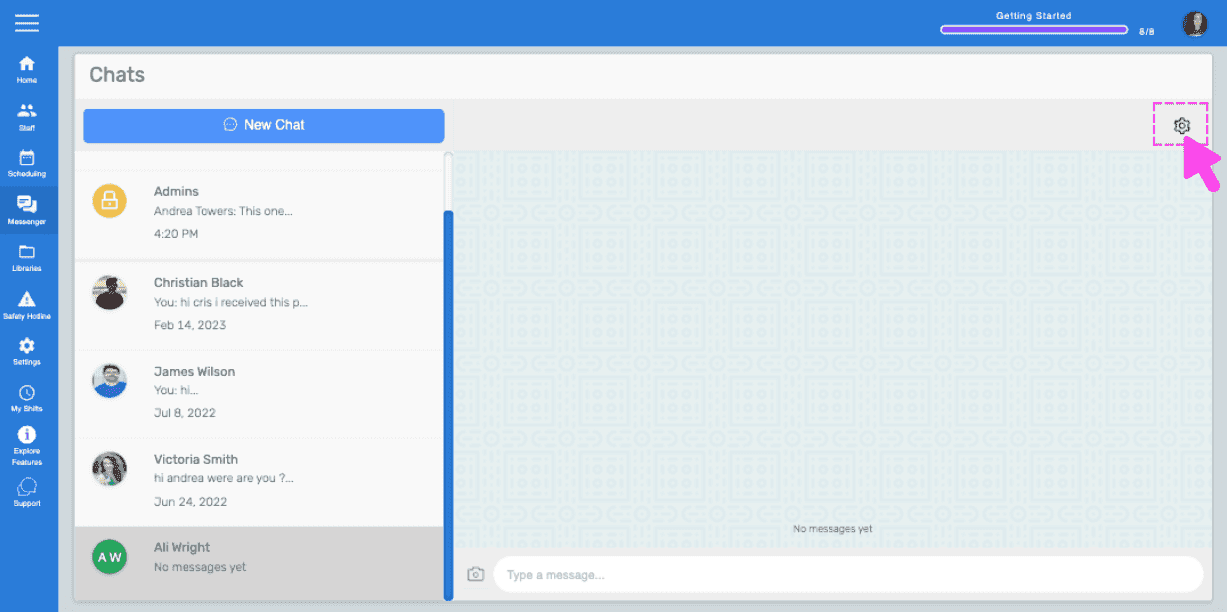
Haz clic en Interruptor para activar o desactivar las notificaciones
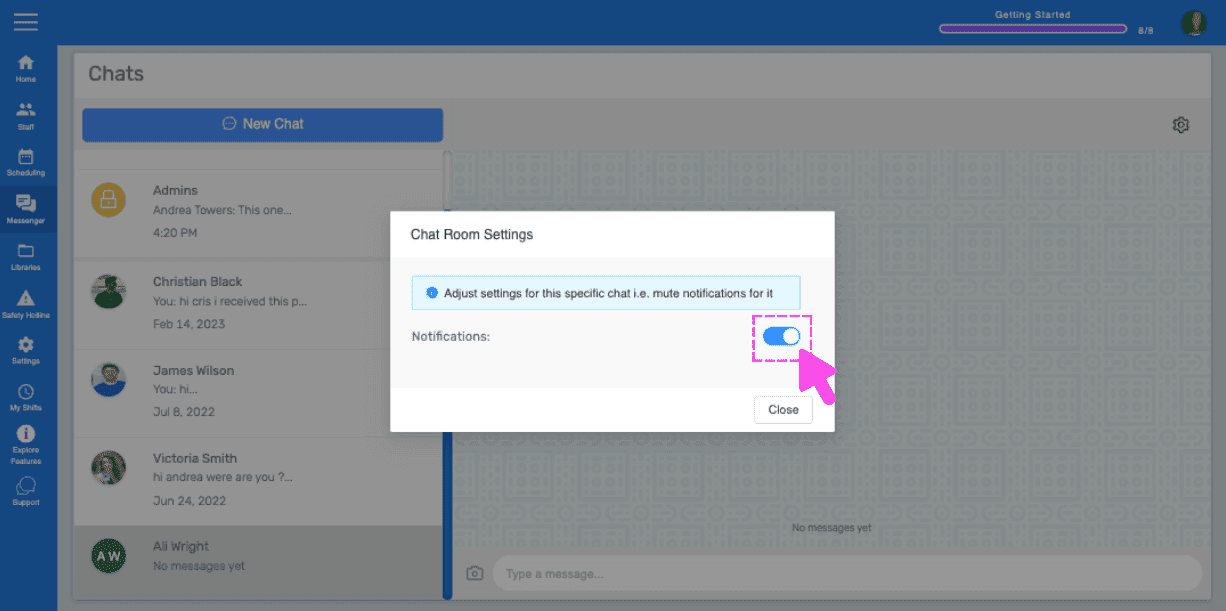
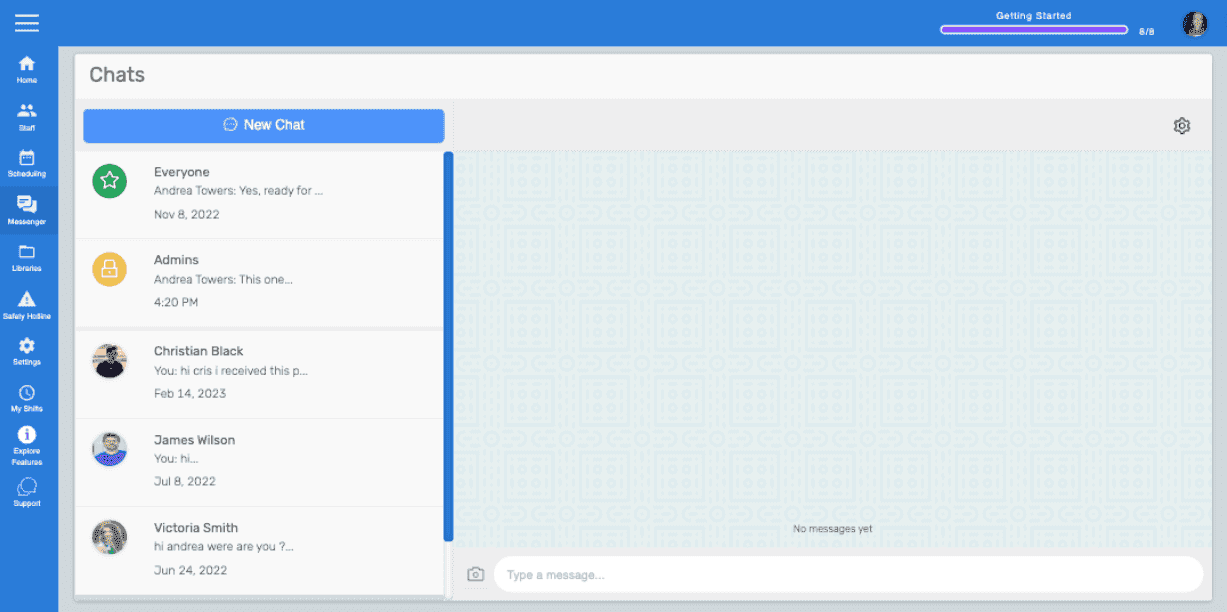
Si las notificaciones de un chat específico están silenciadas en la versión web, aparecerá un icono de campana tachada junto a ese chat en la lista de salas. Nota: De forma predeterminada, las notificaciones están activadas. El usuario debe desactivarlas o silenciarlas manualmente.
¿Esto respondió tu pregunta?