Enviar mensajes de texto o imágenes en el chat

Esta guía muestra cómo enviar texto o imágenes como mensaje.

SINC Support Team
SINC Support Team
Mar 10th, 2023

Primero, selecciona un chat de la lista de chats. En la aplicación móvil: toca sala de chat en la lista.

SINC mobile Chats list with a pink arrow pointing to the Everyone group chat

Toca el campo de entrada para introducir texto
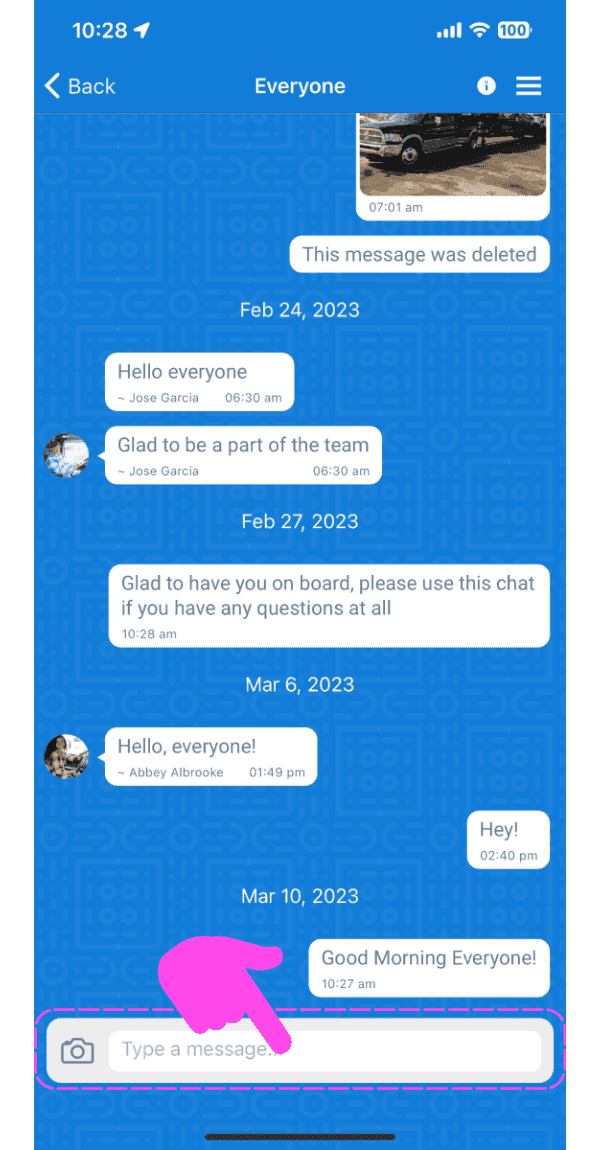
SINC mobile group chat screen with a pink hand pointing to the message input box

Introduce un mensaje y pulsa el botón «Enviar». El mensaje se enviará.
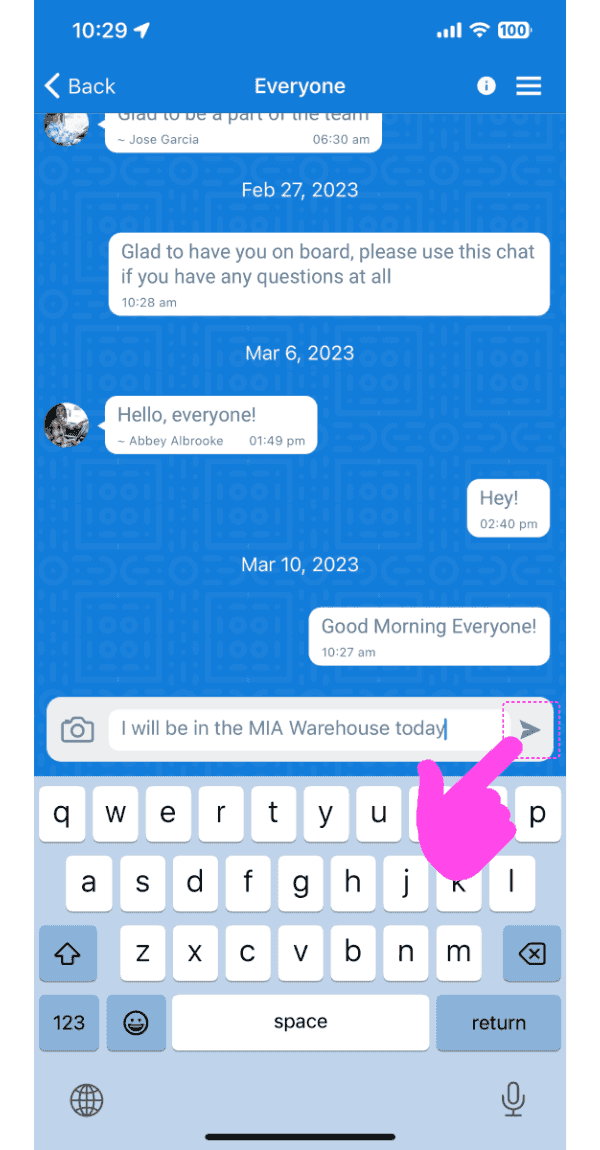
Mobile app chat conversation with a typed message and the Send arrow button highlighted by a pink arrow

Para enviar una imagen como mensaje, toca el botón «Cámara»
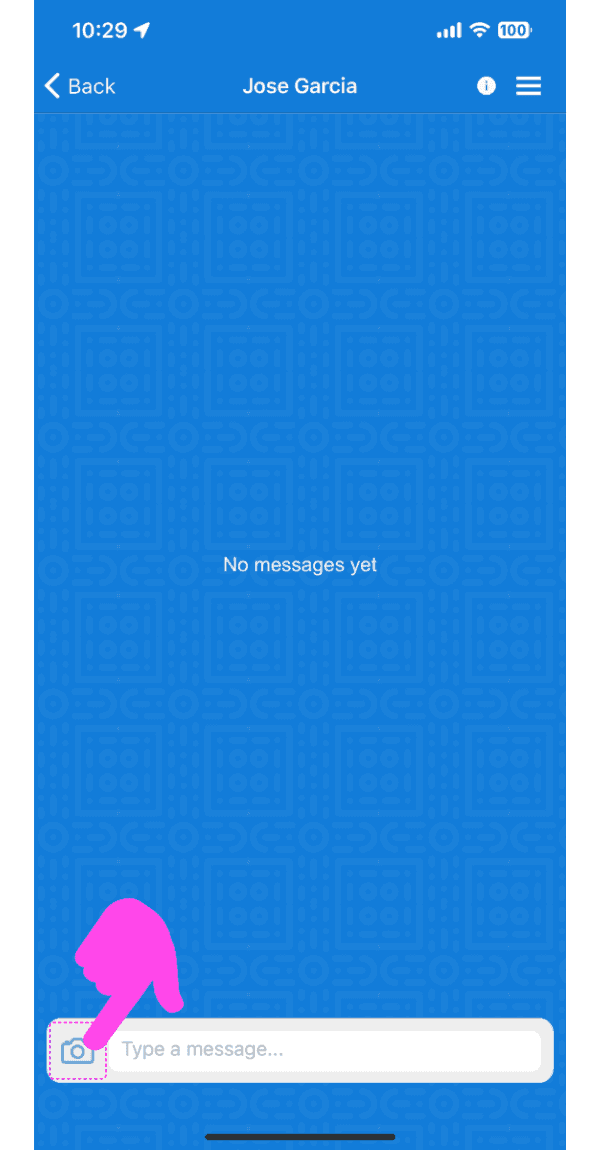
SINC mobile chat conversation screen with a pink arrow pointing to the camera icon by the message field

Selecciona una opción: haz una foto o elige una de la galería.

Send Photo screen with dashed-highlighted Take Photo and Choose From Photos options above the Send Photo button

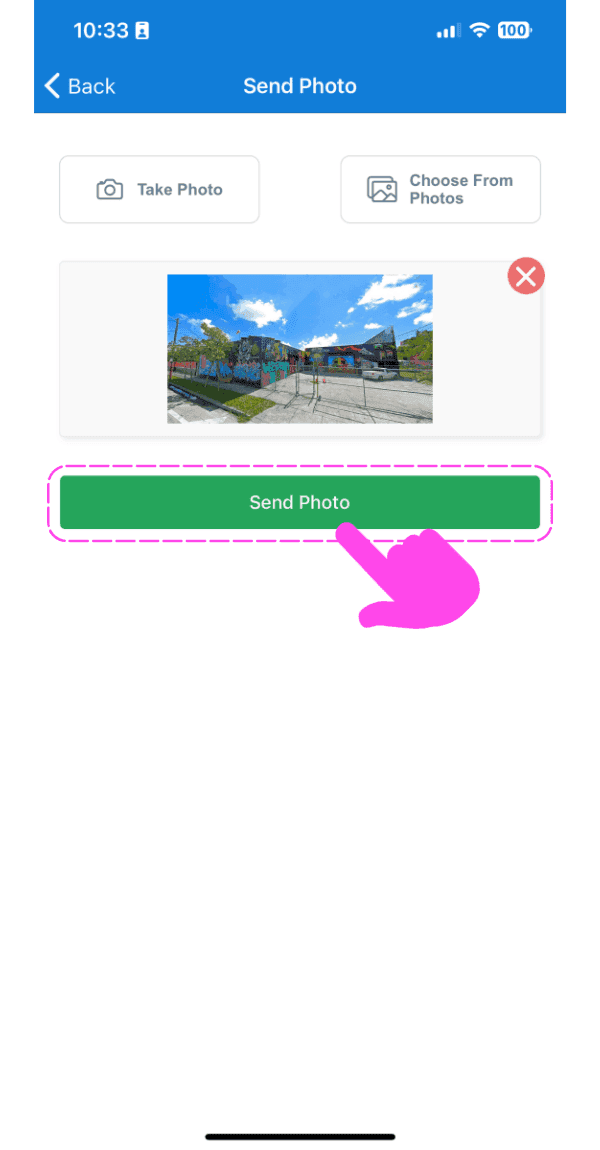
Toca el botón «Enviar foto»

SINC mobile Send Photo screen with an image preview and a pink arrow pointing to the Send Photo button

El mensaje con la imagen se enviará después de mostrar el progreso de carga.
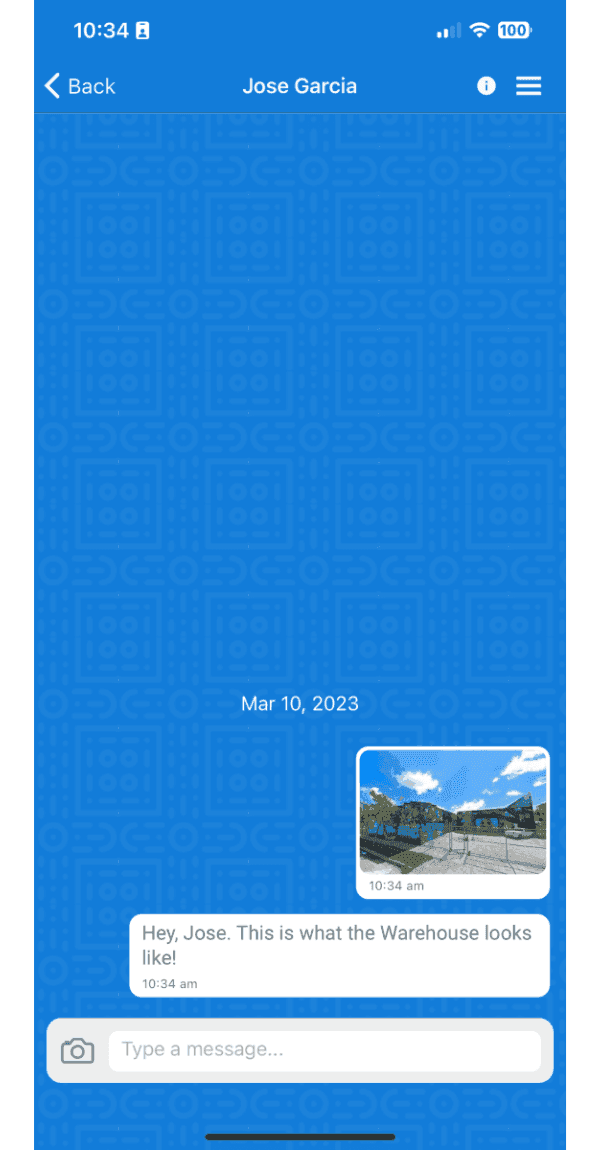
Mobile chat conversation showing a sent photo of a warehouse with an accompanying text message

En la versión web: haz clic en un chat de la lista
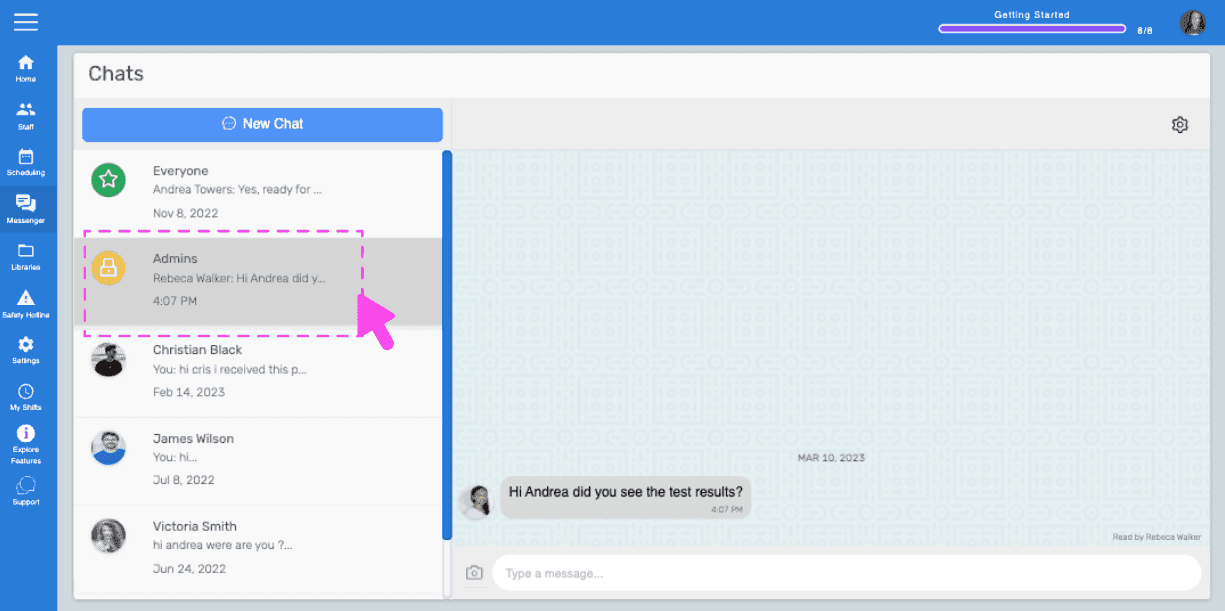
SINC web Chats screen with a pink arrow pointing to a conversation selected from the list on the left

Haz clic en el cuadro de texto y empieza a escribir para enviar un mensaje.
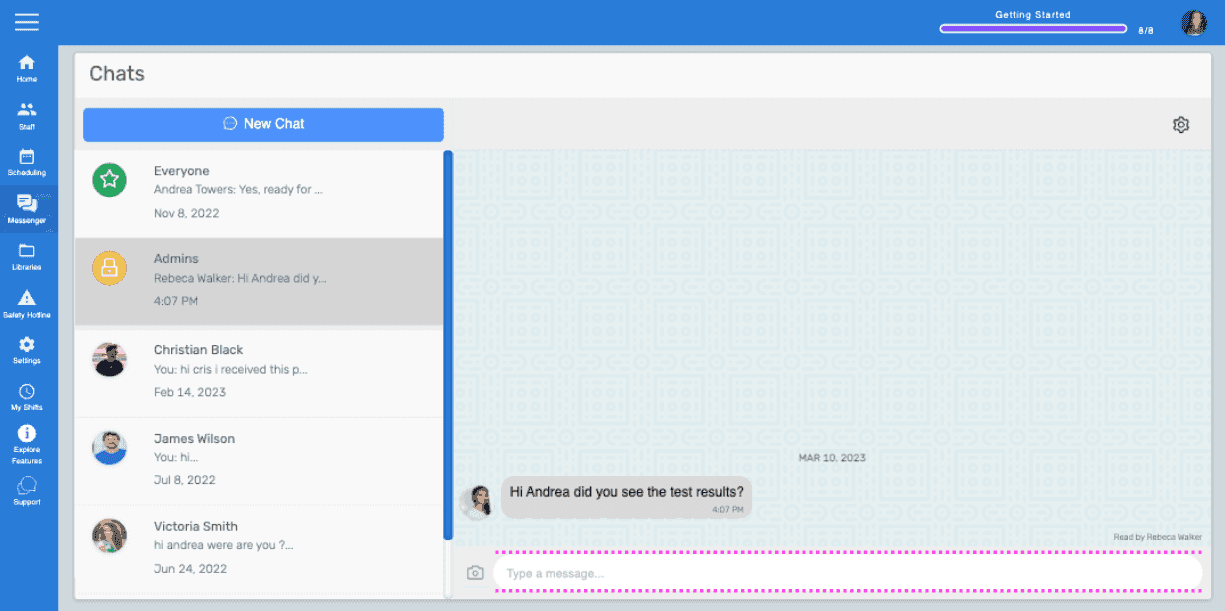
Chats screen with a message thread open and the text input box highlighted at the bottom

Haz clic en el icono Enviar o pulsa la tecla Intro para enviar el mensaje de texto. El mensaje se enviará.
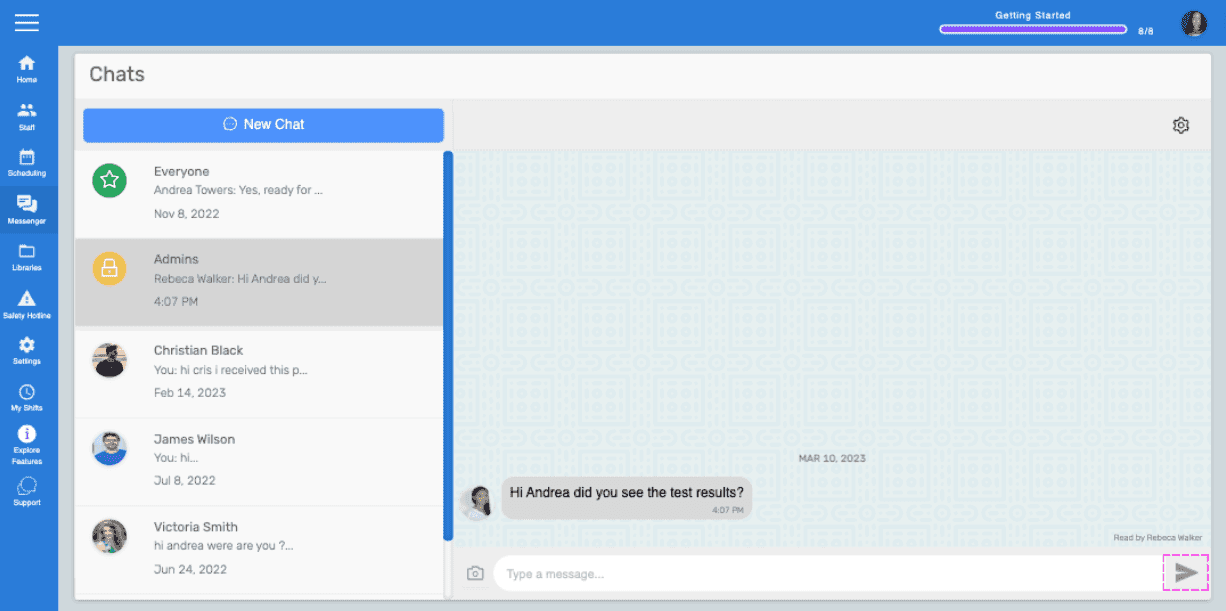
Web Chats screen showing a message thread with a pink arrow pointing to the Send icon

Para enviar una imagen como mensaje, haz clic en el icono de «Cámara»
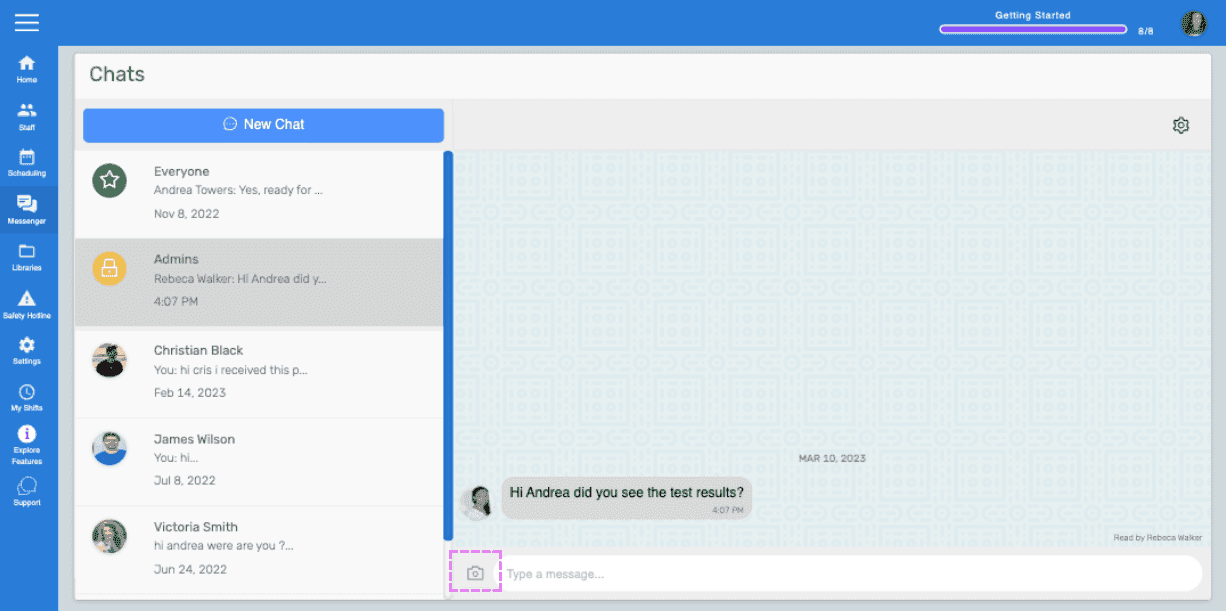
SINC web Chats screen with the camera icon highlighted next to the message input box

Selecciona una imagen en el explorador de archivos/Finder y, a continuación, haz clic en el botón Enviar imagen.
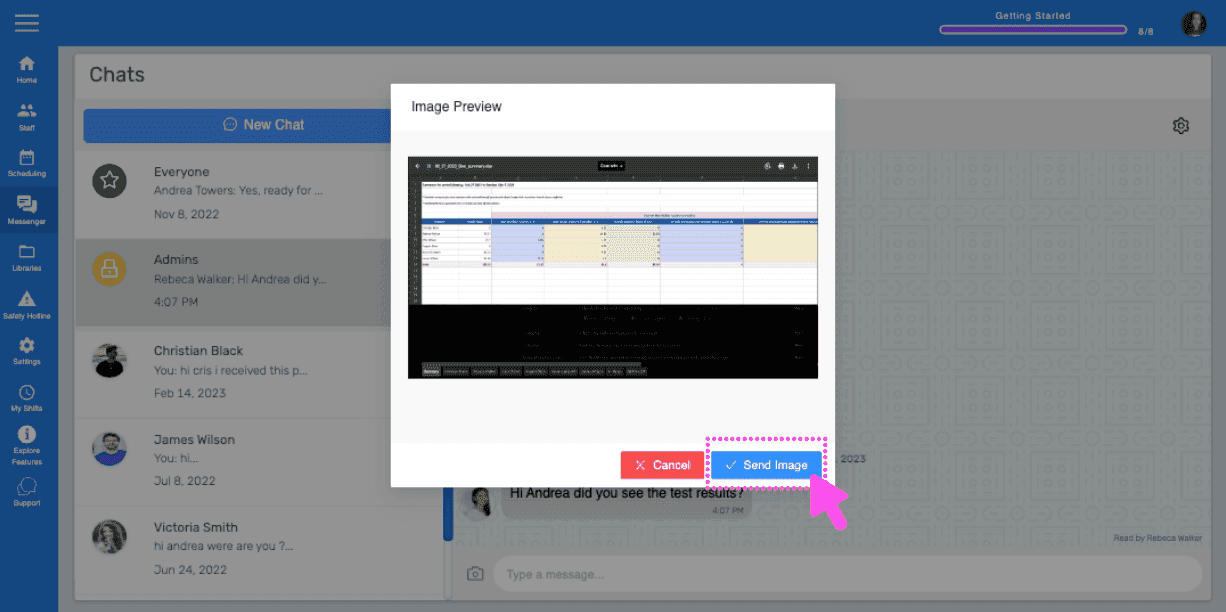
SINC web Chat Image Preview dialog with a pink arrow pointing to the Send Image button

El mensaje con la imagen se enviará una vez que se complete el progreso de carga.
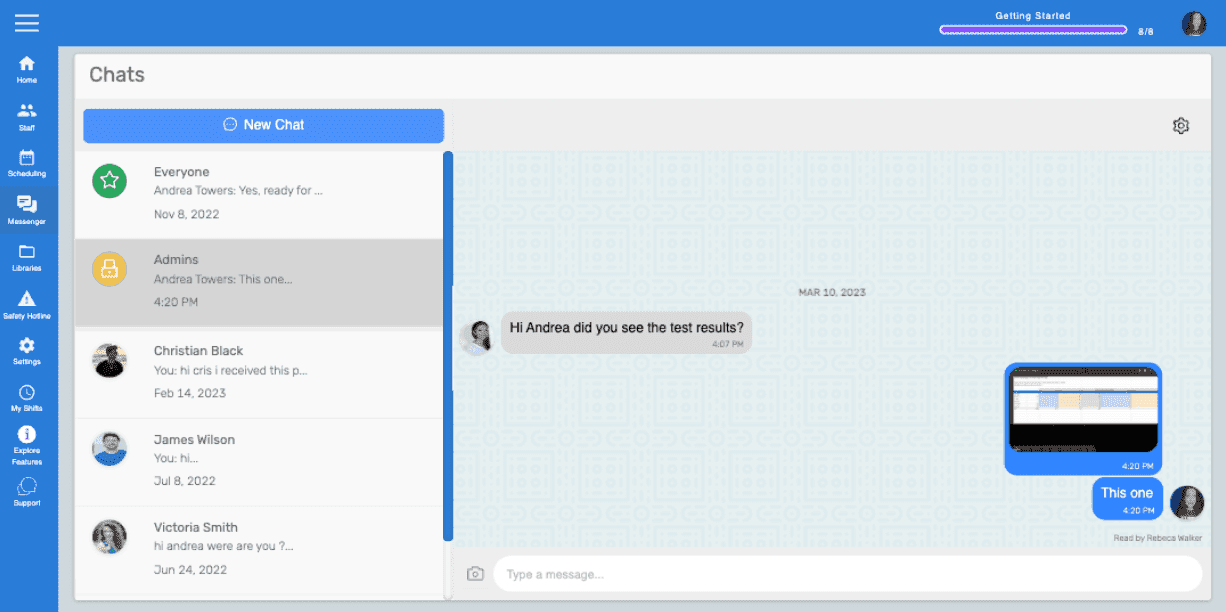
Web chat conversation window showing a text message and an uploaded image thumbnail being sent

¿Esto respondió tu pregunta?