Iniciar un chat nuevo

Este artículo explica cómo iniciar un nuevo chat con un miembro del equipo.

SINC Support Team
SINC Support Team
Mar 10th, 2023

Para iniciar un chat privado individual con un miembro del personal: en la aplicación móvil, pulsa el botón Crear un chat nuevo (el icono del lápiz y el bloc).
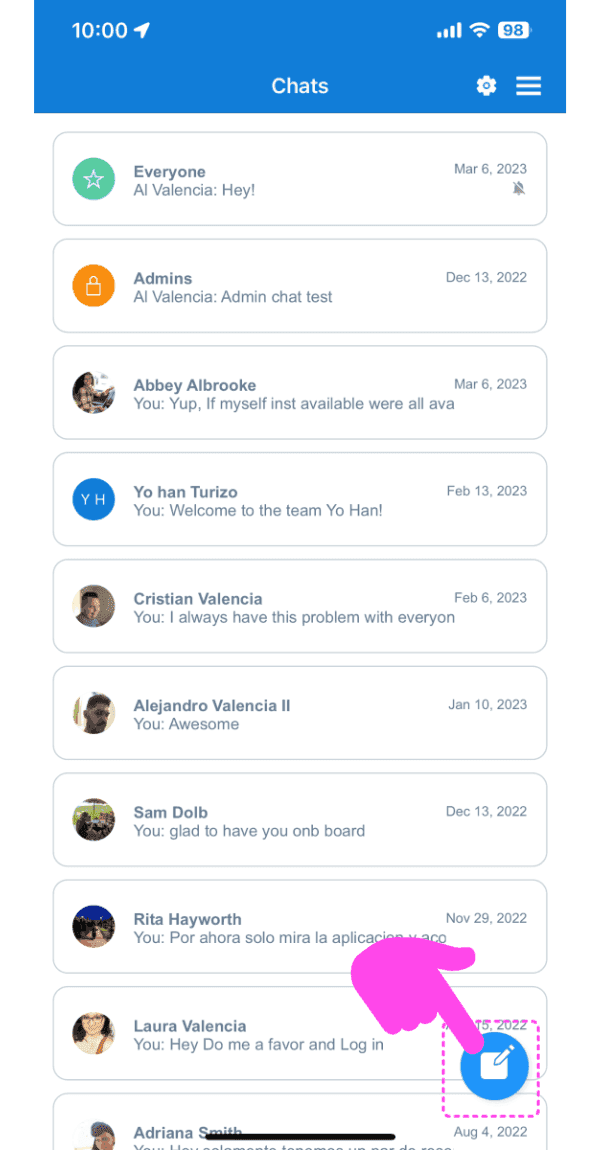
SINC mobile Chats list with a pink arrow pointing to the new chat pen-and-pad icon in the bottom right

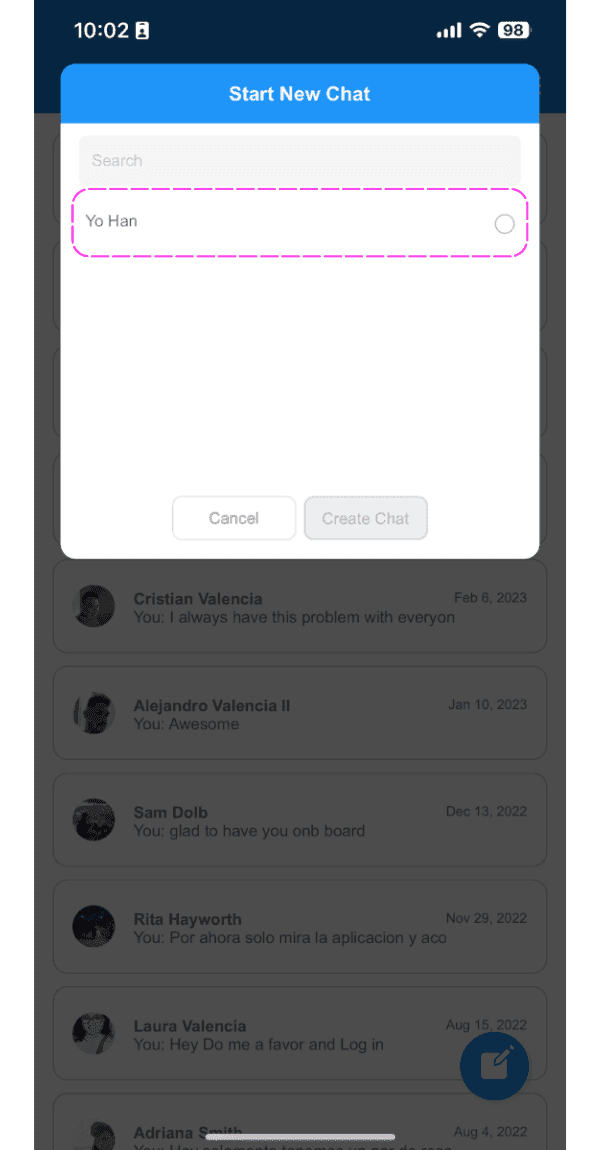
Pulsa en un empleado de la lista

Start New Chat screen with the employee search field highlighted showing a typed name

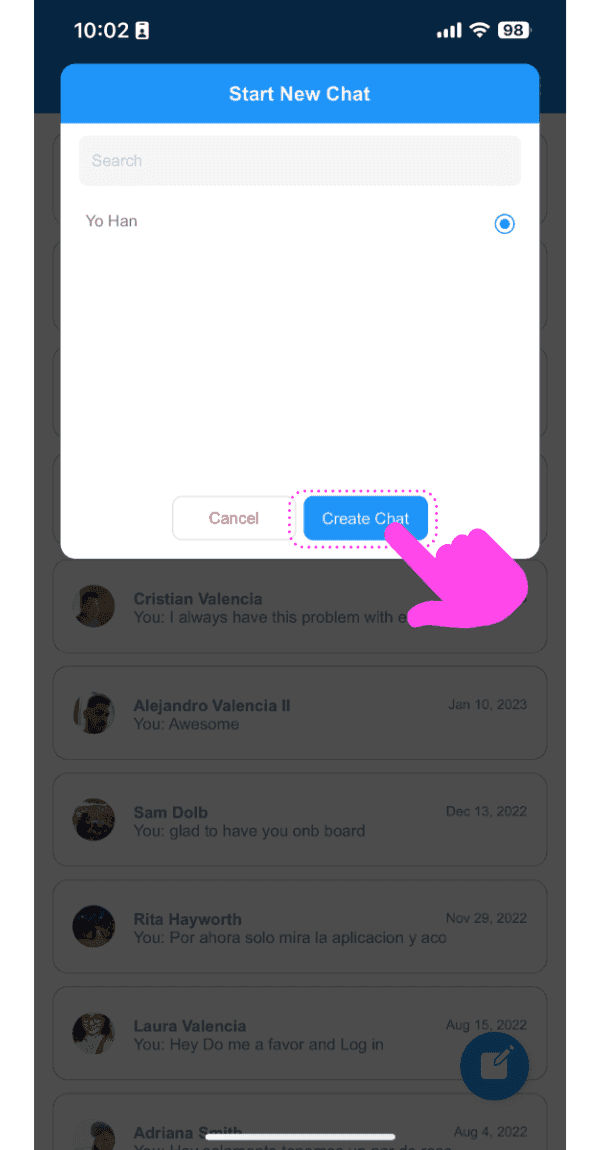
Toca el botón «Crear chat»

Mobile Start New Chat popup with a pink arrow pointing to the Create Chat button

La aplicación te llevará al chat recién creado.
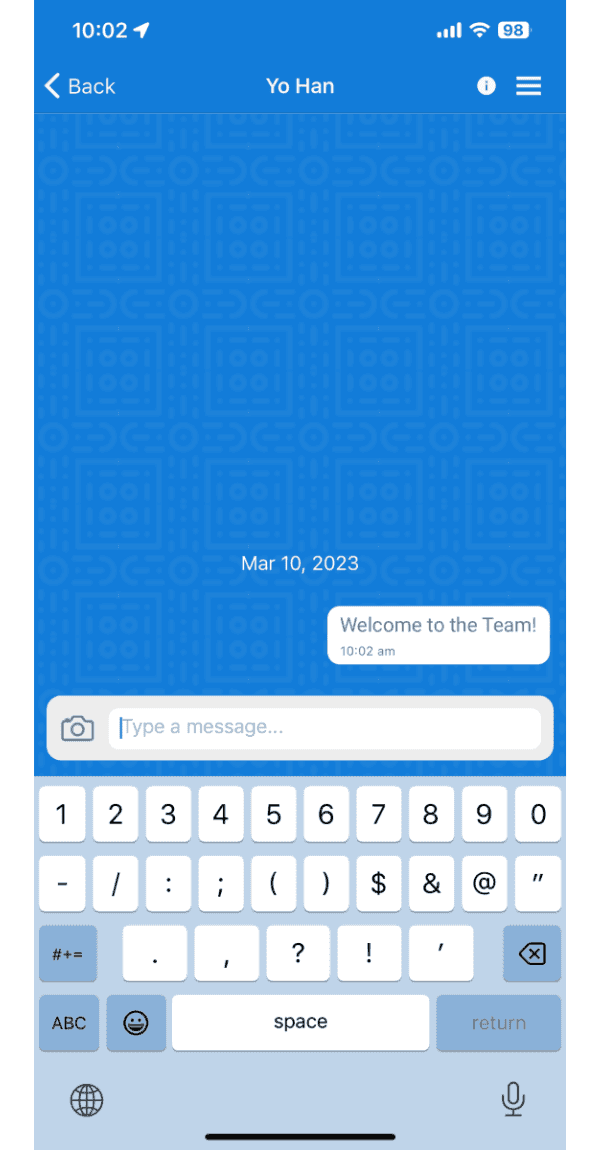
SINC mobile chat conversation screen showing a sent message reading Welcome to the Team

En la web: haz clic en el botón Nuevo chat
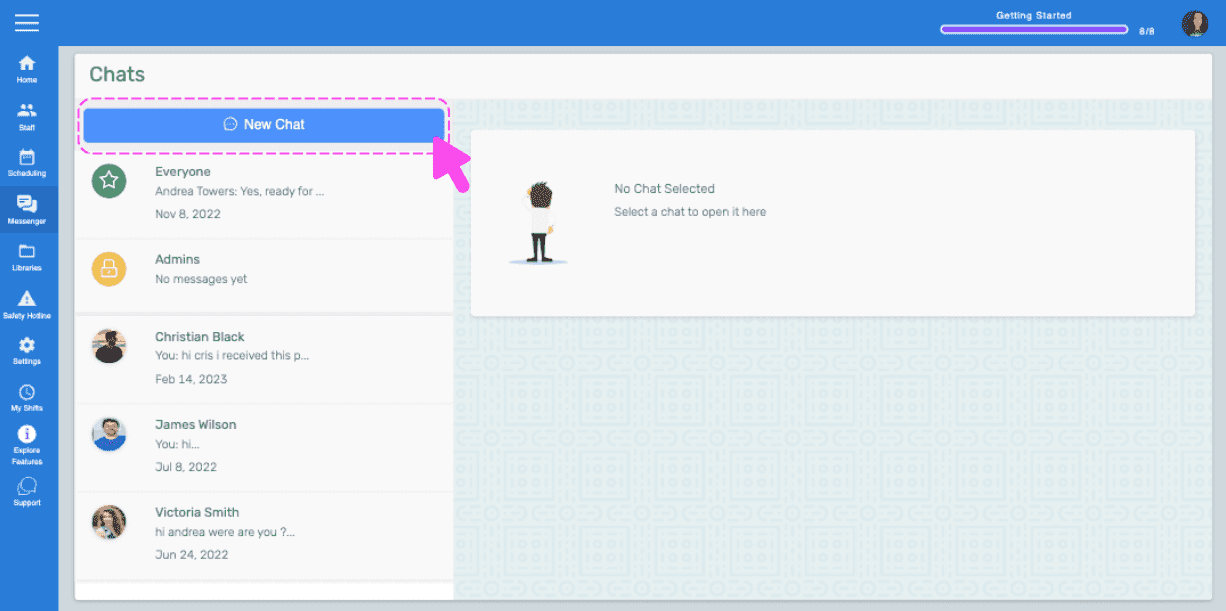
SINC web Chats screen with a pink arrow pointing to the New Chat button

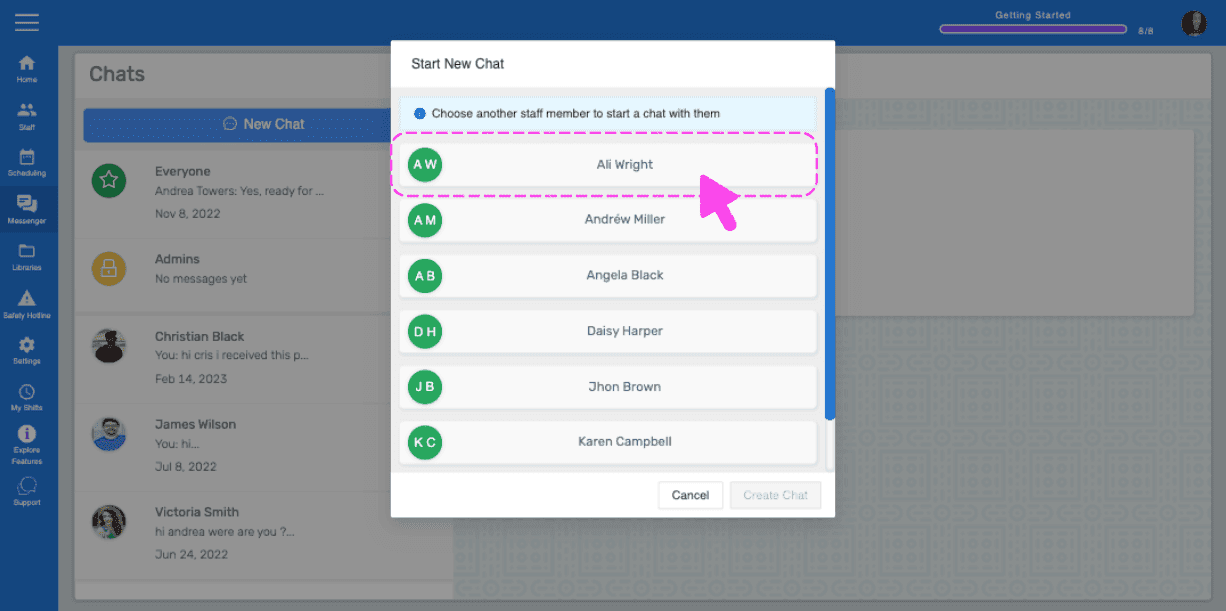
Haz clic en un empleado de la lista

Start New Chat popup listing staff members with a pink arrow pointing to a selected employee name

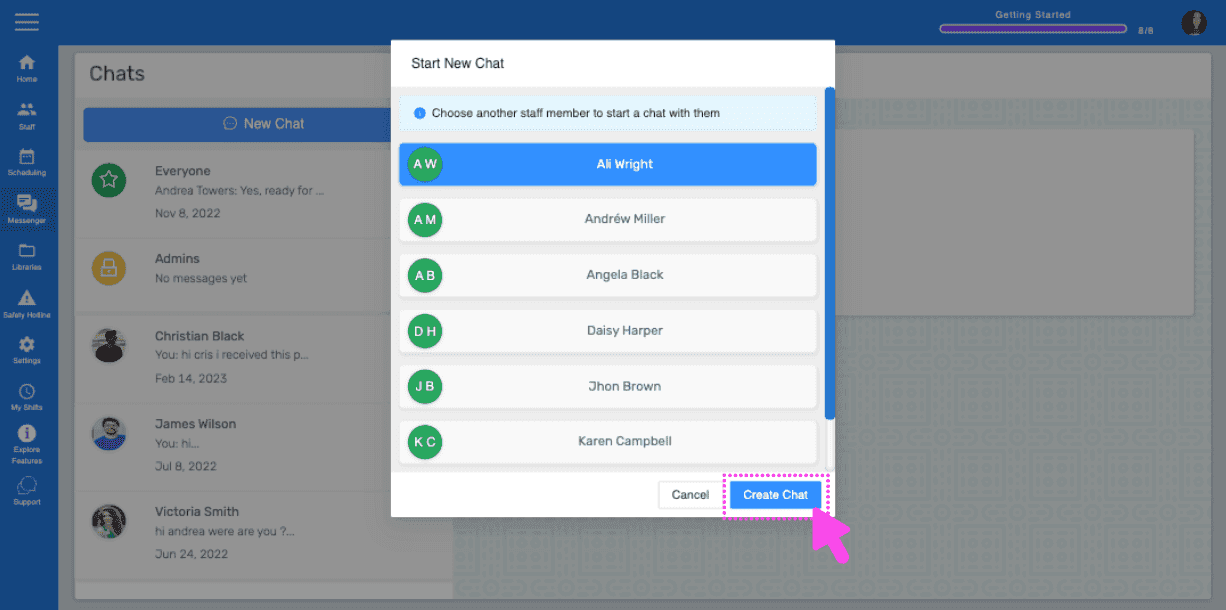
Haz clic en el botón Crear chat

SINC web Start New Chat popup listing staff members with a pink arrow pointing to the Create Chat button

La web te llevará a la sala de chat recién creada.
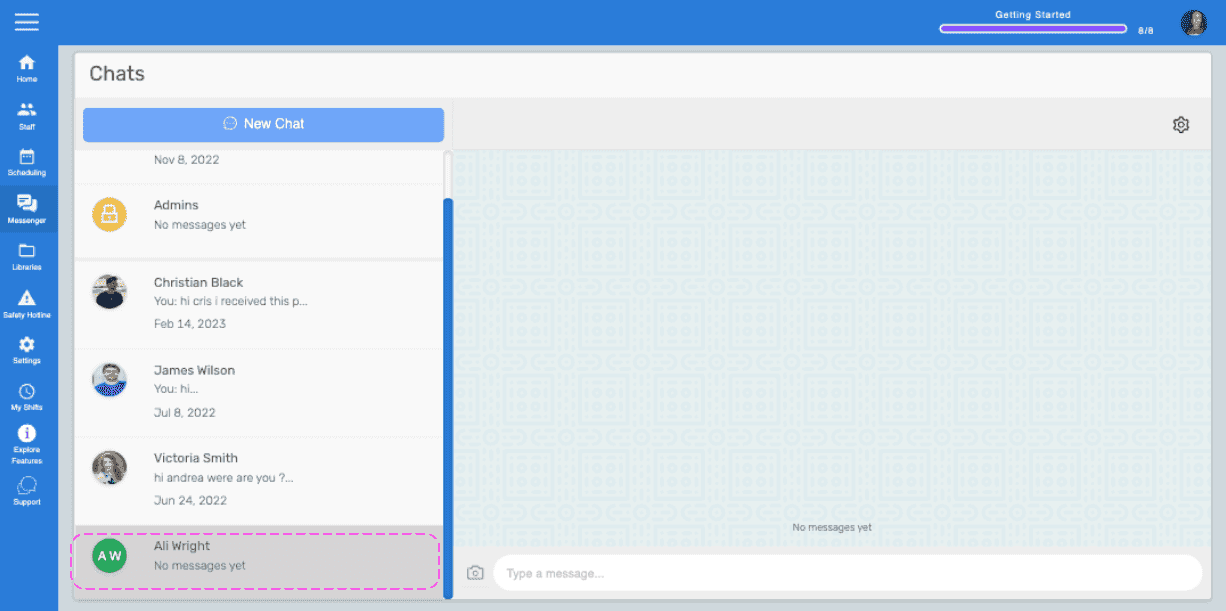
Web Chats list showing a newly created chat with a contact, outlined in pink

¿Esto respondió tu pregunta?