
¿Cómo consultar los turnos de periodos de pago anteriores?

Sam Dolbel
Mar 21st, 2023
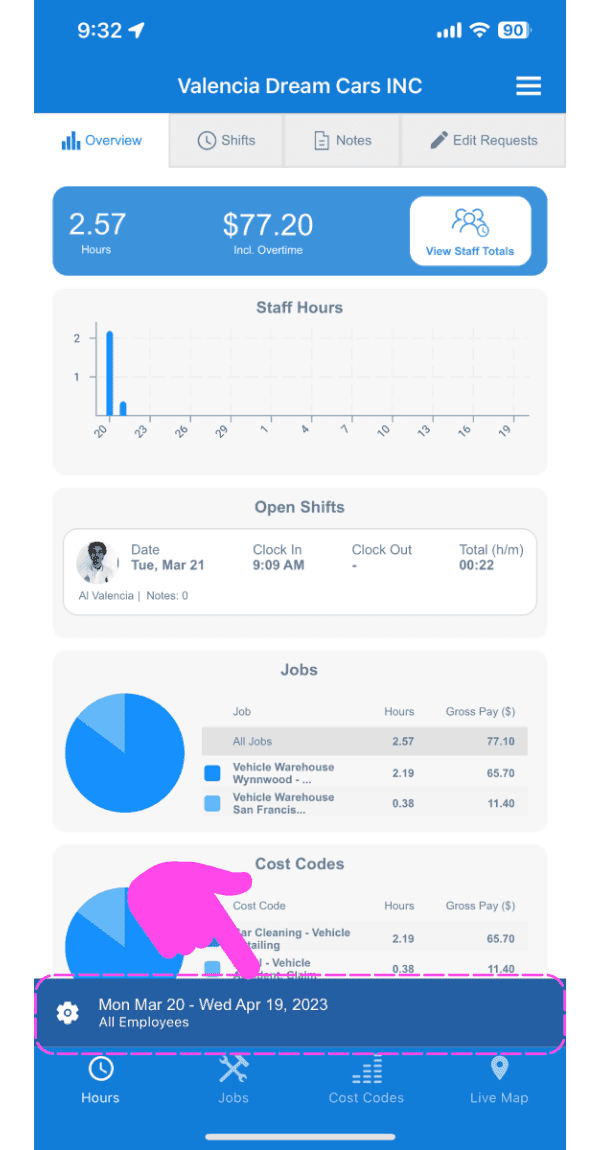
Simplemente pulsa en el icono del engranaje en la pantalla de inicio del panel de administración
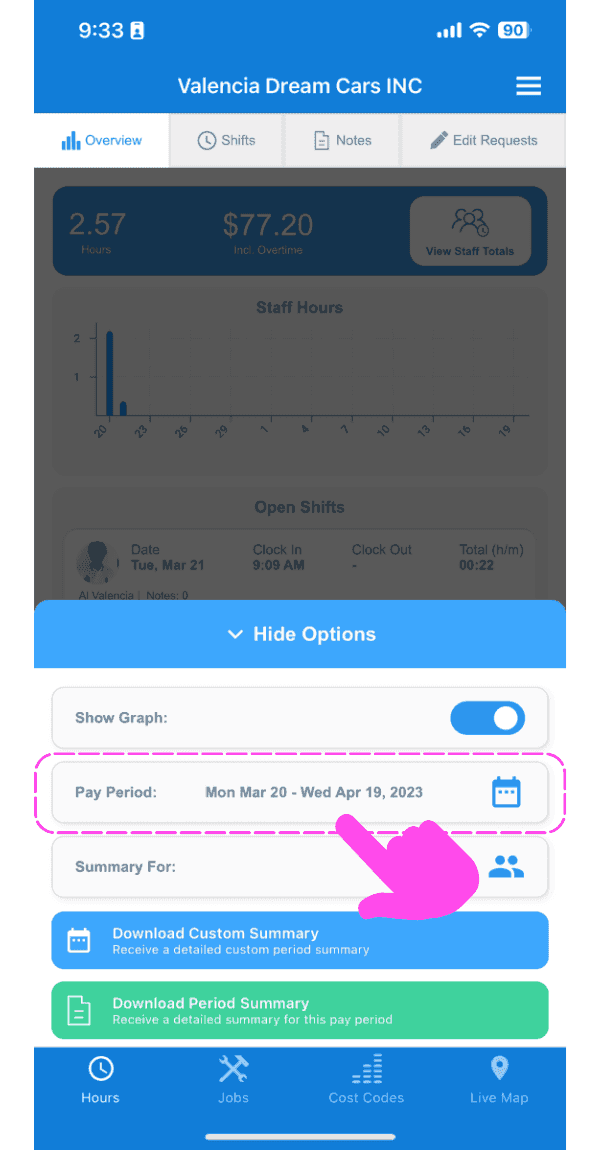
Toca el icono del calendario junto a Periodo de pago.
Selecciona el intervalo de fechas que quieres mostrar.
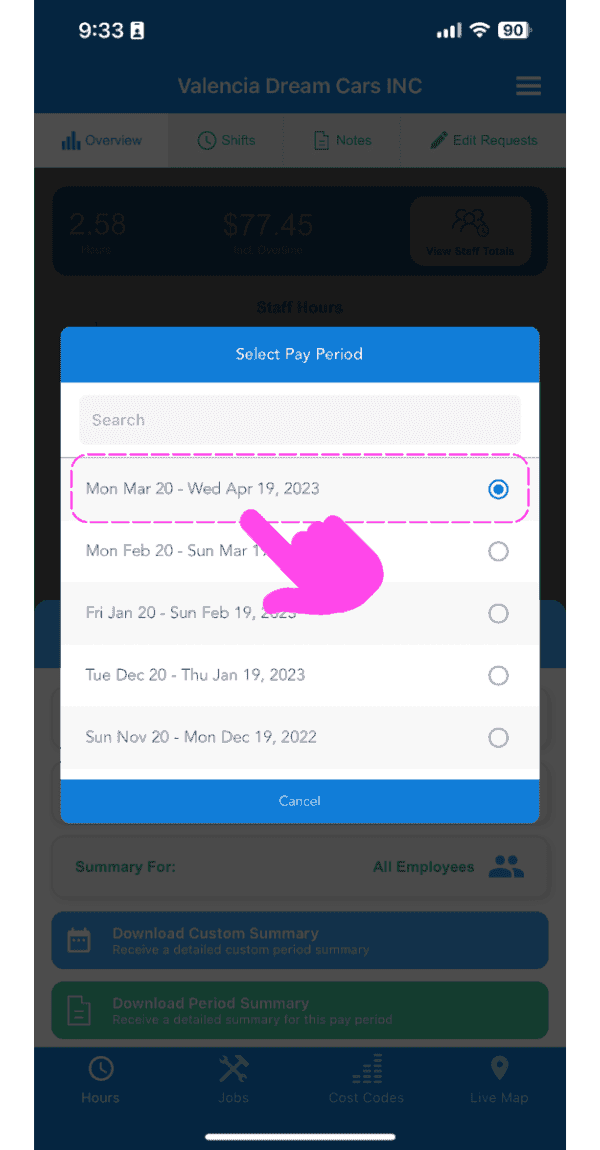
A partir de ahora, tus turnos, las exportaciones de los periodos de pago y las notas se filtrarán según tu selección.
¿Esto respondió tu pregunta?