Añade notas a tu turno de trabajo

En esta guía veremos cómo puedes añadir notas a tus turnos de trabajo como empleado en SINC.

SINC Support Team
SINC Support Team
Mar 10th, 2023

Puedes añadir una nota mientras estás en un turno de trabajo con la ayuda de las siguientes capturas de pantalla. En el móvil, para añadir una nota a un turno de trabajo abierto: pulsa en Añadir nota
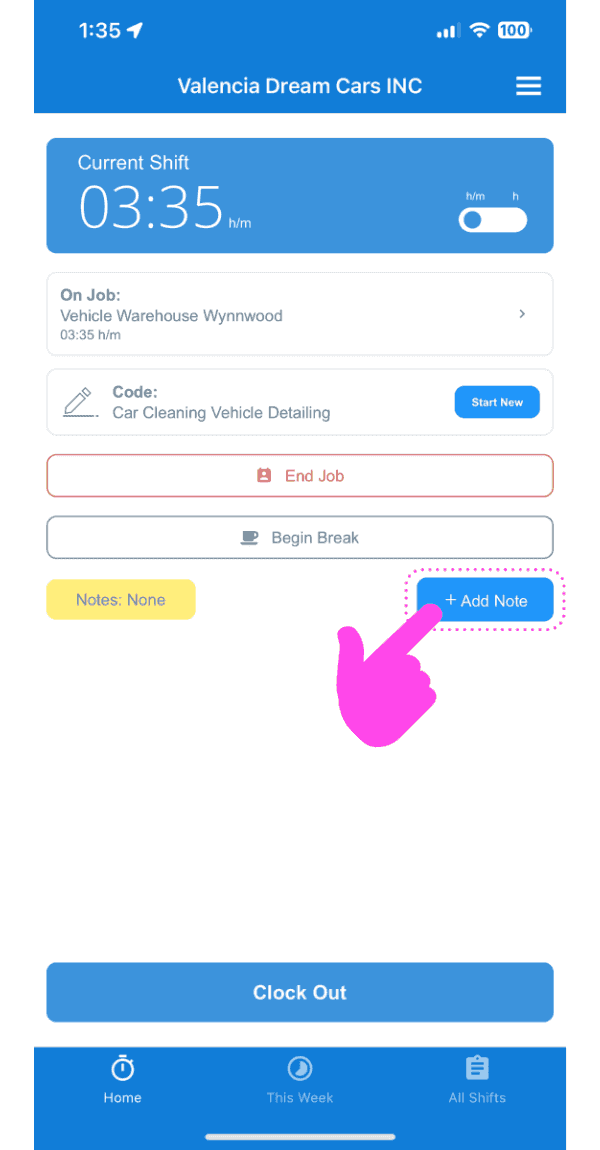
SINC mobile current shift screen with a pink arrow pointing to the Add Note button

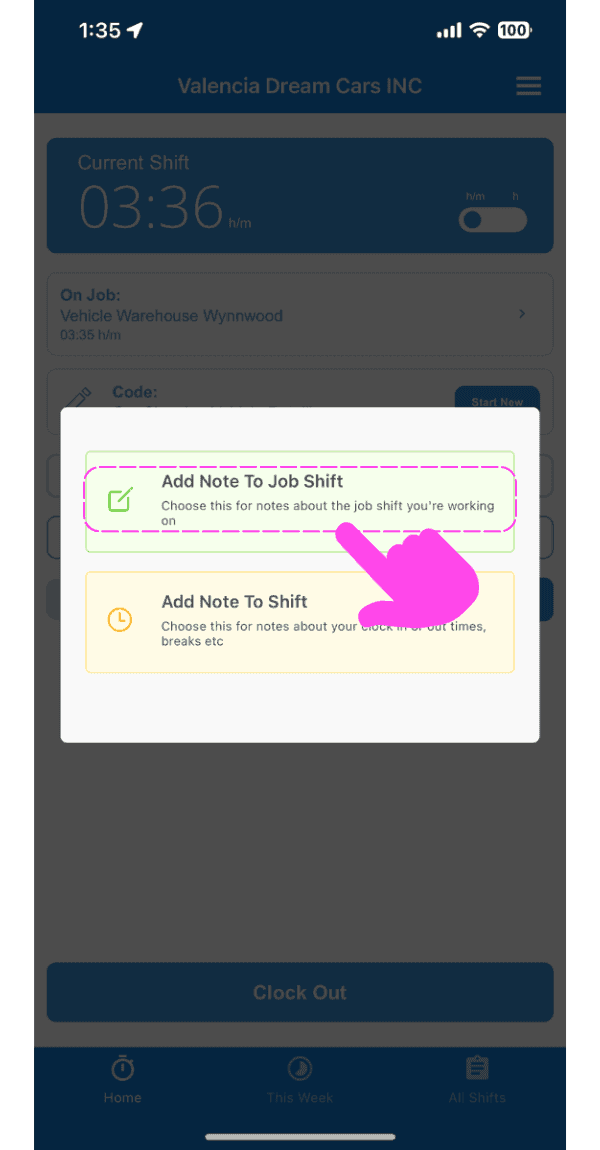
Toca Añadir nota al turno de trabajo

Add Note popup with a pink arrow pointing to the "Add Note To Job Shift" option above "Add Note To Shift"

Introduce una descripción de la nota.
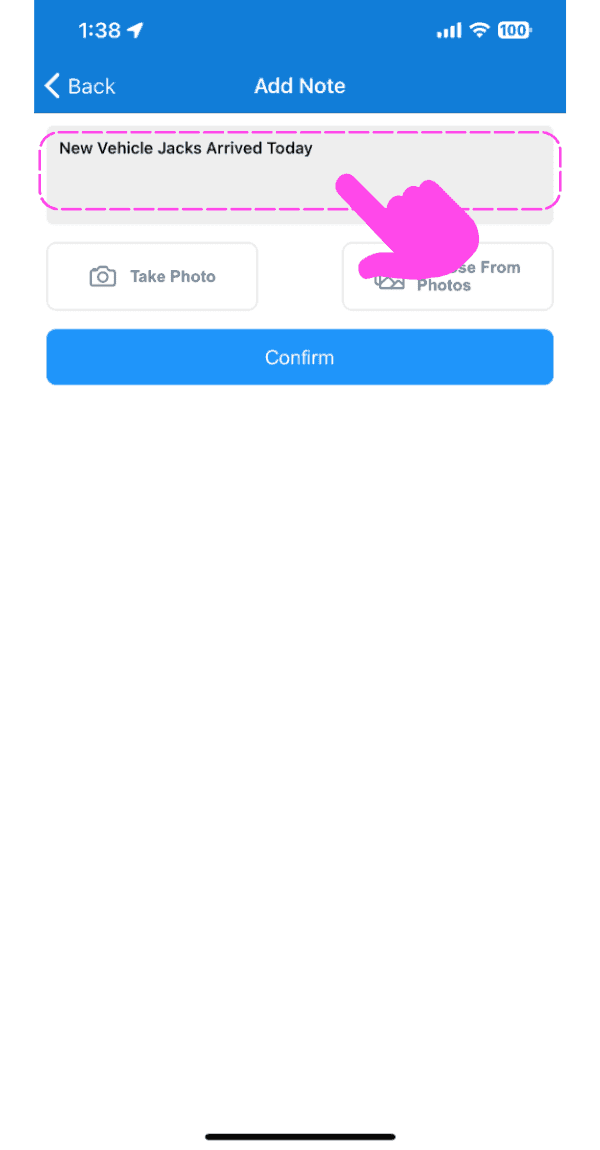
SINC mobile Add Note screen with a pink arrow pointing to the note description text field

Si lo deseas, sube una imagen relacionada con la nota.
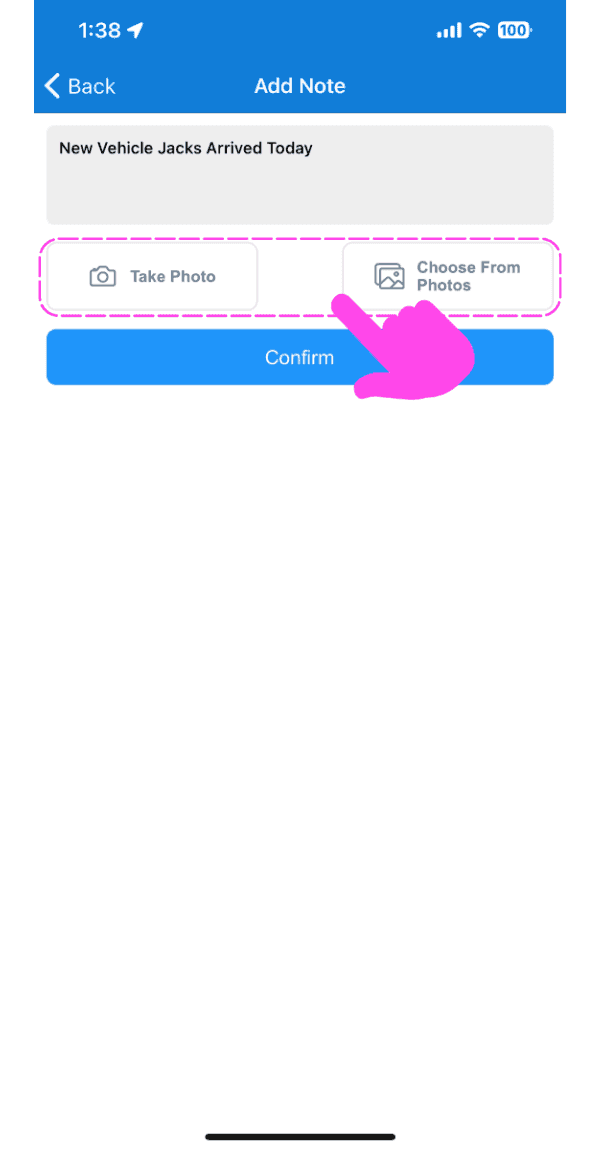
Mobile Add Note screen with Take Photo and Choose From Photos options outlined in pink

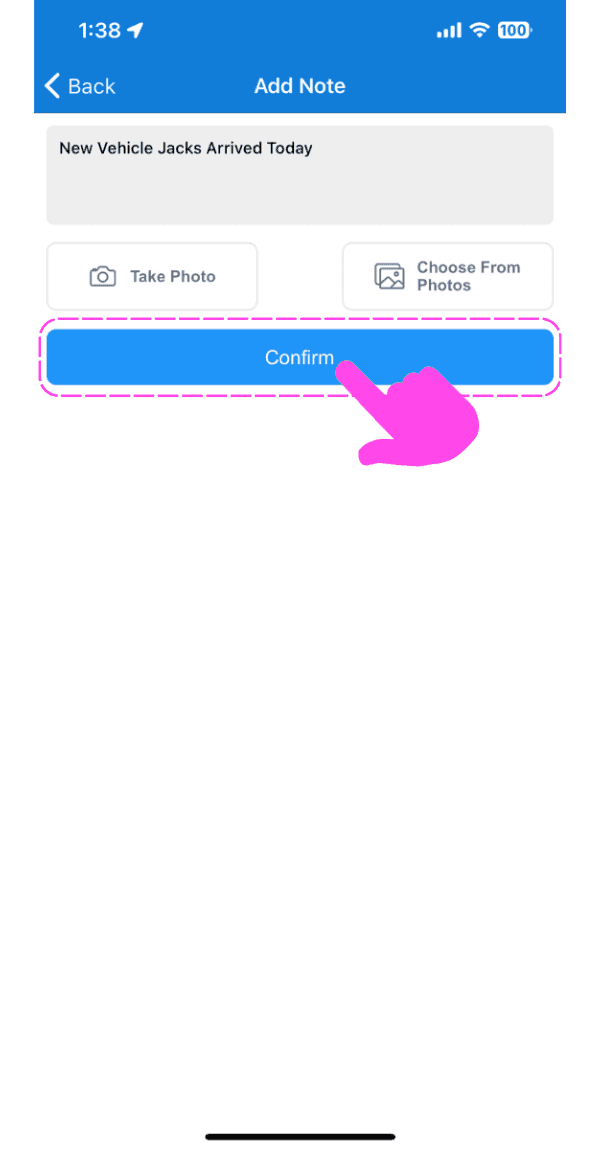
Toca Confirmar

SINC mobile Add Note screen with typed note text and a pink hand pointing to the Confirm button

En la web, para añadir una nota a un turno abierto: haz clic en Añadir nota
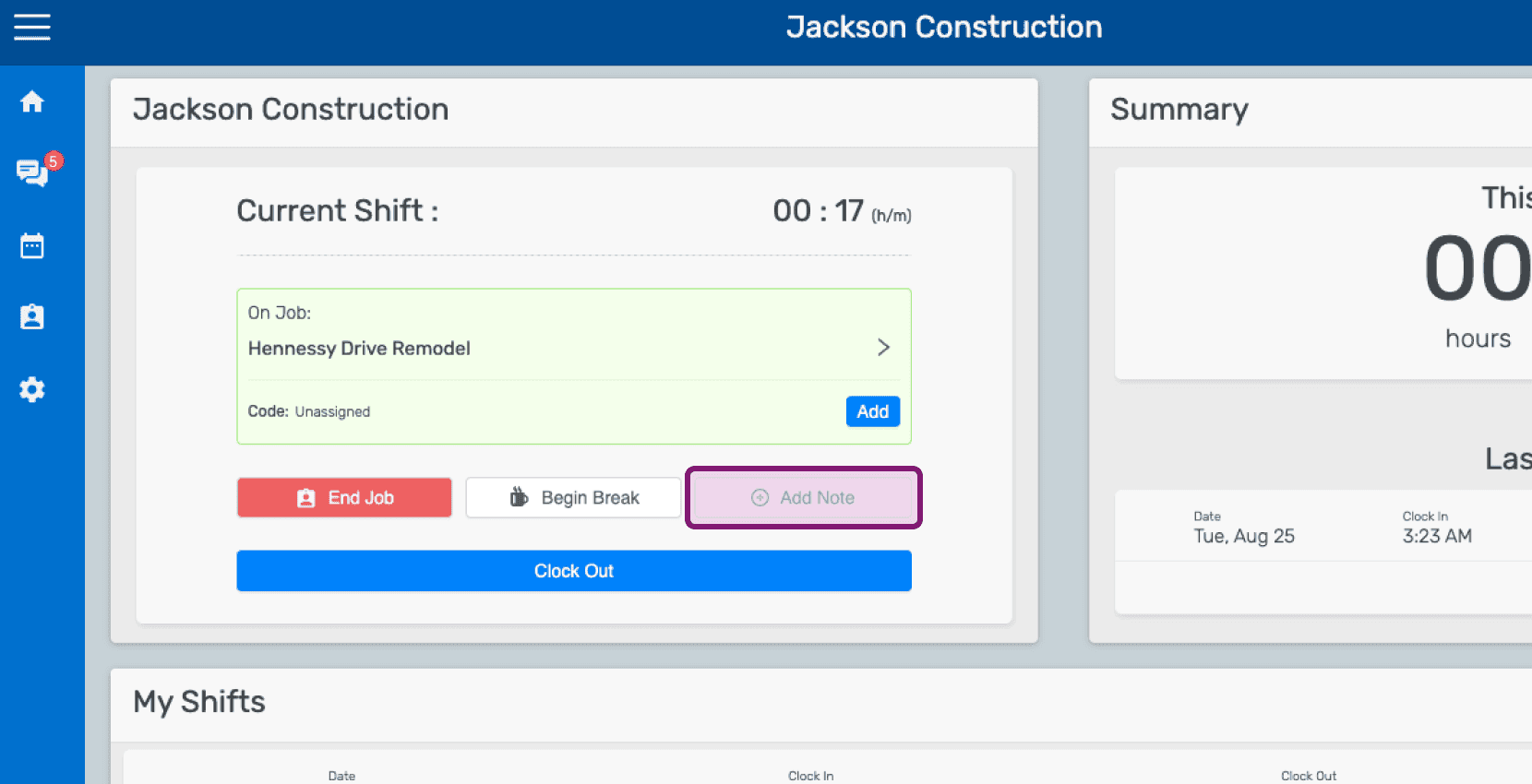
Mobile home dashboard showing an open job shift with the Add Note button highlighted

Haz clic en Añadir nota al turno de trabajo
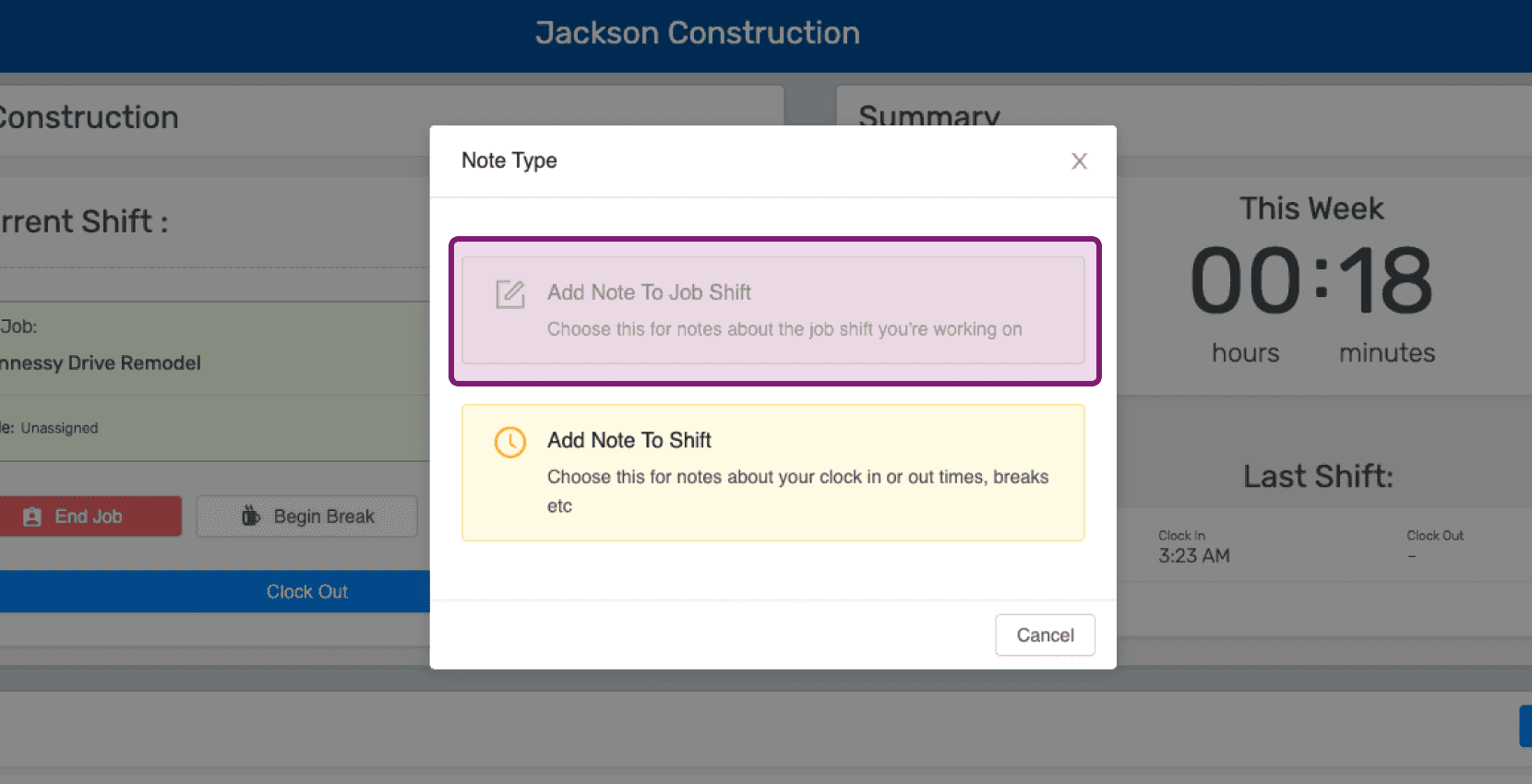
Mobile Note Type popup with the 'Add Note To Job Shift' option outlined in purple

Introduce una descripción de la nota.
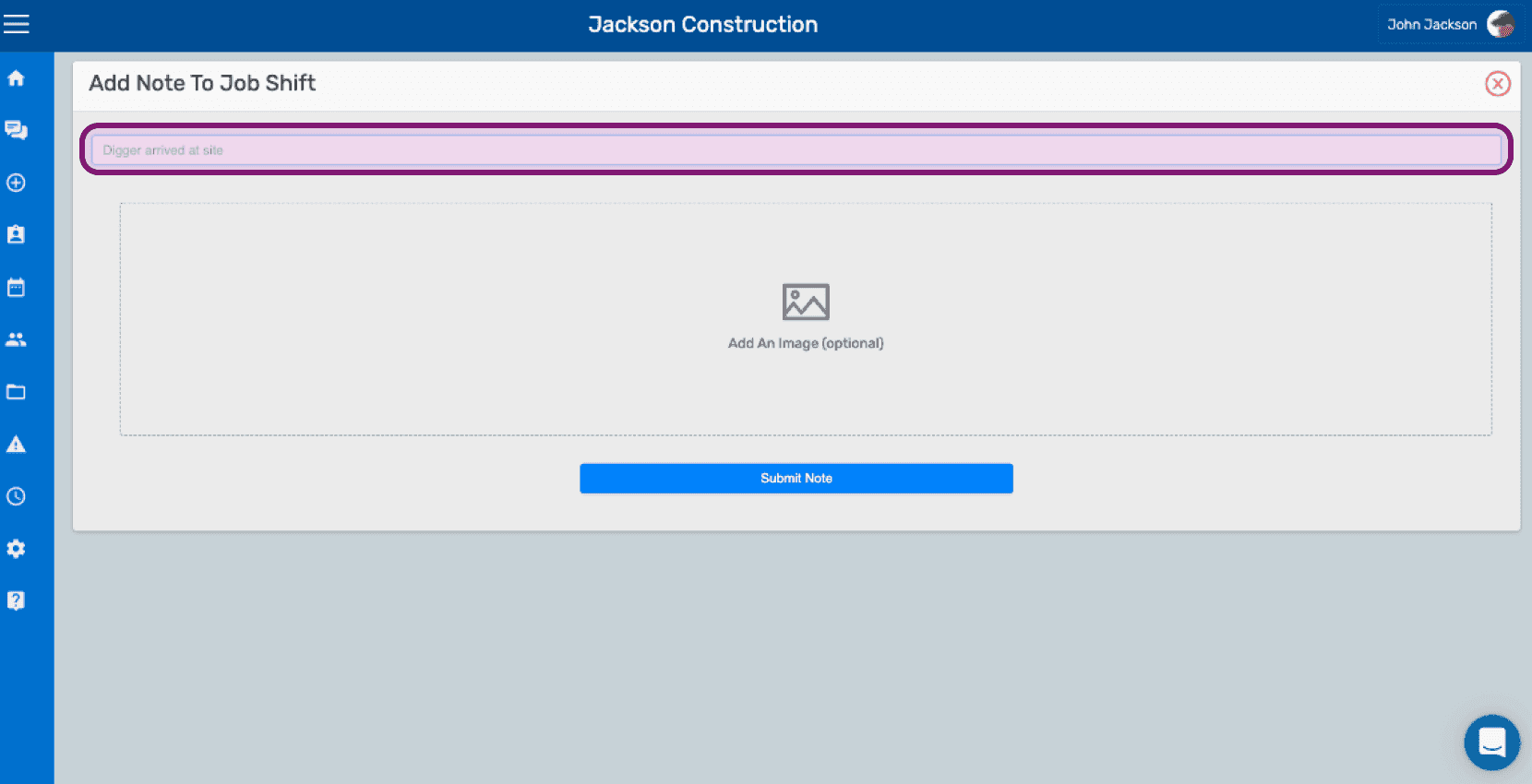
SINC web Add Note To Job Shift screen with the note text field outlined above the image upload area

Sube una imagen relacionada con la nota si lo deseas.
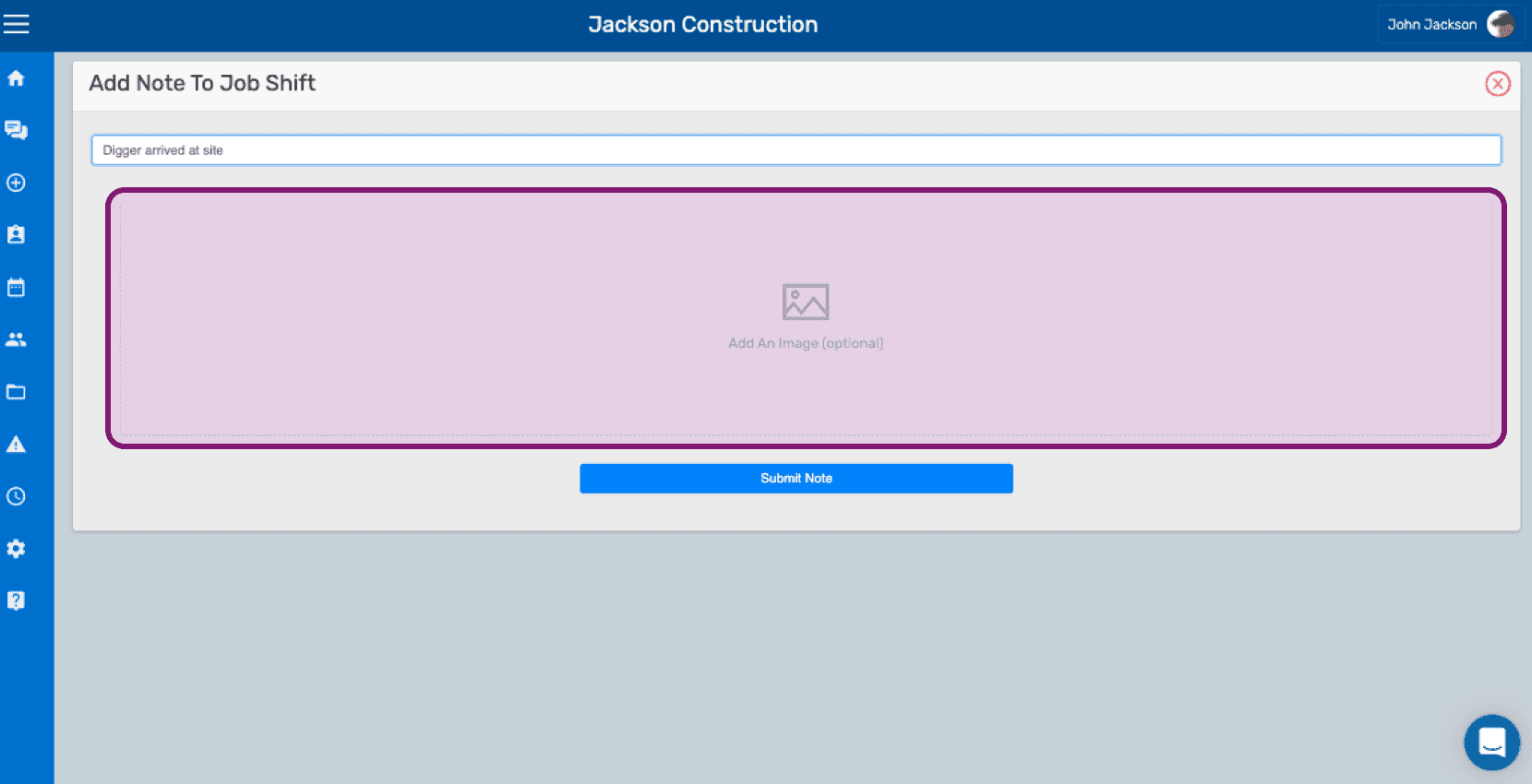
SINC web Add Note To Job Shift screen with the optional image upload area outlined in pink

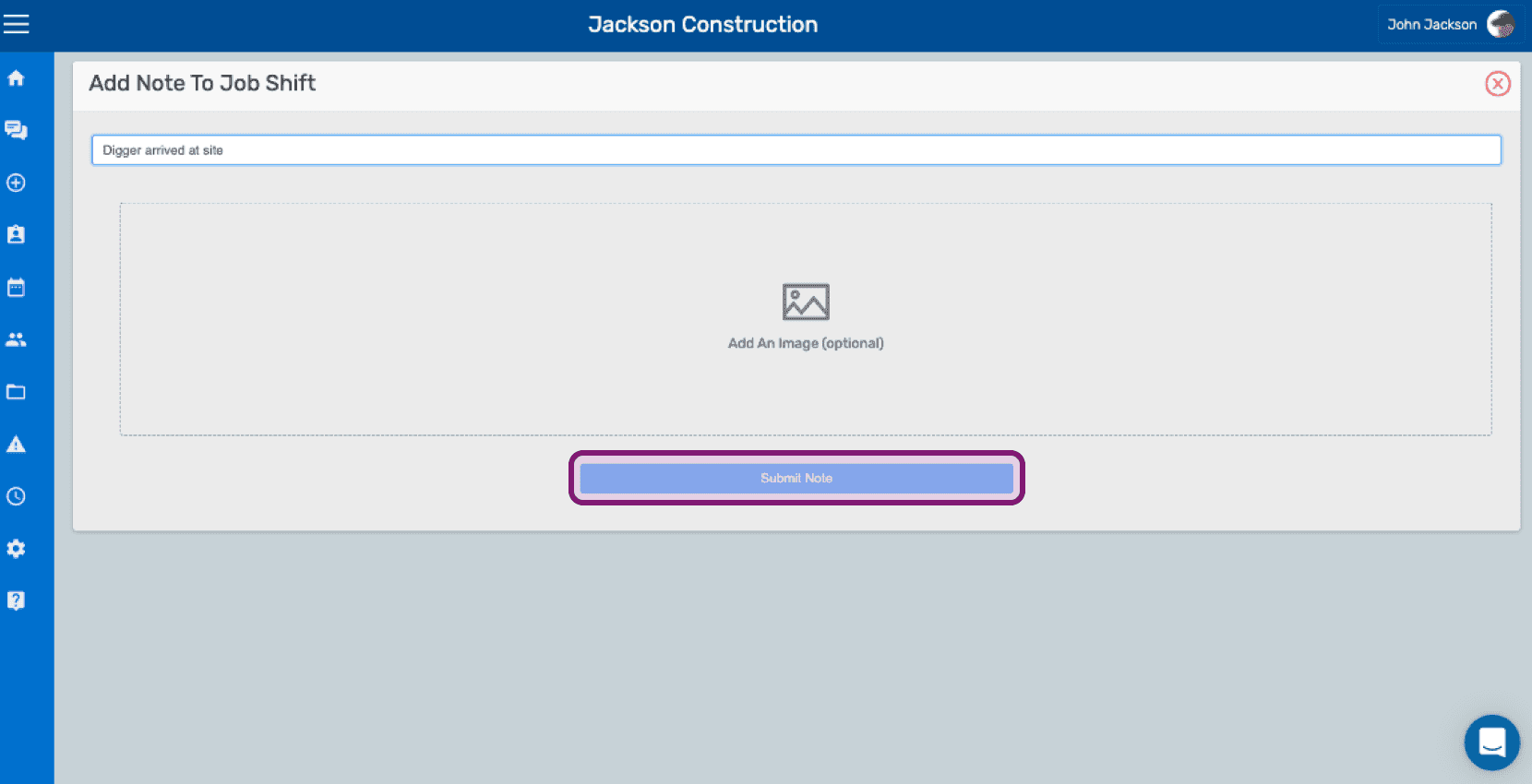
Haz clic en Enviar nota

Add Note To Job Shift screen with a text field, optional image upload, and the Submit Note button outlined

¿Esto respondió tu pregunta?