Registro de entrada y salida de empleados

En esta guía veremos cómo fichar al entrar y salir de un turno como empleado.

SINC Support Team
SINC Support Team
May 26th, 2023

Esta sección explica cómo fichar la entrada y la salida de un turno como empleado. Sin embargo, si un administrador añade un periodo de ausencia para un empleado, este no podrá fichar durante dicho periodo.

Toca Fichar entrada
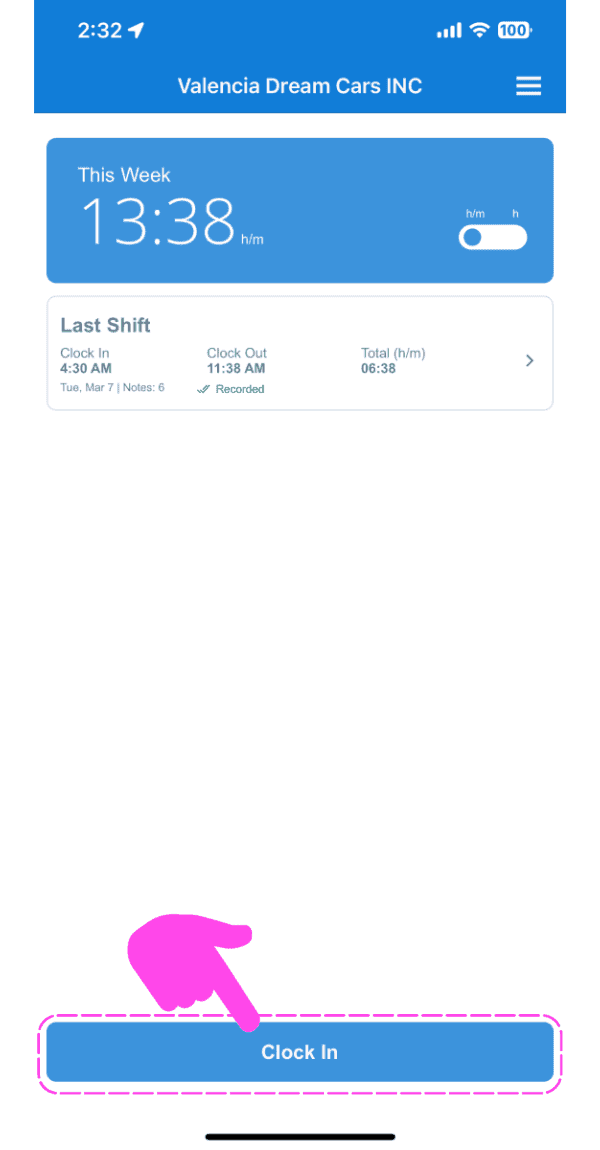
SINC mobile This Week summary screen with a pink arrow pointing to the Clock In button

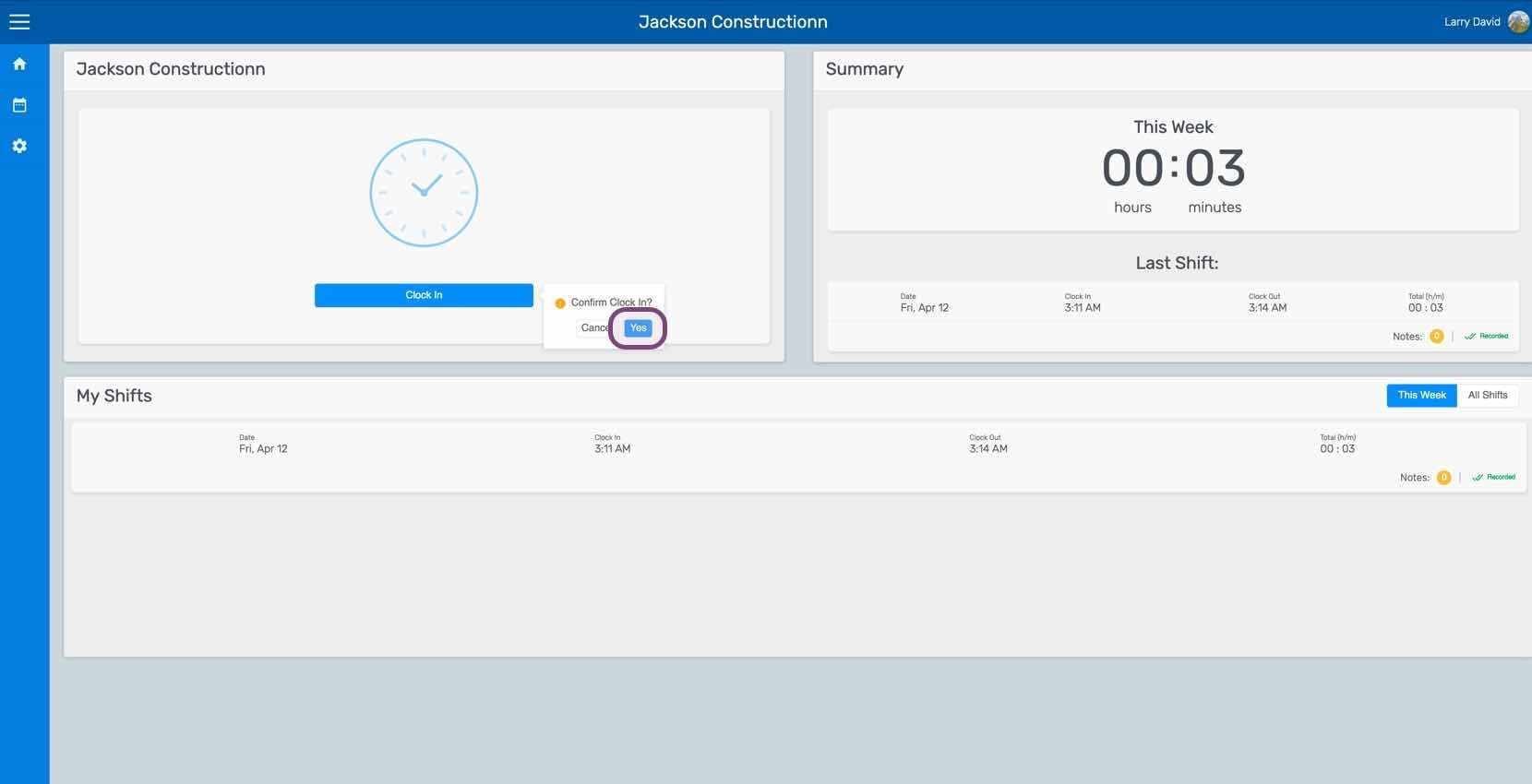
Toca en Desliza hacia la derecha para fichar (versión web: haz clic en Sí)
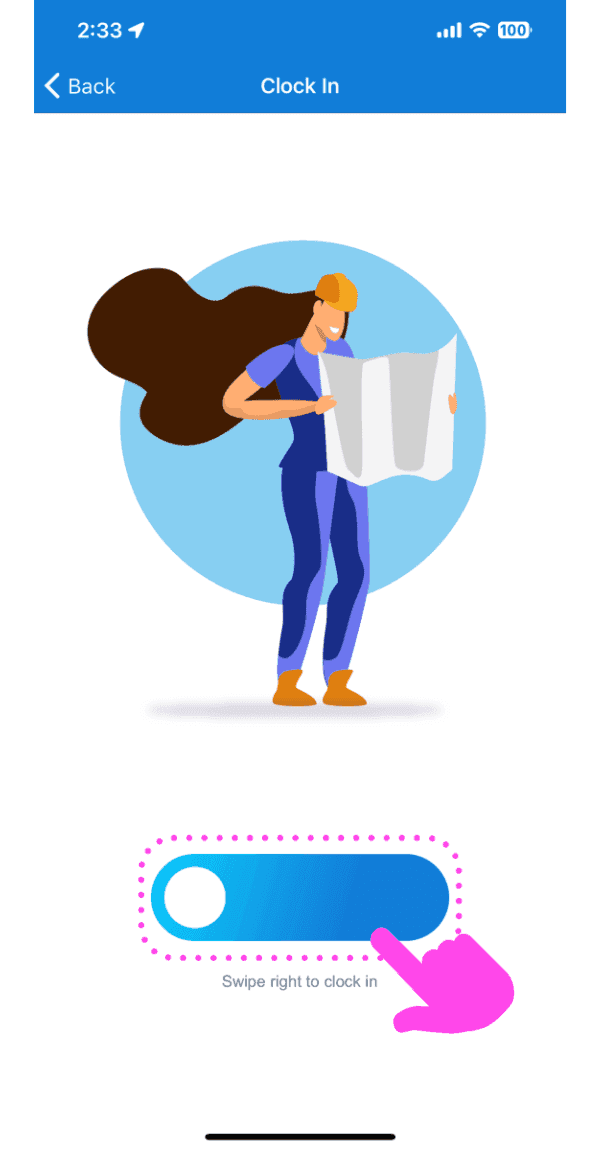
Clock In screen with a worker illustration and a pink arrow pointing to the swipe-right-to-clock-in slider

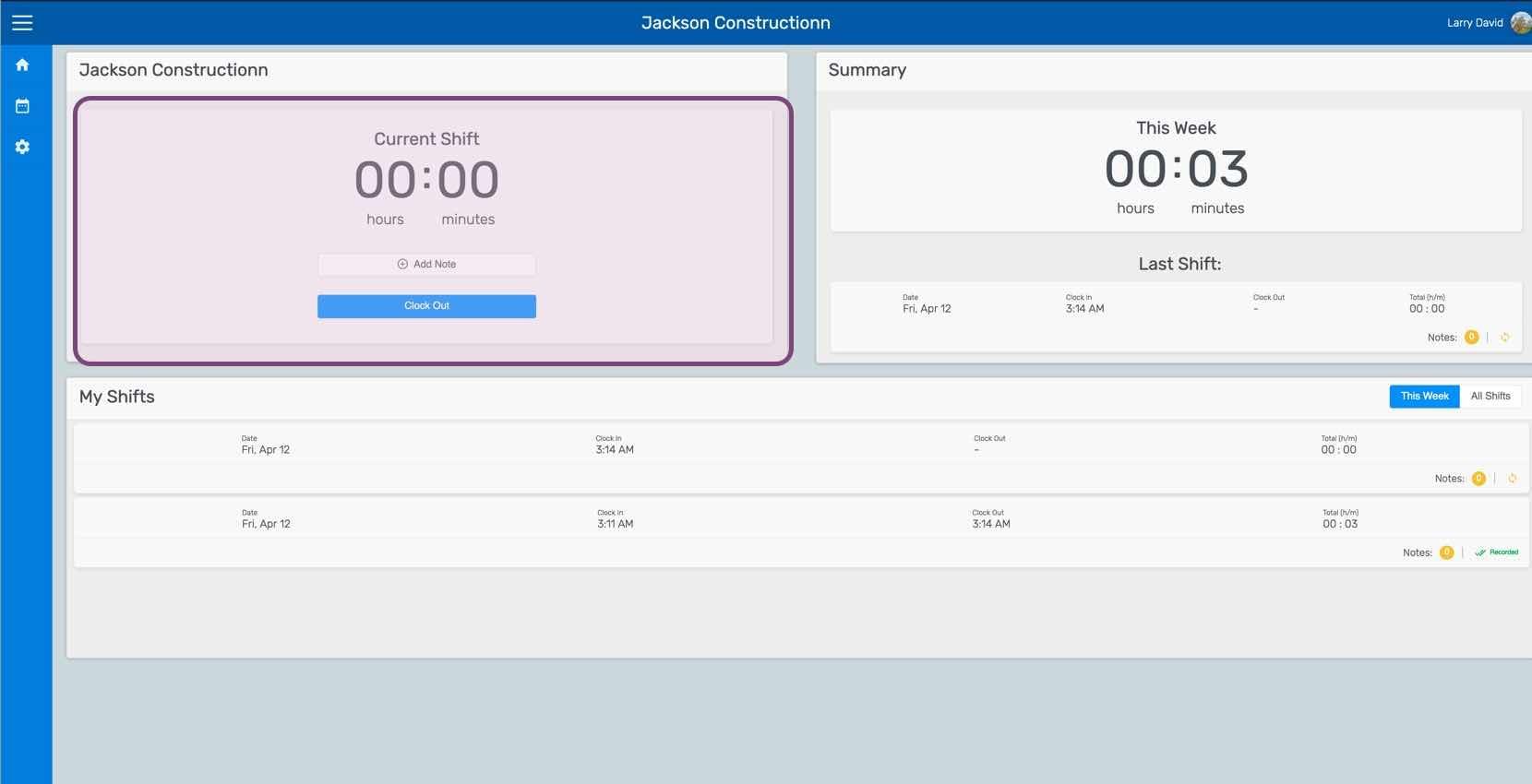
Esta pantalla indica que ya has fichado para un turno. Desde aquí puedes añadir notas del turno.
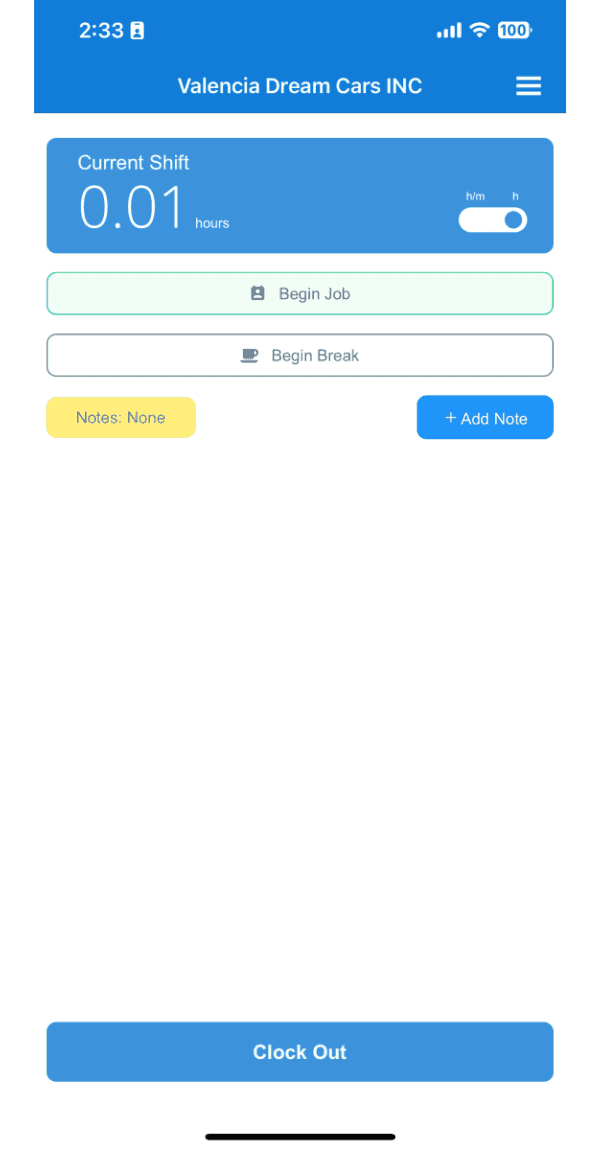
SINC mobile Current Shift screen showing 0.01 hours clocked, with Begin Job, Begin Break, and Clock Out options

Si estás usando la versión web, se verá así:
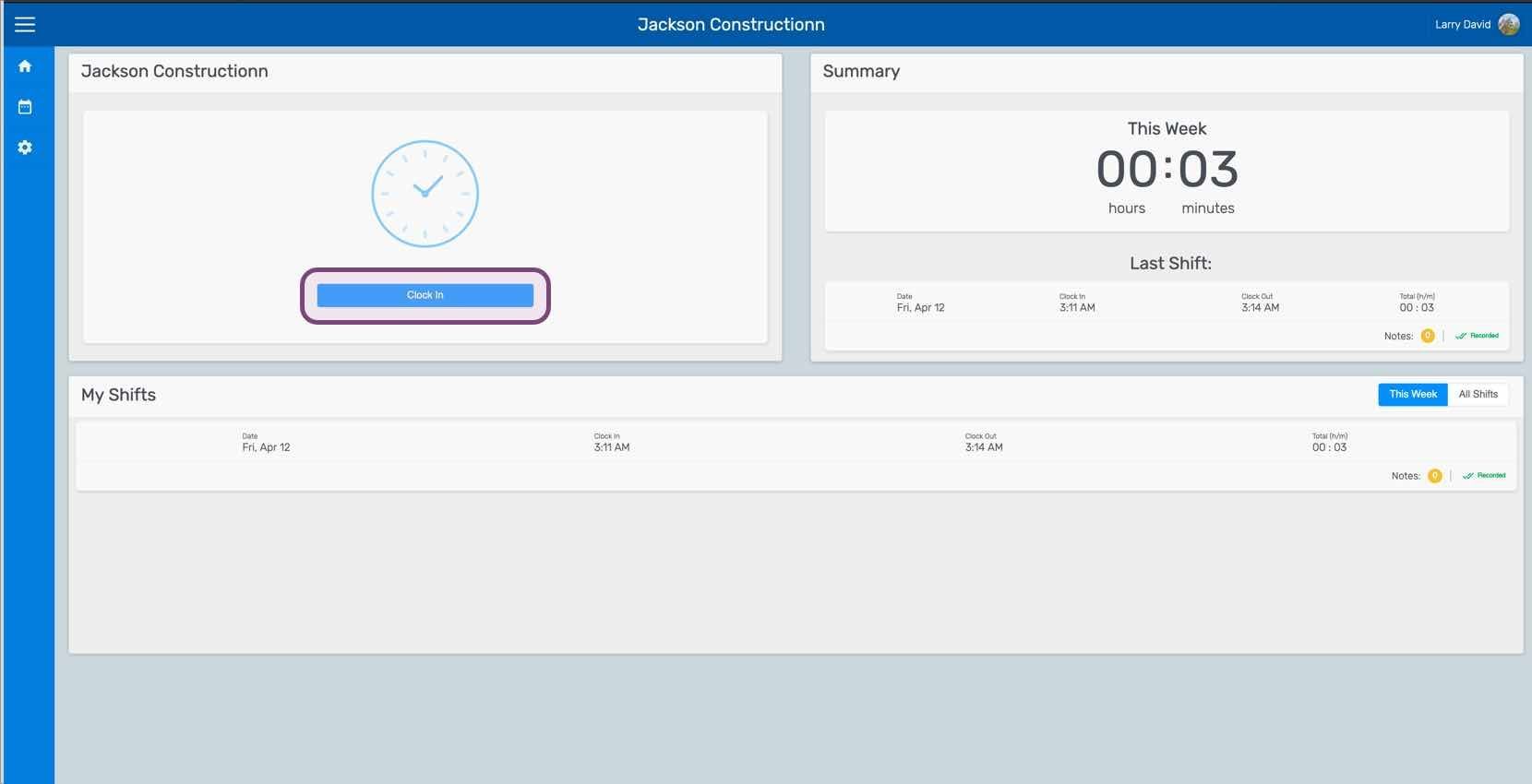
Web employee dashboard showing the Clock In button outlined in pink along with weekly summary and shift list
SINC web employee dashboard with a Confirm Clock In popup and its confirm icon circled next to the Clock In button
Web dashboard showing a clocked-out shift panel with the Clock Out button highlighted

¿Esto respondió tu pregunta?