
Configuración para asignar empleados a trabajos
En este tutorial, te mostramos cómo asignar empleados o equipos a trabajos.

SINC Support Team
Feb 24th, 2023
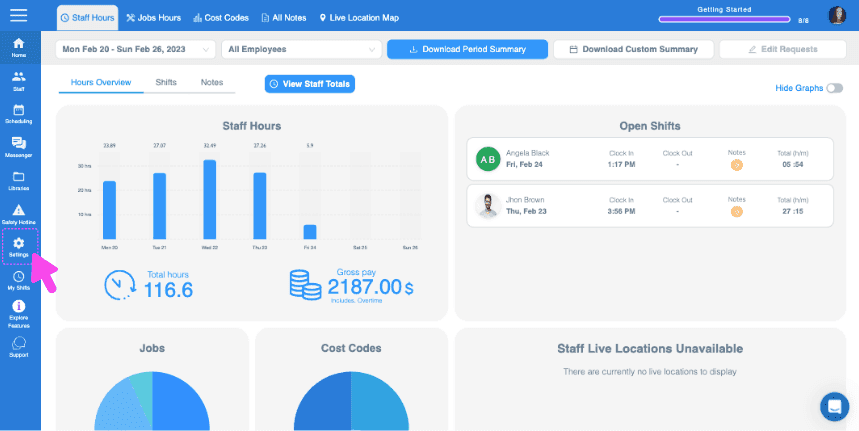
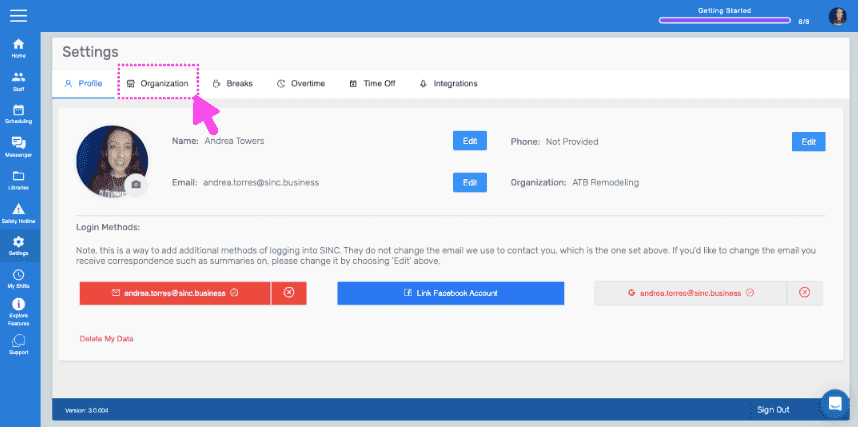
Esta función en particular requiere que la función de seguimiento de trabajos esté activada. En la web: haz clic en Menú Configuración Organización.
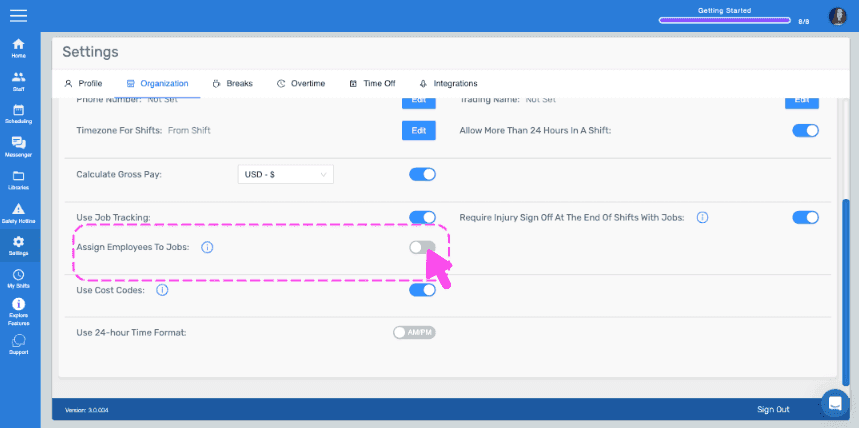
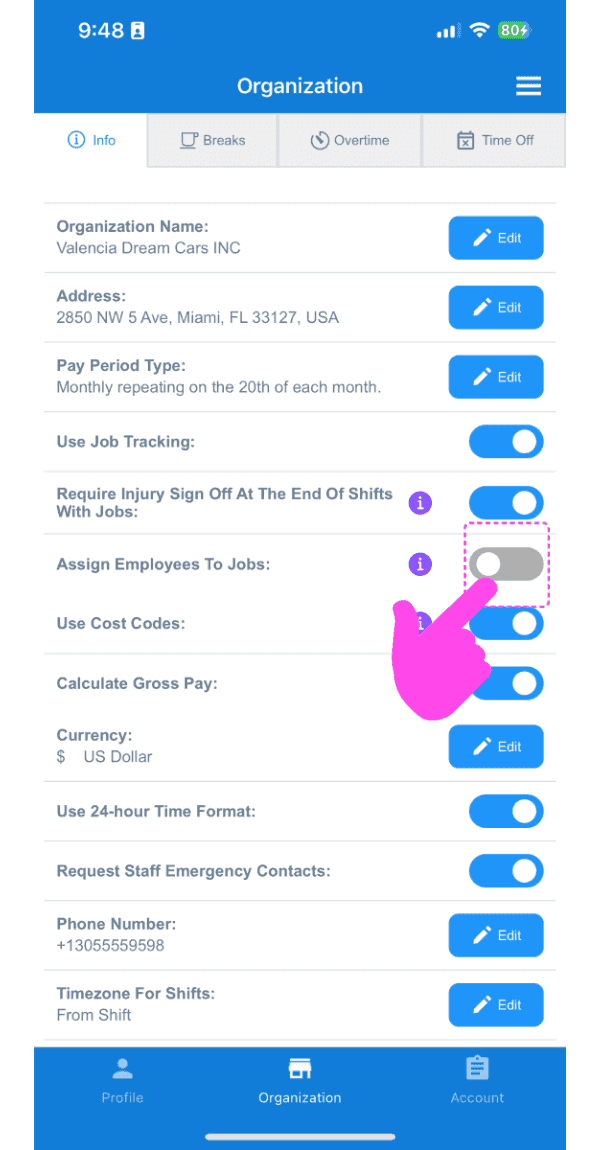
Activa Asignar empleados a trabajos.
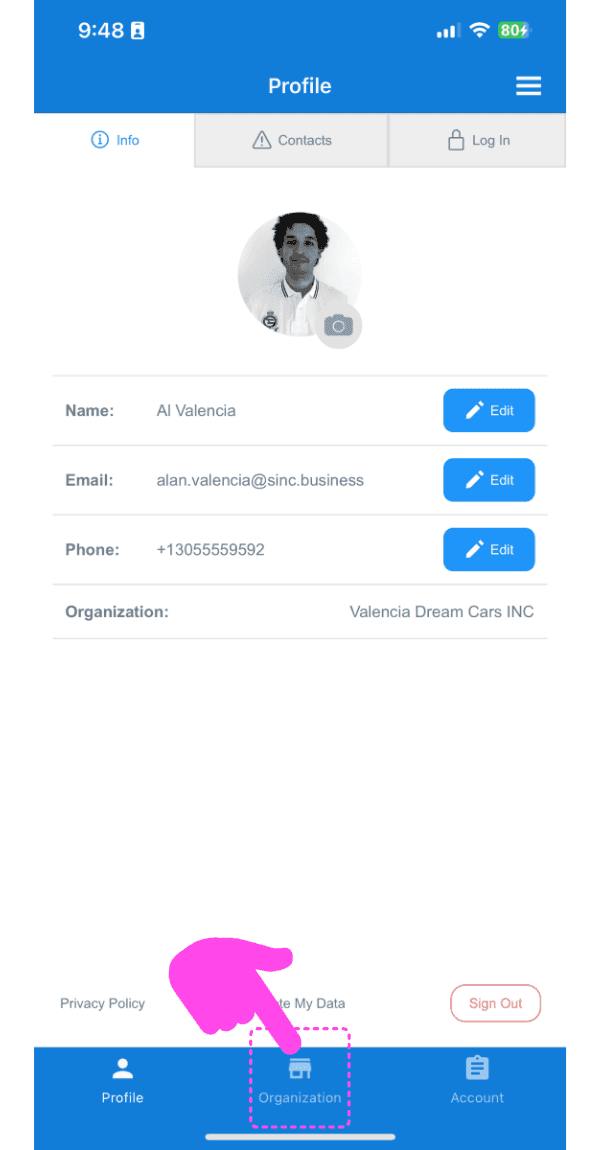
En el móvil: toca Menú Ajustes.
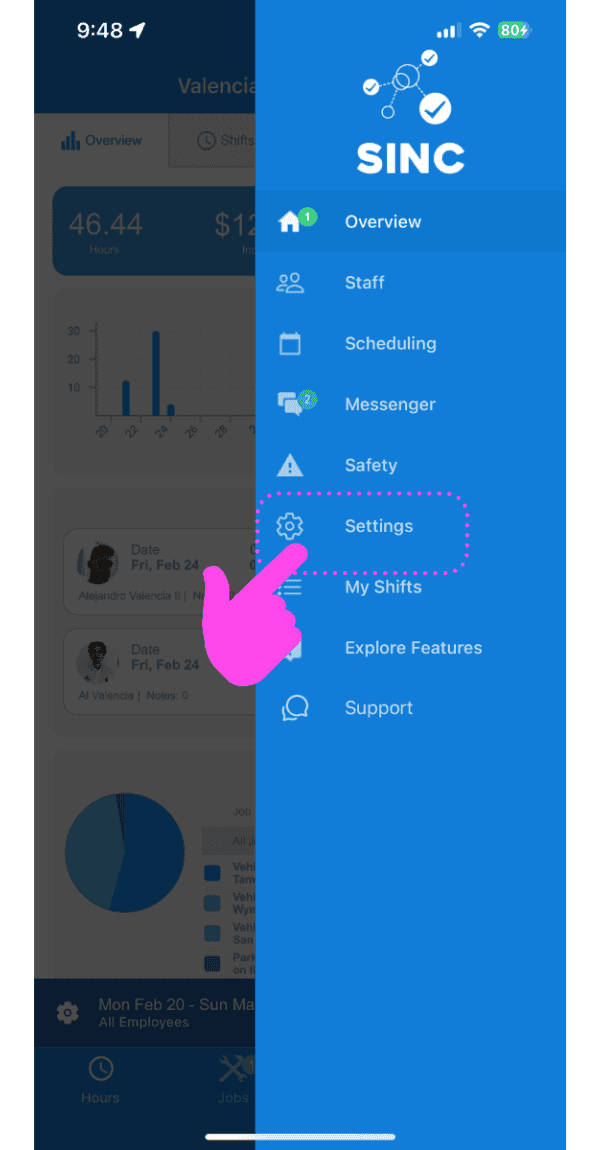
Toca Organización Información.
Activa Asignar empleados a trabajos. Ten en cuenta que, una vez activada esta opción, los empleados solo podrán fichar la entrada y la salida de los trabajos a los que hayan sido asignados.
¿Esto respondió tu pregunta?