Trabajos: crear tareas y grupos de tareas

Sam Dolbel
Sam Dolbel
Feb 24th, 2023

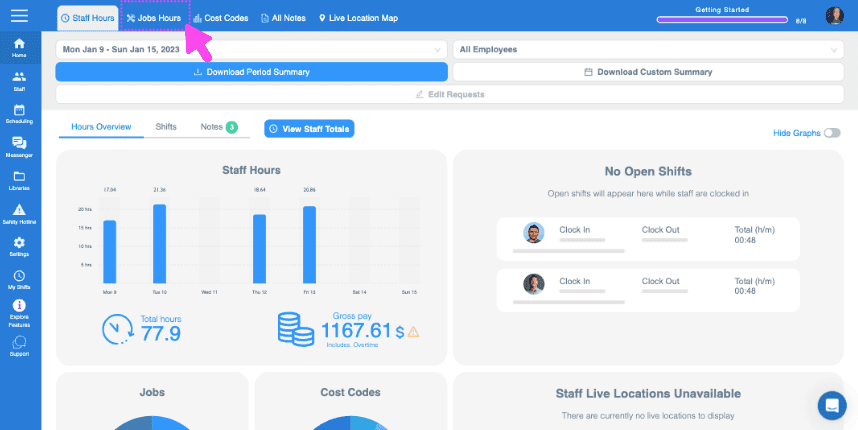
Haz clic en Inicio Horas de trabajo

SINC web Staff Hours dashboard with the Jobs Hours tab highlighted in pink at the top

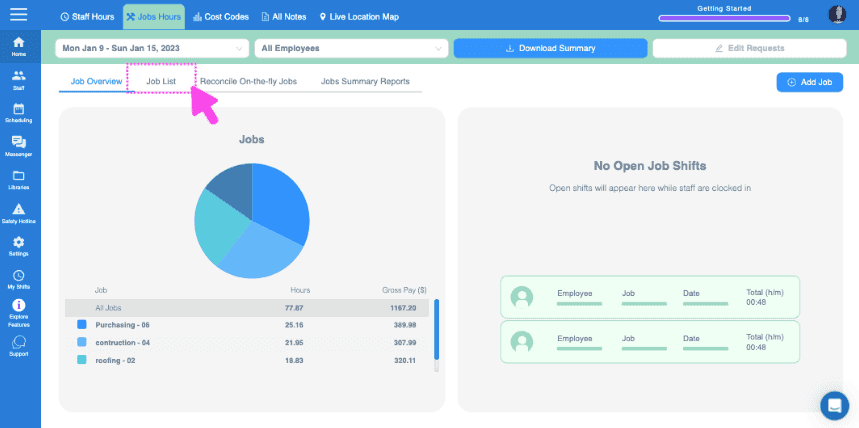
Haz clic en Lista de empleos

Web Jobs Hours dashboard with a pie chart of job hours and the Job List tab highlighted at the top

Haz clic en El trabajo al que quieres añadir tareas
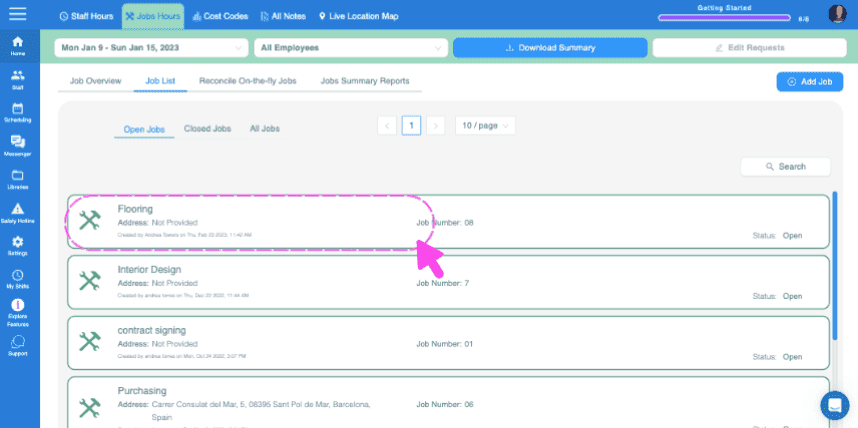
SINC web Jobs List screen with a pink dashed box and arrow highlighting the Flooring job entry

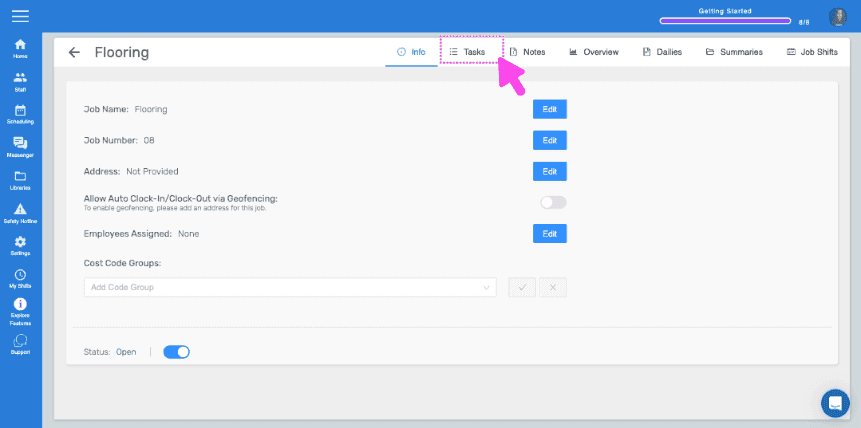
Haz clic en Tareas

Job detail Info screen with the Tasks tab highlighted by a pink arrow

Para añadir una tarea puntual, introduce el nombre de la tarea y haz clic en Añadir tarea
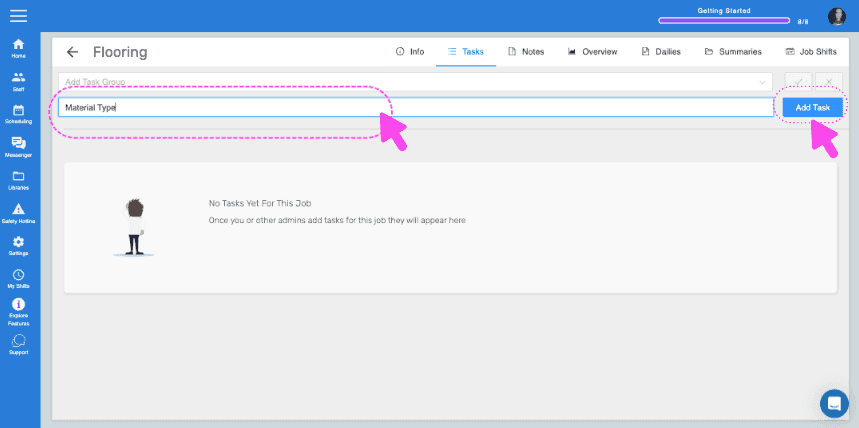
SINC web Job Tasks screen with the task name field and Add Task button highlighted by pink arrows

Introduce una descripción si lo deseas y haz clic en Aceptar
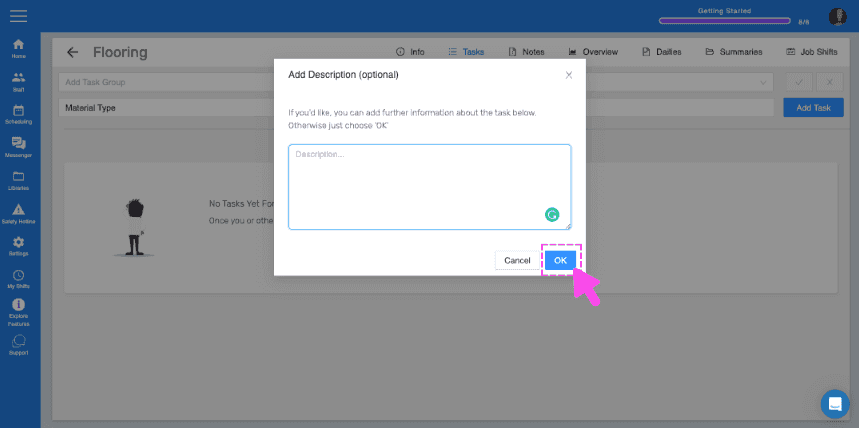
SINC web Tasks screen showing an Add Description popup with the OK button highlighted in pink

Si tienes conjuntos de tareas que quieres utilizar fácilmente en varios trabajos, puedes hacerlo creando grupos de tareas. Para crear un grupo de tareas, haz clic en Bibliotecas.
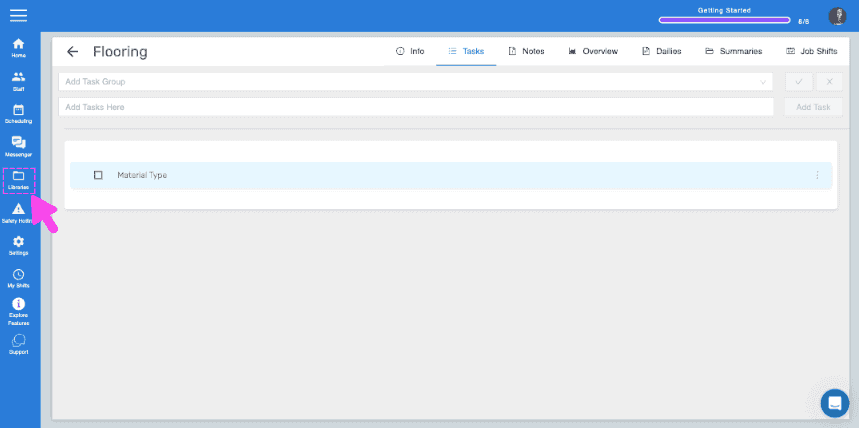
SINC web Flooring job Tasks tab with a pink arrow pointing to the Libraries icon in the sidebar

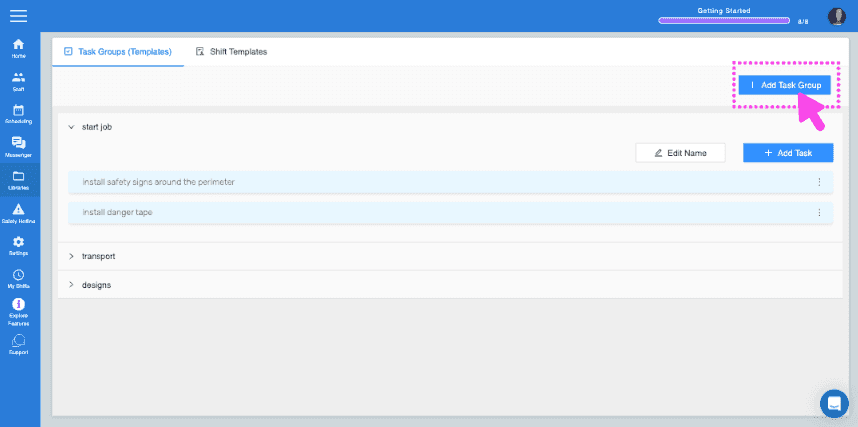
Haz clic en Añadir grupo de tareas

SINC web Task Groups screen with the Add Task Group button highlighted in the top right

Introduce el nombre del grupo de tareas y añade tu primera tarea al grupo
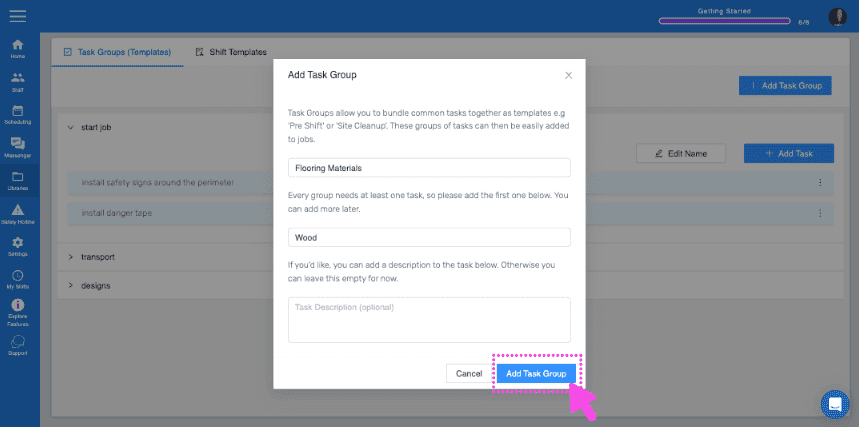
Add Task Group popup showing group name "Flooring Materials" and first task "Wood" with the Add Task Group button highlighted

Para añadir más tareas al grupo, haz clic en el nombre del grupo de tareas
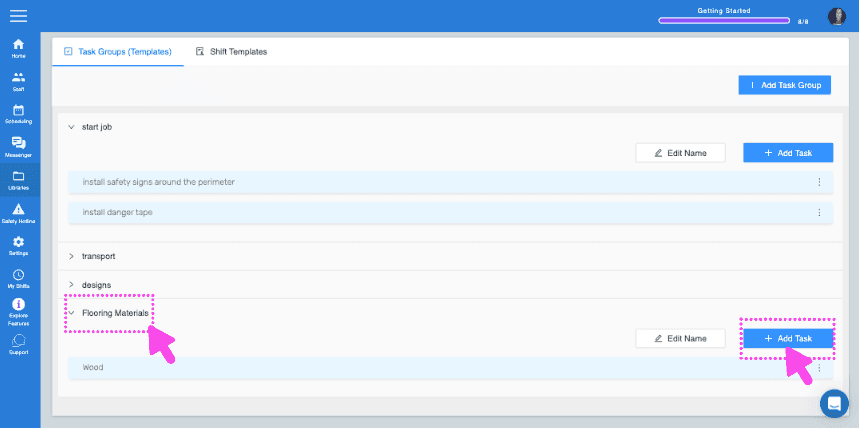
SINC web Task Groups screen with pink arrows pointing to a task group name and the Add Task button

Haz clic en Añadir tarea Introduce los detalles de la tarea
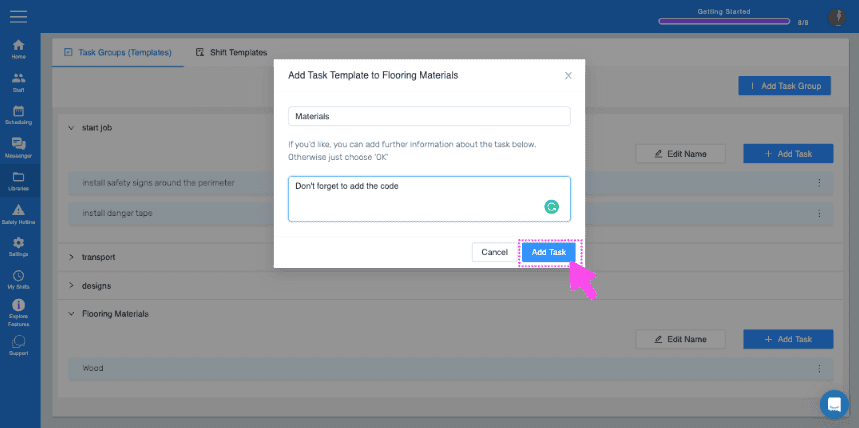
Web Add Task Template dialog with a task description field and the Add Task button highlighted by a pink arrow

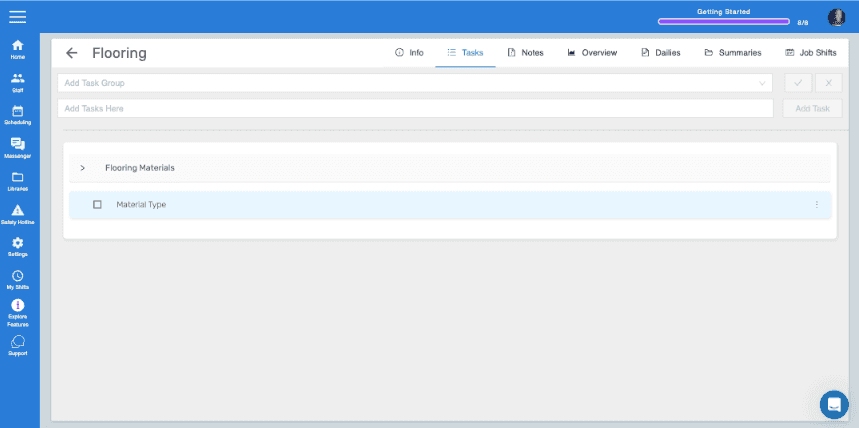
Ahora, para añadir el grupo de tareas a tu trabajo, vuelve a la sección **Tareas** del trabajo al que quieras añadirlo. Selecciona el grupo de tareas en el menú desplegable y, a continuación, haz clic en la marca azul .
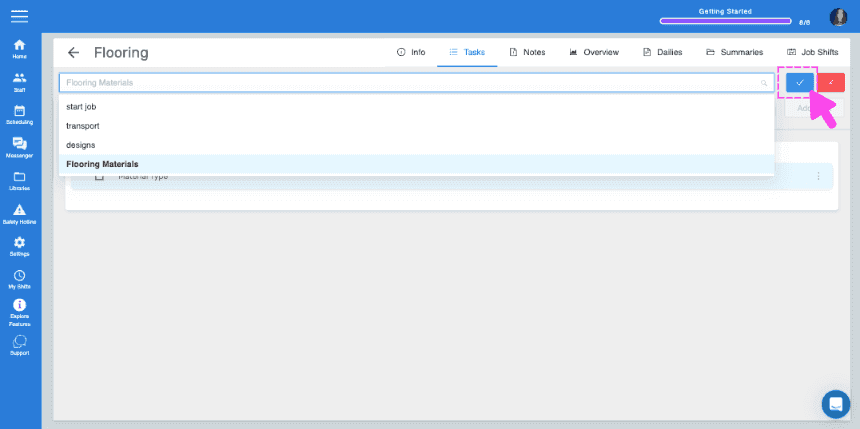
SINC web job Tasks panel with a task group dropdown open and a pink arrow pointing to the blue checkmark confirm button
Job Tasks tab showing the Flooring Materials task group with a Material Type task listed

¿Esto respondió tu pregunta?