Trabajos: finalizar un turno abierto a la fuerza

¡Usa esta función con precaución! Está diseñada como último recurso cuando un empleado no tiene conexión a internet para sincronizar sus turnos.

SINC Support Team
SINC Support Team
Feb 27th, 2023

Si un empleado no logra conectarse a Internet a tiempo para que puedas generar un resumen, o por algún otro motivo aún no ha podido registrar su salida, puedes finalizar su turno de trabajo de forma forzada mediante esta función. Esta función debe utilizarse como último recurso.

En el móvil: toca el turno de trabajo abierto en cuestión
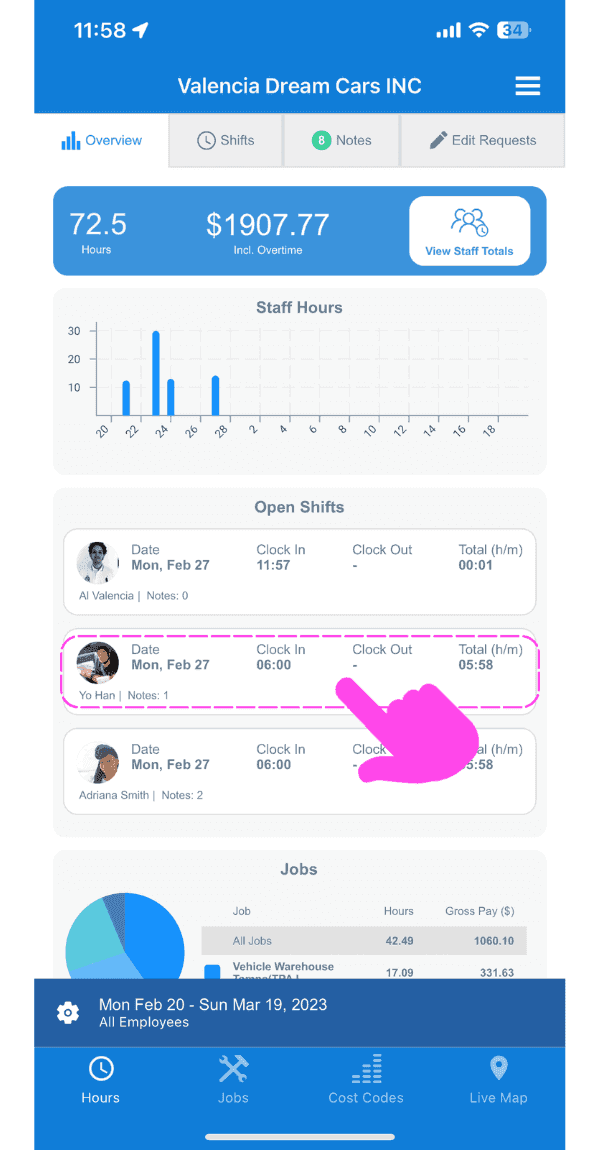
SINC web dashboard Open Shifts list with a pink hand pointing to a specific open shift row

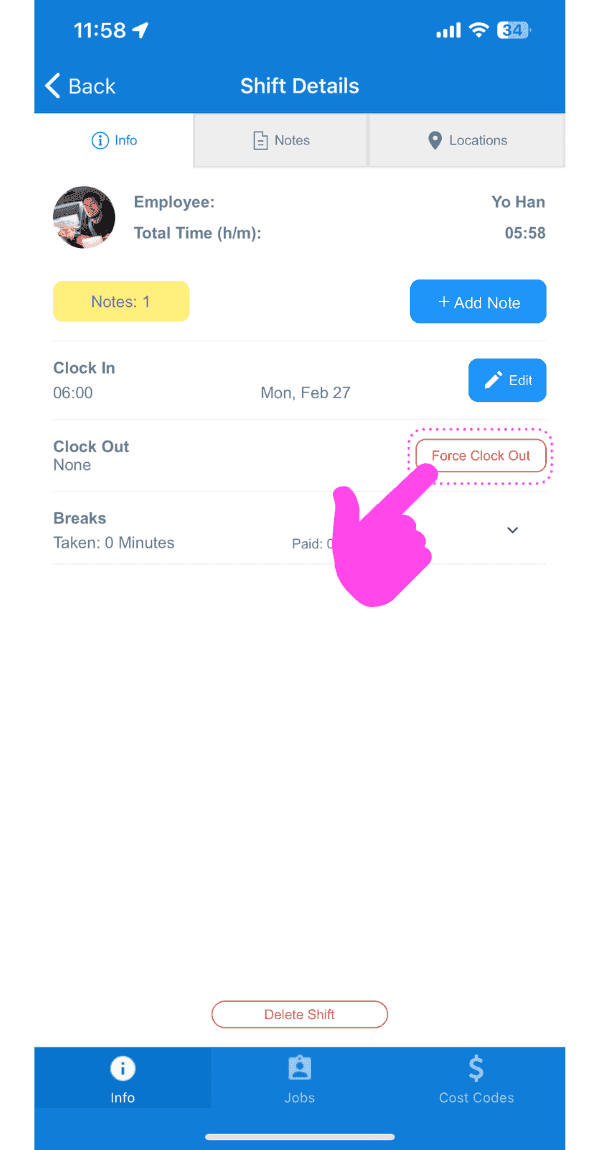
Toca Forzar fichaje de salida

Shift Details screen with the Force Clock Out button outlined in pink

Selecciona la fecha de la nueva salida
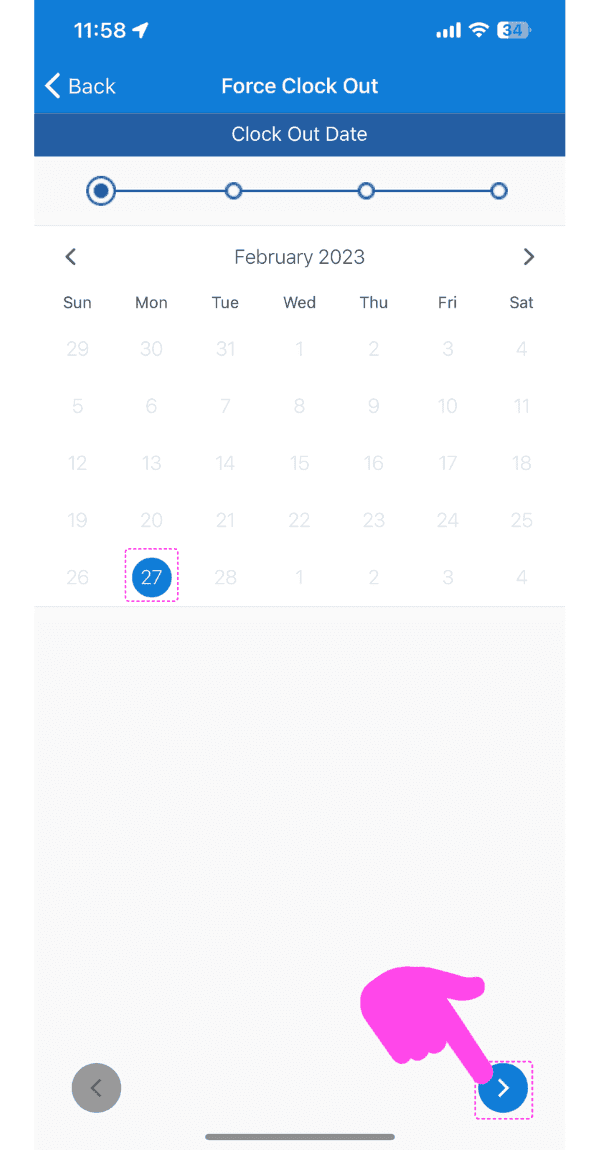
Force Clock Out screen showing a February calendar with the 27th selected and a pink arrow pointing to the next-step button

Selecciona la hora de la nueva salida
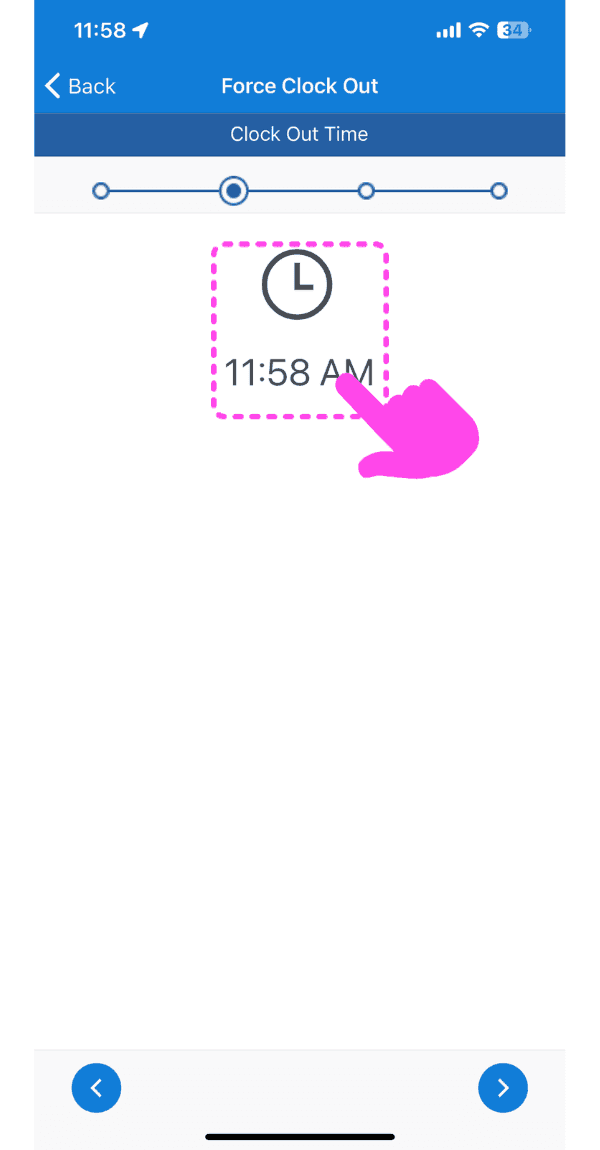
SINC mobile Force Clock Out screen with a pink arrow pointing to the clock-out time selector

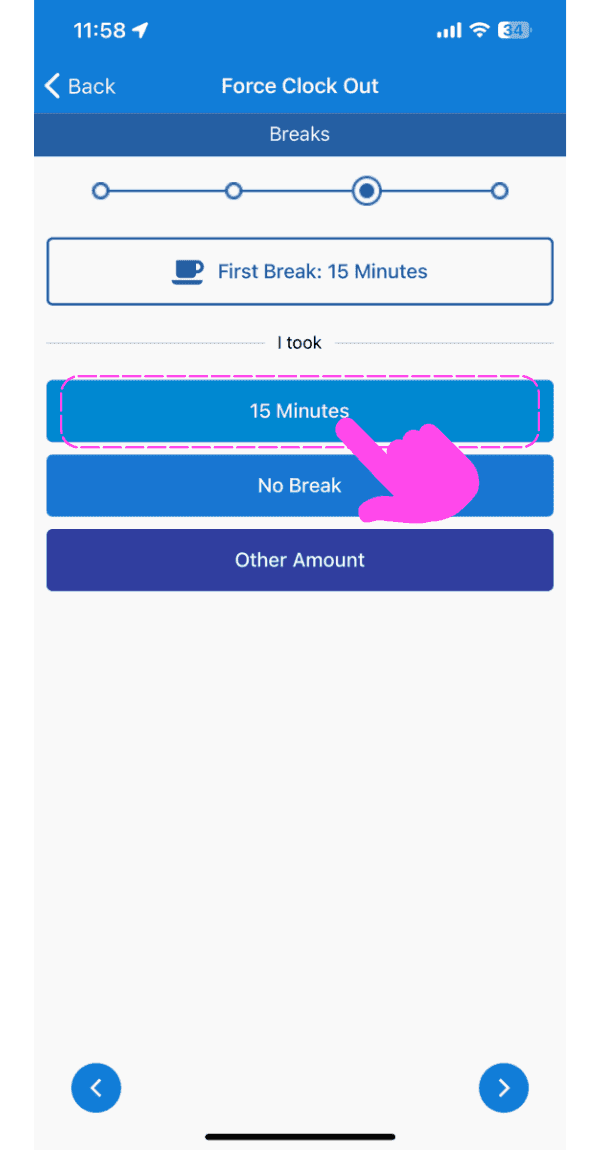
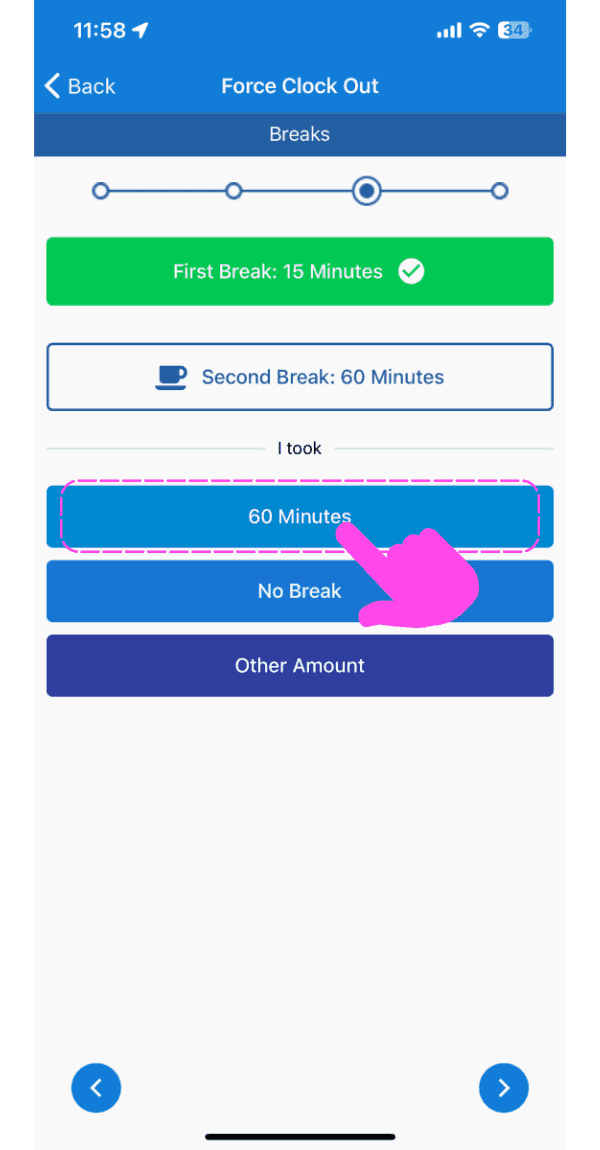
Selecciona la hora del descanso

Force Clock Out breaks screen with the 15 Minutes break option highlighted by a pink arrow
SINC mobile Force Clock Out breaks screen with the 60 Minutes option highlighted in pink
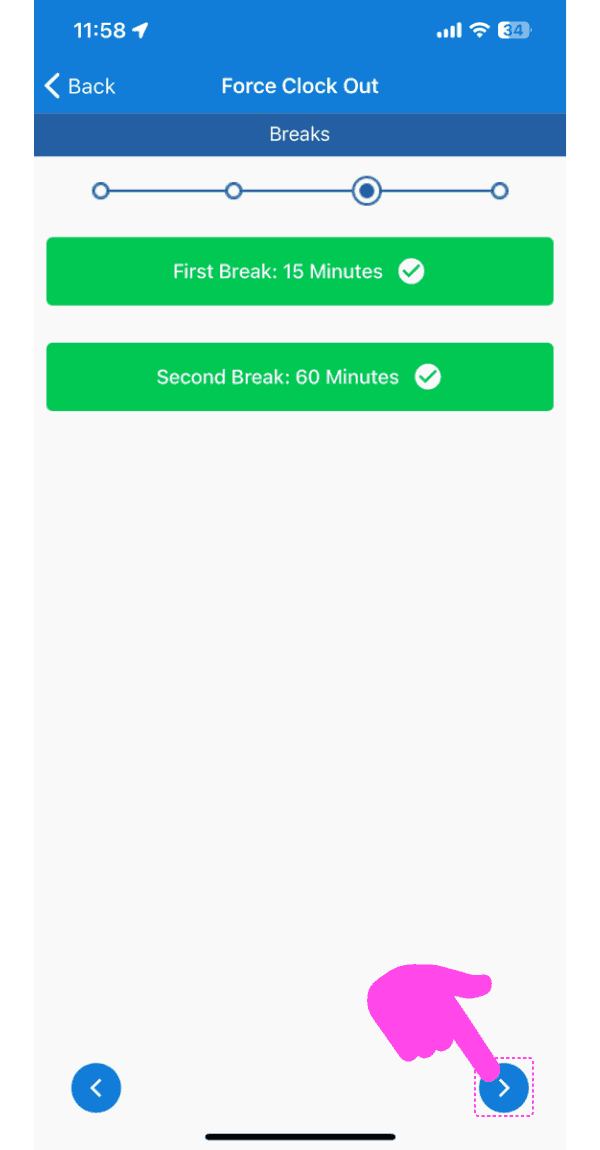
Force Clock Out Breaks screen showing both breaks confirmed, with a pink arrow pointing to the next-step arrow button bottom right

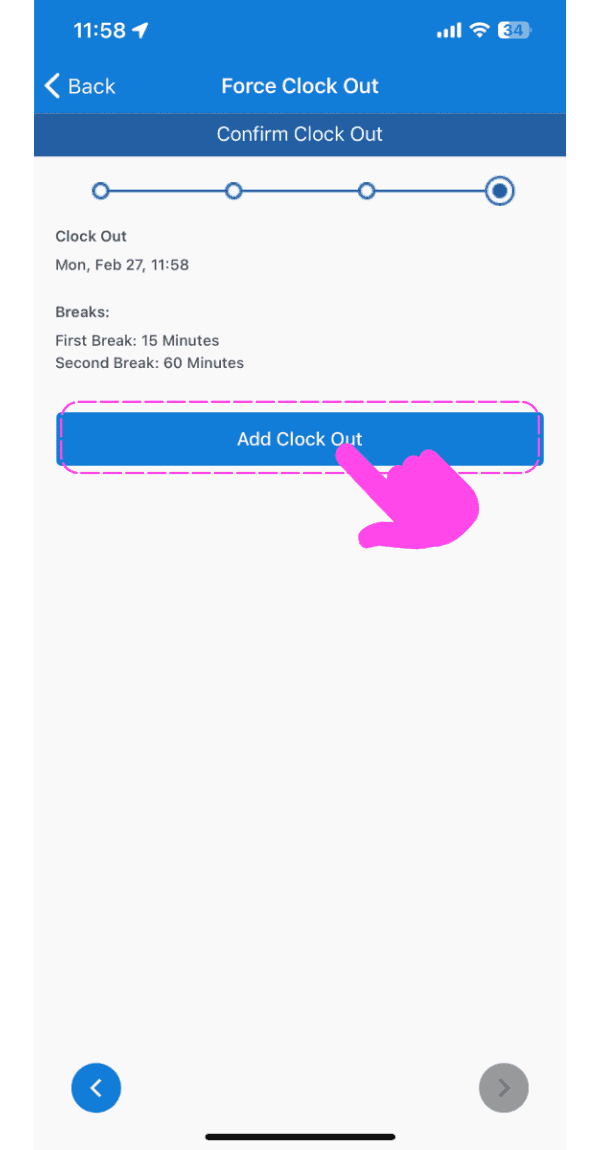
Pulsa Añadir salida

SINC mobile Confirm Clock Out screen with a pink arrow pointing to the Add Clock Out button

En la web: haz clic en el turno laboral abierto en cuestión
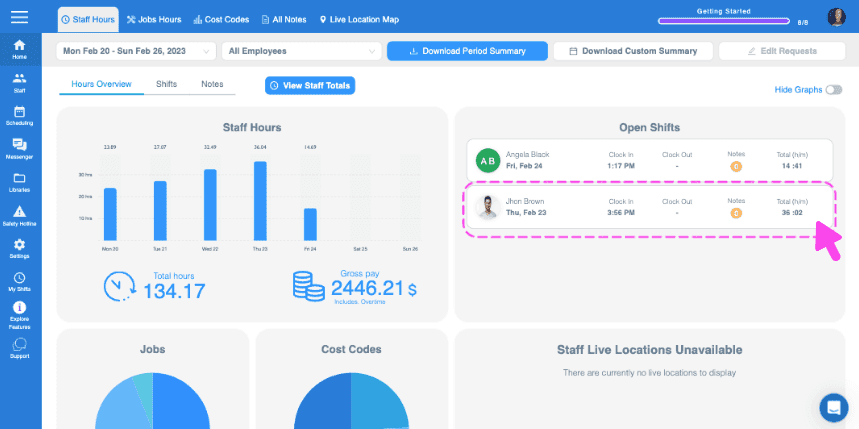
Web Staff Hours Overview with an open shift row outlined in pink and an arrow pointing to it

Haz clic en Forzar salida del registro horario
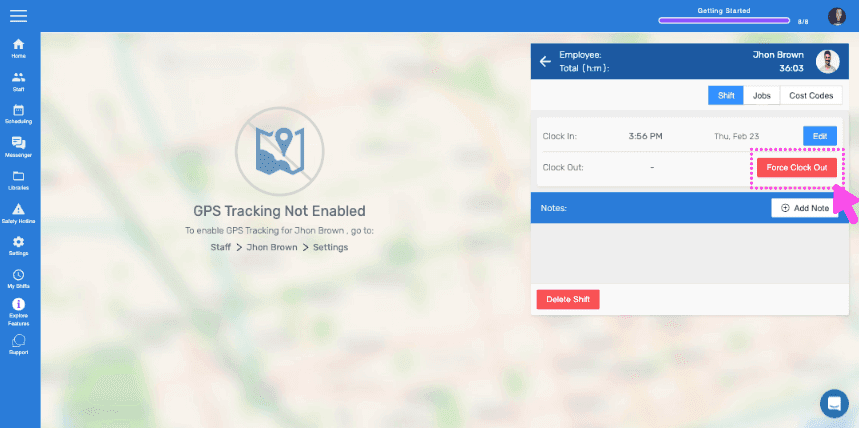
SINC web Force Clock Out panel with a pink arrow pointing to the highlighted Clock Out Time field

Selecciona la fecha del nuevo fichaje de salida
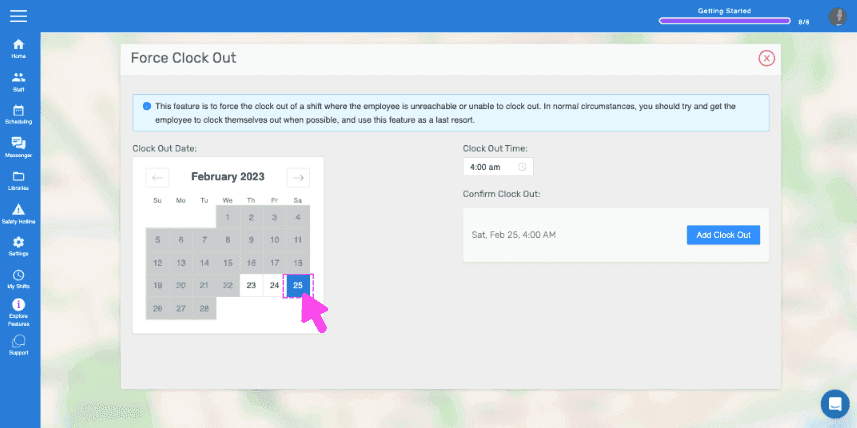
Force Clock Out screen with a calendar and a pink arrow selecting a clock-out date

Selecciona la hora de la nueva salida
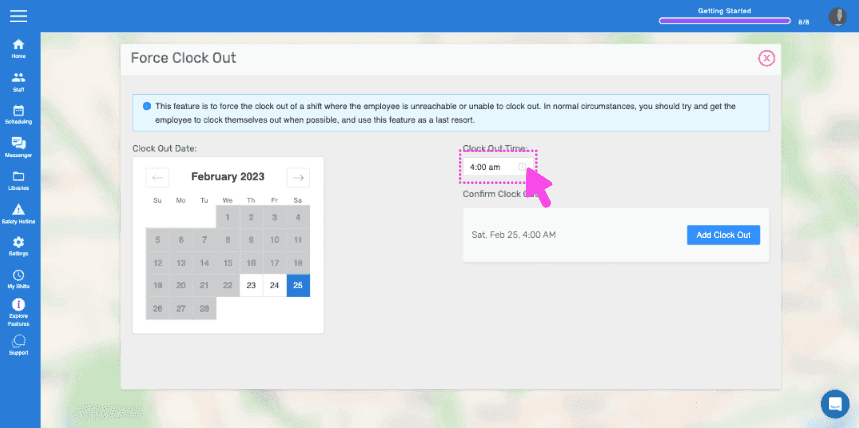
Web Force Clock Out screen with the Clock Out Time field circled in pink

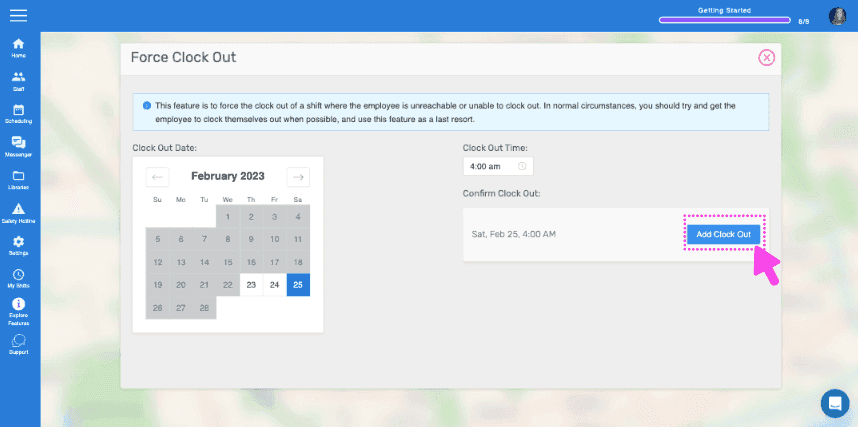
Haz clic en Añadir hora de salida

SINC web Force Clock Out screen with a pink arrow pointing to the Add Clock Out button

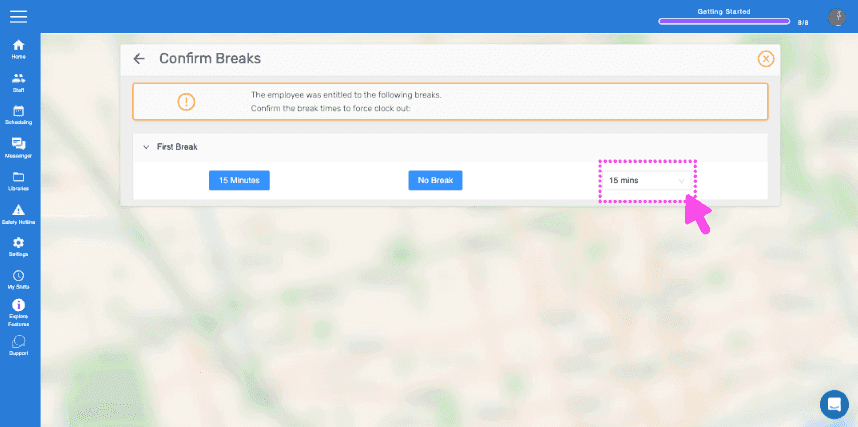
Haz clic en Confirmar descansos

SINC web Confirm Breaks dialog with a pink arrow pointing to the break time field

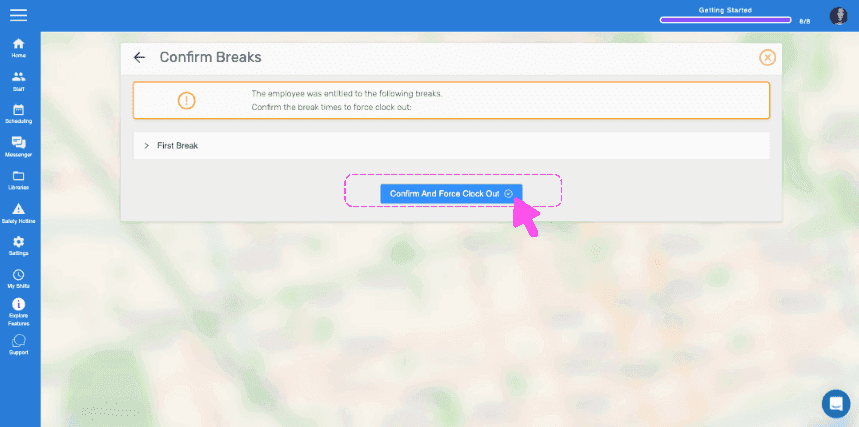
Haz clic en Añadir salida forzada

Confirm Breaks dialog with a pink arrow pointing to the Confirm And Force Clock Out button

Haz clic en Completado

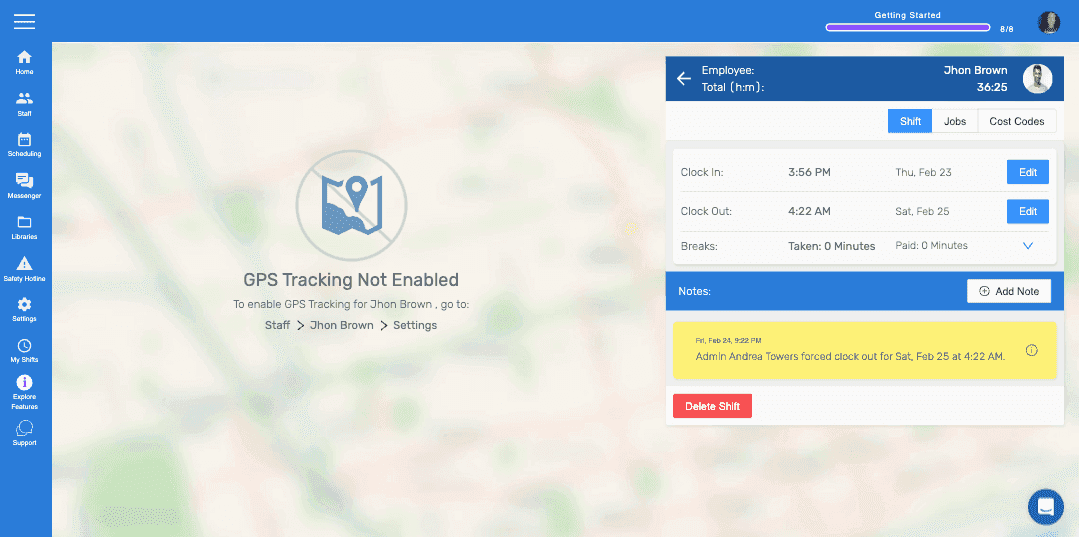
SINC mobile app shift detail screen showing clock in/out times, a forced clock-out note, and the Delete Shift button

¿Esto respondió tu pregunta?