Trabajos: primeros pasos

Antes de empezar a hacer el seguimiento de tus trabajos en SINC, debes cambiar algunos ajustes. Esta guía te explica cómo hacerlo.

Sam Dolbel
Sam Dolbel
Feb 23rd, 2023

En la web: desde la pantalla de inicio, haz clic en Ajustes.
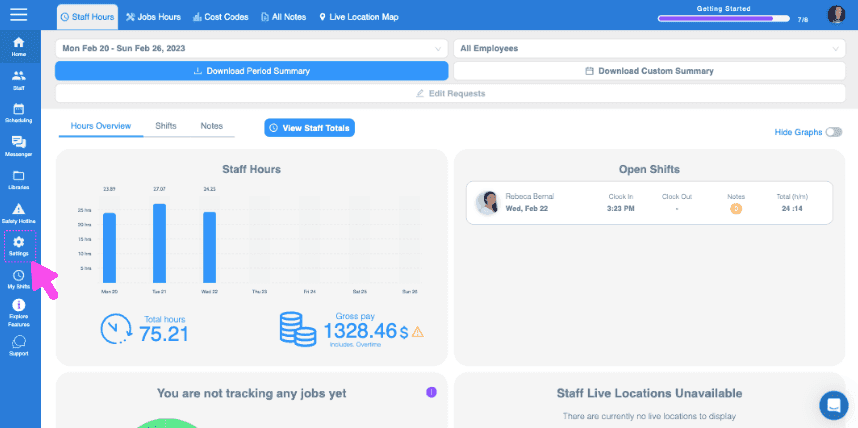
SINC web dashboard Staff Hours overview with a pink arrow pointing to the Jobs Hours tab in the top menu

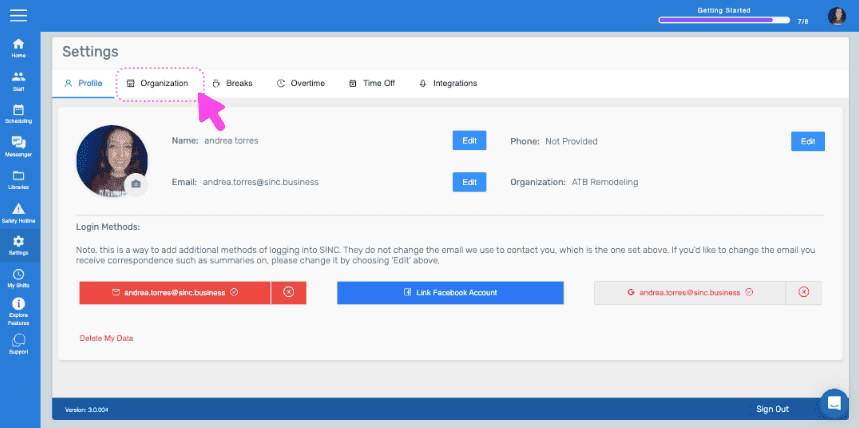
Haz clic en Organización.

SINC web Settings screen with a pink arrow pointing to the Organization tab
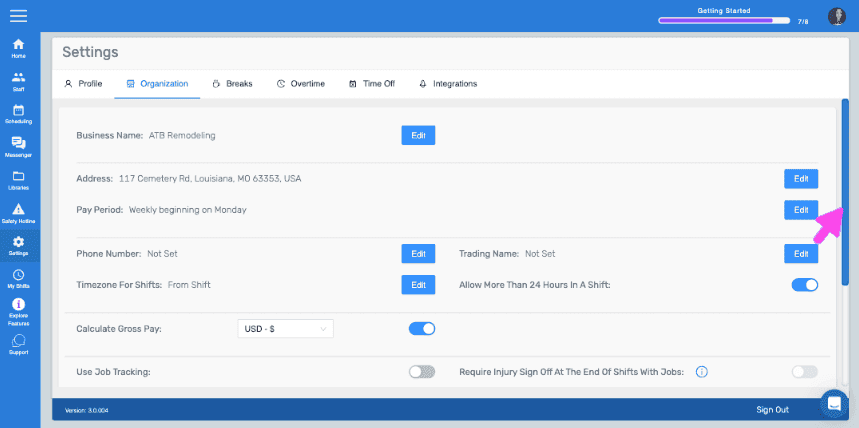
Web Settings Organization tab with a pink arrow pointing to the Edit button next to Pay Period

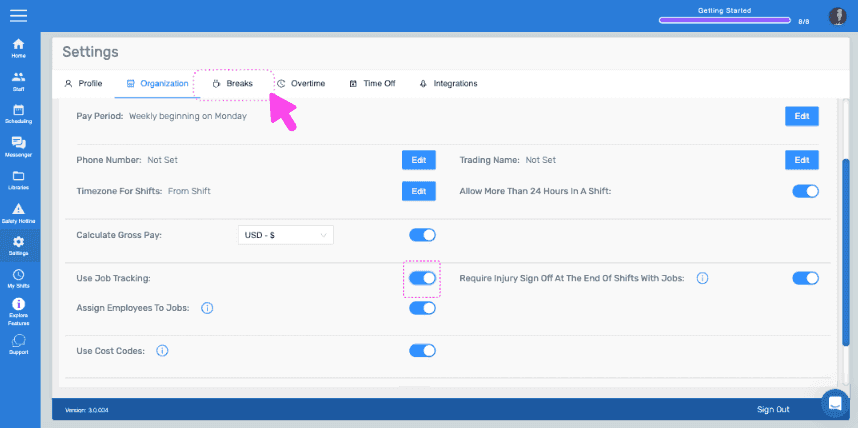
Activa Usar seguimiento de trabajos.
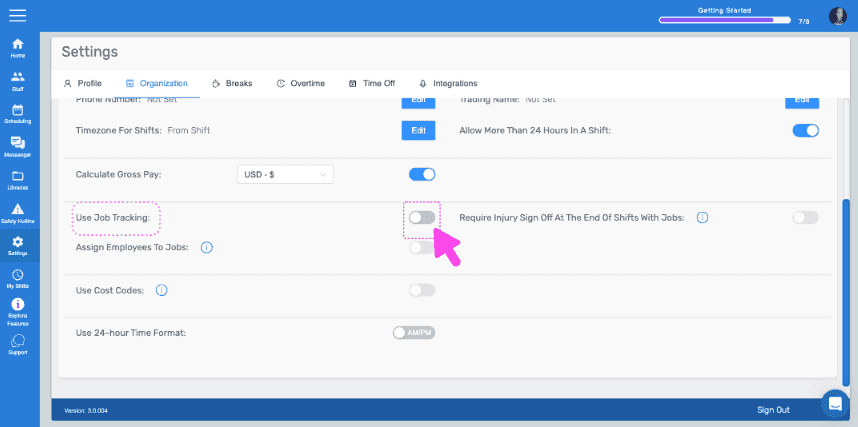
SINC web Settings Organization tab with a pink arrow pointing to the Use Job Tracking toggle switch

Después, haz clic en Saltos.

SINC web Settings page with a pink arrow pointing to the Breaks tab

Haz clic en Editar (junto al tipo de descanso).
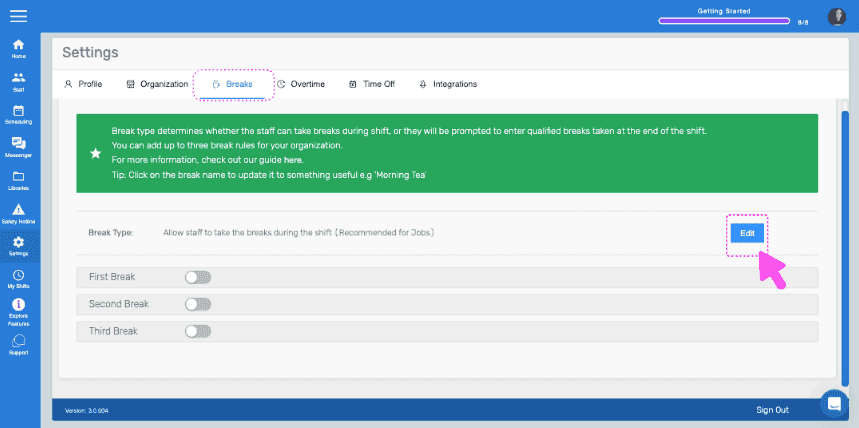
Settings Breaks tab showing break type toggles with the Edit button highlighted next to Break Type

Selecciona la opción «Permitir que el personal haga pausas durante su turno» y confirma el cambio.
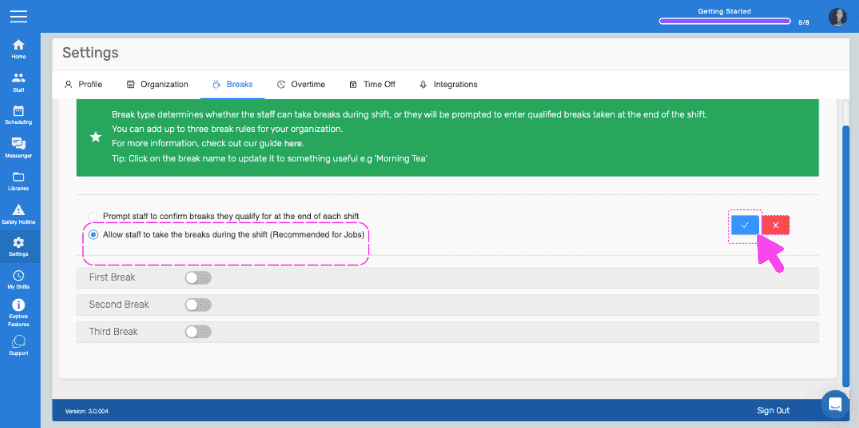
SINC web Settings Breaks tab with the 'Allow staff to take breaks during shift' option outlined in pink and an arrow pointing to the confirm button

En el móvil: abre el menú y pulsa Ajustes.
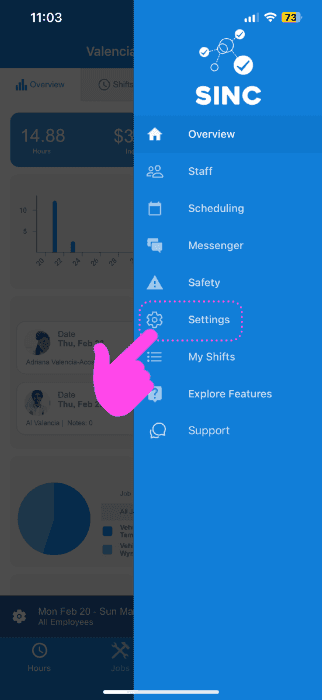
SINC mobile app menu with a pink arrow pointing to the Settings icon

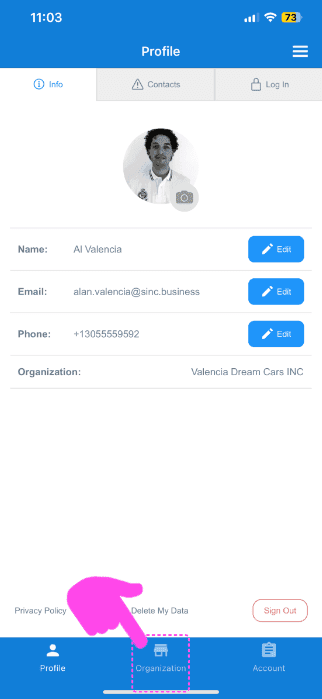
Toca en Organización.

SINC mobile Profile screen with a pink arrow pointing to the Organization tab in the bottom navigation bar

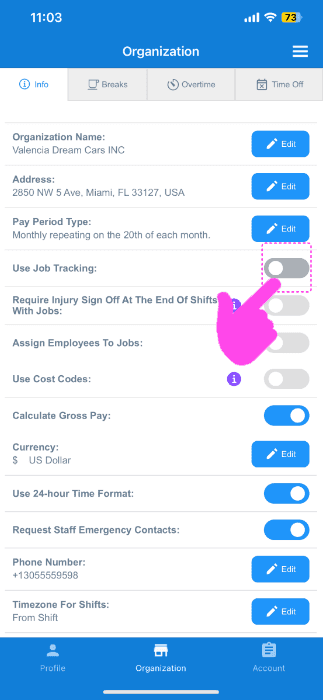
Activa Usar seguimiento de trabajos.

SINC mobile Organization info screen with a pink hand pointing to the Use Job Tracking toggle switch

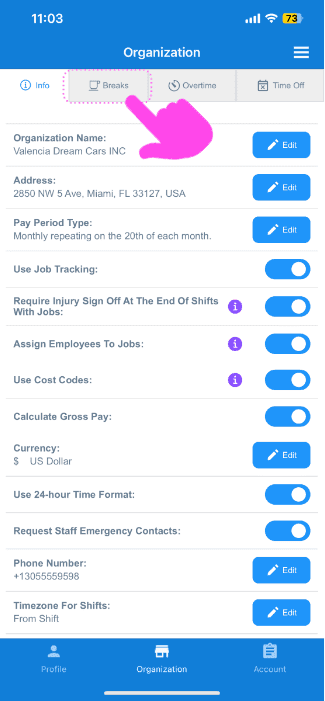
Selecciona breaks.

Organization settings screen with the Breaks tab highlighted by a pink arrow next to Info, Overtime, and Time Off

Selecciona editar (junto al tipo de pausa).
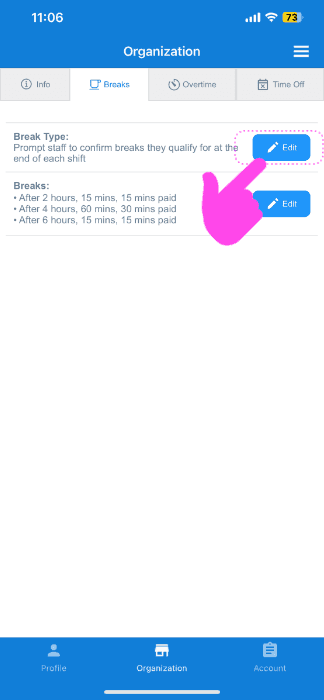
SINC app Organization Breaks tab with a pink arrow pointing to the Edit button next to break types

Pulsa la opción «Permitir que el personal haga pausas durante su turno».
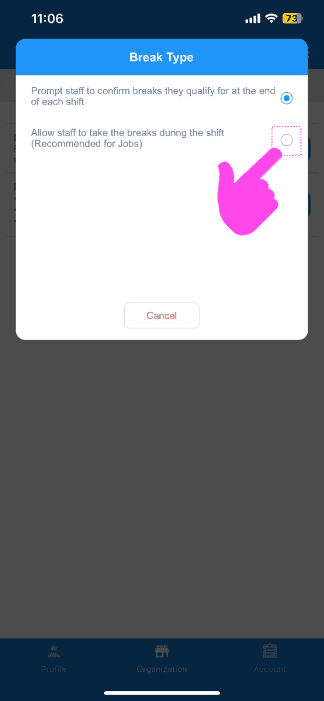
Break Type popup with a pink arrow pointing to the "Allow staff to take breaks during the shift" radio option

¡Ya puedes crear tu primer trabajo! En la siguiente guía te mostramos cómo hacerlo.

¿Esto respondió tu pregunta?