
Ver la ubicación en tiempo real de tu equipo mientras está de turno
En esta guía te explicamos cómo consultar la ubicación de tus empleados cuando estén fichando en un turno.

Nota: Esta función está disponible actualmente solo para usuarios de los planes Growth y Enterprise. IMPORTANTE: Para utilizarla, debes asegurarte de haber activado el seguimiento de la ubicación de tu personal y de que hayan optimizado sus dispositivos para dicho seguimiento.
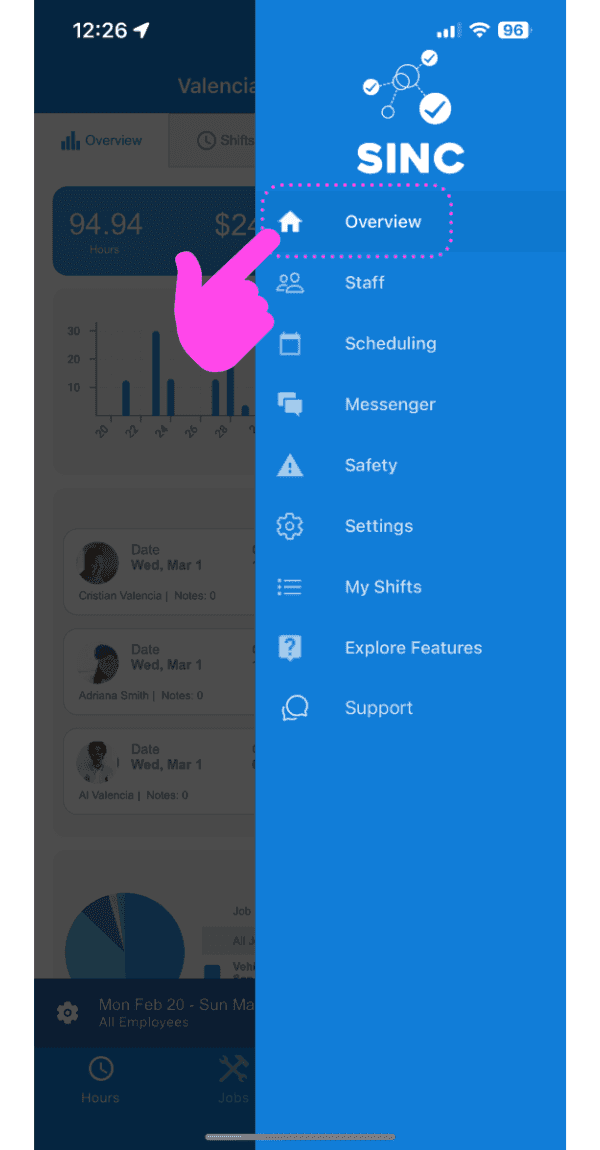
Toca Vista general
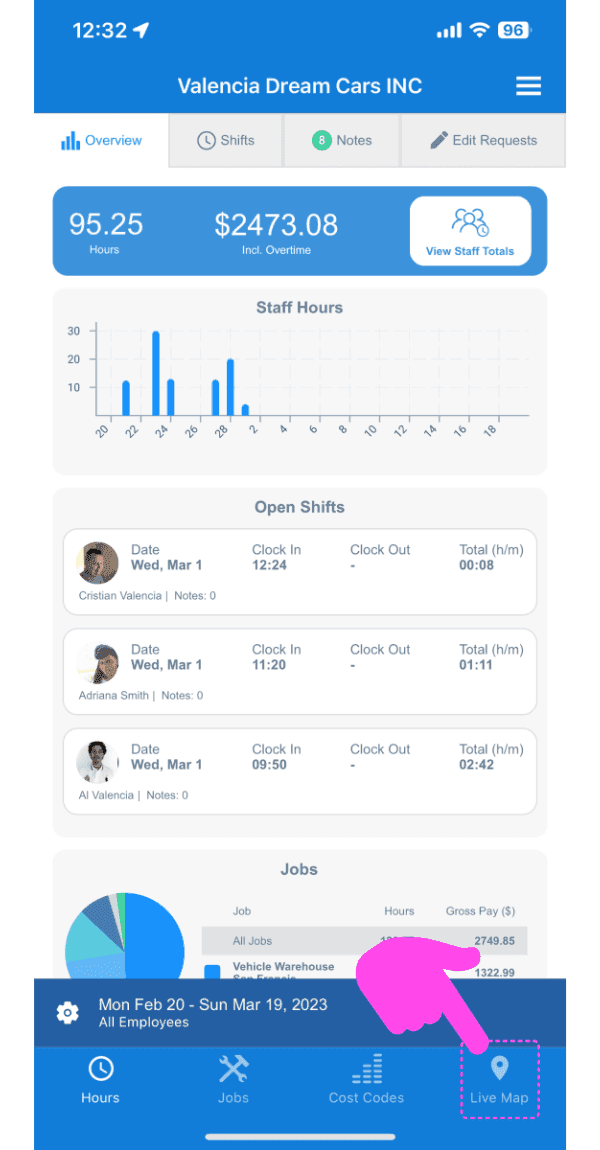
Toca Mapa en vivo
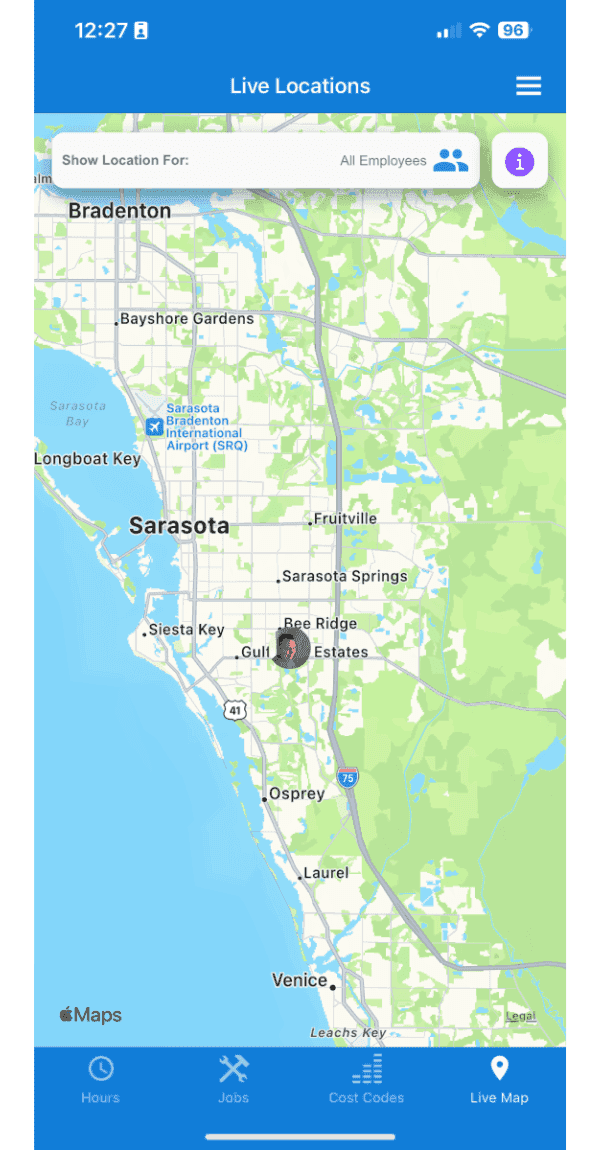
Aquí verás las ubicaciones de los empleados que están actualmente de turno. Puedes hacer clic en el marcador de un empleado para consultar más información, como la hora en que se registró la ubicación por última vez y la precisión de dicha ubicación.
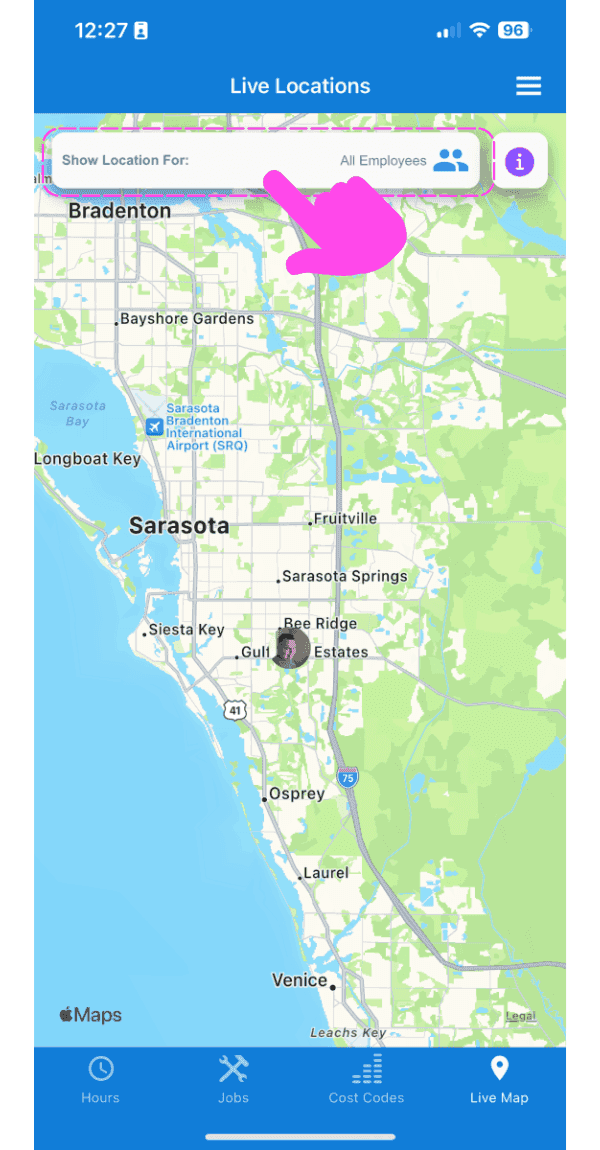
También puedes filtrar las ubicaciones por empleado: haz clic en la barra superior y selecciona al empleado cuya ubicación quieras consultar. El mapa se centrará automáticamente en la ubicación de ese empleado.
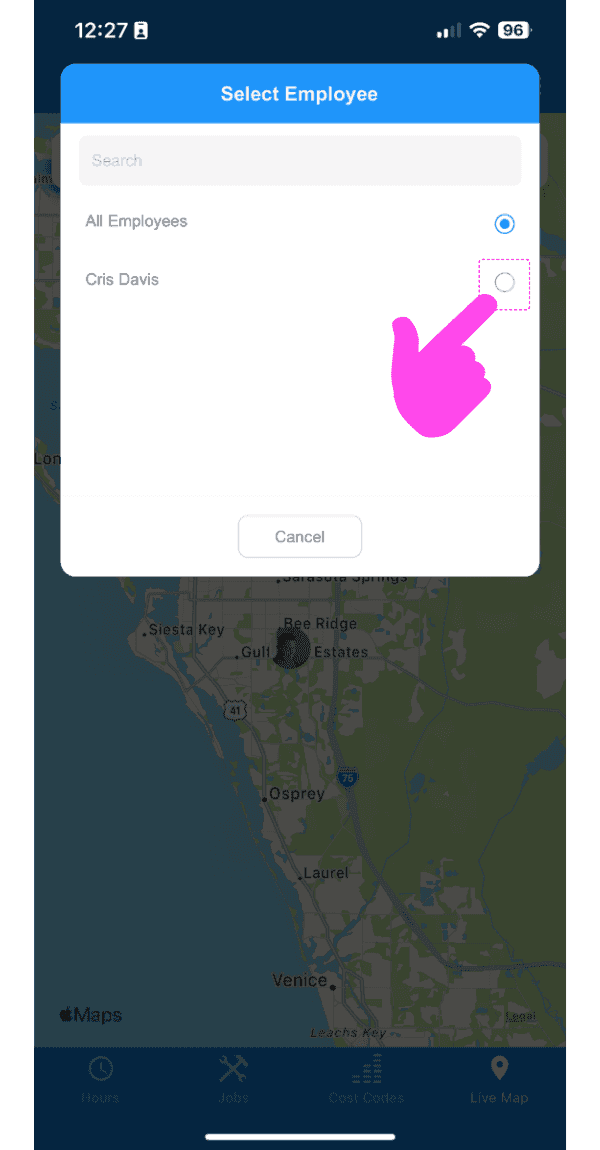
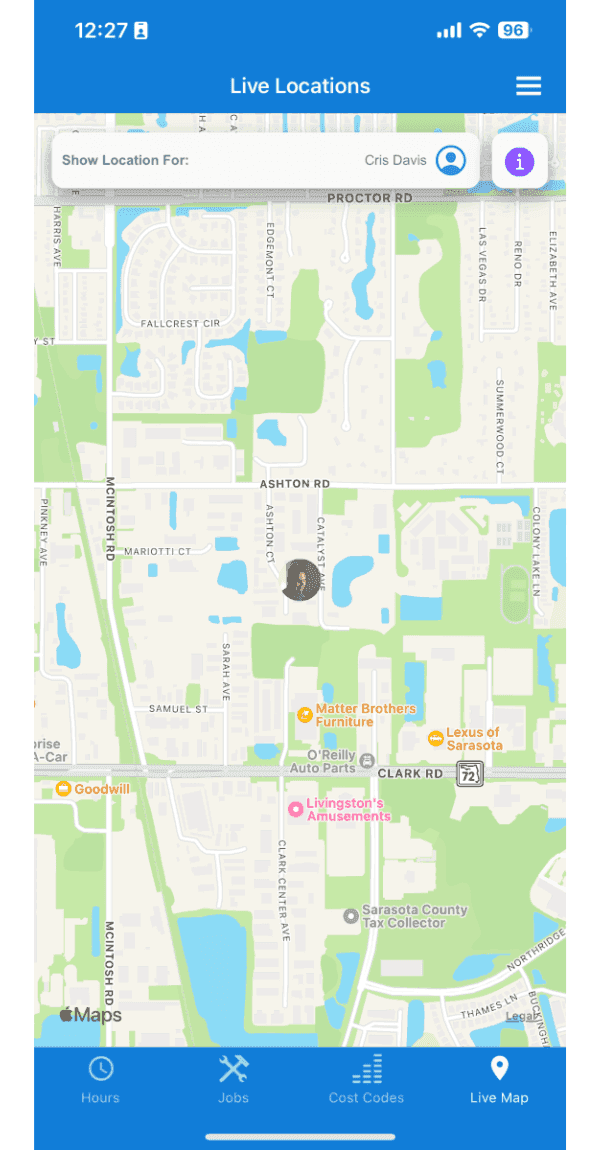
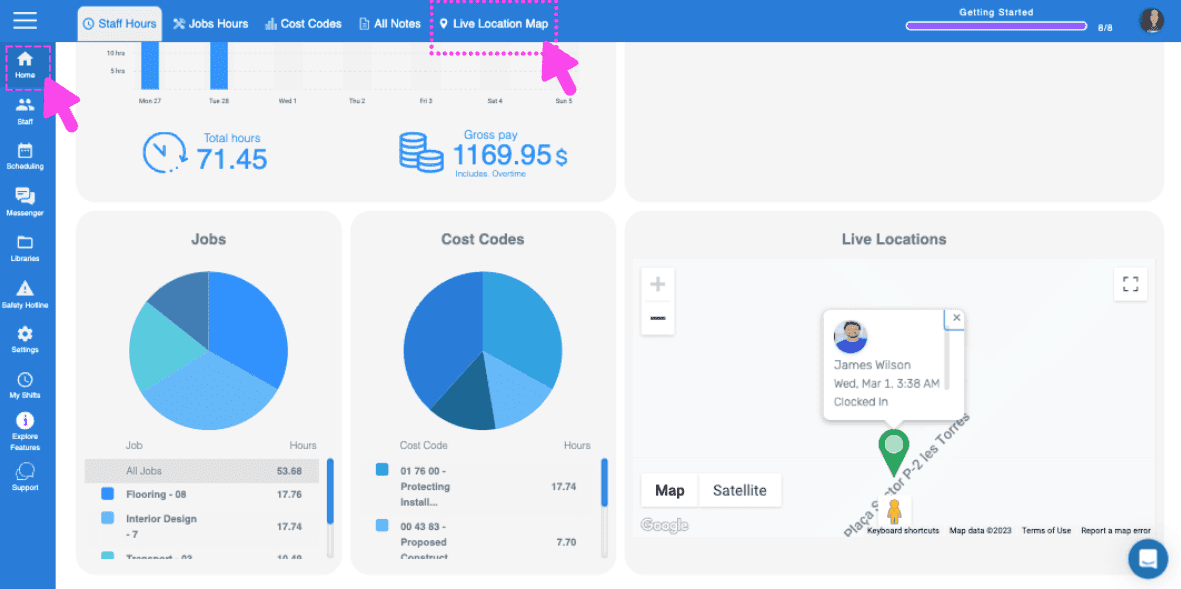
En la versión web, el proceso es el mismo: puedes encontrar el mapa de ubicación en tiempo real en la pantalla de inicio y consultar una vista rápida directamente desde allí.
¿Esto respondió tu pregunta?