Cálculo de horas extra: normativa de California

Para empezar a calcular las horas extra según las normas de California en SINC, debes cambiar algunos ajustes. Esta guía te muestra cómo hacerlo.

Sam Dolbel
Sam Dolbel
Mar 21st, 2023

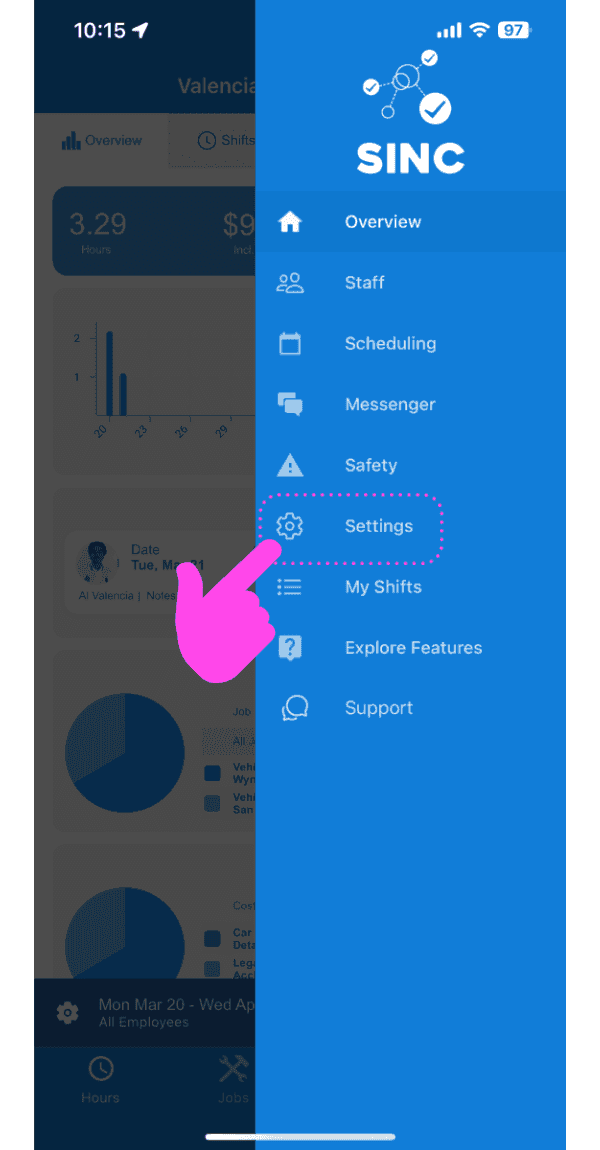
Pulsa Ajustes

Mobile app side menu with a pink arrow pointing to the Settings option

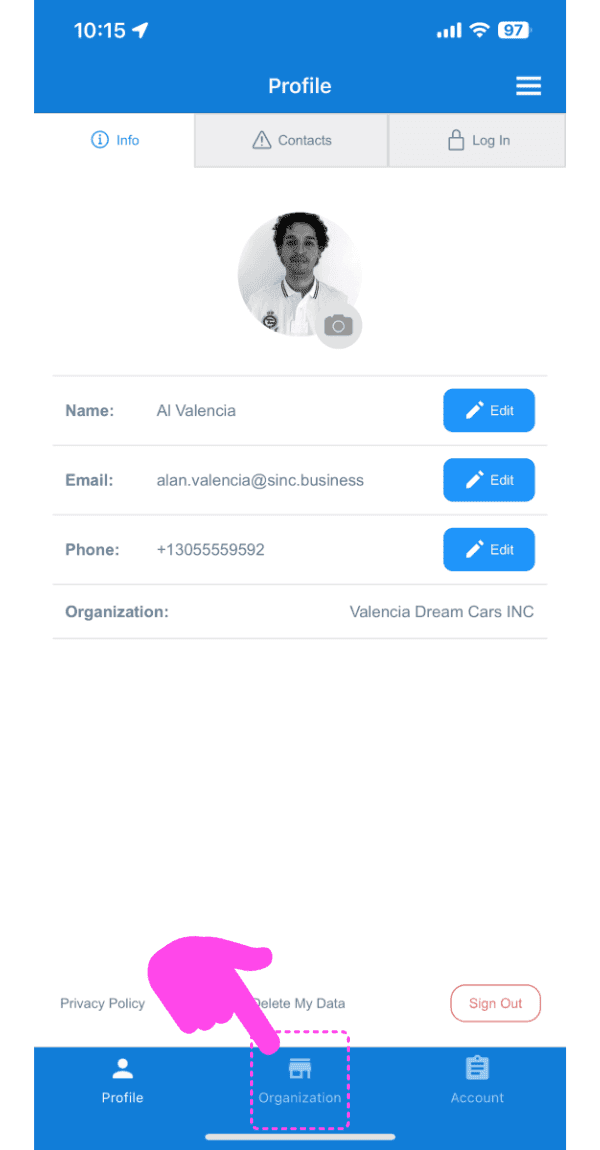
Toca Organización

SINC mobile Profile screen with a pink arrow pointing to the Organization tab icon

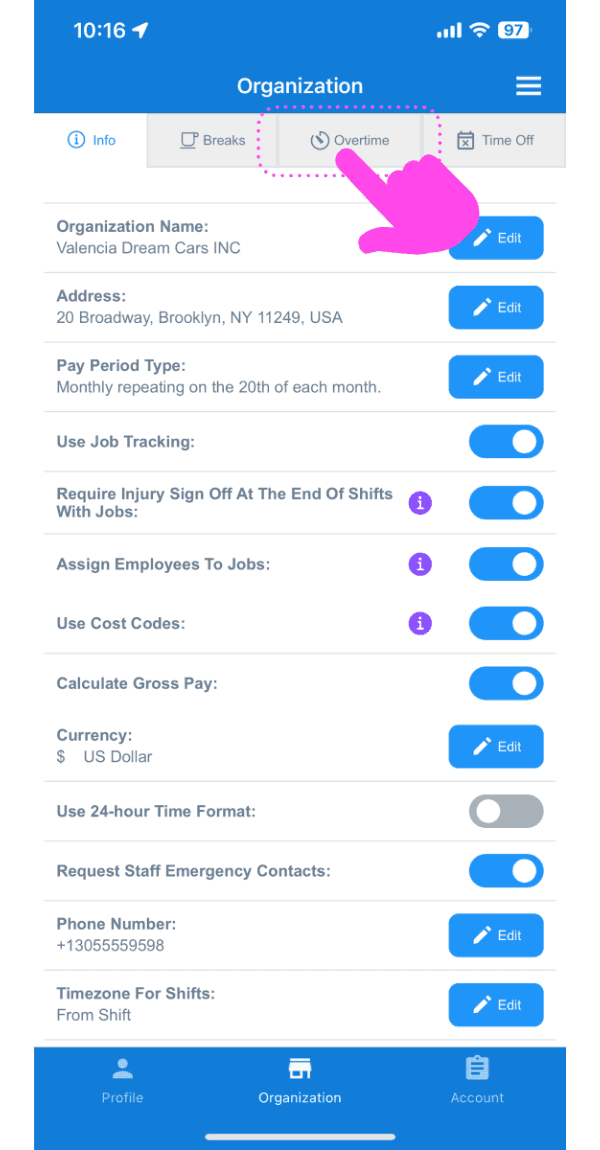
Pulsa Horas extra

Organization settings screen with a pink arrow pointing to the Overtime tab

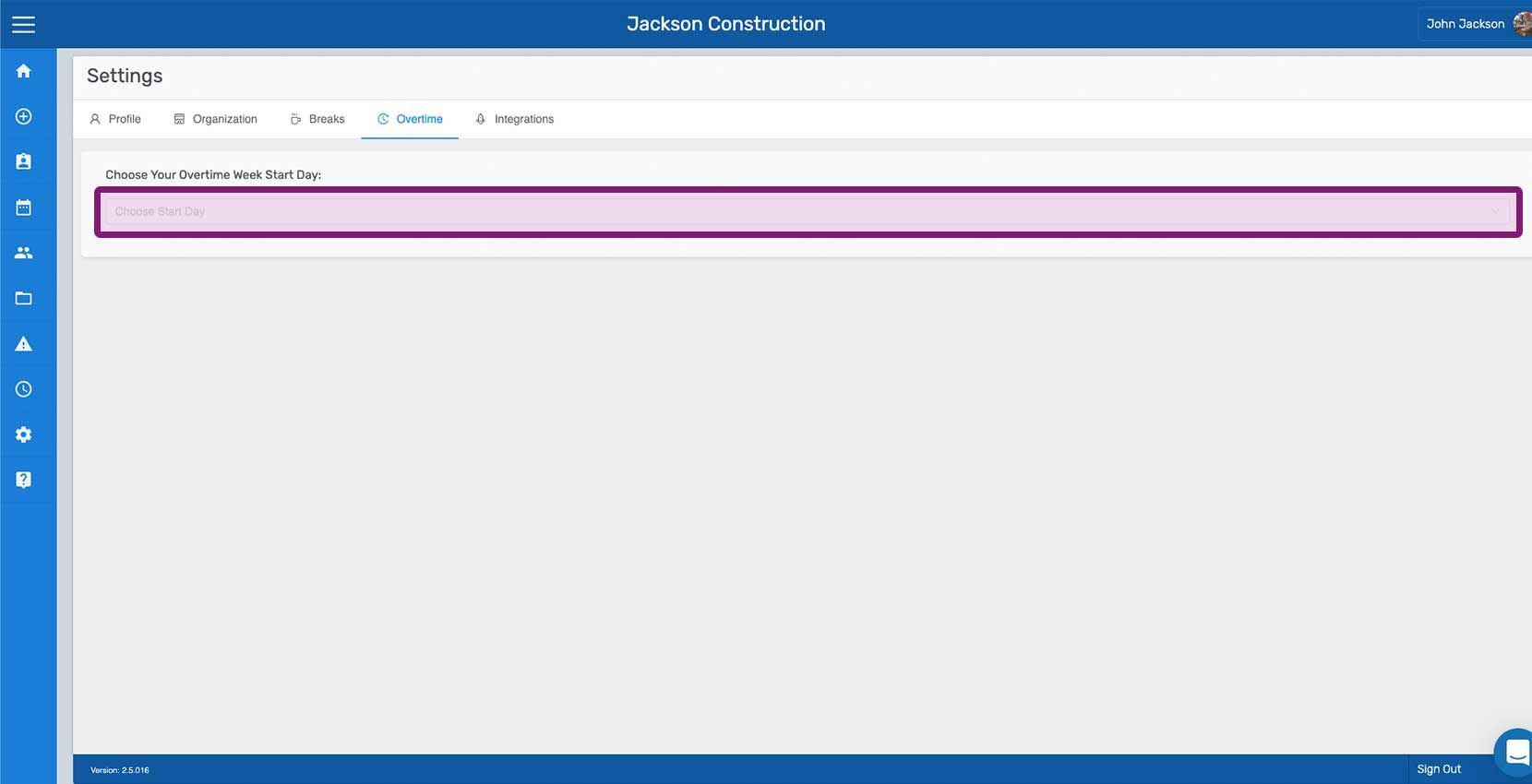
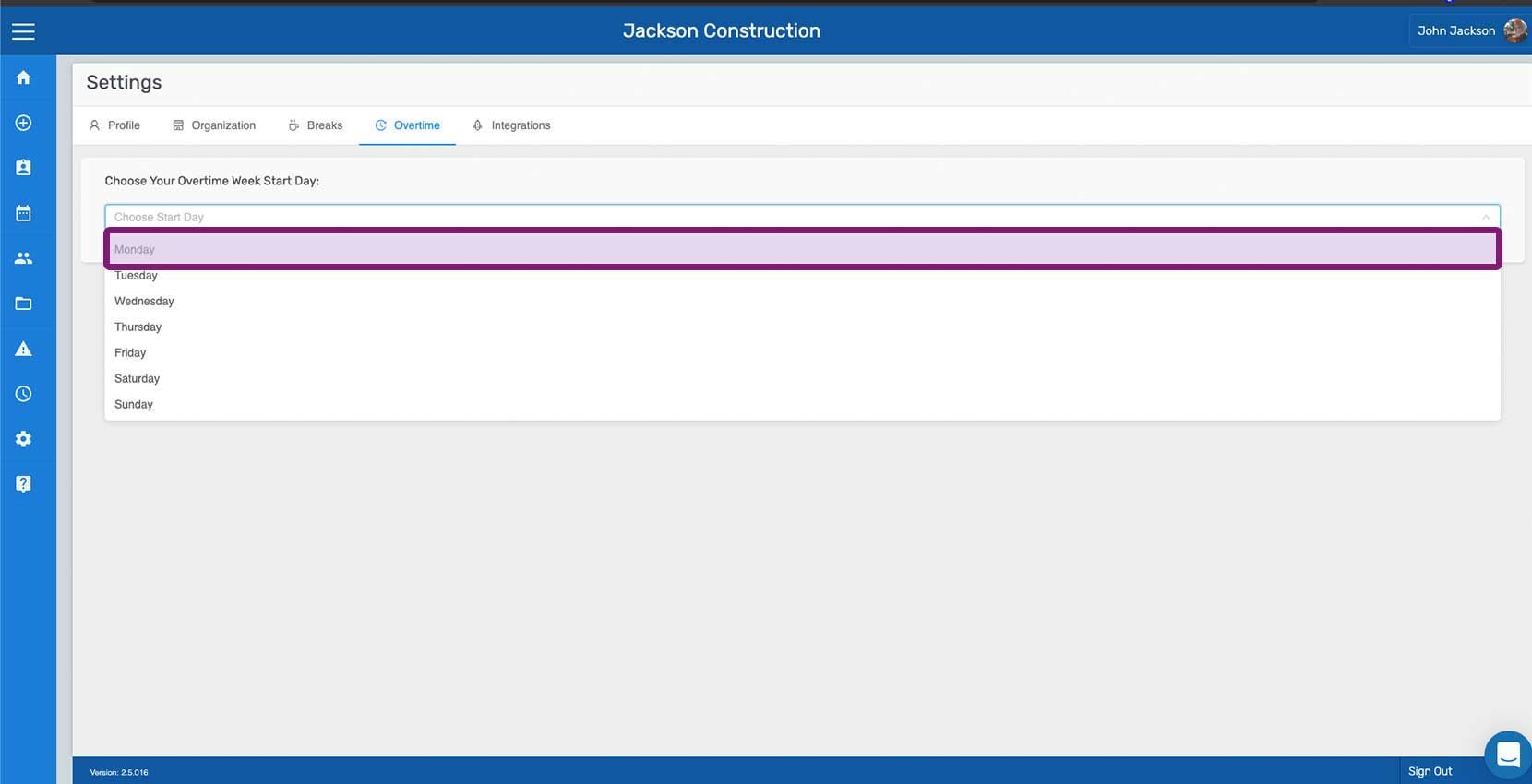
Primero debes seleccionar el día de inicio de la semana de horas extra, que determina dicha semana laboral. La semana laboral de horas extra es un periodo de siete días que comienza el día seleccionado. Por ejemplo, si eliges el lunes como día de inicio, la semana de horas extra abarcará de lunes a domingo. Pulsa Editar junto a «Elige el día de inicio de tu semana de horas extra».
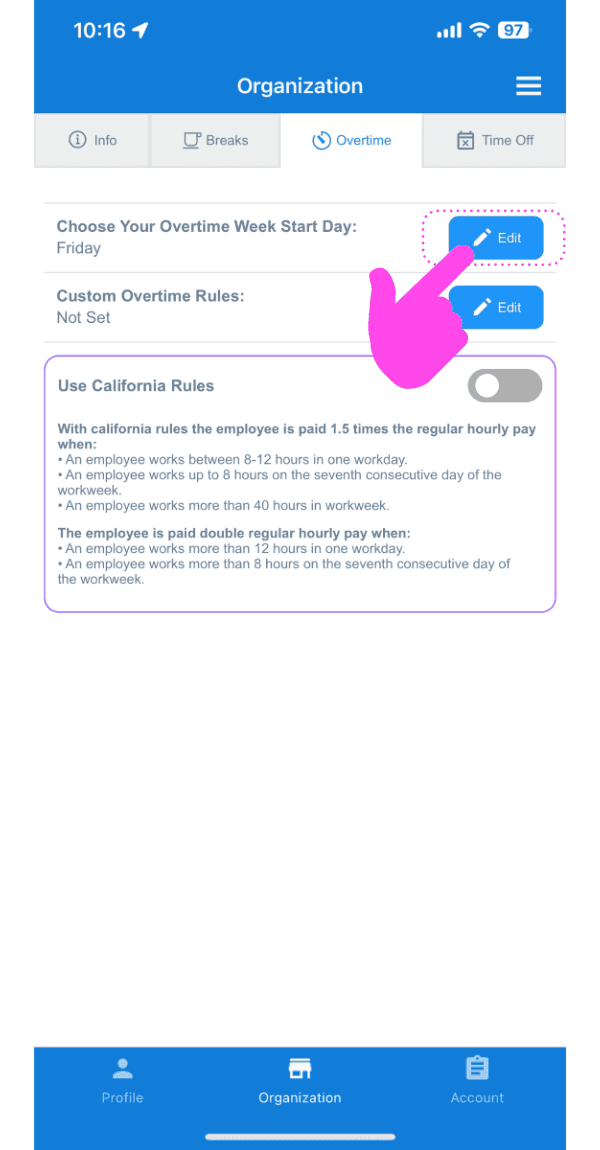
SINC web Organization Overtime tab with a pink arrow pointing to the Edit button next to Overtime Week Start Day

Pulsa en el día que quieras establecer como inicio de la semana de horas extra
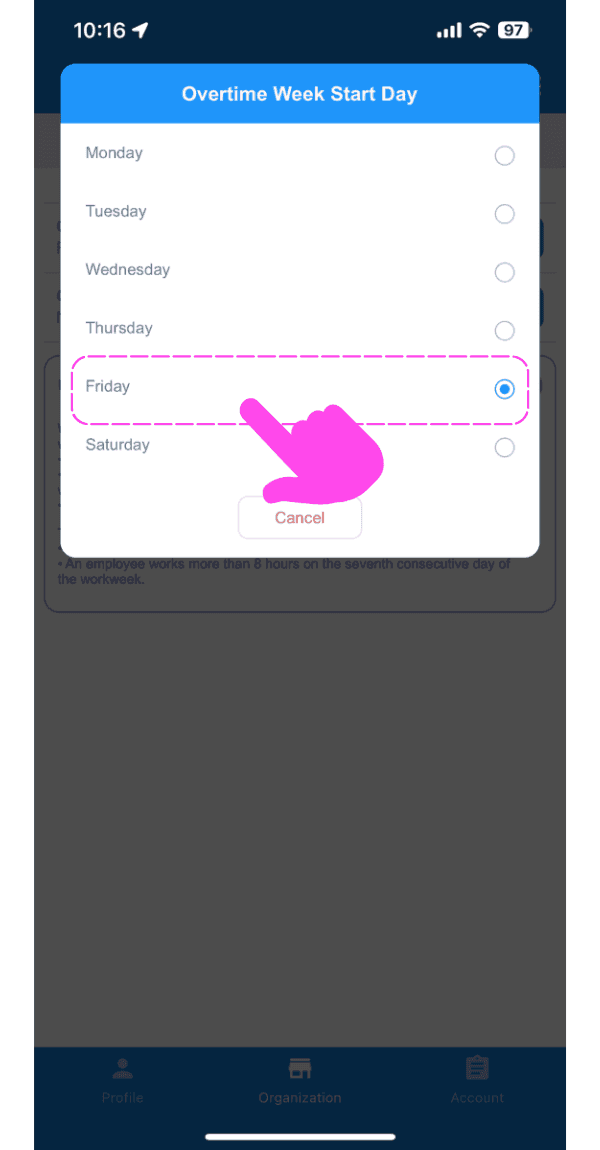
Mobile Overtime Week Start Day popup with Friday selected and a pink arrow pointing to the option

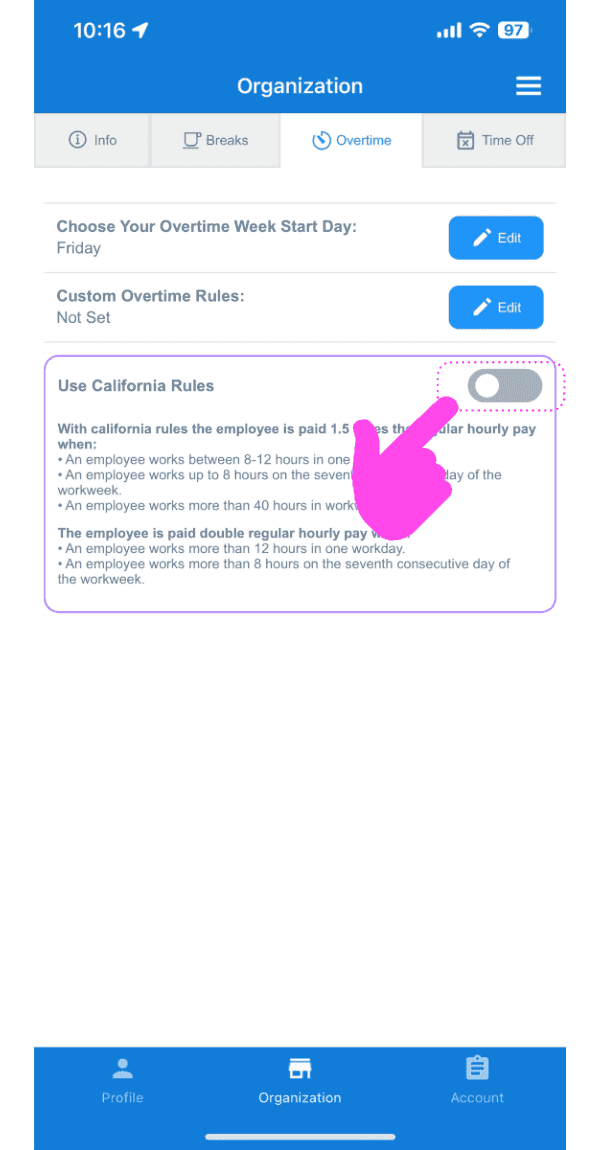
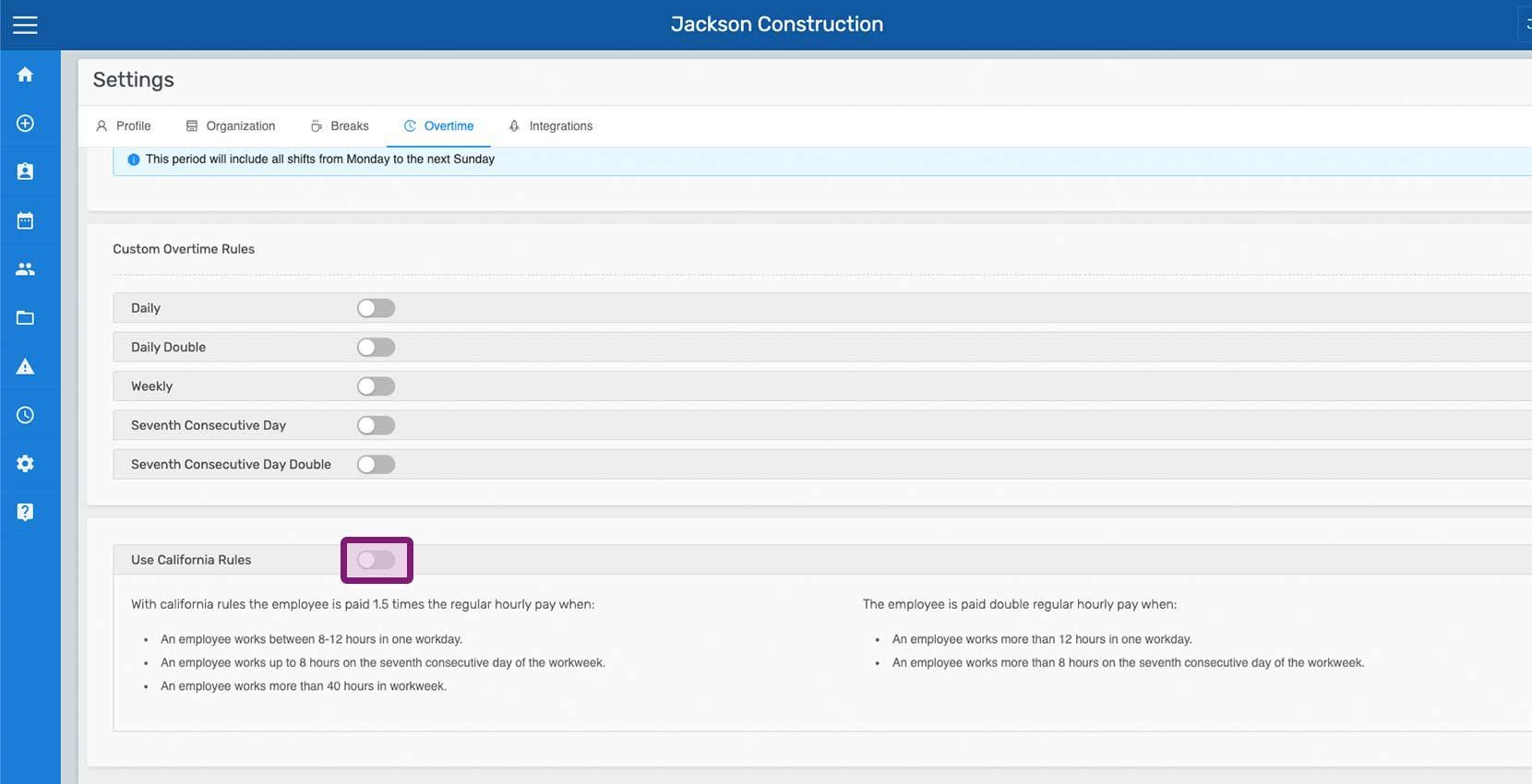
Activa Usar las normas de California

SINC mobile Organization Overtime tab with a pink hand pointing to the Use California Rules toggle switch

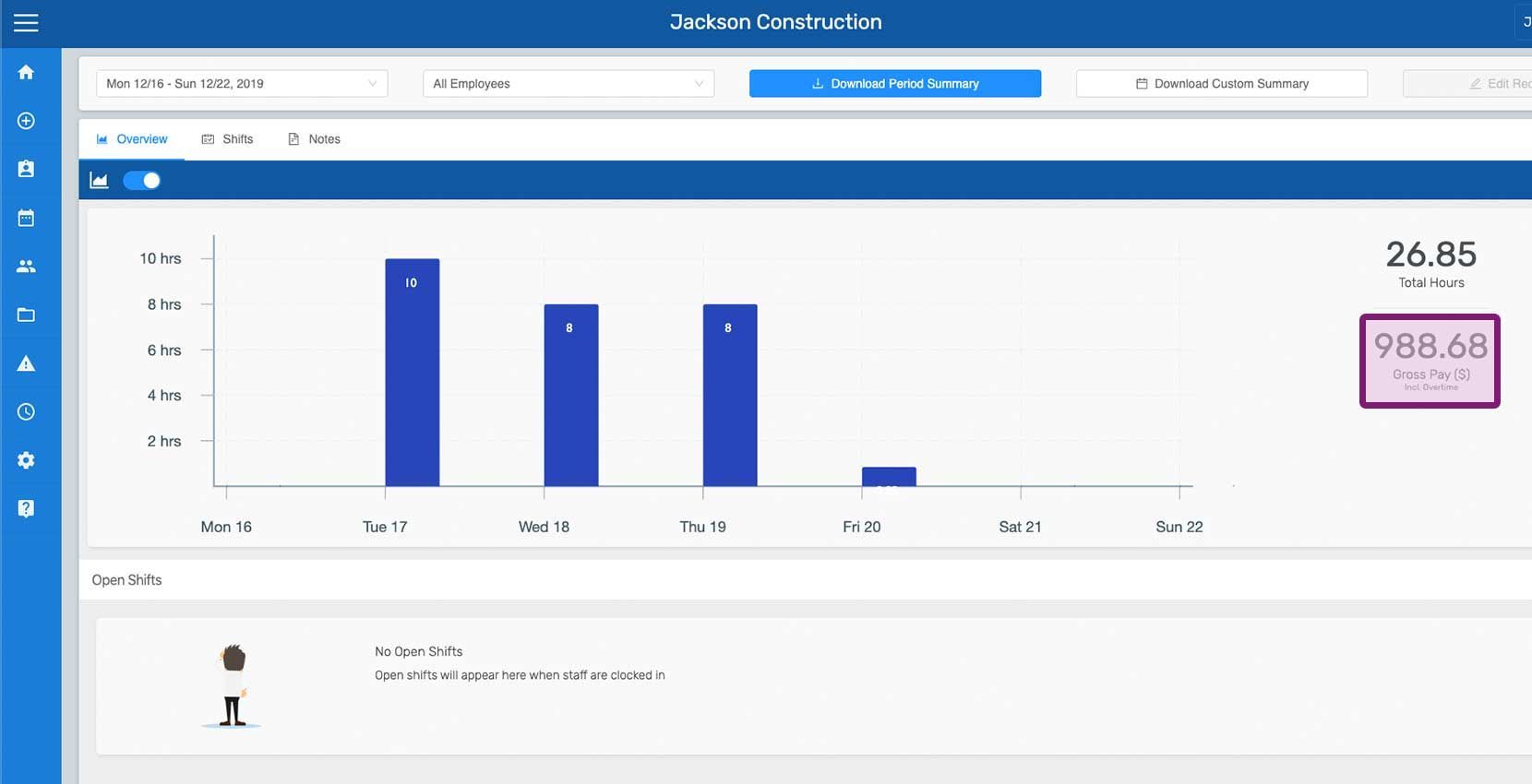
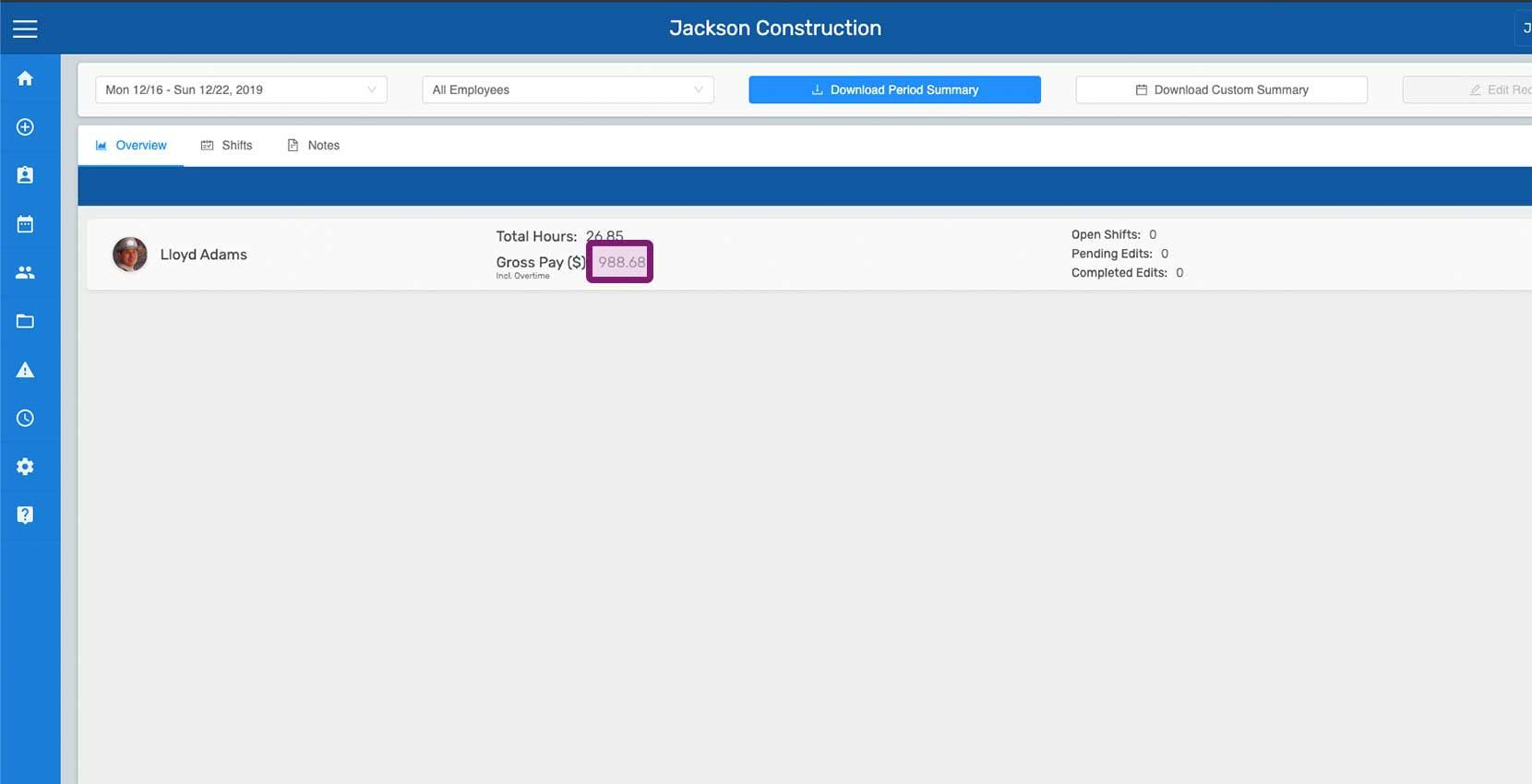
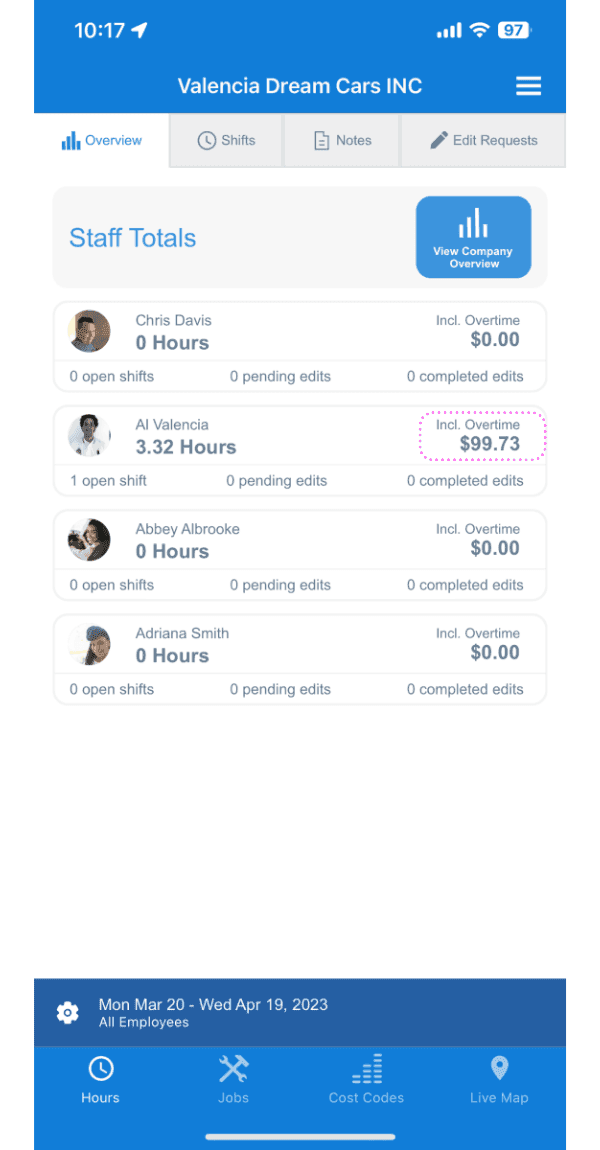
Una vez configurado el día de inicio de la semana de horas extra y activada la opción Usar reglas de California, el salario bruto de la vista general y de los resúmenes de empleados se calcula y se muestra con las horas extra incluidas. Las horas extra se calculan para los turnos cerrados; el salario bruto de los turnos abiertos no incluye el cálculo de horas extra.
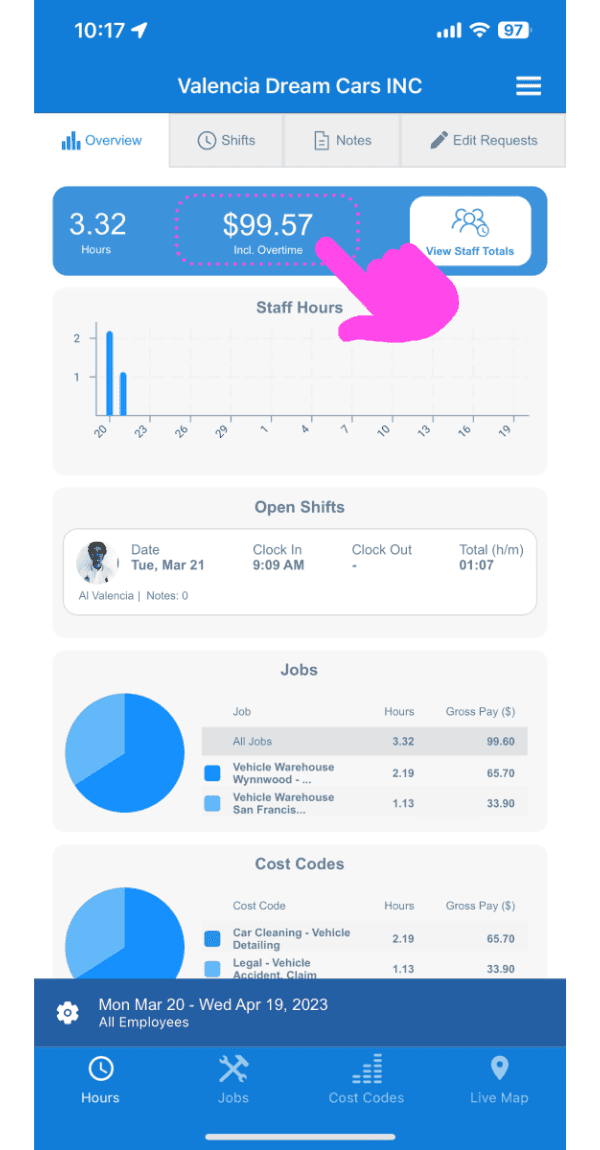
Mobile Staff Hours dashboard with a pink arrow on the gross pay stat card above hours and job charts
Web Staff Totals screen showing hours and overtime pay with an employee's overtime amount circled in pink

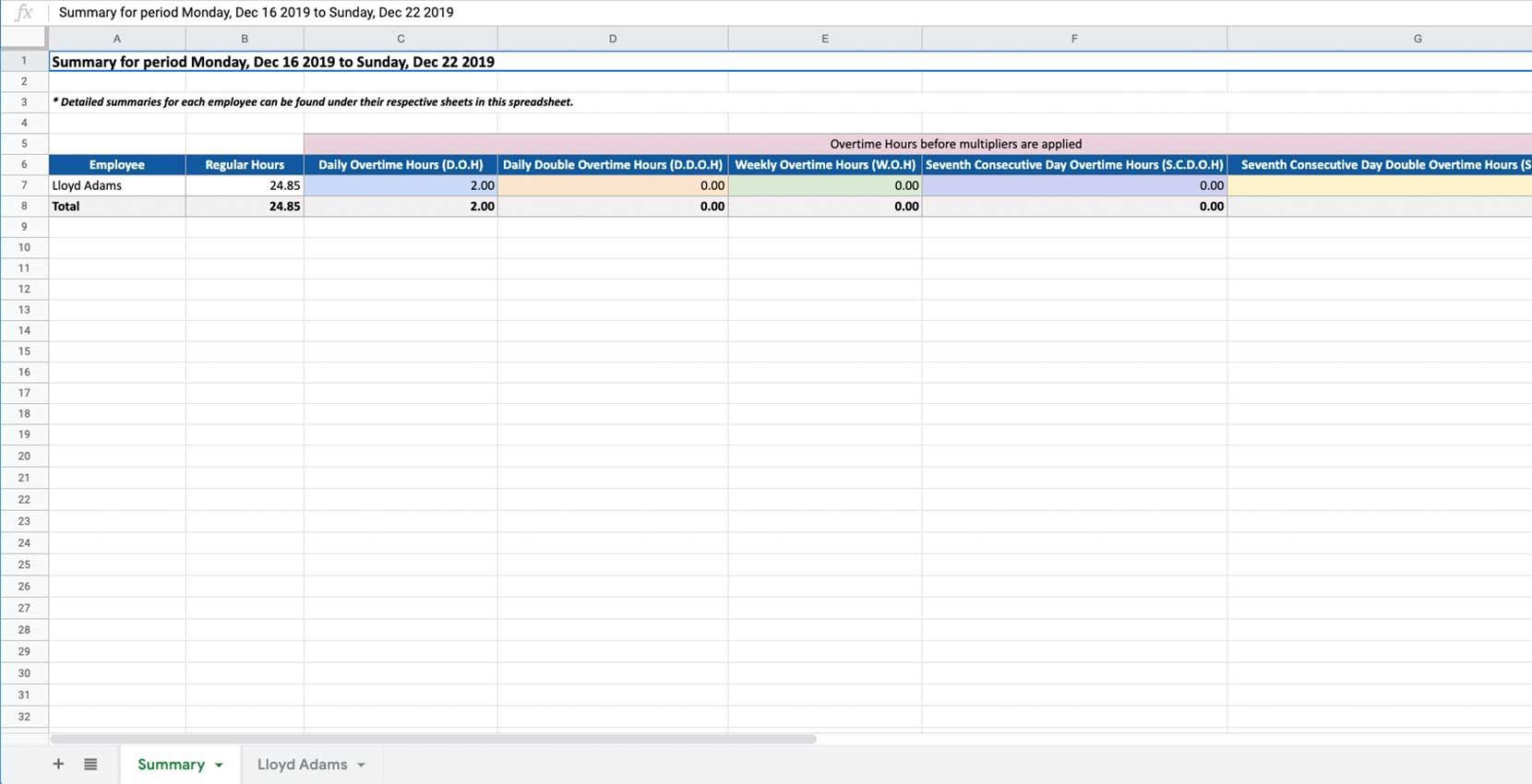
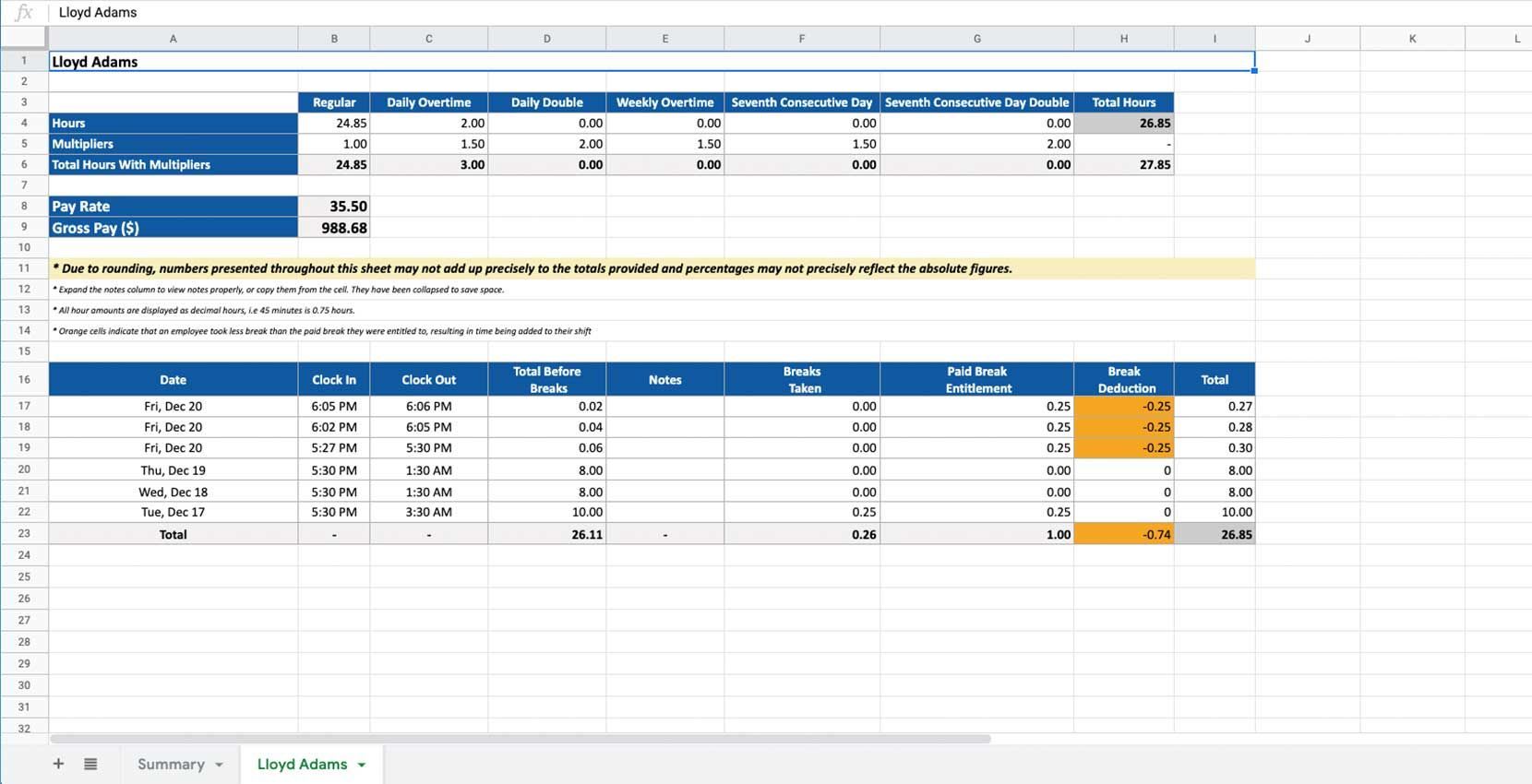
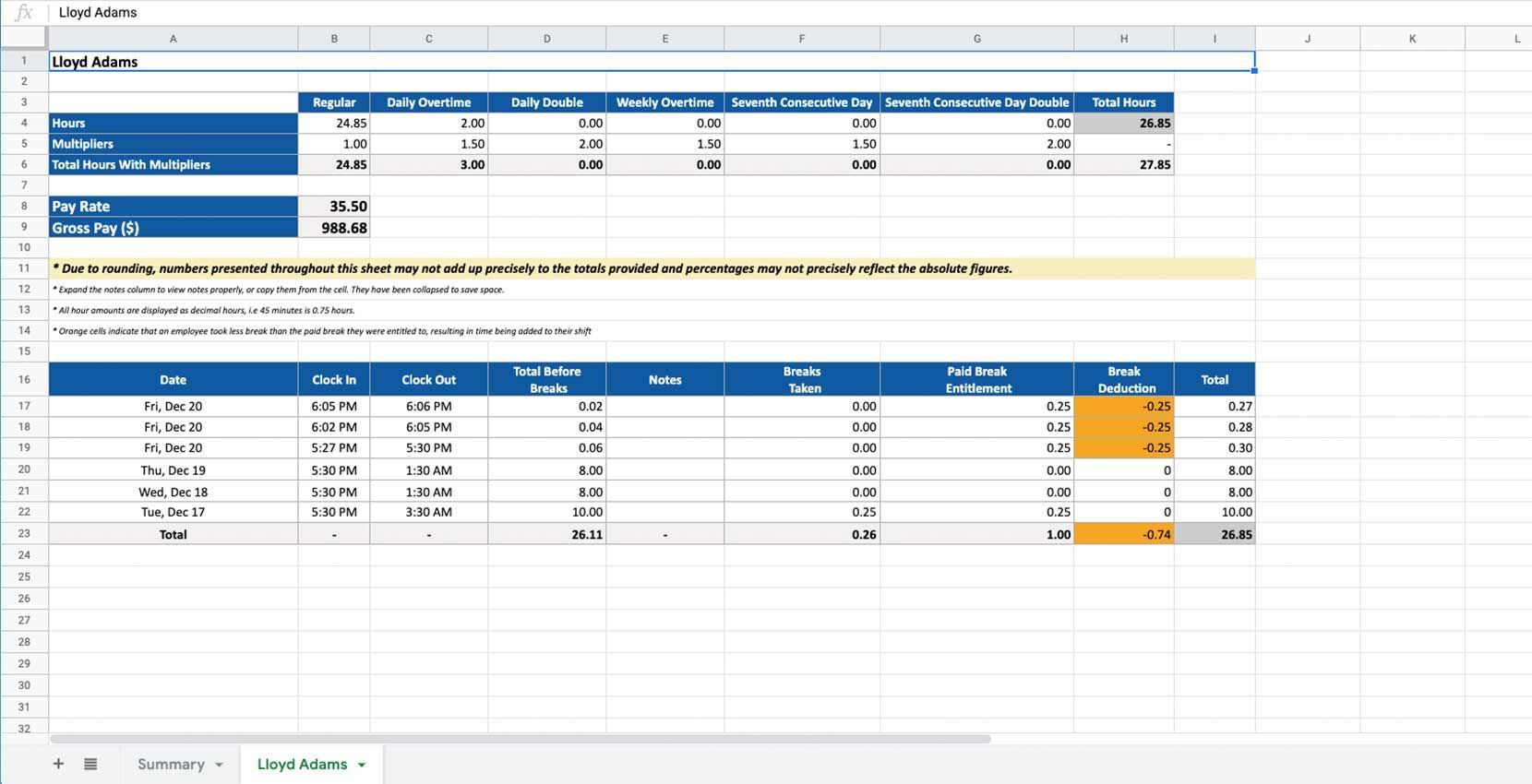
Los detalles de los cálculos de horas extra se muestran en los resúmenes del periodo de pago exportados.
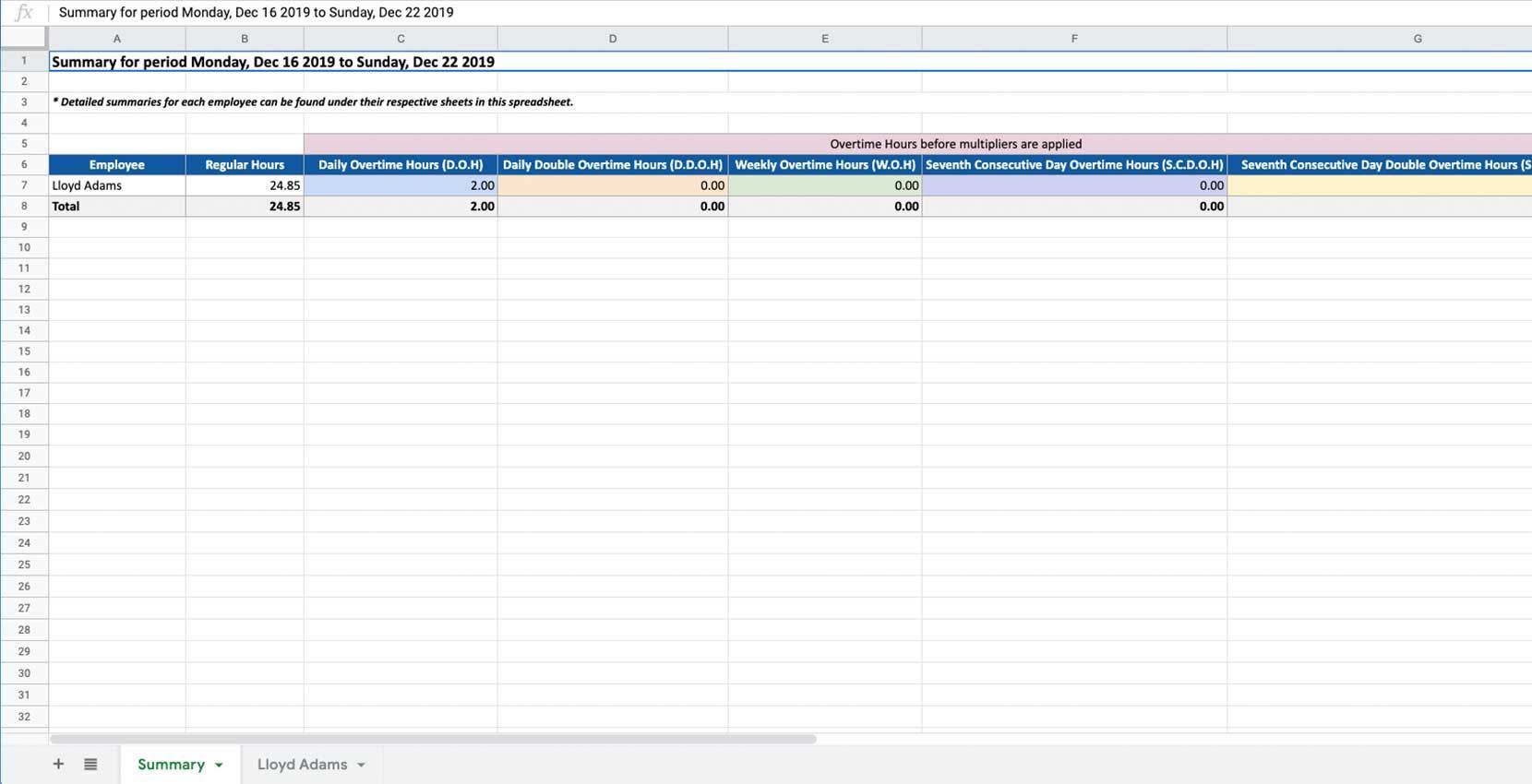
Exported SINC overtime summary spreadsheet showing daily and weekly overtime hours by employee
Exported SINC pay period summary spreadsheet showing overtime breakdown columns and shift details for an employee

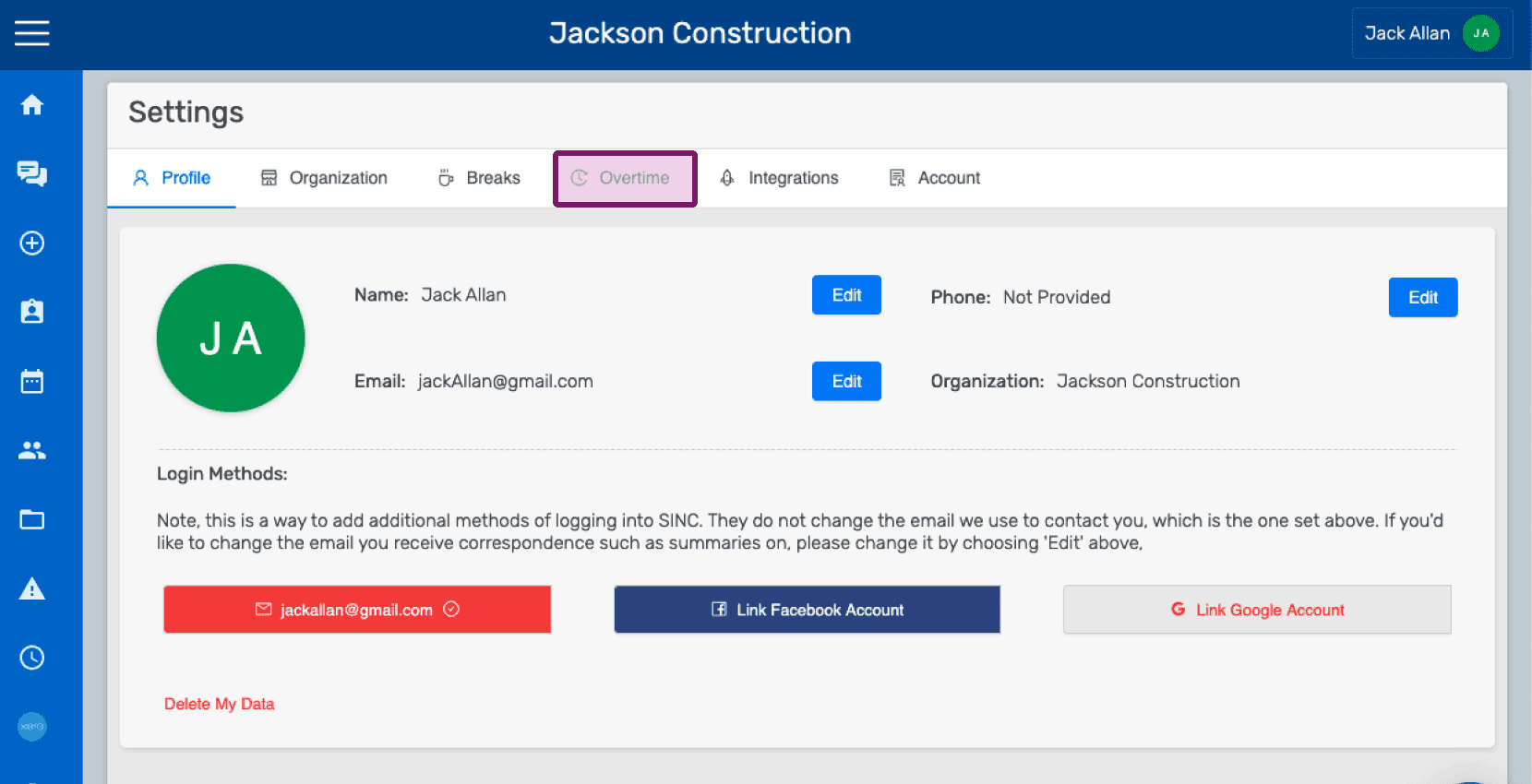
Si estás utilizando la versión web, se verá así:
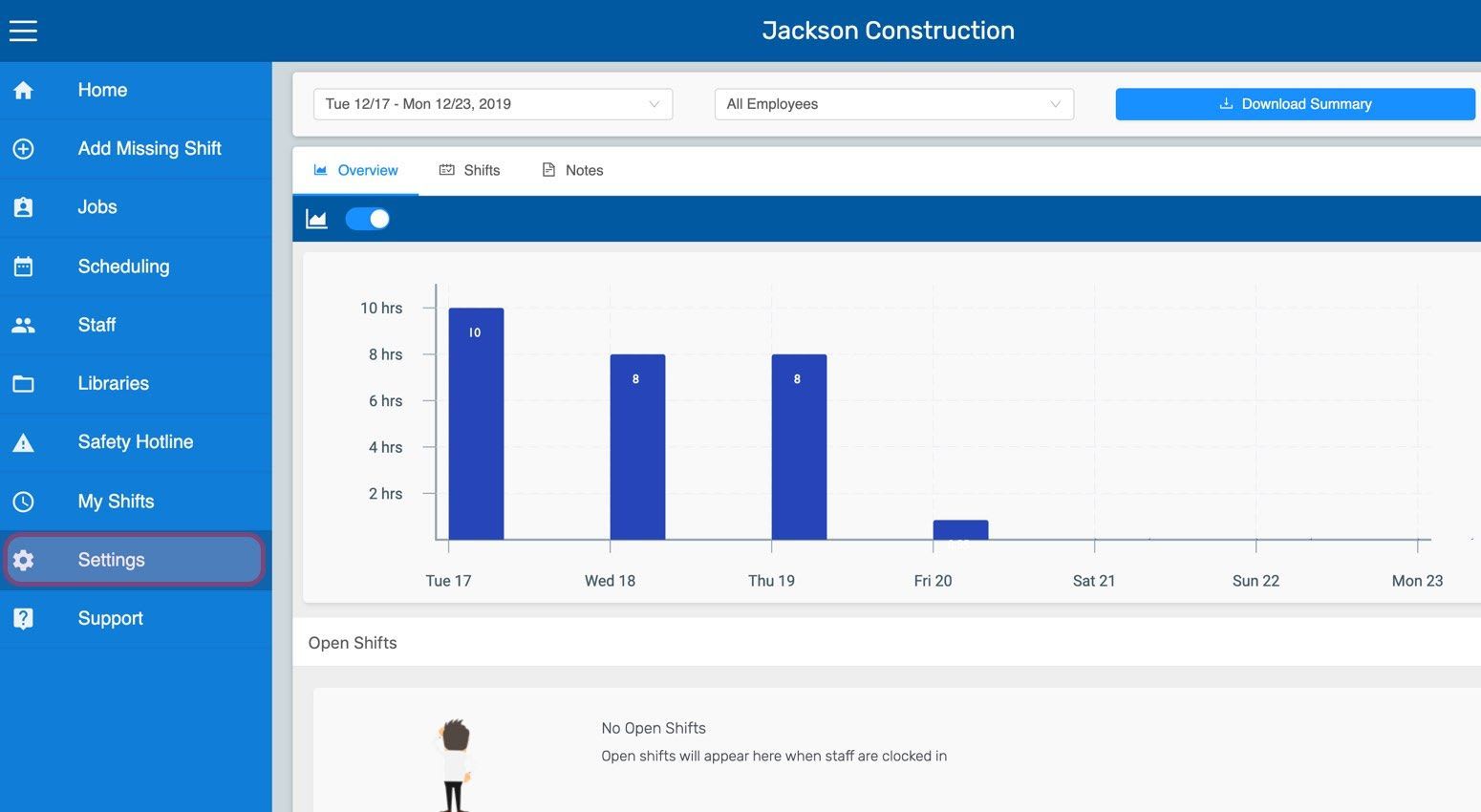
Web dashboard bar chart of weekly hours worked with the Settings menu item circled in the sidebar
SINC web Settings screen with the Overtime tab outlined in pink in the top navigation
Web Settings Overtime tab with the overtime week start day dropdown outlined in pink
Organization Settings Overtime tab with the overtime week start day dropdown highlighted in purple
SINC web Overtime settings tab with the Use California Rules toggle highlighted in pink
Web dashboard Overview screen showing a weekly hours bar chart with the gross pay total outlined in pink
SINC web employee overview screen with the gross pay amount outlined in pink
Exported overtime summary spreadsheet listing regular hours, daily and weekly overtime, and seventh-day overtime columns for an employee
Exported spreadsheet showing an employee's overtime hours breakdown under California overtime rules

¿Esto respondió tu pregunta?