
Cómo actualizar tu método de pago en la web
¿Necesitas añadir una nueva tarjeta de crédito a tu cuenta? En esta guía te mostramos cómo hacerlo.

SINC Support Team
May 8th, 2023
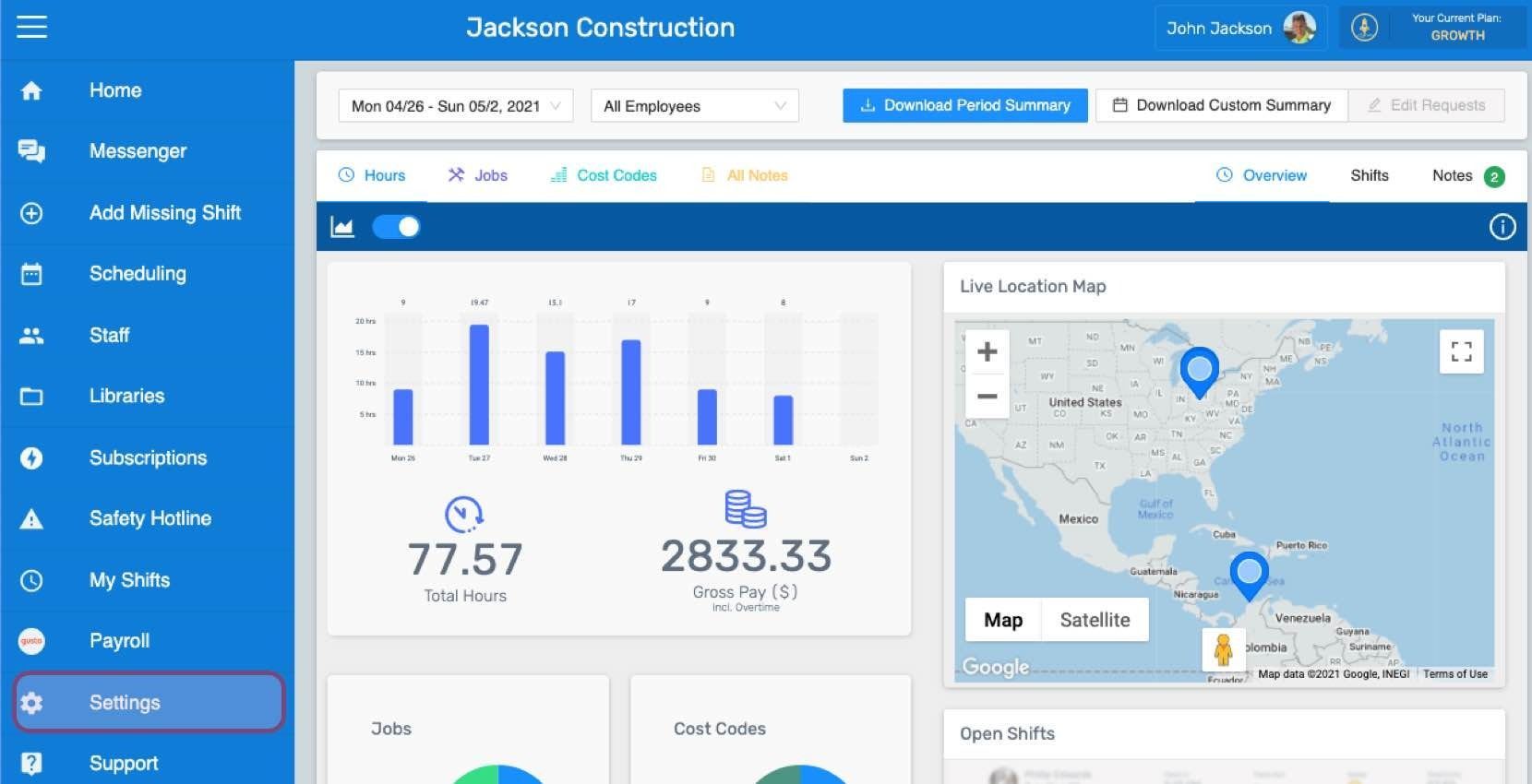
Haz clic en Menú Configuración
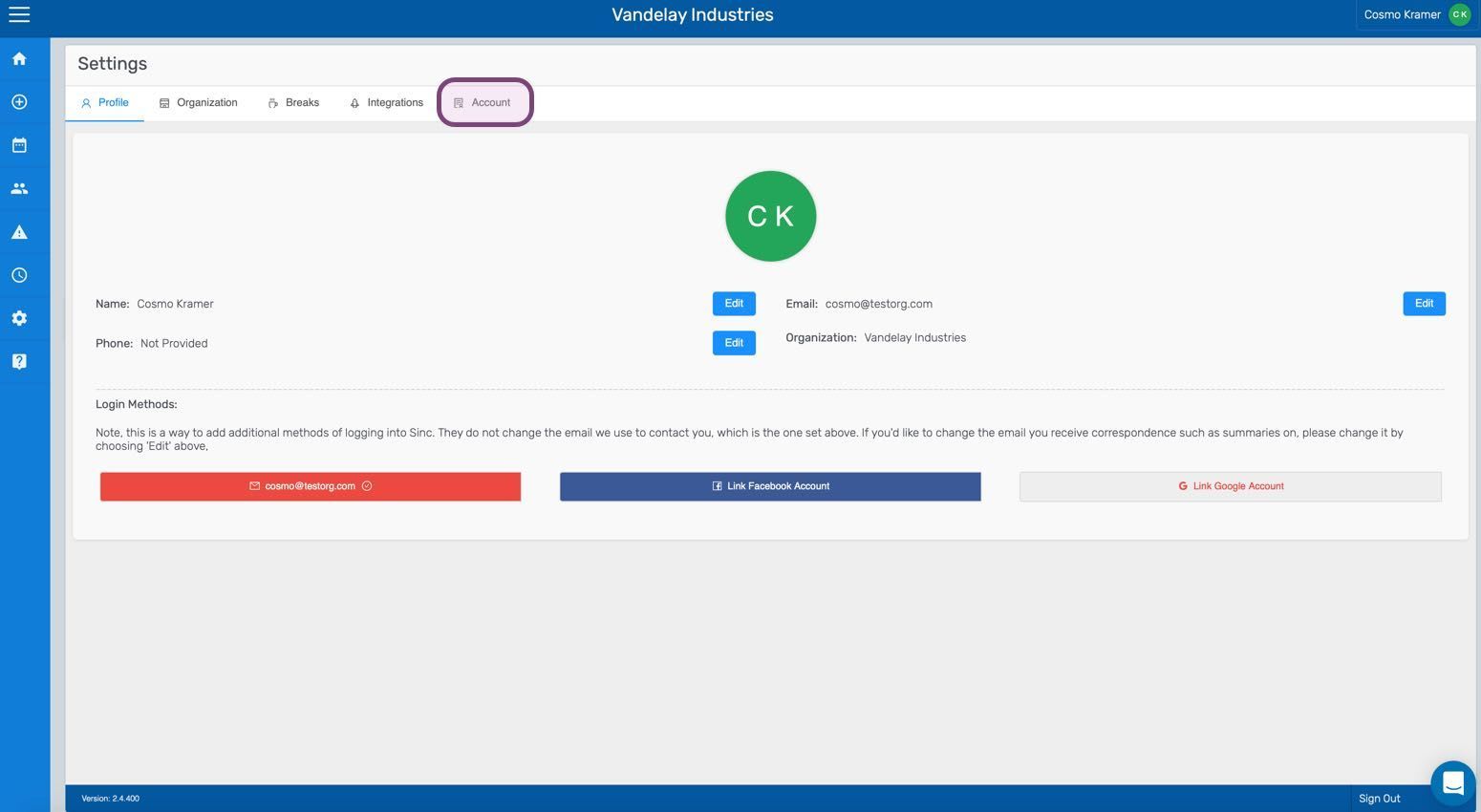
Haz clic en Cuenta
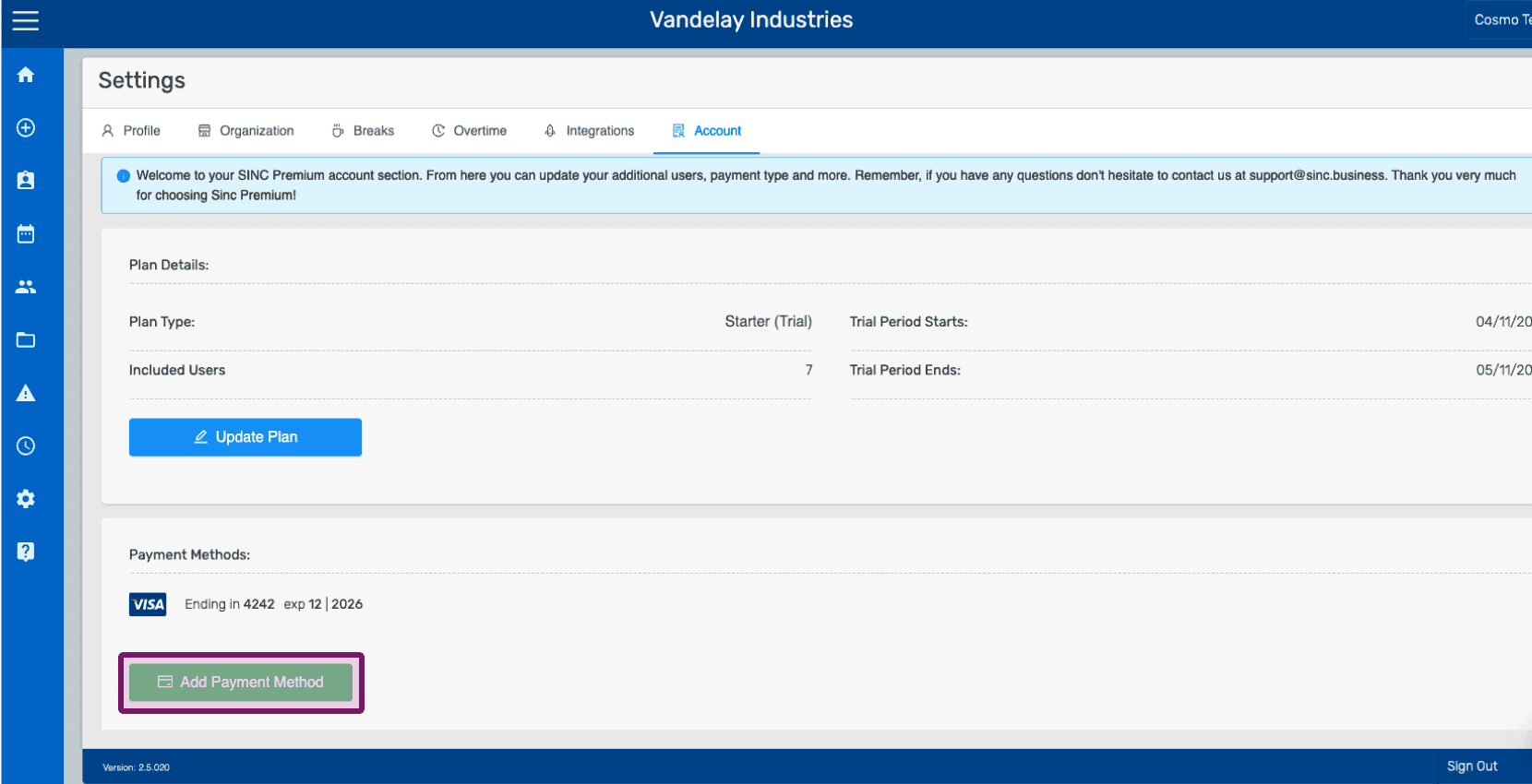
Haz clic en Añadir método de pago
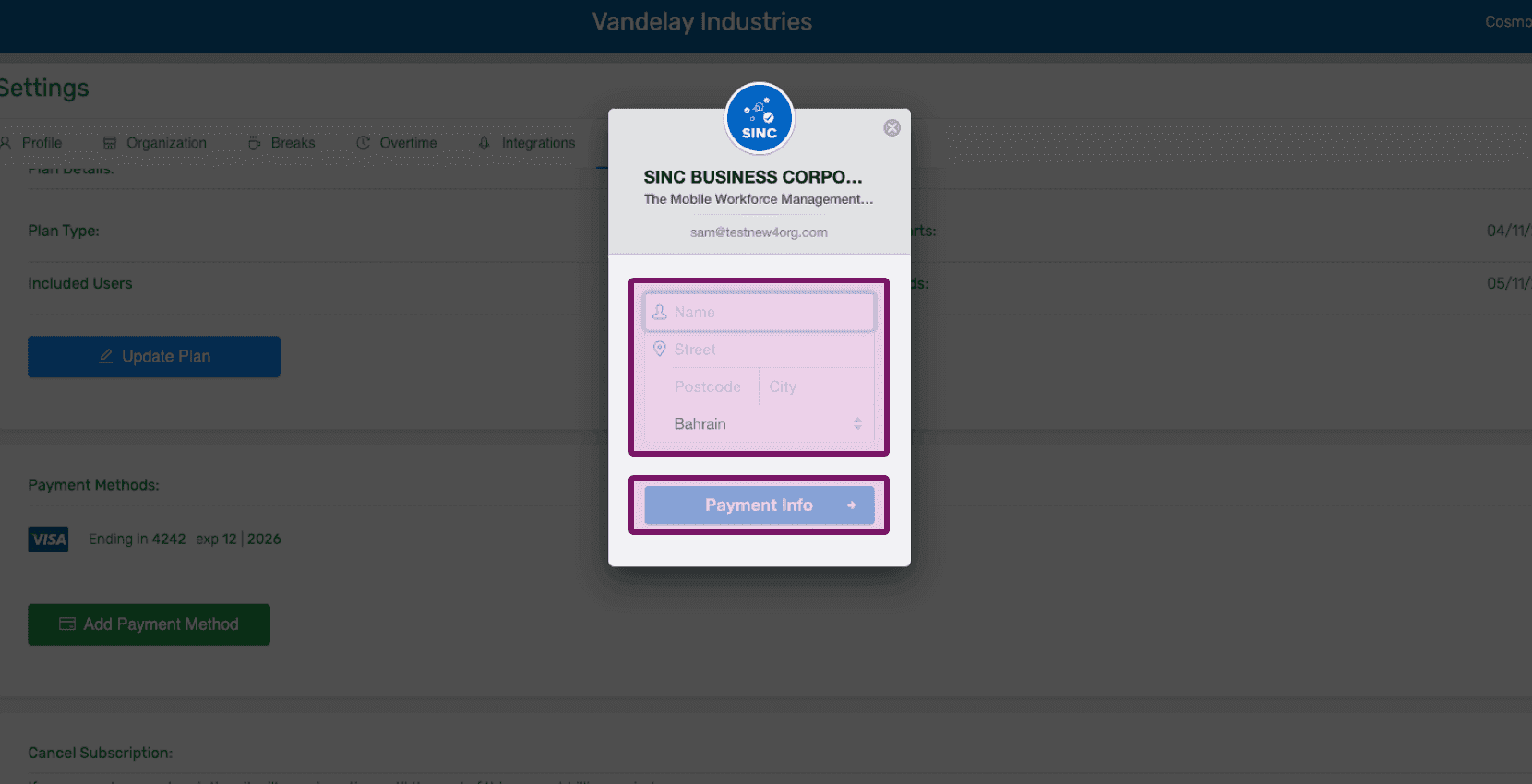
Introduce los datos de tu perfil y haz clic en Información de pago
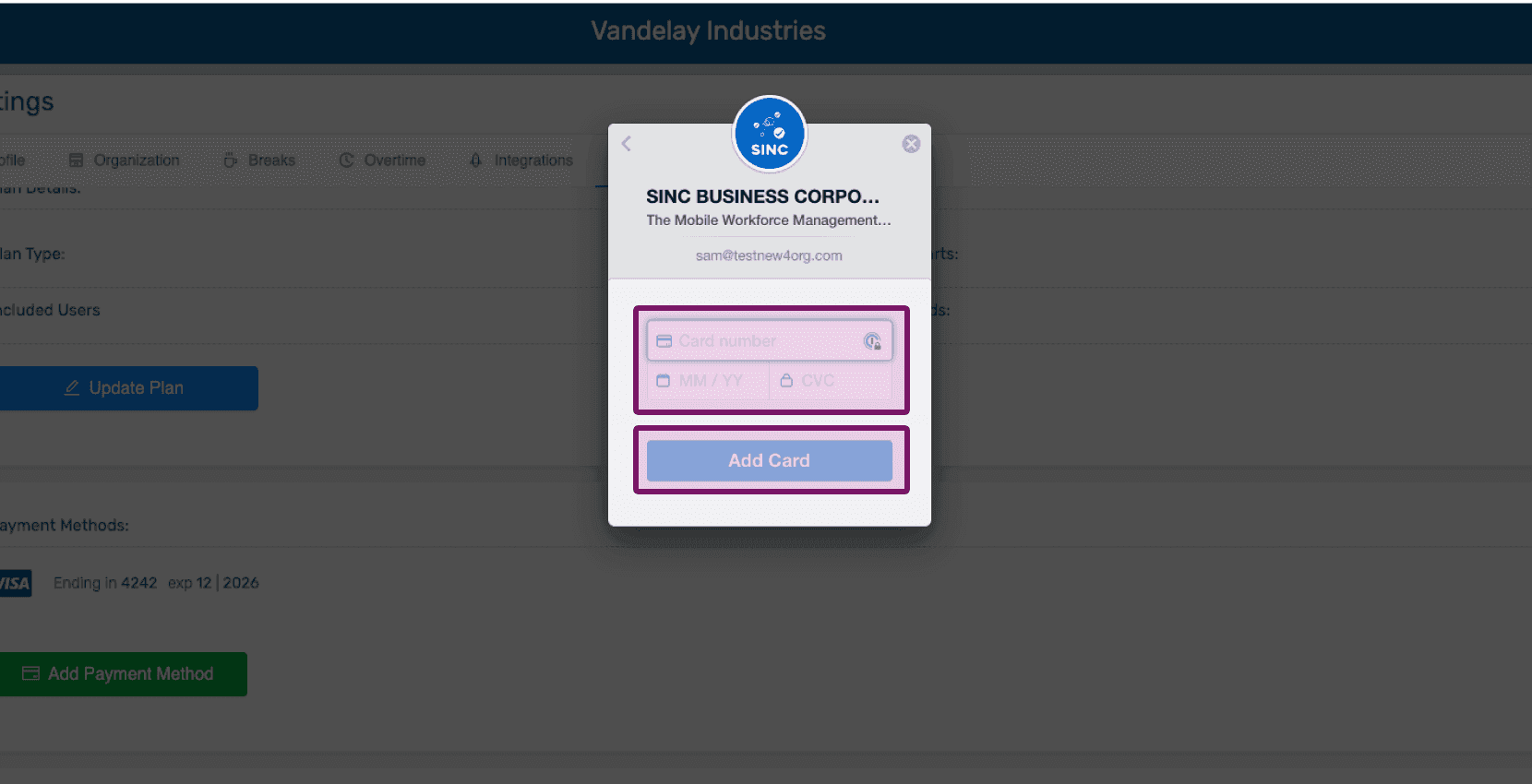
Introduce tus datos de pago y haz clic en Añadir tarjeta
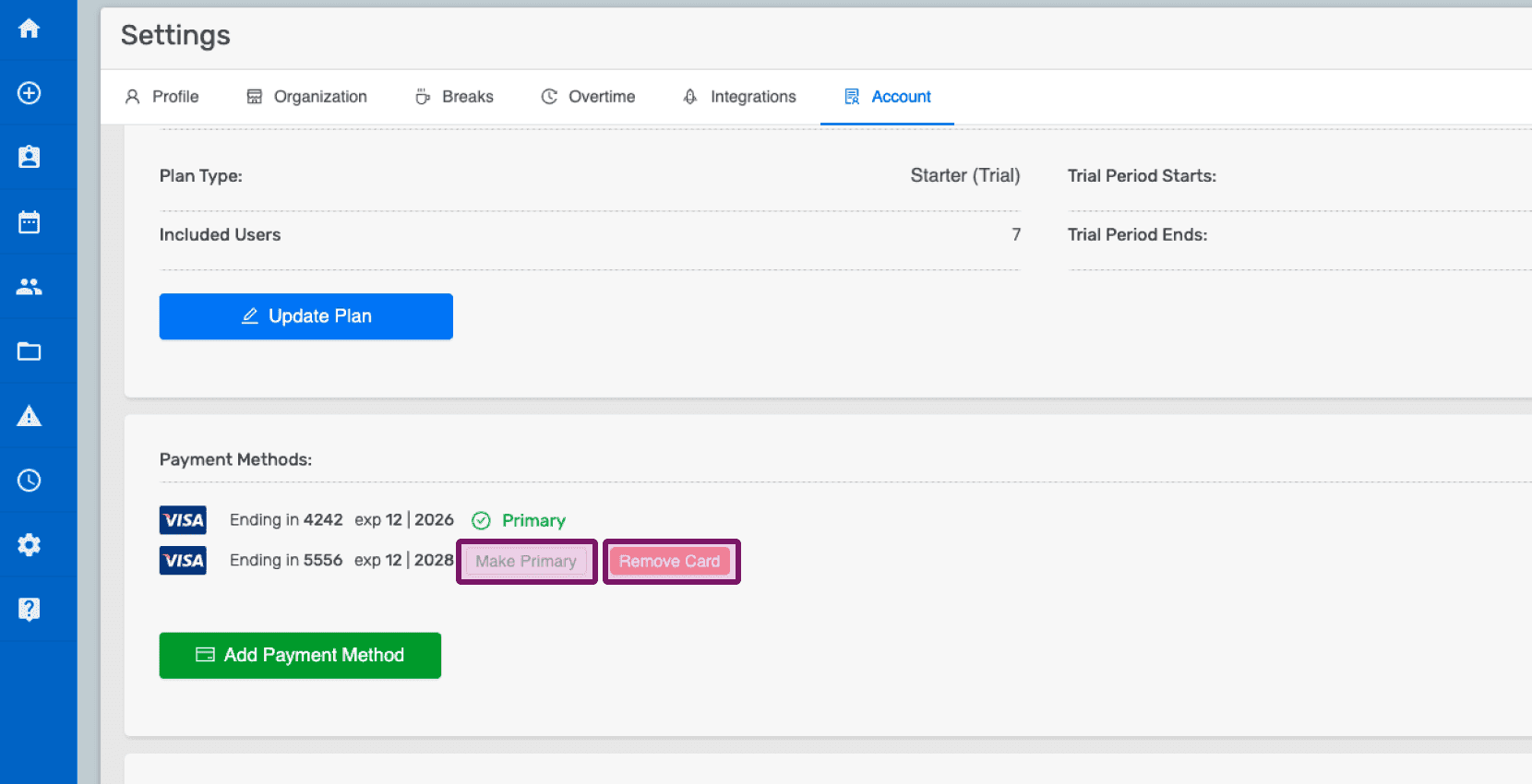
Una vez añadidos los datos de la nueva tarjeta, puedes eliminar una tarjeta haciendo clic en Eliminar o establecer una tarjeta como principal haciendo clic en Establecer como principal.
¿Esto respondió tu pregunta?