
Configuración inicial de los turnos del personal

Este tutorial te muestra cómo configurar los horarios del personal por primera vez

Sam Dolbel
Sam Dolbel
Apr 27th, 2023

En el móvil: toca Menú Programación
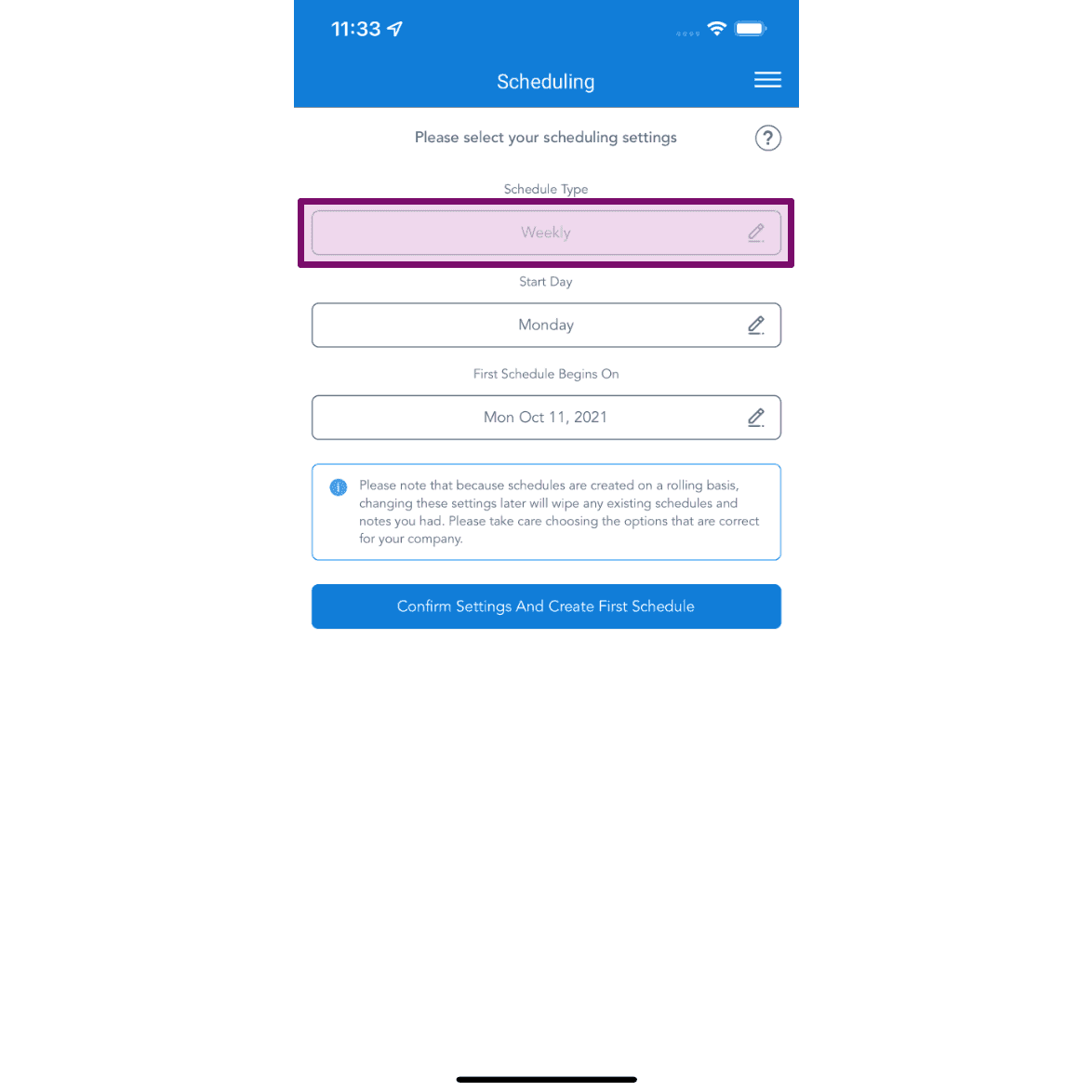
SINC mobile Scheduling settings screen with the Schedule Type field highlighted above Start Day and First Schedule Begins On

Elige el tipo de agenda que mejor se adapte a tu negocio.
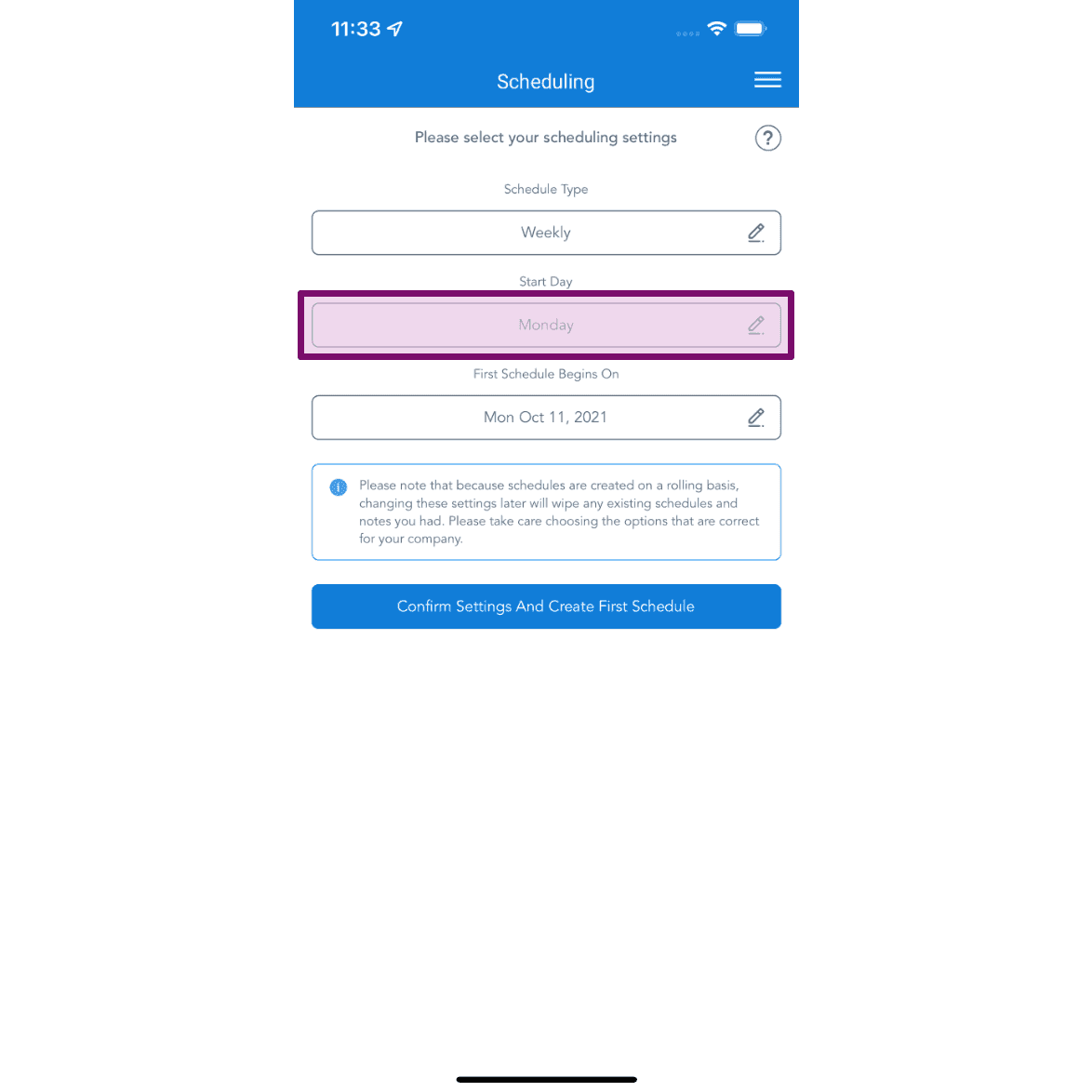
Scheduling initial setup screen with the Start Day field highlighted showing Monday selected

Elige el día en que debe comenzar tu horario.
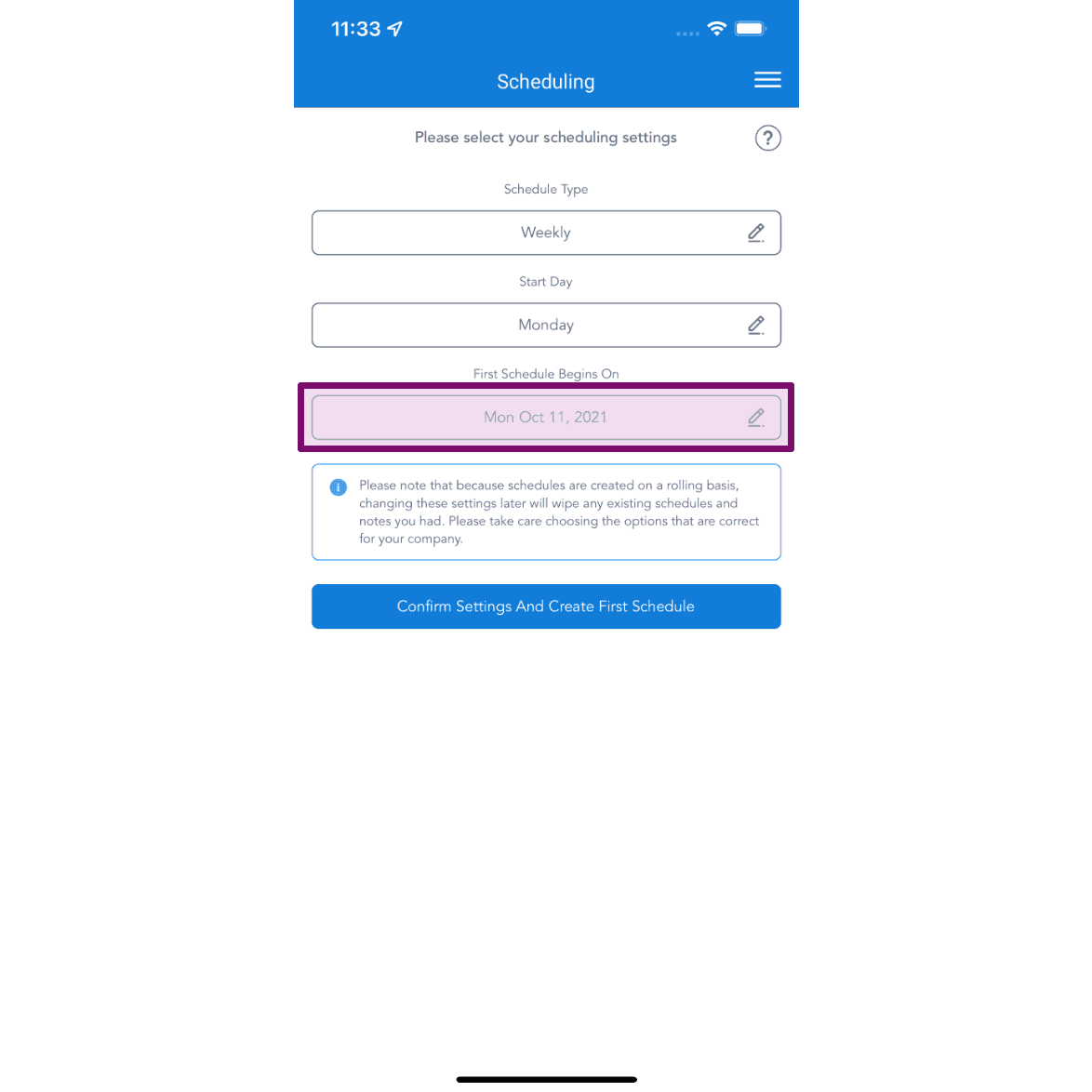
Mobile Scheduling setup screen with the First Schedule Begins On field outlined in purple

Elige la fecha de tu primer horario y, después, pulsa Confirmar ajustes.
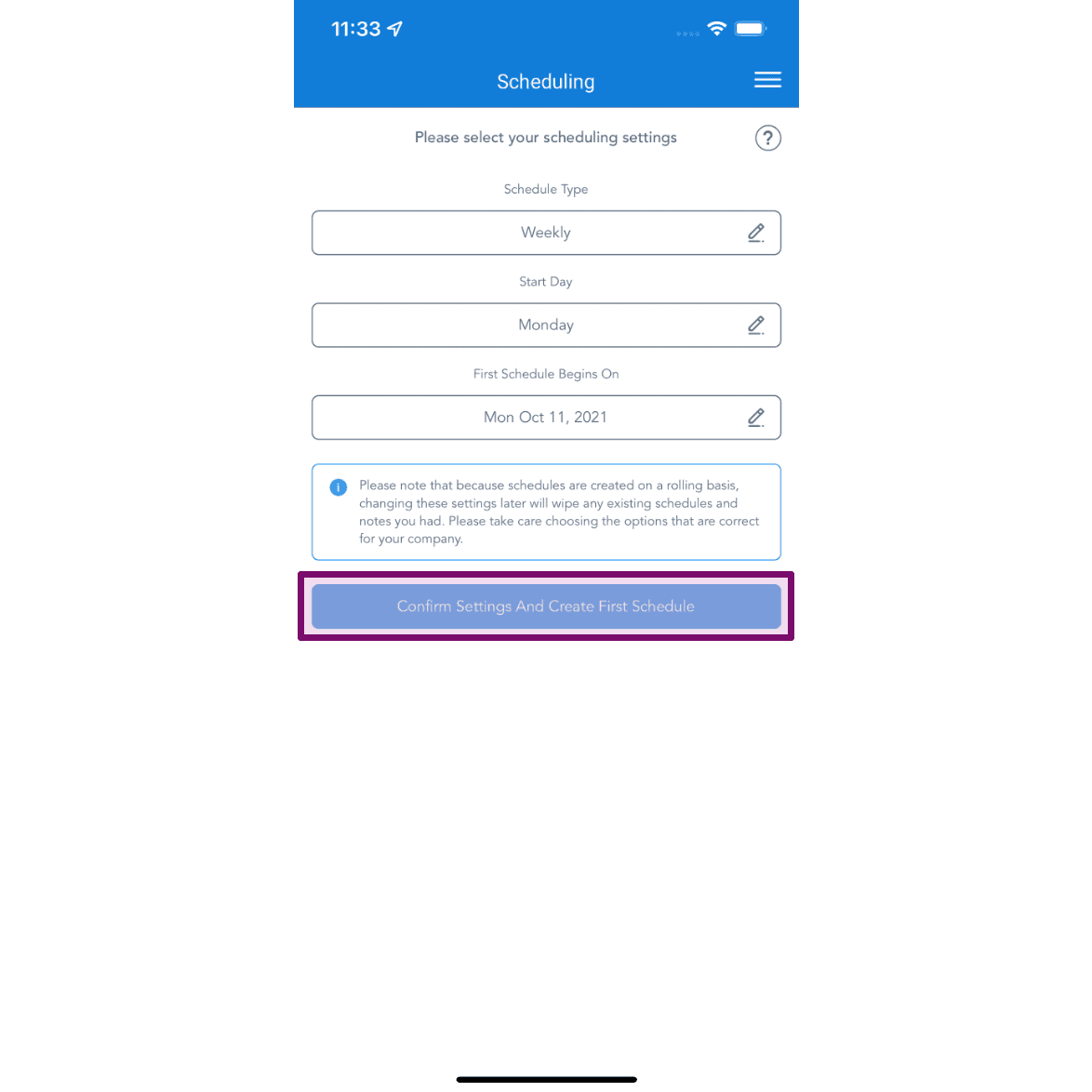
SINC mobile Scheduling setup screen with the Confirm Settings And Create First Schedule button outlined

En la web: haz clic en Menú Programación
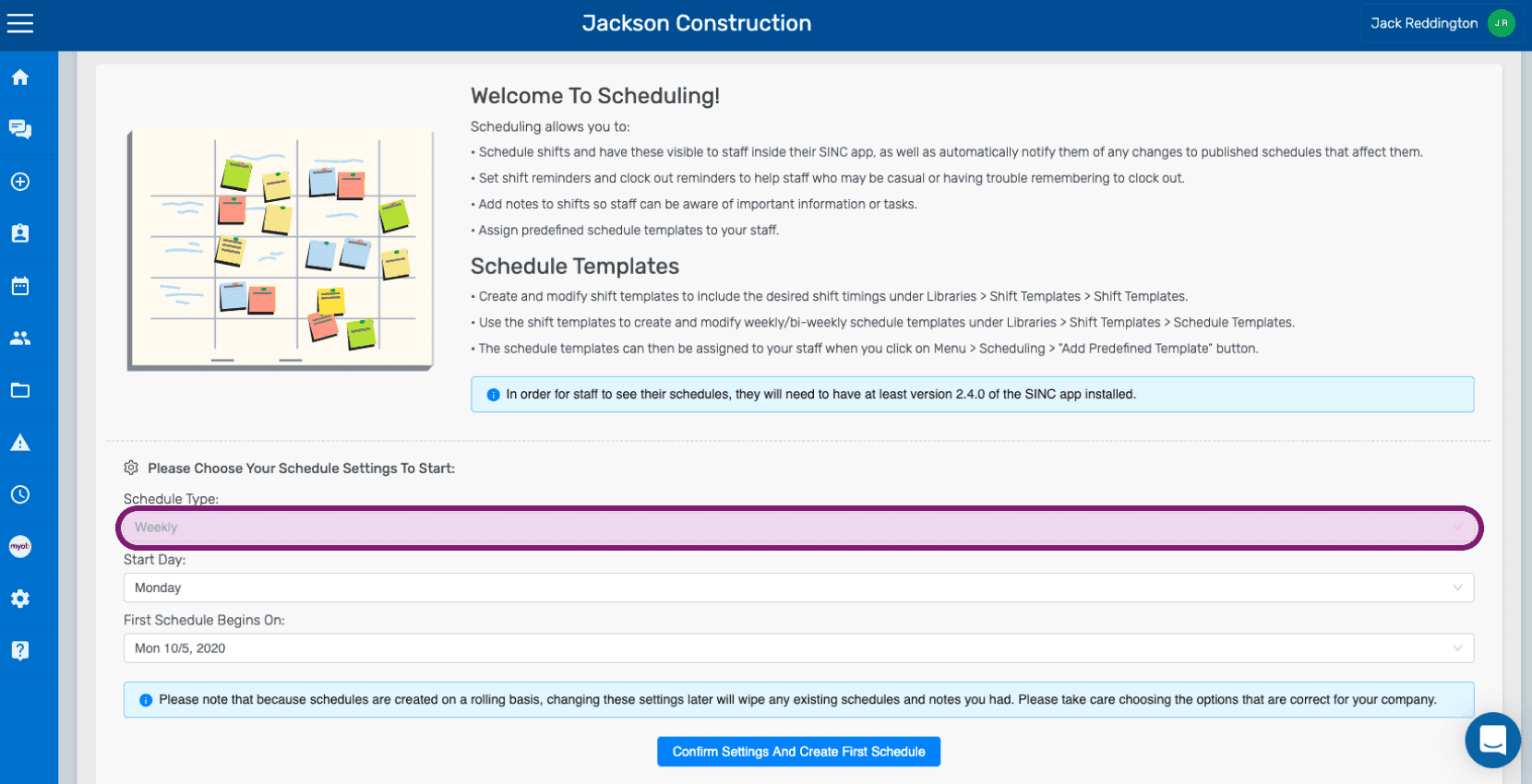
SINC web Welcome to Scheduling setup screen with the Schedule Type field circled in pink

Elige el tipo de horario que mejor se adapte a tu negocio.
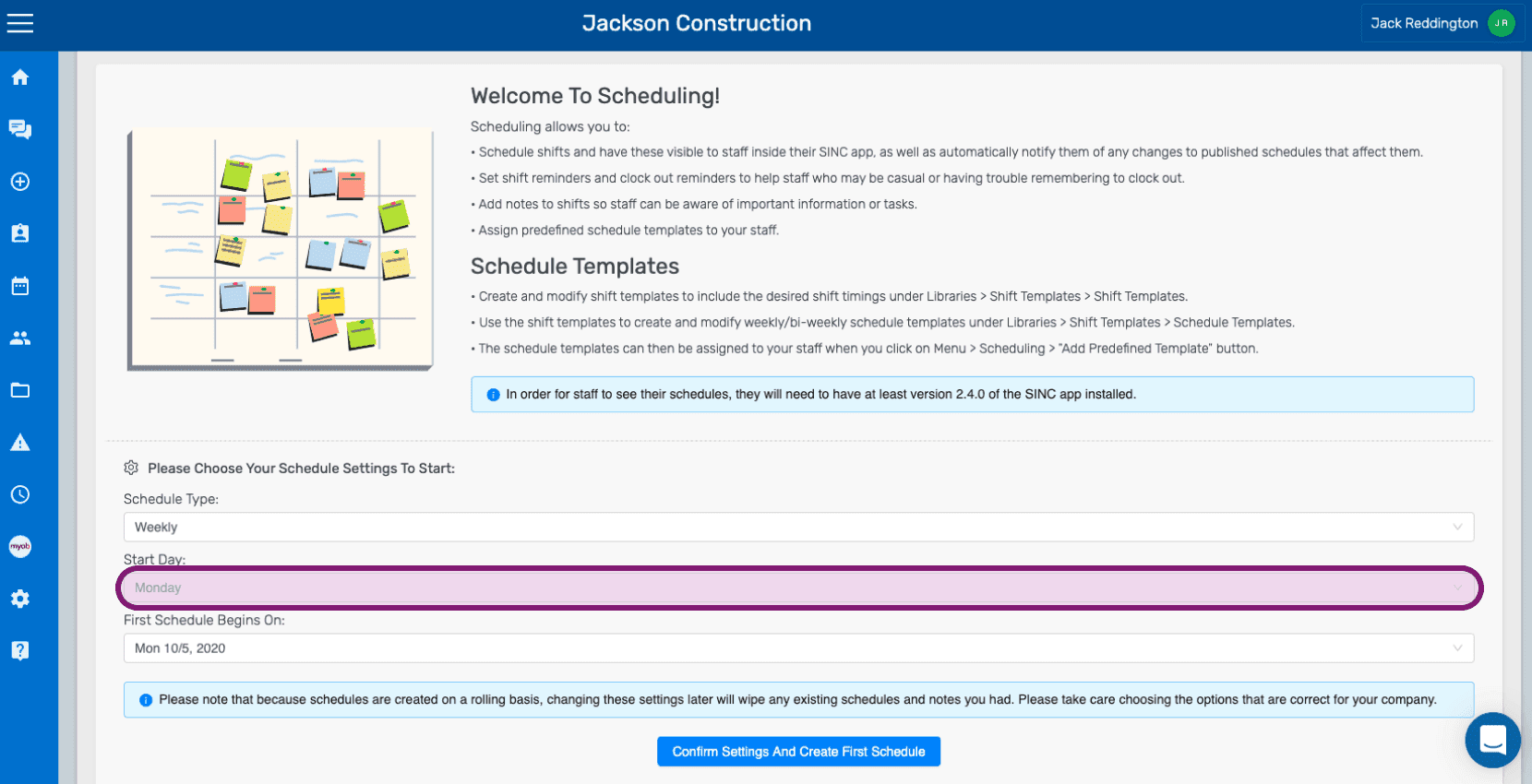
Welcome To Scheduling setup screen with the Schedule Type dropdown and Start Day field outlined

Elige el día en que debe comenzar tu horario.
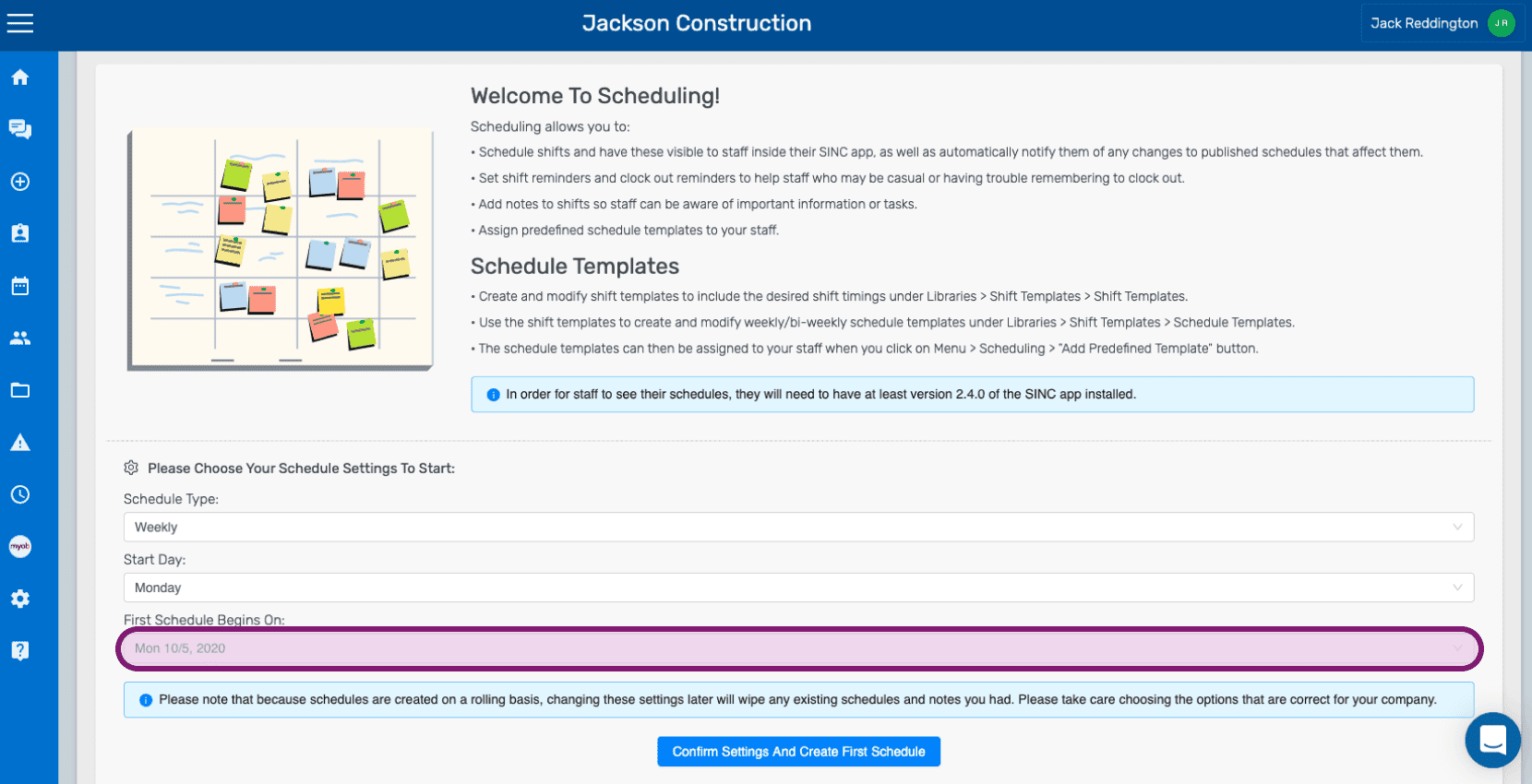
SINC web Welcome to Scheduling setup screen with the First Schedule Begins On date field highlighted in pink

Elige la fecha de tu primer horario y, a continuación, haz clic en Confirmar configuración.
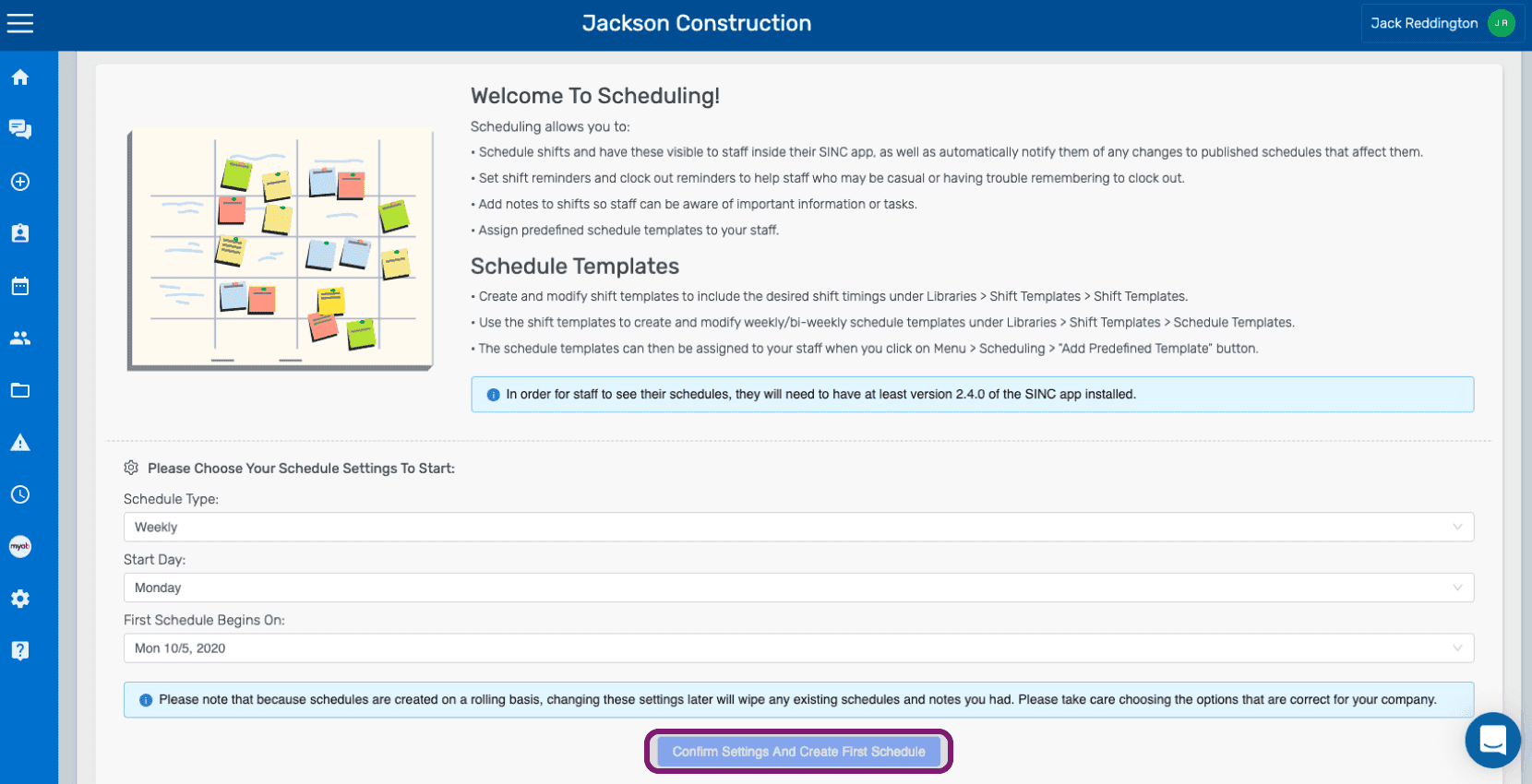
Scheduling initial setup welcome screen with the Confirm Settings and Create First Schedule button outlined in purple

¿Esto respondió tu pregunta?