Cómo editar el perfil de un miembro del personal

Esta guía explica cómo editar el perfil de un miembro del personal como administrador.

SINC Support Team
SINC Support Team
Feb 27th, 2023

Ten en cuenta que los cambios realizados por un administrador en el perfil de un miembro del personal tienen prioridad sobre los que este haga en su propio perfil. En dispositivos móviles: toca Menú Personal
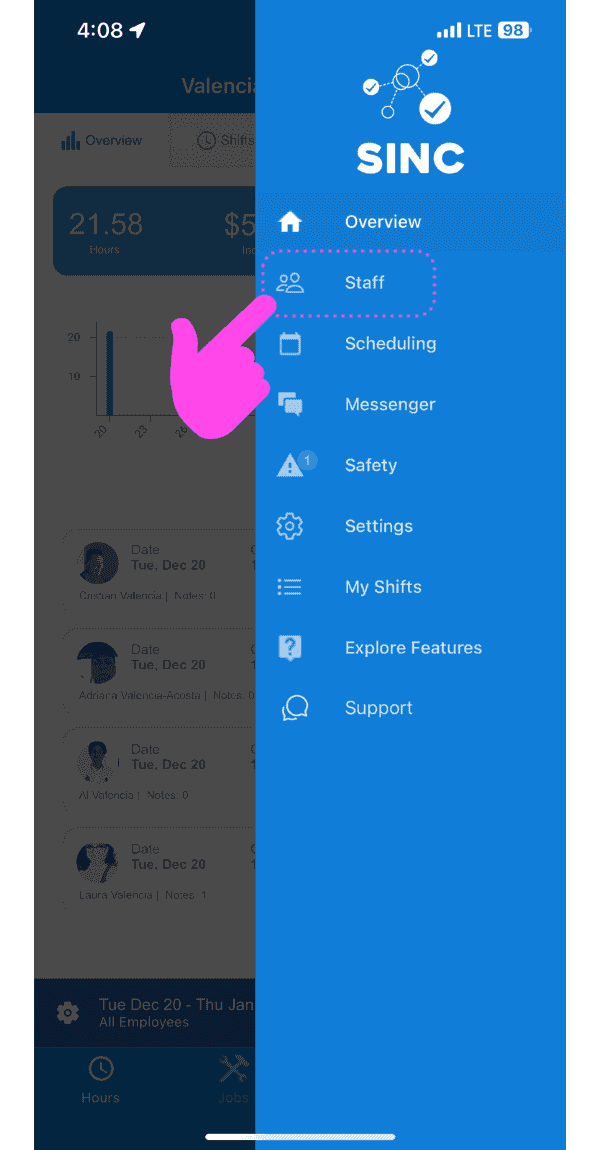
SINC mobile app side menu open with a pink arrow pointing to the Staff menu option

Pulsa la flecha junto al miembro del personal cuyo perfil quieras editar.
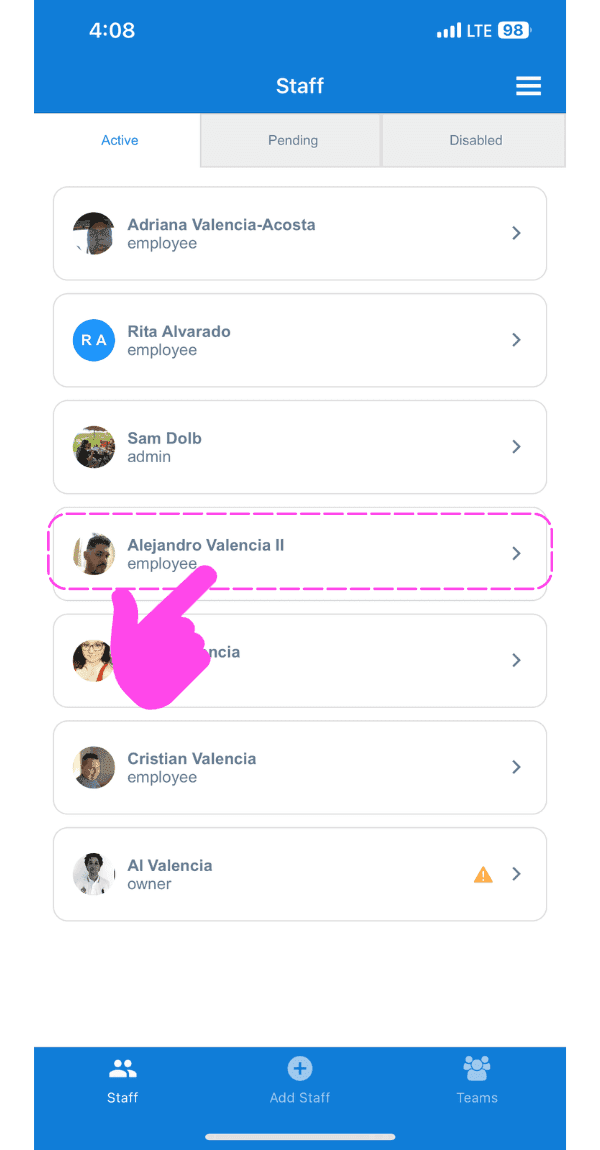
SINC mobile Staff list with a pink arrow pointing to an employee's profile arrow icon

Para editar el nombre: toca Editar (junto a Nombre)
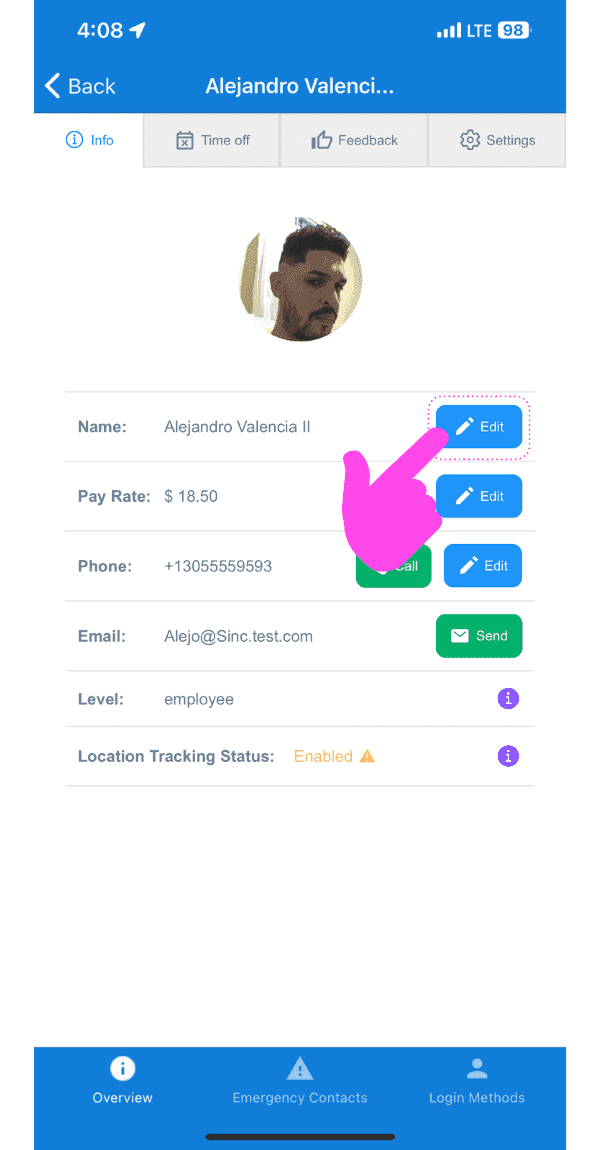
Mobile staff profile Info tab with the Name field's Edit button circled and a pink arrow pointing to it

Para editar la tarifa de pago: pulsa Editar (junto a Tarifa de pago).
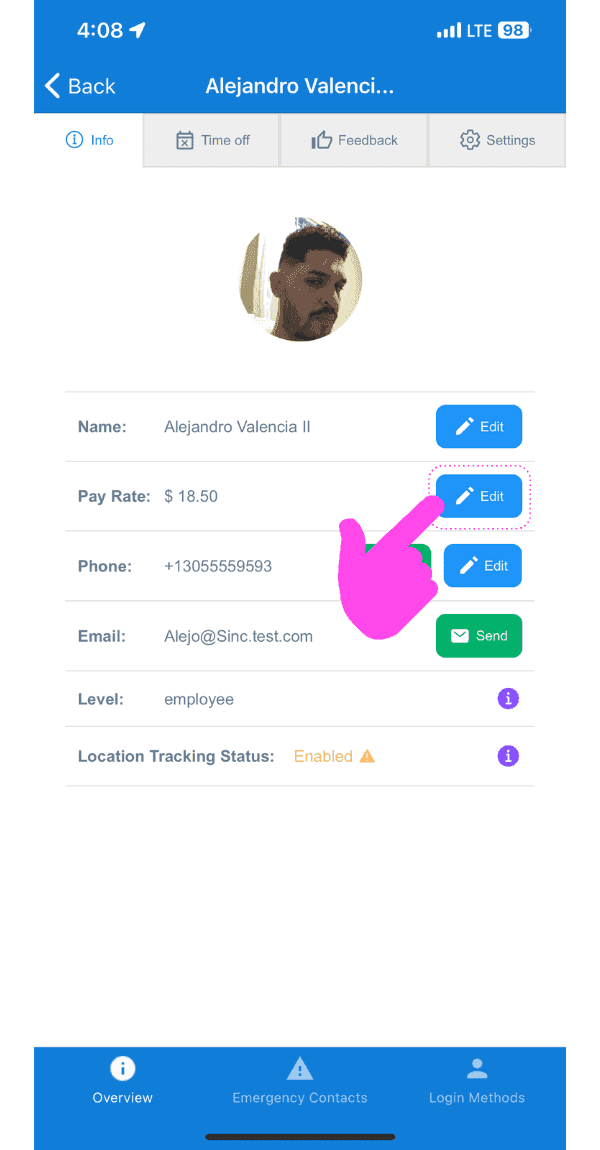
SINC mobile staff profile Info tab with a pink hand pointing to the Edit button next to Pay Rate

Para editar el número de teléfono: toca Editar (junto al icono del teléfono)
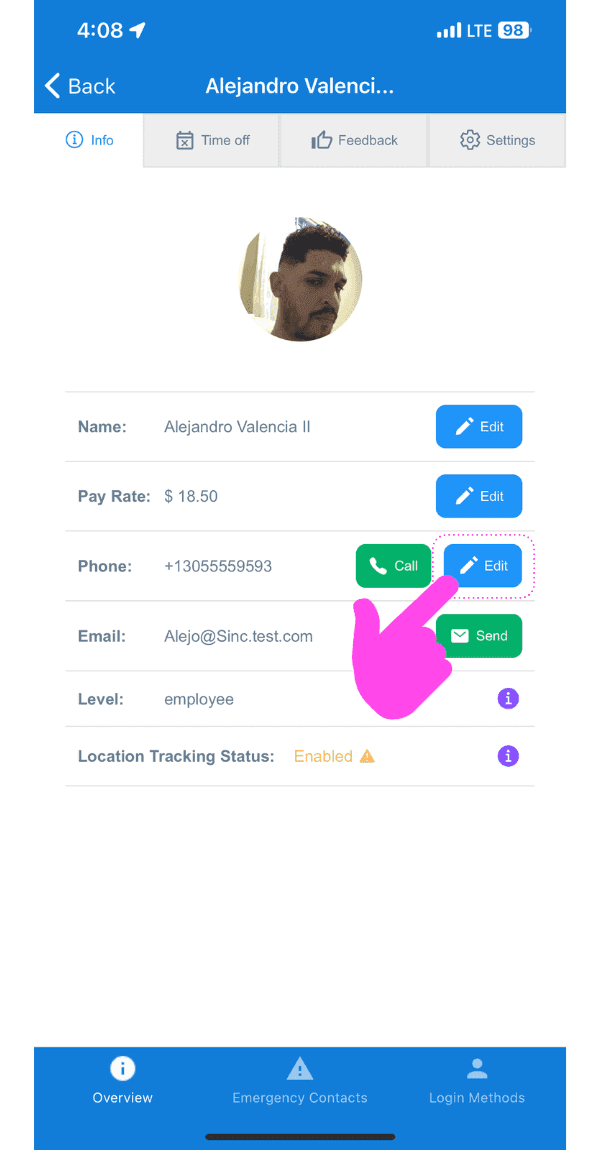
Staff profile screen with a pink arrow pointing to the Edit button next to the Phone field

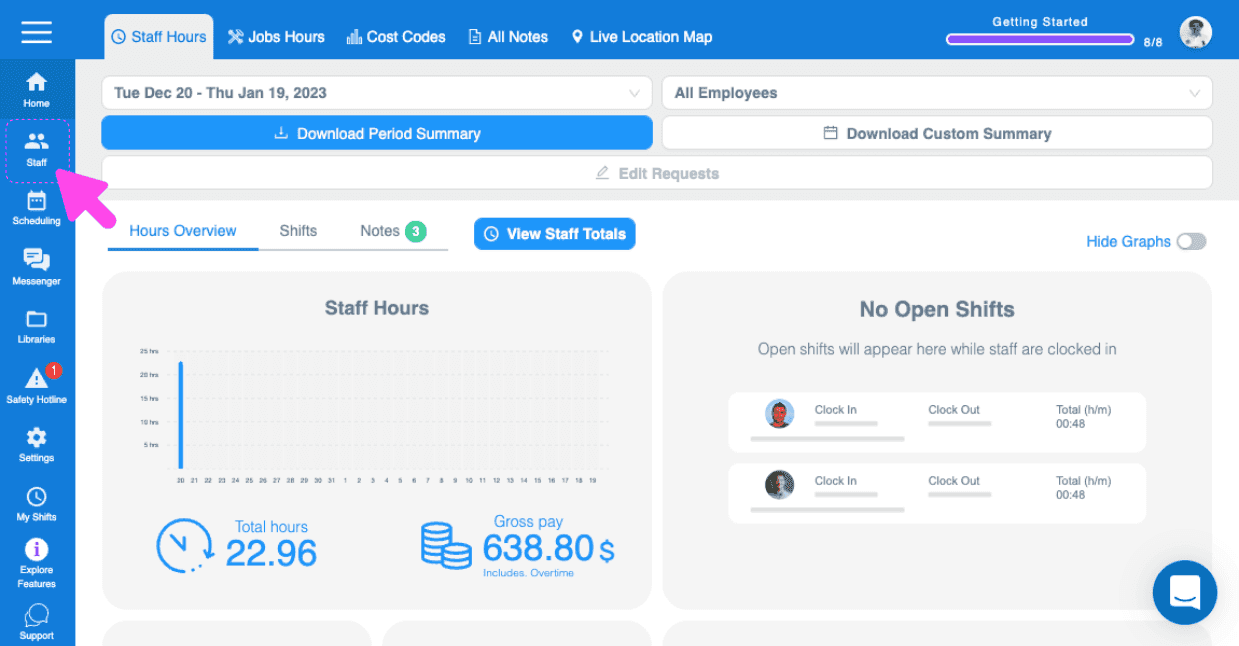
En la web: ve a Menú Personal

Web Staff Hours dashboard with a pink arrow pointing to the Staff icon in the left sidebar

Haz clic en el miembro del personal cuyo perfil quieras editar.
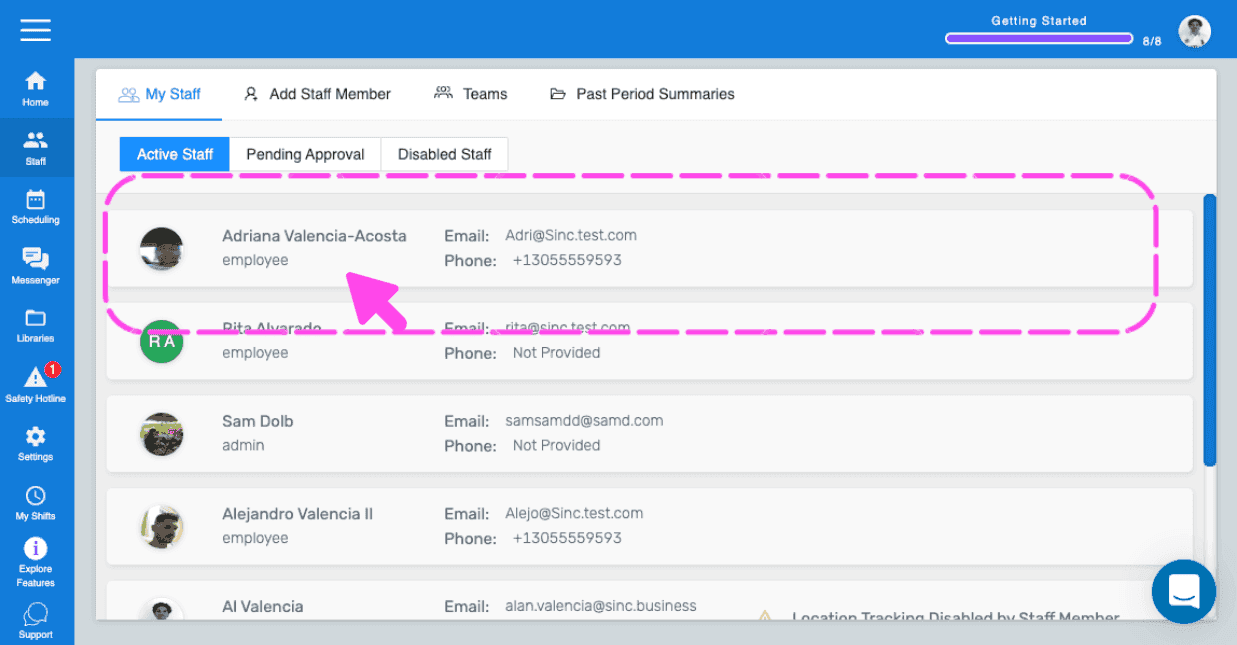
SINC web My Staff list with a pink arrow pointing to an employee row to open their profile

Para editar el nombre: haz clic en Editar (junto a Nombre).
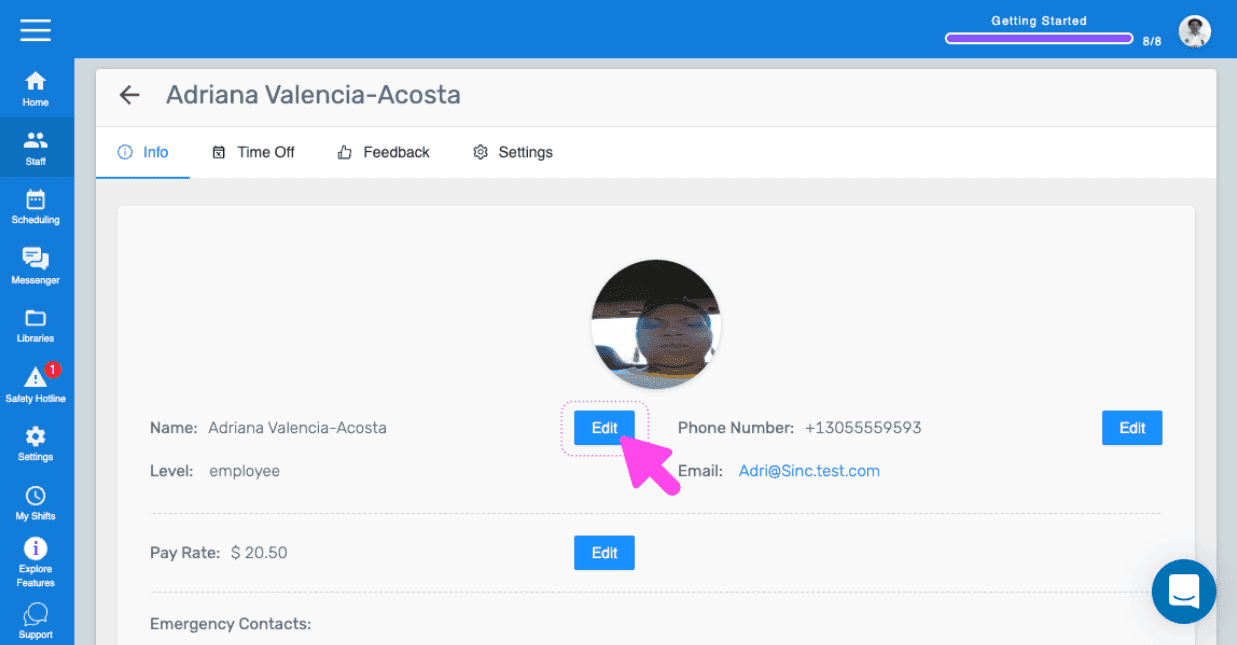
SINC web staff profile Info tab with a pink arrow pointing to the Edit button next to the employee's Name

Para editar el número de teléfono: toca Editar (junto a Número de teléfono).
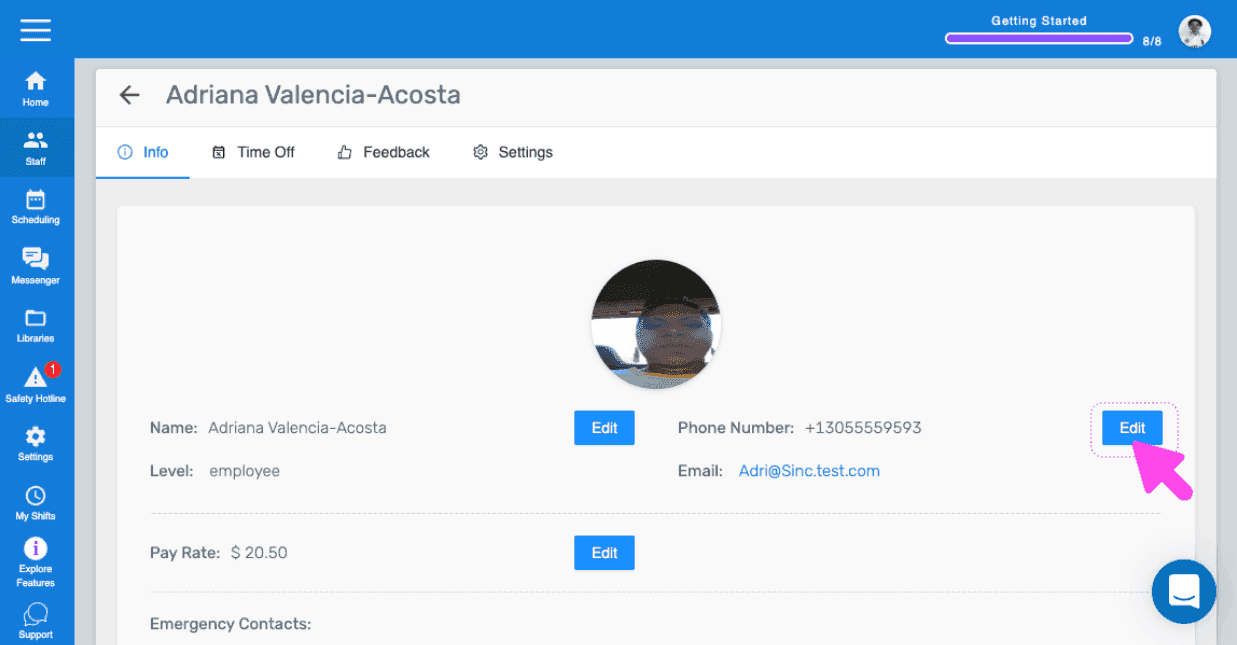
Employee profile Info tab with a pink arrow pointing to the Edit button next to Phone Number

Para editar la tarifa de pago: toca Editar (junto a Tarifa de pago)
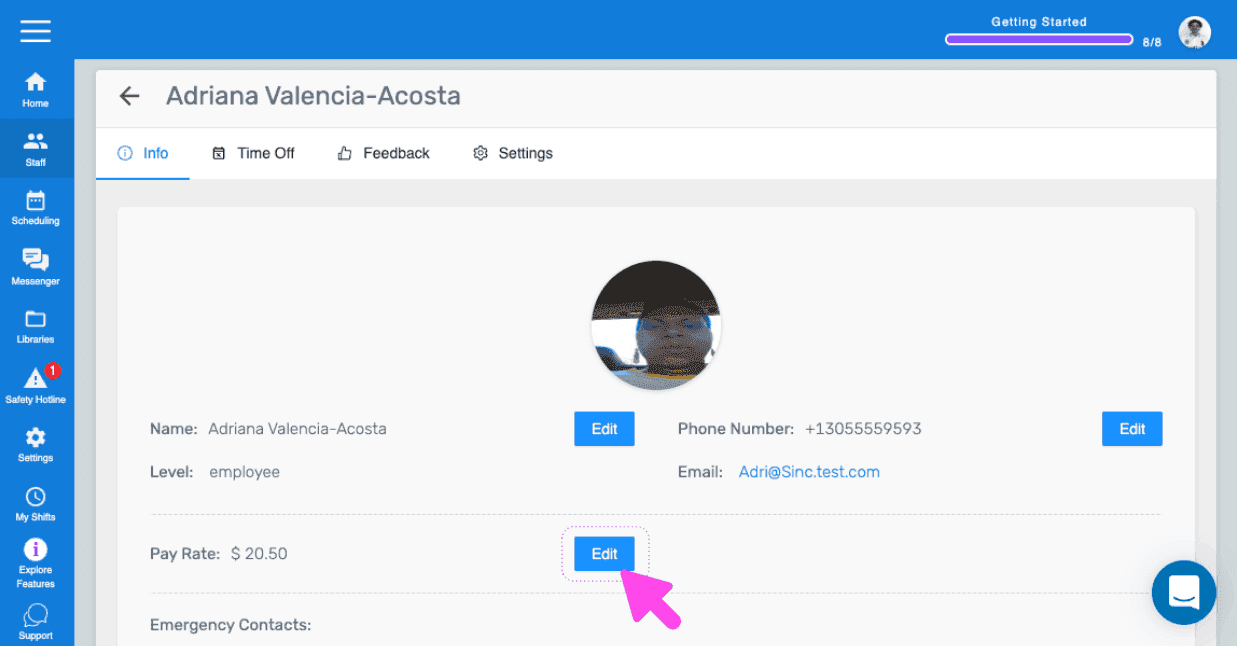
SINC web staff profile Info tab with a pink arrow pointing to the Edit button next to Pay Rate

¿Esto respondió tu pregunta?