Cómo activar las notificaciones de entrada al trabajo

Si quieres recibir una notificación cuando un empleado registre su entrada o salida del trabajo, este tutorial te mostrará cómo hacerlo.

Sam Dolbel
Sam Dolbel
Mar 1st, 2023

Toca Menú Personal
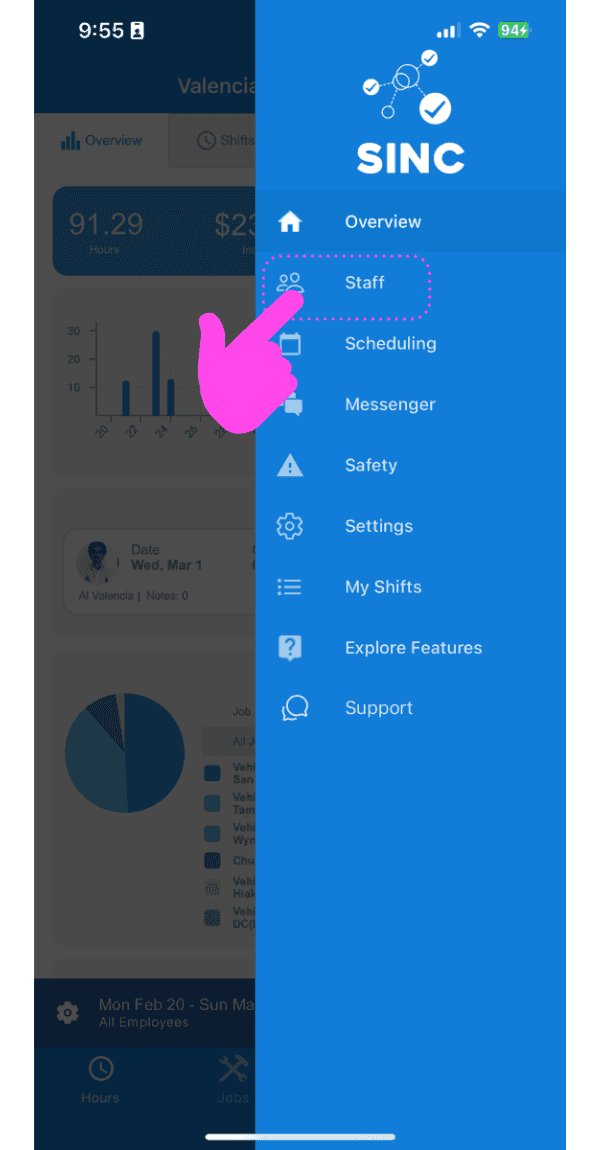
SINC mobile app side menu with a pink hand pointing to the Staff menu item

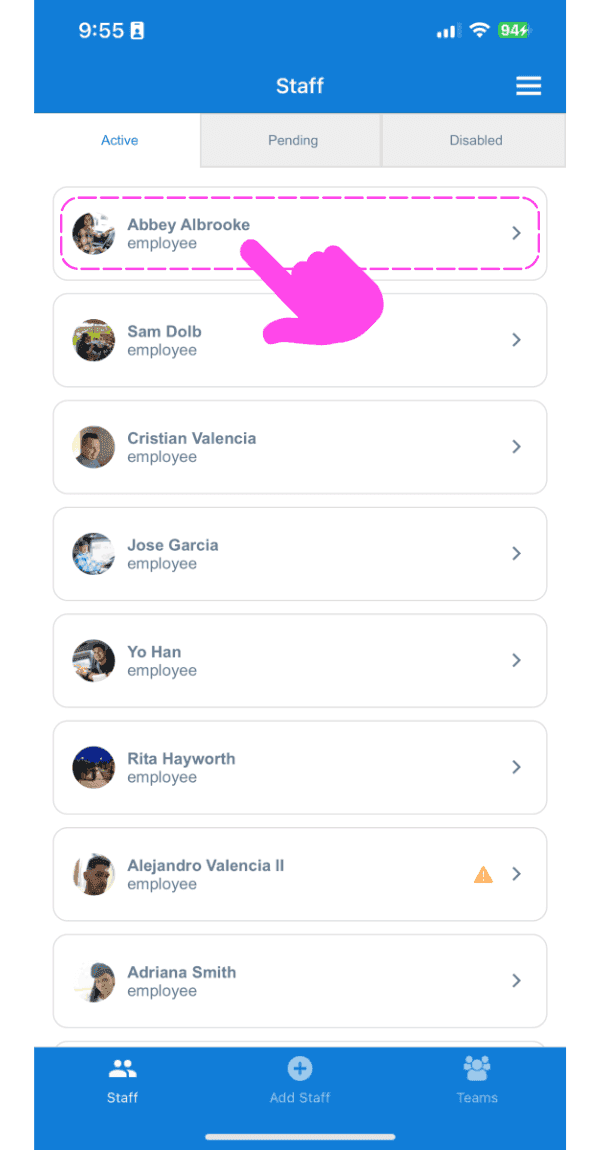
Toca Nombre del personal

Staff list screen with a pink arrow pointing to an employee's name

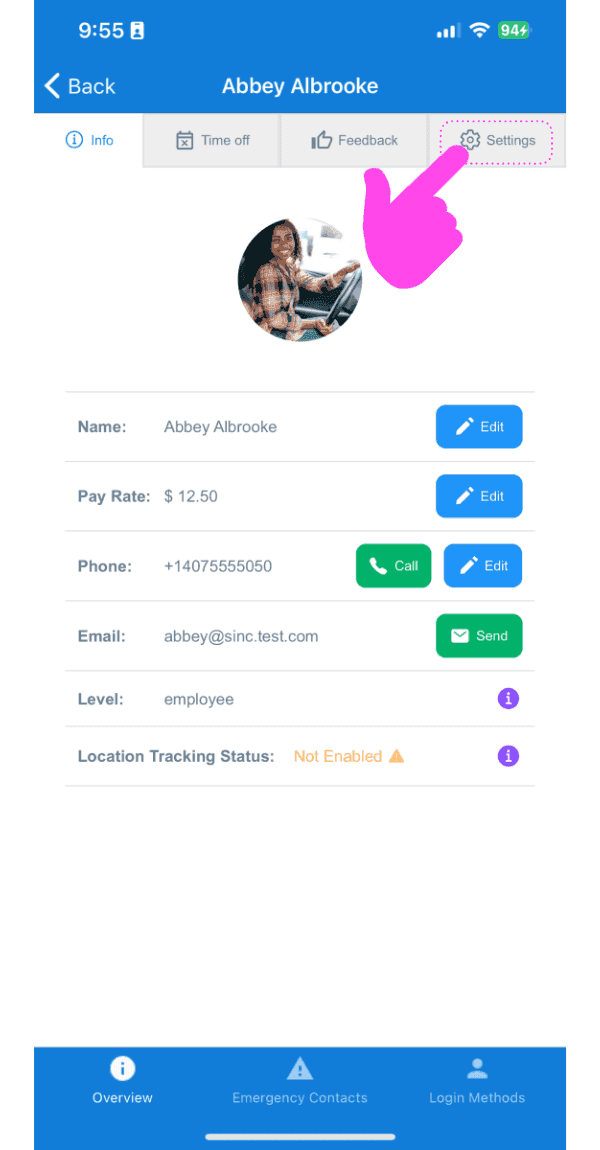
Toca Configuración

Staff member Info screen showing profile photo and contact fields, with a pink arrow pointing to the Settings tab

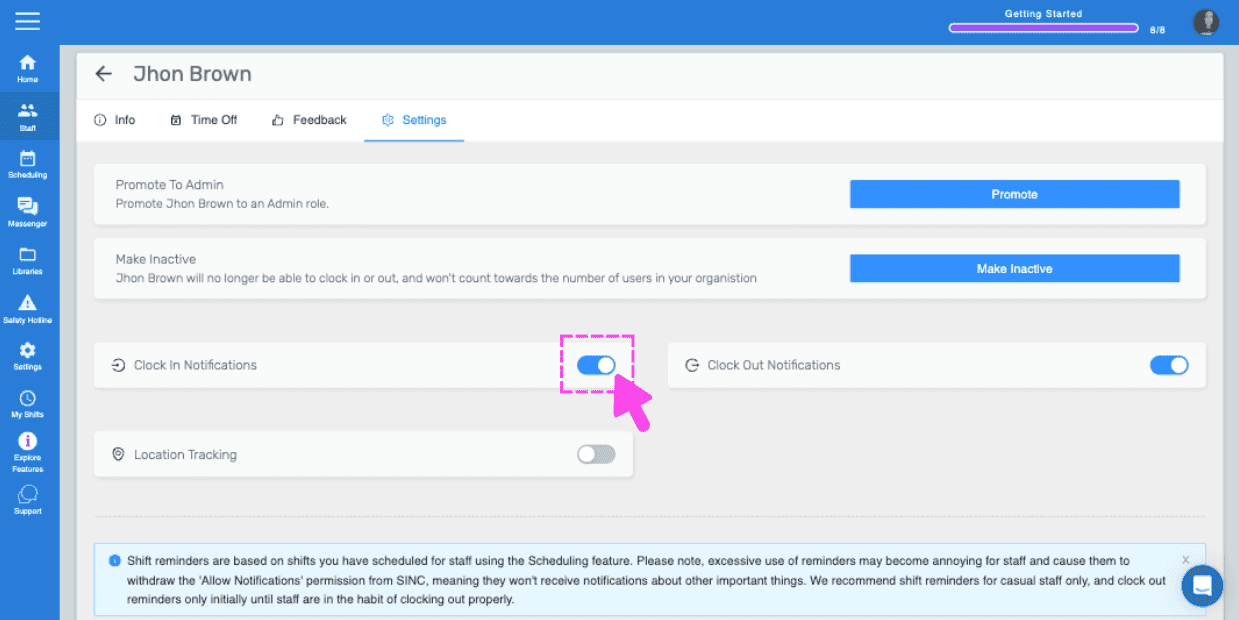
Toca Notificaciones de registro de entrada
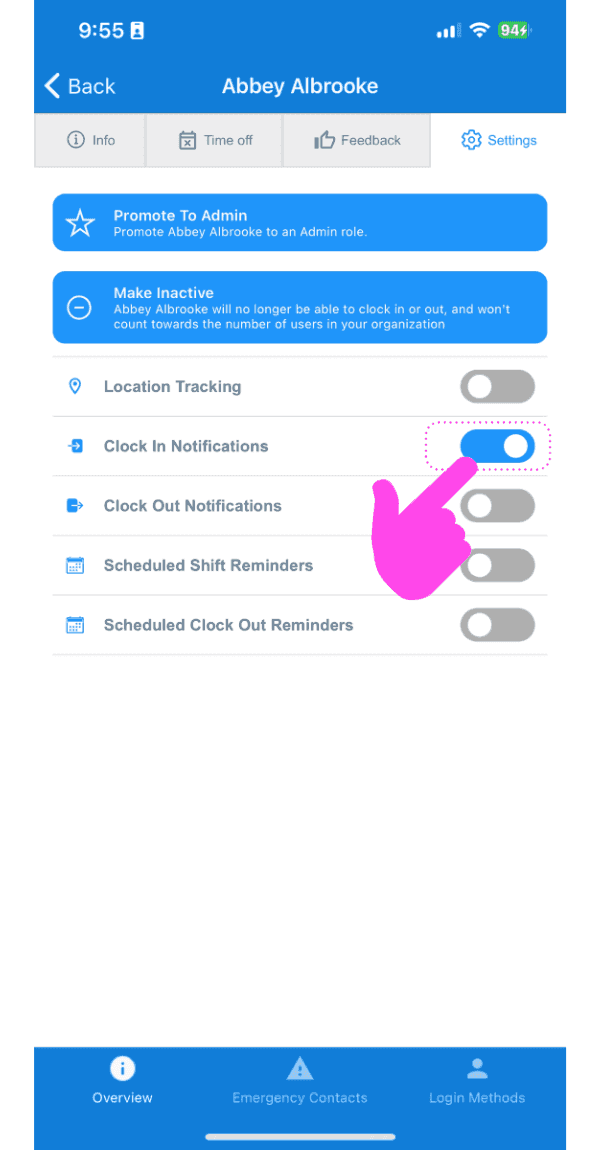
SINC mobile staff Settings screen with a pink hand pointing to the Clock In Notifications toggle

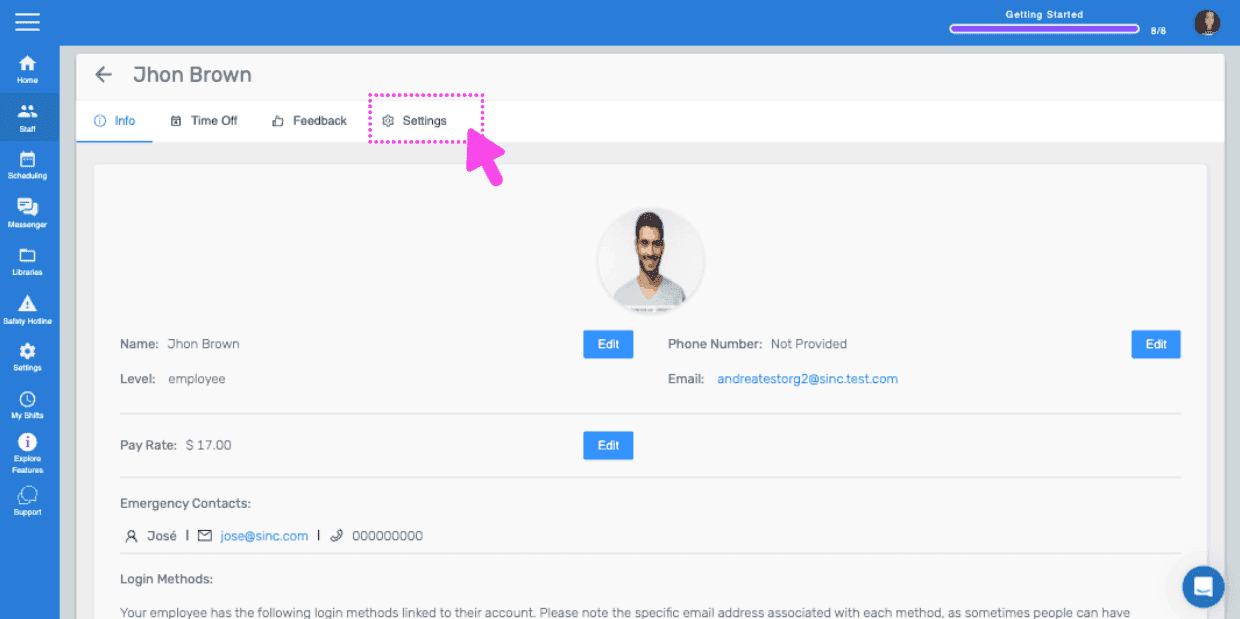
Si utilizas la versión web, se verá así:
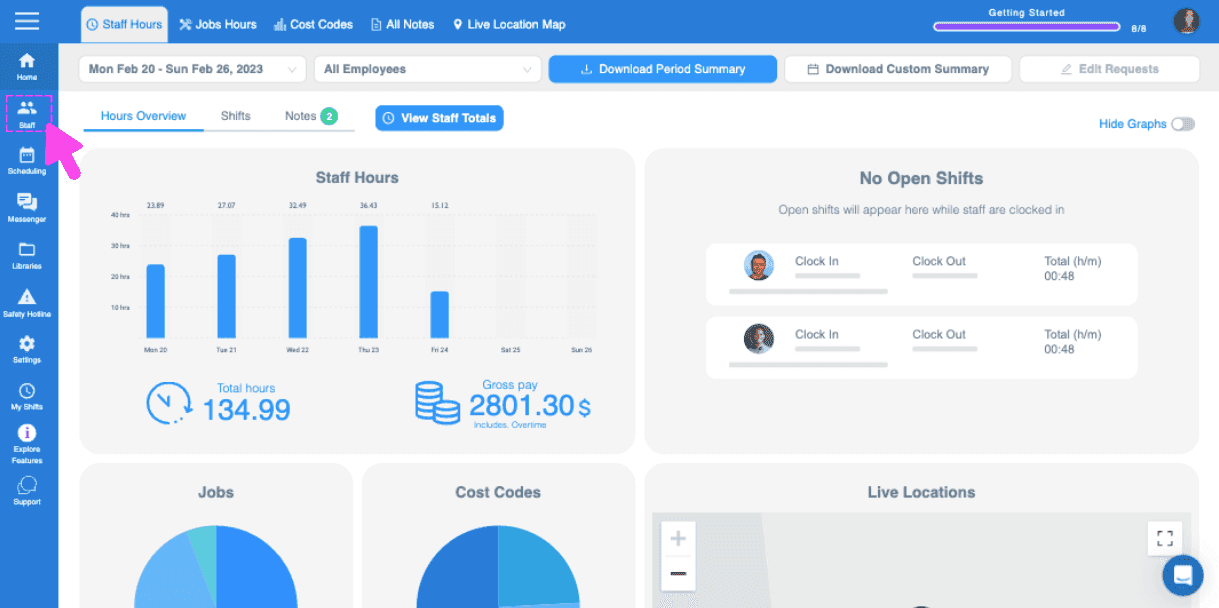
Web dashboard Hours Overview screen with a pink arrow pointing to the sidebar menu icon
SINC web staff profile screen with the Settings tab highlighted in pink
Staff settings screen for an employee with a pink arrow pointing to the Clock In Notifications toggle switch

¿Esto respondió tu pregunta?