Cómo desactivar a un administrador

Sam Dolbel
Sam Dolbel
Feb 28th, 2023

Cuando un miembro del personal con permisos de administrador deja tu organización, no tienes que eliminarlo; solo debes marcarlo como inactivo. En esta guía, te mostramos los pasos necesarios. Toca Staff
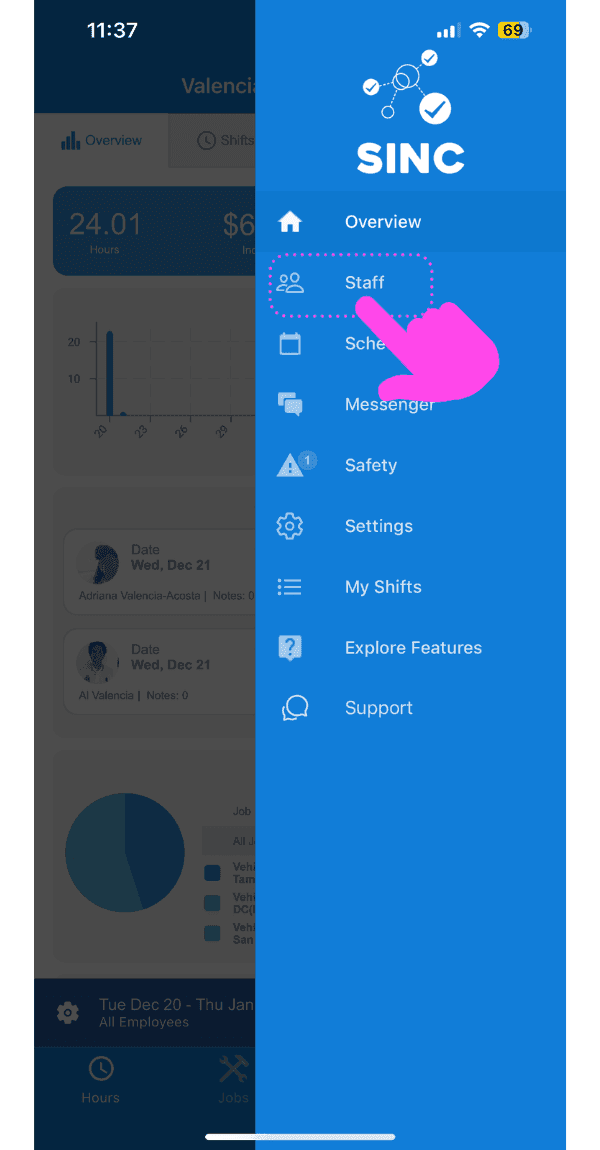
SINC mobile app side menu with a pink arrow pointing to the Staff menu item

Toca el nombre del miembro del personal administrativo
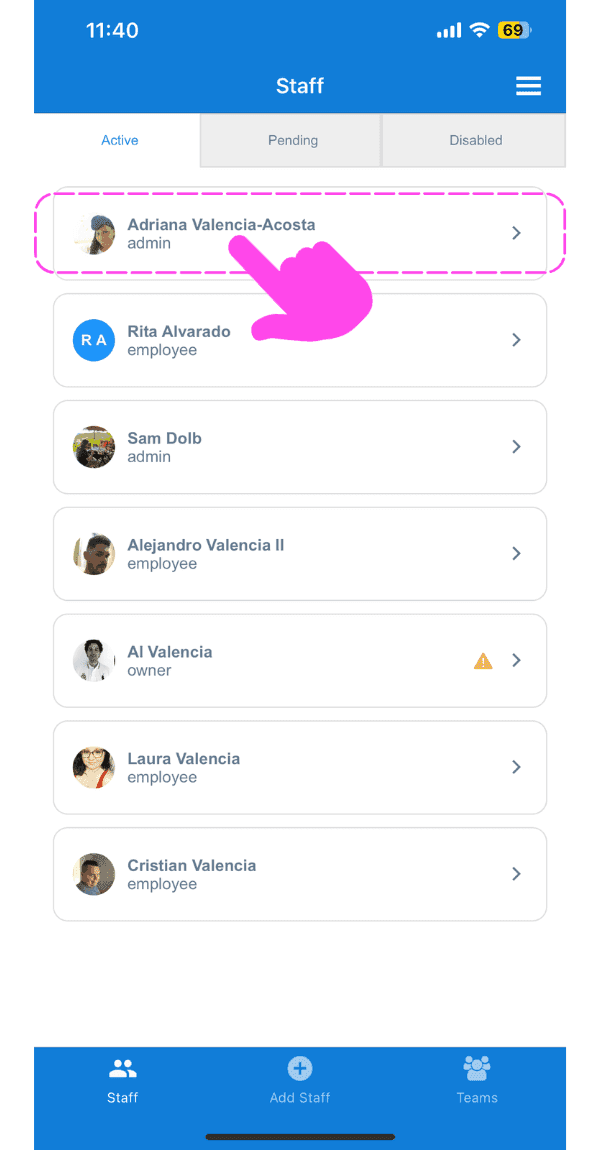
SINC mobile Staff screen with a pink hand pointing to an admin staff member's name

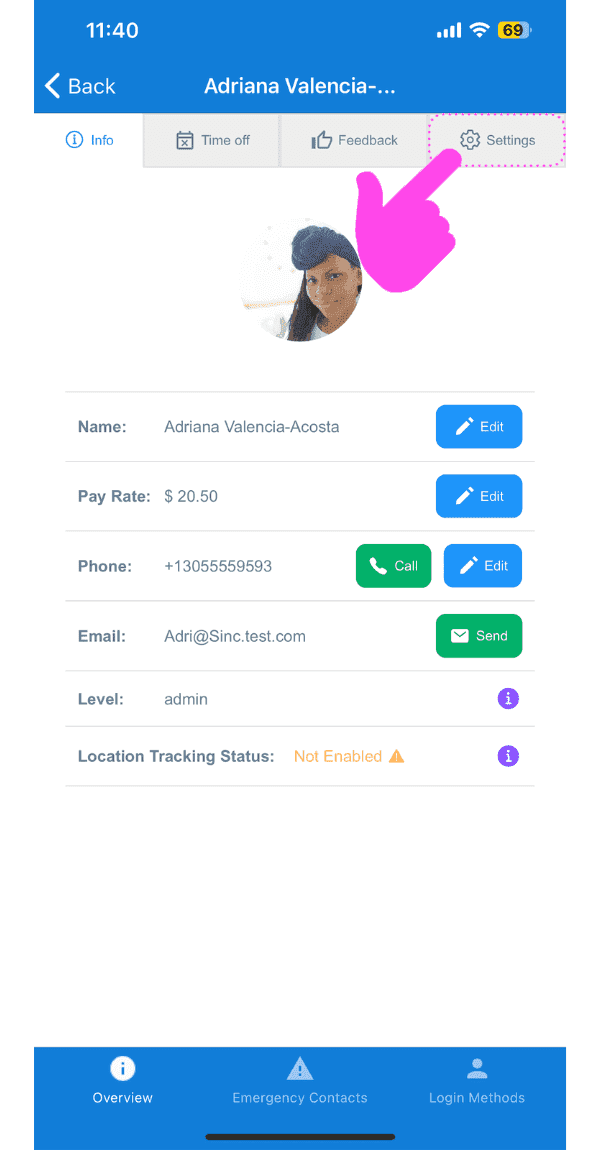
Toca Configuración

SINC mobile staff profile screen with a pink arrow pointing to the Settings tab

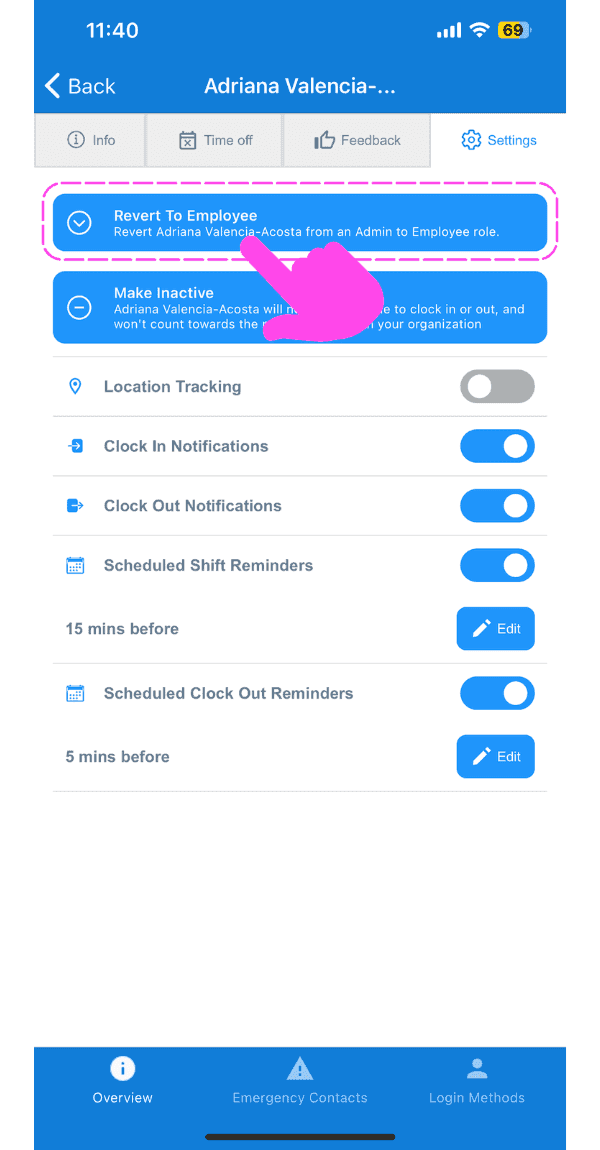
Toca Volver a empleado

Staff member Settings tab with a pink arrow pointing to the Revert To Employee button

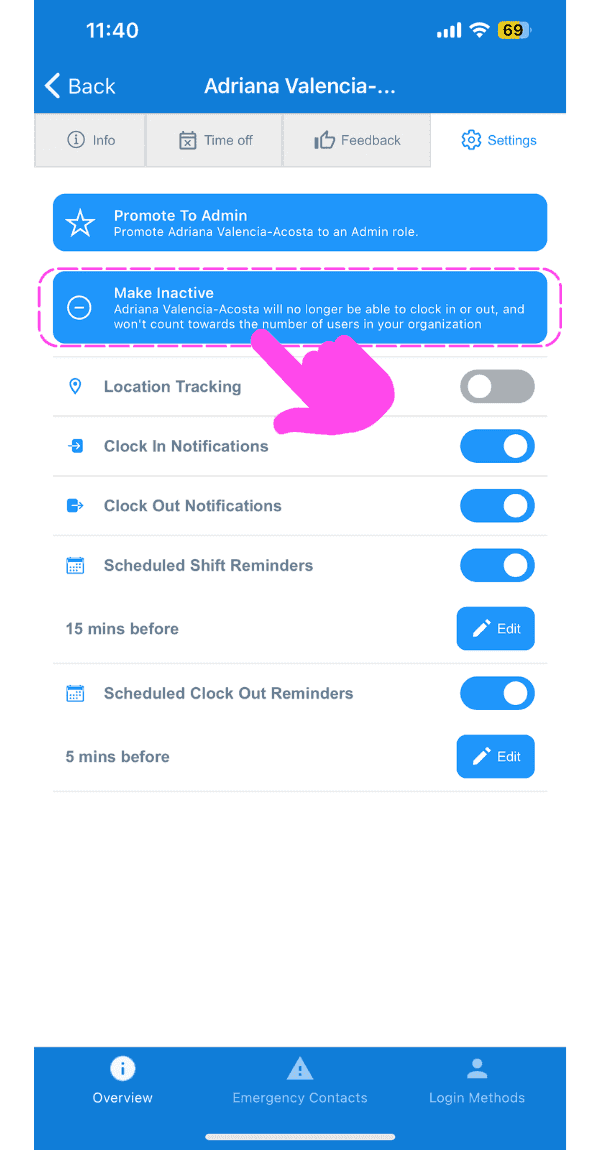
Pulsa en Desactivar

SINC mobile app staff settings screen with the Make Inactive banner highlighted and a pink arrow pointing to notification toggles below it

Pulsa Confirmar (versión web) Haz clic en Sí
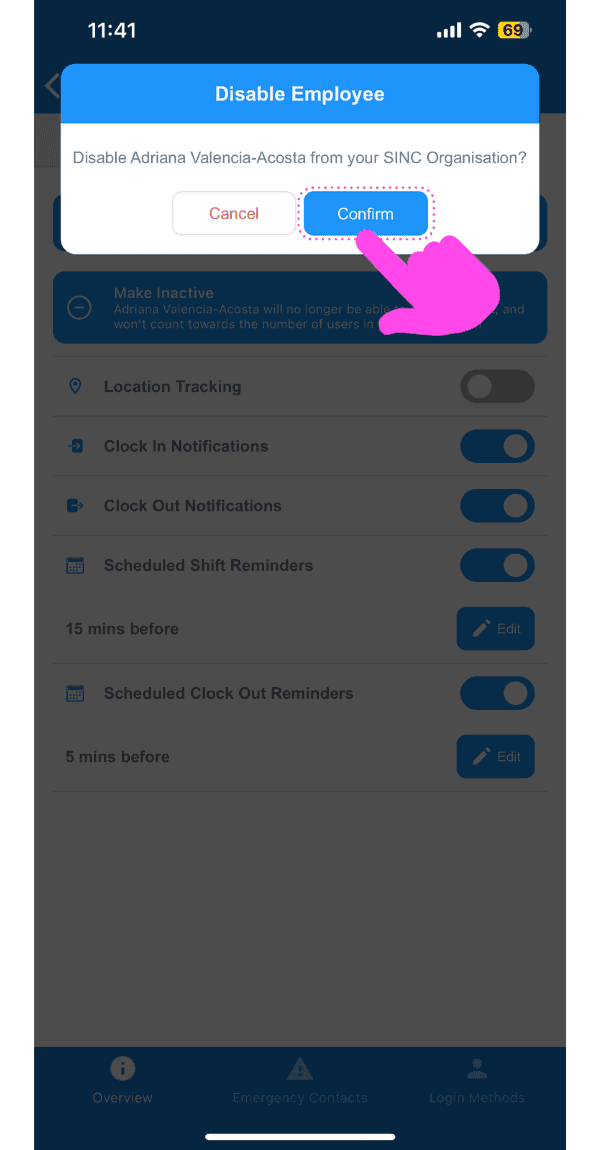
Disable Employee confirmation popup with the Confirm button highlighted by a pink arrow

¿Esto respondió tu pregunta?