Eliminar solicitud de tiempo libre pendiente

En este artículo, te mostraremos cómo eliminar una solicitud de tiempo libre pendiente como empleado.

SINC Support Team
SINC Support Team
Jul 14th, 2022

En el móvil: toca Menú Mis ausencias
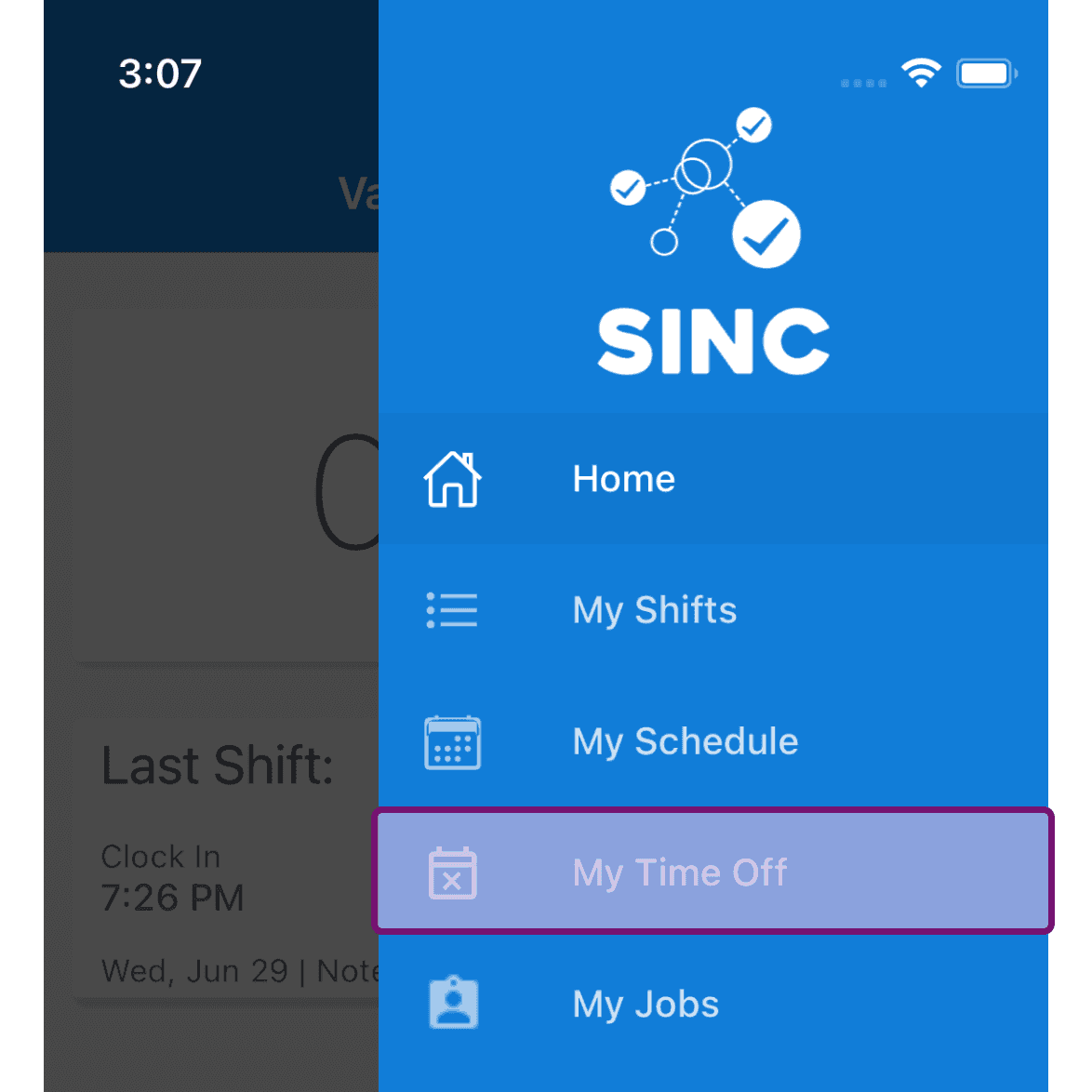
SINC mobile app menu with the My Time Off option outlined in purple

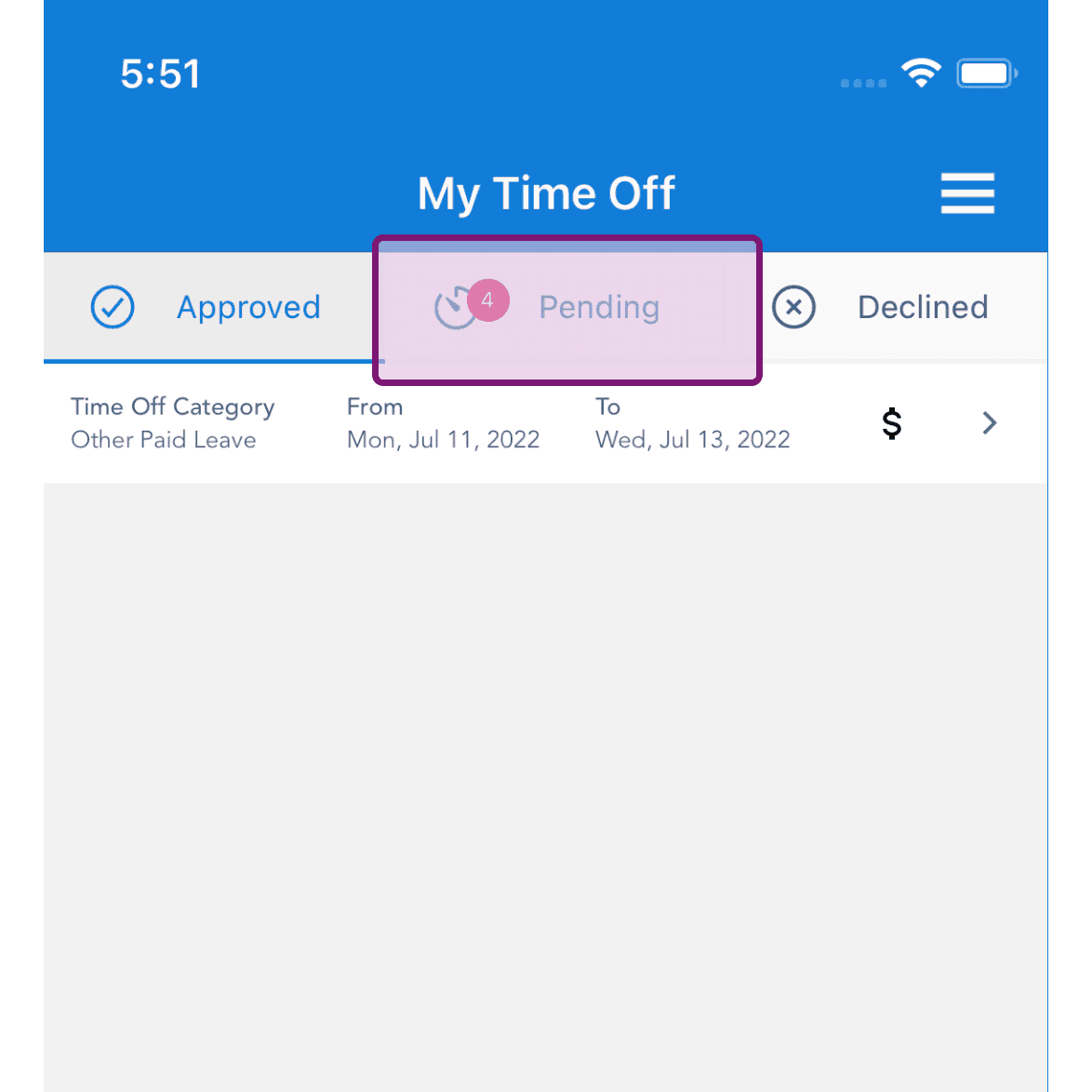
Toca la pestaña Pendientes

My Time Off screen with the Pending tab highlighted, showing a pending time off request badge

Toca el botón con el icono Eliminar de la solicitud de ausencia pendiente en cuestión.
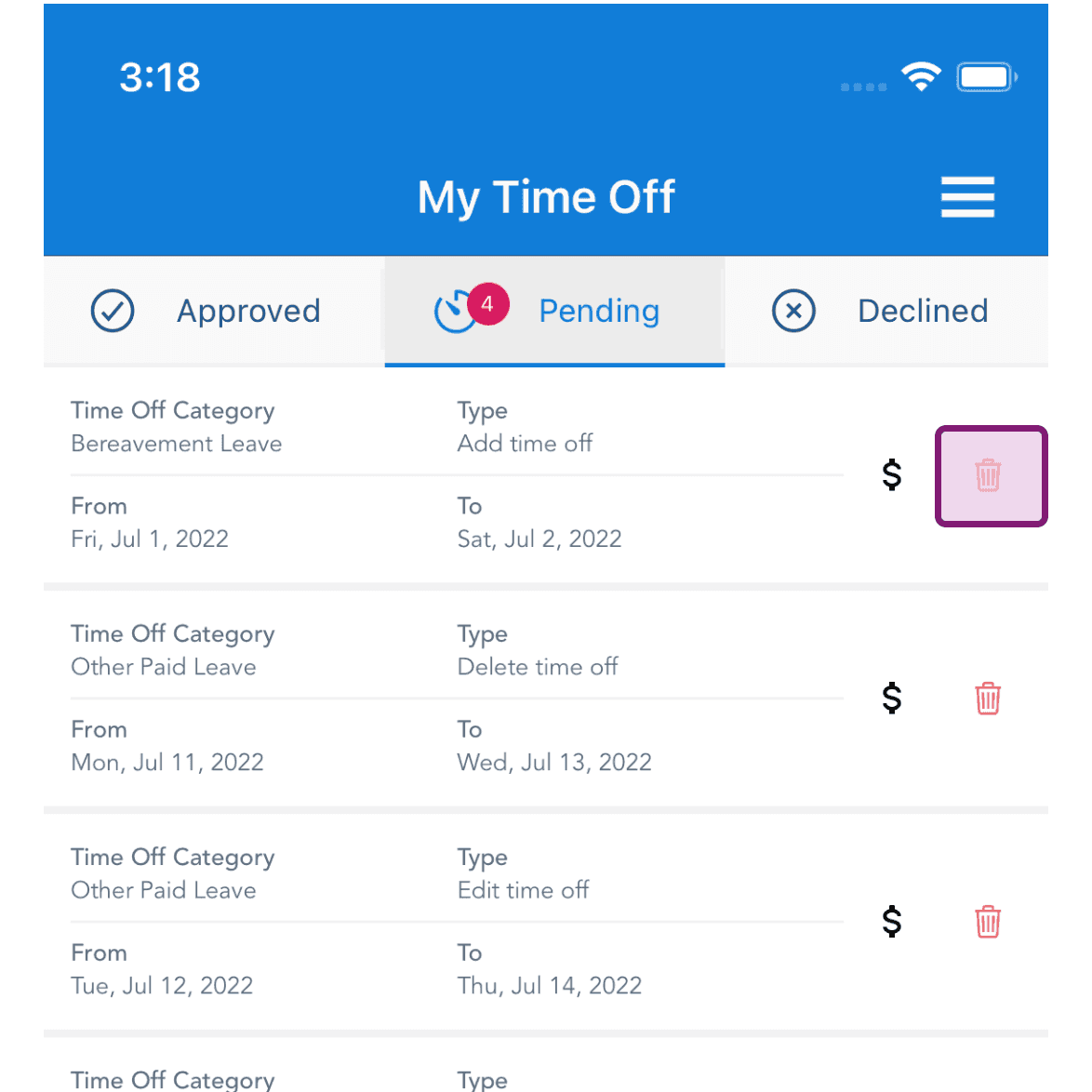
SINC mobile My Time Off Pending tab with the delete trash icon highlighted for a Bereavement Leave request

Toca Sí para confirmar la eliminación
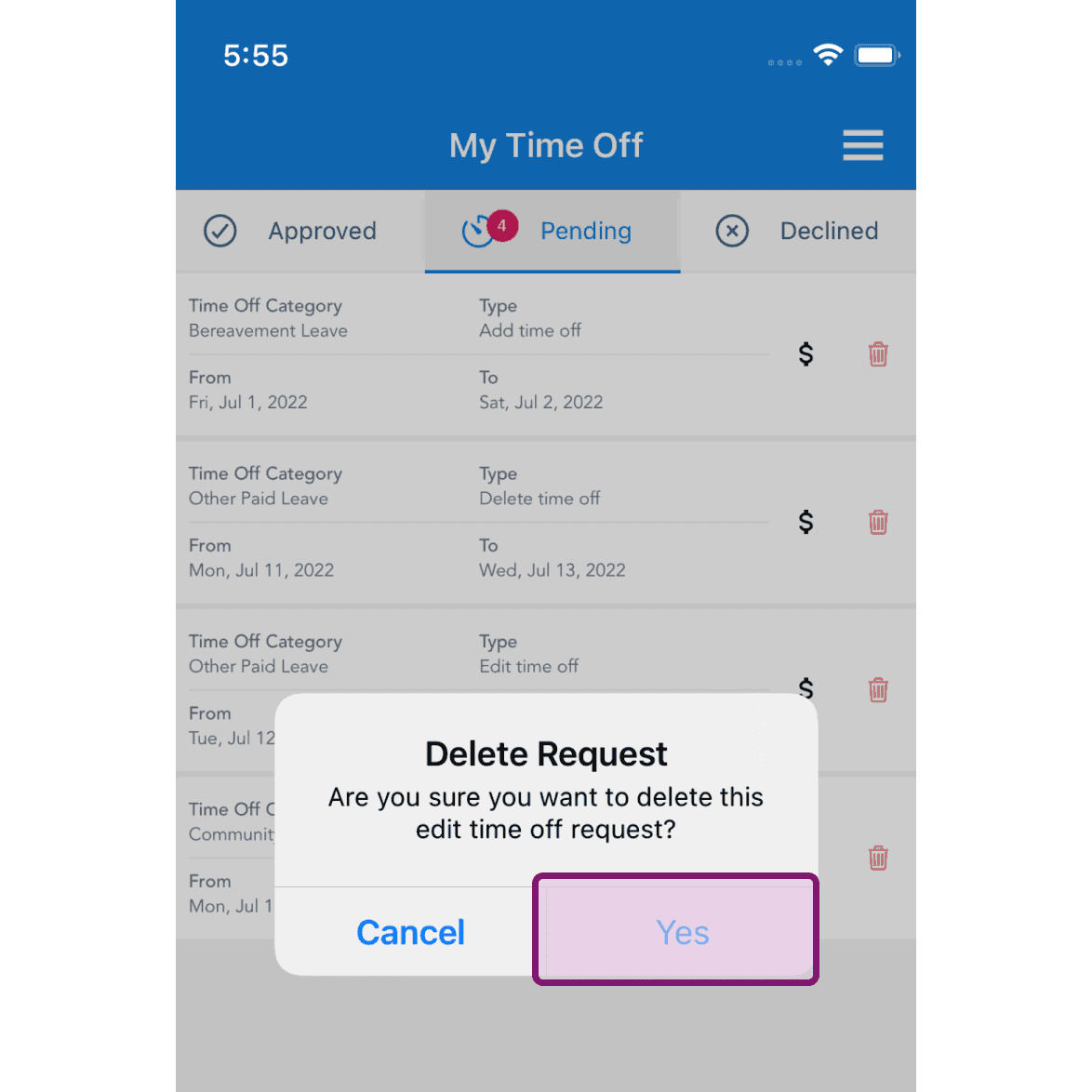
My Time Off Pending tab with a Delete Request confirmation popup and the Yes button outlined in pink

En la web: Haz clic en Menú Mis ausencias
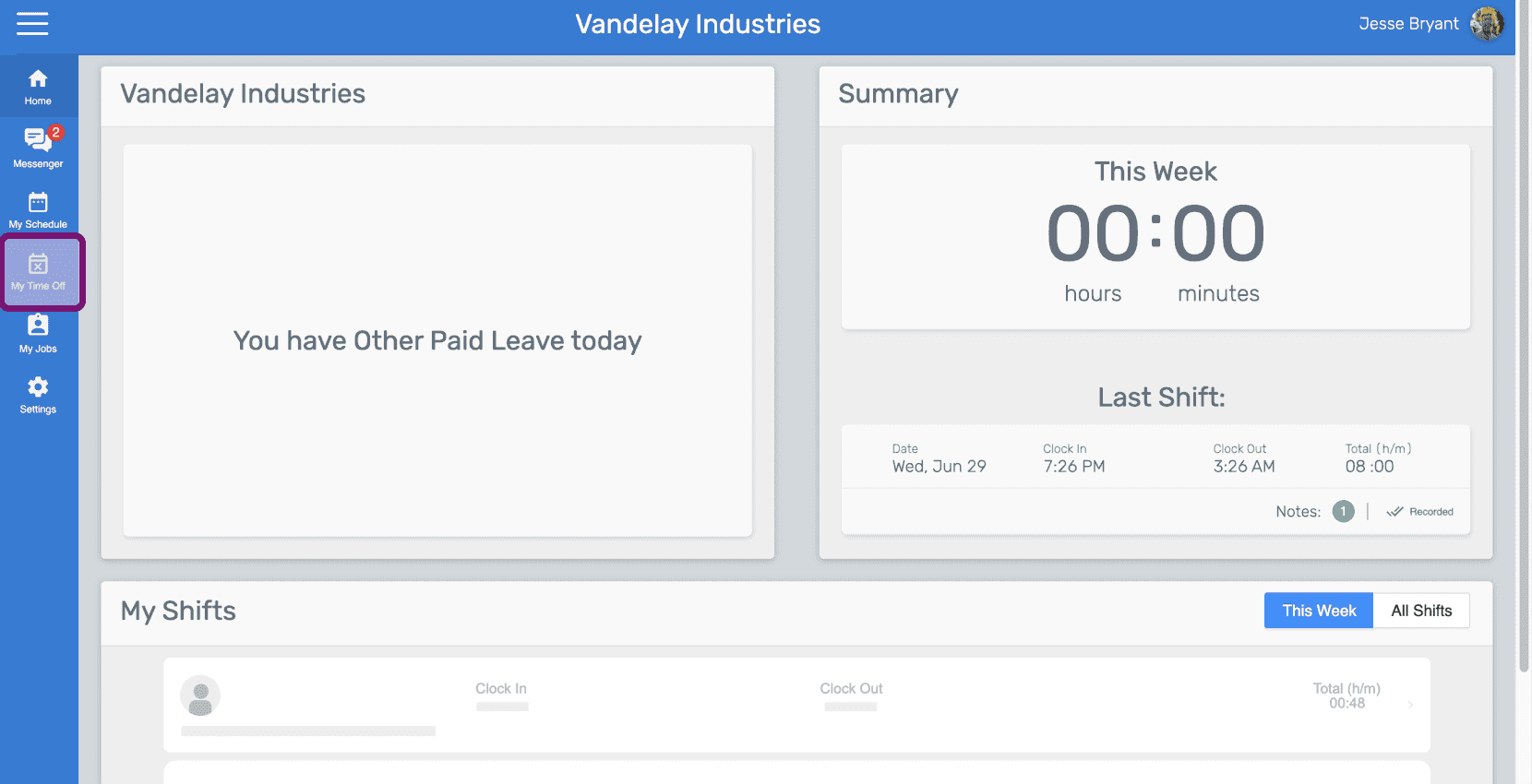
SINC web sidebar menu with the My Time Off icon outlined in pink

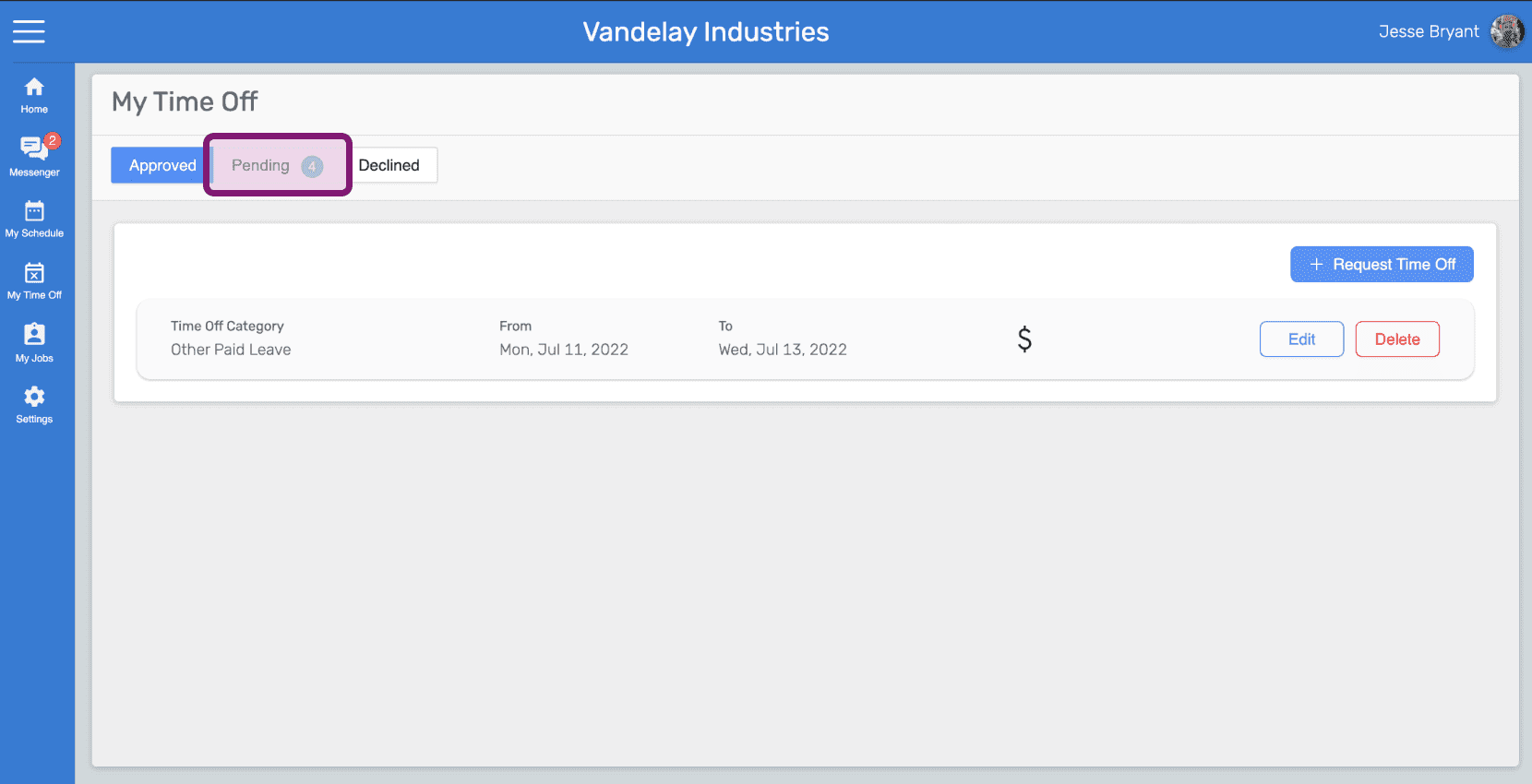
Haz clic en la pestaña Pendientes

My Time Off screen with the Pending tab circled in pink above the time off request list

Haz clic en el botón Eliminar solicitud de la solicitud de ausencia pendiente en cuestión
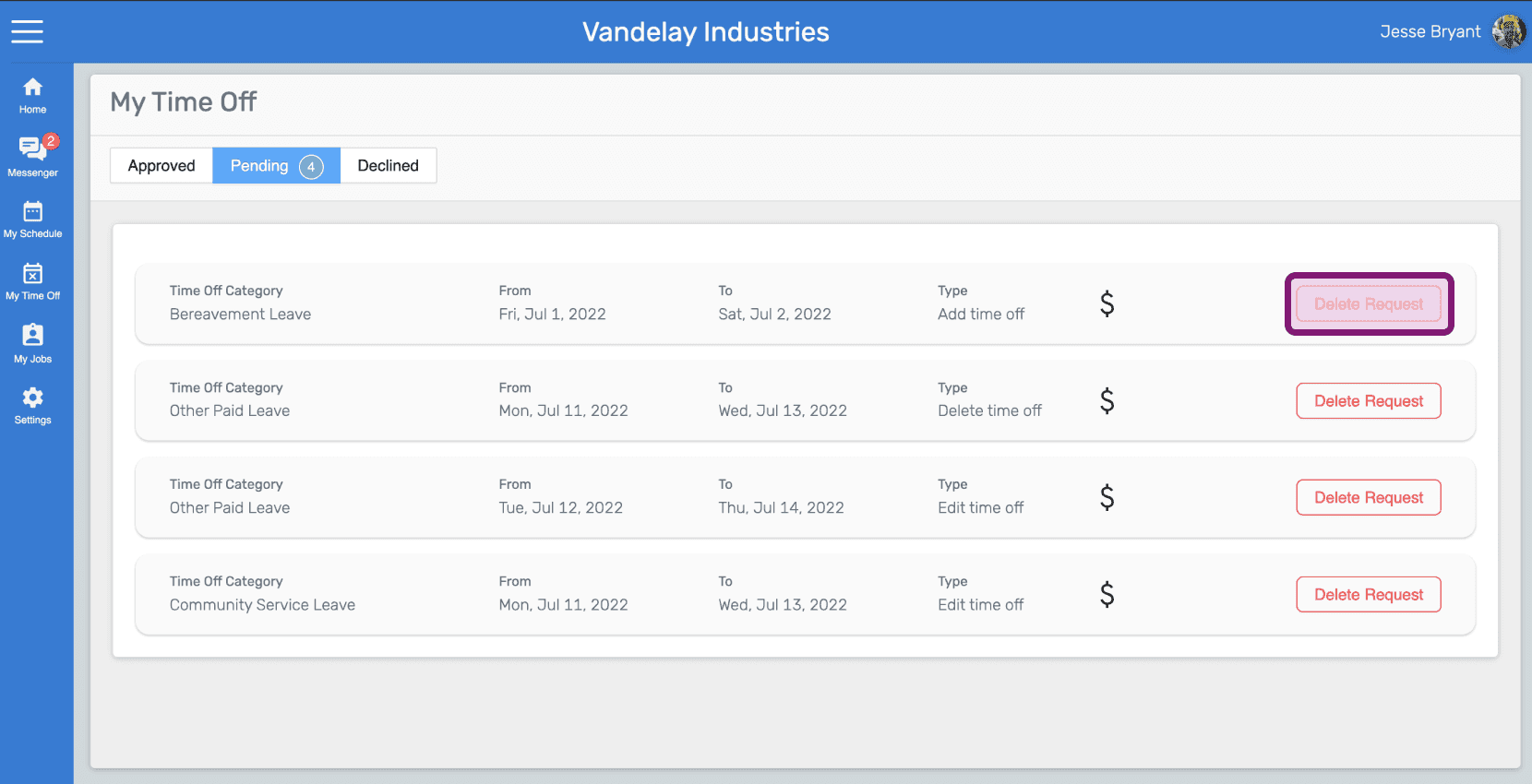
SINC web My Time Off pending requests list with a Delete Request button highlighted for Bereavement Leave

Haz clic en Sí para confirmar la eliminación
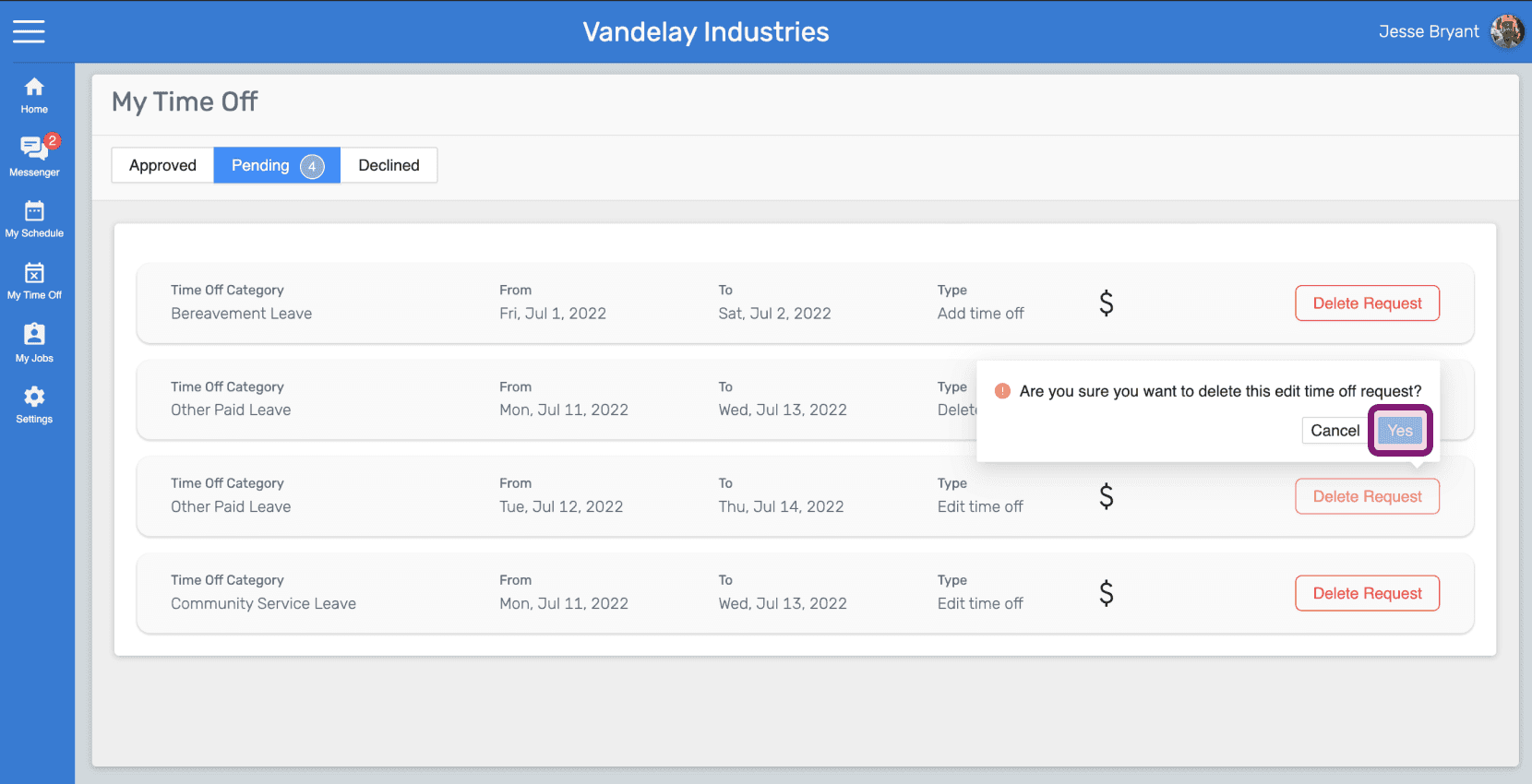
Web My Time Off Pending tab with a delete confirmation popup and its Yes button outlined in pink

¿Esto respondió tu pregunta?