Solicitar tiempo libre

En esta guía, te mostraremos cómo solicitar tiempo libre como empleado.

SINC Support Team
SINC Support Team
Jul 14th, 2022

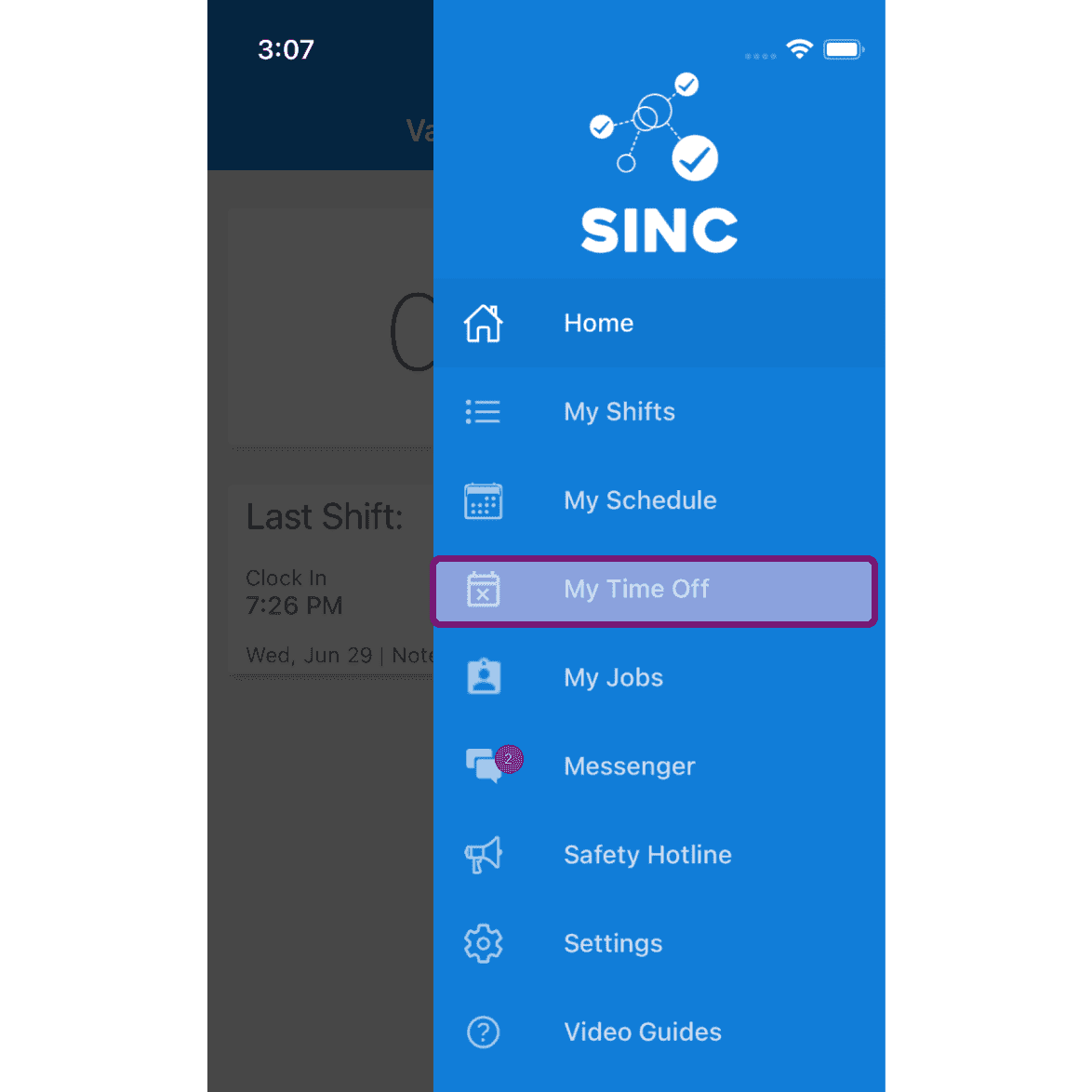
En el móvil: toca Menú Mis ausencias

SINC mobile app side menu with the My Time Off menu item outlined in pink

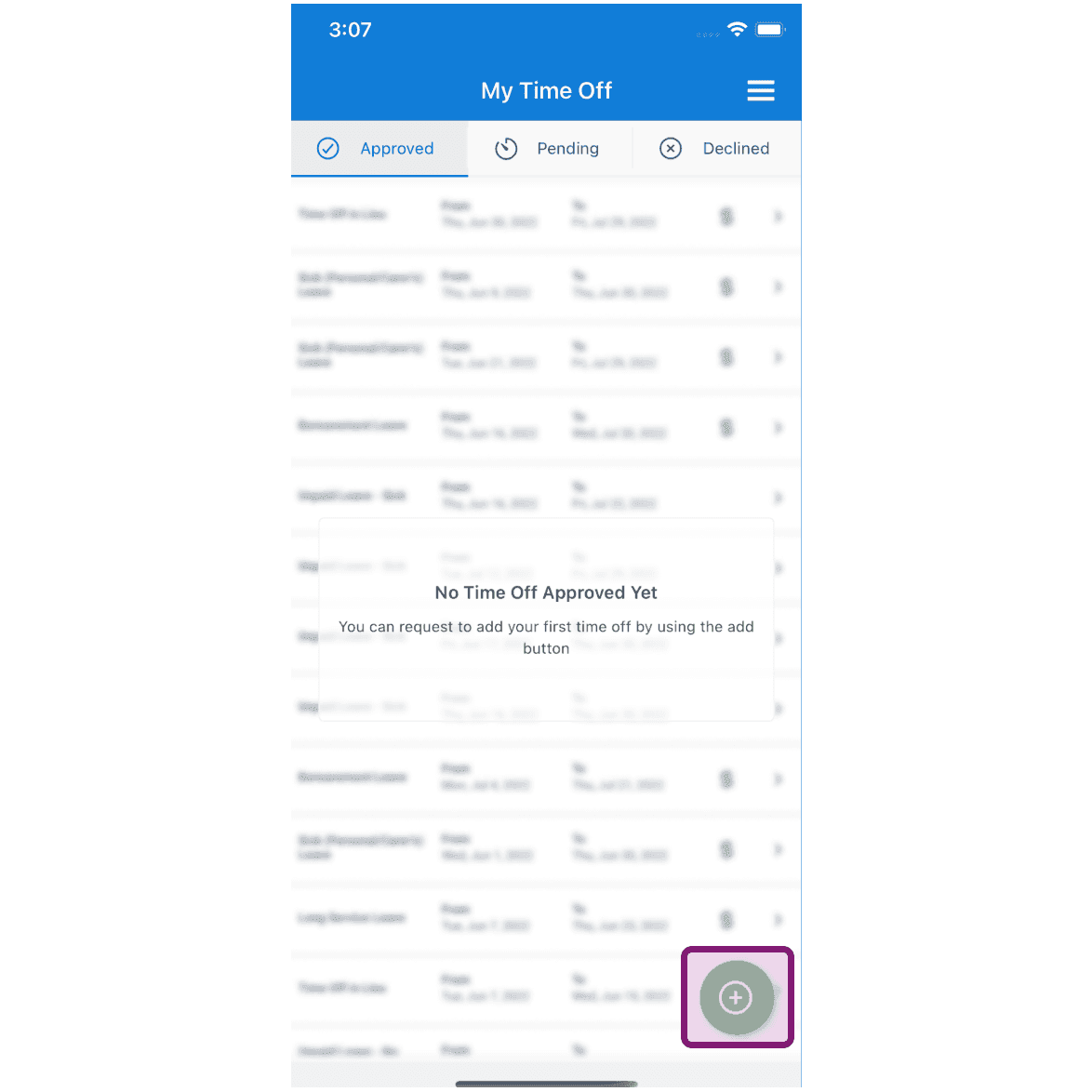
Toca el botón Solicitar tiempo libre

My Time Off screen, Approved tab, with the add (+) button outlined in purple

Pulsa Categoría de ausencia para seleccionarla
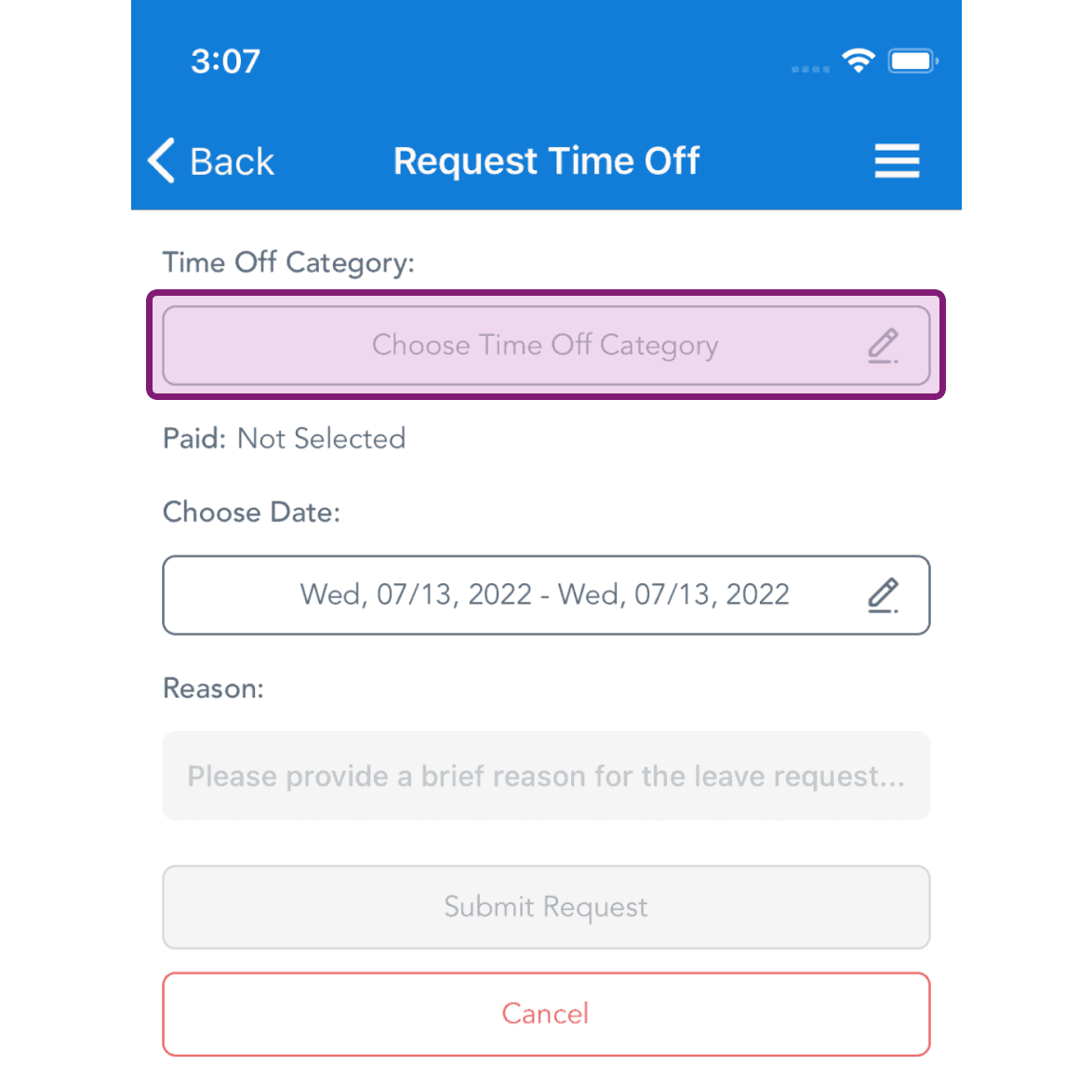
Request Time Off screen with the Choose Time Off Category field highlighted in a purple box

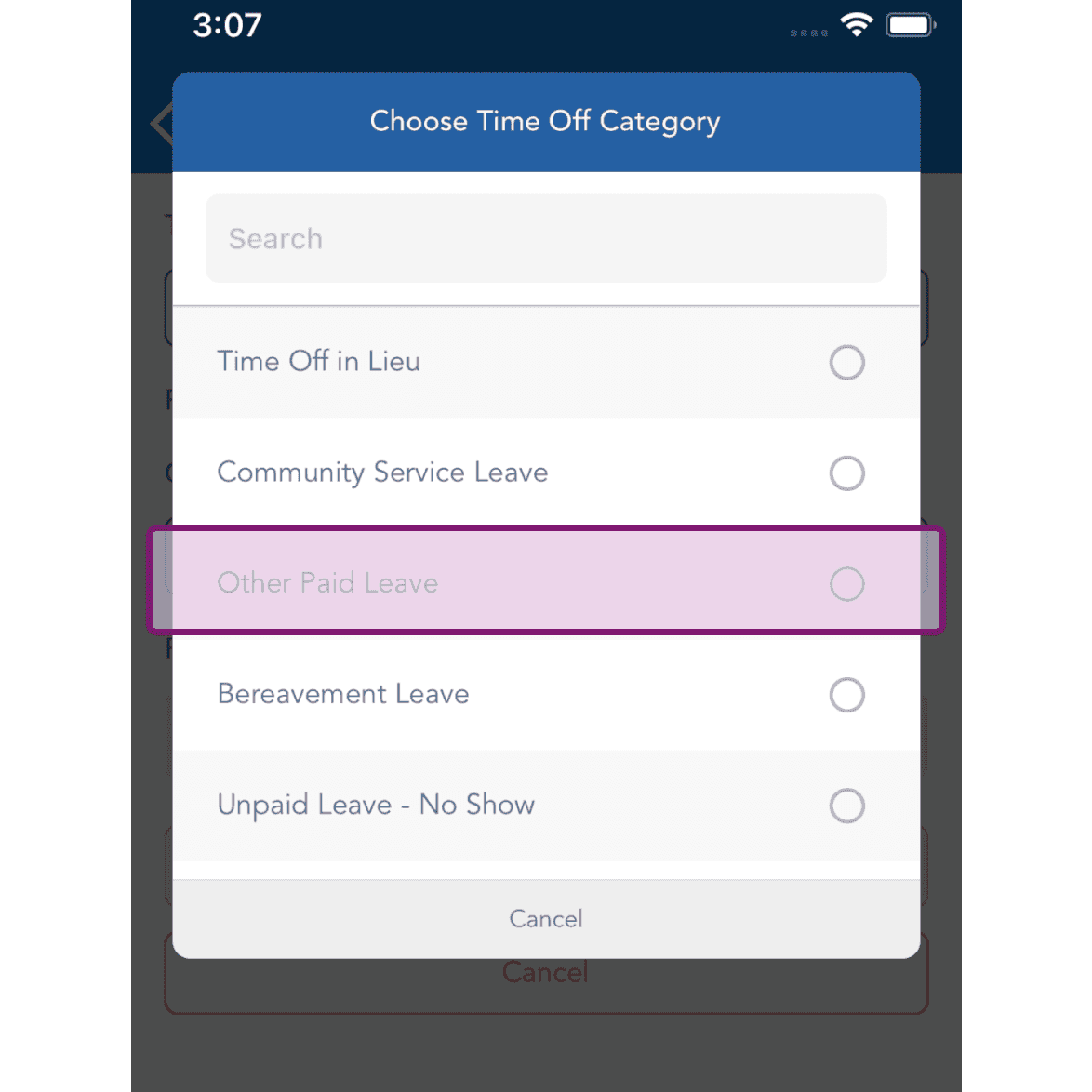
Selecciona la categoría de ausencia.

SINC mobile Choose Time Off Category list with the Other Paid Leave option highlighted

Pulsa «Elegir fecha» para seleccionarla
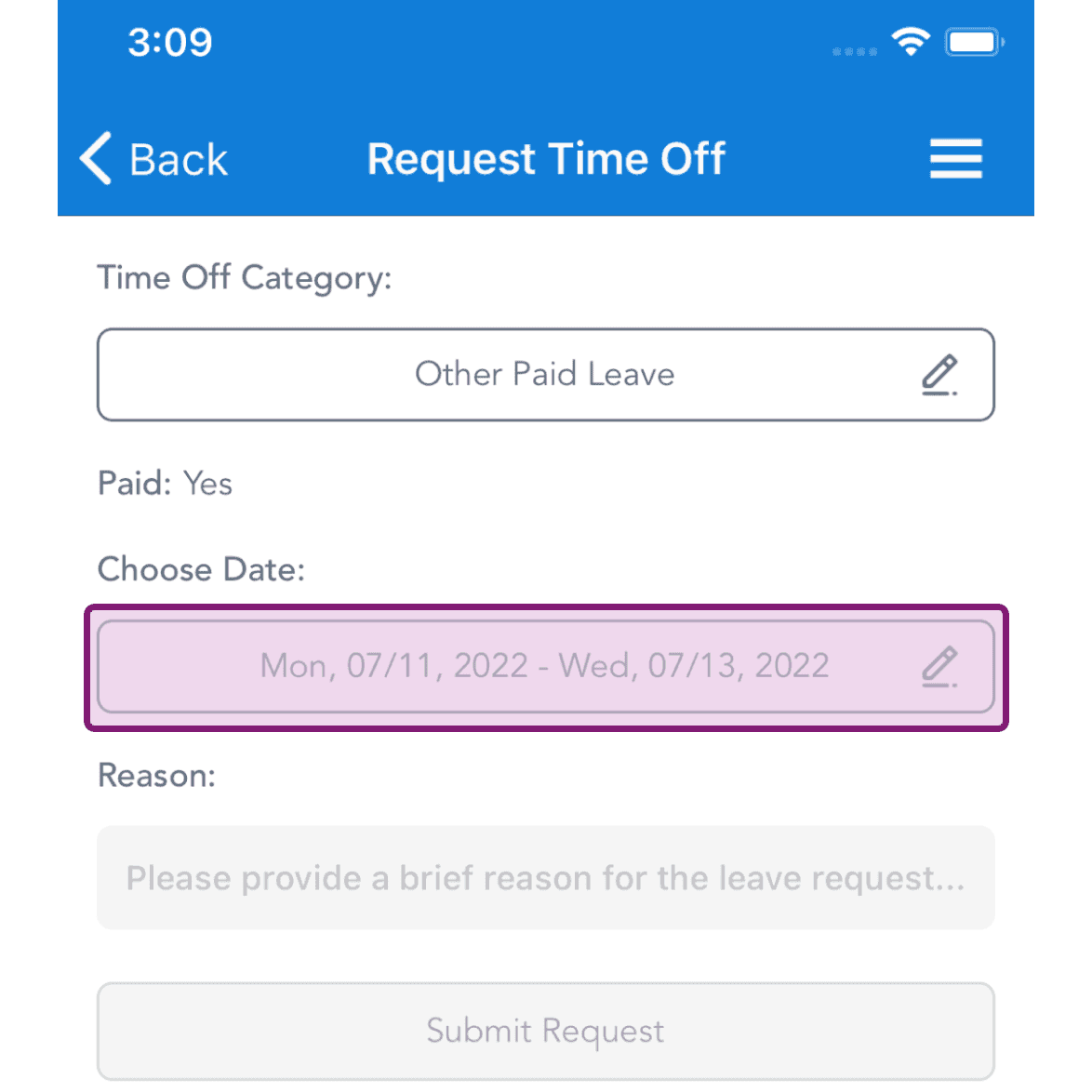
Request Time Off screen with the Choose Date field outlined in pink showing a selected date range

Selecciona las fechas del permiso y pulsa Confirmar
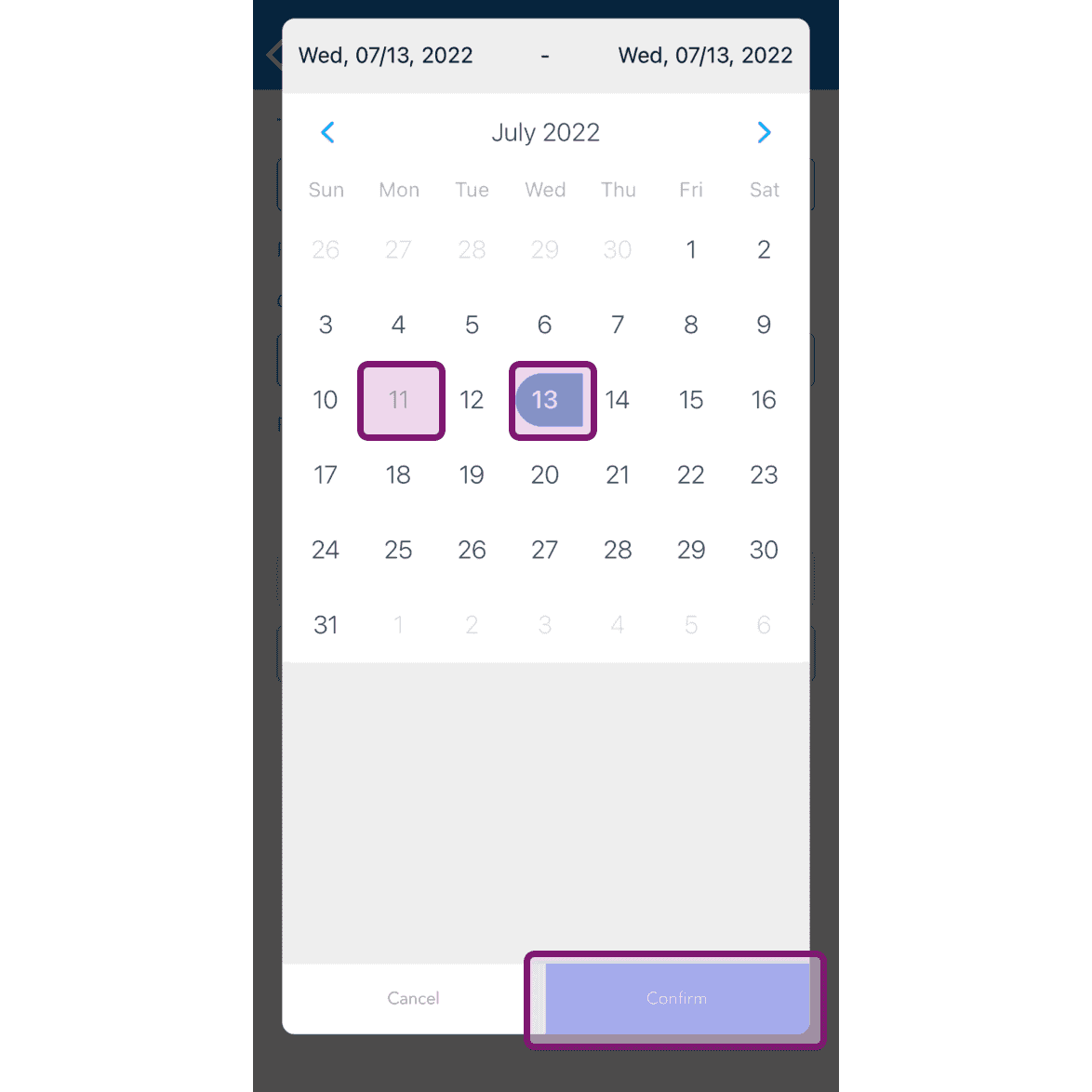
SINC mobile date range calendar with two dates selected and the Confirm button outlined in pink

Introduce el motivo por el que solicitas el tiempo libre y pulsa el botón «Enviar solicitud».
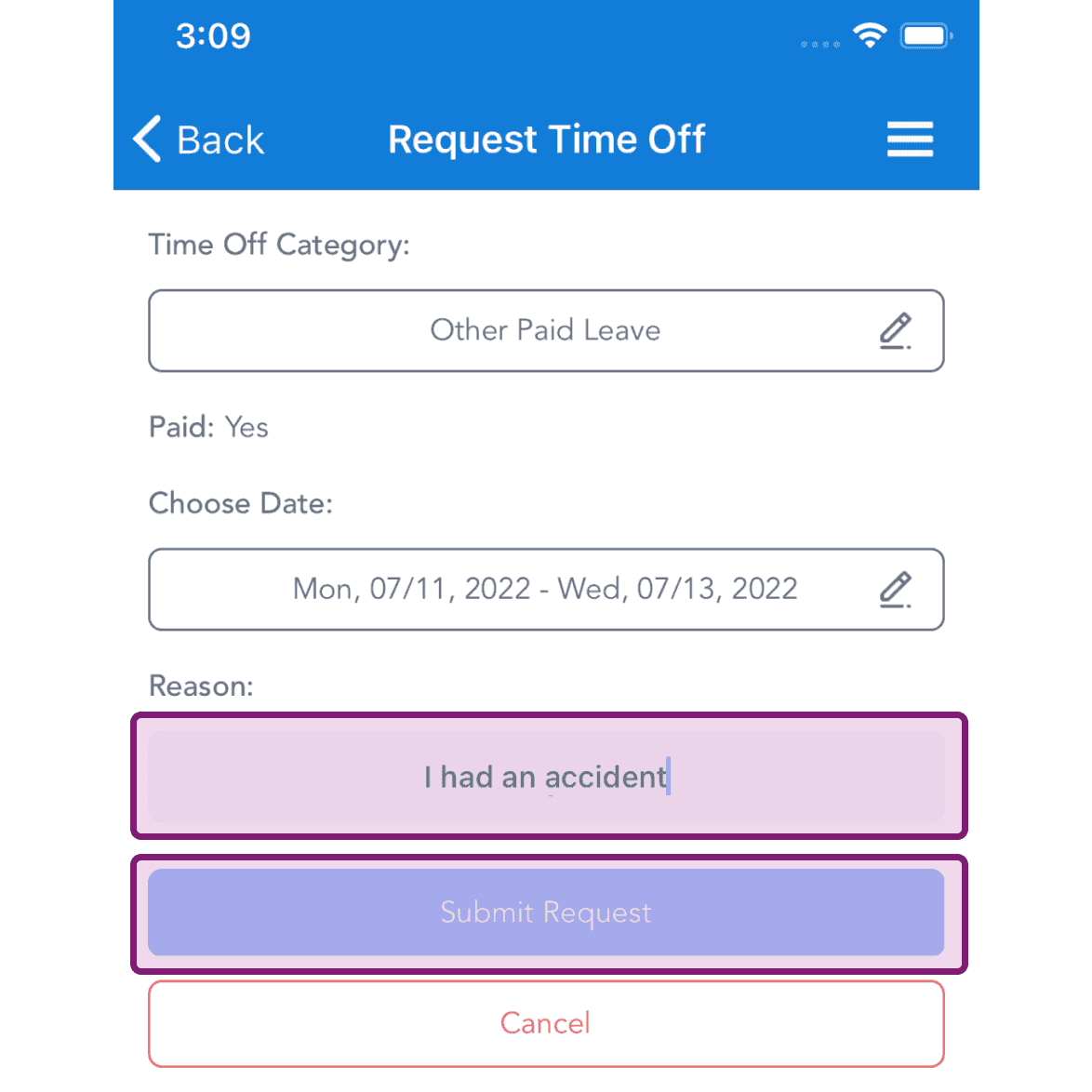
Request Time Off screen with the Reason text field and Submit Request button highlighted in pink

En la web: Haz clic en Menú Mis ausencias
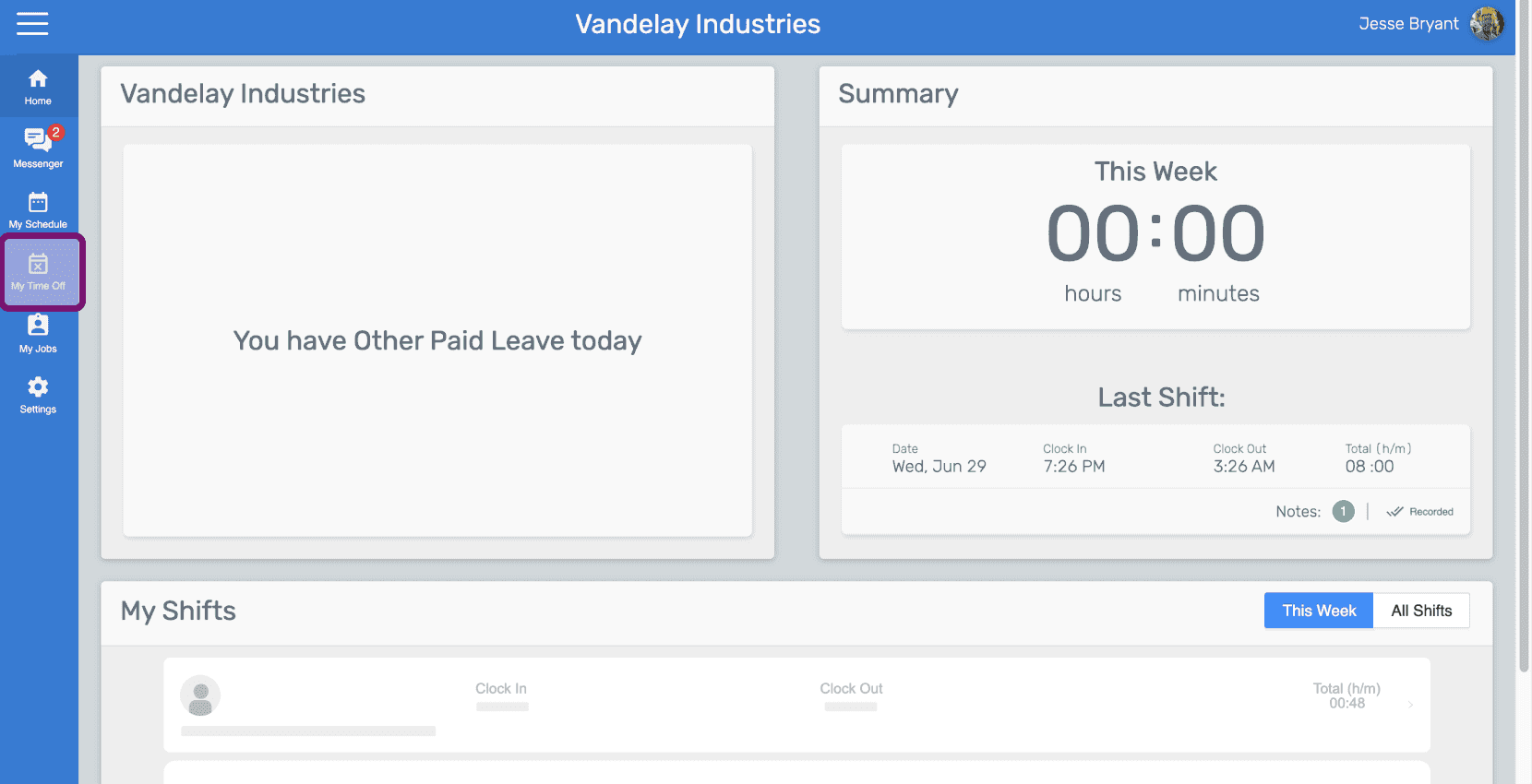
SINC web employee dashboard with the My Time Off icon highlighted in the left sidebar

Haz clic en el botón «Solicitar tiempo libre»
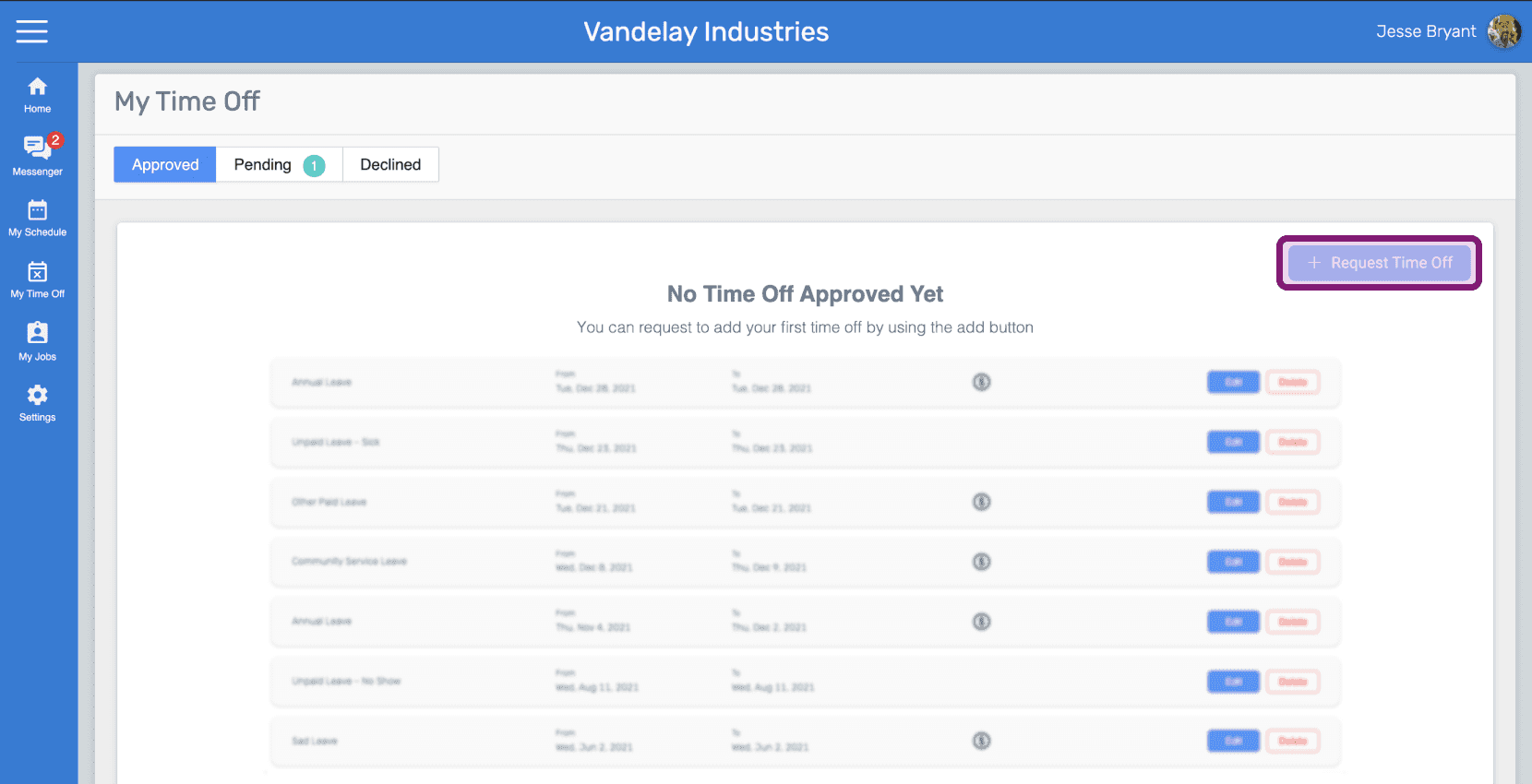
Web My Time Off page listing leave requests with the Request Time Off button outlined in pink

Haz clic en Categoría de ausencia para seleccionarla
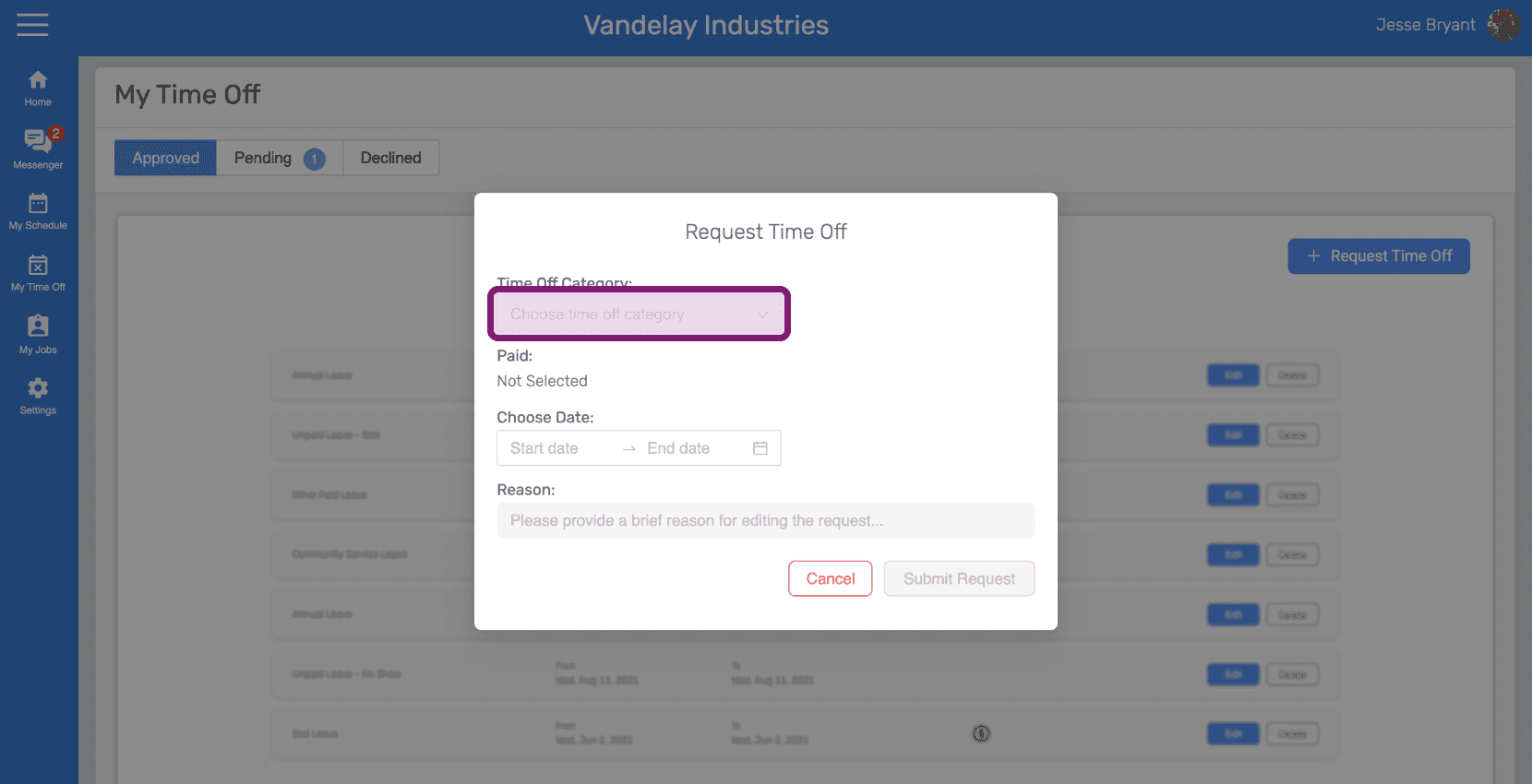
SINC web Request Time Off dialog with the Time Off Category field circled

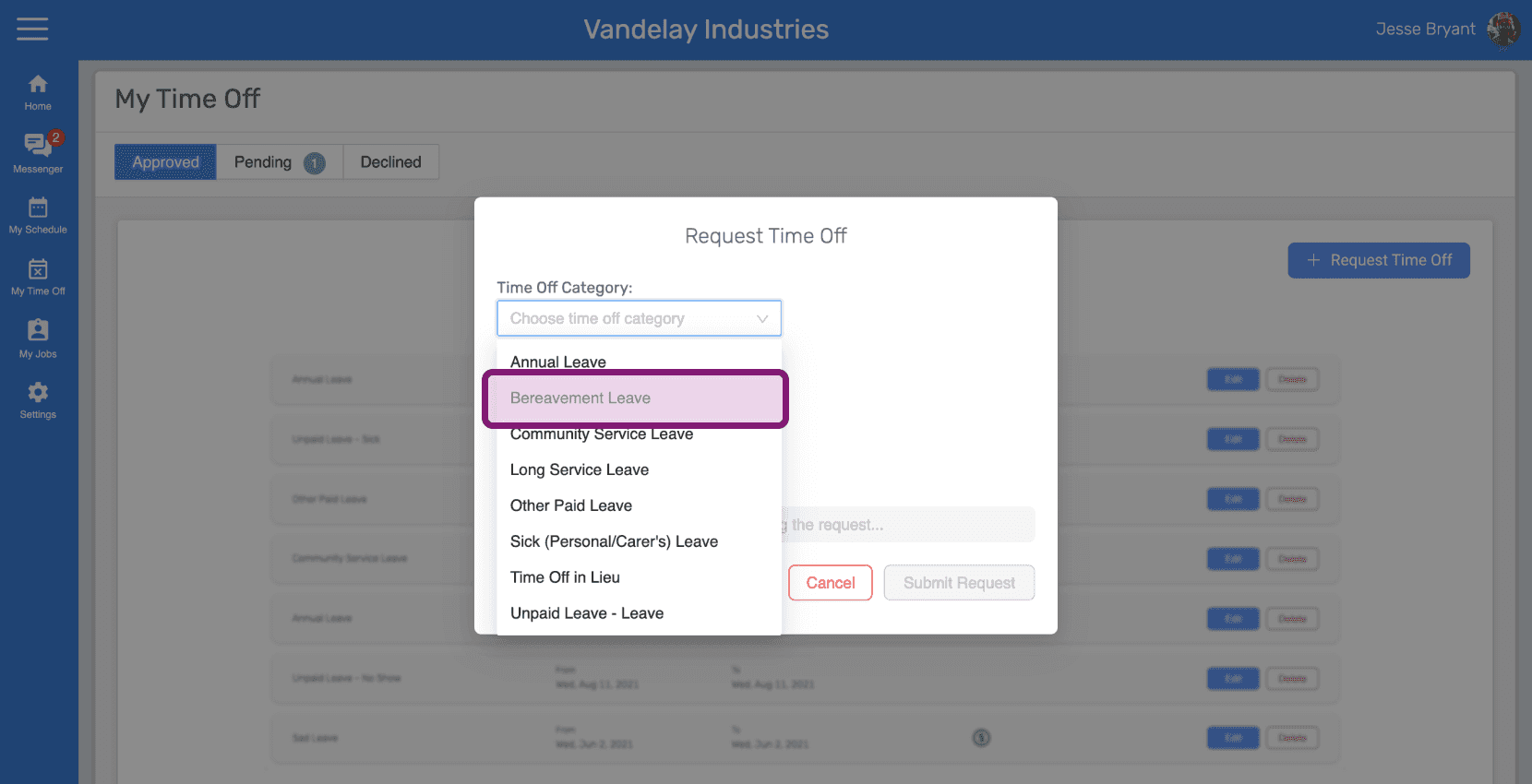
Selecciona la categoría de ausencia.

Request Time Off popup with the Time Off Category dropdown open showing Bereavement Leave

Haz clic en «Elegir fecha» para seleccionarla
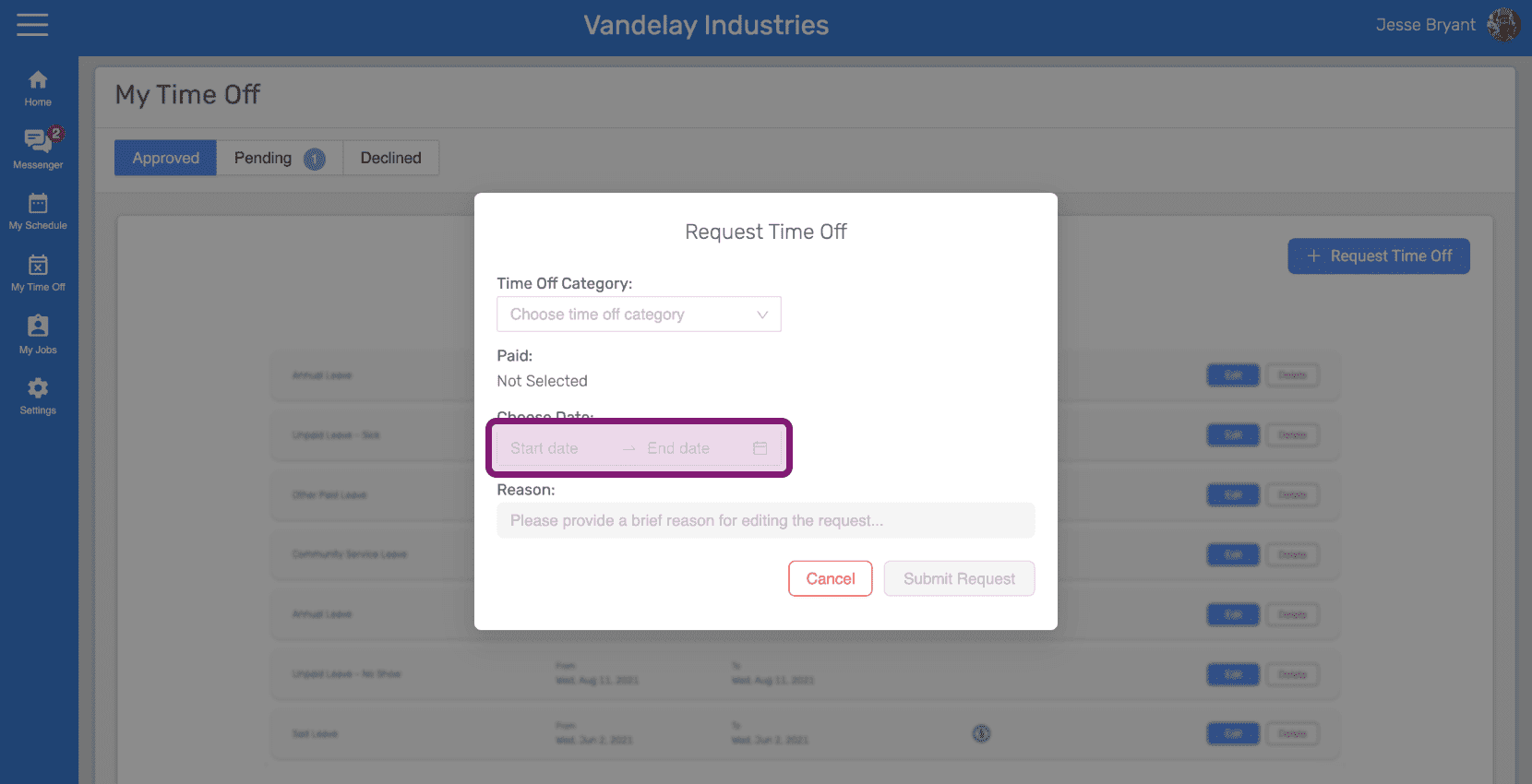
Web Request Time Off popup with the Choose Dates field outlined in pink

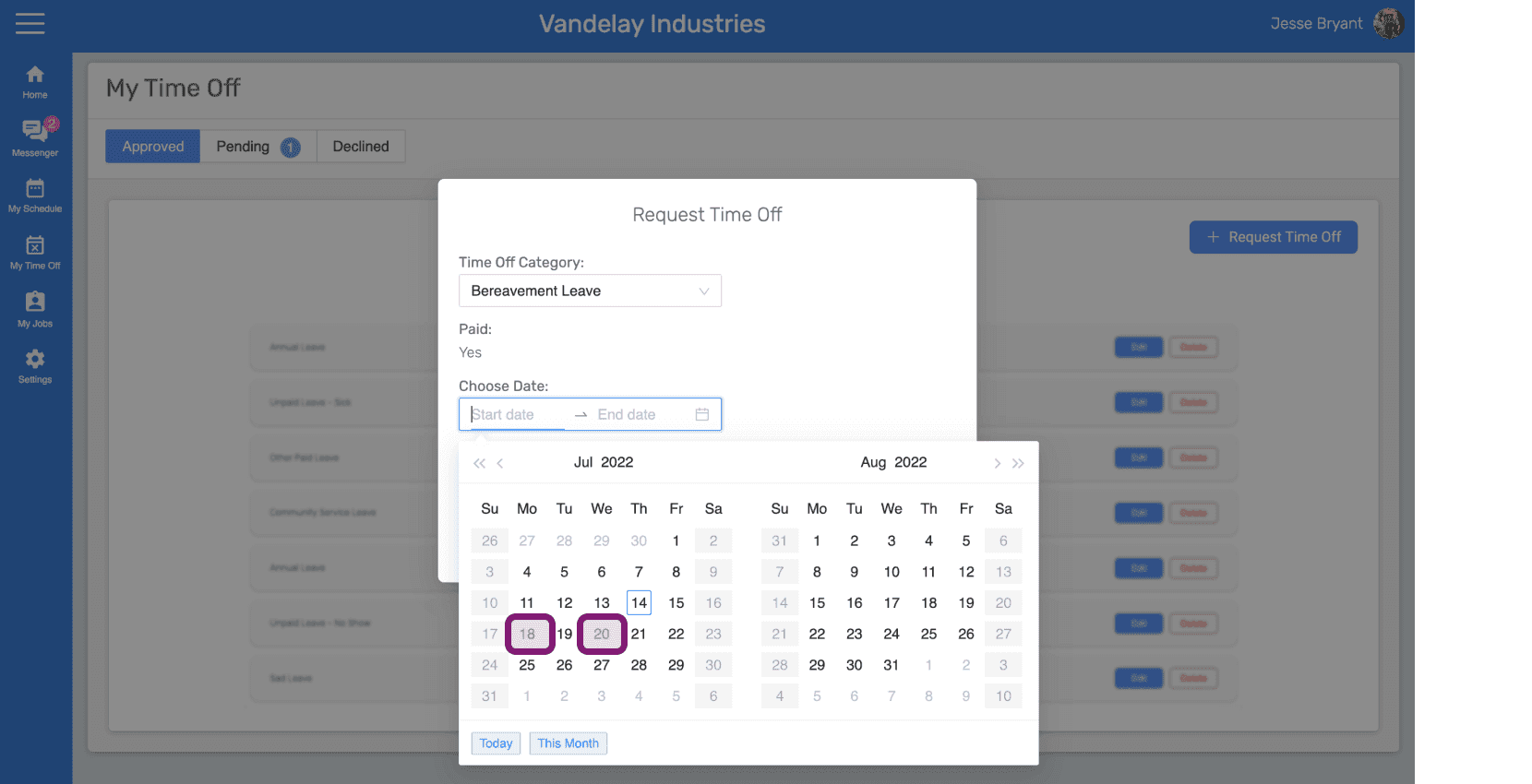
Selecciona las fechas del permiso.

SINC web Request Time Off popup with a date range outlined on the calendar

Introduce el motivo de la solicitud de tiempo libre y haz clic en el botón Enviar solicitud.
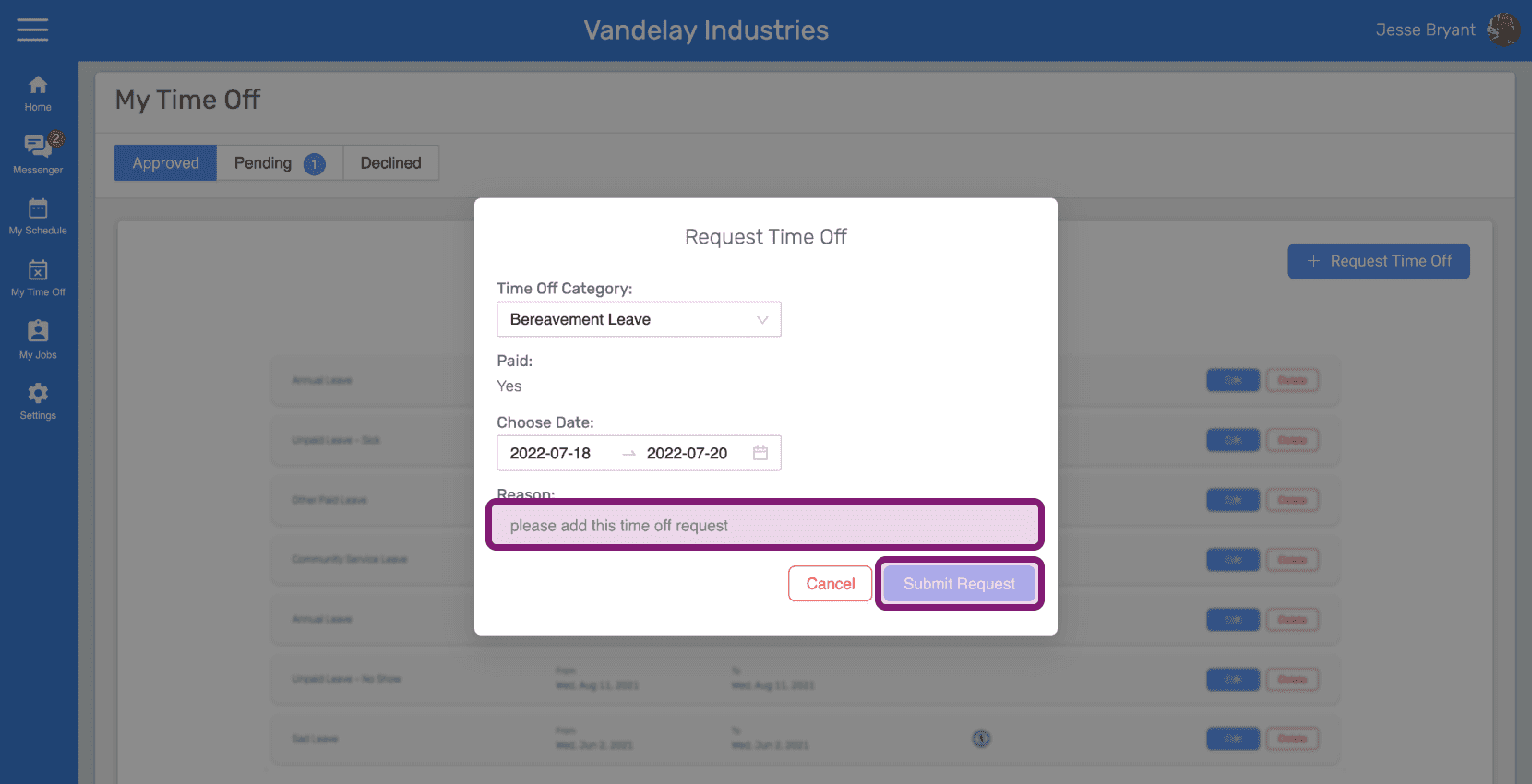
SINC web Request Time Off dialog with the Reason field and Submit Request button outlined in pink

¿Esto respondió tu pregunta?