Registro de entrada y salida para administradores

En esta guía veremos cómo fichar al entrar y salir de tus turnos como administrador.

Sam Dolbel
Sam Dolbel
Mar 3rd, 2023

Toca Mis turnos
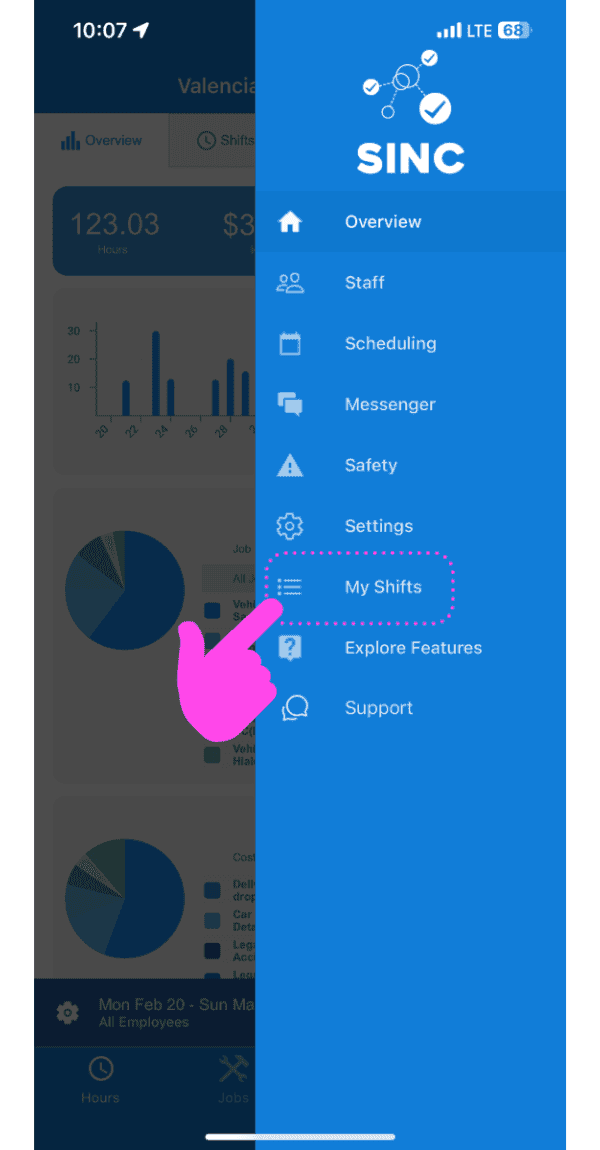
SINC mobile app side menu with a pink arrow pointing to the My Shifts menu item

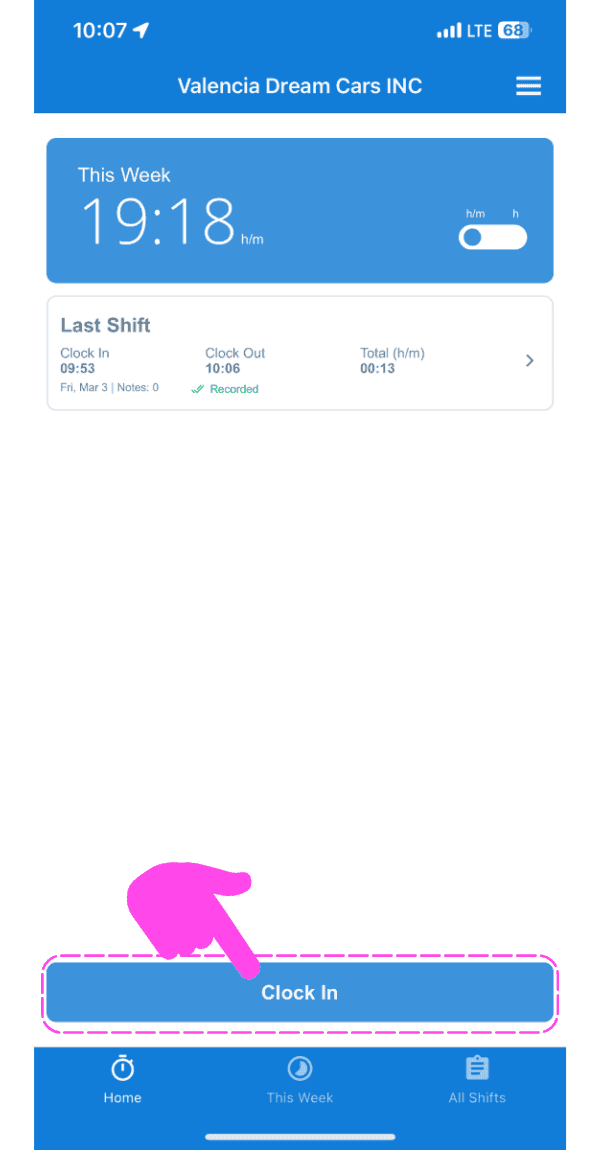
Toca Fichar entrada

SINC mobile app home screen with a pink hand pointing to the Clock In button

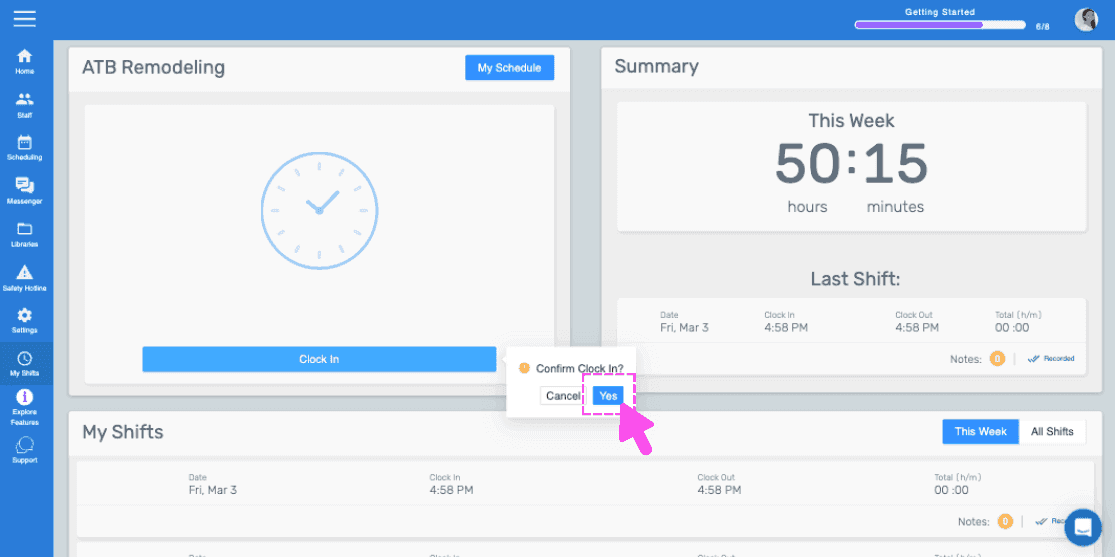
Desliza hacia la derecha para fichar (versión web). Haz clic en Sí.
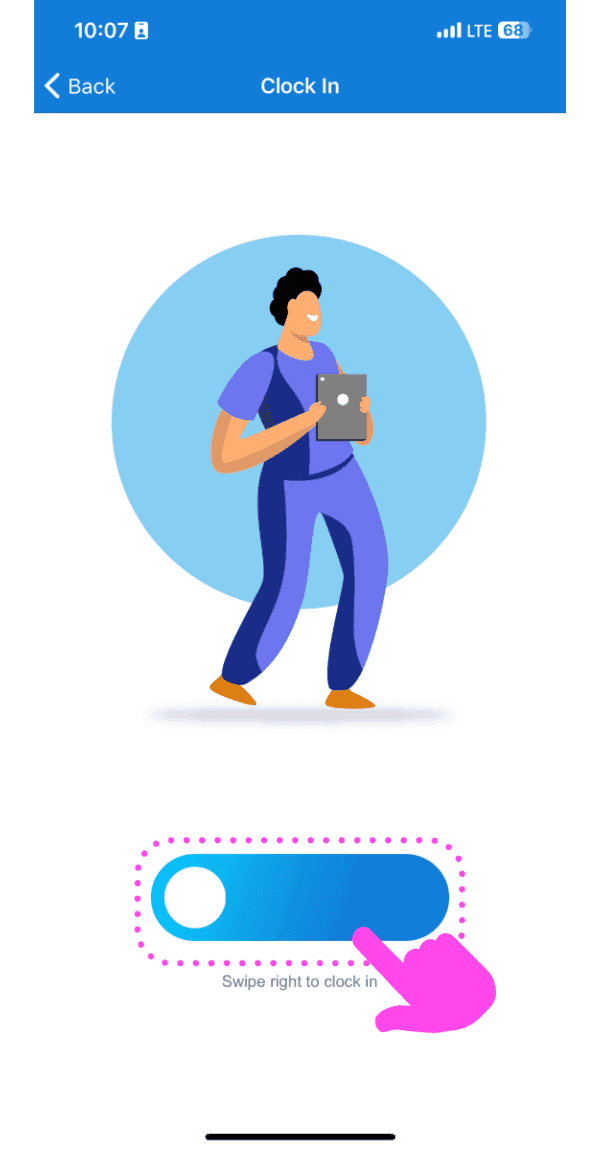
Illustrated Clock In screen with a pink arrow showing how to swipe the slider right

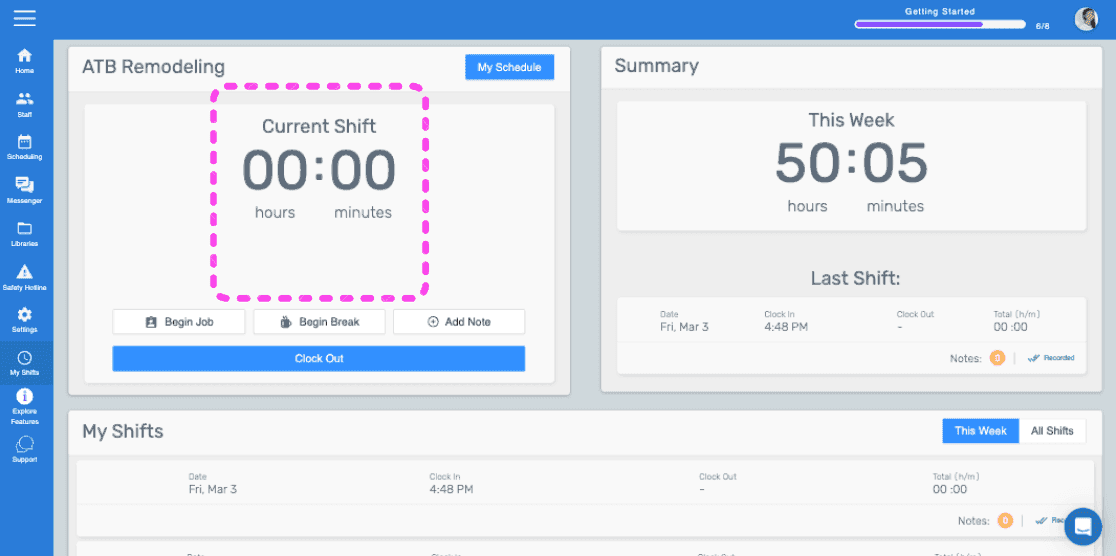
Esta pantalla indica que ya has fichado para un turno.
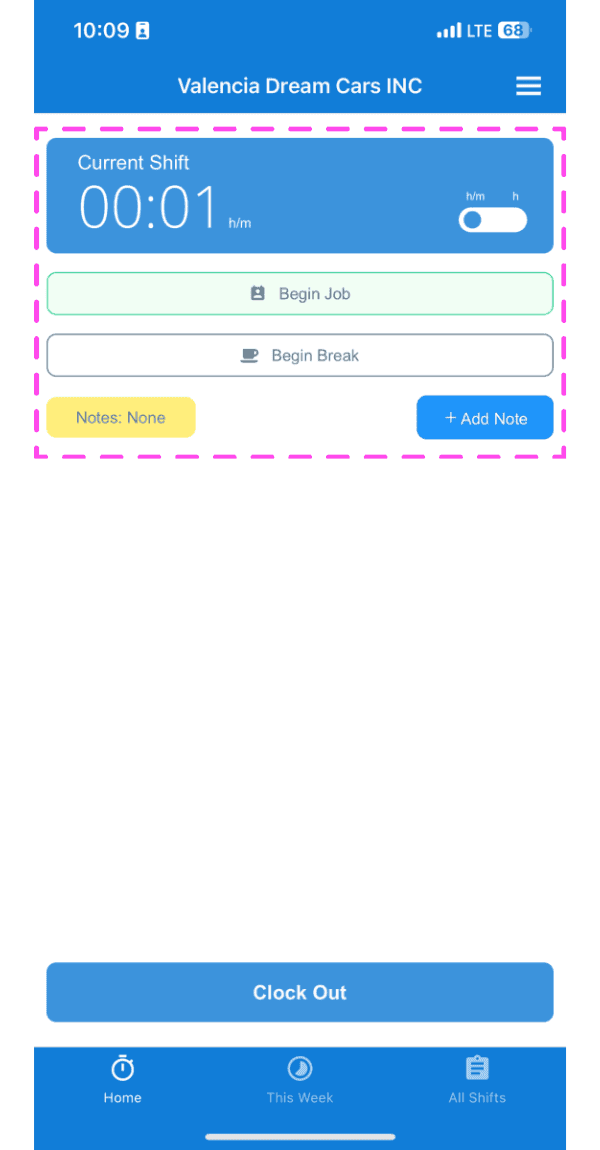
SINC mobile Current Shift screen highlighted showing clocked-in timer with Begin Job and Begin Break buttons

Si estás utilizando la versión web, se verá así:
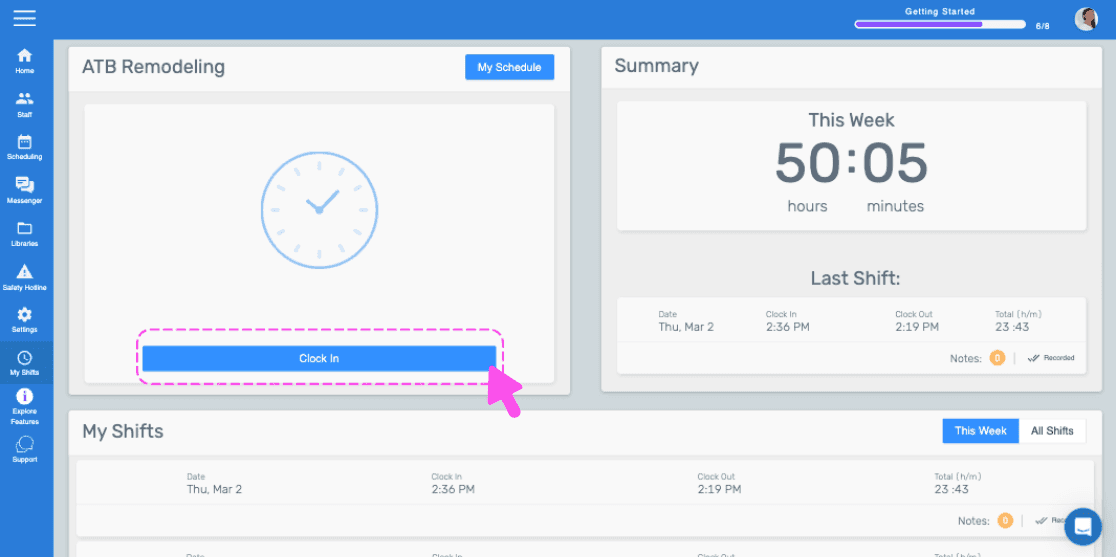
SINC web dashboard with a pink arrow pointing to the Clock In button
Web dashboard clock-in confirmation popup with the Yes button highlighted by a pink arrow
SINC web admin dashboard with the Current Shift timer box outlined in pink

¿Esto respondió tu pregunta?