
Exportar resúmenes de fechas personalizados
En esta guía explicaremos cómo exportar resúmenes de períodos distintos de los períodos de pago.

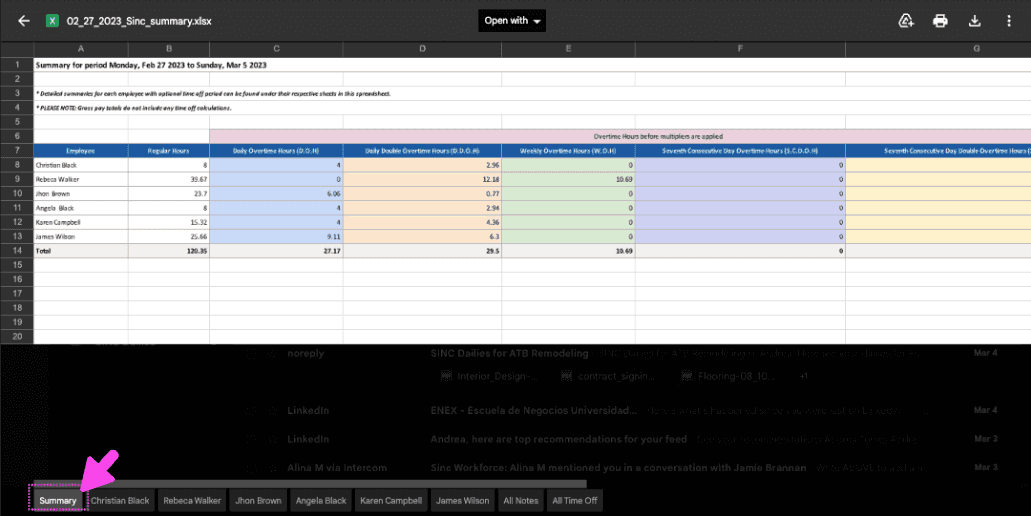
Cuando generes un informe resumen personalizado, recibirás por correo electrónico una hoja de cálculo de Excel con un resumen completo del periodo personalizado. El archivo de Excel contiene varias pestañas. Un resumen del total de horas trabajadas
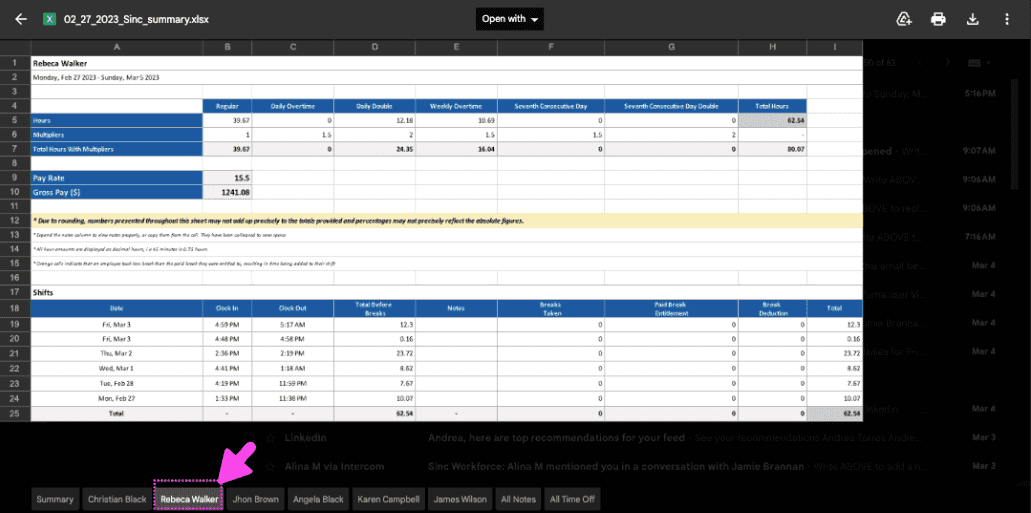
Una pestaña independiente para cada empleado con los datos asociados a sus turnos
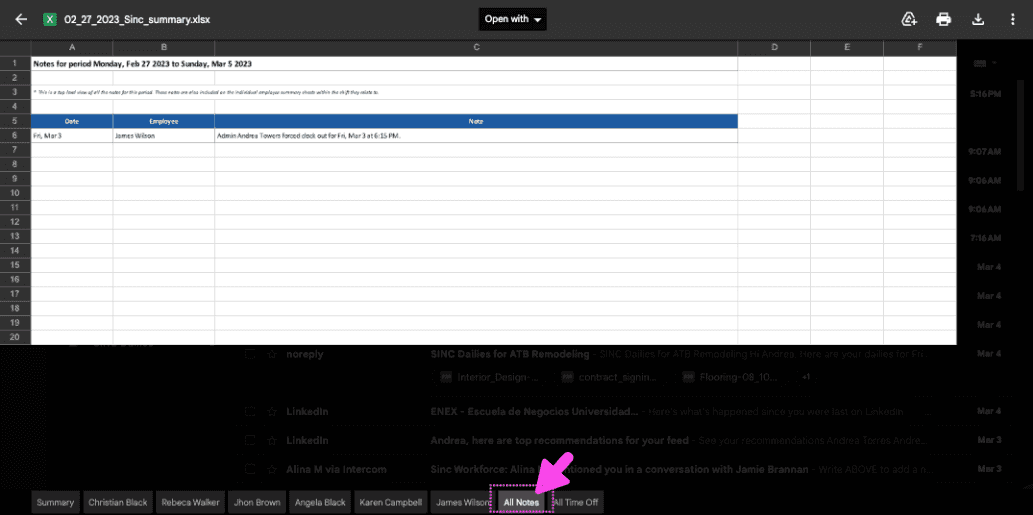
Y una pestaña de notas con todas las notas del periodo personalizado
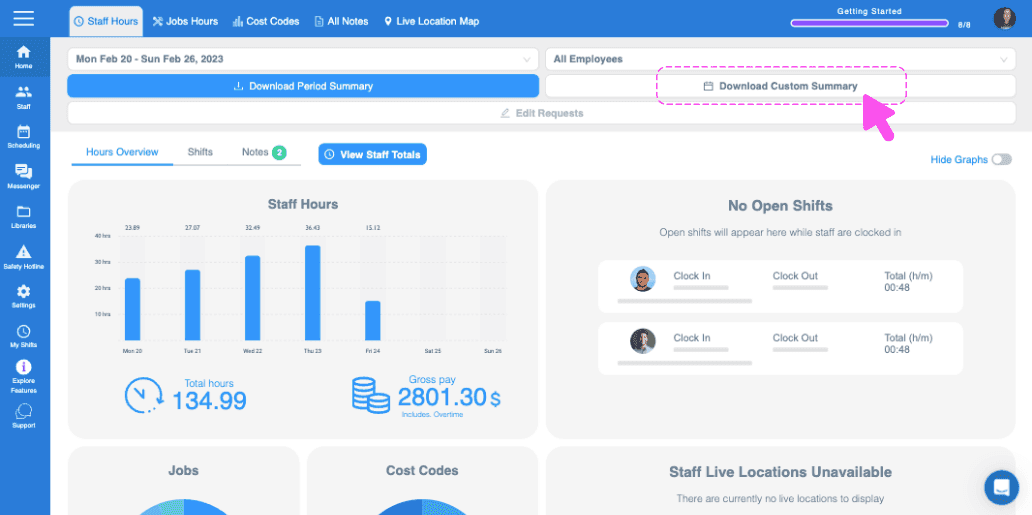
En la web: ve a Menú Inicio y haz clic en Descargar resumen personalizado.
Navega hasta el mes deseado haciendo clic en el botón de flecha izquierda o derecha.
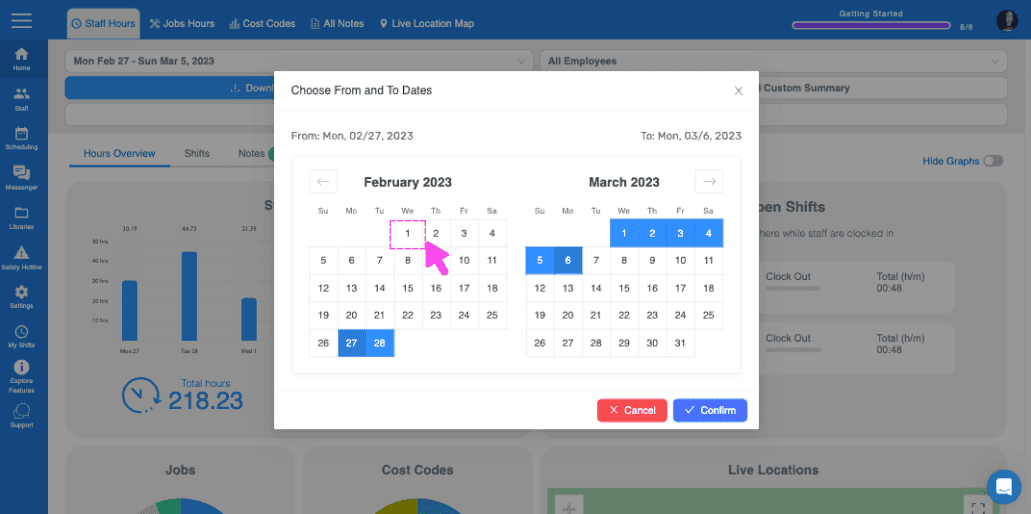
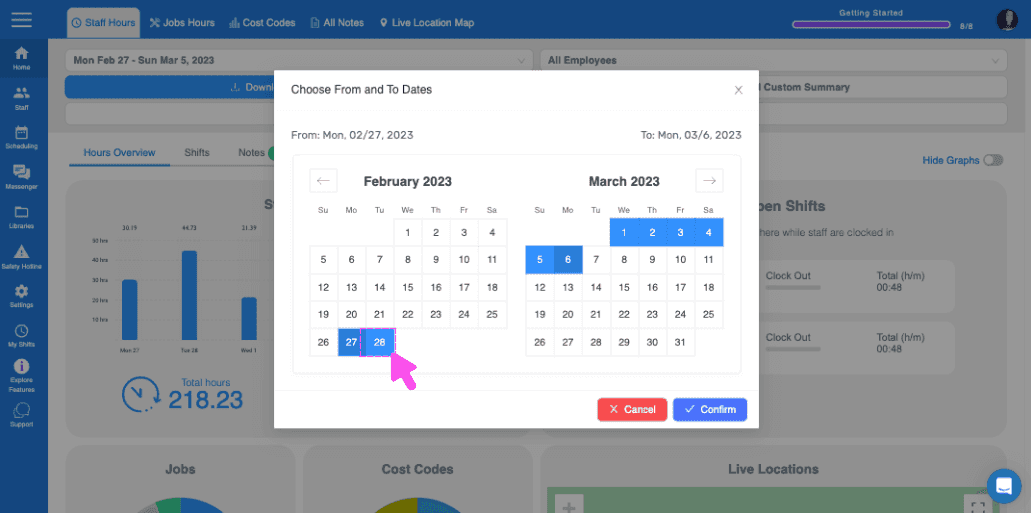
Selecciona las fechas haciendo clic en los días de inicio y finalización correspondientes.
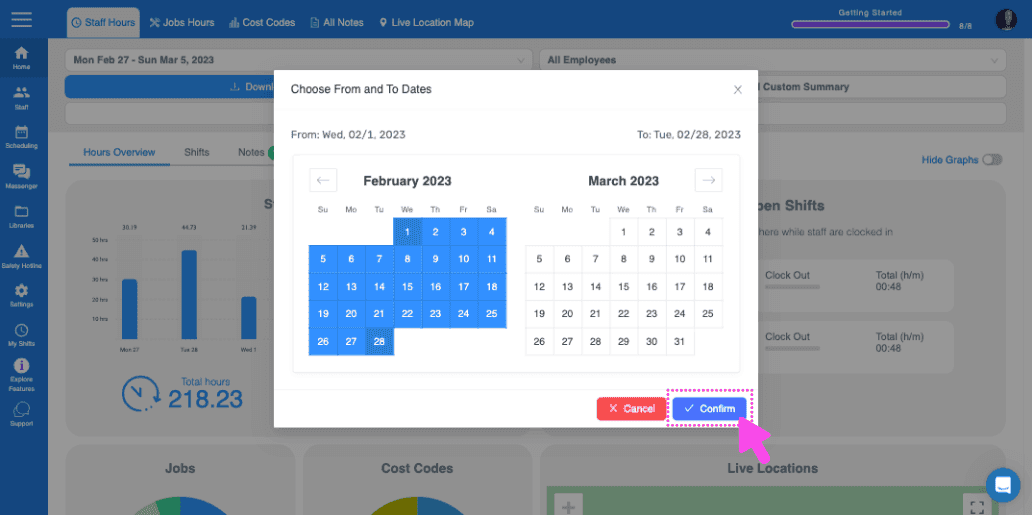
Después de seleccionar las fechas, haz clic en Confirmar.
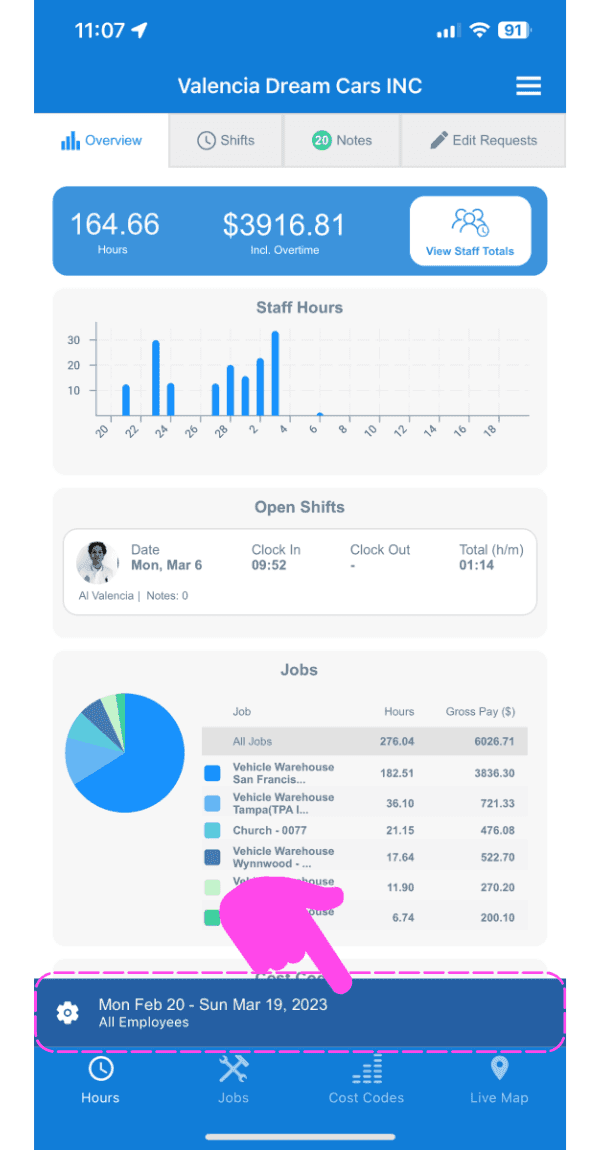
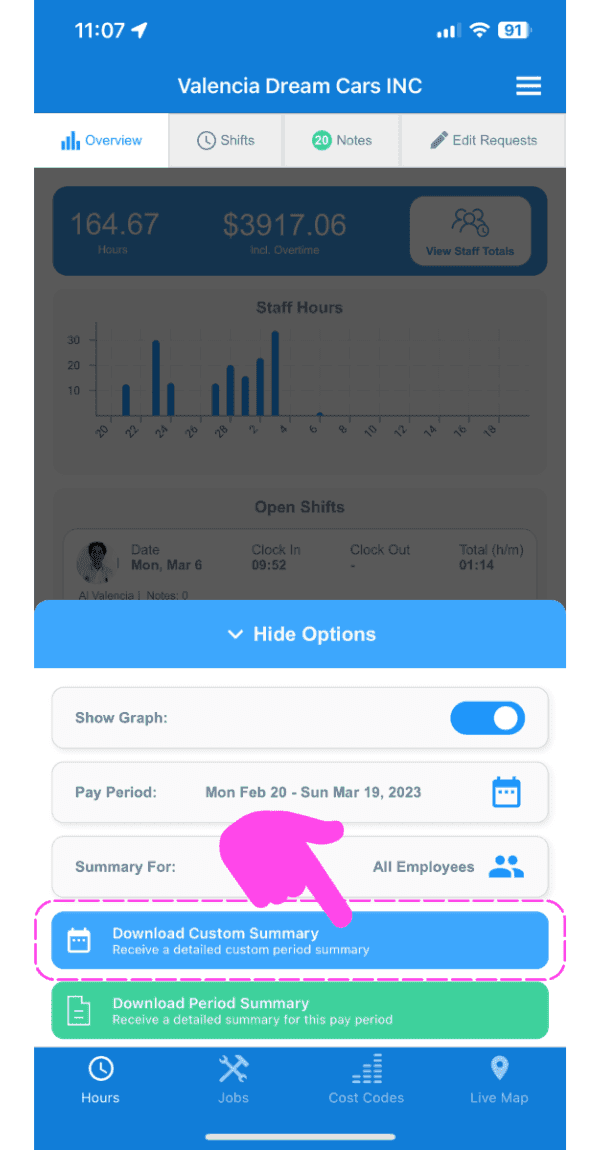
En el móvil: ve a Menú Resumen general Horarios (pestaña inferior) y pulsa el icono de engranaje .
Pulsa Descargar resumen personalizado.
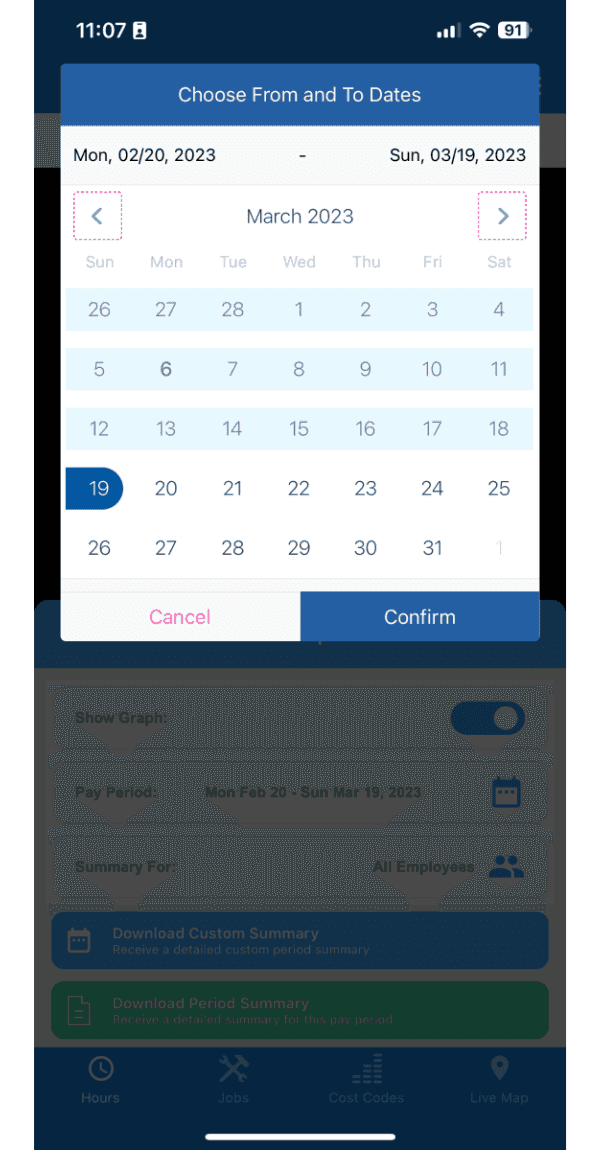
Navega hasta el mes que quieras tocando el botón de flecha izquierda o derecha.
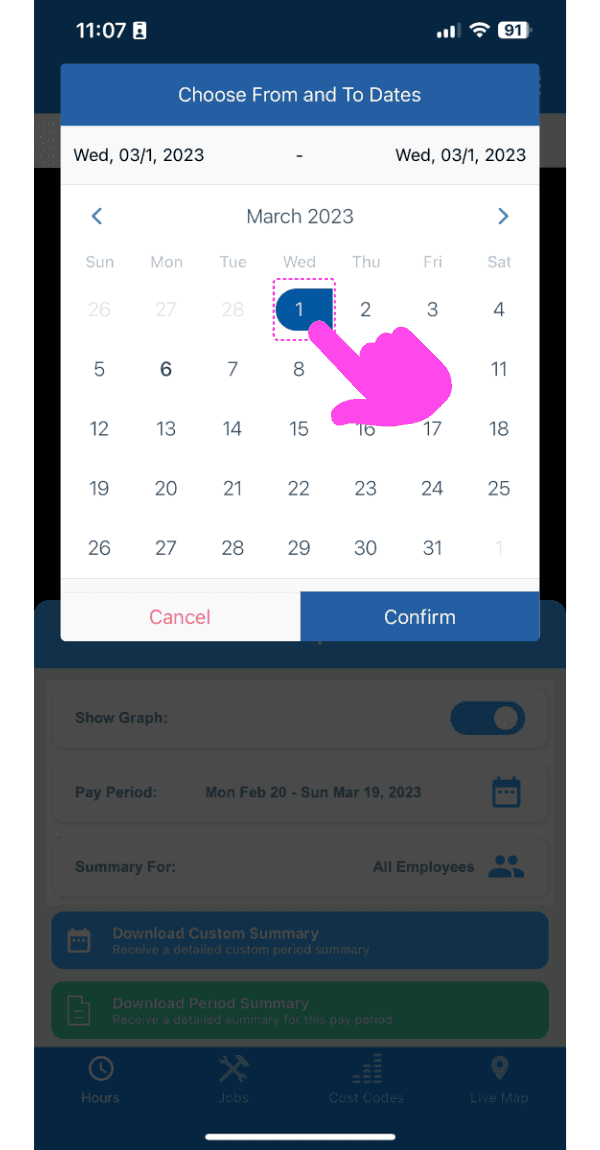
Selecciona las fechas tocando los días de inicio y finalización correspondientes.
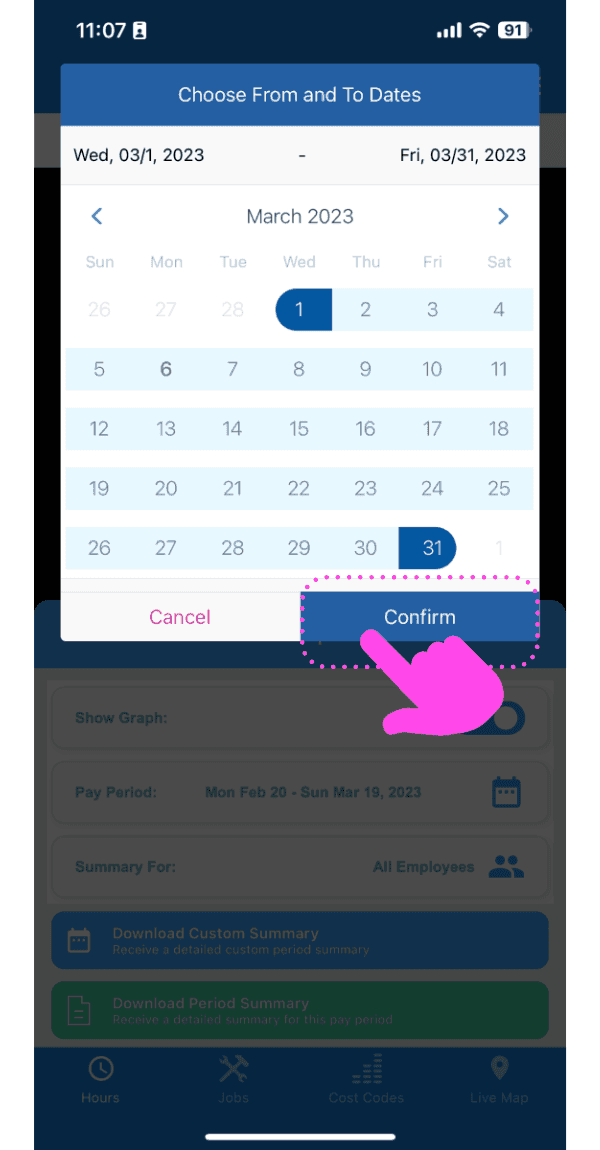
Después de seleccionar las fechas, pulsa en Confirmar.
¿Esto respondió tu pregunta?