Forzar el fichaje de salida de un turno abierto

¡Usa esta función con precaución! Está diseñada como último recurso cuando un empleado no tiene conexión a Internet para sincronizar sus turnos.

Sam Dolbel
Sam Dolbel
Mar 3rd, 2023

Si un empleado no logra conectarse a internet a tiempo para que puedas generar un resumen o aún no ha podido fichar su salida, puedes forzar el cierre de su turno. Esta opción debe utilizarse como último recurso: lo más correcto y fiable es que el empleado registre su propia salida.

En el móvil: toca El turno abierto en cuestión
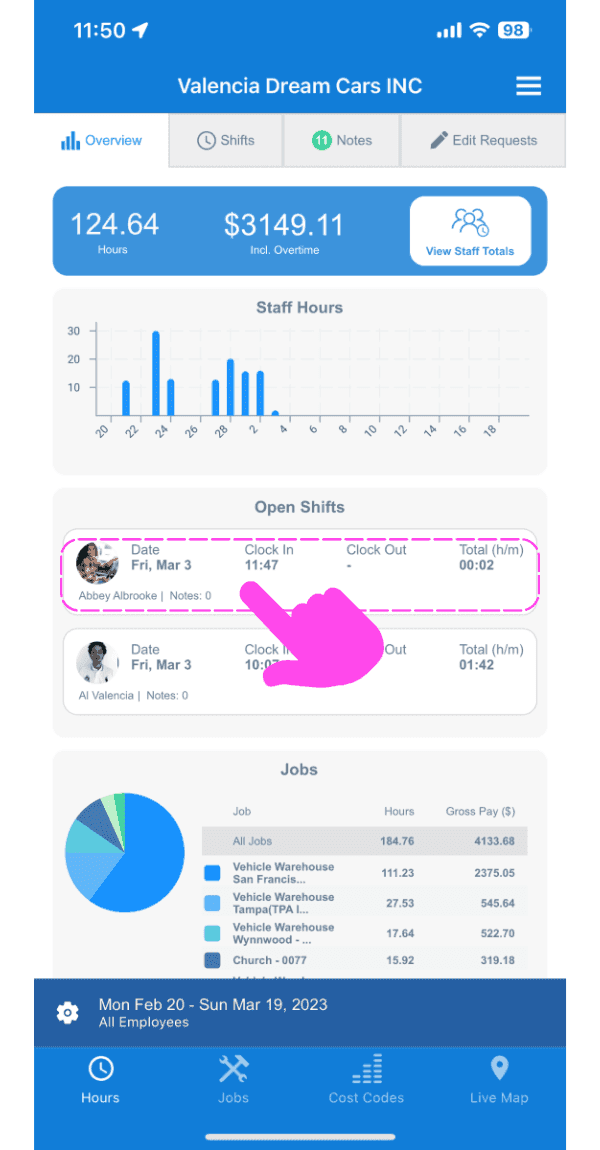
SINC web dashboard Open Shifts section with a pink hand pointing to a specific open shift entry

En la pestaña Información, pulsa Forzar registro de salida
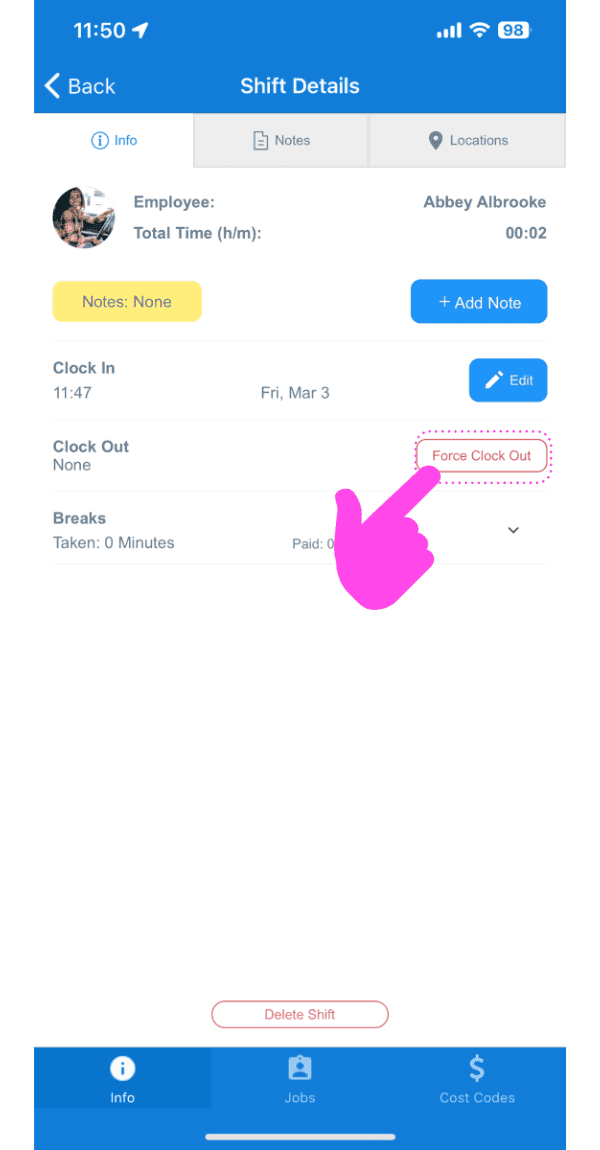
Shift Details screen with the Force Clock Out button highlighted by a pink arrow

Selecciona la fecha para la nueva salida
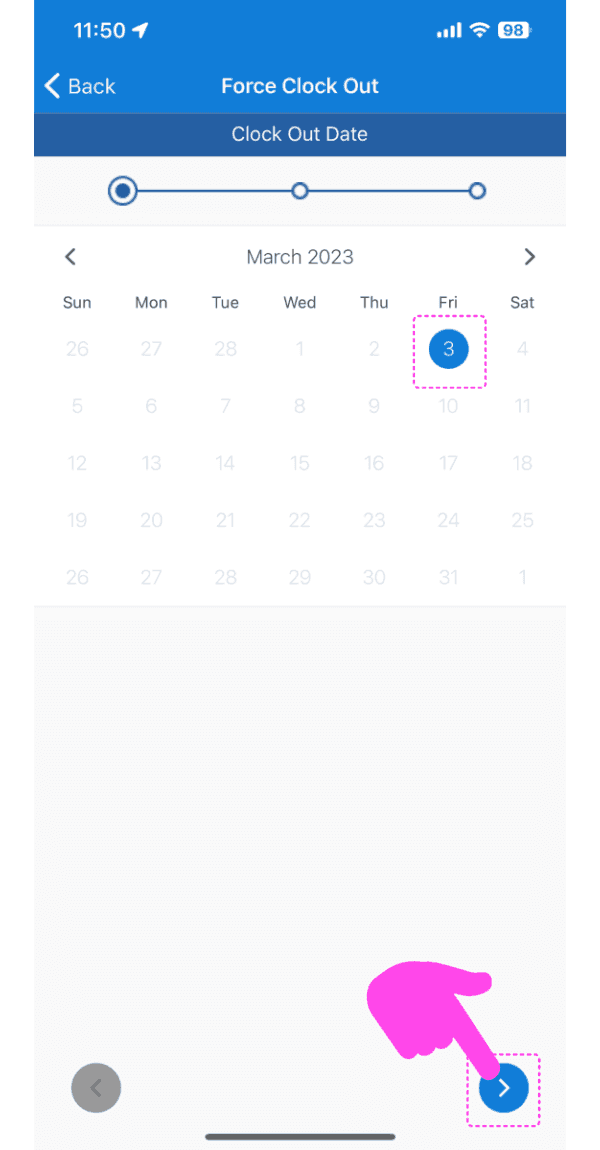
Force Clock Out screen showing a March calendar with the 3rd selected and a pink arrow pointing to the next-step button

Selecciona la hora del nuevo fichaje de salida
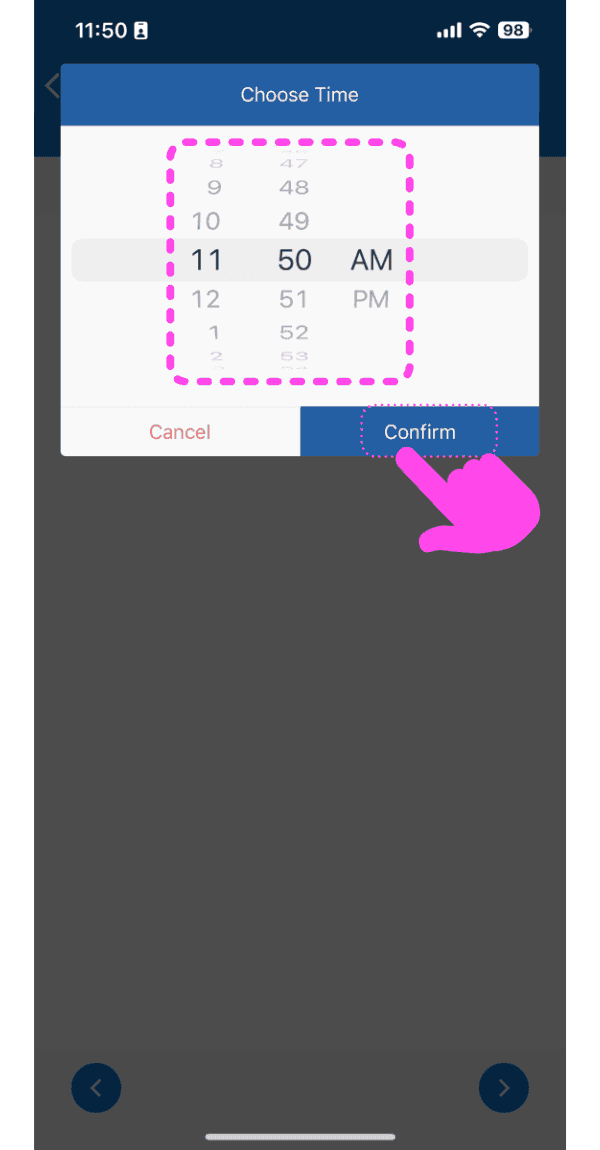
SINC mobile Choose Time picker with a pink hand pointing to the Confirm button

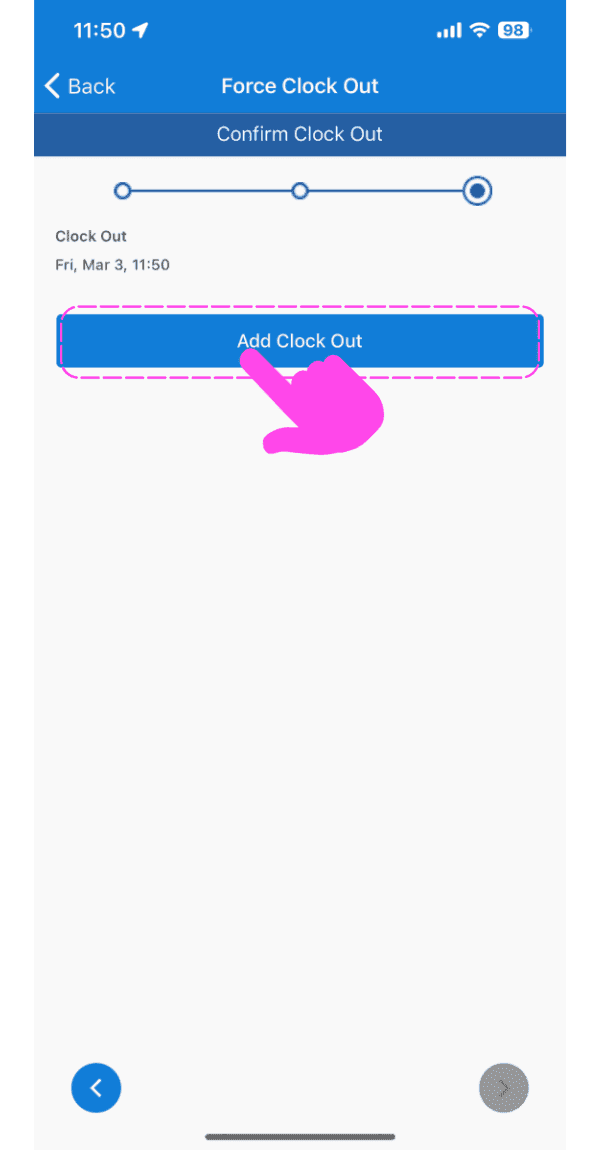
Pulsa Registrar salida

Force Clock Out Confirm Clock Out screen with the Add Clock Out button highlighted by a pink arrow

Ahora verás una nueva nota con los detalles del fichaje de salida forzado.
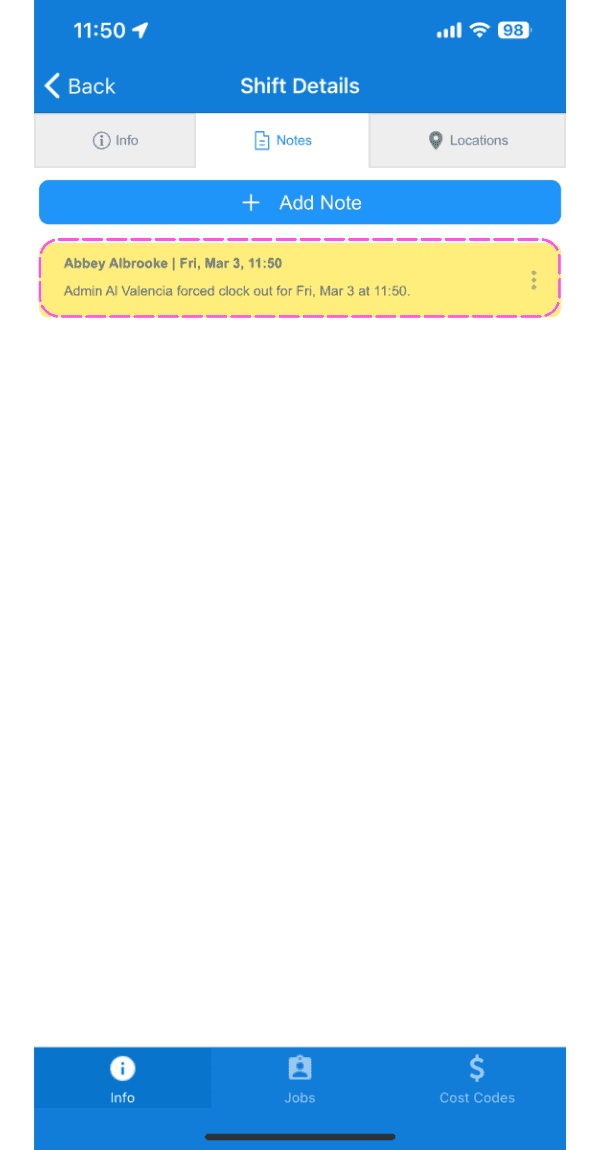
SINC mobile Shift Details Notes tab showing a highlighted note about a forced clock out

En la web: haz clic en El turno abierto en cuestión
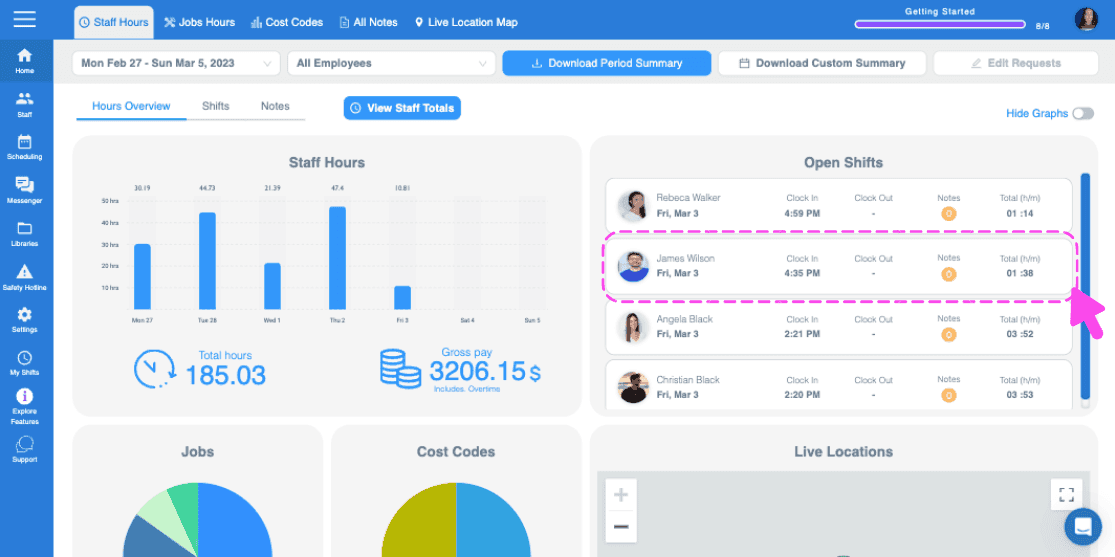
Web dashboard Open Shifts panel with a pink arrow pointing to a highlighted open shift row in the list

En la pestaña **Turno**, haz clic en ** Forzar salida**
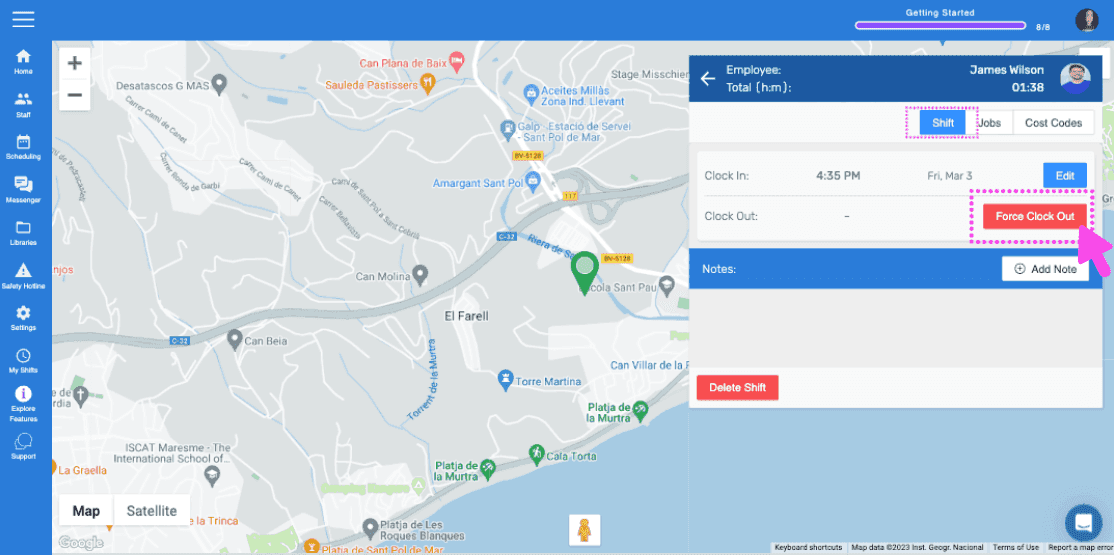
SINC web map view of an employee's location with the Force Clock Out button highlighted

Selecciona la fecha del nuevo fichaje de salida
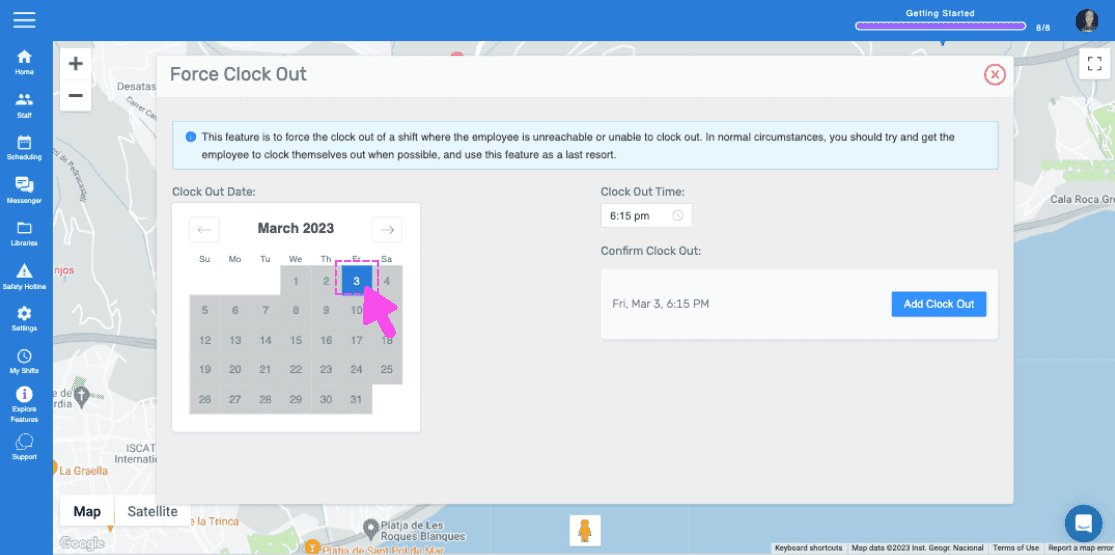
Web Force Clock Out panel with a calendar date circled in pink and an arrow pointing to the selected day

Selecciona la hora de la nueva salida
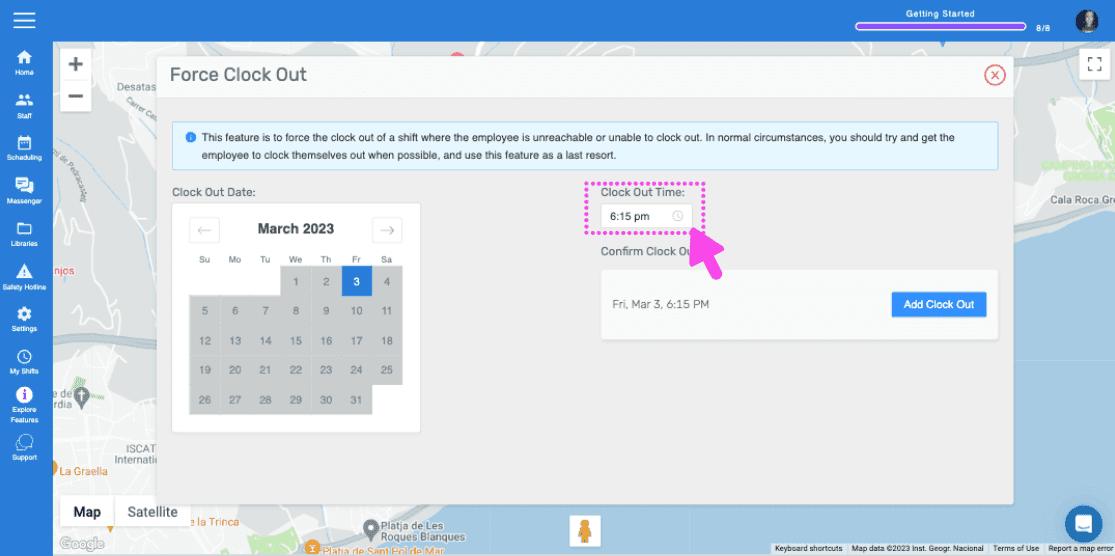
SINC web Force Clock Out panel with a pink arrow pointing to the Clock Out Time field and Add Clock Out button

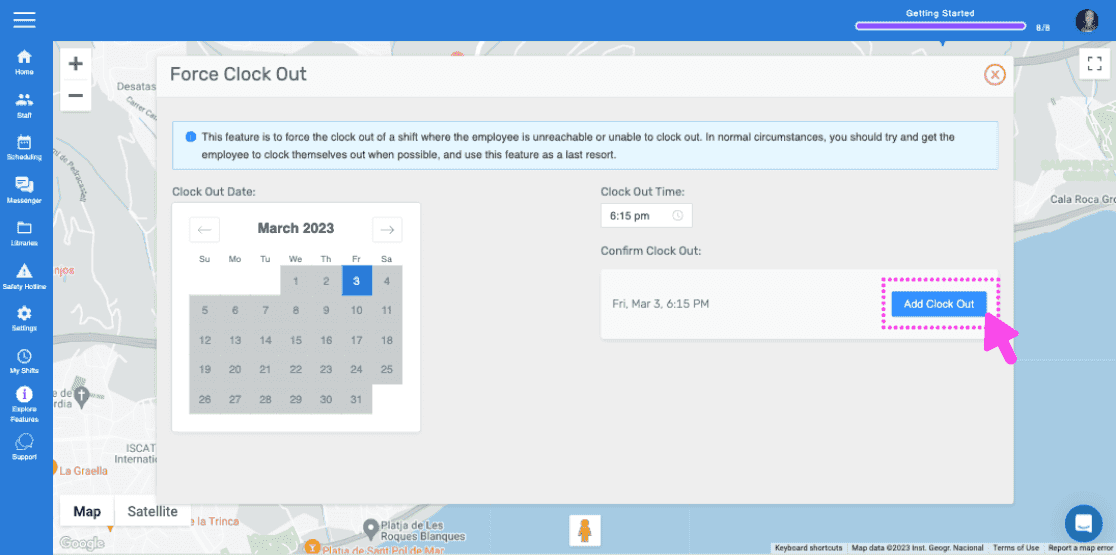
Toca Registrar salida

Force Clock Out screen with a map and a pink arrow pointing to the Add Clock Out button

Ahora verás una nueva nota con los detalles de la salida forzada del reloj.
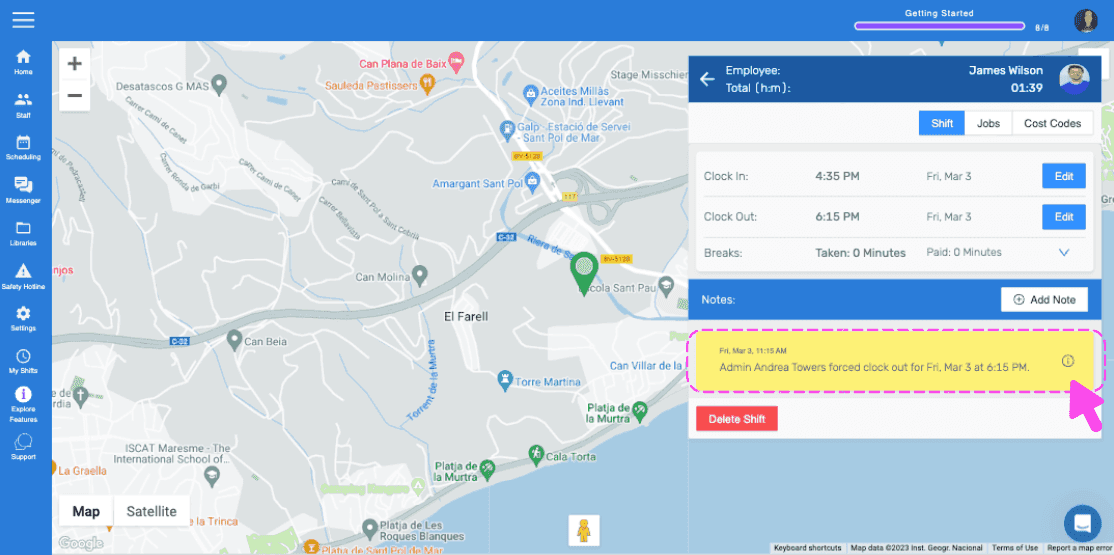
Web staff map view showing clock in/out details with a highlighted note about the forced clock-out

¿Esto respondió tu pregunta?